AI integration plugin connecting WooCommerce & WordPress with Model Context Protocol for seamless AI assistant interactions.
MCP for WooCommerce is a comprehensive WordPress plugin that bridges your WooCommerce store and WordPress site with AI assistants through the Model Context Protocol (MCP). This plugin provides a standardized interface for AI assistants to access and interact with your e-commerce data in a secure, read-only manner. This is a community-developed plugin and is not an official WooCommerce or WordPress plugin. This plugin is not affiliated with Automattic.
Key Features:
- MCP Server Implementation – Full Model Context Protocol server with tools, resources, and prompts
- WooCommerce Integration – Access products, orders, categories, reviews, shipping, and payment data
- WordPress Content Access – Retrieve posts, pages, media, and site information
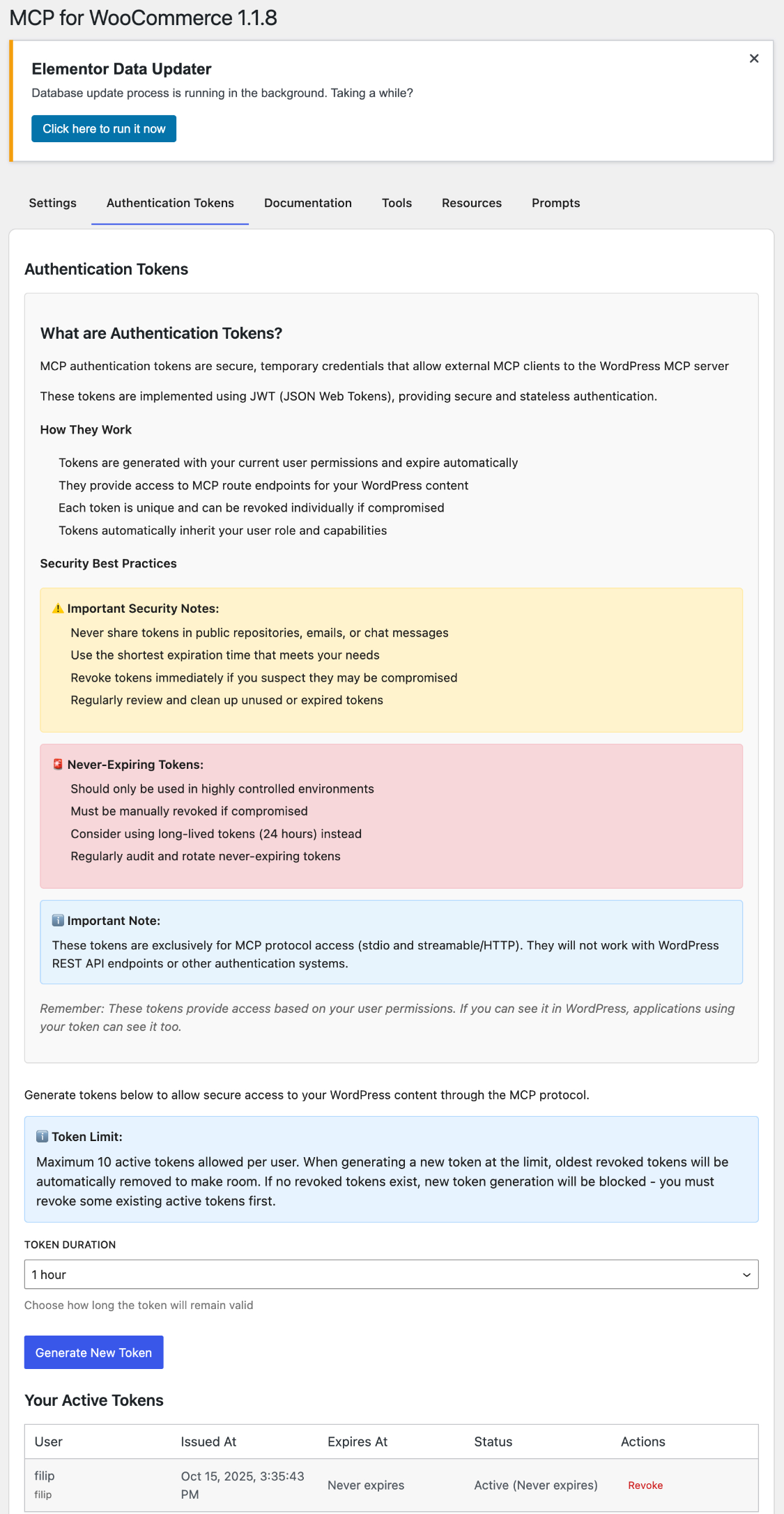
- Secure Authentication – JWT-based authentication with configurable access controls
- Multiple Transport Methods – STDIO and HTTP streamable transports
- AI-Ready Interface – Optimized for Claude, ChatGPT, and other AI assistants
- Read-Only Safety – All operations are read-only to ensure data security
- Intelligent Search – Advanced search capabilities for products and content
- Comprehensive Documentation – Built-in guides and examples
What is MCP?
Model Context Protocol (MCP) is an open standard that enables AI assistants to securely access external data sources and tools. This plugin acts as an MCP server, allowing AI assistants to understand and interact with your WordPress/WooCommerce site through standardized interfaces.
Use Cases:
- Customer service automation with AI chatbots
- Product recommendation engines
- Content management assistance
- Sales analytics and reporting
- Inventory management support
- Site administration helpers
Requirements:
- WordPress 6.4 or higher
- PHP 8.0 or higher
- WooCommerce plugin (for e-commerce features)
Additional Information
Support: For technical support and questions, please visit our GitHub repository or contact support through the WordPress.org forums.
Documentation: Comprehensive documentation is available within the plugin settings page and in our online documentation.
Contributing: This plugin is open source. Contributions are welcome through our GitHub repository.
Privacy: This plugin does not collect or transmit any personal data. All interactions are between your site and your configured AI assistants.
Screenshots
FAQ
Is this plugin safe to use?
Yes. Every tool is read-only, and the plugin only returns information that is already public on your storefront. It cannot create, change or delete anything on your site, and it never signs in as a WordPress user.
Why does the endpoint not need a password or token?
It only serves public storefront information, the same as your shop pages and the WooCommerce Store API. Orders, customers, users, settings and unpublished content are never exposed, so there is nothing to protect with a login.
Can I turn access off?
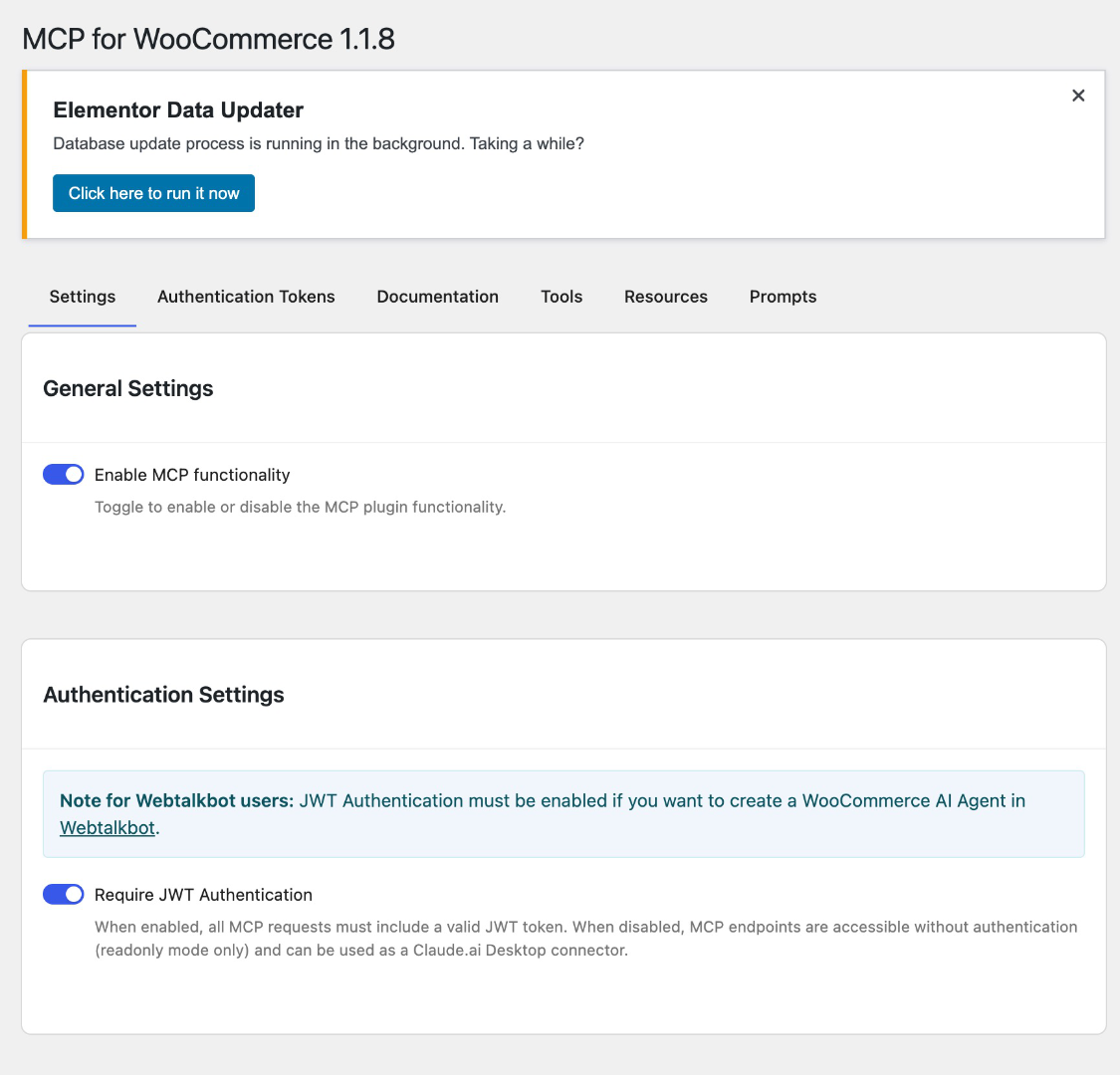
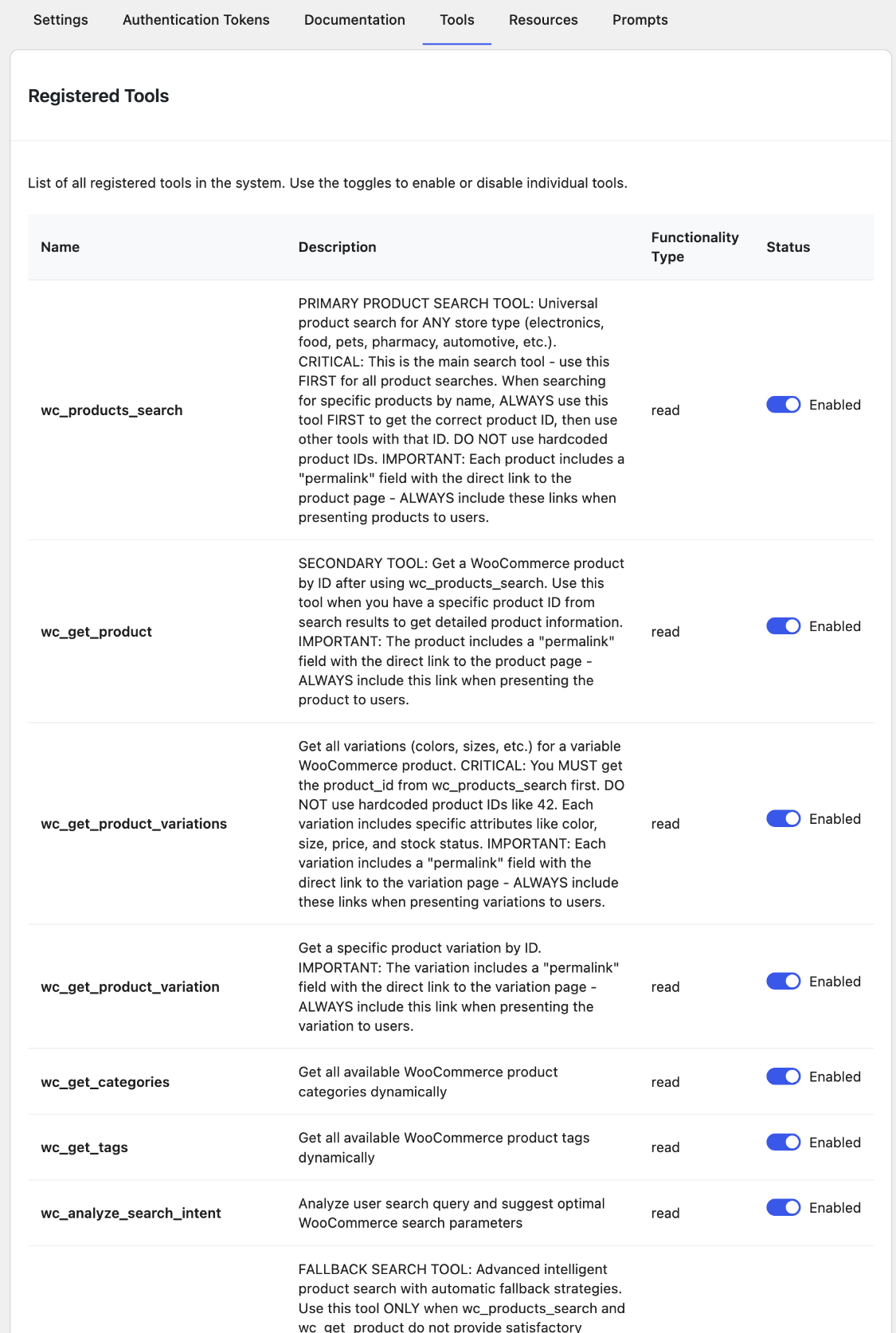
Yes. Switch off Enable MCP functionality to disable the endpoint completely, or turn individual tools off on the Tools tab.
Which AI assistants work with this plugin?
Any client that supports the Model Context Protocol over Streamable HTTP, including Claude Code, Claude Desktop (through mcp-remote), Cursor, VS Code and the MCP Inspector.
Does the plugin contact external services?
No. The plugin does not send any data to external services. AI assistants connect to your site; your site does not connect to them.
Does this plugin slow down my website?
No. It only runs when an MCP client calls the endpoint.
ChangeLog
1.3.0
- The MCP endpoint is now public and strictly read-only, and it only returns storefront information: published products, catalogue structure, approved reviews, shipping, tax and payment options, and published posts and pages
- Removed JWT and OAuth authentication. The plugin no longer issues tokens or signs in as a WordPress user
- SECURITY: Posts and pages tools no longer accept a status filter, so draft, private and password-protected content can no longer be requested
- SECURITY: Reviews no longer include the reviewer’s e-mail address, and posts and pages no longer include the author’s login or e-mail address
- SECURITY: Products that are not published or are hidden from the catalogue are no longer returned
- Payment and shipping tools return only what checkout shows, not gateway or shipping method settings
- Removed the system status tool, the OpenAPI document, and unused code for tools that were never registered
- The plugin no longer generates a proxy script in the uploads directory; an existing one is deleted on update
- Removed the firebase/php-jwt dependency
1.2.5
- Confirm compatibility with WordPress 7.1
1.2.4
- Confirm compatibility with WordPress 7.0
- Correct the Contributors field to a valid WordPress.org username, and remove a Screenshots section that had no matching assets
- SECURITY: The OAuth authorization form submission accepted any client_id and redirect_uri without validation, so a crafted form could capture an authorization code on an attacker-controlled host. Both are now validated against the registered client before credentials are processed.
- Harden the tax rate query so every SQL placeholder is visible to static analysis, and cache results in the object cache
- Serve /.well-known/oauth-authorization-server with a 200 status instead of 404, and stop writing a static copy into the web root on activation
- Pass the WordPress.org Plugin Check with zero errors and zero warnings
- Remove set_time_limit() and ini_set() calls, and delete unused proxy code
- Move client-setup.md into documentation/ and drop the command-line proxy script from the distributed package
1.2.3
- Fix Streamable HTTP transport writing HTTP chunk framing into the JSON body, which made every JSON-RPC response unparseable for spec-compliant MCP clients (issue #5)
- Responses are now a single complete application/json body with a correct Content-Length; the plugin no longer sets Transfer-Encoding or Connection headers
- Fix Mcp-Session-Id header being silently dropped for batches of more than 5 messages
- Notification-only requests now return an empty 202 body instead of stray framing bytes
- Remove references to a decommissioned demo host from the setup docs; mcp-proxy.php now takes the endpoint URL as an argument instead of hard-coding one
1.2.2
- Fix “Unable to generate new token” error when jwt-authentication-for-wp-rest-api plugin is active (issue #3)
- Move all JWT auth REST routes from
jwt-auth/v1/* to plugin-specific mcpfowo/v1/auth/* namespace to avoid collisions
- Update OAuth discovery endpoint URLs to the new namespace
1.2.1
- Added OAuth 2.0 Authorization Code Flow with PKCE support
- Implemented dynamic client registration for MCP clients
- Added custom authorization form for seamless OAuth flow
- Enhanced JWT authentication to accept tokens with or without Bearer prefix
- Automatic OAuth discovery endpoint creation on plugin activation
- Added activation/deactivation hooks for automated setup
- Improved Claude Code compatibility with OAuth-compliant error responses
- Token endpoint now returns OAuth-standard response format (access_token, token_type)
1.2.0
- Enhanced JWT authentication system
- Improved security and token management
- Better MCP client compatibility
1.1.9
- Fix missing build files in WordPress.org distribution
- Ensure React admin UI loads correctly after installation
1.1.8
- Apply WordPress.org review requirements
- Improve boolean settings storage consistency
- Resolve admin UI rendering issues
- Update documentation for WordPress.org submission
1.1.7
- Rebranded as community plugin independent from Automattic
- Updated author information to Filip Dvoran only
- Updated all repository links to community GitHub repo
- Added community plugin disclaimers throughout documentation
- Clarified plugin independence in all descriptions
1.1.6
- Enhanced build scripts with version auto-detection
- Improved stable tag handling in readme
1.1.5
- Enhanced intelligent search capabilities
- Improved JWT authentication handling
- Added comprehensive documentation
- Better error handling and logging
- Updated MCP protocol compatibility
1.1.4
- Added streamable HTTP transport
- Enhanced WooCommerce integration
- Improved security measures
- Better plugin compatibility
1.1.3
- Added product search and filtering
- Enhanced order management tools
- Improved resource documentation
- Bug fixes and performance improvements
1.1.2
- Initial WooCommerce MCP server implementation
- JWT authentication system
- STDIO transport support
- Basic tools and resources
1.1.1
- Beta release with core MCP functionality
1.1.0