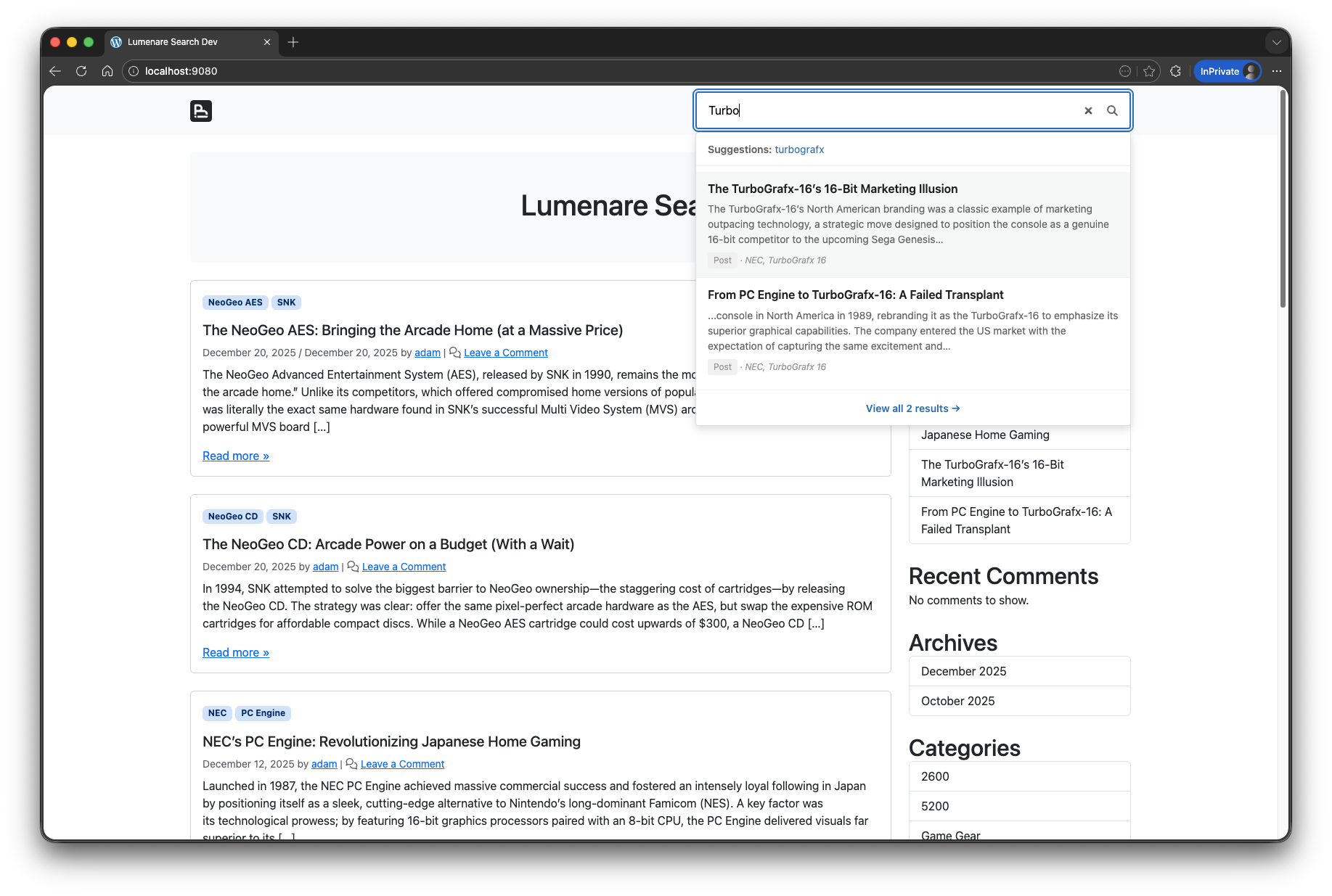
Advanced WordPress search plugin with instant live search, predictive keywords, and filterable results.
Lumenare Search upgrades the default WordPress search experience with faster indexed lookups and more control over result quality.
Does this replace WordPress’s default search?
Yes. The plugin replaces standard WordPress search forms and also provides a shortcode, search widget, search trends widget, and Gutenberg blocks.
Can I display trending or latest searches?
Yes. Add the “Lumenare Search Trends” widget or the “Lumenare Search Trends” block to show analytics-backed trending or latest successful searches. Latest searches default to repeated successful queries so one-off private searches are not promoted publicly.
Can I add an Ask Site question form?
Yes. Add the [lumenare_ask_site] shortcode or the “Lumenare Ask Site” block (lumenare/ask-site). Both surfaces use the public POST /wp-json/lumenare-search/v1/ask route and return cited source bundles from your Lumenare index. The shortcode supports placeholder and button attributes, and the block exposes matching controls.
Does Ask Site require AI setup?
No for source-only answers. Ask Site can return cited source bundles when base readiness passes: the public UI is enabled, the Lumenare index exists, published indexed content is available, rate limiting is configured, and the ask_site profile resolves.
Generated answers require WordPress 7.0+, WordPress AI Client support, AI answers enabled in Lumenare settings, AI Client answer mode, and a connected text-generation provider through the WordPress Connectors stack. If generated-answer readiness fails, or if generated text cannot be grounded to returned source IDs, Ask Site falls back to source-only results.
Can I show an answer above normal search results?
Yes. In Search & Answers > Placement, enable answer cards on full search results pages. Cards use cited excerpts by default and keep the ordinary results and pagination. AI-written summaries are a separate opt-in. Search Profiles can override placement, answer style, source limits, and word limits. Answered cards require supporting public passages and a theme that supports their placement. Unsupported questions show a clear no-answer message while keeping the ordinary results; live search dropdowns keep their ordinary results.
What does meaning search do in this release?
Meaning reranking can reorder a bounded set of existing keyword hits using current public passages and compatible prepared embeddings. It requires the WordPress AI plugin, a connector with an embedding model, credentials, and any required connector approval. It does not add pages outside the keyword candidate set. Missing or incompatible vectors and provider failures fall back to keyword or question-aware search. AI answer writing is configured separately, and live typing requires its own explicit meaning-search preference.
Why does analysis stop on a PDF that opens normally?
A PDF can look correct while its embedded text is missing or damaged. Broken font-to-text mappings can produce garbled text, and scanned pages may contain only images. Lumenare Search needs readable text for analysis and identifies an unreadable attachment instead of sending unreliable text to the AI service. Missing files, permissions and extraction limits can also cause this message.
Use the affected document ID to find the attachment in Media Library and run Test Parse. Check that the file exists and is readable. Keep a backup, then repair or replace the attachment with a correctly exported PDF; image-only scans need OCR first. Test the repaired file and click Resume in Search & Answers. To leave PDF content out of analysis, deselect PDF in Document Indexing’s allowed document types, save, and start a new analysis run for the changed scope; this excludes all PDF text, not just one file. Keep another document type selected; if PDF is the only selected type, disable Index Document Content instead. Completed work for other eligible documents is retained.
An AI service error is different: the listed document and chunk IDs may describe the entire request batch, including healthy posts. Follow the message’s guidance for service availability, credentials, quota, rate limits or timeouts before changing source documents.
Can agents use Ask Site through the Abilities API?
Yes, when the WordPress Abilities API is available. Lumenare registers the read-only lumenare-search/ask-site ability. It accepts question, optional profile, and optional max_sources, then returns the same stable grounded response shape as the REST endpoint. The ability is capability-gated to edit_posts by default and REST/MCP public exposure stays opt-in.
Do I need to reindex after changing settings?
Usually no for ranking-only changes such as fuzzy matching, synonyms, or phrase boosts. Reindex after changing indexed post types, stop words, or other settings that affect stored index data.
Can I search custom post types?
Yes. Publicly queryable post types can be enabled from the plugin settings.
Does it work with caching plugins?
Yes. Live results use AJAX, while normal search result pages can still be cached by your site stack.
What happens on uninstall?
The plugin removes its custom data when uninstalled.