A comprehensive logging plugin for WordPress with big ambitions. Our initial release focuses on error logging in WordPress. Planned future features include email logging, http request logging, user activity logging, alerts and notifications, and more…
???? PHP Error Log
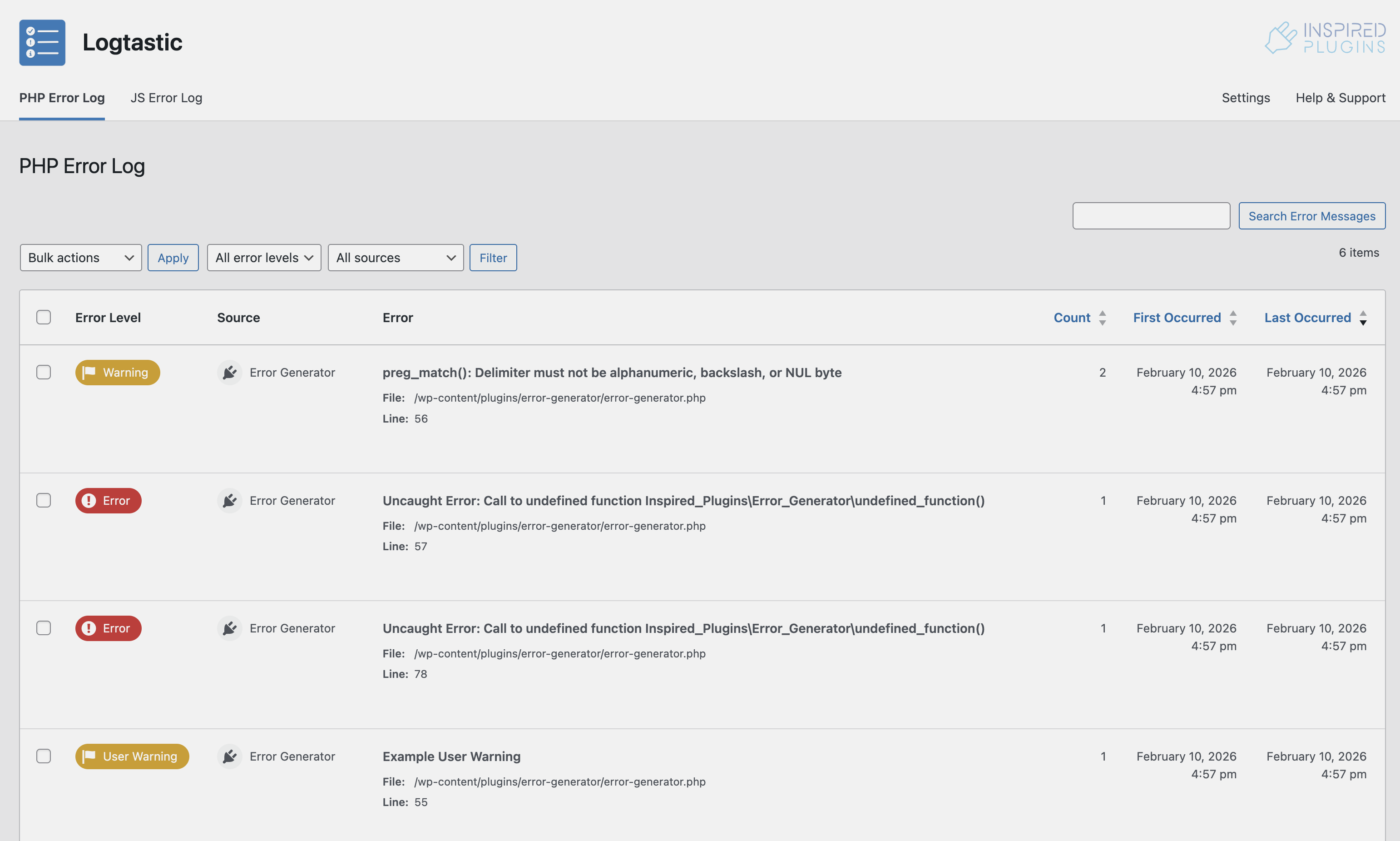
Log PHP errors on your WordPress site, with configurable options for error levels, scope and log retention. View errors in an easy to digest, searchable and filterable report. Optionally capture full error stack traces and arguments, and display with the plugins stack trace visualiser. Log editing functions allow you to delete and ignore specific errors.
Features
Log all PHP errors on your site, including WordPress core, plugin and theme errors
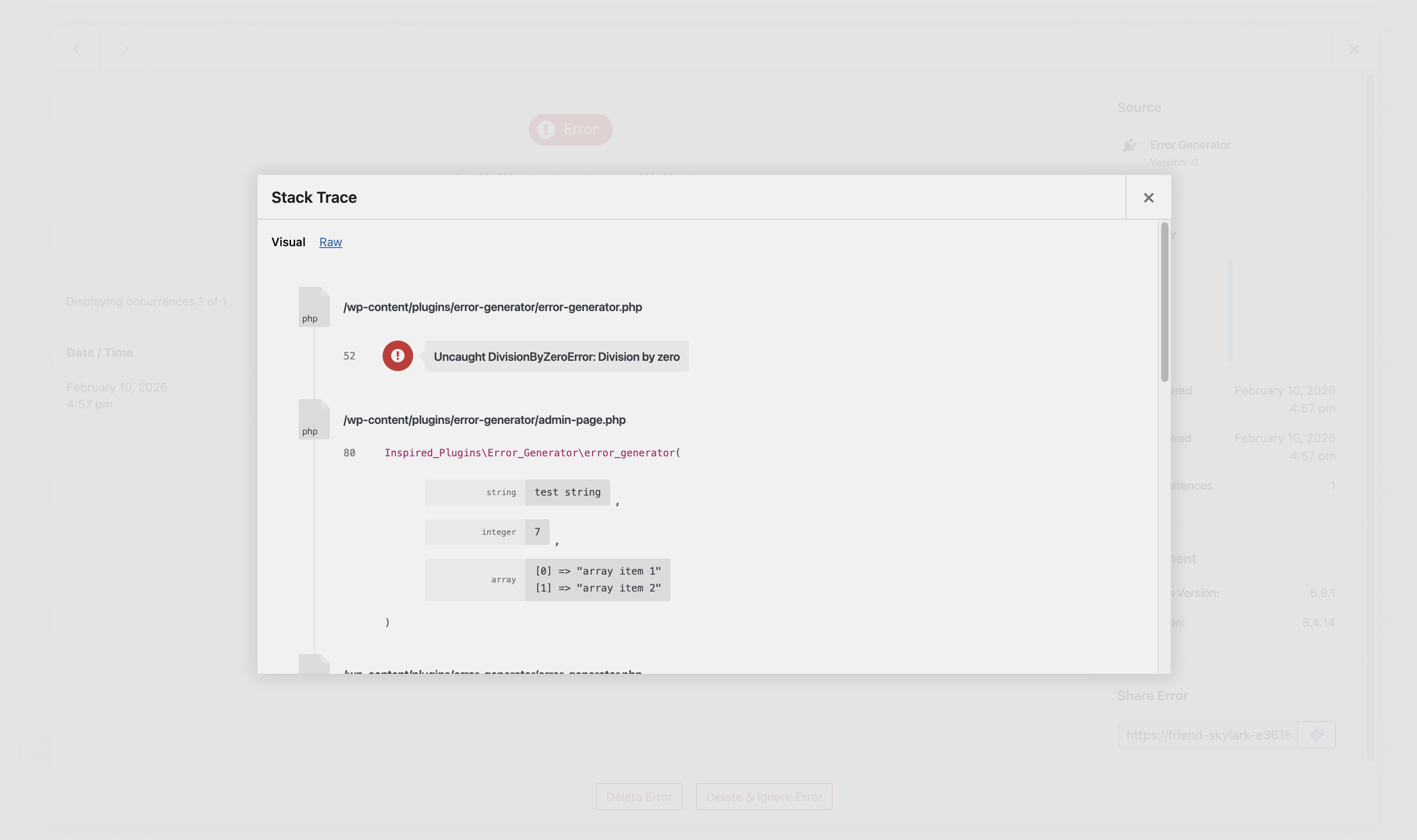
Capture stack traces with full arguments, and display with our unique stack trace visualiser
Delete and ignore specific errors
Configurable log retention settings
Configurable Options
Error levels
Scope (include/exclude WP core, specific plugins and themes)
Capture stack traces
Capture stack trace arguments
Log retention time
Documentation
For more indepth guidance on how to configure and use the PHP error log, please take a look at our detailed plugin documentation:
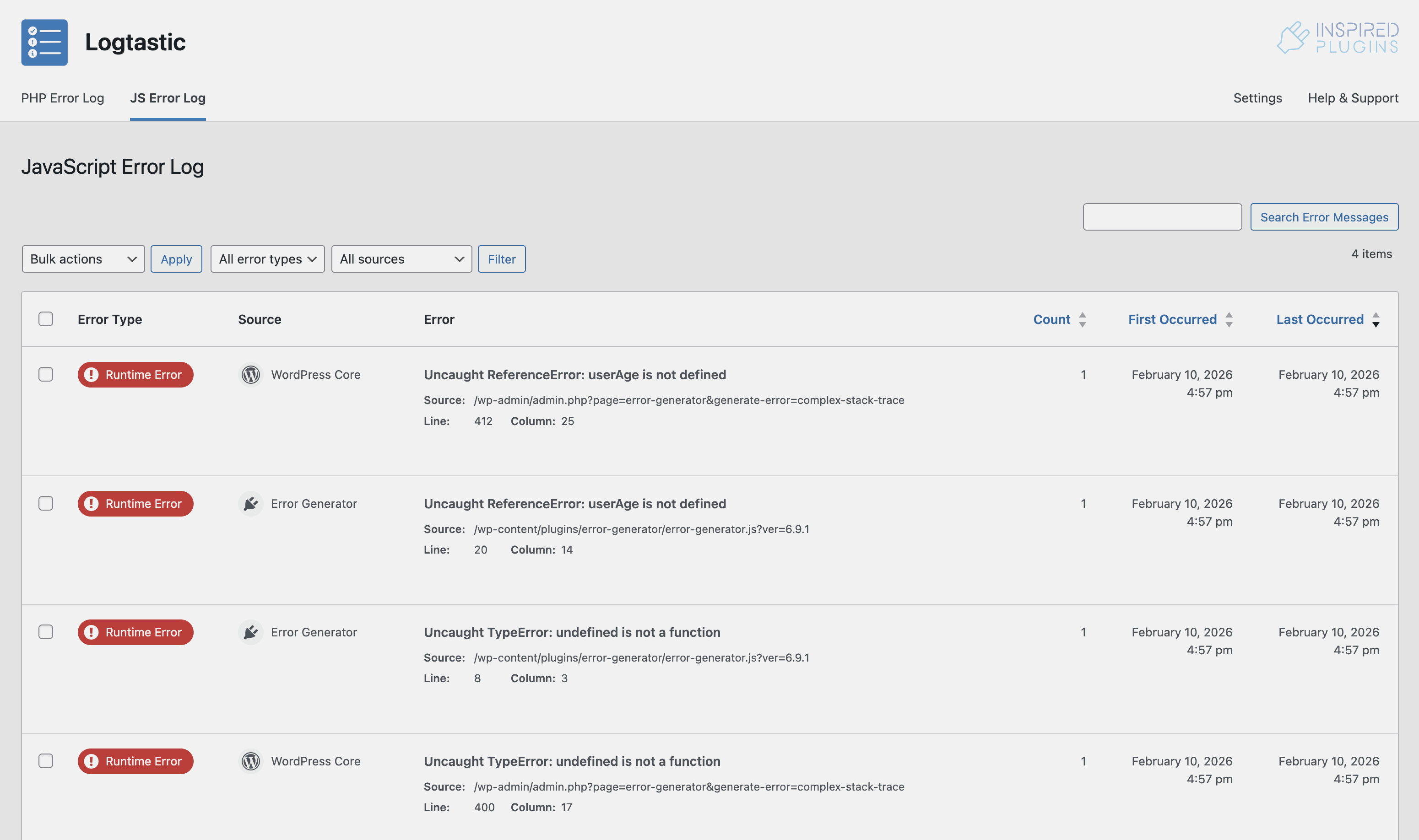
Log JavaScript errors on your WordPress site, with configurable options for error types, scope and log retention. View errors in an easy to digest, searchable and filterable report. Optionally capture full error stack traces and additional session information. Log editing functions allow you to delete and ignore specific errors.
Features
Log JavaScript runtime errors and uncaught promise rejections on your site, including WordPress core, plugin and theme errors
Capture stack traces
Capture session information
Delete and ignore specific errors
Configurable log retention settings
Configurable Options
Error types
Scope (include/exclude WP core, specific plugins and themes)
Capture stack traces
Capture session information
Log retention time
Documentation
For more indepth guidance on how to configure and use the JavaScript error log, please take a look at our detailed plugin documentation:
The first release of the Logtastic plugin focuses on error logging in WordPress, capturing PHP and JavaScript errors. Take a look at our roadmap for our planned future features, including HTTP request logging, email logging and more.
PHP Error Log: What type of errors can the PHP error log capture?
The PHP error log can capture all PHP errors, including fatal errors, uncaught exceptions and recoverable errors. You can configure which error types are captured from the log settings.
PHP Error Log: What data is recorded for each PHP error?
The PHP error log will capture the following data for each error:
Error message
File
Line number
Error source (plugin, theme or WP core)
First occurred date/time
Last occurred date/time
Number of occurrences
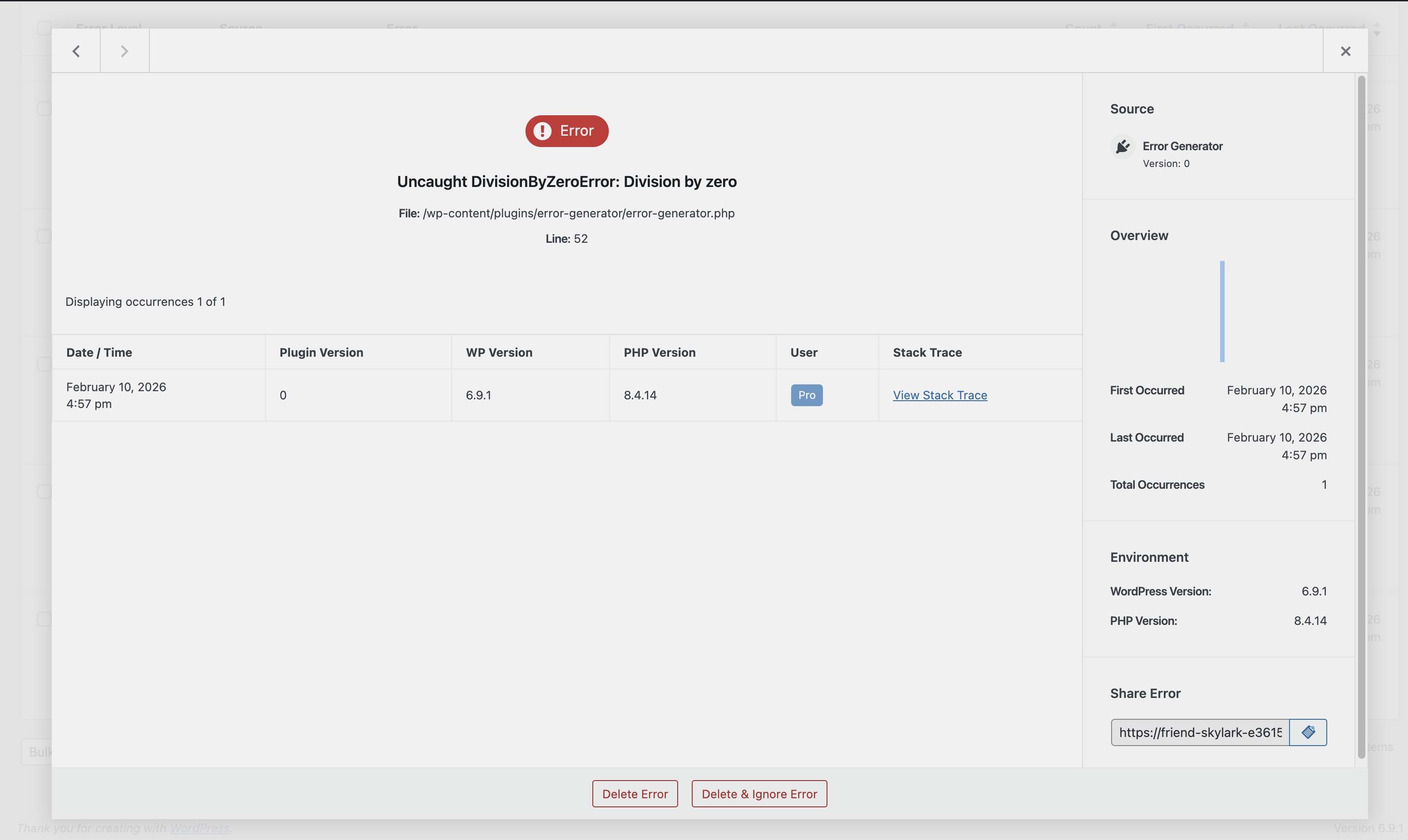
For each occurrence of an error, the following additional data will be captured:
Date/time
WordPress version
PHP version
Plugin/theme version (if applicable)
Full stack trace (optional)
Affected user (pro version only)
PHP Error Log: How are errors captured?
The Logtastic plugin uses 3 methods to capture PHP errors on your WordPress site:
Custom Error Handler: The plugin defines a custom error handler that will capture all recoverable PHP errors on your site, for example warnings.
Custom Exception Handler: The plugin defines a custom error handler that will capture all uncaught exceptions on your WordPress site. Uncaught exceptions will proceed to generate a fatal error if left uncaught – as such, the plugin logs these uncaught exceptions as fatal errors.
Shutdown Function: The plugin defines a custom shutdown function, which will run after PHP has finished executing the current script. This captures any fatal errors which were not the result of uncaught exceptions.
Each function will determine whether or not the error should be logged, based on your log settings, and log the error/occurrence if it meets your defined criteria.
JavaScript Error Log: What type of errors can the JavaScript error log capture?
The JavaScript error log can capture runtime errors (errors that occur while code is executing, e.g. calling an undefined function or accessing a missing variable) and unhandled promise rejections (failures from promises – async operations – that aren’t caught with a .catch() or try…catch).
JavaScript Error Log: What data is recorded for each JavaScript error?
The JavaScript error log will capture the following data for each error:
Error message
Source
Line and column number
Error source (plugin, theme or WP core)
First occurred date/time
Last occurred date/time
Number of occurrences
For each occurrence of an error, the following additional data will be captured:
Date/time
WordPress version
Plugin/theme version (if applicable)
Stack trace (optional)
Additional session information, including the url where the error was encountered and the user agent (optional)
Affected user (pro version only)
JavaScript Error Log: How are errors captured?
The Logtastic plugin loads a lightweight JavaScript file (less than 4kb) on each page of your WordPress site. The JavaScript will listen for errors, and when encountered will capture the error, process the stack trace and send this via an Ajax request to the backend logging function.
The backend logging function will determine whether or not the error should be logged, based on your log settings, and log the error/occurrence if it meets your defined criteria.
How is the log data stored?
Logtastic leverages custom database tables to efficiently store and manage data, ensuring faster queries, reduced bloat in default WordPress tables, and improved scalability. By separating logs from core WP data, it delivers better performance, cleaner organization, and greater flexibility for advanced reporting and data handling—making it ideal for high-traffic sites and large-volume workloads.
Will it impact my site performance?
Our plugin is designed to have minimal impact on performance. It stores log entries in optimized custom database tables rather than crowding WordPress core tables, allowing it to write and retrieve data efficiently even on high-traffic sites. Logging runs in the background with lightweight queries, meaning your site continues to operate smoothly while still capturing valuable information for debugging and monitoring.
I have another question not listed here…
For further help and support with the Logtastic plugin, please take a look at our detailed plugin documentation, or contact us via the support forum.