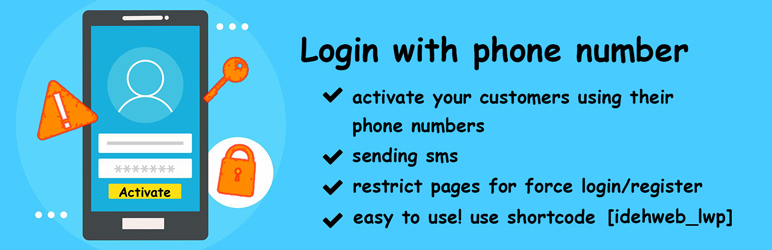
Login/register with phone number in WordPress can happen with this plugin. Your customer can authenticate with their mobile number via OTP.
You can add almost every SMS gateways (if you have) yourself for free, or you can ask us to develop your sms gateway with paying extra.
You can use your custom gateway. you can also use other ready sms gateways from idehweb.com.
1.7.24
- Change from the old site to the new one, https://loginwithphonenumber.site
- optimize setting
1.7.22
- translate some part
- change docs and author website
1.7.20
- remove function “idehweb_lwp_update_billing_phones”, we do not need it
1.7.19
- The plugin was vulnerable at function “idehweb_lwp_update_billing_phones”, now is solved.
1.7.18
- add new shortcode description
- add default role to PRO version
1.7.17
- The plugin was vulnerable to Broken Access Control to Privilege Escalation, now solved
1.7.14
- add new shortcode [idehweb_lwp_verify_email]
- select default role for registration
1.7.12
1.7.09
- now we can open box on click action, you can use it in your menus, on button, you can add trigger to links and buttons
1.7.08
1.7.06
- make phone number form to appear first
1.7.05
- optimize phone input style
1.7.04
- add extra fields for PRO only
1.7.03
1.7.02
- forgot password button also works for email
- optimize inputs in old iphones
1.7.0
- add disable/enable autoPlaceholder for phone numbers based on country
1.6.98
- add “disable (X) button to form”
- add force user to login on popup
1.6.96
1.6.94
- remove OTP separate style from Free version
- add lwp_update_password_action_old
- remove ID from “lwp_forgot_password” function
- add new lwp_forgot_password function
- add nonce in lwp_update_password_action
- update security issues
1.6.93
- optimize activation code separate style
1.6.92
- add “wp_clear_auth_cookie();” to lwp_ajax_login
- add $verificationId variable for error notice of php
1.6.9
- add popup guid
- add activation code separate style
- add auto-complete code
1.6.83
- support WordPress 6.4
- change meta description of plugin
1.6.82
- change sms gateways name to add-ons
- show real Firebase errors
1.6.81
1.6.8
1.6.7
1.6.5
1.6.4
1.6.1
- support learn press
- add session of learn press to registered customer
1.5.9
- change jQuery to $
- resolve problem of firebase
- remove inside esc_from_server
- add “get email after verifying phone number” feature
1.5.8
1.5.7
- add nonce in ajax requests
1.5.6
- send method while we have enabled only one method
1.5.5
1.5.4
- add modular structure in whole plugin (for developers)
- handle multiple gateways at a time, user can choose OTP gateway on authentication
- enhance UX in admin
- enhance front validations
1.5.3
- introduce new plugin “WhatsApp gateway”
- add filter
lwp_add_to_default_gateways
- add link of term & conditions, separate it from the text
- add logo inside login/register form (pro version)
- add france translation
1.5.2
- Iranian users can use plugin more convenient
- now we support adding gateways in plugin structure
1.4.9
1.4.8
- remove bugs
- add billing phone of woocommerce
1.4.7
Thanks to @marshallthomas47 (at git) who was sponsor of this update (I think)
and @monagjr who have done some good changes:
* Replace the custom-built phone input UI with well-tested and production-ready UI from International Telephone Input
* Option for Terms Default Check Status
* Default Country Settings
* empty placholder shows valid phone example
* show error msg for invalid form before submitting
1.4.63
check all echos for security issues
1.4.62
esc ajax outputs
1.4.61
esc outputs
1.4.6
esc and sanitize inputs, set text domain in string
1.4.3
remove security bugs
1.4.2
tested with wordpress 6.1.2
1.4.1
add login message for logged-in users
1.4.0
remove bugs of registered users
1.3.9
you can add your custom sms gateway yourself
1.3.7
security bug: delete.php file deleted
add sanitize to inputs
change user experience of admin part
change form bugs
better and faster support added!
1.3.6
code sending twice problem solved
1.3.5
add users registered date sortable
remove bugs
1.3.4
remove bugs for number less than 11 digits
add support for ajax template
1.3.3
fix class name sticky > lw-sticky
1.3.2
add documentations in readme
1.3.1
fix bugs
1.3.0
add timer for sending sms again
fix bugs of email: code entered wrong
add text localization, ability to change text of labels, fields, errors and…
1.2.23
remove default option idehweb_use_custom_gateway
1.2.22
enable option of only login and not register users for network and multi site
add turkish language
1.2.21
enable option of only login and not register users
1.2.20
fix bugs of saving styles
1.2.19
remove firebase jQuery bug
remove support option
add change style settings page
1.2.18
add Woocommerce form auto change
set Firebase to default
1.2.17
remove bugs
1.2.16
remove smsbharti gateway 🙁 😡 😐
1.2.15
remove raygansms gateway
1.2.14
fix bug of user id in js
1.2.13
fix bug of auth for normal method
remove some comments
1.2.12
update mshastra and fix bugs
add firebase for sending OTP sms (10,000 otp free sms)
add firebase config docs
1.2.11
updating and supporting pt_BR language by Rodriggo Enzo
1.2.10
add mshastra sms gateway for Arabian users and specially for my friend Hussam Ismail
updating and supporting Arabic language by Hussam Ismail
1.2.09
fix bugs of smsbharti gateway, not reading sender id
remove default gateway if custom gateway is activated
1.2.08
fix bugs of smsbharti gateway
1.2.07
add missed file
1.2.06
fix bug style of admin
added smsbharti gateway for Indian users
one file missed, this version will crush your site, do not install!
1.2.05
fix bugs
1.2.04
add raygansms.com gateway
fix bugs 😉 (require classes)
1.2.03
update zenziva gateway configs
update infobip gateway configs
1.2.02
fix bug “The REST API route definition is missing the required permission_callback argument”
add new shortcode [idehweb_lwp_metas nicename=”false” username=”false” phone_number=”true” email=”false”]
use phone number as username and nicename
remove configuring… loader
add custom gateways => Twilio , Zenziva , Infobip
add default country code
1.2.01
remove www from domain
remove “domain:” word
remove action change
1.2.0
add Woocommerce billing_phone phone number update support
remove admin authentication with phone number
add admin authentication with domain name
1.1.22
update languages
add German / Deutsch language
1.1.21
add default nickname
1.1.20
optimize style
optimize admin
1.1.17
you can set default username
1.1.16
remove error Trying to access array offset on value of type bool on line 78
1.1.15
search input for countries in admin
update frontend performance
1.1.14
optimize style
add language to header
1.1.13
change server
increase server stability
1.1.12
remove 0 from first of phone number
1.1.11
update readme
1.1.10
add en_GB language
add ar language
1.1.09
text domain updated
1.1.07
update readme installation part2
1.1.06
update readme installation part
1.1.05
better support
1.1.04
country code optimize
1.1.03
chat and support updated
1.1.01
languages updated
1.1.01
add tutorial and guid
1.1.0
enable sticky position style
1.0.9
stable version
1.0.8
login with password
add more countries
1.0.1
login with email
add persian translation
add redirect link
1.0
Initial release