An awesome map with features like: multiple regions as tabs, no API keys needed, frontend location adding, marker clustering & beautiful map and marker styles.
What does it do?
An awesome map with features like: multiple regions as tabs, no API keys needed, frontend location adding, marker clustering & beautiful map and marker styles.
If you want to focus on letting your visitors add markers by themselves check out my other more popular plugin Open User Map. It’s based on this plugin but has a lot more features.
Look at the Demo and use-cases here. You can even add your own locations right away. Give it a try!
Showcase widely distributed locations on a single map with additional navigation tabs for regions. The map is based on Leaflet JS and offers you several free map styles. So you do not need an API Key, Access Token or any other external registration. There are no API request limits.
Adding locations is as simple as dropping a location marker on a map. You can search for addresses worldwide to quickly find the right spots. Use the Gutenberg Block to integrate your map or place the shortcode anywhere on your site. Close by locations will group together in clusters. This is optional.
????✨ The PRO Version now has a free 7-day trial period. No credit card required!
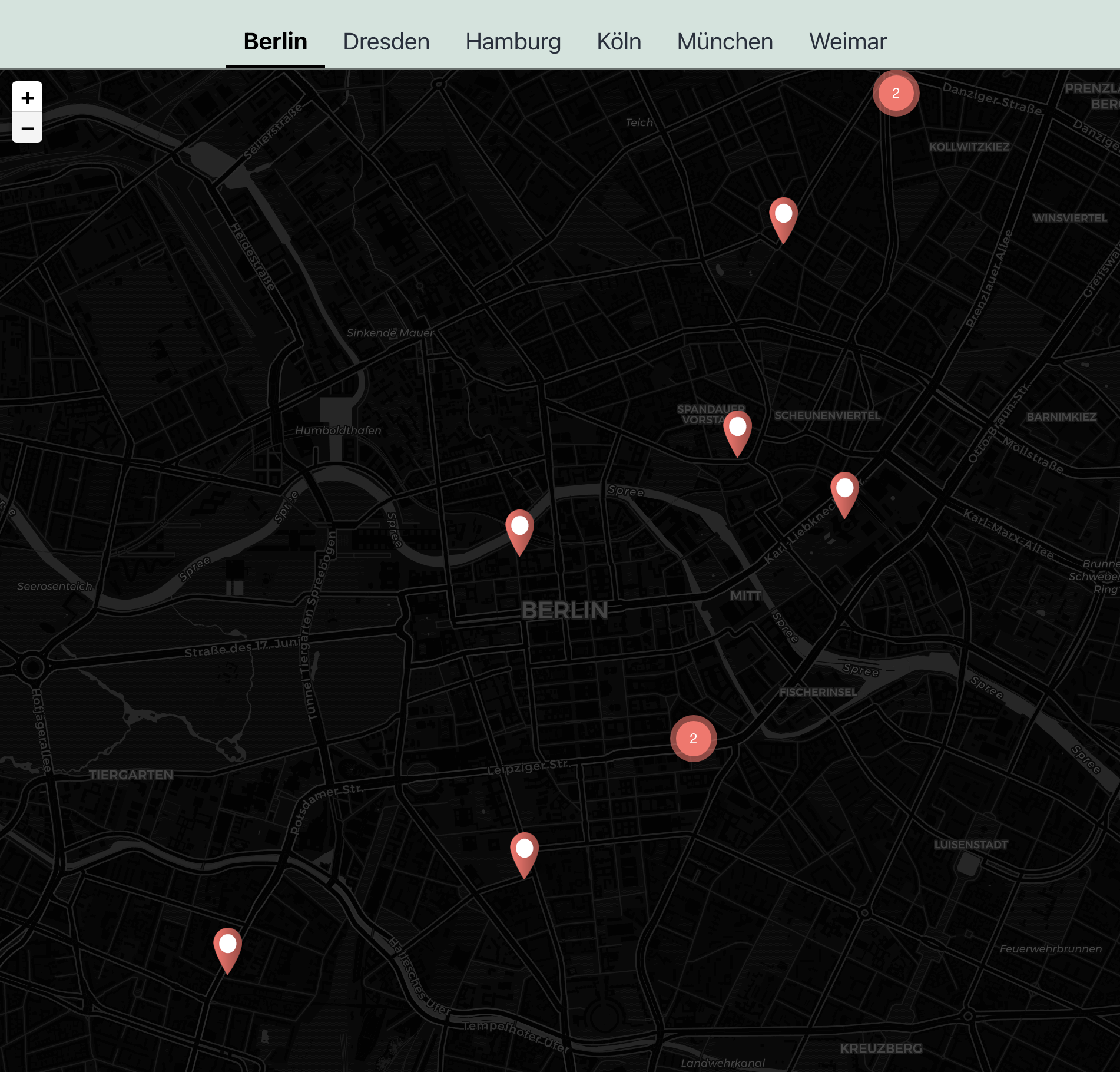
Let your visitors “fly” back and forth between widely distributed locations with the additional area navigation
Make use of Areas (Regions) to provide different focus points to your visitor.
Your visitors can add locations directly inside the map (frontend) [PRO Feature]
Just by clicking a “+”-Button a form will popup to let them enter location details the same comfortable way you do it in the backend. After submit the location proposal will be “pending” and wait for your review approval to get published.
List of free Features:
based on Leaflet
no API Keys
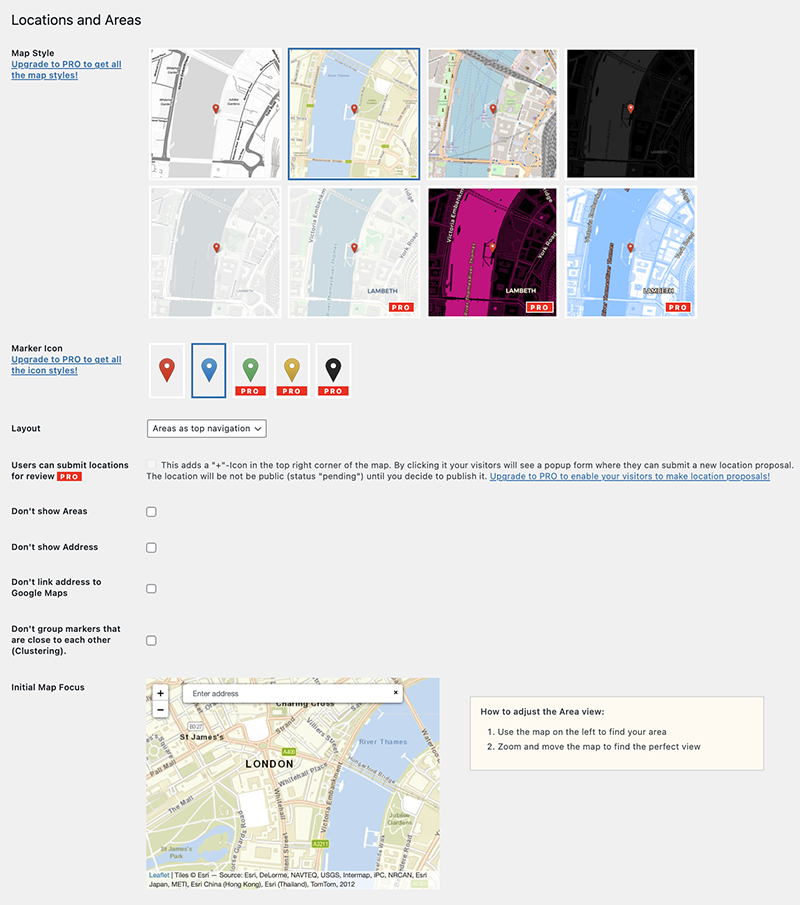
multiple map styles
multiple marker styles
locations with images
Shortcode with optional attributes
Gutenberg Block
marker clustering
PRO Features ????????????:
Frontend adding
Admin approval for pending locations
custom “Thank you”-message
More beautiful map styles
More marker icon styles
Direct support from the developer
Access all future PRO features
Request for features
A possible use case:
You have offices in Europe, Asia and North America and don‘t want to include a whole world map or three separate maps for that. This plugin let‘s you set multiple focus areas within one map. Your visitors will switch (literally ”fly”) between your focus areas just by clicking the links on top of the map.
Another use case:
You have several stores in different cities. Your site visitors will be able to ”fly” between the cities to get an overview of the exact locations inside every city. You can set the zoom level for every area individually.
**The possibilities are endless. We are very curious about what you are building with the help of our plugin. Please don’t hesitate to let us know or ask for feature requests in the support forum. As this plugin is under permanenent development we are keen to know what are the features that you need? Contact us!
Do I need an API Key or some external registration?
No, the plugin is based on Leaflet.js and offers you free map styles that don’t need any kind of registration.
How to integrate the map?
Use the Gutenberg Block “Locations and Areas Map” or just place the shortcode [locations-and-areas-map] anywhere in your content or integrate it within your theme template with PHP:
echo do_shortcode("[locations-and-areas-map]")
you can also override the initial map focus with shortcode attributes:
No. Add a new location or define an area view simply by droping a marker on the map. You can search for addresses as well. If you want to use GPS coordinates though, there is an option for that.
Can I use Gutenberg?
Yes! You will find the “Locations and Areas Map”-Block under widgets.
Can I use vertical navigation for areas?
Yes, go to plugin settings and choose from different layouts.
Can I use marker clustering?
Yes! This is enabled by default. You can disable it in the settings.
Can I use custom styles?
Yes, we encourage you to do so. This plugin is supposed to be developer friendly. Feel free to override the .locations-and-areas class in css to create your own awesome design.
I want to submit a feature request.
Please do so! You can use the support forum to let us know about your ideas helping to make this plugin better.