Limit Attempts plugin is a security solution for WordPress which protects your website from spam and brute-force attacks. Limit the number of failed login attempts per user and block user IP for a certain period of time based on your settings. This will stop automated scripts to generate a large number of different combinations and hack your website.
Manage deny and allow lists, receive email notifications, hide website forms for blocked or added to the deny list IPs, and other advanced features which guarantee safety of your data.
Some of these translations are not complete. We are constantly adding new features which should be translated. If you would like to create your own language pack or update the existing one, you can send the text of PO and MO files to BestWebSoft and we’ll add it to the plugin. You can download the latest version of the program for work with PO and MO files Poedit.
Recommended Plugins
Updater – Automatically check and update WordPress website core with all installed plugins and themes to the latest versions.
Captcha – #1 super security anti-spam captcha plugin for WordPress forms.
Htaccess – Protect WordPress website – allow and deny access for certain IP addresses, hostnames, etc.
What can the options on the “Settings” tab be used for?
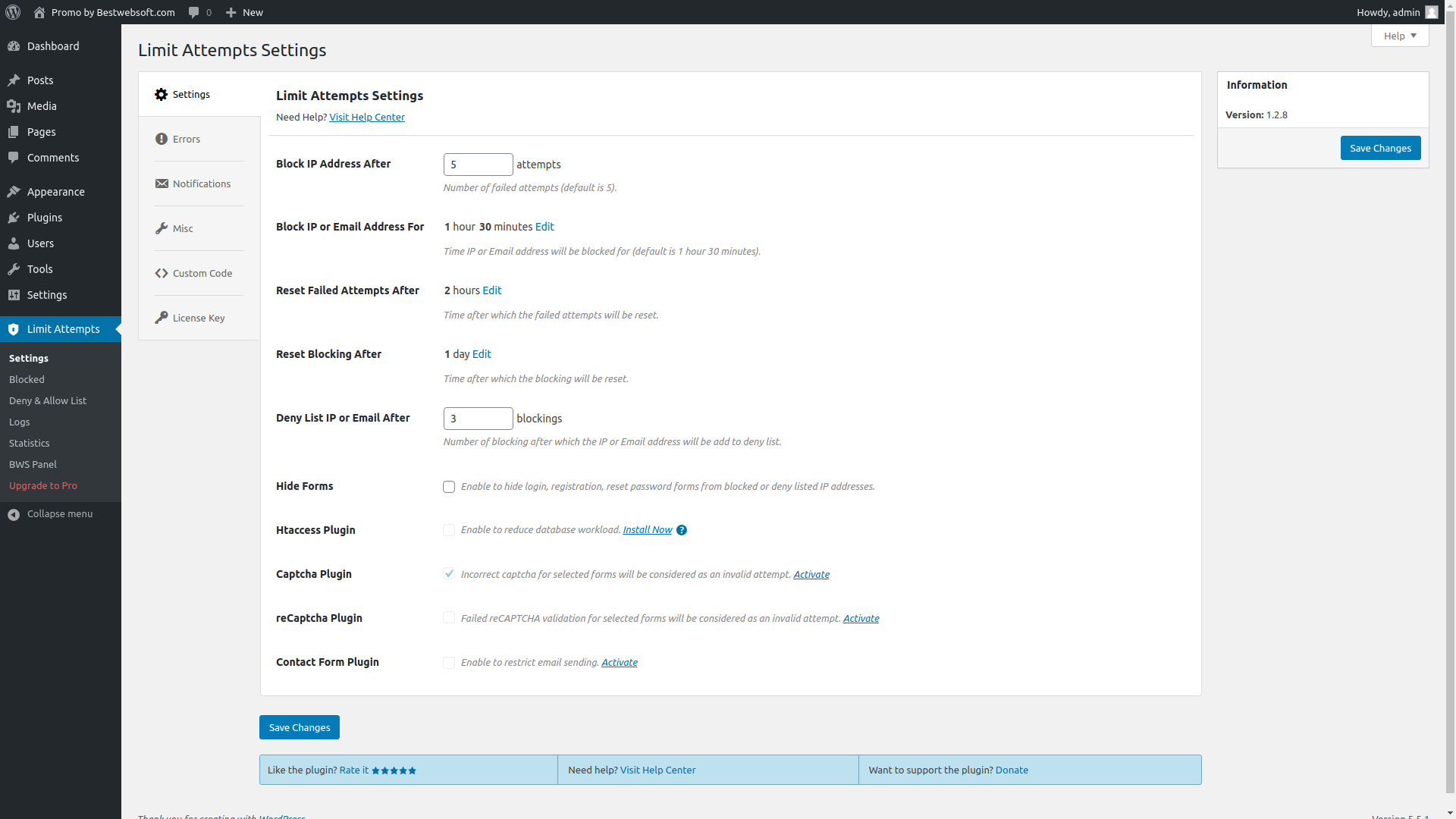
The “Settings” tab includes all the basic plugin settings that allow blocking addresses, displaying notifications and interacting with other BestWebSoft plugins.
“Lock options:”. This block includes settings for automatic blocking of the user’s IP address for a certain period ( “Block address for ‘x’ days ‘y’ hours ‘z’ minutes” ), after a certain number of failed login attempts ( “after ‘x’ failed attempts” ) within a specified time frame ( “per ‘x’ days ‘y’ hours ‘z’ minutes” ).
“Block options:”. Here you can find settings for automatic adding of the user’s IP address to the deny list after a certain number of blocks ( “Add to the deny list after ‘x’ blocks” ) within a specified period of time ( “per ‘x’ days ‘y’ hours ‘z’ minutes” ).
“Show additional options for block message.” This block includes fields for customizing messages displayed in the login form. To display certain variables, you can use their names, which can be found to the left of the field itself.
“Send mail with notify to administrator”. This option enables sending messages to the administrator concerning users recently blocked or added to the deny list. Also, you can specify the email address these notifications will be sent from.
“Show additional options for email message”. Here you can find fields for customizing email messages concerning the blocking of a user. Similar to “Show additional options for block message” block, you can use the names to display certain variables, which are located to the left of the field itself.
“Htaccess plugin”. This block enables the interaction with Htaccess plugin. All deny list and blocking data is copied to the .htaccess file, which reduces your website’s workload and improves site security.
“Captcha”. This option enables the interaction with Captcha plugin. Also, this is where you can specify whether incorrect captcha input should be considered a failed login attempt.
Where can I find the list of the blocked users?
All blocked users are listed on the “Blocked addresses” tab. Also, this is where the time a block will be removed is displayed. However, there is also an option to remove the block manually.
How do I add users to the deny or allow list?
Both “Deny list” and “allow list” tabs have separate fields for address input. Also, there is an option to add a range of addresses or subnets with the help of various masks.
There is a lot of entries in my allow and deny lists, mostly masks, how can I find out whether a certain IP address is on one of these lists?
To do so, you need to enter the necessary IP address in the search field. When done, all entries related to the sought-for address will be displayed in the chart.
Where can I find failed login attempts statistics?
The statistics of IP addresses of users who failed to enter login data correctly at least once is displayed on the “Log” tab. Also, this tab is a place to search for the number of failed login attempts and blocks, as well as the current status of this IP address.
How can I unblock a user manually?
To unblock a certain user, go to the “Blocked addresses” tab on the plugin’s page and search for the necessary address in the “IP adress” column. This done, a “Reset block” option will appear when you move the cursor to the user’s address. Click on this caption and the IP address will be unblocked. To unblock a group of users, you can use “Bulk Actions”: mark the addresses that have to be unblocked, choose the “Reset block” action and click “Apply.”
What will happen if I add a user to both the allow and deny lists?
In case it happened so that a user is on both the deny and allow list, the deny list will have a higher priority.
I accidentally added my address to the deny list, how can I fix that?
There are several ways to fix this issue:
Log in to your account from another computer with a different ip address and remove your ip address from the deny list.
Log in to your account through Proxy Avoidance program or website and remove your ip address from the deny list.
If you have access to the database, find the datasheet with the ip addresses on the deny list (it ends with “lmtttmpts_blacklist”) and remove your ip address from this datasheet. However, this method should only be used at the very outside, as, chances are, the plugin will not function properly as a result.
I do not receive email notifications about blocked ip addresses, what shall I do?
First off, make sure you have selected the option to send email notifications to the administrator on the plugins settings page. Also, make sure your email is entered correctly.
If you have checked all of the above-mentioned and everything seems to be correct, it is possible that the mail out was blocked or delayed significantly by your hosting. Also, it is likely that your emails are automatically moved to the spam box, so you might want to check it.
I’ve noticed a short delay with automatic blocking of a user. Did I do something wrong?
This may happen when you enable sending email notifications. No need to worry, your site’s and your plugin’s performance will not be affected whatsoever.
I saw the message “With such … options` settings the user`s IP will never get into the deny list…” when saving plugin settings. What does it means?
This means that you put wrong values in “Block address” and “Add to the deny list” options. You have to change them so that they correspond to the formula:
{"Add to the deny list per" option} < {"Block address for" option} * {"Add to the deny list after" option}
I have some problems with the plugin’s work. What Information should I provide to receive proper support?
Please make sure that the problem hasn’t been discussed yet on our forum (https://support.bestwebsoft.com). If no, please provide the following data along with your problem’s description:
the link to the page where the problem occurs
the name of the plugin and its version. If you are using a pro version – your order number.