Hosted course platforms often limit how you build, customize, price, and grow your learning business. With LifterLMS, you run your LMS on your own WordPress website: choose your hosting, control your content, connect the tools you use, and grow without platform fees based on your number of courses, students, instructors, or revenue. That gives creators, educators, developers, agencies, and organizations complete control over their online learning platform.
Free and Open Source WordPress LMS Plugin
The core LifterLMS plugin is free and open source, with no limits on courses, memberships, enrollments, or earnings. Use it to create courses, build quizzes, manage students, and protect members-only content. When your project needs more, extend it with official add-ons and bundles for payments, advanced quizzes, assignments, groups, social learning, advanced video, private areas, PDFs, notes, continuing education, and more. Start simple and expand as your courses, students, and training programs grow.
We believe in free, distributed learning for all. LifterLMS exists to democratize education in the digital classroom.
Get Started With LifterLMS
Install the free LifterLMS plugin from WordPress.org to start building your LMS, or get a temporary 30-day demo website with LifterLMS and all premium add-ons installed to test the course builder, learner experience, ecommerce settings, reporting tools, and add-ons before deciding which setup is right for your project.
Works With Your WordPress Theme, Block Editor, and Page Builder
LifterLMS works with modern WordPress themes, full-site editing themes, the Block Editor, and popular WordPress page builders, so you can use your existing WordPress site or build a new LMS website around the theme and tools you prefer.
LifterLMS works with:
Elementor
Beaver Builder
Divi
Custom WordPress themes
WordPress plugins used for marketing, ecommerce, analytics, forms, automation, and community features
Premium Add-ons and Bundles
Some LMS projects need more than the free core plugin. LifterLMS offers official add-ons and bundles for advanced features, ecommerce, vouchers, student engagement, reporting, integrations, and business growth. See LifterLMS pricing.
See why so many people start with LifterLMS or switch from another WordPress LMS or hosted platform to LifterLMS for their successful online courses, membership sites, and remote schools.
Who LifterLMS Is For
Course creators: Create and sell courses, quizzes, certificates, and memberships from your own website instead of a hosted course platform.
Coaches and consultants: Turn your expertise into guided programs, private coaching offers, memberships, and premium learning experiences.
Schools and educators: Create online learning spaces for students, lessons, assessments, certificates, and course materials.
Training teams: Build internal training, employee onboarding, compliance training, professional development, and client education programs, with groups and group leaders.
Developers and agencies: Build WordPress LMS websites for clients who need courses, memberships, ecommerce, reporting, and custom design.
Membership site owners: Add structured courses to a membership website, restrict learning content, and bundle course access with membership plans.
Organizations and nonprofits: Deliver educational programs, community training, certification paths, or continuing education.
Meet the LifterLMS Team
The LifterLMS team is a diverse group of talented course creators, developers, designers, marketers, and entrepreneurs.
Before creating LifterLMS, we built high-end, custom WordPress learning and membership websites for clients worldwide. LifterLMS was born from that hands-on experience, with the goal of giving WordPress users the kind of LMS tools that previously required custom development.
The team continues to develop LifterLMS as an open-source project while supporting the people who use WordPress for online learning.
Set up LifterLMS and add the Stripe or PayPal payment add-on, or use WooCommerce. That’s all you need to get started. As your business grows, free and premium add-ons help you create more value for your students and increase revenue.
Credit card payments
One-time payments
Recurring payments
Payment plans
Unlimited course and membership pricing models
Checkout
Free courses
Course bundles
Private coaching upsells
Course and membership coupons
Bulk course and membership sales
Affiliate ready
Native course and membership sales pages
Offline course and membership sales
Customizable course and membership enrollment
Country and currency
Ecommerce dashboard
Credit card management
Subscription switching
Payment switching
Create Courses on Your WordPress LMS Website
Use LifterLMS to:
Create multimedia lessons
Build courses with sections and lessons
Add quizzes and quiz question banks
Create assignments
Use course tracks
Set course and lesson prerequisites
Drip lesson content over time
Add quiz time limits
Support multiple instructors
Add lesson downloads
Import and export courses
Create discussion areas
Add course reviews
Manage group enrollments for courses and memberships
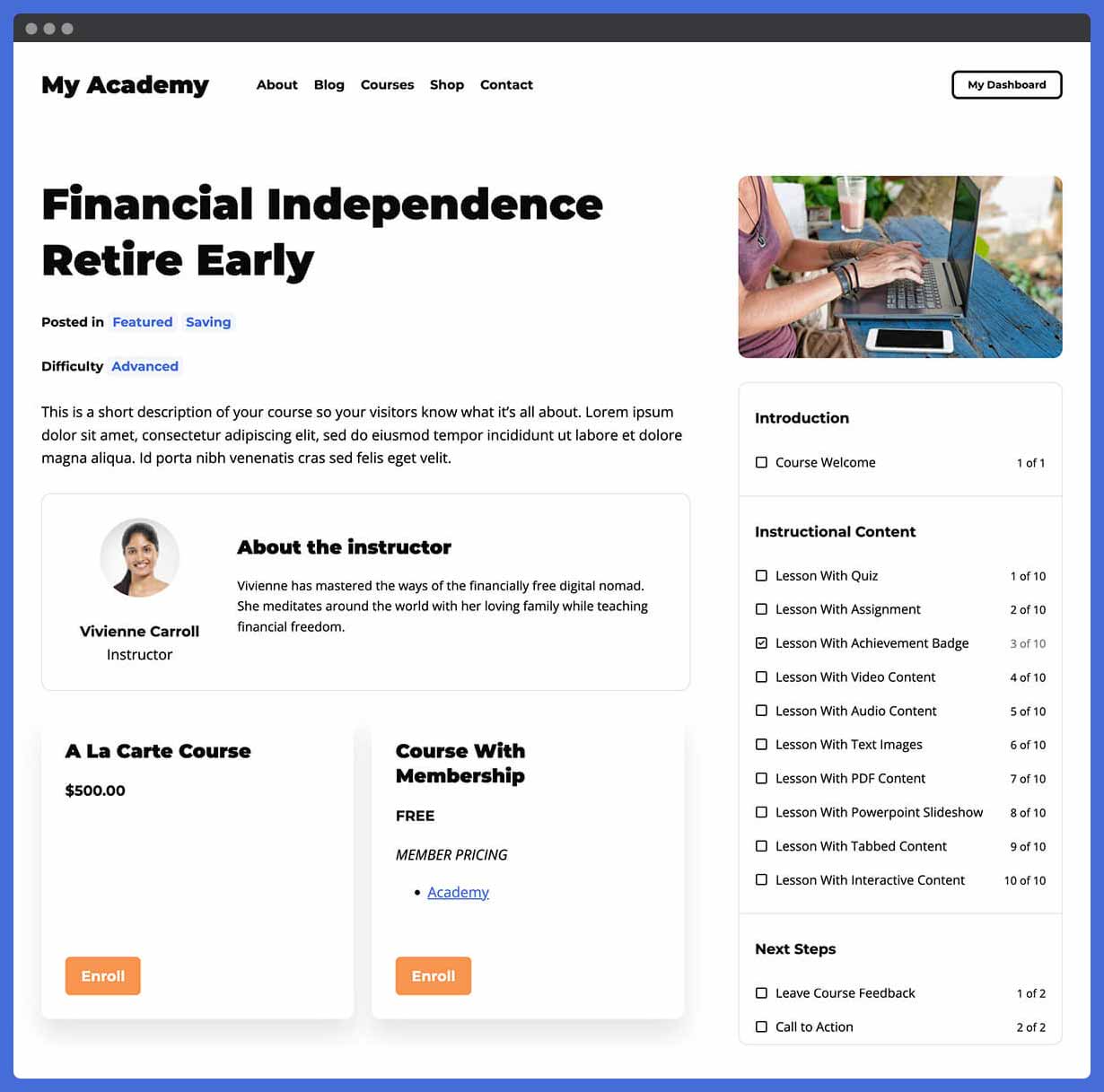
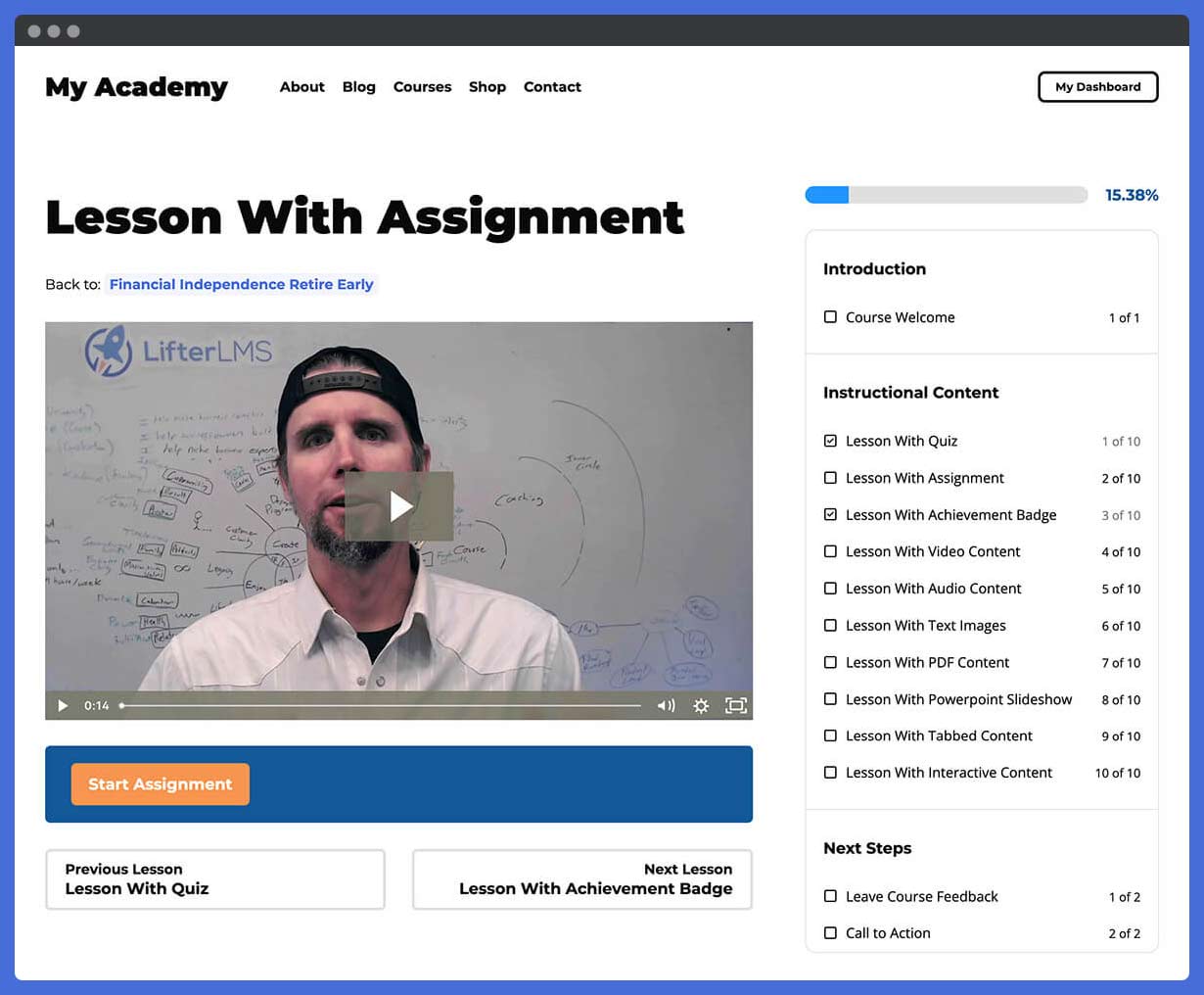
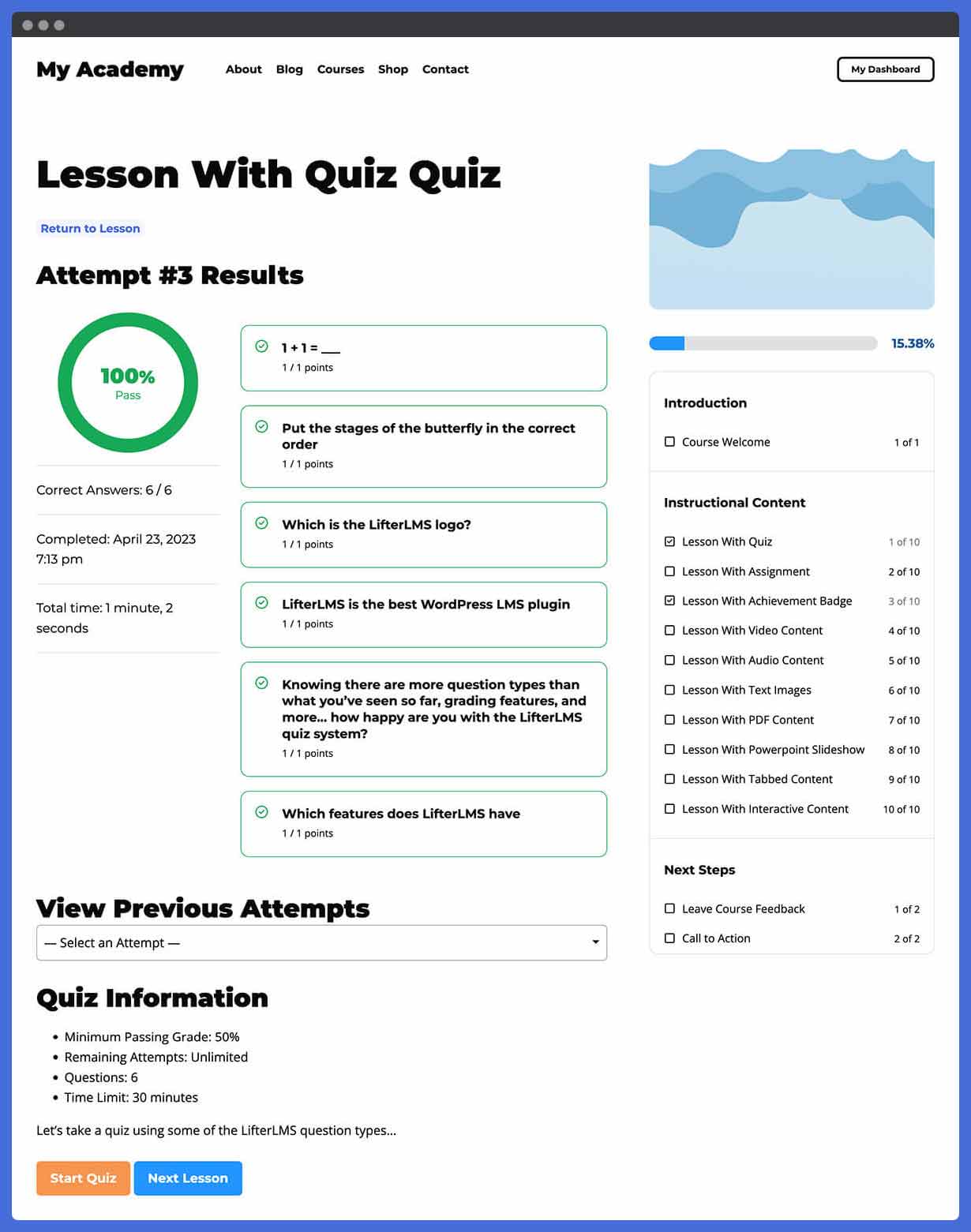
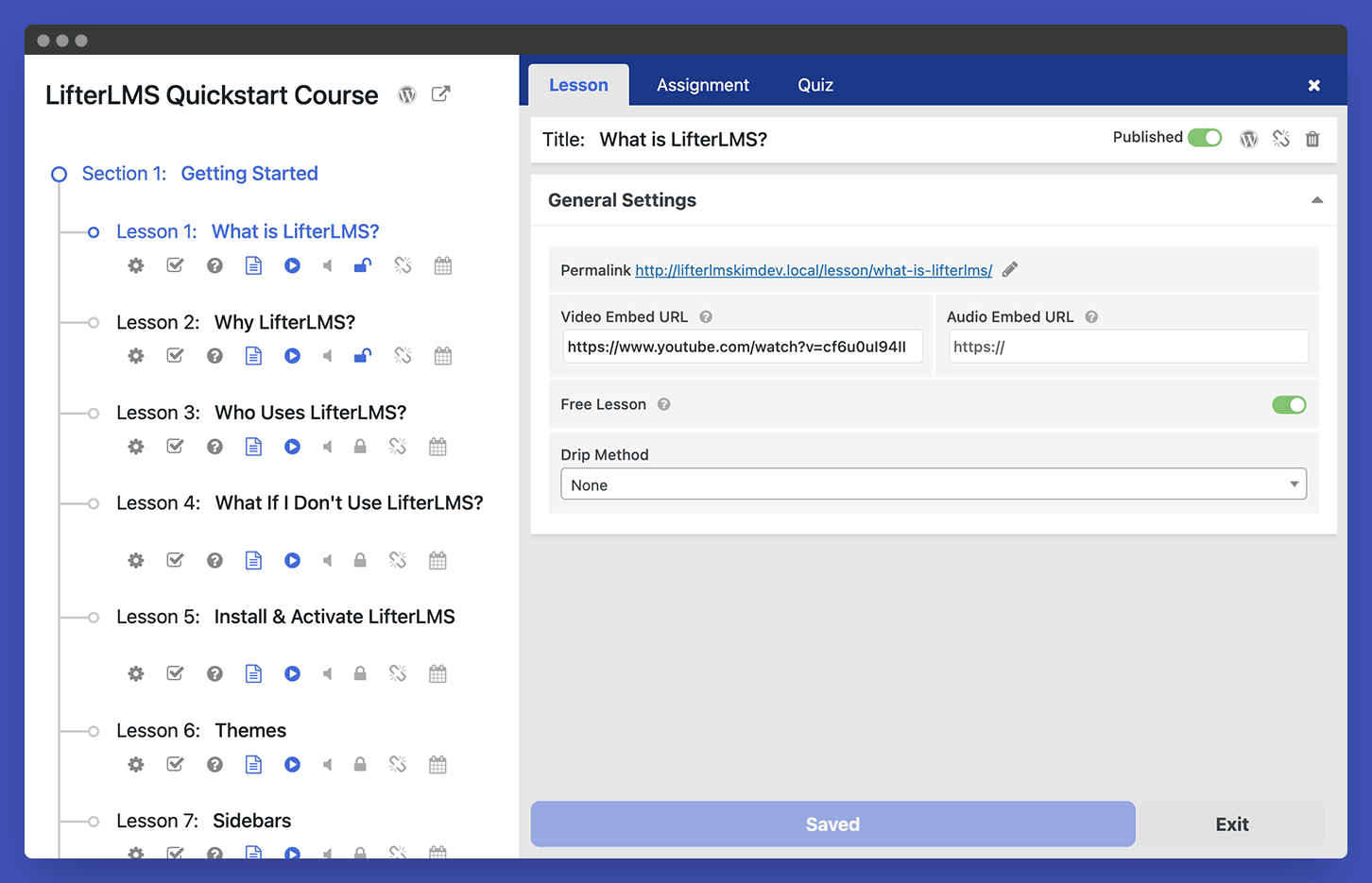
The Course Builder lets you manage sections, lessons, quizzes, and other course elements from one place, without losing sight of how the learning path fits together. Focused lesson and quiz layouts and clear course navigation help students move through course content with fewer distractions.
Engage Your Students
Use LifterLMS to:
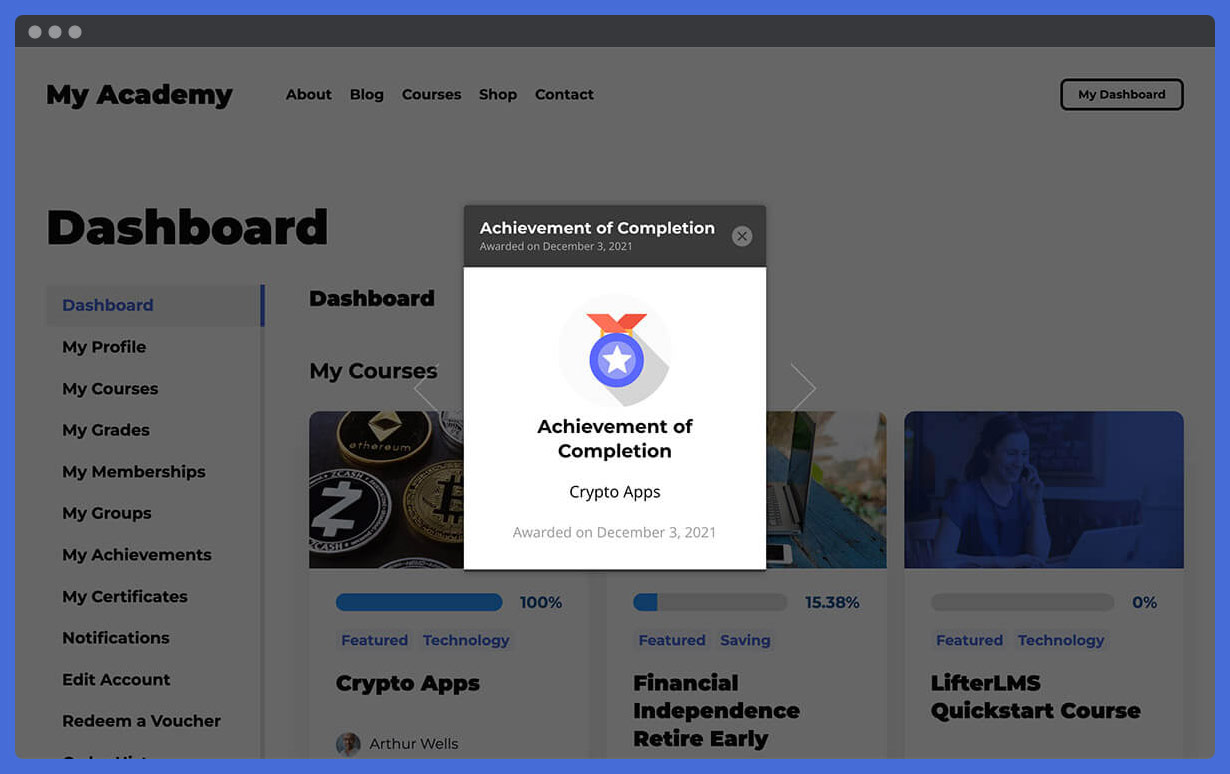
Award achievement badges
Issue certificates
Send personalized emails
Support social learning
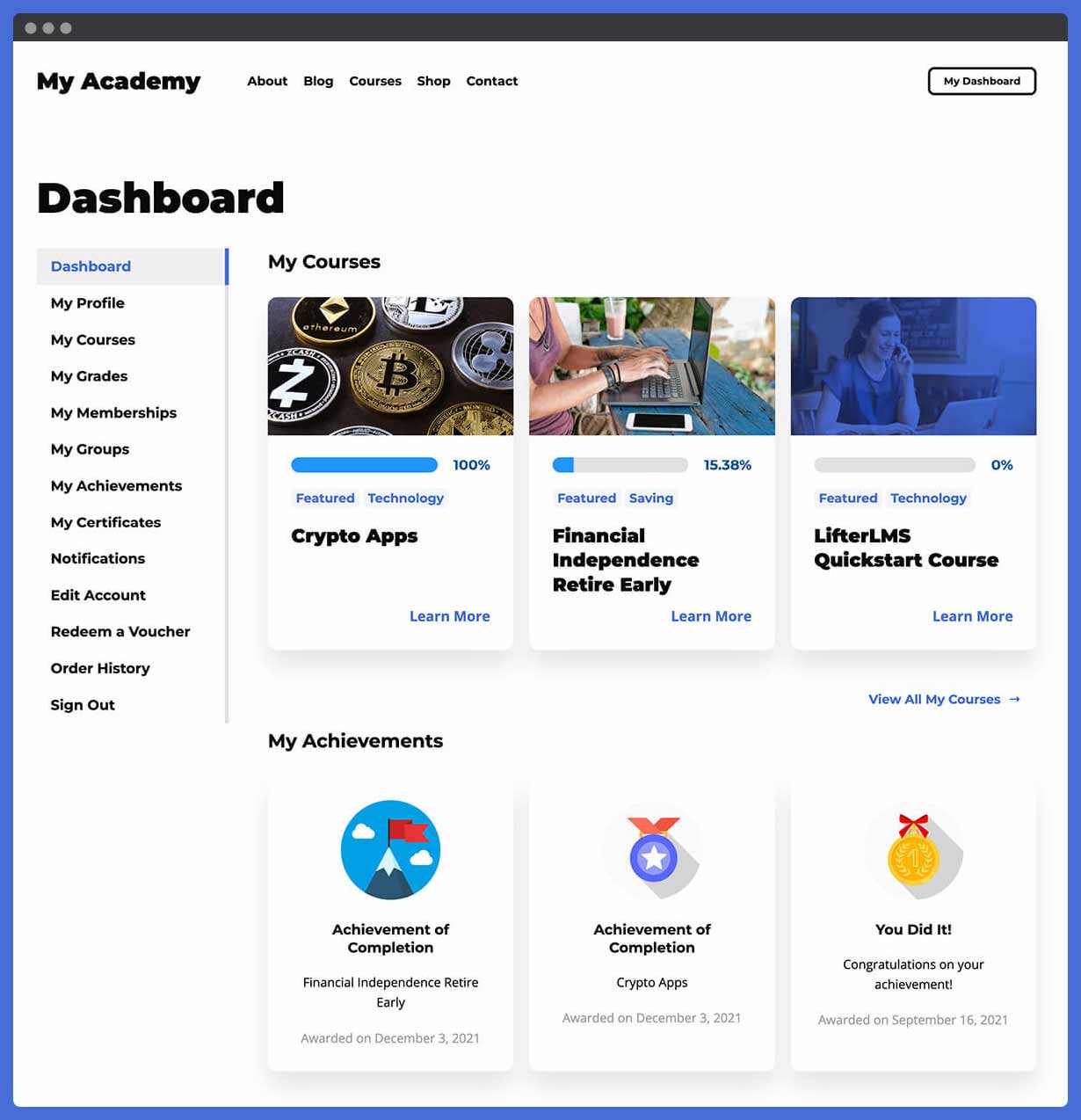
Use student dashboards
Show learner progress
Track lesson and course completion
These tools help students understand where they are, what they have completed, and what to do next, and let you follow learner activity. For training programs, that supports completion rates, accountability, and clearer learner progress; for course businesses, a better student experience without manually guiding every learner.
Offer Memberships
LifterLMS includes membership tools, so you can sell more than individual courses: protect content, bundle courses, create members-only areas, and give learners access to a wider learning experience.
Use LifterLMS to:
Create sitewide memberships
Create traditional membership plans
Automatically enroll members into courses
Restrict non-course content
Offer members-only payment plans
Create private group discussions
Build members-only forums
Create learning paths for different member levels
Own and Manage Your WordPress LMS Platform
LifterLMS gives you LMS management tools inside the WordPress admin, from registration, student accounts, and passwords to reporting.
Use LifterLMS to:
View course, membership, ecommerce, and student reporting
Use a course gradebook
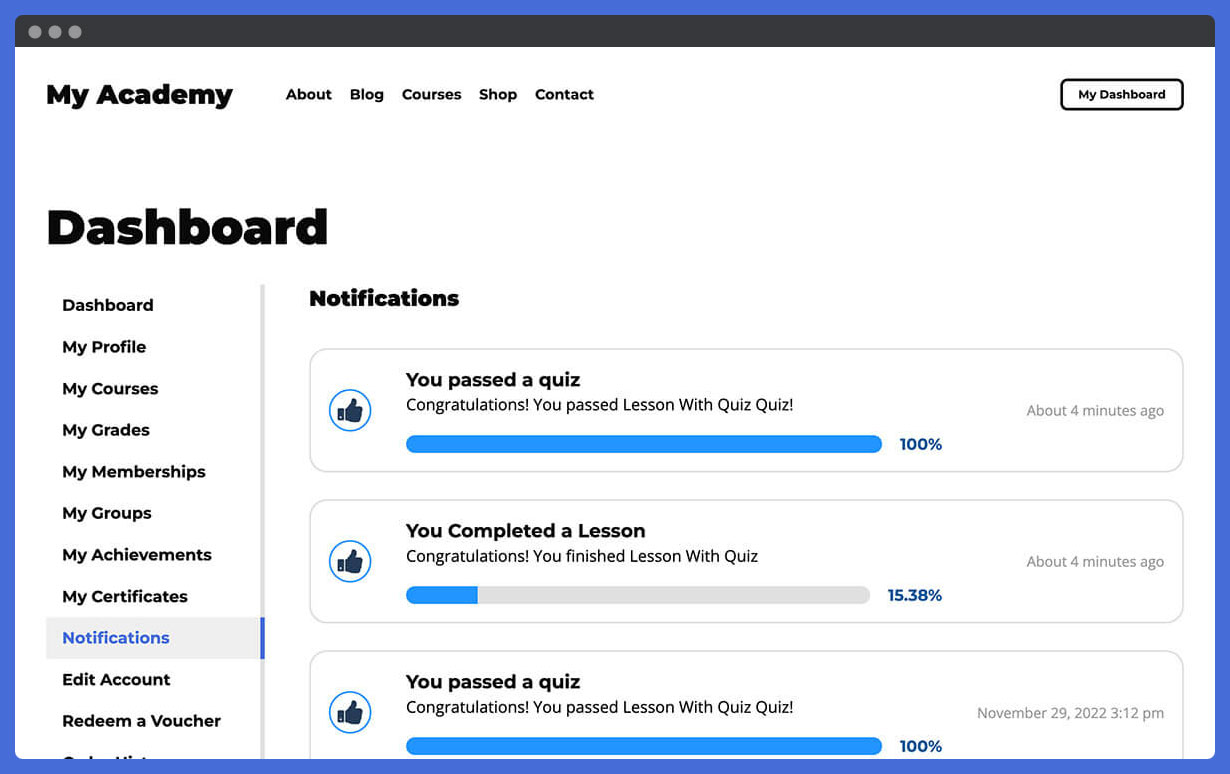
Send email and SMS notifications
Manage bulk course and membership enrollments
Manage course capacity
Use WordPress LMS user roles
Manage branding and typography through your WordPress setup
Test and troubleshoot your LMS
Use the system analyzer
Get Support for Your WordPress LMS Project
LifterLMS includes documentation, training, setup tools, and support resources to help you build and manage your LMS.
When your course, membership, or training website needs more advanced tools, extend LifterLMS with official add-ons for assessment, ecommerce, groups, media, private student support, reporting, and learning design.
You can also connect LifterLMS with WordPress plugins for SEO, forms, CRM, forums, page building, analytics, security, caching, backups, community features, affiliates, and marketing automation. It also supports xAPI / Tin Can API workflows and learning authoring tools, and connects to thousands of apps through automation tools such as Zapier.
Run LifterLMS From Any AI Tool You Already Use
LifterLMS is built to work with AI assistants, agents, and automation tools.
Core LMS resources are exposed as WordPress Abilities, so compatible AI and automation tools can discover what your LMS can do and act on it through the same permissions and safeguards used by logged-in WordPress users.
The free core plugin includes AI-ready abilities for:
Courses, sections, and lessons
Memberships and access plans
Students, enrollments, and student progress
Quizzes, quiz questions, and quiz attempts
Manual quiz grading
Student grades and lesson-level progress
Certificate templates and awarded certificates
Orders and transactions in read-only mode
LifterLMS add-ons can extend this further.
With supported add-ons such as Assignments, Groups, and Events installed, AI-ready workflows can also cover assignments and submissions, group management, seats, invitations, and events.
LifterLMS can support AI and automation workflows through:
WordPress Abilities API
LifterLMS MCP Server
LifterLMS CLI / WP-CLI
LifterLMS REST API
Webhooks for course, enrollment, quiz, order, and certificate activity
Use LifterLMS with the modern LifterLMS Sky Pilot Theme for even more beautiful results. LifterLMS works with any well-coded WordPress theme, but check out Sky Pilot if you want to start with a modern, beautiful, full-site editing block-based theme. And consider using our Aircraft page builder plugin to make building beautiful web pages fast using our design template library.
The main reasons we hear from users switching to LifterLMS from plugins like LearnDash, Tutor LMS, LearnPress, Sensei LMS, WP Courseware, and MasterStudy LMS (see our shortlist of the best WordPress LMS plugins) are:
The best most feature-complete customizable well-coded features
Outstanding customer support including live calls
The free LifterLMS plugin is amazing making the project affordable
Memberships, ecommerce, and gamification included in LifterLMS without the need for 3rd party plugins
Hosted course platforms and other WordPress LMS plugins can suit different priorities; LifterLMS is designed for people who want to build and own a WordPress-based LMS they can truly grow with.
Save on LifterLMS With a Bundle
If your LMS project needs several add-ons, a bundle may be a better fit than buying individual extensions. LifterLMS bundles give you access to groups of tools for course creation, ecommerce, design, marketing, automation, student engagement, and advanced LMS features.
LifterLMS can support anything from a single paid course or a free training resource library to a multi-course academy, a client LMS build, or a larger learning website with multiple audiences. It is lightweight enough for small niche sites while powering huge universities and employee training in Fortune 500 corporations, and we’ve even worked with a site that has 8,019,355 course enrollments.
Because LifterLMS runs on WordPress, performance at scale depends on your hosting, caching, theme, and plugins, all of which you control.
LifterLMS in Action
Explore real LifterLMS websites and customer stories to see how course businesses, memberships, professional training, coaching, schools, and client LMS projects use WordPress for online learning.
“Now I host all my courses on LifterLMS. Totally different experience. I’m free to do things my way. I’ve never yet hit a wall where LifterLMS didn’t enable me to do things the way I wanted.”
Nick Usborne, Teacher and Entrepreneur
“As a former school teacher, professional user experience designer, and current online course creator, I can honestly attribute much of our success to LifterLMS and its consideration for multiple learning modalities, the LMS UI/UX out of the box, and natural student engagement opportunities. In less than 10 months we’ve gone from $0 to $300K in revenue with LifterLMS playing a huge part in that!!”
Sarah Lorenzen, Teacher and Entrepreneur
Join the LifterLMS Community
When you download LifterLMS, you join a thriving community of education entrepreneurs, course creators, developers, LMS professionals, and WordPress enthusiasts. Use it to see what others are building, ask questions, share ideas, and learn from other WordPress LMS projects.
Developers can review the code, report issues, and suggest improvements in the LifterLMS GitHub repository, helping improve the plugin for the wider WordPress LMS community. Start with the contributing guidelines. You can also help translate LifterLMS for more users around the world through translate.wordpress.org.
What Should You Do Next?
If you are building an LMS with WordPress, start with the free LifterLMS plugin to create your first course, test the learner experience, and see how LifterLMS fits your website. Then choose the next step that matches your project:
An LMS plugin lets you create, manage, and deliver online learning from a WordPress website.
With an LMS plugin, you can create courses, add lessons, enroll students, run quizzes, track progress, protect learning content, issue certificates, and sell access to courses or memberships.
What is LifterLMS?
LifterLMS is the most trusted WordPress LMS plugin for creating online courses, memberships, quizzes, training programs, and learning websites.
You can use it to build a course website, sell training, manage students, protect content, and run your LMS from WordPress.
Is LifterLMS free?
Yes. The core LifterLMS plugin is free and open source.
You can use the free plugin to create courses, lessons, quizzes, memberships, student dashboards, certificates, and more.
Premium add-ons are available when you need more advanced features, such as payments, assignments, groups, advanced quizzes, private areas, advanced video, PDFs, notes, continuing education, and integrations.
Can I create and sell online courses with LifterLMS?
Yes. You can create online courses with lessons, sections, quizzes, assignments, downloads, prerequisites, course tracks, and drip schedules.
You can also sell course access using access plans, one-time payments, subscriptions, payment plans, coupons, memberships, and bundles.
Do I need WooCommerce to sell courses with LifterLMS?
No. LifterLMS has its own checkout and ecommerce tools, and takes payments through the LifterLMS Stripe and PayPal add-ons.
You can also use the LifterLMS WooCommerce extension if your project needs a WooCommerce-based checkout workflow.
Can I build a membership site with LifterLMS?
Yes. LifterLMS includes membership features.
You can create memberships, restrict content, bundle courses, create members-only areas, and automatically enroll members into courses.
Can I use LifterLMS for corporate training or team training?
Yes. LifterLMS can be used for employee training, client training, onboarding, professional development, continuing education, and other structured training programs.
With LifterLMS Groups, you can organize learners into groups, assign group leaders, manage bulk enrollments, and support team-based learning.
Does LifterLMS support quizzes and assessments?
Yes. LifterLMS includes quiz tools in the core plugin.
You can also use LifterLMS Advanced Quizzes and LifterLMS Assignments when you need more advanced assessment options.
Does LifterLMS support certificates?
Yes. LifterLMS can award certificates and achievement badges based on student activity and course progress.
This can be used for course completion, professional development, continuing education, and other learning milestones.
Does LifterLMS work with my WordPress theme?
LifterLMS works with modern WordPress themes, full-site editing themes, the WordPress Block Editor, and popular page builders.
It is designed to work with your WordPress site rather than forcing you into one fixed hosted platform layout.
Does LifterLMS work with Elementor, Beaver Builder, or Divi?
Yes. LifterLMS works with popular WordPress page builders, including Elementor, Beaver Builder, and Divi.
You can also use LifterLMS with the WordPress Block Editor and compatible full-site editing themes.
Can I track student progress in LifterLMS?
Yes. LifterLMS includes reporting and student management tools.
You can track student enrollments, course progress, lesson completion, quiz attempts, certificates, achievements, memberships, and ecommerce activity.
Can I migrate from another LMS to LifterLMS?
Many site owners move to LifterLMS when they want to build their LMS on WordPress, own their content, control student data, customize the learner experience, or connect their LMS with the rest of their WordPress tools.
Migration details depend on your current platform, course structure, users, payments, and content format.
Where can I get help with LifterLMS?
Free plugin users can use the WordPress.org support forum.
LifterLMS customers can access private support through their LifterLMS account.
You can also use the documentation, training courses, webinars, community groups, developer resources, and system analyzer.
Where can I buy LifterLMS add-ons or bundles?
You can explore official LifterLMS add-ons and bundles on the LifterLMS website.
The LifterLMS team takes security issues and vulnerabilities very seriously. We appreciate your efforts to responsibly disclose your findings, and will make every effort to acknowledge your contributions.
Changing the primary instructor in the Instructors tab now updates the Author shown in the block and classic editors. #3523
Bug Fixes
Prevented trashing or deleting an order from unenrolling a student or deleting their enrollment when another order granting access exists for the same product. #3464
Fixed the course builder not warning about unsaved changes when leaving the page while a lesson field, such as the title, has focus. #3498
Fixed access plans that share an order number overwriting each other’s settings when saved in the course or membership editor, and access plans created through the REST API all getting the same order number. #3519
Fixed the course importer treating an unexpected (non-JSON or error) response from the LifterLMS.com exports API as course data instead of showing an error.
Instructors, assistants and LMS managers now show in the block editor author list. #1953
Changing a course’s author in the editor now saves and makes them the primary instructor instead of reverting to the previous author. #3521
Fixed access plan sale start and end dates set via the REST API being ignored when checking if the plan is on sale.
On the Edit Account form, the Current Password field no longer disappears when one of the email or password changes is cancelled while the other is still open.
Fix fatal error when accessing a quiz whose parent lesson has been deleted. Thanks @thisismyurl!
Fixed protected quiz question images not loading for students while taking a quiz or viewing its results.
Prevent duplicate orders, enrollments, and accounts when the free enrollment or checkout form is submitted more than once at the same time, such as by a double click.
Fixed post titles showing HTML entities, such as – instead of a dash, in post search results like the Award Certificate template search.
Fixed HTML entities, such as – or &, showing in block editor labels for course, membership, and access plan titles, category names, and user names.
Fixed a fatal error when the related courses shortcode finds courses to display.
Fixed an instructor added in the Instructors tab after removing another one replacing an existing instructor when the course or membership is saved.
Fixed the course information, instructors, pricing table, and syllabus displaying twice to visitors when a course’s sales page is set to show custom content but the content is empty.
Security Fixes
Additional checks when deleting access plans.
Additional checks on course element shortcodes and blocks.
Additional checks on REST API quiz attempt requests.
Additional checks on quiz AJAX requests.
Additional checks on coupon usage during checkout.
Additional checks on voucher redemption.
v11.1.0 – 2026-11-17
New Features
Added the {{STUDENT_FULL_NAME}} notification merge code, which always outputs the student’s name. The {{STUDENT_NAME}} merge code is unchanged and still outputs “you” when a student views their own notification. #1557
Added bulk Move to Trash to the Subscriptions screen. #3466
Failed webhook deliveries are retried on a delay before the webhook is disabled, and an admin notice explains when a webhook has been disabled. #3247
Added a bulk “Move to Trash” action to the Orders & Transactions screen.
Updates and Enhancements
Restrict membership auto-enroll course editing to administrators and LMS managers. #3441
Changing the account email address now requires the current password.
Bug Fixes
Fixed the “Update Payment Method” and “Reactivate Subscription” buttons missing from a student’s subscription when its access plan was permanently deleted. #3433
The My Grades summary widgets wrap onto more rows on small screens, and the grades table scrolls within its own area instead of widening the page. #3462
The Orders & Transactions and Subscriptions screens and their exports show each order’s access status again (“Expires: “, “Expired: “, or “Lifetime Access”), as the Orders screen did before 11.0.0. #3465
On the Orders & Transactions and Subscriptions screens, the filters no longer sit flush against the LifterLMS header, and going back to the page no longer shows a filter or search value that the table isn’t using. #3467
Fixed lesson drip dates and times in the course builder and lesson settings saving invalid values or changing on scroll by using standard date and time fields. #3492
Fixed course builder settings toggling when clicking the empty space next to a setting’s label, and added more space between a quiz question’s Description, Image, and Video settings.
Fixed PHP warnings from the access plans REST API endpoint when the requested post_id is not a single course or membership. #3496
Fixed the create and update course and lesson abilities being rejected by MCP clients because the meta input schema encoded its empty properties as a JSON list. #3484
Fixed a quiz question’s description editor flashing in the course builder when the question’s Image or Video setting is toggled.
Fixed the certificate template editor crashing with “The editor has encountered an unexpected error.” when the Certificate Title block is hidden or not available in the block inserter.
When cloning a course, media protected to the course or its quizzes is copied and protected to the new course, and the new course’s content and quizzes use the copies.
Fixed merge codes being added to the end of text fields, such as a notification’s title or an email’s subject, instead of where the cursor is.
Fixed the Orders & Transactions screen timing out on large stores while the 11.0.0 database update is still pending.
Fixed the Payment Status column showing “trash” for orders in the Trash. It now shows the order’s status from before it was trashed.
Fixed a PHP warning when exporting a student’s personal data, and the missing description for their quiz attempt data in the export. #3476
Course and lesson videos using youtube.com/embed/ or youtube-nocookie.com/embed/ URLs now display a video player instead of a link. youtube-nocookie.com URLs keep YouTube’s Privacy Enhanced Mode.
Breaking Changes
Removed the Beta Testing tab from the LifterLMS Status screen.
Performance Improvements
Improved the speed of the awarded certificates and achievements lists, which could time out on sites with a lot of student data.
When cloning or importing content, featured images and quiz image choices from the same site are copied on the server instead of downloaded again.
Added an admin notice for sites on WP Engine with protected media, linking to instructions for more efficient file serving. #3365
Added CSS custom properties for frontend colors and corner radius so a single override updates related hovers, focus styles, and tinted backgrounds. #2286
Added a {related_post_title} merge code for engagement emails and certificates which outputs the title of the post that triggered the engagement. #3064
Added new engagement triggers: course progress percentage reached, course completed with a low grade, quiz failed multiple times, enrollment cancelled or expired, order failed/refunded/cancelled, and daily-scanned inactivity triggers for no course progress, course never started, days since last login, course completion deadline, and abandoned quiz attempts. #3051
Added unenrollment notification trigger (popup and email) for courses and memberships, disabled by default.
Added a new ‘Order Failed’ email notification for when an order fails at checkout or after recurring payment retries are exhausted. It is disabled by default and can be enabled for the customer, the product author, and custom recipients.
Adds a “My Subscriptions” student dashboard tab and per-transaction receipt downloads.
Updates and Enhancements
Orders now lists transactions (and free orders) with a separate Subscriptions listing, allowing export of transactions and subscriptions to csv.
Added CSS custom properties for element border width, border style, and surface hover, using the current values as defaults.
Updated the default password strength message so it no longer says a weak password is required. #3370
Add-on updates are no longer installed from Add-ons & more. Available updates now link to the WordPress Plugins or Themes screen. #3371
Explained when a password is rejected because it includes other information from the form. #3401
Course and membership loop tiles and certificate cards now link only the title, and achievement cards open from a title button. The whole card stays clickable. Featured image alt text uses the image’s alt text, or is left empty. Themes that override the loop template keep the previous wrapping link until that template is updated.
Improved heading structure, labels, tables, and page titles for quizzes, focus mode, and the student dashboard.
Updated the bundled Action Scheduler library to version 3.9.3, improving compatibility with PHP 8.4.
Clarified the help text for course enrollment, course time period, and access plan sale dates to show the exact time each date starts or ends. #3341
Bug Fixes
Fixed a blank Scheduled Actions tab on the LifterLMS Status page after searching or running a row or bulk action. #3418
Fixed a “headers already sent” PHP warning when a logged-out visitor views the checkout page and another plugin has already flushed the page output. #3425
Fixed a PHP warning on REST API instructors collection requests that return no results. #3439
Display an error message when the checkout form is submitted with an expired security nonce instead of silently reloading the form. #3422
Fixed the permalink of a newly created quiz not being clickable in the Course Builder after saving. #3414
Fixed icon spacing on LifterLMS buttons rendered with an icon and no supporting CSS from a theme or plugin.
Fixed the student dashboard mobile navigation not navigating to the selected endpoint when the Go button is clicked.
Fixed manual entry of datepicker dates being mis-parsed on sites using a non-US date format.
Fixed lesson progression button layout and text alignment in the block editor.
Course and membership loop titles use their previous size and weight again now that they are h2 or h3 headings.
Fixed a PHP fatal error when viewing a course’s grades page on the student dashboard using the course ID instead of its slug.
Fixed frontend notification toasts overlapping when several are displayed at once.
Fixed frontend notification toasts stacking with extra space between them when the theme adds margins to notifications.
Improved customer search in the combined orders and transactions table to match a customer’s full name.
On the order update payment method form, only the submit button is now labeled “Reactivate Subscription” for subscriptions pending cancellation.
Fixed a PHP 8.1+ “Automatic conversion of false to array is deprecated” notice when uploading a protected non-image file.
Developer Notes
Updated AGENTS.md with the add-on and theme repositories agents can clone and how to build them.
Replaced [version] placeholders left in deprecation and _doing_it_wrong() notices with the versions they refer to, and release tooling now replaces any '[version]' string, including in multi-line calls.
Release preparation bumps the REST API library version when the library changed since the last release, and replaces its [version] placeholders with that version.
Performance Improvements
Replaced the unbounded order exclusion list in the Orders & Transactions report with an indexed _llms_has_transaction order flag, backfilled via a batched background migration, for better performance on large stores.
Improved performance of REST API collection requests and of the protected media folder check in the admin.
Security Fixes
Additional checks when serving protected media.
Additional checks on reporting collection requests.
Additional checks on REST enrollment collection requests.
Additional checks on quiz attempt answers.
Additional checks on REST API collection requests.
Additional checks when authorizing access to protected media.
Additional checks when protecting the media uploads folder.
Additional checks on restricted content in post type listings.
Additional checks on restricted content in feeds.
Additional checks on restricted content in search results and archives.
Additional checks on timed quiz answers.
Additional checks on REST API sections and access plans requests.
Additional checks on student management table requests.
Added a Name Your Price add-on option to the new access plan dialog and removed the Sale template.
Redirected the setup wizard skip button to the LifterLMS dashboard and added a Launch Setup Wizard link on the plugins screen.
Updates for PHP 8.4 compatibility.
Bug Fixes
Fixed interactive blocks not working in focus mode. #3350
Disabled the Mark Complete button in markup while a lesson’s minimum time is still running, and left it disabled when other progression requirements remain. #3352
Security Fixes
Hardened certificate export handling. Thanks @s3rt4c!
Additional checks in admin reporting. Thanks @s3rt4c!
Additional authorization checks on REST API endpoints. Thanks @s3rt4c and @MrDarkRoot!
The sections and lessons list endpoints accept parent_id as an alias for the parent filter.
Added a read-only REST API endpoint for student grades with per-lesson course grade breakdowns, added a readonly grade field to student progress responses, and registered a student grades ability with the WordPress Abilities API.
Added time-limited signed download URLs for protected media files, exposed as a download_url field in assignment submission and quiz attempt REST API responses.
Added a certificate merge code for the student’s display name.
REST API: added endpoints for quizzes, quiz questions, quiz attempts (including grading), orders and their transactions, certificate templates, and awarded certificates, with new webhook topics and WordPress Abilities API registration.
Updates and Enhancements
The course students reporting table now sorts by student ID by default instead of by name, avoiding expensive name joins and filesorts on large sites. Columns remain click-sortable.
Improved cache miss detection and added expiration times to object cache entries for more reliable behavior on persistent object cache backends.
Student search is not limited to the student role.
List abilities return an empty list instead of a not-found error for empty collections.
List abilities omit rendered markup when a raw counterpart is available, reducing payload size.
Nested abilities accept id as the parent resource identifier.
Section and lesson order is optional on create.
Bug Fixes
Course and membership student exports now honor the boosted export page size, reducing the number of requests required to generate an export file by up to 10x.
Course reports and exports no longer bulk-create per-lesson time cache rows in user meta, and an automatic database update removes the zero-value rows previously created this way.
Awarded certificates and achievements now fall back to the template’s post title when the deprecated title meta value is empty.
Fixed course builder deep links so the lesson or quiz settings panel opens on load. #3328
Fixed course builder tooltips being clipped by the editor sidebar and outline. #3315
Fixed stale object cache values for core forms, membership-associated posts, student grades, product active-subscription counts, and theme template override directories on sites using a persistent object cache (Redis, Memcached). #3116
Fixed automatic recurring payment retries never running when a failed payment placed an active order on hold.
Fixed media protection block editor labels incorrectly showing “Protect Image” for file, video, and audio blocks.
Preserve the authorization hook name passed to media upload.
Ability reads default to the edit context, returning complete resource data.
Declared and validated the status parameter on the REST enrollment update endpoint.
Cached student progress is reset when lesson progress is deleted via the REST API and when lessons or sections are trashed, restored, deleted, or moved to a new parent.
The lesson REST response emits complete for quiz.progression, matching the documented schema enum and the accepted input values.
Clarified the REST schema documentation for the meta field serialization and the enrollment trigger default.
Ability get and list operations now use the edit context when the caller omits it.
Hardened quiz attempt answer retrieval.
Lesson quiz updates keep the quiz’s lesson association in sync.
Abilities return not-found errors from missing resources.
Performance Improvements
Course and membership student exports now count the total result set once instead of re-running the count query on every page of the export.
Improved the performance of the Time in Course column on the course students reporting screen and export by computing course totals with a single query, adding a lesson index to the time sessions table, and skipping all per-student queries when a course has no tracked time.
Security Fixes
Additional checks on access plan button output. Thanks @thaer-assfour!
Additional checks on settings save. Thanks @thaer-assfour!
v10.1.1 – 2026-08-11
Updates and Enhancements
Increased entropy used when generating order keys. Thanks @enterlectury!
Bug Fixes
Fixed saving when attaching an existing lesson after editing its title or permalink in the Course Builder.
Fixed the “View add-on details” tooltip being cut off on the Add-ons screen. #3301
Fixed access plan details not saving when using the course or membership Save button in the block editor. #3256, #3300
Fixed duplicate engagement emails sent to all recipients when multiple emails share the same triggering post.
Aligned admin Select2 fields with WordPress 7.0 form control sizing. #3291
Fixed lesson completion being rejected when the Mark Complete button was clicked the moment the minimum time requirement was reached, before the next time-tracking heartbeat had persisted the elapsed time. #3295
Prevented a fatal error when cloning a course or creating a course cohort if a cloned lesson or course could not be loaded during prerequisite handling.
Developer Notes
Corrected the REST API student progress status property description to reflect the completion status rather than the enrollment status, and noted that the students ability lists LifterLMS students only.
Security Fixes
Additional checks on checkout completion redirects. Thanks @enterlectury!
Additional checks when creating users during course import. Thanks @enterlectury!
Additional authorization checks on REST API key and webhook admin actions. Thanks @enterlectury!