Choose right WordPress plugin from thousands others in a moment
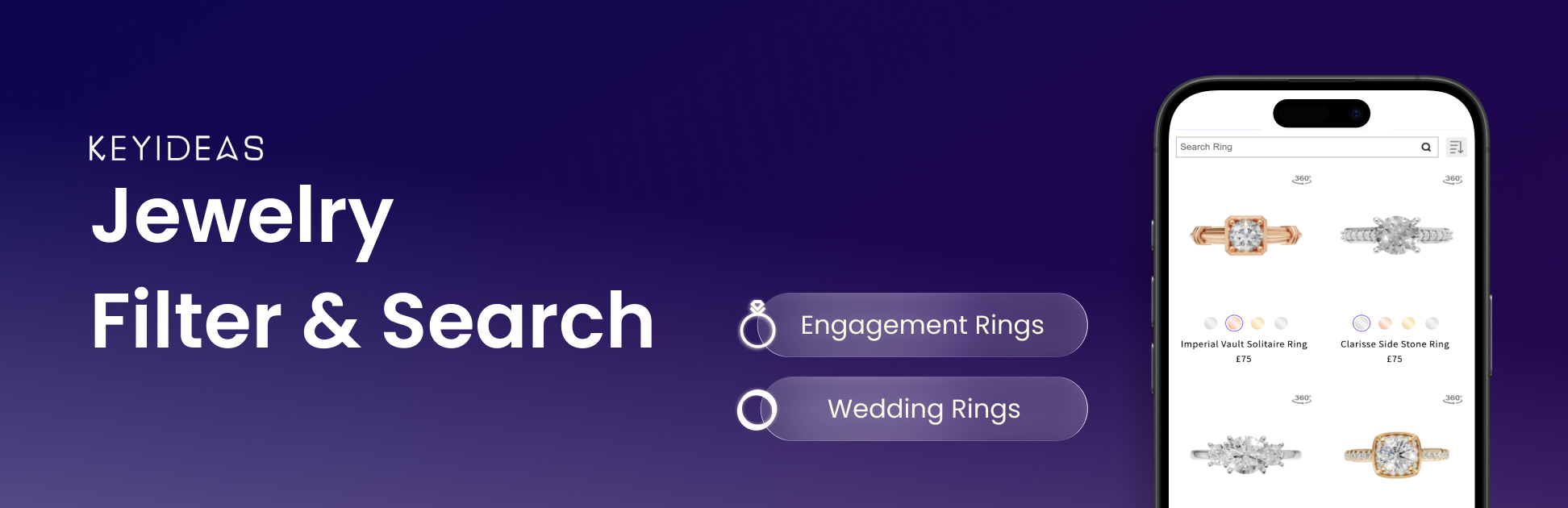
Keyideas Ring Filter & Search
Keyideas is a pioneer in jewelry solutions, offering a specialized app tailored for jewelry website owners. This innovative tool empowers WooCommerce …
Boost Your Jewelry Sales with Advanced Jewelry Filter & Search – Free to Start!
Transform your WordPress and WooCommerce jewelry store with powerful filter and search functionality tailored for all jewelry categories—Engagement Rings, Wedding Bands, Fine Jewelry, Earrings, Necklaces, Bracelets, Pendants, and more. Enable customers to discover their perfect piece up to 3x faster while boosting conversions by up to 30% through an intuitive, fully mobile-optimized shopping experience.
Smart Filter & Search for WordPress & WooCommerce Jewelry Stores
Why do jewelry customers abandon their carts?
They just can’t find what they need quickly.
Our Specialized Jewelry Filter & Search plugin removes this friction by enabling customers to filter seamlessly across all jewelry categories, helping them discover the perfect piece in seconds and complete their purchase with confidence.
For Engagement Rings & Wedding Bands: Filter by Center Stone Shape, Side Stone Accents, Metal Type, Ring Style, and more
For Earrings: Filter by Earring Type (Studs, Hoops, Drops, Chandeliers), Back Type (Push-back, Screw-back, Lever-back), Stone Type, Metal, and Length
For Necklaces & Pendants: Filter by Chain Type, Length, Pendant Style, Stone Type, Metal, and Clasp Type
For Bracelets: Filter by Bracelet Style (Tennis, Bangle, Chain, Cuff), Size/Length, Stone Type, Metal, and Clasp Type
For Fine Jewelry: Filter by Collection, Occasion, Price Range, and Custom Attributes
Customers find their dream jewelry piece in seconds instead of minutes.
Proven Results Across All Jewelry Categories:
Up to 30% higher conversion rates across rings, earrings, necklaces, and bracelets
50% lower bounce rates on collection pages
40% fewer “Do you have this in…?” customer support inquiries
3x faster product discovery across the entire jewelry catalog
Optimized mobile shopping experience, designed for the 70% of jewelry shoppers browsing on mobile
Works seamlessly across all jewelry types—engagement rings, wedding bands, fine jewelry, earrings, necklaces, bracelets, pendants, and more.
Free vs. Paid Versions
Free Version (Forever Free)
Get started with powerful core functionality at no cost. Perfect for English-speaking stores getting started with advanced filtering across all jewelry categories.
Core Filtering & Search for All Jewelry Types
Rings (Engagement & Wedding):
Filter by Center Stone Shape (Round, Oval, Princess, Cushion, Emerald, Radiant, Pear, Marquise, Asscher, Heart)
Filter by Side Stone Accents (Lab Diamonds, Natural Diamonds, Black Diamonds, Emerald, Ruby, Sapphire, Moissanite, No Side Stones)
Filter by Ring Style (Solitaire, Halo, Pavé, Vintage, Three-Stone, Split Shank, Bypass, Channel Set, Contemporary, Classic, Modern)
Gender-Specific Filters (Men’s and Women’s)
Bridal Set Filter
Earrings:
Filter by Earring Type (Studs, Hoops, Drop, Dangle, Chandelier, Huggie, Climbers)
Filter by Back Type (Push-back, Screw-back, Lever-back, French Hook)
Filter by Stone Type and Setting Style
Filter by Length/Size
Necklaces & Pendants:
Filter by Chain Type (Cable, Rope, Box, Snake, Figaro, Wheat)
Filter by Length (16″, 18″, 20″, 24″, etc.)
Filter by Pendant Style (Solitaire, Heart, Cross, Initial, Locket)
Filter by Stone Type and Setting
Bracelets:
Filter by Bracelet Style (Tennis, Bangle, Chain, Cuff, Charm, Link)
Filter by Size/Length (6″, 7″, 8″, etc.)
Filter by Clasp Type (Lobster, Spring Ring, Toggle, Magnetic)
Filter by Stone Type
Universal Filters (All Jewelry):
Metal Type (White Gold, Yellow Gold, Rose Gold, Platinum, Silver, 14K, 18K variants)
Stone/Gemstone Type (Diamond, Emerald, Ruby, Sapphire, Pearl, etc.)
Price Ranges (Customizable)
Gender (Men’s, Women’s, Unisex)
Collection/Designer filters
Quick Search by SKU or Product Title
Smart Features
Filter Available for Home Preview (let customers choose to preview products at home on catalog page before filtering)
Auto Filters Mapping (automatically detects existing attributes)
Custom Filters for your unique jewelry attributes
Mobile-Optimized Interface
SEO-Friendly URLs
One-Click Installation (no coding required)
What’s NOT Included in Free:
Multilingual/RTL support for international customers
Visual filter icons and images
Global ring sizing (US, UK, EU, Australia, Asian standards)
Engraving options add-on
Priority support
Paid Version (Unlock Advanced Features)
Everything in Free Version plus these game-changing features for your complete jewelry catalog:
Filter Images & Icons (Most Popular Upgrade)
Add visual representations to your filters across all jewelry types – customers can see their options instead of just reading text:
For Rings:
Visual icons for Center Stone Shapes (actual diamond shapes)
Metal type color swatches (gold/platinum)
Ring style thumbnails or icons
For Earrings:
Visual icons for earring types (studs, hoops, drops, chandeliers)
Increases conversions by up to 25% vs. text-only filters
Dramatically improves mobile engagement (critical for 70% of jewelry shoppers)
Makes browsing more intuitive across all jewelry categories
Note: Our support team will assist with adding custom images and icons to your filters.
Global Ring Sizing
Serve international customers with multiple sizing standards:
US sizing standards
UK sizing standards
European sizing standards
Australian sizing standards
Asian sizing standards
Size conversion calculator included
Multilingual & RTL Support
Expand to global markets:
Translate all filter labels and interface into any language
Full Right-to-Left (RTL) support for Arabic, Hebrew, Urdu, Persian
Serve customers in their native language
Perfect for international jewelry stores
Engraving Options (Available as Add-on)
If you offer engraving services, enable: character limit preview and counter, font selection, special symbols support, and real-time character count. Contact support to add this feature.
Priority Support
Get help faster:
Faster response times
Setup assistance via email & WhatsApp
Custom integration help
Why Upgrade to Paid Version?
Visual Filtering is a Game-Changer for all Jewelry
Studies show that 70% of jewelry shoppers browse on mobile, where visual filtering consistently outperforms text-based lists. When customers can see their options—diamond shapes, earring styles, necklace lengths, bracelet designs—instead of scrolling through long menus, they shop with greater speed and confidence.
Browse 40% longer across your entire jewelry catalog
Filter with 60% more confidence
Convert 25% more often on all jewelry categories
Return less frequently (better decisions for any jewelry type)
Go Global
Serve international customers in their native language with proper ring sizing standards. This is essential for stores shipping worldwide.
It’s Cheaper Than Hiring a Freelancer
Custom development of similar features typically costs $3,000–$4,500+ upfront, plus ongoing maintenance. The paid plan delivers the same functionality for $50/month, including continuous updates and support—far more cost-effective than hiring a freelancer for a year.
When to Upgrade
✓ Mobile traffic is over 50% of your visitors
✓ You serve international customers
✓ You want visual filter icons for better engagement
✓ You need multiple ring sizing standards
✓ Your market speaks Arabic, Hebrew, Urdu, or Persian
✓ You offer engraving services
Paid Plan Pricing
Monthly: $50/month Annual: $500/year (Save 17% – 2 months free!) One-Time Setup Fee: $200-$350 (based on your website complexity) Payment Method: Wire transfer only
Note: If you cancel your paid subscription, you’ll need to reinstall and set up the free version from scratch. Explore All Updates Here
Advanced Features
Auto Filters Mapping
The plugin automatically detects your existing WooCommerce product tags and attributes across all jewelry categories, then maps them to appropriate filter categories. No manual re-tagging required.
Smart Recognition Includes:
Rings: Metal types, stone shapes, ring styles, center/side stones
Earrings: Earring types, back types, stone settings, lengths
Necklaces: Chain types, lengths, pendant styles, clasp types
Bracelets: Bracelet styles, sizes, clasp types
Universal: Price ranges, metal types, gemstone types, collections
The system learns from your product titles, descriptions, tags, and variants to create relevant filters automatically.
Custom Filters
Create custom filter categories for your unique inventory attributes across all jewelry types:
Ring: Stackable Rings, Eternity Bands, Comfort Fit
Or any unique attribute your jewelry store offers.
Filter Display Customization
Customize colors, fonts, and design elements to match your store’s branding. The plugin inherits your theme’s base styling and allows custom CSS for perfect brand matching.
Mobile-First Design
Optimized for the 70% of jewelry shoppers who browse on smartphones, whether they’re shopping for engagement rings, earrings, necklaces, bracelets, or any fine jewelry. Features include touch-friendly controls, swipe gestures for filter navigation, mobile drawer design that saves screen space, fast loading on 3G/4G connections, collapsible filter sections for easy browsing across all jewelry categories.
SEO-Friendly Architecture
Clean, crawlable filter URLs with proper canonical tags to avoid duplicate content issues. Includes structured data for rich snippets and meta tag optimization for filtered pages.
Works with Popular Themes & Builders
Compatible with all WordPress and WooCommerce themes including Astra, OceanWP, Flatsome, Storefront, Divi, Kadence, GeneratePress, and hundreds more. Also works seamlessly with page builders like Elementor, Divi Builder, WPBakery, Beaver Builder, and Gutenberg blocks.
External Services
This plugin relies on third-party services for certain functionality. Below are the services used:
YouTube (https://www.youtube.com)
Purpose: Embeds tutorial and informational videos in the admin interface.
What’s the difference between the free and paid versions?
The free version provides all core filtering and search functionality for ALL jewelry types including rings, earrings, necklaces, bracelets, and fine jewelry. You get comprehensive filters for Center Stone Shape, Side Stone Accents, Earring Types, Necklace Lengths, Bracelet Styles, Metal Types, Gemstones, and more. It’s perfect for English-speaking stores focused on the domestic market.
The paid version adds:
Filter Images & Icons (visual filtering across all jewelry categories that increases conversions by 25%).
Global Ring Sizing (US, UK, EU, Australian, Asian standards).
Multilingual & RTL Support (translate into any language, perfect for Arabic/Hebrew/Urdu/Persian markets).
Engraving Options (available as add-on).
Priority Support.
How often does pricing change?
We review pricing annually to reflect new features and improvements. Any pricing changes are communicated in advance, and existing subscribers are notified before adjustments take effect.
Can I get a refund after making a payment?
No, we do not provide refunds once payment is made or subscription is active, as this involves server setup, account configuration, and licensing. We recommend using the free version fully to ensure it meets your requirements before upgrading.
Can I cancel my subscription at any time?
Yes, you may cancel your paid subscription anytime by contacting our support team via email or WhatsApp at least 4-5 days before your next billing cycle. After cancellation, you’ll need to reinstall and set up the free version from scratch.
What if I want custom features not included in the plugin?
Contact our support team for unique requirements like advanced filtering logic, custom layouts, or special integrations, we offer custom development services. We can also help build, maintain, and enhance your entire jewelry website from the ground up, with maintenance projects starting at $500 per month.
How often is the plugin updated?
Regular updates with new features, improvements, and security patches. All updates are free for existing customers (free and paid).
What jewelry types does this plugin support?
The plugin works with ALL jewelry categories including:
Results update in real-time as each filter is applied.
What is “Filter Available for Home Preview”?
This feature allows customers to choose whether they want to preview products at home on your catalog page. They can filter through products and review them using the filter options before making decisions. It gives customers the flexibility to virtually “bring home” products they’re interested in while filtering.
Is it mobile-responsive?
Yes, fully responsive and mobile-optimized. The interface adapts perfectly to smartphones and tablets with touch-friendly controls and intuitive design.
Do you provide sample rings?
Yes, we provide sample engagement rings to demonstrate how the Filter works. These samples also serve as a guide for categorizing and tagging your own rings for compatibility. You can easily import these sample rings using the ‘Import Sample Rings’ button in Settings → Settings Category. You can replace them with your own designs at any time—your products remain completely yours.
What if I don’t have my own ring settings?
We offer a Product Library (paid add-on) with 100+ engagement and wedding ring designs in various metal types, complete with product and 360° lifestyle videos. These designs can be licensed for your website. Contact our sales team for details. Note: We provide only digital assets. Design defects, manufacturing, and order fulfillment are your responsibility.
Can I customize the appearance of the filter tool?
Yes, Customize colors, fonts, and design elements to match your store’s branding across all jewelry categories. Use the built-in style editor or add custom CSS for advanced customization.
Can I modify the available filter options for different jewelry types?
Yes, you have complete flexibility to add, remove, or rename filters for each jewelry category:
Rings: Add custom ring styles or stone shapes
Earrings: Add unique earring types or back styles
Necklaces: Add custom chain types or lengths
Bracelets: Add unique bracelet styles or sizes
Universal: Modify metal types, gemstone options, or price ranges.
All filters can be tailored to match your inventory and terminology.
Can I show different filters for different jewelry categories?
Yes, You can configure which filters appear on different product pages. For example:
Show “Center Stone Shape” and “Ring Style” on engagement ring pages
Show “Earring Type” and “Back Type” on earring pages
Show “Chain Type” and “Length” on necklace pages
Show “Bracelet Style” and “Size” on bracelet pages
This keeps the filtering experience relevant to what customers are shopping for.
Can I customize the text on plugin pages?
Yes, go to the Language & Region → Translations tab. Select the page you want to translate from the dropdown, enter your custom text in your desired language, and save. You can customize terms like ‘Style’, ‘Shape’, ‘Stone’ and more. Note: For paid clients, this feature is managed by our support team
Does this work with non-English websites?
Yes, with the Paid version the plugin is fully translatable into any language. All filter labels, buttons, and interface text can be translated. The free version operates in English only.
What is RTL Support?
RTL (Right-to-Left) Support is essential for languages like Arabic, Hebrew, Urdu, and Persian that read from right to left. The Paid version includes full RTL support. This is not available in the free version.
How do I select ring size options for my region?
Navigate to Language & Region → Basic tab in plugin settings. Select your language, and the ring size system will be automatically selected for that language (e.g., R1 for US/Mexico/Canada, R2/R3 for other countries). You can use the slider to preview different ring sizes. You can also hide the ring size feature on the review page if needed.
Do I need technical expertise?
No. The plugin is designed for jewelry store owners, not developers. Everything is point-and-click with clear instructions. Our support team can assist if needed.
What is the optional setup service?
The setup service ($200-$350 based on your website complexity) includes professional installation, product catalog mapping, custom filter configuration, theme integration, styling, and staff training. Most stores self-install easily, but this service is available for those who prefer hands-on help.
Why is my plugin not showing on the store?
Common solutions:
Ensure plugin is activated (WordPress Dashboard → Plugins)
Update to latest version
Check WooCommerce compatibility
Clear browser and caching plugin cache
Verify filter widget is added to pages/sidebar
Contact support if issues persist.
Will this work with my theme?
Yes, Works with all standard WordPress and WooCommerce themes including popular options like Astra, OceanWP, Flatsome, Storefront, Divi, Kadence, GeneratePress, and hundreds more.
Does it work with page builders?
Yes, Fully compatible with Elementor, Divi Builder, WPBakery, Beaver Builder, and Gutenberg blocks. Add filters using shortcodes or widgets.
What if the plugin doesn’t load properly with my theme?
If plugin/filters are not loading, ensure your theme has proper WooCommerce container classes. For UI issues, contact our support team for theme-specific CSS adjustments. Our support team is available to ensure seamless integration with your WordPress theme.
Is it SEO-friendly?
Yes, Filtered URLs are clean and SEO-friendly with proper canonical tags and structured data for optimal search engine visibility.
Will it work with caching plugins?
Yes, compatible with popular caching plugins like WP Rocket, W3 Total Cache, WP Super Cache, and LiteSpeed Cache.
What is Keyideas Ring Builder – Build Your Own Ring (BYOR)?
The Ring Builder is a complete WordPress & WooCommerce plugin that enables customers to design custom engagement rings. It offers access to an entire inventory of diamonds and gemstones (natural, lab-grown, and colored), advanced filtering, interactive ring building, and seamless integration with your existing store. The plugin is designed to increase sales by up to 30% through enhanced customer engagement.
Key Features:
Diamond selection from your inventory or connected suppliers (Nivoda, RapNet)
Complete customization: center stone shape, metal type, side accents, engraving
Live pricing updates as customers customize
360° product views with interactive 3D ring visualization
Mobile-optimized with full functionality on all devices
Multi-language and multi-currency support
Why Jewelers Love It:
Increases average order value by 40% on custom rings
Reduces custom quote requests by 60%
Provides 24/7 self-service customization for engagement rings
Integrates with supplier feeds (RapNet, Nivoda)
Use Both Together: Many stores use Jewelry Filter & Search for browsing their entire jewelry catalog (ready-made rings, earrings, necklaces, bracelets) and Ring Builder specifically for custom engagement ring design – giving customers complete shopping flexibility across all jewelry categories.
What is Keyideas Jewelith: 3D Jewelry Configurator for Rings, Bracelets & Necklaces?
Design custom jewelry with real-time 3D previews (rotate, zoom & view details). Customers can customize metals, stones, engraving and sizes, with options for guided concierge service or self-serve configuration. Features include product uploads, shareable design links, seamless cart integration, and mobile-ready Shopify compatibility for an interactive shopping experience. Learn more:Keyideas Jewelith – 3D Design Studio
What is Keyideas Timenox: All-in-One Watch Integration & Smart Filter App?
Easily integrate luxury timepieces into your jewelry store with our powerful Watch Filter App. Filter by Brand, Model, Dial, Bracelet, Bezel, Size, Condition, Paper, and Year. Import your own inventory or browse curated collections. The app seamlessly adapts to your store’s theme with mobile-optimized design, advanced search filters, and effortless inventory management, helping you expand beyond jewelry into luxury watches. Learn more:Keyideas Timenox – Integrate Watches
What is Keyideas Vizora – 3D Try-On?
Our 3D Virtual Try-On technology allows customers to try on jewelry rings from home using augmented reality. This plugin integrates seamlessly with WooCommerce to provide an immersive shopping experience, helping customers visualize how rings look on their hand before purchasing. Learn more:Keyideas Vizora -3D Try-On
Where can I find video tutorials?
Video tutorials are available within the plugin under Help & Support → Video Tutorials, covering filter setup, customization, category mapping, and general usage. Learn more:YouTube Playlist
Where can I find FAQs within the plugin?
Within the plugin interface, go to Help and Support → FAQs. You’ll find answers to common queries about plan details, settings, language & region, and more.
How do I get support?
For support, custom features, or add-on inquiries, you can:
Use the contact form within the plugin interface (Help and Support → Contact Us)
Edit your contact info within the plugin by clicking ‘Edit contact info’
Our support team is available to help with technical issues and troubleshooting, theme compatibility adjustments, custom feature development, supplier integration setup, and general plugin questions.
Where can I learn more?
Demo Store: See Jewelry Filter & Search in action with live examples across engagement rings, wedding bands, earrings, necklaces, bracelets, pendants, and more at the Demo Store Product Page: View features, pricing, and latest updates at WooCommerce Plugins by Keyideas