

What are the Free Gifts for Woocommerce?
| Author: | iThemelandco (profile at wordpress.org) |
| WordPress version required: | 5.3 |
| WordPress version tested: | 6.4.3 |
| Plugin version: | 2.2.2 |
| Added to WordPress repository: | 13-07-2021 |
| Last updated: | 21-02-2024 |
| Rating, %: | 84 |
| Rated by: | 24 |
| Plugin URI: | https://ithemelandco.com/plugins/free-gifts-f... |
| Total downloads: | 34 905 |
| Active installs: | 1 000+ |
 Click to start download |
|
What are the Free Gifts for Woocommerce?
Free Gifts For WooCommerce plugin comes with several options to help you offer free gifts to the customers of your online store in a robust and flexible way. As an applicable and professional extension, free gifts for Woocommerce plugin lets you adjust different rules and techniques such as BOGO, “Buy x Get y”, Subtotal, etc. And set restricted conditions on special products, users, card items, sales date, etc.
What are the general advantages of offering gifts in your shop?
Free gift promotion plays an essential role on boosting your sale in different ways including:
- Motivate your new customers to come back and buy from your online shop again
- Encourage potential customers to come and purchase the goods from your online store
- Make the customers to choose your eCommerce website over your competitors
- Hit the real customers to offer your online shop to their friends and relatives
- Help the new customers to get familiar with the various products you are selling
Offering Free Gifts on your Woocommerce Shop
Free gifts for Woocommerce plugin helps you for offering to your customers.
Encouraging your customers for more purchases
Promotional gifts are the most effective way for encouraging new customers to purchase products over and over from your online store.
Increase customer retention
According to retailtouchpoints, 90% of customers respond, receiving free gifts from a brand by loyalty. Increasing customer retention is a great result of offering promotional gifts by free gifts for Woocommerce.
Returning customer to your shop
Offering free gifts by using the free gifts for Woocommerce plugin can make your customers have a great feeling about purchasing goods from your shop. When they get what they expected in your online store, you can see that they will return to shop from your website over and over again.
Key Features
Free version features
- 2 methods:
- Simple Adjustment
- Subtotal
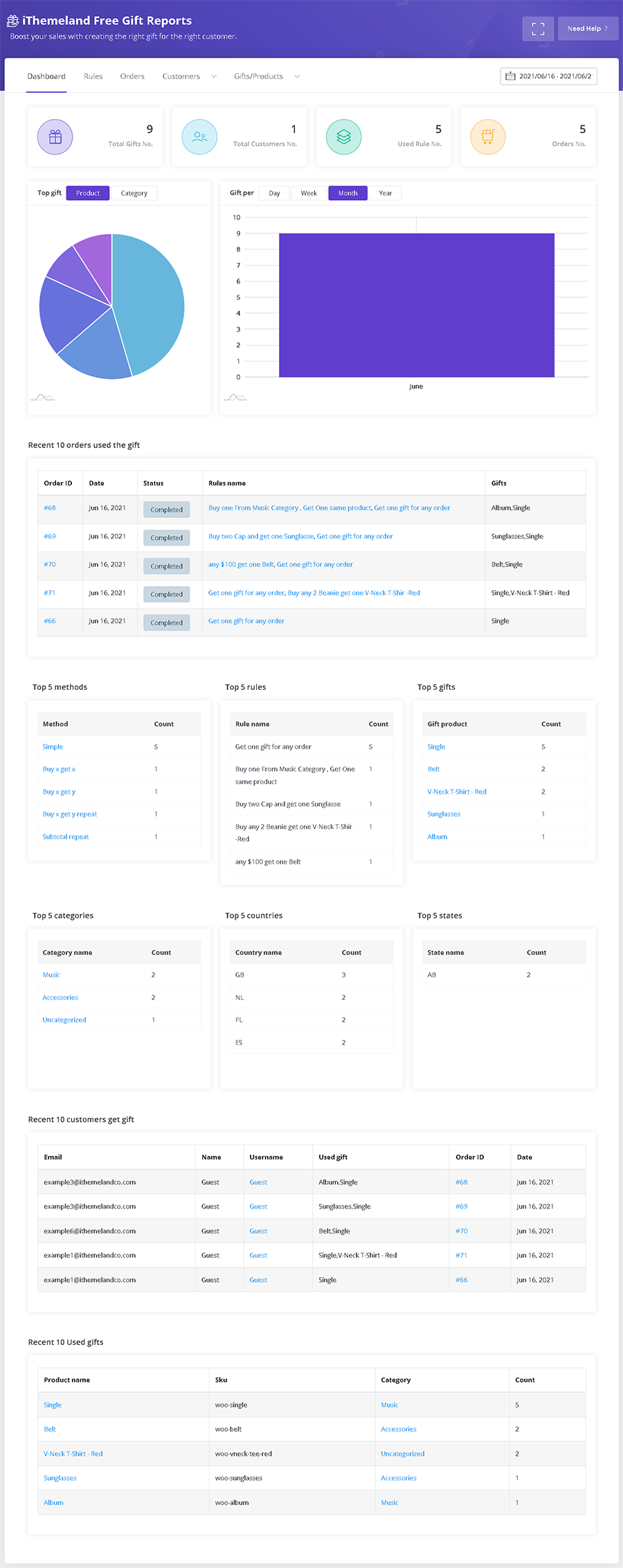
- Limited Reports & Statistics
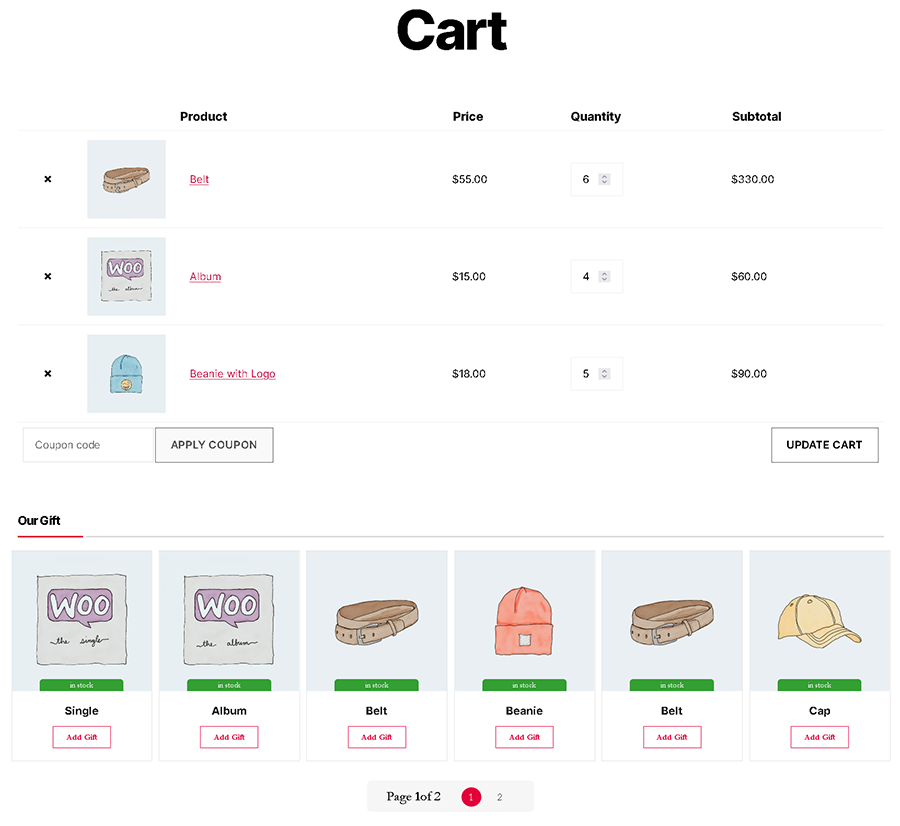
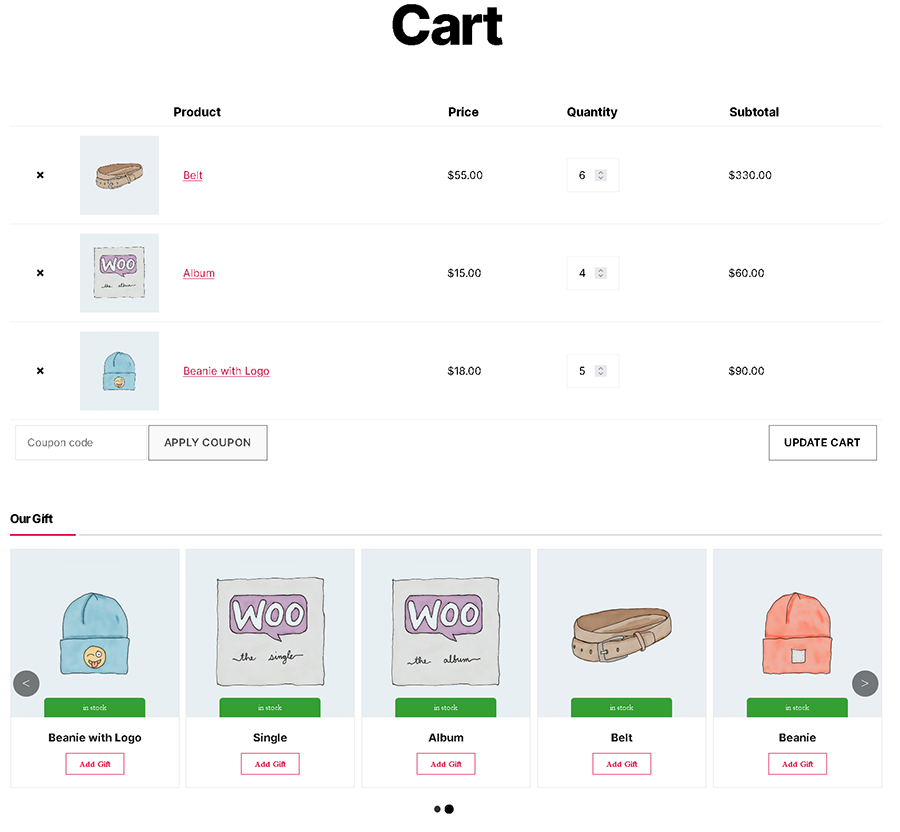
- Carousel,Grid and DropDown Layout
- Date & Time Conditions
- Offering specific gifts
- Quantity based on Each individual Product
Pro version features
- User-friendly design
- Admin can create any number of rules in advance
- Flexible Gifting Rules
- Award Free Gifts for making purchases on the site
- Customers can choose their Free Gifts
- Unlimited gift-giving
- Integrates tightly with WooCommerce
- Create as many rules as you want (Unlimited gift rules)
- Ten methods:
- Simple Adjustment
- Buy X – Get X
- Buy X – Get Y Repeat
- Buy X – Get Y
- Buy X – Get Y Repeat
- Subtotal
- Subtotal Repeat
- Bulk Quantity
- Tiered Quantity
- Bulk Pricing
- Support for variable products
- Attribute specific gift
- Number of line items (count) based discount (Example: Purchase 4 different products or variants and get a free product)
- Let your Decide Customers can choose a Free Gift if they meet your conditions
- Common Conditions
- Date & Time
- Cart
- Cart Items
- Cart Items Quantity
- Cart Items Subtotal
- Customer
- Customer Value
- Purchase History
- Purchase History Quantity
- Purchase History Value
- Value purchased – Tags
- Free Gifts can be automatically added to the user’s cart
- Show available gifts on:
- Besides of Coupon button
- Bottom of cart
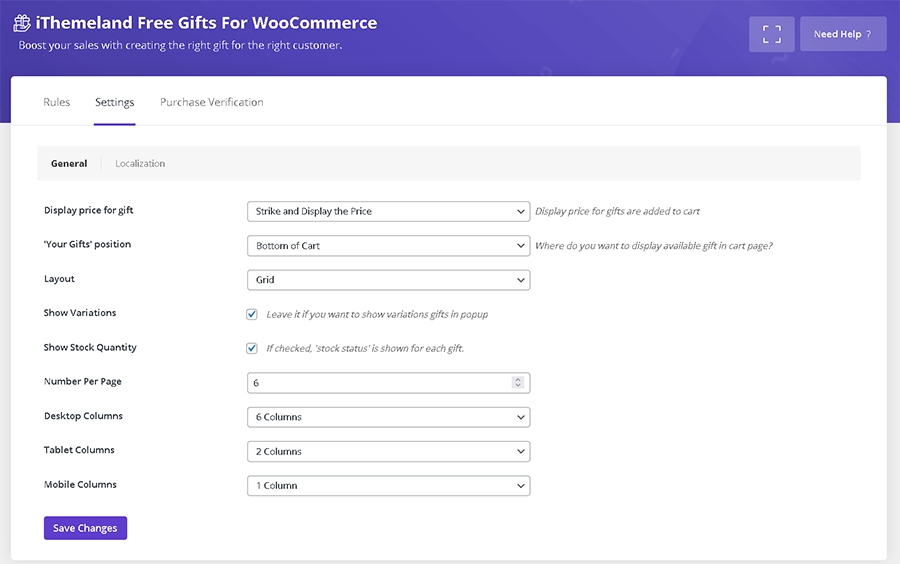
- Display available gifts in the different layout:
- Grid
- Carousel
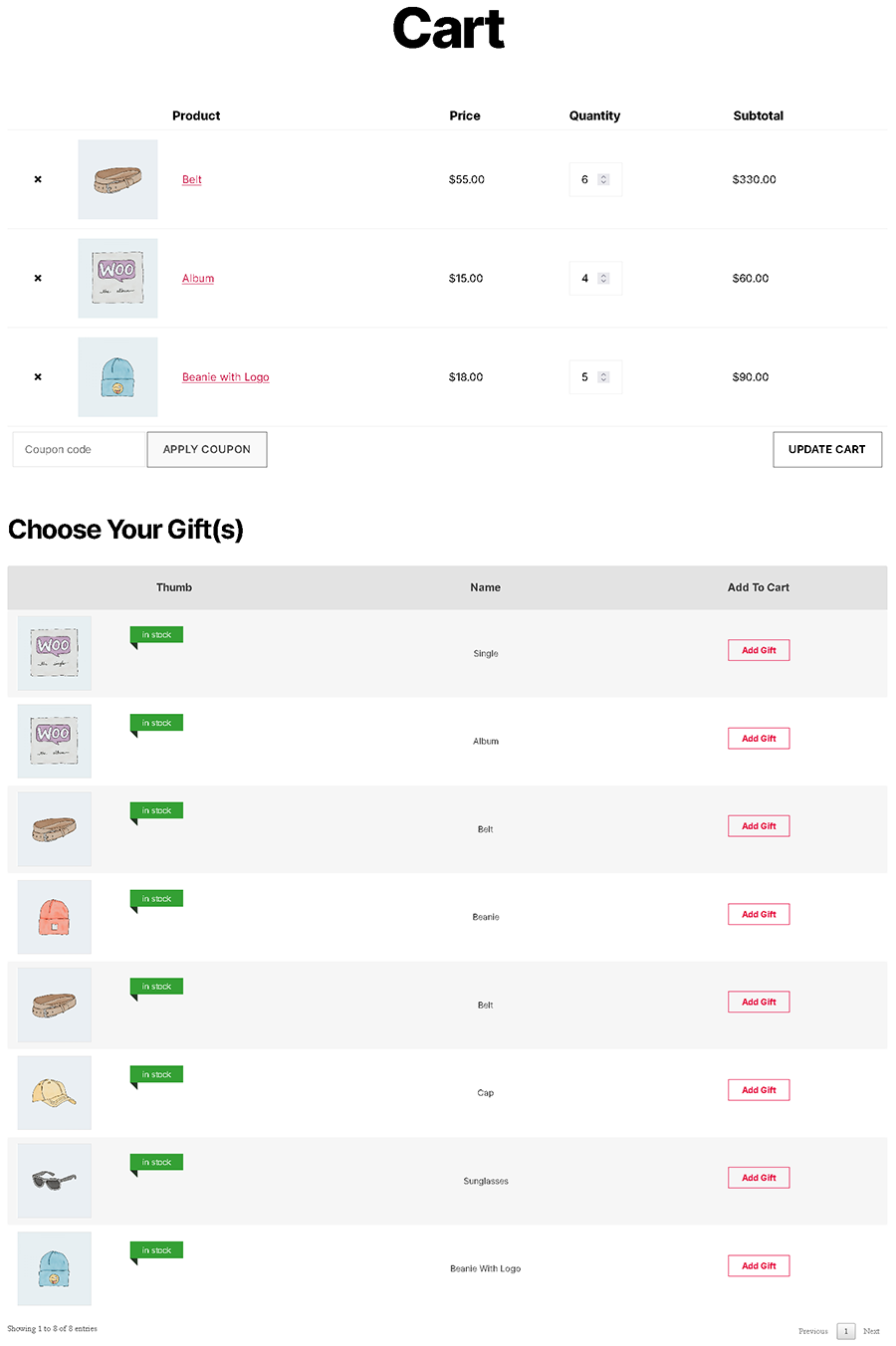
- Data-table
- Dropdown
- Popup (For variation products)
- Powerful Report & Statistics for:
- Rules
- Orders that used Gifts
- Customers that used Gifts
- Received gifts by customer
Please check Pro Version
Please check other videos in free gifts for WooCommerce channel
How can you benefit from it?
Let’s quickly overview the tools and options provided in Free Gifts For WooCommerce plugin!(Most of theme are available in Pro Version
Unlimited Rules
There are no restrictions on the gifts product for wooCommerce plugin for offering free gifts with various rules and conditions.
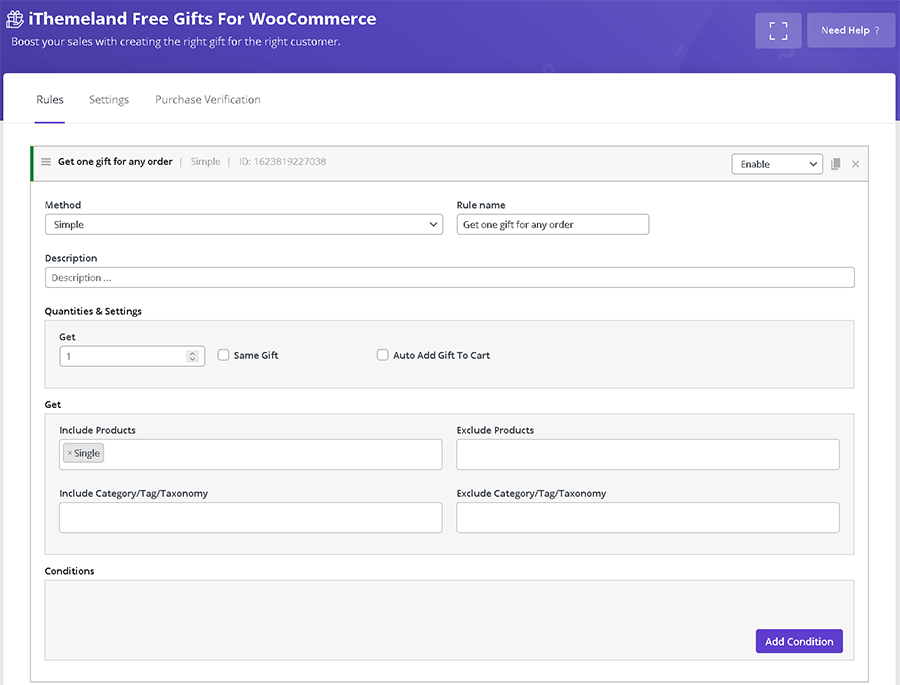
✅ Simple method(Free Version / Pro Version)
It means you can set special products to be offered as a free gift when customers add any products to their cards from your online store.
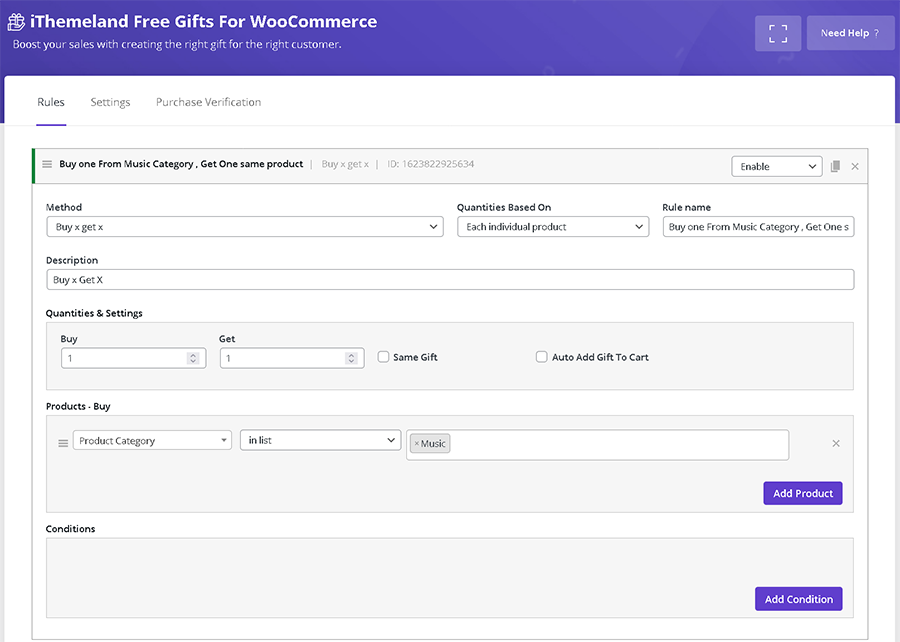
✅ Buy X – Get X method(Pro Version)
It means you can Buy product(s) and Get same product(s) as gifts.
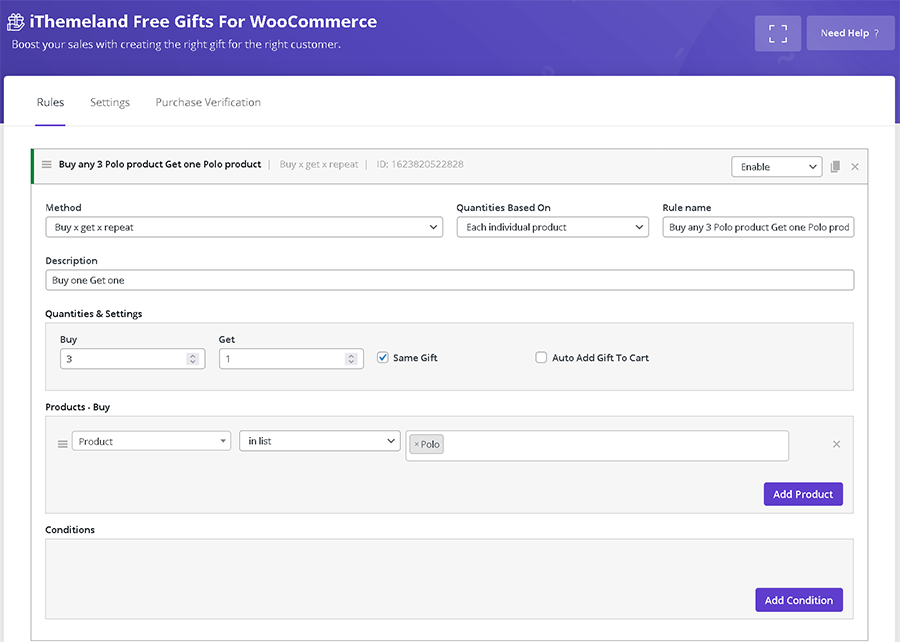
✅ Buy X – Get X repeat Method(Pro Version)
In fact this method is the same as “Buy X – Get X but for once more.
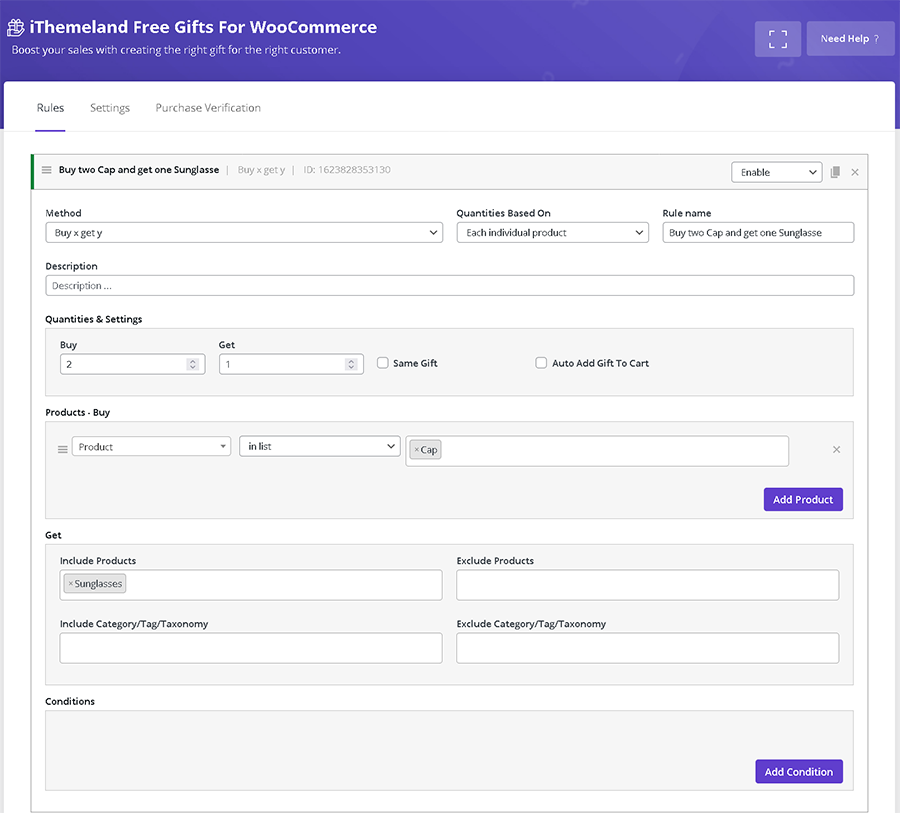
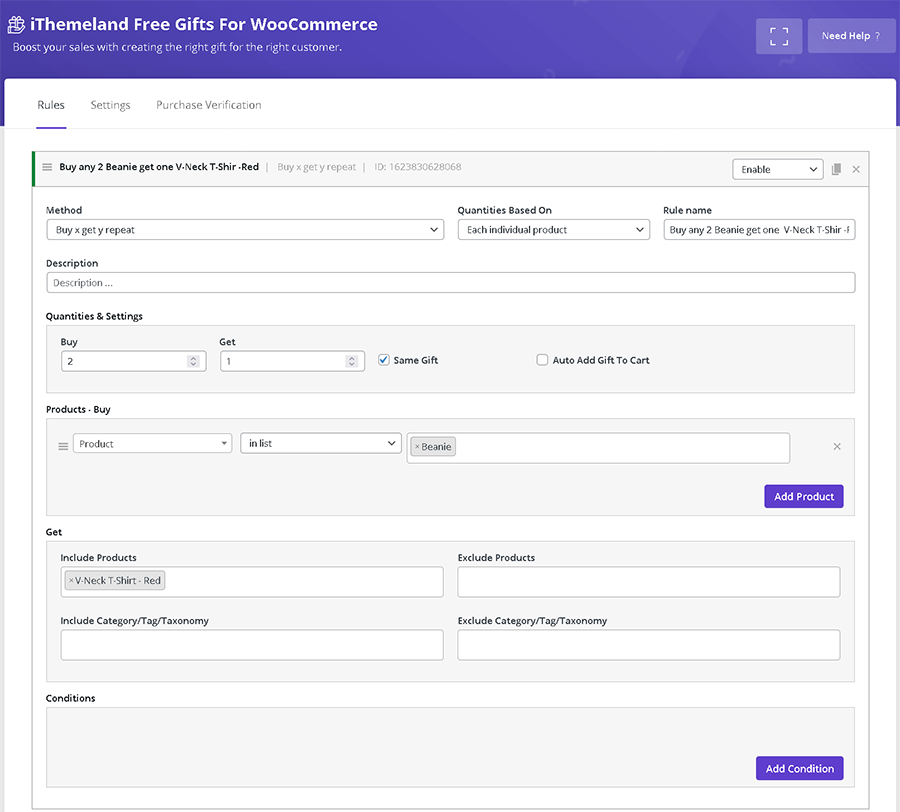
✅ Buy X – Get Y(Free Version / Pro Version)
Offering a specific product or category as a gift to the customers purchasing other products from your shop.
✅ Buy X – Get Y repeat method(Pro Version)
In fact this method is the same as “Buy X – Get Y but for once more.
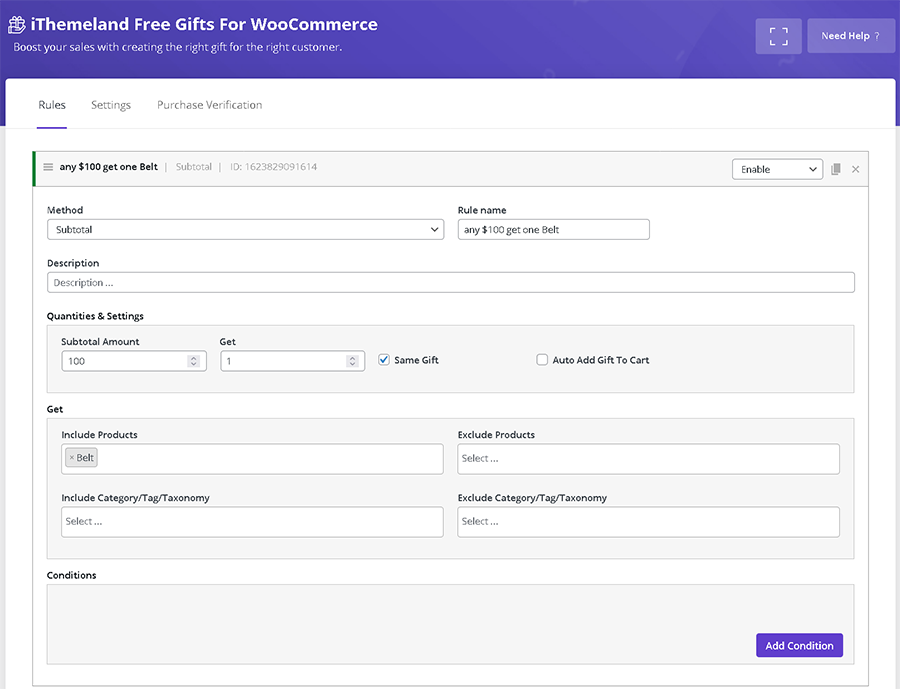
✅ Subtotal method
Offering free gifts based on Subtotal is a great strategy to encourage customers to buy more products or purchase more valuable products from your eCommerce website.
The only thing that matters is the subtotal amount of the customer card.
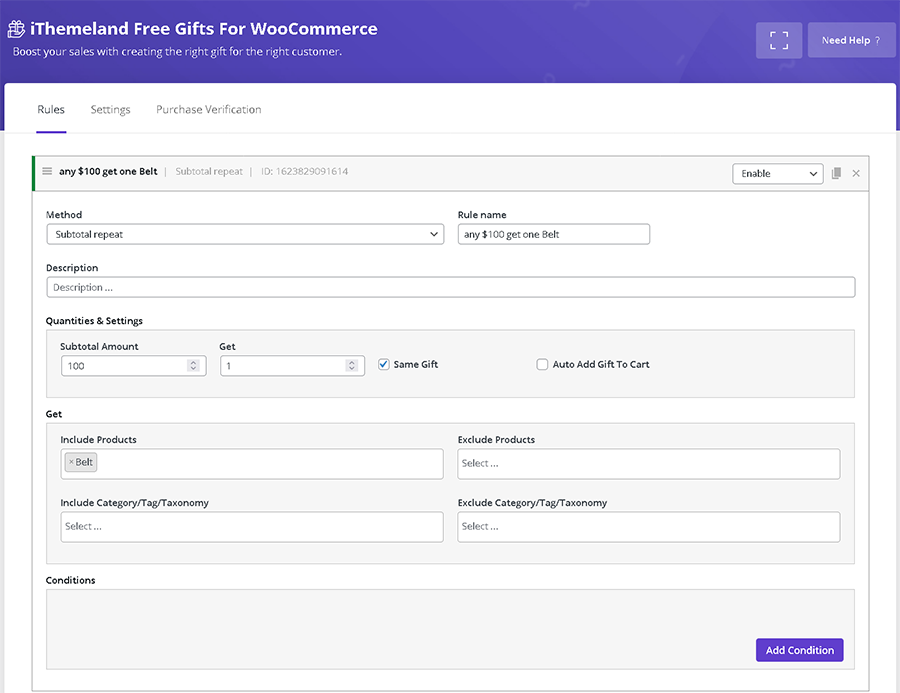
✅ Subtotal repeat method(Pro Version)
For example, you can set a rule that offers 1 free gift as per $100 subtotal amount, repeatedly. So, if one of your customers buys $500 from your shop, 5 gifts will be available.
Unlimited Conditions
Some of the unlimited conditions you can set in the Rule page include:
✅ Date & Time(Free Version / Pro Version)
You can exactly specify a date – days of weeks, days of months, etc.- for offering free gifts to your customers.
✅ Cart(Pro Version)
You can set the conditions based on Cart total weight, Cart total quantity, Cart item count, Coupons applied.
✅ Cart items(Pro Version)
By choosing the items related to this condition, you can set the rules based on Products, variations, categories, Tags and Shipping classes of products that the customers added to their cards.
✅ Customer(Pro Version)
You can offer the free gift to some special customers according to their user role, User capability, User Meta, all your customers or only to ones who are registered
✅ Purchase History(Pro Version)
The items provided in this condition include purchased history based on products, variations, attributes, etc. For example during the last month or the last year how many of them are purchased.
Display Gift in Multiple Layouts
You can choose multiple layouts to let your customers pick their desired gifts from a list displaying either as a combo box or a carousel.
Awesome Reports & Statistics
Reports and statistics are the incredible features of free gifts for Woocommerce plugin enabling you to track the result of offering free gifts on your website based on the customer usage and product sales.
Conclusion
free gifts for Woocommerce plugin is a professional and well-designed extension for offering promotional gifts based on the marketing strategies of your eCommerce stores.
Check demo version: Pro Version
Please Follow us on Codecanyon
We are known as Featured Author on Codecanyon. You can check the ithemelandco porfoli on Codecanyon.
There are some other plugins that are released by ithemelandco:
✅ WooCommerce Bulk Product Editing
WooCommerce Bulk Product Editing helps to do the bulk editing task easier with a lot of bulk editing options and support for any product related properties.
✅ WooCommerce Product Table
WooCommerce Product Table plugin is a useful extension for ecommerce and online store websites designed by WordPress.
✅ WordPress Bulk Posts & Custom Posts Editing
WordPress Bulk Posts Editing is a professional WordPress plugin for managing and bulk editing WordPress posts, pages and custom post type’s data in a more robust and flexible way.
✅ WooCommerce Bulk Coupons Editing
WooCommerce Bulk Coupons Editing plugin is a useful extension for managing and bulk edit WooCommerce coupons in a robust and flexible way.
✅ WooCommerce Bulk Orders Editing
By WooCommerce Bulk Orders Editing plugin you can professionally manage the data of your woocommerce e-shop made with WordPress.
✅ News Ticker For Elementor
Display posts and custom posts as Marquee, slide and fade effect in 12 unique layouts.
Screenshots
FAQ
ChangeLog