
Compress and optimize your WordPress media library images using the ImgSmaller API with automated backups and restore controls.
ImgSmaller connects your site to the ImgSmaller API and optimizes Media Library images in small background batches. Original-format output is the default, so existing media URLs remain unchanged. WebP, AVIF, JPEG, and PNG conversion are also available when the server’s WordPress image editor supports the selected format.
Key features:
- Background compression through WP-Cron, with an optional authenticated external-cron URL.
- Original, WebP, AVIF, JPEG, and PNG output options.
- Automatic original-image backups, bulk or selected restore, and cancellation-safe restore jobs.
- Backup export/import and optimized-replacement ZIP import with archive safety checks.
- Searchable exclusions and failed-image browsers.
- Current-plan usage, billing-cycle quota, allowed-domain management, and automatic retry after API throttling.
- Short-lived signed media proxy URLs when ImgSmaller cannot fetch a public attachment URL directly.
- Activity logs and live compression/restore progress.
Backups are kept in a randomized directory below WordPress uploads and protected with server configuration files where supported. Backup archives include a site identity manifest and can only be imported back into the same WordPress installation. Archives made before version 1.1.0 do not contain this manifest and cannot be imported by version 1.1.0.
External services
This plugin connects to the ImgSmaller service at https://imgsmaller.com to compress images and obtain account information.
When compression is running, the plugin sends your API key, compression settings, and either an attachment’s public URL or a short-lived signed proxy URL. ImgSmaller fetches the image, processes it, and returns status and download information. The plugin then downloads the optimized image.
When the dashboard loads account information or you manage allowed domains, the plugin sends authenticated requests for plan usage, available plans, service information, and the allowed-domain list. Saving domains replaces that list with the submitted hostnames.
Terms of Service: https://imgsmaller.com/terms
Privacy Policy: https://imgsmaller.com/privacy
Do not enter an API key or start compression if you do not want this data sent to ImgSmaller.
Screenshots
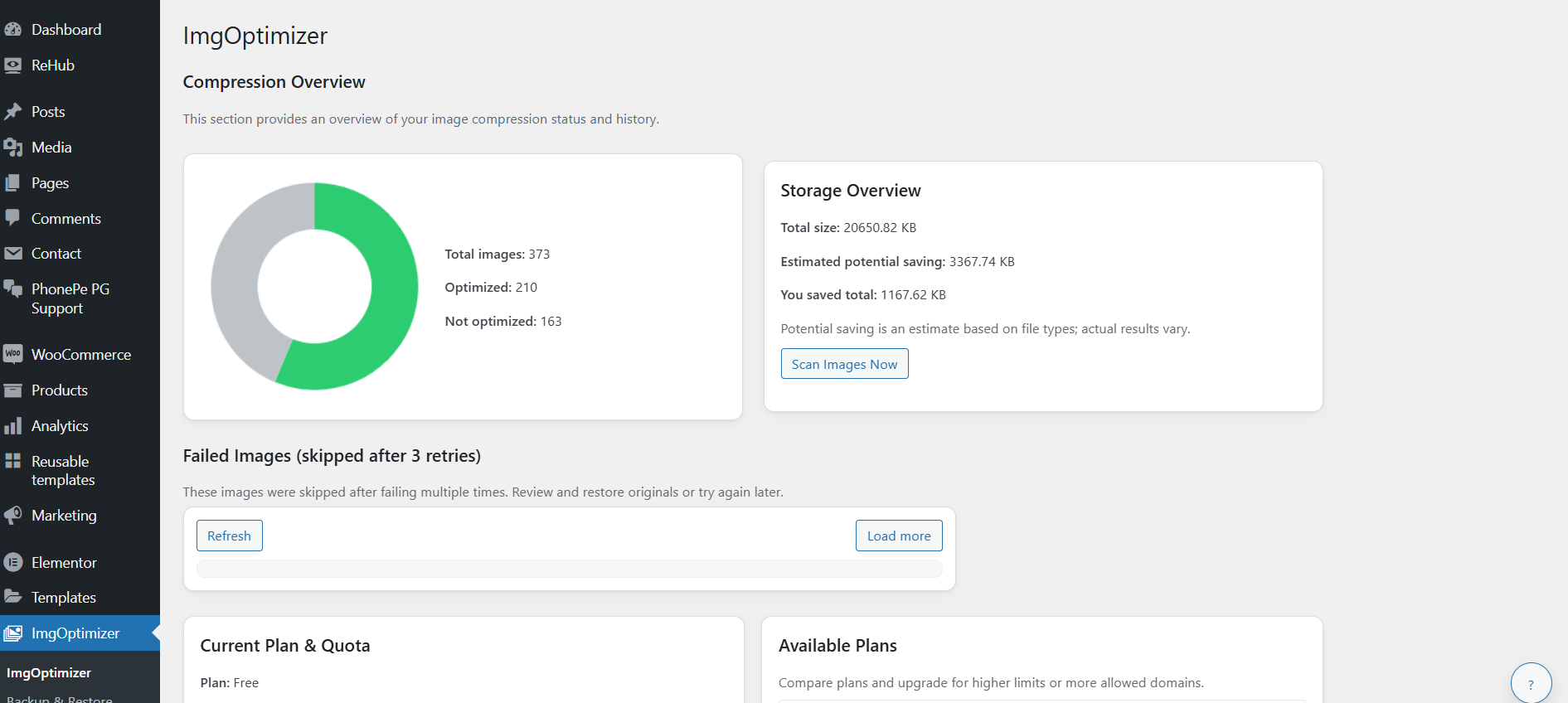
Dashboard with plan, usage, settings, and compression actions.

Compression progress, metrics, and activity log.

Searchable exclusion and failed-image browsers.

Backup export/import and bulk or selected restore tools.
Are backups required?
No, but they are strongly recommended. Restore and backup export require stored originals.
Will it work on private or protected sites?
The plugin can retry with a short-lived signed media URL. ImgSmaller still needs network access to your site, so a firewall, maintenance mode, or HTTP authentication can prevent remote fetching.
How does quota handling work?
The dashboard reads the authenticated plan’s billing-cycle limit and usage. New jobs stop when that plan quota is exhausted or the API returns HTTP 429, then resume after the reported renewal or retry time.
Can I restore specific images?
Yes. The Backup & Restore page can restore all valid backups or a selected set. Restored items stay in a restored state until Start Compression is selected again.
Does it support AVIF and WebP?
Yes, when WordPress reports that the server image editor can process the selected format. Format conversion changes the attachment URL; Original output keeps the existing extension and URL.
What happens when I uninstall the plugin?
Uninstall removes ImgSmaller settings, status, attachment metadata, schedules, operation state, and the plugin-managed backup directory. Export any backups you need before uninstalling.
ChangeLog
1.1.1
- Fix authenticated optimized-image downloads by sending X-API-Key on submission, polling, and download requests.
- Use the current /api/v1/result/ endpoint when constructing a polling URL from a progress key.
- Send the ImgSmallerClient/1.0 User-Agent and JSON Accept header for compression API requests.
1.1.0
- Compatibility: tested with WordPress 7.1 and modern PHP while retaining PHP 7.4 support.
- Security: require administrator capability and nonces for administration actions; never expose the API key to dashboard JavaScript or page markup.
- Security: replace reusable file-proxy tokens with short-lived HMAC signatures and restrict files to image attachments inside uploads.
- Security: validate API hosts, redirects, downloaded image content, upload archives, paths, sizes, and backup manifests.
- Reliability: add source-file identity checks, bounded batching, retry backoff, remote-job expiry, trusted result handling, and atomic operation locking.
- Reliability: make replacement and restore writes rollback-safe and prevent restores from overwriting externally modified files.
- Lifecycle: cleanly remove schedules, options, attachment metadata, and protected backups when deactivating or uninstalling on single-site and multisite installations.
- Restore: add generation-scoped, cancellation-safe background jobs with accurate live and cron progress.
- Backups: use randomized protected storage, portable relative metadata, same-site manifests, and source/target hashes.
- Settings: default to Original output, detect unsupported conversion formats, preserve saved keys when fields are blank, and add explicit key removal.
- Plan handling: use billing-cycle plan limits and API retry timing instead of the informational daily counter.
- UI: correct filtered pagination, final-page loading, backup notices, allowed-parent-domain checks, and secret masking.
1.0.1
- Prevent direct access to view files.
- Clean up plugin headers and external-service documentation.
1.0.0

