Put an interactive high-quality HTML5 map to your WordPress powered website! Choose from a number of predefined maps including World, US, UK, France, Germany, Italy etc. New maps and regions being added continuously.
This plugin allows you to embed the colorful interactive responsive map to your WordPress powered website. An interactive map is the best way to provide your website with geographically-related content or effective navigation system. Just add a special shortcode into any page and you will find the map on the website in few seconds. Spend few more seconds to add popups or informational side panels near the map.
The plugin “HTML5 Maps” is based on and uses CDN-hosted map libraries.
The free versions of the maps display the “Map by Fla-shop.com” link as required by the license agreement found here.
The Premium plugins are branding free and additionally include all required map libraries to put on your local server.
Features
Interactive map of the given region or country
Responsive design and custom-color regions
Works on iPad, iPhone, Android
Clickable regions (continents, regions, states, counties etc.)
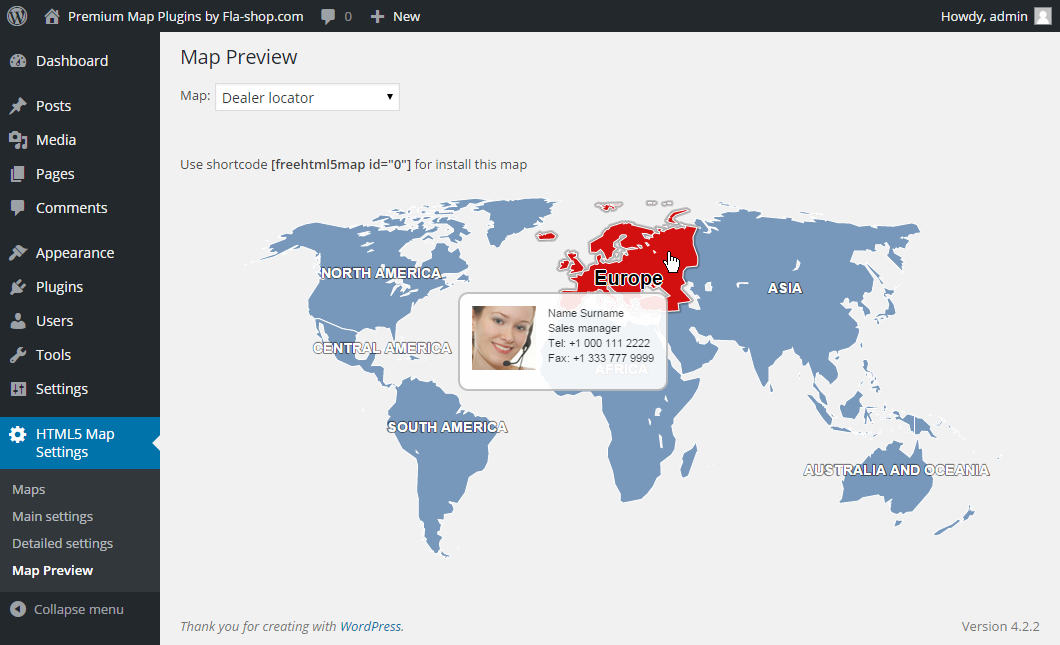
Popup windows that show when the mouse cursor is over a region
Customizable landing page links
Builds into any WordPress page or post as a simple shortcode
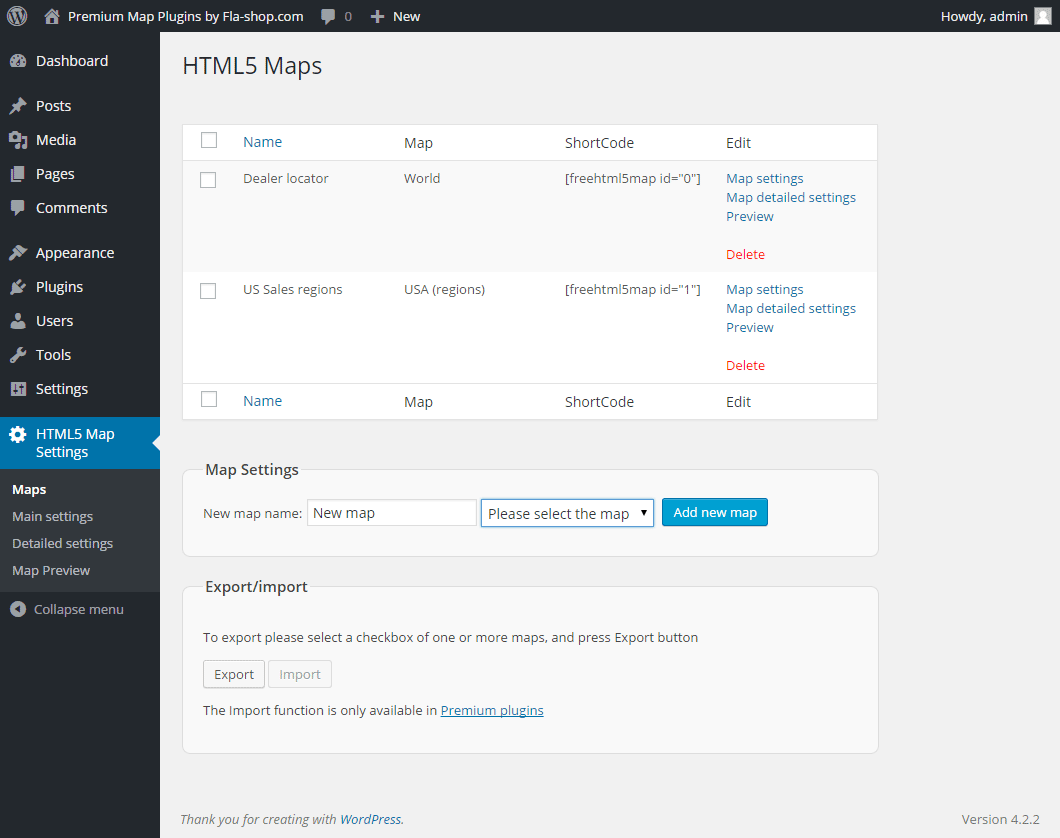
Copy the shortcode from HTML5 Maps > Maps and paste it into a Shortcode block in the WordPress editor. For example, [freehtml5map id="0"] displays the map with ID 0. Use the exact shortcode shown for your map. In the Classic Editor, paste the shortcode directly into the page or post content.
Can I customize a map without coding?
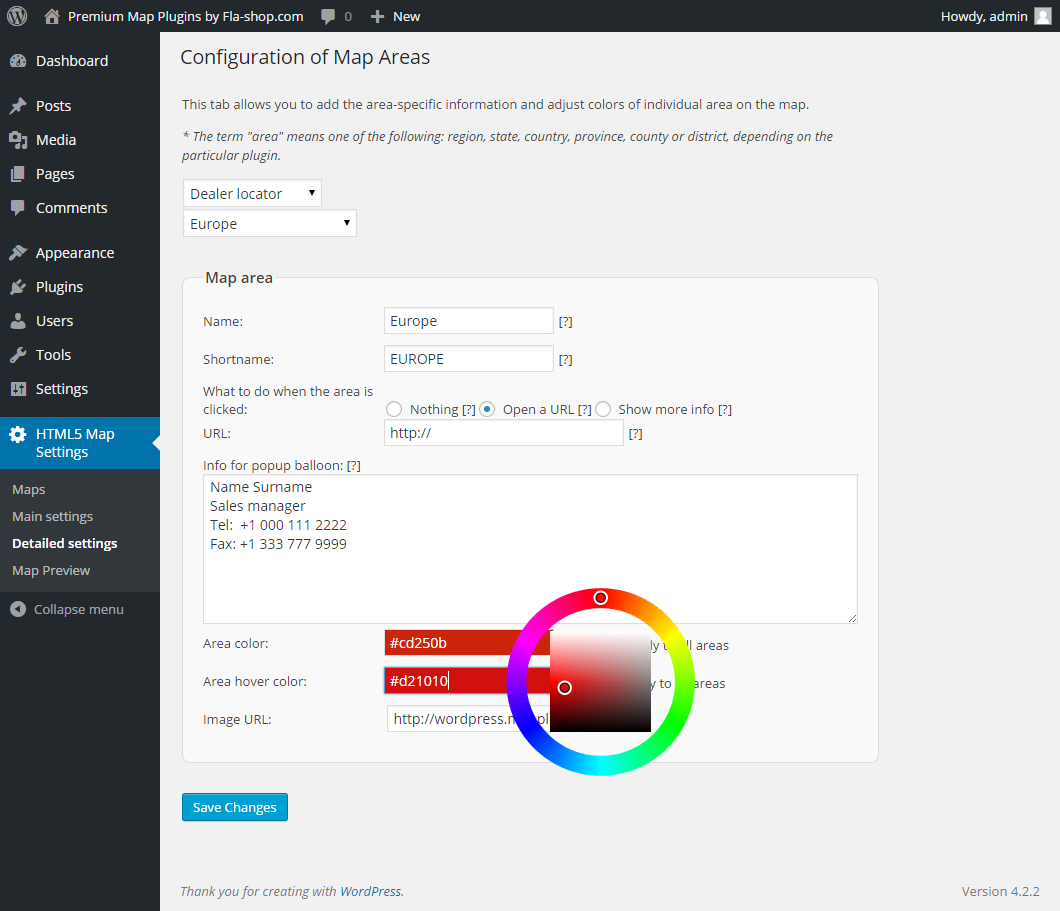
Yes. Use Main settings to adjust the map layout and borders. In Detailed settings, select a region to change its name, colors, link, tooltip content and additional information. Save your changes and use Map Preview to check the result.
Can I create more than one map?
Yes. Each map has its own settings and shortcode. Create and manage your maps on the Maps screen, then use the corresponding shortcode wherever you want to display each map.
How do I show information beside or below the map?
In Detailed settings, select a region, choose Show more info and enter the content in the Description editor. In Main settings, use Additional Info Area to position the content at the right or at the bottom of the map. The content appears when a visitor clicks that region.
What content can I add to the region information panel?
Use the Description editor to add formatted text, links and images from the WordPress Media Library. Supported media embeds and shortcodes depend on WordPress and any other plugins installed on your site.
Can I run JavaScript from a region’s URL field?
No. The URL field is intended for web links. JavaScript URLs are filtered and are not supported as a way to run custom code. Use Open a URL for links or Show more info to display region content.
Can I export and import map settings in the free version?
You can export settings by selecting one or more maps in the Maps list and clicking Export. Import is not available in this free plugin; the Import button is disabled.
Why does a map display a “Map by Fla-shop.com” link?
This attribution link is required by the free map license. Premium map plugins are available separately without this link. See the free map license terms and Premium plugin link in the Description section.
Do the maps need an internet connection?
Yes. The default setup loads map libraries from cdn.html5maps.com. Visitors need access to that CDN for the maps to load. If a map does not appear, check that its shortcode is correct and that the CDN scripts are not blocked by your browser, security settings or optimization plugins.
Fixed region names and tooltips mixing between different maps displayed on the same page.
Improved input validation, output escaping, permission checks and request verification in map administration and export.
Fixed settings export and handling of HTML entities in saved region data.
Improved the Maps screen layout, map selector and button alignment.
Updated the plugin description, installation instructions, FAQ and Premium feature information.
Removed the outdated Christmas promotion and updated Black Friday promotional graphics.
1.7.1.8
Halloween Sale
1.7.1.7
Minor bug fixes
1.7.1.5
Cross Site Request Forgery (CSRF) vulnerability has been fixed.
1.7.1.4
Added maps of Canadian provinces – Prince Edward Island, Quebec, Saskatchewan, Yukon
1.7.1.3
Added maps of Canadian provinces – Northwest Territories, Nunavut, Ontario
1.7.1.2
Added maps of Canadian provinces – New Brunswick, Newfoundland and Labrador, Nova Scotia
1.7.1.1
Added maps of Canadian provinces – Alberta, British Columbia, Manitoba
1.7.1
Bug fix with number formatting for different server locales
1.7.0.8
Added map of American Samoa
1.7.0.7
Fixed map width issue with Avada theme
1.7.0.6
Added map of Solomon Islands
1.7.0.5
Added map of Papua New Guinea
1.7.0.4
Added map of Palau
1.7.0.3
Added map of Fiji
1.7.0.2
Added map of Samoa
1.7.0.1
Minor bug fixes
1.7.0.0
Added map of Saint Lucia
1.6.9
New maps added – Puerto Rico, Guam, Belarus, Trinidad and Tobago, Guadeloupe, Grenada, Dominica, Saint Kitts and Nevis
Fixing the problem with the SAVE button for WordPress 5.6
Updated maps – Romania, India, Chile
1.6.8
New maps added – South West England, South East England, East Midlands, East of England, North West England, West Midlands, Yorkshire and the Humber, North East England
1.6.7
New York City, Zurich, Tokyo and Osaka maps are added
Added maps of the lands of Germany (Baden-Württemberg, Bavaria, Berlin, Brandenburg, Bremen, Hamburg, Hesse, Lower Saxony, Mecklenburg-Vorpommern, North Rhine-Westphalia, Rhineland-Palatinate, Saarland, Saxony, Saxony-Anhalt, Schleswig-Holstein, Thuringia)
1.6.6
Added new maps – Taiwan, Turkmenistan, Tajikistan, Yemen, Monaco and San Marino
Added maps of the regions of France – Auvergne-Rhône-Alpes, Bourgogne-Franche-Comté, Bretagne, Center-Val de Loire, Corse, Grand Est, Hauts-de-France, Île-de-France, Normandie, Nouvelle-Aquitaine, Occitanie, Pays de la Loire, Provence-Alpes-Côte d’Azur
1.6.5
Added new maps – Switzerland, Turkey, Canada, Hong Kong, Brunei, Jordan, Kazakhstan, Kuwait, Laos, Lebanon, Malaysia, Nepal, Oman, Pakistan, Philippines, Qatar, Saudi Arabia, United Arab Emirates
1.6.4
Added new maps – Uganda, Zambia, Zimbabwe, Slovakia, Slovenia, Cyprus, Finland, Liechtenstein, Lithuania, Bosnia and Herzegovina, Georgia, Indonesia, Iran, Iraq, Israel, Malta, North Macedonia, Montenegro, Norway
Added new maps – Singapore, South Korea, Vietnam, Japan, Jamaica, Nicaragua, Panama, Guatemala, Haiti, Honduras, Cuba, Dominican Republic, El Salvador, Mexico, Belize, Costa Rica
1.5.9
Added South America country maps including Argentina, Bolivia, Brazil, Chile, Colombia, Ecuador, Guyana, Paraguay, Peru, Suriname, Uruguay, Venezuela
Minor bugfixes
1.5.8
Added map of New Zealand.
1.5.7
Added new maps – India, Poland, Portugal, Romania, Sweden
1.5.6
Now the plugin supports the work on HTTPS:// websites.
1.5.5
Revamped and enhanced interface. In particular, we have added tabs on the top for easier navigation and the map list is now linked to the button of the same name.
Fix compatibility with some JS minifiers
1.5.4
Fixed HTML processing in the popup balloon and add-on content.
1.5.3
Minor bug fixes.
1.5.2
Added German, Spanish, French, Polish, Portuguese, Russian translations and also the .pot file for all translators!
Added new maps – Czech Republic, Denmark, Estonia, Greece, Hungary, Iceland, Republic of Ireland
1.5.1
We added internationalization to our plugin.
1.5
Added new maps – Alabama, Alaska, Arizona, Arkansas, California, Colorado, Connecticut, Delaware, District of Columbia, Florida, Georgia, Hawaii, Idaho, Illinois, Indiana, Iowa, Kansas, Kentucky, Louisiana, Maine, Maryland, Massachusetts, Michigan, Minnesota, Mississippi, Missouri, Montana, Nebraska, Nevada, New Hampshire, New Jersey, New Mexico, New York, North Carolina, North Dakota, Ohio, Oklahoma, Oregon, Pennsylvania, Rhode Island, South Carolina, South Dakota, Tennessee, Texas, Utah, Vermont, Virginia, Washington, West Virginia, Wisconsin, Wyoming
It is now possible to use shortcode from some third-party plugins to display content inside the tooltip
Minor bug fixes
1.4
Added new countries – Albania, Andorra, Armenia, Austria, Azerbaijan, Bulgaria, Croatia. Now drop-down list of countries has a search bar to quickly find desired map.
1.3
It is now possible to use shortcodes to display content from third-party plugins. Thanks to the plugin settings you can choose where the content will be displayed. You can choose right side of the map or place content below the map.