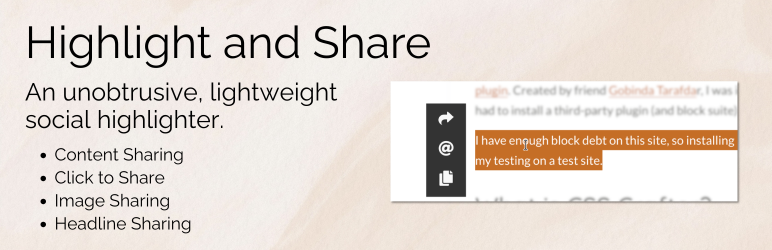
Highlight and Share is a lightweight and unobtrusive social network WordPress plugin designed to help readers share meaningful parts of your content. Instead of placing large social sharing buttons throughout your website, Highlight and Share appears only when users interact with your content. This keeps pages clean while still encouraging natural social sharing.
Visitors can highlight text, share images, copy quotes, or link directly to headlines. Sharing options appear exactly when they are needed, allowing readers to share interesting passages, statistics, or insights without interrupting the reading experience.
Highlight and Share works great for content sharing, social highlights, image sharing, headline sharing, and for those wanting a comprehensive Click to Share block/shortcode with inline highlighting supported.
The plugin is built with flexibility and performance in mind. Most features are optional and can be enabled or disabled depending on your needs. This makes Highlight and Share a great solution for blogs, news sites, documentation sites, and long-form content where readers may want to reference specific sections or quickly copy and share passages.
Show social media networks upon text selection (a text highlighter). This provides an unobtrusive way to allow content highlighting without getting in a user’s way. With shortcuts like Copy and Email, Highlight and Share can become part of an essential timesaving workflow for a user who needs quick shortcuts to common items like Web Share and other content highlighter shortcuts.
Show Pinterest and Webshare on images. With image sharing enabled, Highlight and Share will seamlessly integrate Pinterest and Webshare on any found images. With features like skipping the leading image, you’ll find that Image Sharing is intuitive and useful for your users.
Show sharing options with headline sharing. Headline sharing allows users to bookmark certain headlines and revisit them later. Additional networks like Webshare or X can provide additional context such as sharing the headline itself.
A Click to Share Block/Shortcode is included. An easy-to-use Click to Share block is included, with setup available in seconds. The Content Sharing networks display above the share box when clicked, providing an easy way to share the quote.
Set up email sharing with easy spam protection integration. Set up emails with spam protection from Akismet, Cloudflare Turnstile, and Google reCAPTCHA Enterprise.
Image sharing via Pinterest and the Web Share API is included. You can select which post types it’s enabled for, and also enable it on a per post basis via a post’s sidebar settings.
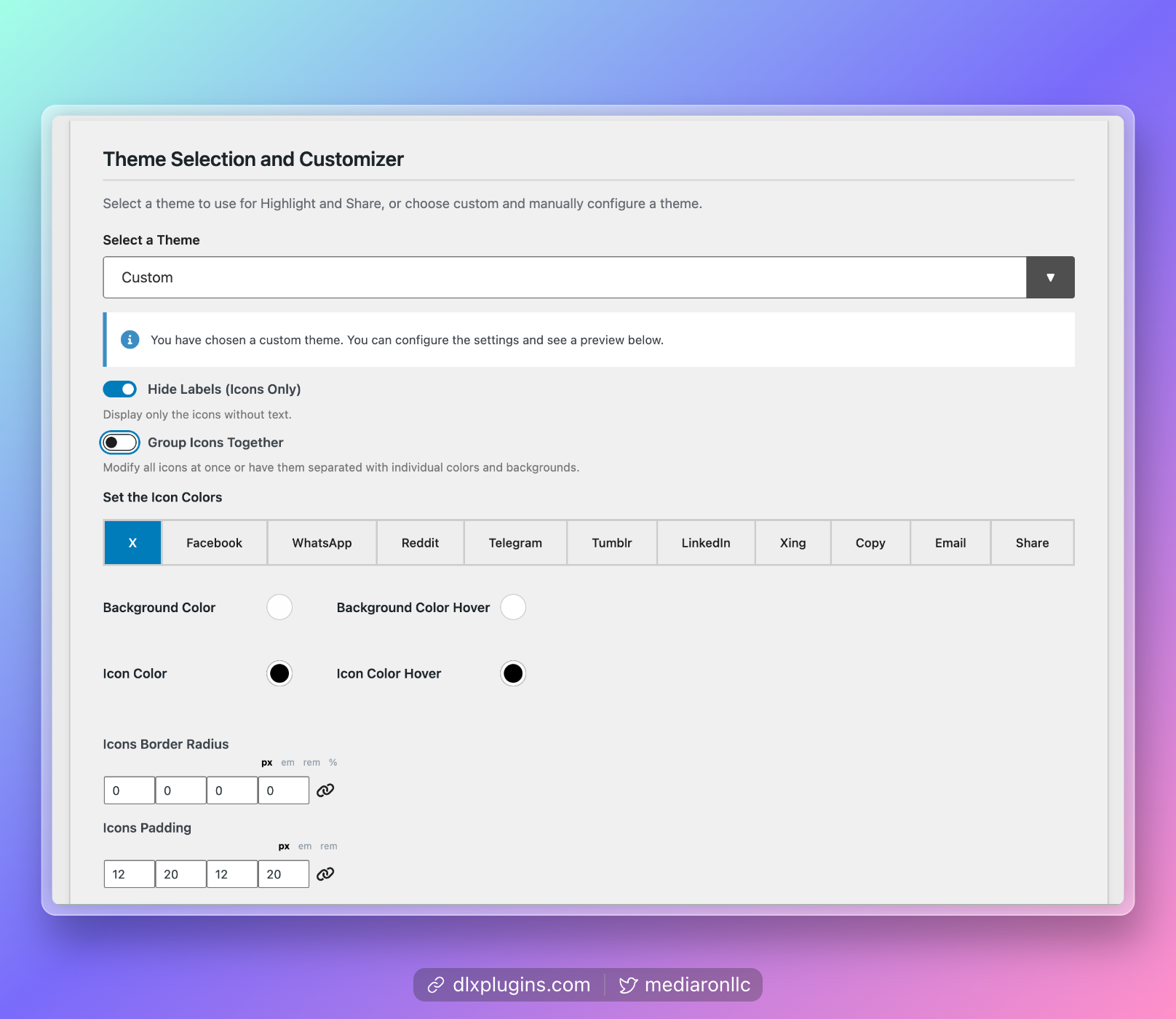
Enable or disable individual networks for content sharing. Reorder the networks, change the theme, or even choose a custom theme for matching your site’s design.
Use advanced selectors to choose how content highlighting works, which makes Highlight and Share a powerful tool when combined with your favorite page builder.
Customize the appearance of inline highlighting, including the background and text colors.
Enable social networks in the comments section when highlighting text.
Enable or disable on main content and excerpts. Selectively disable on a per post type basis, or enable in a post’s sidebar settings.
Translate the labels and tooltips into your language, or just change up the text.
Customize the Twitter/X username used.
Enable hashtags on posts/pages
Email protection via Akismet, Cloudflare Turnstile, and reCAPTCHA Enterprise
integrations
Block Editor: Native support for Adobe Fonts with free Custom Adobe Fonts plugin.
Block Editor: Native support for Local Google Fonts via free Custom Fonts plugin.
Block Editor: Compatible with Blocksy Companion Pro Local Google Fonts and Adobe Fonts extensions.
❤️ A TON of work has gone into making this plugin great. Please share your appreciation by leaving a rating/review and by telling others about the plugin.
External services
Highlight and Share does not send any data to an external service unless one of the optional email features below is enabled.
Cloudflare Turnstile (optional, email sharing)
When Turnstile is enabled in the Email Settings tab, the email form loads the Turnstile script from https://challenges.cloudflare.com/turnstile/v0/api.js and shows the Turnstile widget. Cloudflare receives the visitor’s IP address and browser details when the widget loads. When the form is submitted, your site sends the Turnstile secret key and the visitor’s Turnstile token to https://challenges.cloudflare.com/turnstile/v0/siteverify to confirm the check. See Cloudflare’s terms and privacy policy.
Google reCAPTCHA Enterprise (optional, email sharing)
When reCAPTCHA Enterprise is enabled in the Email Settings tab, the email form loads https://www.google.com/recaptcha/enterprise.js with your site key, and Google receives the visitor’s IP address and browser details. When the form is submitted, your site sends the reCAPTCHA token and your site key, using your API key, to https://recaptchaenterprise.googleapis.com/v1/projects/YOUR_PROJECT_ID/assessments to get a risk score. See Google’s terms and privacy policy.
Akismet (optional, email sharing)
When Akismet spam protection is enabled and the Akismet plugin is active, the sender’s name and email address are passed to the Akismet plugin to check the email for spam. Highlight and Share itself does not contact Akismet. The Akismet plugin sends the check to the Akismet service (Automattic) and adds the visitor’s IP address and user agent. See Akismet’s terms and Automattic’s privacy policy.
Highlight and Share works as a text highlighter plugin for WordPress. When a visitor selects text on your site, a small sharing interface appears allowing them to share the selected text to social networks, copy it, or send it via email.
This makes it easy for readers to highlight important quotes, statistics, or passages and share them instantly.
Additional sharing features such as image sharing, headline sharing, and a Click to Share block/shortcode allow for more sharing options.
Can visitors share highlighted text from my articles?
Yes. Highlight and Share allows users to select and highlight text directly within your content. Once text is selected, social sharing options appear automatically.
Visitors can then:
Share the highlighted text to supported social networks
Copy the text to their clipboard
Send the text via email
Use the Web Share API on supported devices
This makes it easy to enable content highlighter functionality in WordPress.
What is headline sharing?
Headline sharing allows visitors to share individual headings within your content.
When enabled, a small link icon appears next to headings such as H2 or H3. Clicking the icon allows users to copy a link directly to that section or share the headline to social networks.
This feature works especially well for long articles, tutorials, and documentation where users may want to reference a specific section.
Does this plugin support image sharing?
Yes. Highlight and Share includes image sharing support for Pinterest and the Web Share API.
When enabled, sharing icons appear when users interact with images, allowing them to quickly share images from your content.
You can control where image sharing appears, including:
Post content
Featured images
Archive excerpts
What is the Click to Share block?
The Click to Share block allows you to add a shareable quote or message directly inside your content.
When readers click the share box, they can instantly share the text to social networks or copy it to their clipboard. This is useful for quotes, key takeaways, statistics, or other shareable snippets.
A shortcode version is also available if you prefer not to use the block editor.
Can I control where text highlighting works?
Yes. Highlight and Share includes advanced selectors and post type settings that allow you to control exactly where highlighting appears.
You can:
Enable highlighting only within post content
Enable highlighting in comments
Disable highlighting on specific post types
Use custom selectors for page builders
This flexibility makes Highlight and Share compatible with most themes and page builders.
Does Highlight and Share track user data?
Highlight and Share does not collect personal information or set tracking cookies.
The plugin does allow for advanced stats tracking, which is opt-in and is designed for developers. Stats are compatible with GA4, GTM, and synthetic JS events.
Is this a Click to Tweet plugin?
Highlight and Share includes a Click to Share block that works similarly to traditional Click to Tweet plugins, but with additional flexibility, showing more than just one network.
Instead of limiting sharing to a single network, users can choose from multiple social networks, copy the text, or share using the Web Share API.
Highlight and Share is designed to be unobtrusive and lightweight, with only advanced sharing features being opt-in such as image and headline sharing.
Highlight and Share shows social networks as users interact with content on your site. This can be in the form of content highlighting, text selection, image sharing, headline sharing, or using the inline highlighting mechanism or Click to Share block/shortcode.
Since Highlight and Share can provide some useful shortcuts, the plugin can provide your users with some useful shortcuts to enhance their reading and editing workflows.
How can I customize the look of Highlight and Share?
Higlight and Share is extremely customizable through a theming system and through custom CSS.
In general, you can:
Customize all the social networks as far as order, colors, size, and orientation.
Customize all the image sharing features, such as Pinterest and Web Share. You can change how the icons appear, what colors they appear as, and for which images.
Completely customize a Click to Share block/shortcode and use the customized icons to show the social networks to the user.
Will you be adding more sharing services?
If the social network has an endpoint, it can be added. Please see the available social networks and their specifications. Please request a new network via support.
I want to include my own CSS. How can I do that?
You can turn off the theme and include CSS in your own theme.
Yes, Highlight and Share works well for mobile devices and also supports the Web Share API, which is one of the options of social sharing networks.
Most mobile devices already have their own sharing features on text selection, but Highlight and Share works especially well for inline highlighting and the Click to Share block.
Image Sharing and Headline sharing also make the plugin useful for mobile devices.
What Browsers Have You Tested This In?
So far, the latest versions of Chrome, Firefox, Safari, Edge, and IE9+.
iOS Safari and Chrome work well, but the text selection is a bit different than on desktop browsers.
Where do I report security bugs found in this plugin?
Please report security bugs found in the source code of the Highlight and Share plugin through the Patchstack Vulnerability Disclosure Program. The Patchstack team will assist you with verification, CVE assignment, and notify the developers of this plugin.
Where is the source code for the compiled JavaScript and CSS?
The JavaScript and CSS files in the build and dist folders are compiled from the source code, which is publicly available at https://github.com/BerryPress/highlight-and-share (see the src folder). The repository includes the build instructions: install the dependencies with npm install --legacy-peer-deps and run npm run build.
Change: Highlight and Share is now maintained by BerryPress (originally by DLX Plugins). Licensed under GPL v3 or later; third-party license notices are included in license.txt.
Change: The third-party Fancybox lightbox was replaced with a small built-in modal (email form, Mastodon prompt, and Help video). Unused dependencies were removed and the JS/CSS bundles were rebuilt.
Change: Documentation links now point to https://berrypress.com/docs/highlight-and-share/, and support links point to the plugin support forum on WordPress.org. Support links no longer pass your name and email address in the URL.
Fix: The Mastodon prompt could open several share windows after being opened and closed more than once.
Fix: Pressing Escape now closes the email modal even when the form has focus.
Fix: Email addresses without a dot in the domain (such as “user@localhost”) are now rejected in the email form and in the From Email setting, matching the server-side check.
Fix: Saving the Emails tab now validates the From Email field before saving.
Fix: The {{share_type}} email tag was empty because the share type was sent under a different name than the server expected (this also caused a PHP warning).
Fix: Headline sharing popup could appear at the bottom of the page when there was no room next to the link icon.
Fix: Headline sharing “Copy Link” could throw an error or close the wrong popup if the popup was dismissed within a few seconds, and “Copied!” was shown even when copying failed.
Fix: The SVG sprite and Mastodon prompt were printed twice when headline sharing was enabled, producing duplicate IDs.
Fix: The labels on the image sharing buttons (“Pin it”, “Share”) did not receive their CSS class.
Fix: The image sharing preview in the admin overlapped the next settings field.
Fix: Console error “Invalid or missing type for parameter sitekey” from Cloudflare Turnstile in the email modal, and the “Unknown parameter ver” warning.
Fix: The email modal’s send button always had the “is-saving” class.
Fix: A fatal TypeError (“count(): Argument #1 must be of type Countable|array, null given”) could occur on PHP 8 when scripts were enqueued outside of the main loop, for example while running Plugin Check.
Fix: PHP 8.2 deprecation notice for a dynamically created property.
Change: The Help tab shows a single Support Forum button.
Change: Documented the external services used by the optional email features (Cloudflare Turnstile, Google reCAPTCHA Enterprise, Akismet) and updated “Tested up to” to WordPress 7.1.
6.0.1
Released 2026-03-09
New: Align headlines to the right. You can select inline positioning (link icon next to the last word) or absolute positioning (right of the headline).
New: Auto-truncate headline anchors (off by default). This will prevent super long headline anchors.
New: The sidebar options now reflect their state, even if a sharing option is disbabled, the post sidebar options win.
Fix: The social network settings cogs could lose their state if clicking around too fast.
Fix: Inline highlighting CSS wasn’t specific enough, preventing overrides.
Fix: Tooltips for social networks were overlapping.
Fix: Image sharing positioning (top right, bottom right) now respect the image’s dimensions.
6.0.0
Released 2026-03-06
New: Sharing tab reorganized, consolidating the sharing options into one tab, eliminating the Appearance and Block Editor tabs. Social Networks have been moved to a single panel, with advanced options tucked away for a cleaner appearance.
New: All tabs support a global save bar, making saving and discarding options much more intuitive.
New: Post sidebar for per-post disabling of Highlight and Share, including sharing, images, and headlines.
New (Text Sharing): Added Post Type exclusions to selection sharing.
New (Image Sharing): Can enable on archive excerpts and featured images.
New (Stats): New stats system that dispatches events if stats service is found. This allows for layered opt-in to GA4, GTM, and synthetic events. No personal information or cookies are sent, so there’s no need to update privacy policies.
New (Stats): The plugin detects GA4, dispatching events if found.
New (Stats): Google Tag Manager has been consolidated with GA4 and synthetic event firing.
New (Stats): The plugin fires synthetic events per social network, allowing for listeners and third-party integrations.
New (Stats): Filters has_stats_enabled and has_stats_enhanced control behavior. Stats are enabled by default and just show social network and click type (selection, cta, highlight, headline). has_stats_enhanced can be set to true to send page url, title, and text selection to stats tracking service.
New (Sharing Block): Theme system with built-in themes (Light, Dark, Bold, Royal, Legacy) replacing presets.
New (Sharing Block): Removing third-party locally-hosted fonts in favor of third-party solutions, reducing the plugin bundle size by 75%.
New (Sharing Block): Block variations let you insert a pre-themed Click to Share block (Light, Dark, Bold, Royal) from the inserter.
New (Sharing Block): Theme overrides for color, typography, and dimensions in the block editor for the new themes.
New (Sharing Block): Quick shortcut to the parent block from child blocks for quicker access to block settings.
New (Sharing Block): Custom Fonts plugin support; Adobe fonts removed from plugin in favor of third-party plugins.
New (Sharing Block): Core/Group allowed inside share content so any block can be nested via Group.
New (Headline Sharing): Ability to enable headline sharing is now available. Show a link icon next to available headings and allow quick copying and sharing of headlines. This compliments content sharing and is compatible with TOC plugins.
New (Headline Sharing): Select up to three social networks to share to in addition to copying.
New (Headline Sharing): Customize per post type and per page how headlines are enabled.
Bug fix (Sharing Block): Text alignment on mobile (align right).
Bug fix (Image Sharing): Image sharing for Web Share would error out when sharing an image.
Bug fix (Image Sharing): Improved page builder support and added loop detection to prevent timeouts.
Bug fix (Image Sharing): Fixed hover and focus states, adding better reliability to image sharing display.
Bug fix (Email Sharing): Emails can be enabled with only the mailto option if spam protection isn’t available.
5.3.5
Released 2025-12-17
Bug fix: Responsive styles were not saving or setting correctly in the Click to Share block.
Bug fix: Fixed sync values when changing screen size in the block editor iframe.
Code improvement: Removed defaultProps from React components to clear up deprecation warnings.
5.3.2
Released 2025-12-16
Bug fix: Block.json was still set to version 2. This has been updated to version 3.
Bug fix: Some build scripts werne’t included. Apologies.
5.3.1
Released 2025-12-16
New: Click to Share block is now at verison 3 of the block.json API.
Bug fix: Click to Share block would error out when switching responsive breakpoints in the block editor.
5.3.0
Released 2025-11-25
Security fix: Resolving Broken Access Control vulnerability in regards to email sending as reported by Patchstack.
Bug fix: email sending now requires either reCAPTCHA Enterprise or Turnstile enabled.
5.2.0
Released 2025-11-16
Security fix: Resolving XSS vulnerability in the plugin as reported by Patchstack.
5.1.1
Released 2025-07-24
Fixing translations loading too soon error.
Resolving PHP warnings when enabled for comments.
5.1.0
Released 2025-04-29
Added reCAPTCHA Enterprise to the emails tab to support the phasing out of reCAPTCHA 3.
Added Cloudflare Turnstile to the emails tab for an alternate spam solution.
New theme: Orbs.
5.0.4
Released 2025-04-22
Fixing a bug in email sending due to an invalid nonce value.
= 5.0.2
* Released 2024-11-28
* Bug fix: translations were loading too early in the plugin.
5.0.1
Released 2024-06-24
Bug fix: shortlinks were returning empty for some custom post types.
Bug fix: Image sharing was causing a few warnings if a parent node didn’t exist.
Bug fix: Other admin notices showing in HAS admin settings.
5.0.0 (Holly)
Released 2024-06-22
Named for Holly Jahangiri, who helped provide critical testing feedback.
Performance improvement: inlining critical styles and loading main styles in the footer for faster page rendering.
Layout fix: the way Highlight and Share was added to the page content has been changed for better compatibility with themes, particularly block-enabled themes.