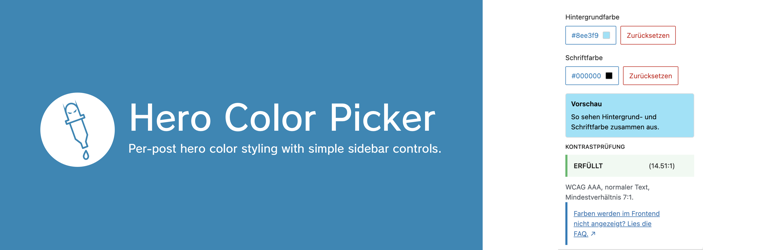
WordPress plugin for the block editor (Gutenberg) to set a hero color per post.
Hero Color Picker adds per-post background and font color controls to the editor sidebar for hero styling via CSS on elements with the hero-colored class.
Features:
– Two color controls: Background Color and Font Color
– On-demand color pickers in compact dropdown popovers
– Live preview of both colors together directly in the sidebar
– Applies selected colors to the editor post summary area for a closer backend preview
– Removes the featured image preview outline while a custom background color is active
– Accessibility check for WCAG AAA Normal Text with PASS / FAILED status
– Panel is shown only while editing posts (post), not in template editing contexts
– Adds a core-like posts list view Hero Background to show only posts with a custom hero background color
– Works on elements that have the CSS class hero-colored
Stored as post meta:
– hero_color_picker_hero_color
– hero_color_picker_font_color
Frontend output (only when values are set):
.hero-colored {
    background-color: $background;
    color: $font;
}

.hero-colored a {
    color: $font;
}
Important template setup:
– Open your block theme template (for example Single) in the Site Editor.
– Select the Group block that should receive the hero styles.
– In block settings, add hero-colored to Additional CSS class(es).
Screenshots

Hero Color Picker sidebar panel with background color, font color, live preview, and WCAG status.
How do I add the `hero-colored` CSS class in templates?
- Go to
Appearance > Editor and open the template you use for posts (for example Single).
- Create a
Group block that wraps the elements you want to style, for example the title and featured image.
- Open the
Group block settings, expand Advanced, and enter hero-colored in Additional CSS class(es).
- Save the template.
ChangeLog
1.0.21
- Keep color previews in the plugin panel without modifying internal Core inspector markup.
1.0.20
- Apply the selected hero font color to links inside
.hero-colored, including common link states.
1.0.19
- Prepared release for WordPress 7.0 compatibility.
1.0.18
- Remove the manual textdomain loading and rely on the modern WordPress default translation flow.
1.0.17
- Updated the WordPress.org icon assets.
- Added refreshed WordPress.org banner assets in
1544x500 and 772x250.
1.0.16
- Fixed loading of WordPress.org language packs for editor JavaScript strings.
- Marked the editor panel title as translatable.
1.0.15
- Corrected and refined wording in the readme and editor preview text.
1.0.14
- Refined the plugin description across plugin metadata and the WordPress.org readme.
1.0.13
- Updated the editor FAQ link to point directly to the relevant WordPress.org FAQ entry.
1.0.12
- Added an editor FAQ link for frontend setup troubleshooting.
- Expanded the WordPress.org FAQ with template setup instructions.
1.0.11
- Bumped plugin version to
1.0.11.
- Removed unused WordPress.org banner assets.
1.0.10
- Bumped plugin version to
1.0.10.
1.0.9
- Bumped plugin version to
1.0.9.
1.0.8
- Bumped plugin version to
1.0.8.
- Added release note entry for
1.0.8.
1.0.7
- Added
Hero Background view on Posts > All Posts to list posts with a custom hero background color.
- Editor preview now removes the featured image outline while a custom background color is active.
- Expanded documentation with newly added backend/editor features.
1.0.6
- Improved and expanded
Description and Installation documentation.
- Added explicit setup steps for applying the
hero-colored CSS class in block theme templates.
1.0.5
- Added a second sidebar color control for
Font Color.
- Frontend output now applies both
background-color and color to .hero-colored.
- Sidebar color picker is now shown on demand via dropdown popover.
- Added
WCAG AAA Normal Text status with PASS / FAILED.
- Improved spacing in the color value button.

