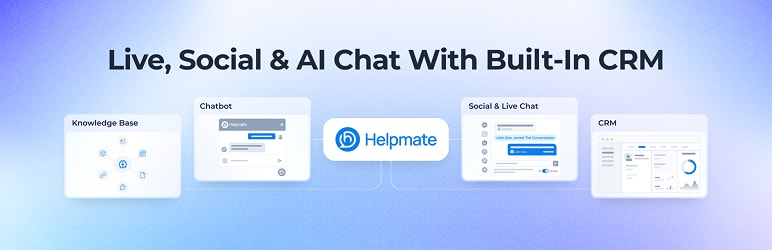
Reduce up to 97% of repetitive support questions and 70% of multichannel workload using one powerful WordPress plugin that unifies AI Chatbot, Live Chat, CRM, Appointments, Booking, and automation for Facebook, Instagram, and WhatsApp, along with lead capture and sales automation.
Helpmate is a support automation plugin for WordPress that combines AI chatbot, live chat, CRM, appointments, booking, Facebook, Instagram, WhatsApp messaging, and automation tools in one system.
This AI chatbot for WordPress helps automate customer support, manage leads, handle live chat conversations, run booking and appointments, and centralize CRM data inside your WordPress dashboard.
If you need automation, AI chatbot, live chat, CRM, appointments and booking in one plugin, Helpmate replaces multiple tools.
Here’s a straightforward look at what Helpmate can do for your WordPress business.
???? AI Chatbot for WordPress & WooCommerce
Deliver instant customer support with an AI chatbot built specifically for WordPress and WooCommerce. Helpmate uses your knowledge base to answer customer questions about products, orders, shipping, refunds, returns, and store policies. Instead of forcing customers to wait for support agents, the AI chatbot provides accurate answers 24/7, helping you improve customer satisfaction while reducing support workload.
The AI chatbot can guide shoppers through their buying journey, recommend products, answer pre-sales questions, and provide post-purchase support from a single chat window.
Helpmate AI
AI chatbot powered by your website content and knowledge base
Answer customer questions instantly, 24/7
Reduce support workload with automated responses
Provide accurate product, order, and policy information
Improve customer experience with conversational AI
Knowledge Base
Train your AI chatbot using your website content
Create a self-service customer support experience
Deliver faster and more accurate answers
Continuously improve chatbot performance
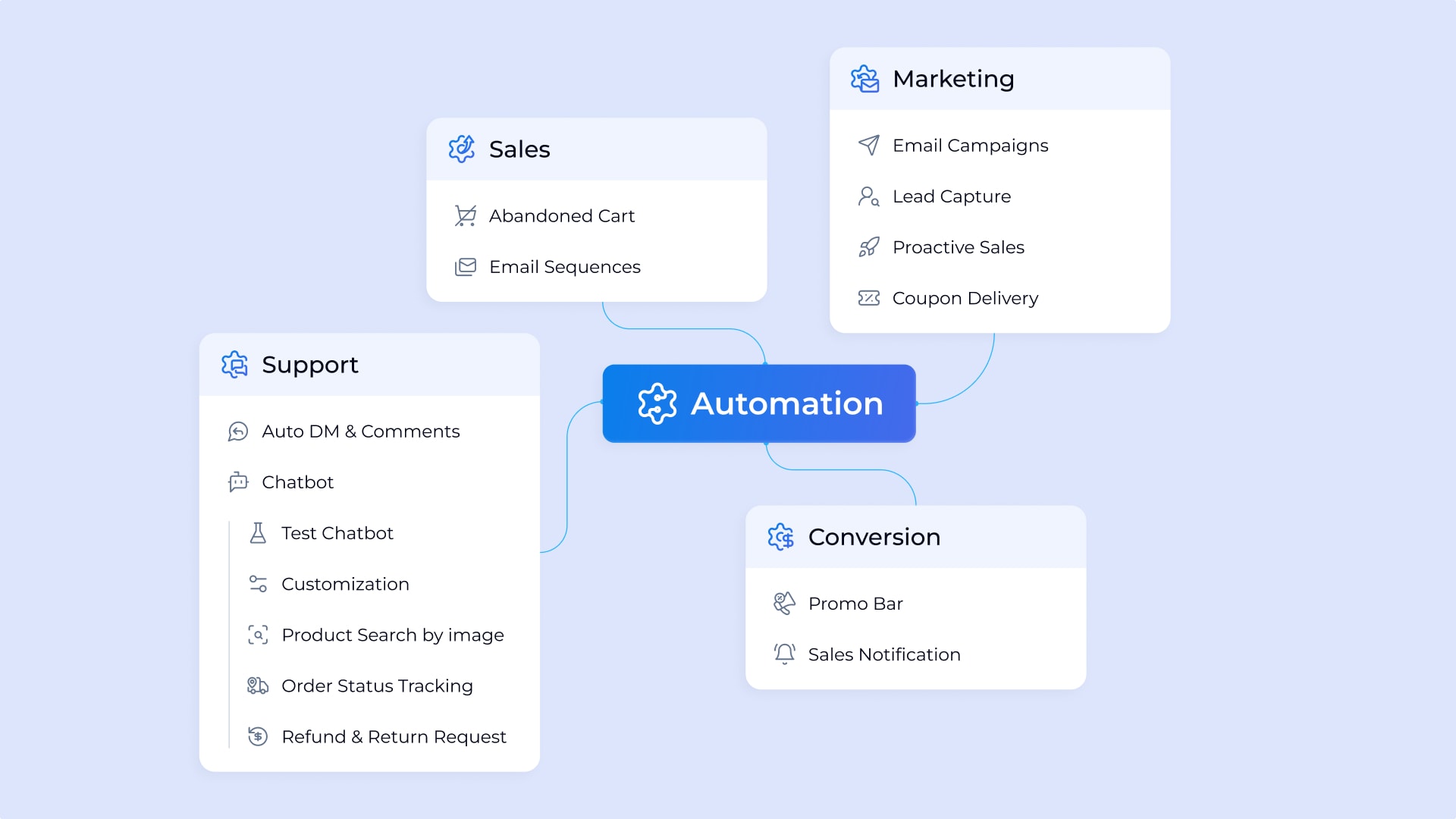
⚡ Marketing Automation & Customer Support Automation
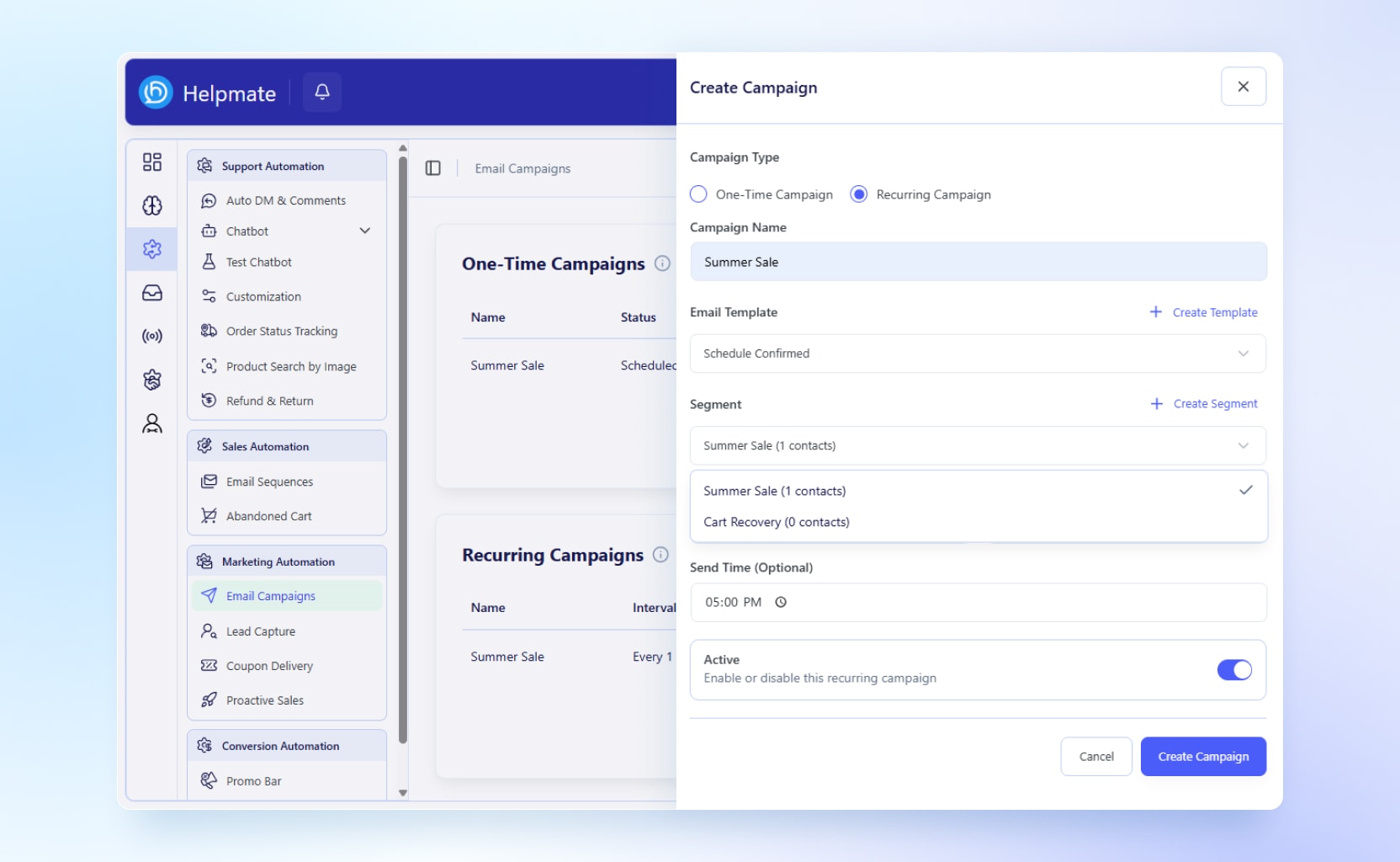
Automate repetitive tasks and create personalized customer journeys without complex workflows. Helpmate helps store owners save time by handling common support and marketing activities automatically.
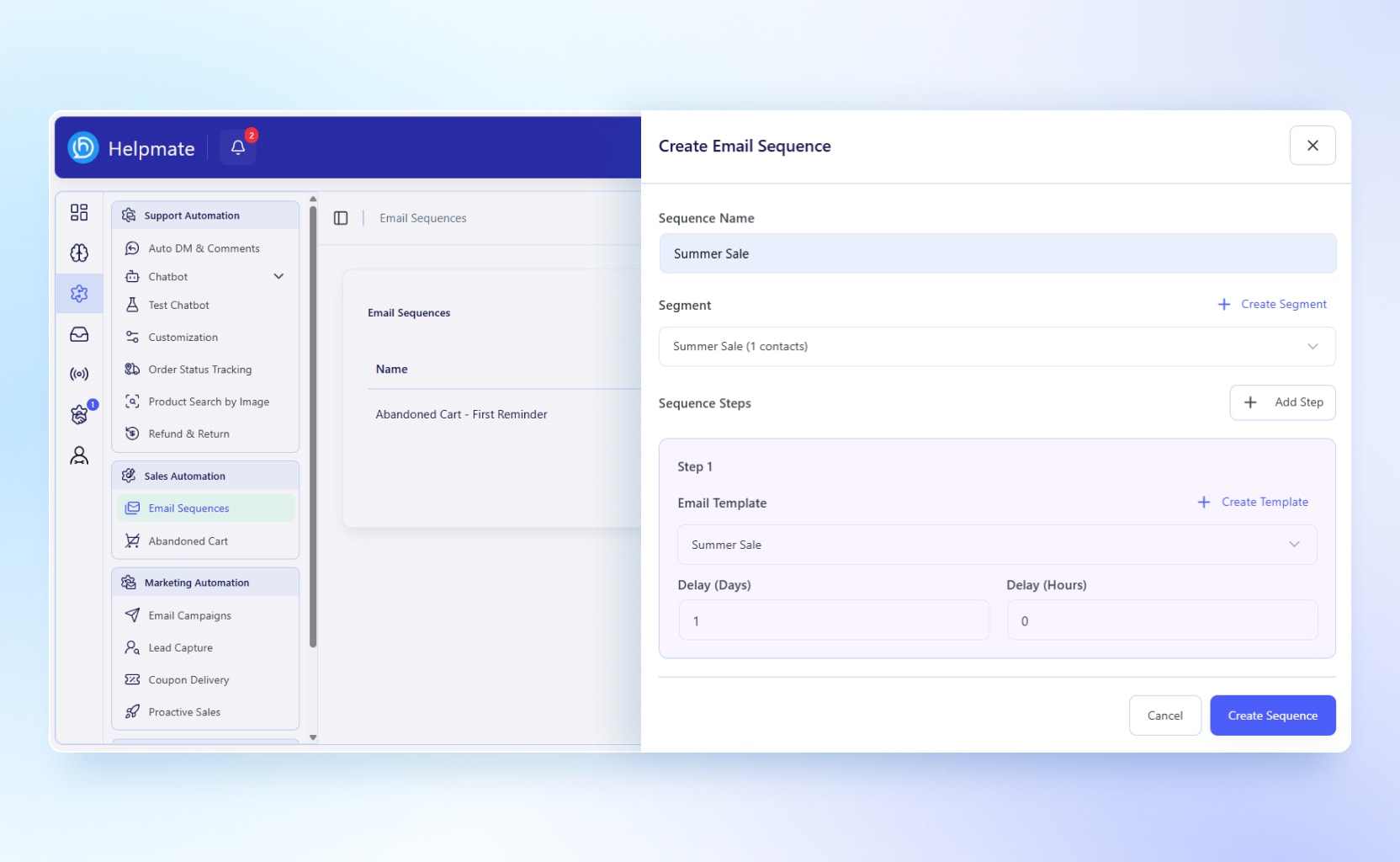
From abandoned cart recovery and coupon delivery to proactive sales messages and email sequences, the automation tools help convert more visitors into customers while reducing manual work.
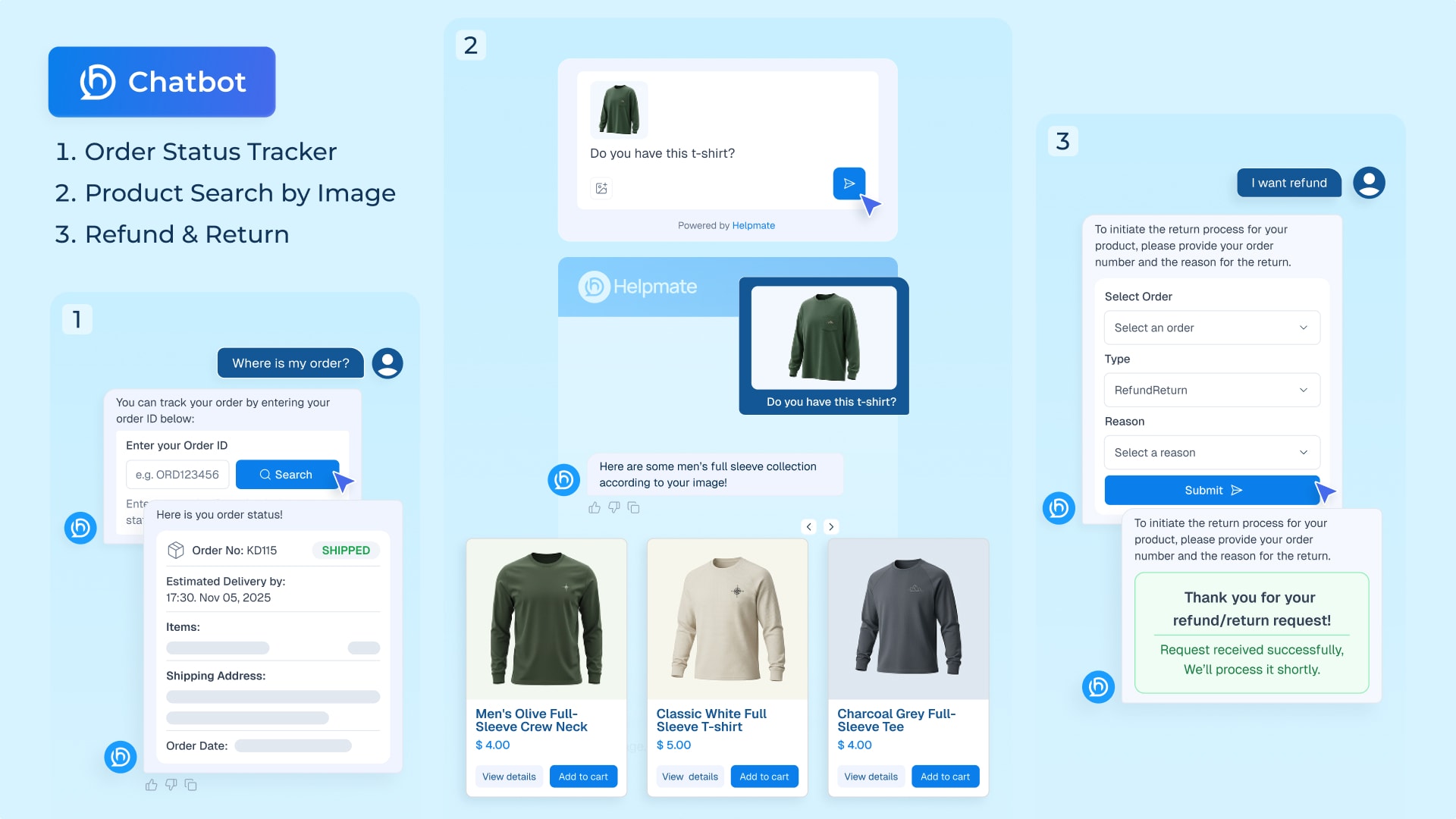
Customers can track orders, request refunds, search products by image, and receive promotional offers directly through chat conversations.
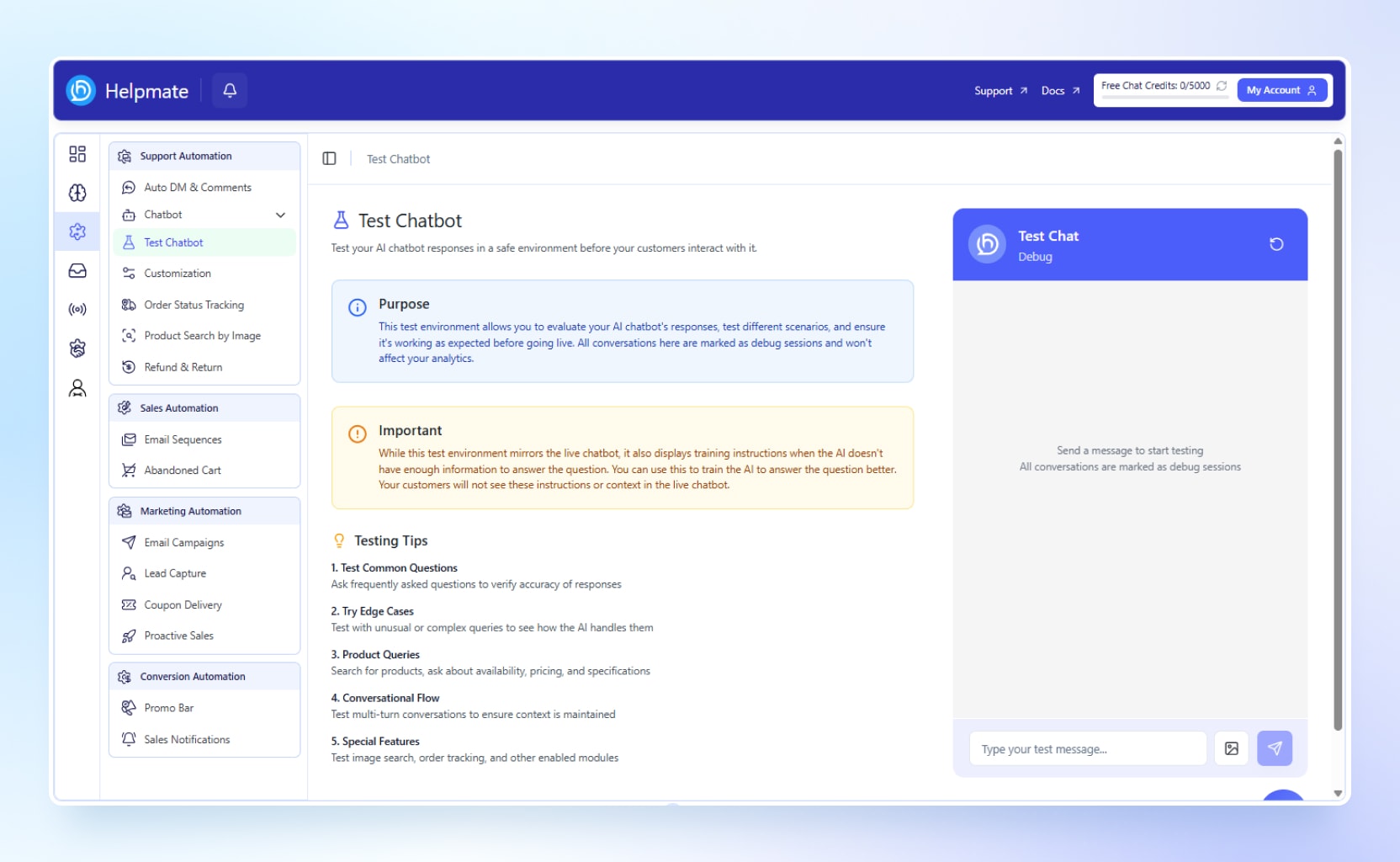
Test chatbot responses before going live
Customize chatbot appearance and behavior
Display promotional offers with Promo Bar
Show real-time sales notifications
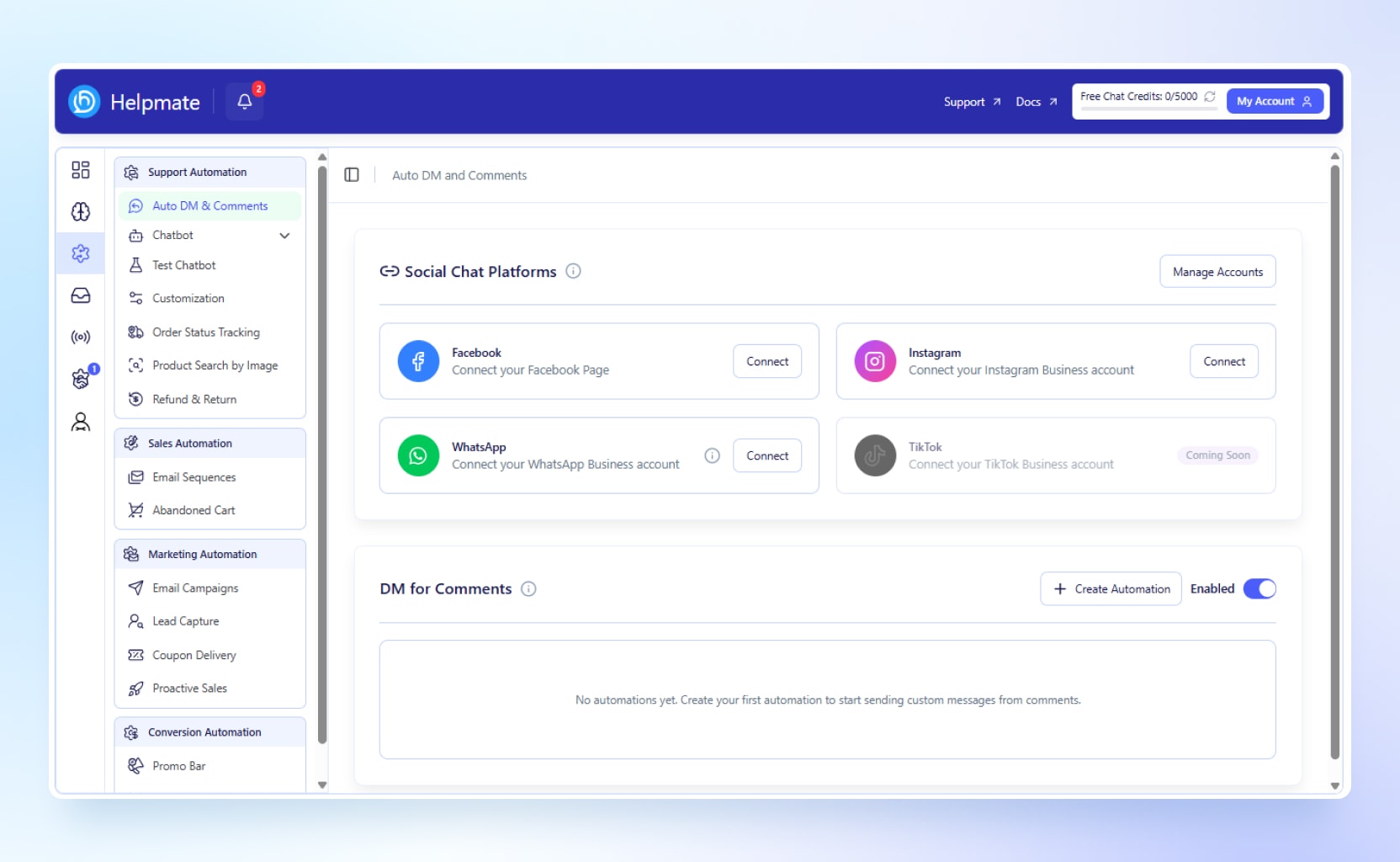
Automate Facebook and Instagram messages and comments
Automate order status tracking requests
Let customers search products by image
Handle refund and return requests inside chat
Send automated email campaigns
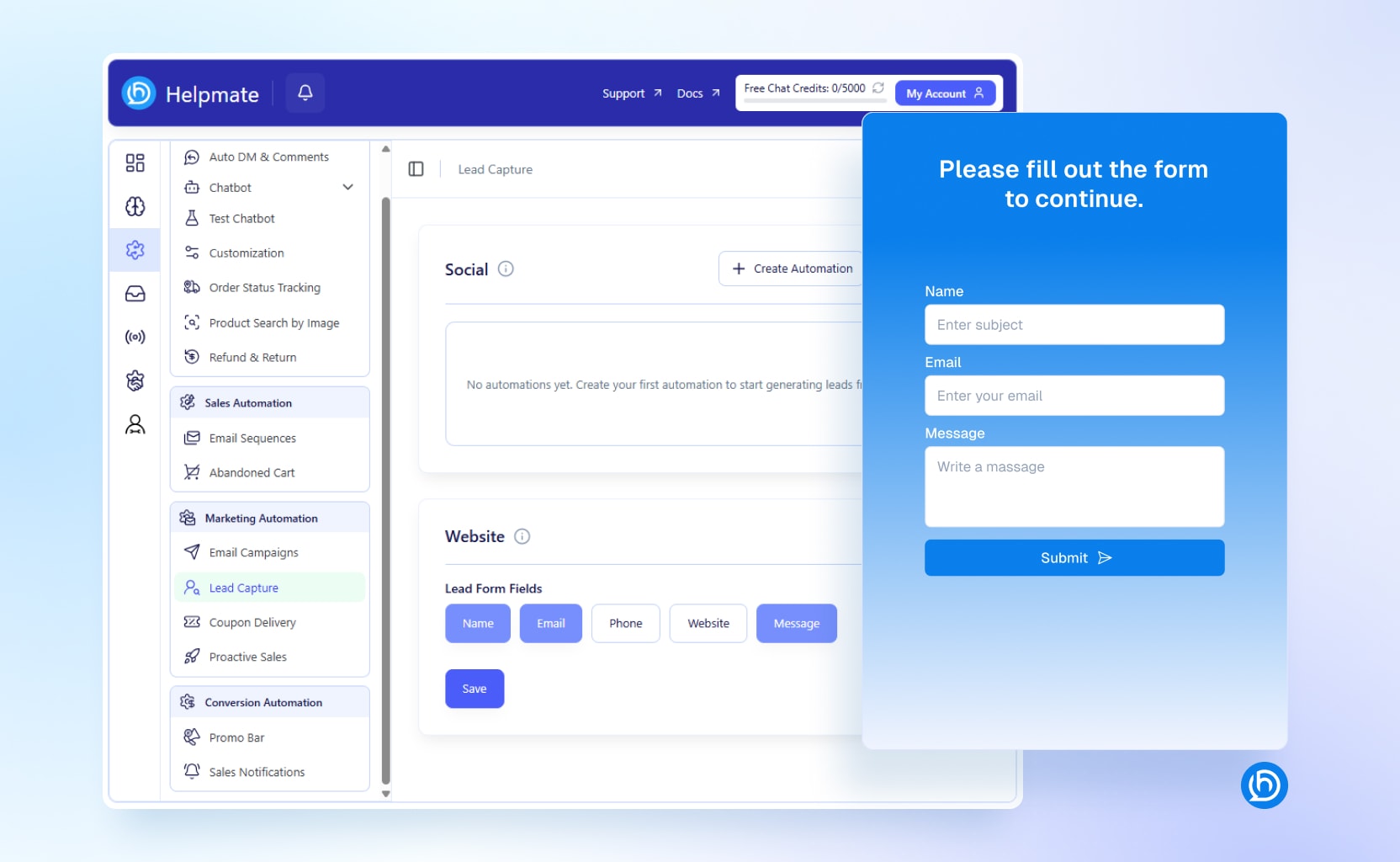
Capture leads automatically
Deliver coupons through chat conversations
Trigger proactive sales messages
Create automated email sequences
Recover abandoned carts with automated follow-ups
???? Live Chat for Real-Time Customer Engagement
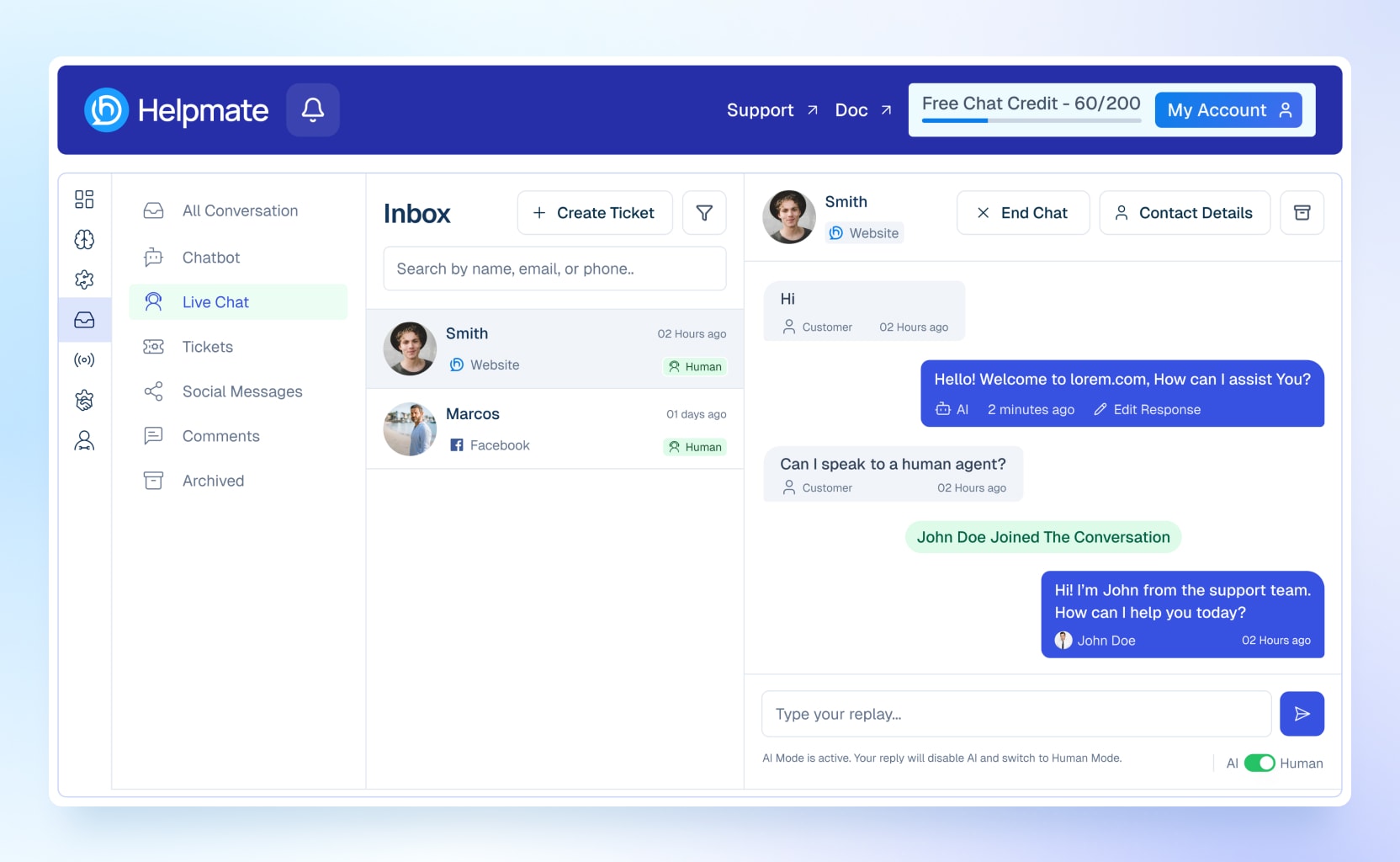
Connect with visitors instantly through a built-in live chat system. Whether customers need product recommendations, order assistance, or support, your team can respond in real time from a unified inbox.
The live chat system works alongside the AI chatbot, allowing businesses to automate common questions while enabling human agents to handle more complex conversations. This hybrid approach helps improve response times and customer experiences.
Features Include:
Real-time communication with website visitors
Seamlessly switch between AI chatbot and human agents
Improve response times and customer satisfaction
Convert more visitors into customers
????Unified Inbox for All Customer Conversations
Stop switching between multiple platforms. Helpmate centralizes customer communication into a single inbox where teams can manage every conversation.
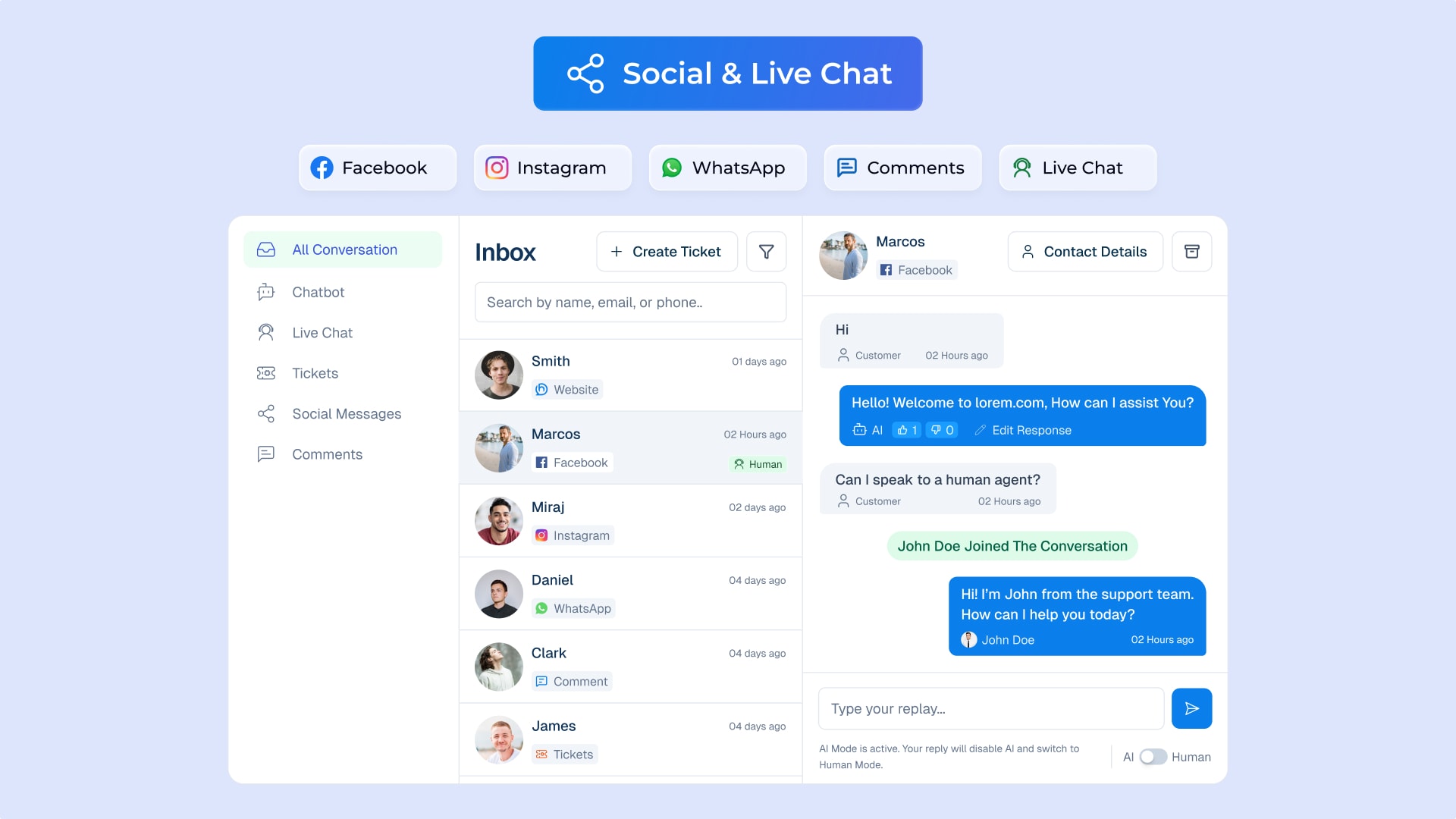
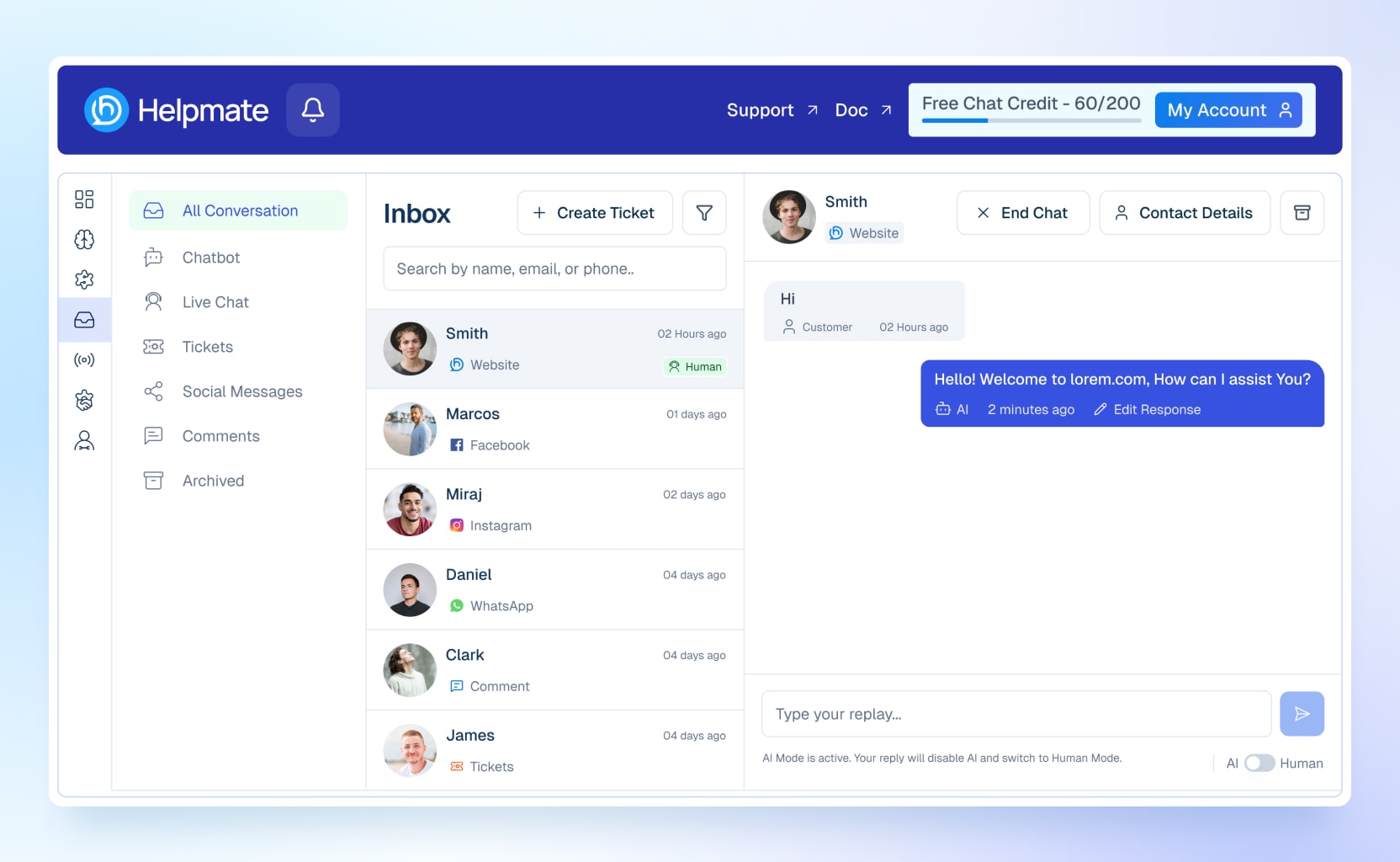
View AI chatbot interactions, live chat messages, support tickets, Facebook messages, Instagram messages, WhatsApp conversations, and social media comments from one place.
This unified communication hub helps support teams stay organized, respond faster, and provide consistent customer experiences across all channels.
Features Include:
View all conversations in one place
AI chatbot conversations
Support tickets
Live chat for WordPress websites
Facebook and Instagram messages
Social media comments
???? CRM for WordPress & WooCommerce
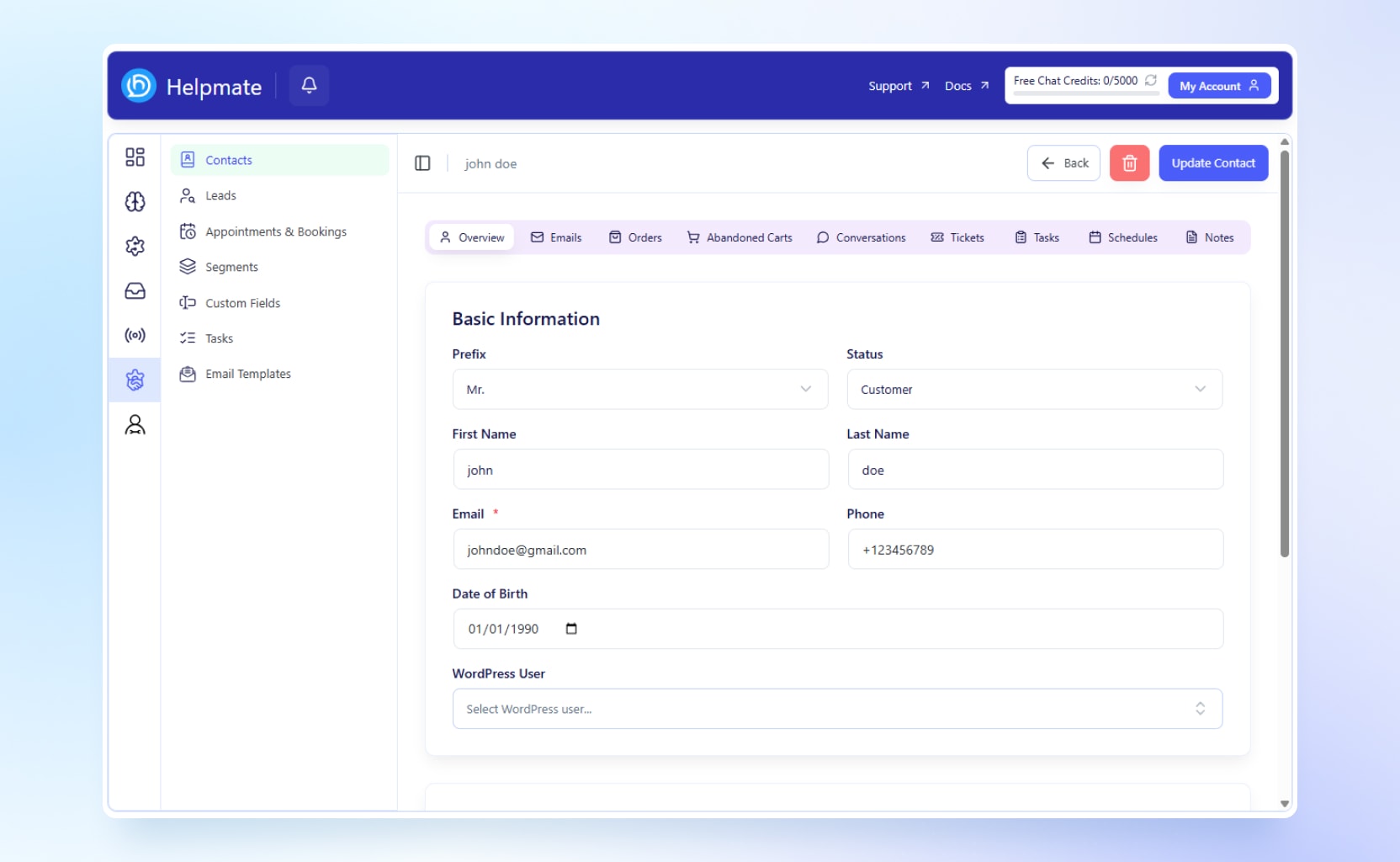
Build stronger customer relationships with a built-in CRM designed for WordPress businesses. Helpmate stores customer information, communication history, orders, appointments, and support interactions in a centralized customer profile.
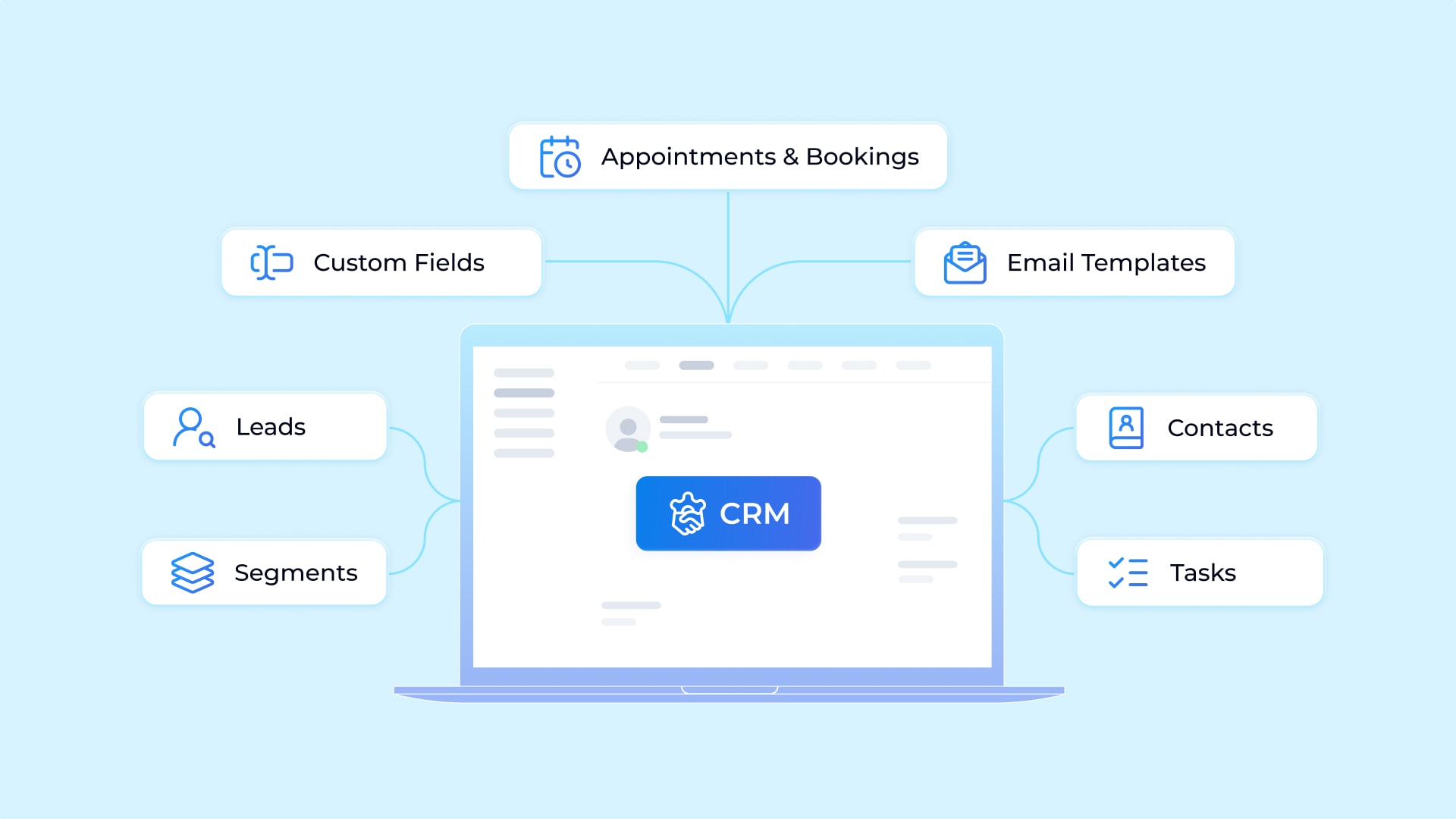
The CRM helps businesses track leads, manage customer data, organize tasks, and create customer segments for personalized communication.
Whether leads come from social media, website chat widgets, or support conversations, the CRM keeps all customer information connected and accessible.
CRM Features
Centralized customer contact management
Unlimited contacts
Customer notes and activity tracking
WooCommerce order management
Lead management from live chat and social channels
Appointment and booking records
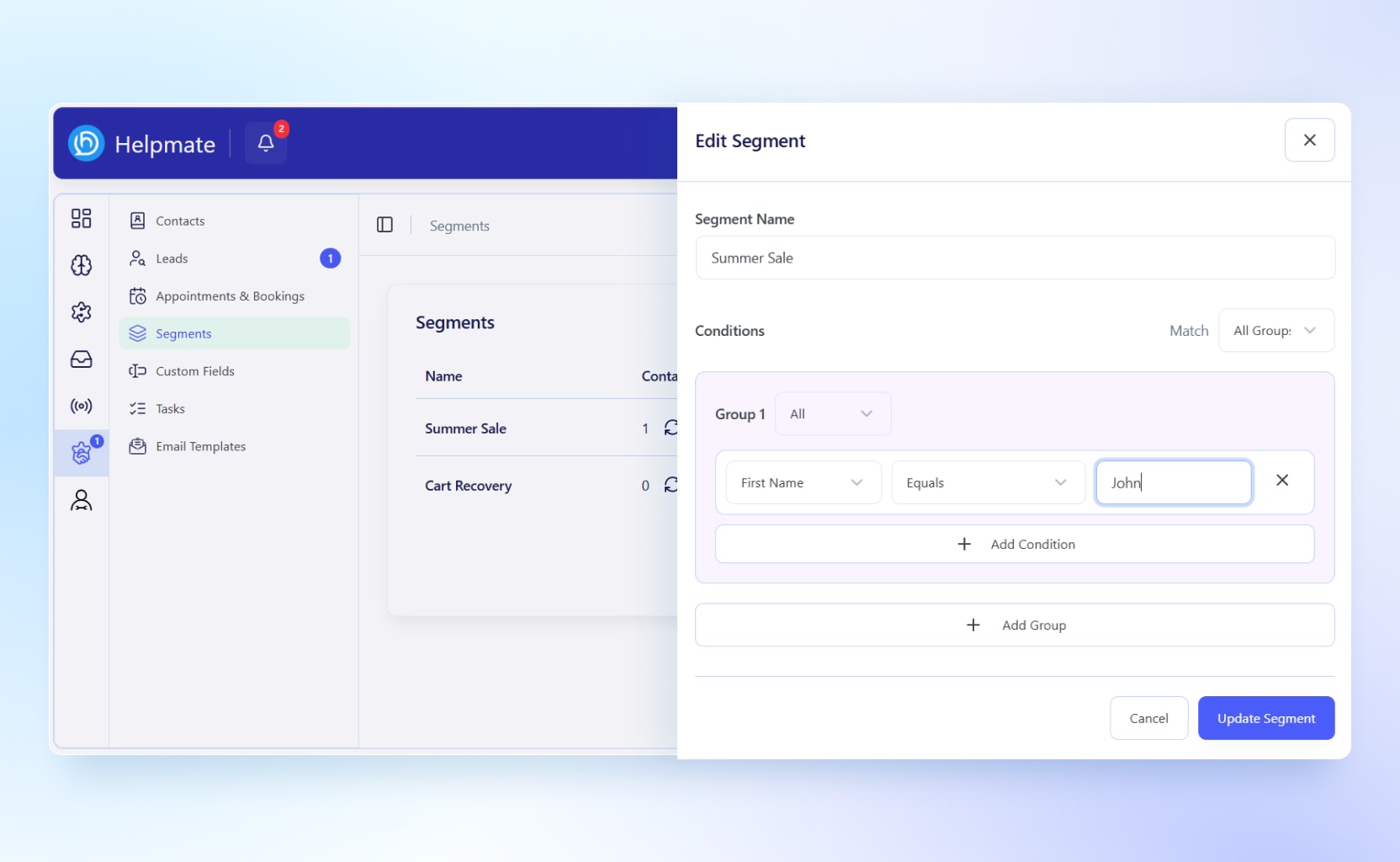
Customer segmentation
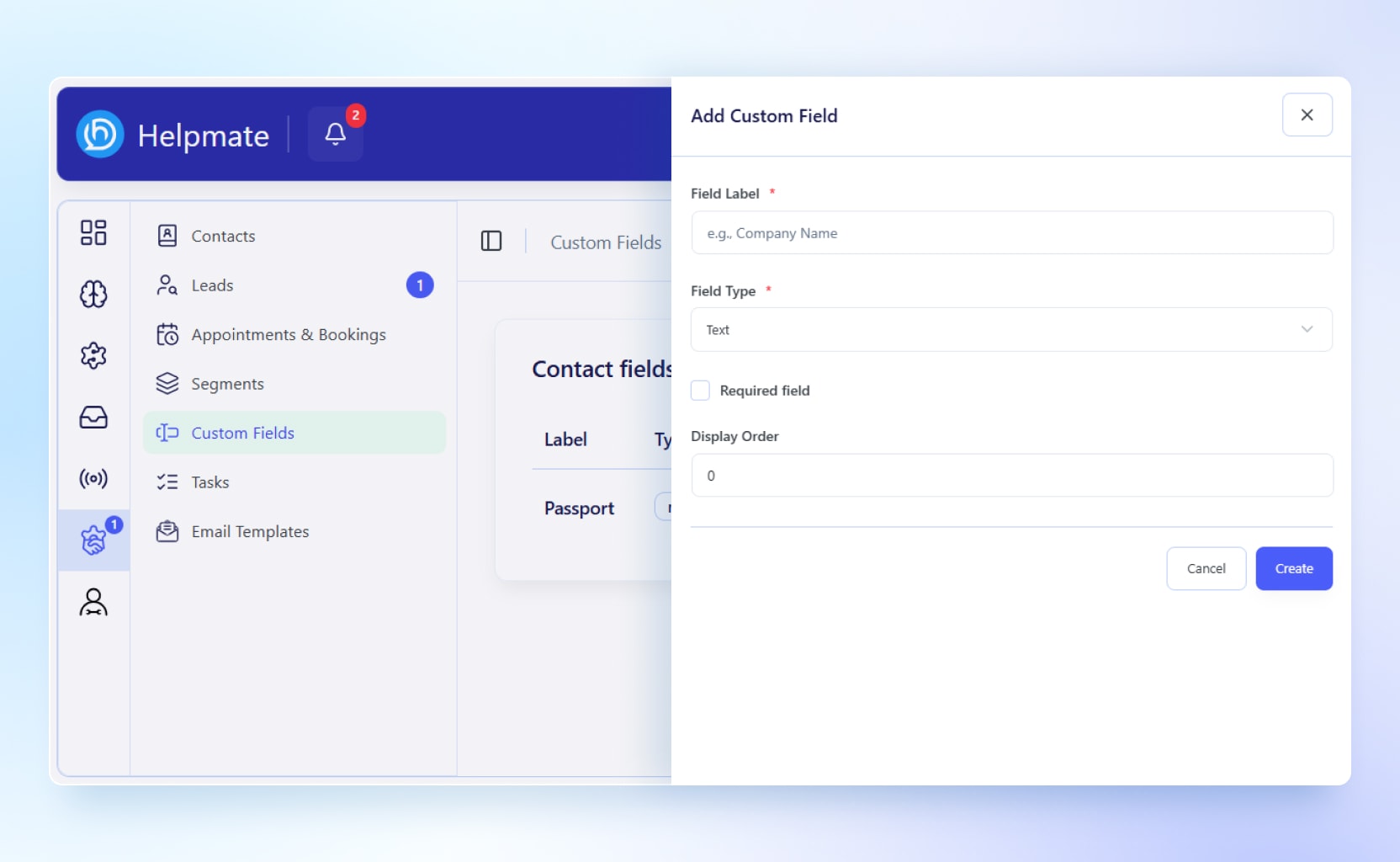
Custom fields for customer data
Task management for teams
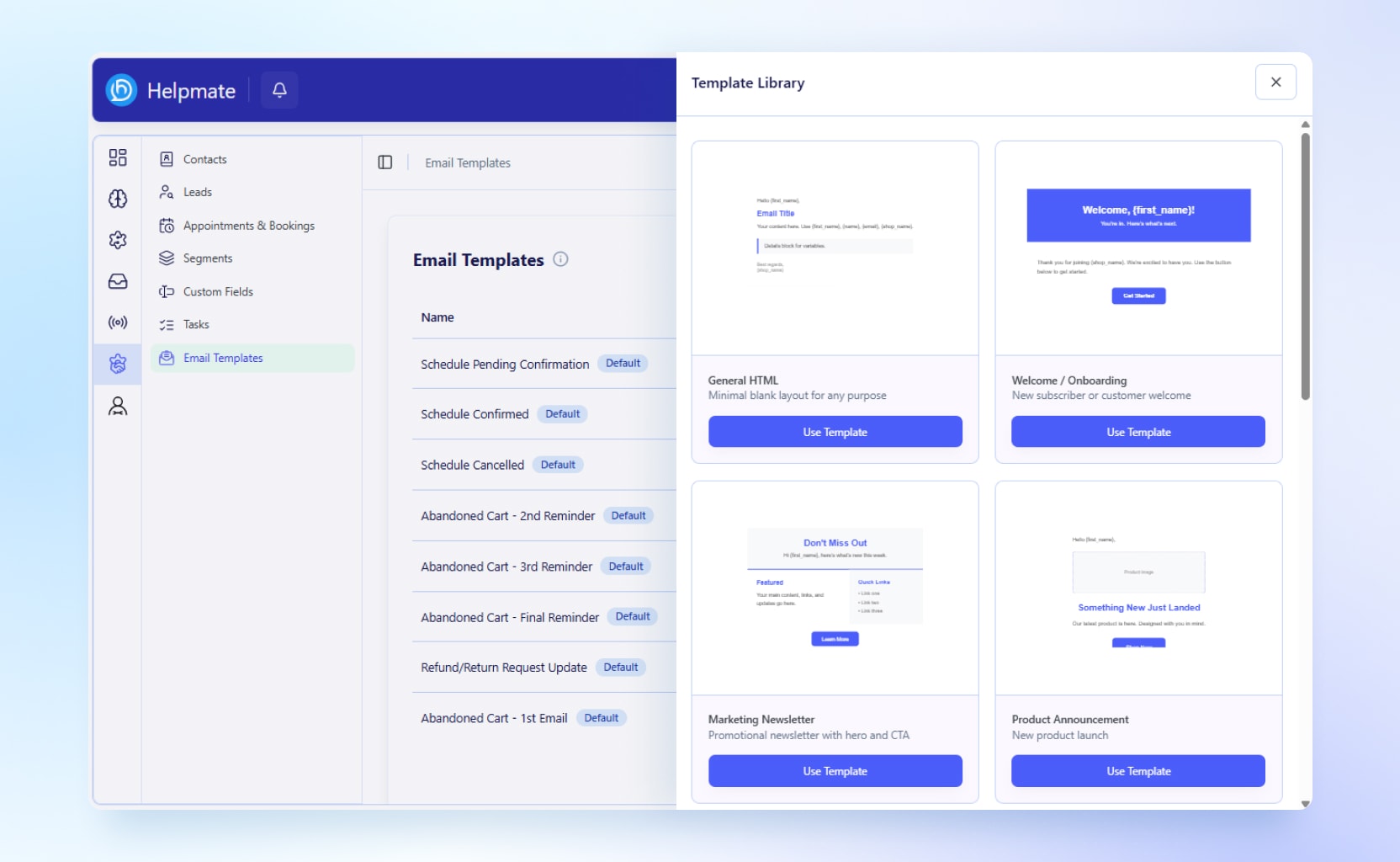
Email templates for faster communication
Customer profiles and history
Lead qualification and organization
???? Multi-Channel Customer Communication
Reach customers wherever they prefer to communicate. Helpmate supports multiple communication channels so businesses can manage customer interactions from a single platform.
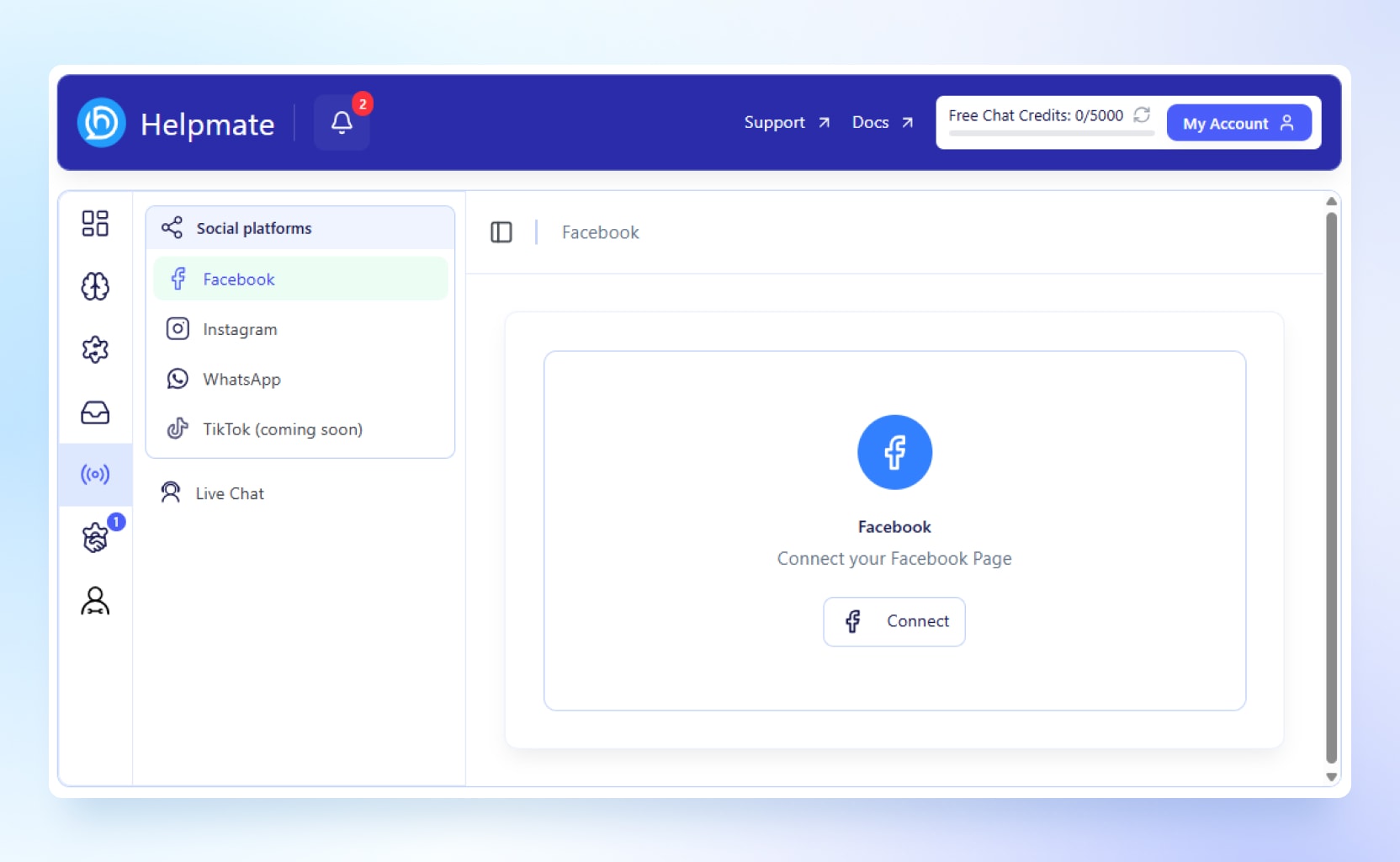
Supported channels include website live chat, Facebook Messenger, Instagram messaging, WhatsApp, social media comments, and more.
Supported Channels
Facebook Messages
Facebook Comments
Instagram Messages
Instagram Comments
WhatsApp
Website Live Chat
???? Appointments & Bookings Management
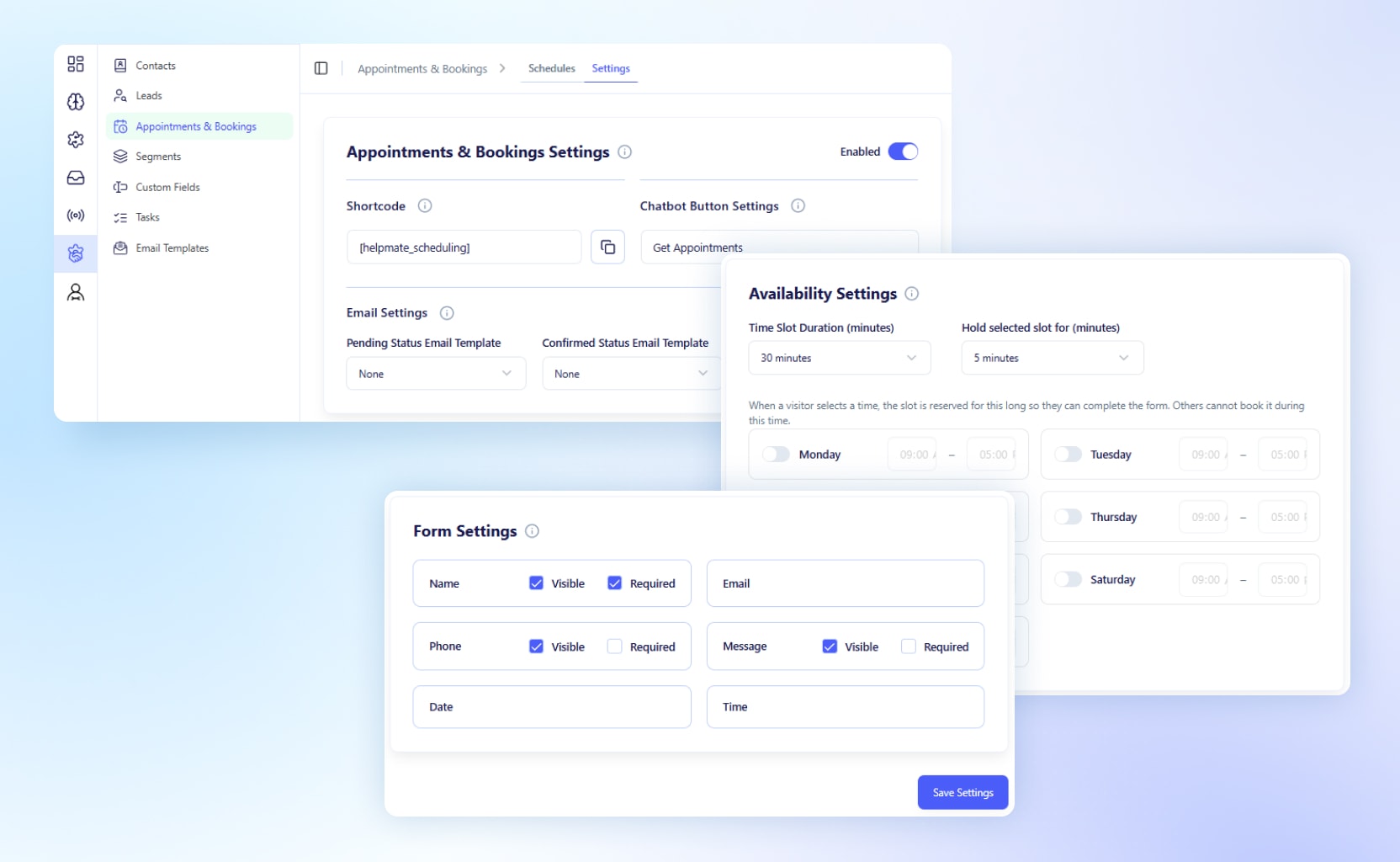
Manage appointments and bookings directly inside WordPress. Allow customers to request consultations, schedule meetings, or book services while keeping appointment records connected to your CRM.
By combining appointments with customer profiles, support history, and order information, businesses gain a complete view of every customer interaction.
This makes it easier to follow up with prospects, nurture leads, and provide personalized service throughout the customer journey.
Appointment Management
Accept appointment and booking requests
Track scheduled meetings and consultations
Manage customer appointments from one dashboard
Store appointment history within CRM records
Improve customer engagement and follow-up
????Powerful Integrations for Growing Businesses
Helpmate integrates with leading WordPress plugins and platforms, helping businesses connect customer support, sales, marketing, and CRM workflows.
eCommerce
WooCommerce(Default)
Easy Digital Downloads
SureCart
MultiVendor Marketplace
Dokan
WCFM
Page Builders
Elementor
Gutenberg Blocks
Beaver Builder
Form Builders
Contact Form 7
Forminator
Ninja Forms
WPForms
Formidable Forms
LMS Platforms
LearnPress
Tutor LMS
LifterLMS
Membership Platforms
Ultimate Member
Members
User Registration & Membership
???? Admin Hub & Team Management
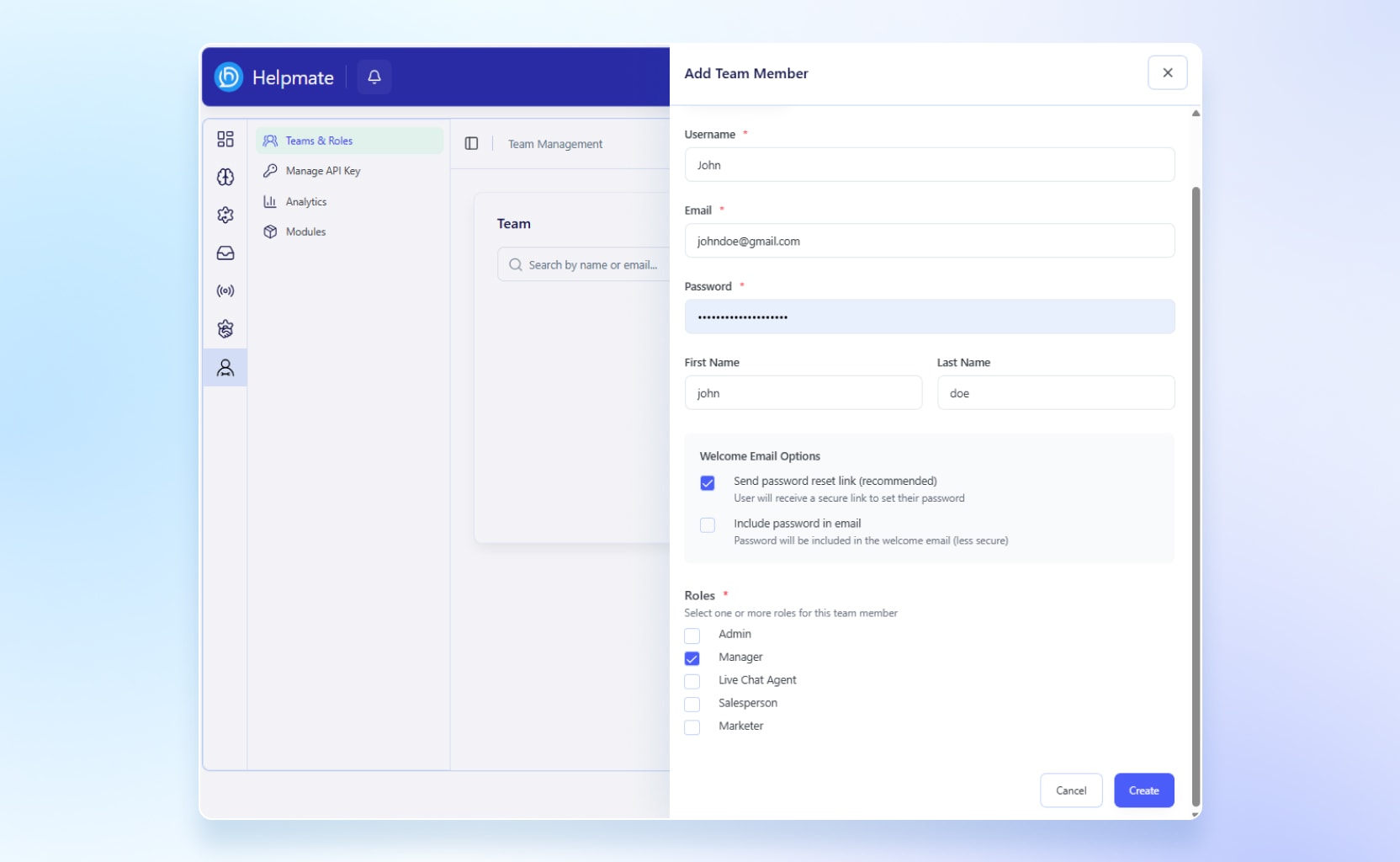
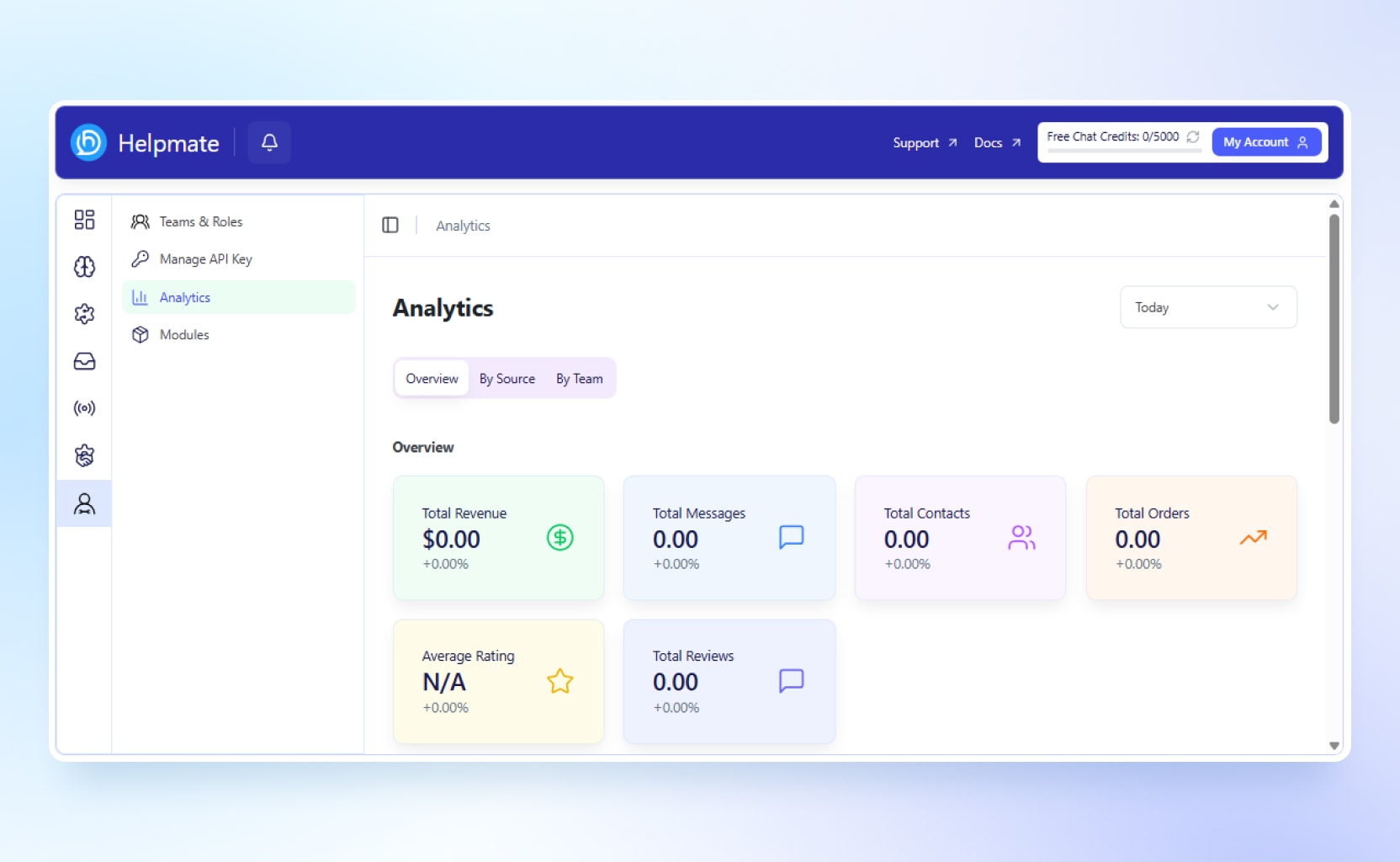
Manage your entire customer support operation from a centralized admin hub. Control team permissions, manage API keys, monitor performance, and analyze customer engagement through built-in analytics.
The admin hub helps teams collaborate efficiently while maintaining visibility across customer support, live chat, automation, CRM, and appointments.
Feature Includes
Teams and roles management
API key management
Performance analytics
Customer support insights
Team collaboration tools
???? Why Choose Helpmate?
Helpmate combines an AI chatbot, marketing automation, live chat, CRM, appointments, and omnichannel customer communication into one powerful WordPress plugin. Whether you run a WooCommerce store, membership website, online course platform, or service business, Helpmate helps you automate support, capture leads, manage customer relationships, and grow revenue from a single dashboard.
Not at all. If you can install a WordPress plugin, you can use Helpmate easily.
Is this a full replacement for human support agents?
No, Helpmate is not here to replace your support team. It’s designed to enhance and support them.
Will this slow down my Website?
Not at all. Helpmate is lightweight and optimized for performance. Its JavaScript files are deferred, so they only load on the frontend when needed — ensuring your site stays fast.
Can I use in any WordPress website?
Yes, You can use it in any WordPress website like store, personal, company etc.
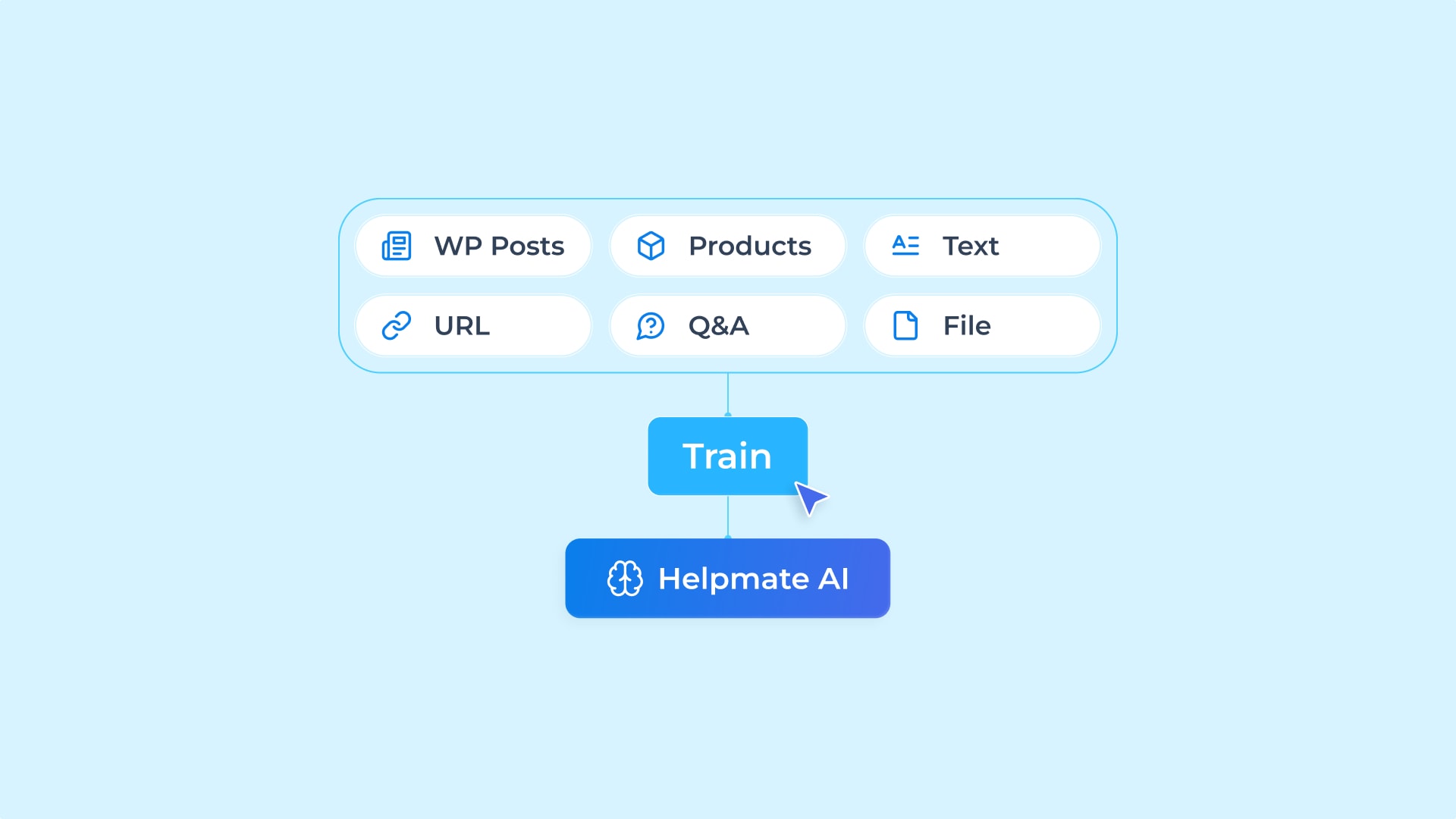
In how many ways can I train the chatbot
You can train the chatbot in 5 different ways:
WordPress content (Posts, Pages, Products)
Custom text content
Website URLs
Q&A pairs
File uploads (CSV, TXT, JSON)
Can I train the chatbot using my own FAQ content?
Yes! Simply input your questions and answers in the Q&A dashboard.
Can I view chat history?
Yes, you can review all chat history. If the bot gives an incorrect answer, you can add the correct one to improve future responses.
Can I see the data I’ve trained the bot with?
Yes, you can view all trained data — and delete or update it at any time.
Can AI respond to support tickets?
No, Helpmate does not automate ticket replies. We’ve intentionally kept this part for human intervention, as relying solely on AI may lead to customer dissatisfaction in complex or sensitive cases.
How many languages does the chatbot support?
Following languages are supported by ai chatbot but not limited to…
– English
– Spanish
– French
– German
– Chinese (Simplified and Traditional)
– Japanese
– Korean
– Italian
– Portuguese
– Dutch
– Russian
– Arabic
– Hindi
– Bengali
– Turkish
– Swedish
– Norwegian
– Danish
– Finnish
– Polish
– Greek
– Hebrew
– Vietnamese
– Thai
Can users track orders using a phone number?
Absolutely. Customers can track their orders using their email, phone number, or order ID — no login required.
Is the coupon system automatic or manual?
Both! You can choose to deliver coupons manually or automate them based on user behavior, like exit intent.
What if a customer wants to speak with a real person?
Helpmate includes a smooth human handover option with one-click links to WhatsApp, Messenger, or direct phone support.
Can I use Helpmate on multiple websites?
Yes, depending on your license. We offer single-site and multi-site licenses. Please check your plan details before deploying to additional domains.
Does Helpmate work with any WooCommerce theme?
Yes, Helpmate is designed to be theme-agnostic. It works seamlessly with any modern, well-coded WooCommerce theme.
Is Helpmate compatible with page builders like Elementor or Divi?
Absolutely. Helpmate works flawlessly with popular page builders including Elementor, Divi, WPBakery, and Gutenberg.
How is customer data handled and stored?
All data is stored securely on your own WordPress server. Helpmate does not send your customer data to any third-party services.
Can I customize the chatbot’s appearance?
Yes. You can customize the chatbot’s colors, icon, welcome message, and branding to match your store’s look and feel.
Does Helpmate support mobile users?
Yes, Helpmate is fully responsive and optimized for all mobile devices and screen sizes.
Can I turn off certain features I don’t need?
Yes, Helpmate is modular. You can enable or disable features like order tracking, coupon delivery, or proactive sales based on your business needs.
Is there a way to collect leads through the chatbot?
Yes. You can use Helpmate to collect user emails, phone numbers, or custom information during conversations.
What kind of support do I get with Helpmate?
We provide detailed documentation, video tutorials, and email-based support. Premium users also get priority assistance.
This plugin relies on an external service operated by RhapsodyPlugins to provide AI chatbot functionality.
When you use the chatbot, your messages are securely transmitted to our servers where they are processed and a response is returned.
This plugin connects to an API to do following things.
– Process AI chat
– Store documents uploaded by you in a vector database
We do not store personal data beyond what is required to provide the service.
For full details, please review our policies below: Terms of use, Privacy policy.
Added: New Integrations page to connect and manage all supported plugins from one place.
Added: Integrations section in the admin sidebar with its own menu icon for quicker access.
Added: See which supported plugins are installed, and install or activate them without leaving Helpmate.
Added: Page builder connections for Elementor, Gutenberg Blocks, and Beaver Builder.
Added: Contact Form 7 integration — map forms to Helpmate actions like lead capture and ticket creation.
Added: Contact Form 7 integration — order status lookup, refund requests, and appointment booking from form submissions. (Pro)
Added: Forminator, Ninja Forms, WPForms, and Formidable Forms integrations with the same actions (lead capture and tickets free; order status, refunds, and appointments Pro).
Added: Order status cards shown on the front end after successful form submissions when order lookup is enabled. (Pro)
Added: Integration event logs so you can review form submission activity without storing raw form data.
Added: Easy Digital Downloads and SureCart as store integrations alongside WooCommerce.
Added: Choose your active store when more than one commerce plugin is installed.
Added: Sync existing store customers into CRM contacts for WooCommerce, Easy Digital Downloads, and SureCart.
Added: Dokan multivendor integration — sync vendors to CRM and show vendor details on products, orders, and abandoned carts.
Added: WCFM Marketplace integration — sync vendors to CRM and show vendor details on products and orders.
Added: Choose Dokan or WCFM when both multivendor plugins are installed.
Added: LearnPress, Tutor LMS, and LifterLMS integrations — sync students to CRM and view course and lesson progress on contact profiles.
Added: Ultimate Member, Members, and User Registration & Membership integrations — sync members to CRM with roles, account status, and profile details.
Added: Unread indicators on the Leads list so new leads are easier to spot.
Added: Admin dashboard, chat widget, appointment scheduling, and block editor text now support WordPress translations and follow your site language when installed.
Added: Setup wizard step to bring chatbot training data from your local test site when you move to a live website.
Update: Commerce settings and store connections are now managed from the Integrations page.
Update: CRM orders and abandoned carts now support Easy Digital Downloads and SureCart.
Update: Product training now captures richer product details for WooCommerce, Easy Digital Downloads, and SureCart.
Update: Data source Products tab follows your selected store integration.
Update: Use LMS data in contact segments for smarter audience filtering. (Pro)
Update: Use membership data in contact segments. (Pro)
Update: Setup wizard loads pages, posts, and products faster when choosing what to train.
Update: Leads are marked as read when you open them.
Update: Clearer guidance when mapping form fields to Helpmate actions.
Update: Chat widget automatically uses the current product on product pages for proactive sales.
Update: Visitors see a friendly message instead of a blank reply when a chat feature is temporarily unavailable.
Fixed: Chat review form no longer reappears after you skip or submit it.
Fixed: End chat flow is smoother and less likely to show duplicate review prompts.
2.0.2 – 2026-03-11
Added: Top bar shows “Chat Credits: Unlimited” with infinity icon when own OpenAI API key is set.
Added: Users can delete their own OpenAI API key from Manage API page.
Added: Manage API page displays first/last 4 characters of saved API key with sk-proj hint for identification.
Added: Clear guidance for own OpenAI key: where to get key (API keys link), add credit/balance (billing link), and clarification that it is not ChatGPT Plus subscription.
Added: Sync Credits button now visible for all users on Manage API page (previously Pro only).
Update: Improved readability of OpenAI key info box text on Setup Step 2.
2.0.1 – 2026-02-27
Fixed: Auto focus on the chat input while chat widget is closed issue.
Fixed: Sales notifications close icon not clickable on some devices.
2.0.0 – 2026-02-22
Added: Completely redesigned admin sidebar with icon bar and submenu panel navigation.
Added: Mobile-responsive sidebar with sheet-based navigation.
Added: Notification bell in top bar with unread notification counts.
Added: Browser tab title sync for unread notification count.
Added: 3-step setup wizard (API Key, OpenAI (Pro), Data Training) for first-time users.
Added: Getting started checklist on Dashboard with step-by-step onboarding.
Added: Free vs Pro comparison table on Dashboard.
Added: Contacts management page (50 contacts free, unlimited in Pro).
Added: Contact details page with Overview, Emails, Tasks, Notes, Conversations, Orders, and Tickets tabs.
Added: Contact details tabs for Abandoned Carts, and Schedules. (Pro)
Added: Leads management page with notification badge for new leads.
Added: Notes system on contacts.
Added: WooCommerce order management linked to contacts.
Added: WooCommerce order metabox showing CRM contact info.
Added: Appointments and Bookings management. (Pro)
Added: Segments with condition builder for contact filtering. (Pro)
Added: Custom Fields for contacts and tasks. (Pro)
Added: Tasks management with Kanban board and list view. (Pro)
Added: Email Templates with template editor and library. (Pro)
Added: Email Campaigns with bulk sending. (Pro)
Added: Email Sequences for automated follow-up flows. (Pro)
Added: Failed emails tracking sheet. (Pro)
Added: Smart Scheduling module with schedules and settings. (Pro)
Added: CRM Analytics with reports for Contacts, Leads, Emails, Tasks, Tickets, and Team Performance. (Pro)
Added: Unified All Conversations inbox replacing the old Activity page.
Added: Chatbot conversations tab (200 chat credits free, unlimited with own API key in Pro).
Added: Tickets tab in inbox.
Added: Archived conversations tab.
Added: Live Chat inbox tab with real-time messaging. (Pro)
Added: Social Messages inbox tab. (Pro)
Added: Comments inbox tab for social media comments. (Pro)
Added: Automations organized into Support, Sales, Marketing, and Conversion groups.
Added: Lead Capture automation page.
Added: Promo Bar moved under Conversion Automation (1 free template).
Added: Sales Notifications moved under Conversion Automation (1 free template).
Added: Chatbot sub-group under Support Automation with Test Chatbot, Customization, and module settings.
Added: Auto DM and Comments automation for social platforms. (Pro)
Added: Email Campaigns automation. (Pro)
Added: Coupon Delivery automation. (Pro)
Added: Proactive Sales automation. (Pro)
Added: Email Sequences automation. (Pro)
Added: Facebook Messages and Comments integration. (Pro)
Added: Instagram Messages and Comments integration. (Pro)
Added: WhatsApp integration. (Pro)
Added: Live Chat channel settings. (Pro)
Added: Social lead campaign components. (Pro)
Added: Teams and Roles management with 5 predefined roles (Admin, Manager, Live Chat Agent, Salesperson, Marketer).
Added: Role-based permission system across all pages.
Added: Modules management page for toggling features on and off.
Added: Analytics page moved under Admin Hub.
Added: Chat review and feedback form in the public chat widget.
Added: Business hours support for the chat widget.
Added: Improved test chatbot with launcher preview mode.
Added: Behavior settings for chatbot (tone, language).
Added: Post and page meta box for training KB directly from the WordPress editor.
Added: Appointment booking form in public widget. (Pro)
Added: Public scheduling page with form template. (Pro)
Added: Email unsubscribe page. (Pro)
Added: In-app notifications system.
Added: Notification badges on Inbox and CRM sidebar sections.