HD Quiz is an easy and intuitive quiz builder for WordPress. With HD Quiz, you can create an unlimited amount of quizzes and embed them anywhere on your site. We use both shortcodes as well as a custom Gutenberg block to make this as easy as possible for you.
The quizzes are fun, beautiful, highly customizable, accessible (visually impaired, screen readers etc), and automatically responsive. HD Quiz was designed so that quizzes automatically inherit the fonts and styling of your theme – but you can still customize the styles yourself or purchase the HD Quiz Styler addon to really make the quizzes your own.
Perfect for:
Bloggers who want engaging WordPress quizzes
Teachers practice tests and exams
Businesses building lead-generation quizzes
Content creators making personality quizzes
▶️ VIEW VIDEO DEMO / TUTORIAL ▶️
✨ Features ✨
HD Quiz has so many cool features, settings, and options, that I cannot possibly list them all. So here are some of the highlights of what I think are some of the coolest and most important features of HD Quiz. Everything you see listed here is 100% FREE!
Core Quiz Features
– Unlimited quizzes, questions, and answers
– Scored quizzes and personality quizzes
– Multiple question types
– Custom pass percentages
– Advanced marking features
– Question pools (randomly select n questions from a pool)
– Weighted answers
– Pagination
– Quiz timers
– Mobile and touch friendly
– Accessible WCAG friendly quizzes
– Author quiz creation access
Question Types
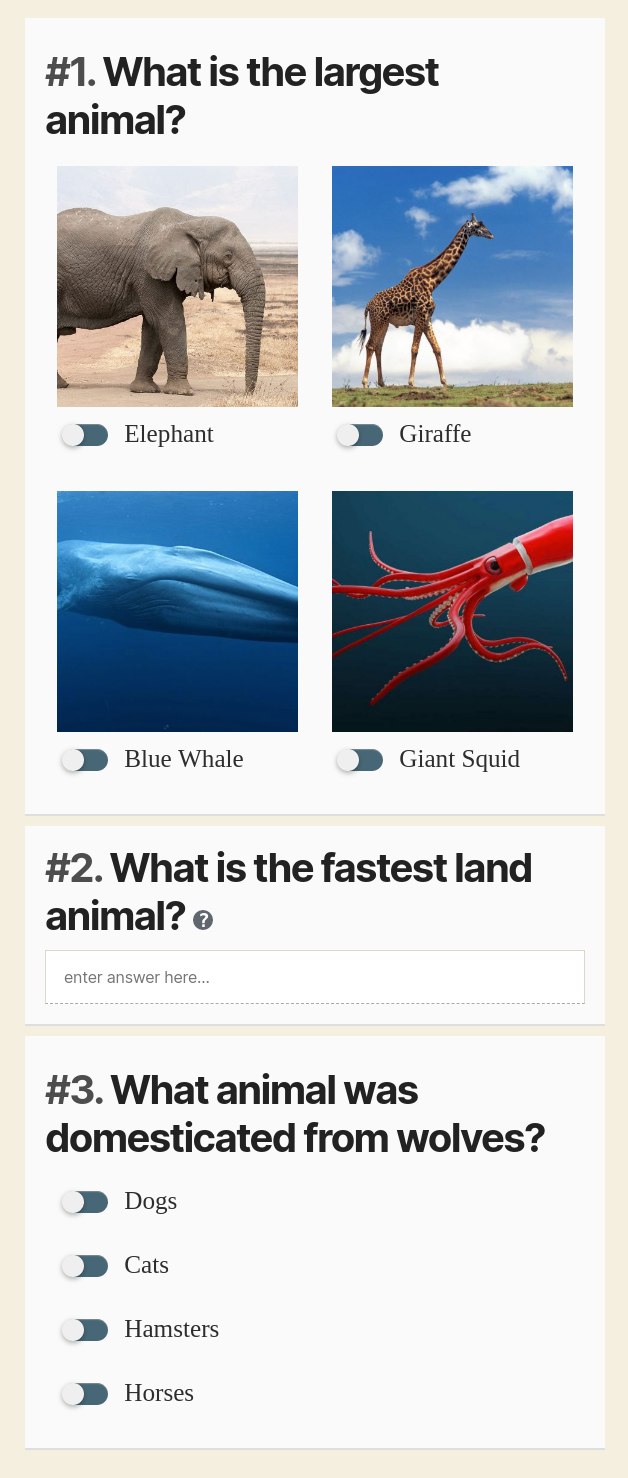
– Multiple choice – test
– Image-based answers
– Select all that apply
– Text input answers
– Heading / section dividers
Quiz Experience
– Timers (per quiz or per question)
– Pagination
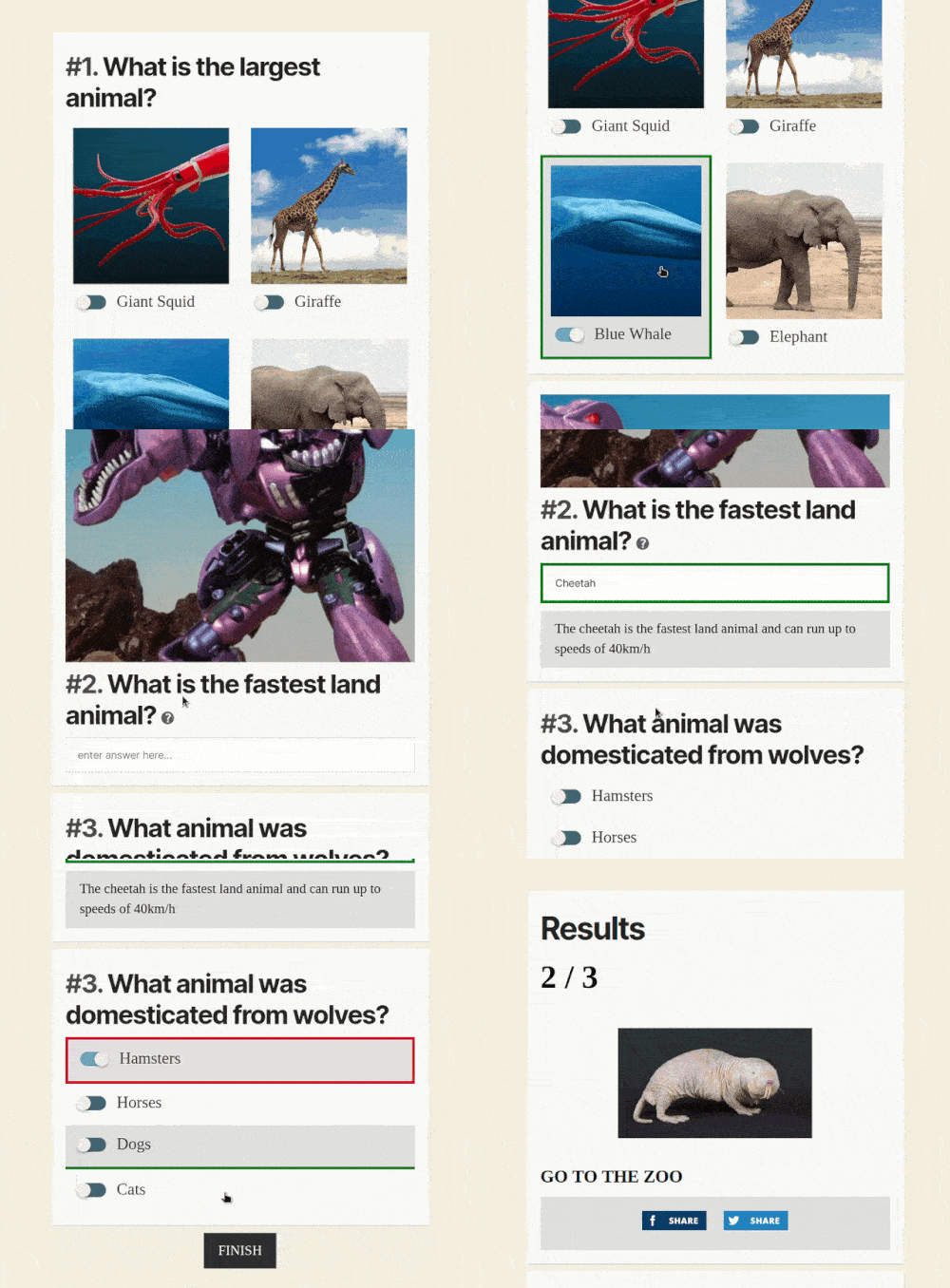
– Answer marking (after quiz completion, or instant)
– Custom result messages
– Question tooltips
– Extra question content to add more context to why the correct answer is correct
– Redirect on completion
– Quizzes inherit your theme styling
For the Devs
Developer Friendly with tons of filters and hooks, as well as documentation. jQuery free!
HD Quiz is designed to be lightweight and performant. Scripts and styles only load on pages that actually contain a quiz. HD Quiz respects user privacy and does not require external tracking scrits, thus is GDPR compatible.
Master list
– Unlimited amount of quizzes, questions, and answers
– Scored quizzes and Personalty-type quizzes
– Each quiz has its own options/settings
– Social sharing – share quiz results on Twitter, Facebook, and others
– Mobile and touch friendly
– Quizzes are accessible (screen readers)
– Each question can have a featured image, tooltip, or even audio/video
– Each question can have “extra” text, that by default will appear if the user gets the question wrong
– Multiple question types
– text based multiple choice
– image based multiple choice
– select all that apply
– text input (type the answer)
– heading (not a question, is used to separate questions into “categories”)
– Pagination
– Timer
– Timer per quiz (example: 60 seconds to complete the quiz)
– Timer per question (example: you have 10 seconds to answer each question)
– Animated GIF support
– Translation options – you can translate words like “question”, “next”, “finish” etc into your own language
– Randomization options
– Randomize question order
– Randomize answer order
– Pool of Questions – randomly grab n questions from the quiz to make a unique quiz on each page load
– Result position (results shown above or below quiz)
– Marking options
– Show the correct and incorrect questions
– If user got the question wrong, show what the correct answer was
– Immediately mark the question on selection
– Custom pass percent
– Custom result text (based on if the user passed or failed the quiz)
– Automatically hide the questions on quiz completion
– Redirect on completion
– Allow “authors” to create quizzes
– free addon to save results of quizzes
– and I’m sure a ton of other things that I can’t even remember
Enter the name of the quiz, then ENTER on your keyboard to create the quiz
Click the name of the newly added quiz to set the quiz options such as the needed pass percentage
ADDING NEW QUESTIONS
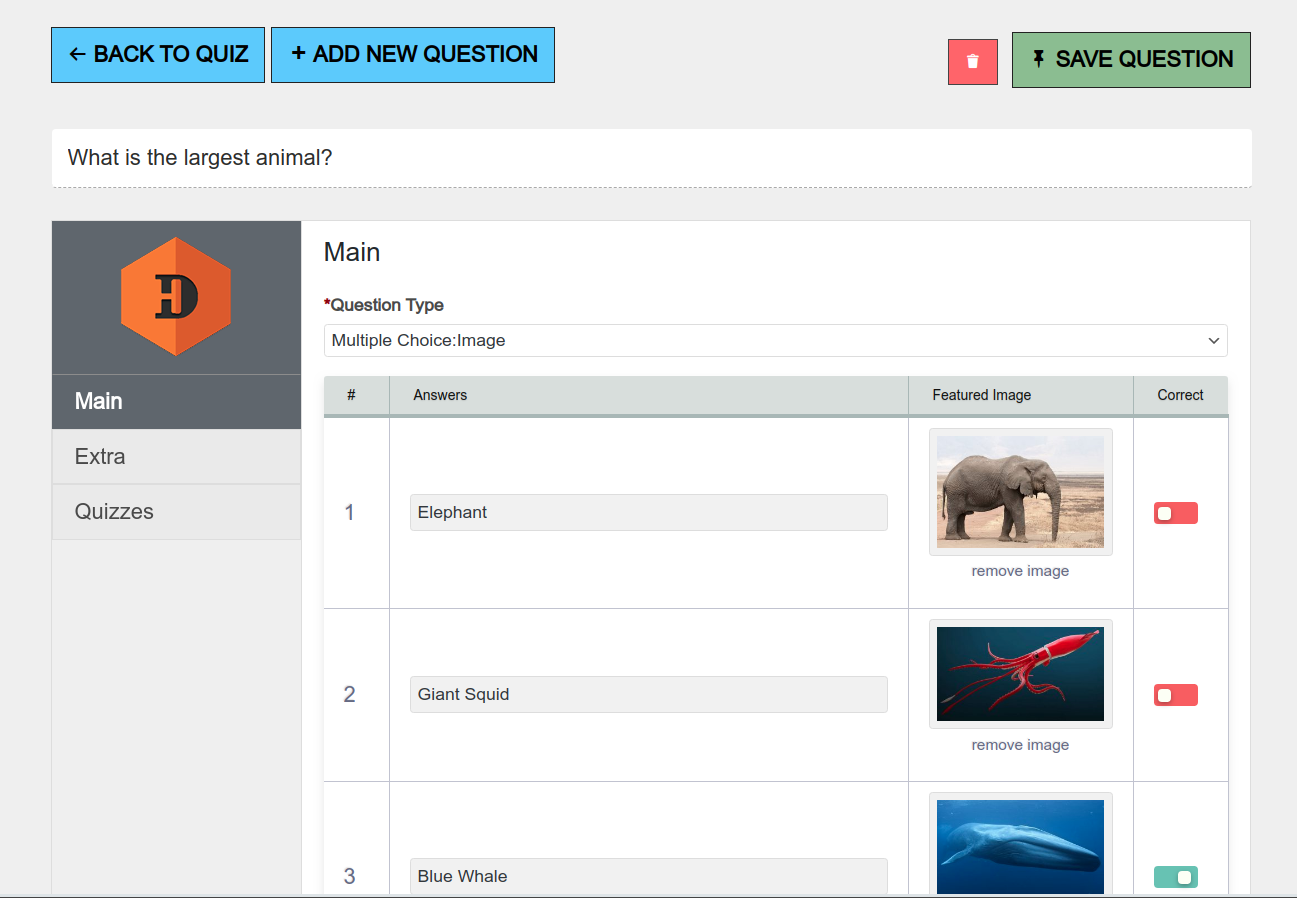
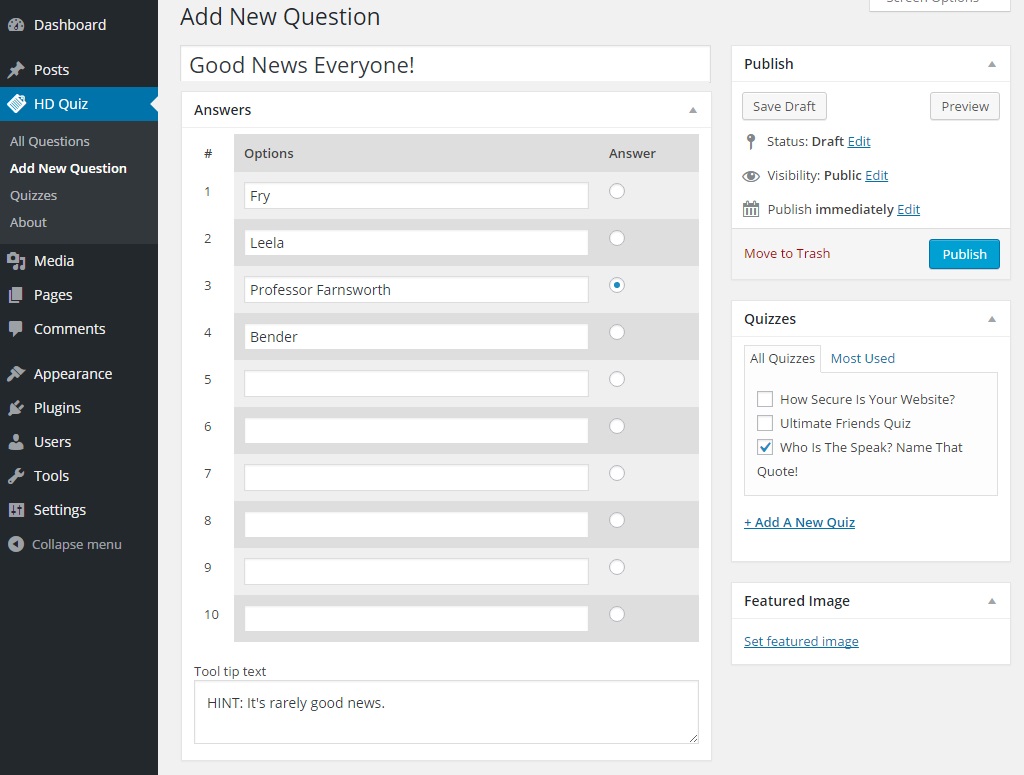
Once a quiz has been created, select the quiz open it up, then Add New Question
Enter in the question
You can have up to ten (10) answers per question. Make sure to select which answer is the correct one!
You can also select the “extra” tab to see more advanced features such as adding in custom text, enabling pagination, or setting a featured image
Select Save Question once done
USING A QUIZ
HD Quiz uses shortcodes to render a quiz, so you can place a quiz almost anywhere on your site!
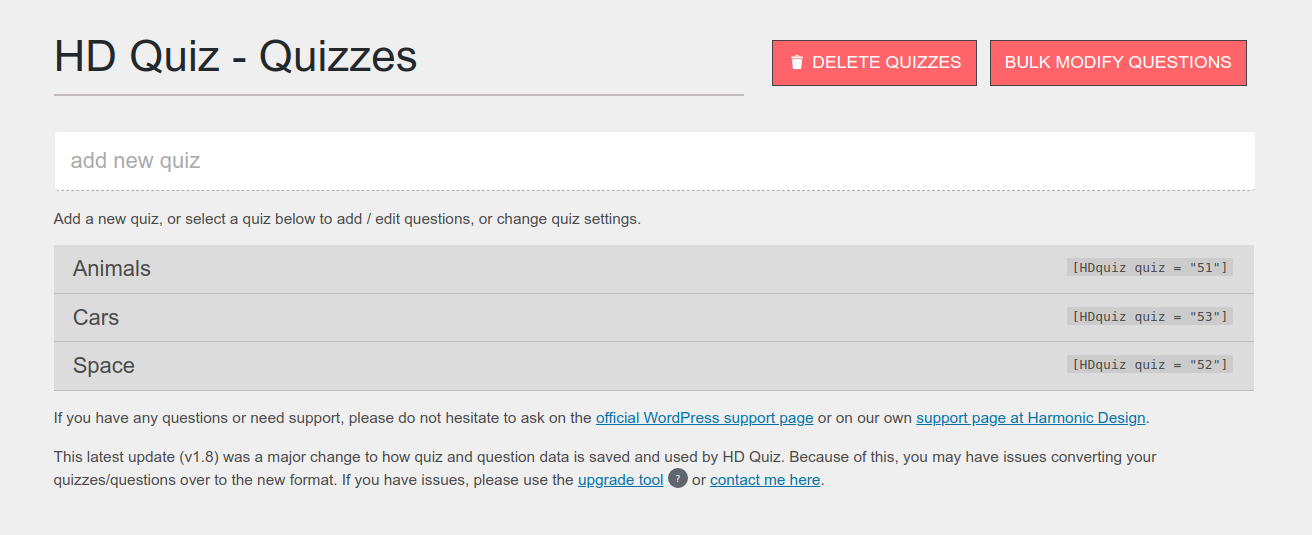
To find the shortcode for a quiz, select Quizzes in the left menu.
You will now see a list of all of your quizzes in a table, with the shortcode listed.
Copy and paste the shortcode into any page or post you want to render that quiz!
If using Gutenberg, then you can add the HD Quiz block instead.
????️ UPCOMING FEATURES ????️
I have already taken this plugin farther than I intended, but I’m overwhelmed with joy at how much you are all using and loving HD Quiz! Because of this, I have no intentions of stopping or slowing down development!
If you have any feature requests, then please let me know via the support tab or by leaving a comment on the HD Quiz plugin page.
TODO List – please note that there are no timelines for completion of any of the following features and this list is not in any particular order.
Dynamic results – instead of just pass/fail results, we can create as many results as needed. Example, a 0% result and a 100% perfect score result.
“hookable” question types – ability for any developer to add custom question types
Gamify compatibility? (let me know if this is something you are interested in)
Yes, HD Quiz can do traditional “scored” quizzes, along with personality-type quizzes.
Can quizzes include images or media?
HD Quiz has “image” based questions where a user needs to select the correct image. You can also add custom content to each question including video, image, audio, etc.
Is HD Quiz mobile friendly?
Sure is! HD Quiz is fully mobile and touch screen compatible. This includes the admin interface as well, so you can create quizzes on the go!
Can I randomize questions?
Yes, both the question order can be randomized, as well as the order of the answers.
What’s the difference between WP Pagination and jQuery Pagination? Which should I use?
Unless you are a unique situation, I’d almost always recommend using jQuery Pagination as it provides more control for you and a better experience for your users. WP Pagination should only be used if you are trying to increase your overall page views for ad revenue or something similar.
More information can be found on the HD Quiz About / Options page.
I have a feature request!
Fantastic! I’m one of those coders who loves a good challenge. Please submit your feature request here by using the support tab or leave a request of the official HD Quiz plugin page.
Keywords
Quiz, quizzes, create a quiz, add a quiz, quiz plugin, hdq, harmonic design, HDPlugins, text, MCQ, multiple choice
New global setting to replace the_content filter on quizzes (should help stop other plugins from adding content to quizzes)
XSS Security update (JPCert)
1.8.14
First steps to make HD Quiz translation ready!
Not everything is translatable, but most major headings and buttons are
Consider contacting me if you’d like to help translate HD Quiz into your own language
1.8.13
New definition HDQ_FORCE_ORDER to force order of questions
HDInvoice announcement
Better PHP8 compatibility
1.8.12
Caved in and updated Twitter to X
Security improvement for Adset Code
1.8.11
New question type: Select all that apply: images
1.8.10
New Web Share social share feature (for compatible browsers)
1.8.9
Minor update to default question template
Better shortcode detection in answers
1.8.8
Updated cleaner UI
Update to HDPlugins – new place to house Harmonic Design WP Plugin support
KaTeX support for answers
Additional actions/hooks
Better scrolling for sites with sticky headers
Tons of tiny little enhancements throughout
1.8.7
Hotfix: Translate Result Text
1.8.6
New Twitter Share Text customization (about/options page)
new Settings class to make adding new global settings easier
minor tweaks to question templates to allow for weighted question calculation
Text based answers basic stemming
minor improvements throughout
new hook to add custom content after question featured image
1.8.5
Better accessibility (keyboard navigation)
Better support for timer per-question and select all that apply question type
New hook to better add custom data attributes to questions
Minor bug fixes
New Trivia Company page
1.8.4
Minor updates
Security Update
1.8.3
Various bug fixes, enhancements, optimizations
Better admin interface for users with LOTS of questions
New feature – hide questions on quiz completion
Introduction to the Save Results Pro addon
1.8.2
Various bug fixes, enhancements, optimizations, and overall more polished UX
New question type: Select All That Apply
Quizzes are almost fully WCAG compliant (keyboard navigation work still needed)
More easily rename a quiz from “Advanced” tab
New on init filter
Better settings page
More translation options
New “auto scroll” functionalty (enable Legacy Scroll if you want to use the old system)
1.8.1
Various bug fixes and enhancements related to 1.8.0
1.8.0
Too many changes to list, but here are some of the major
New question type – text / input based answers (user types answer)
New timer feature – per question
Quizzes hidden behind a “start” button if a timer is set
Quiz and question meta now hookable (for developers)
Significantly faster
Basic AMP detection to direct users to non AMP version
Basic loop detection if more than one quiz is on a page at a time to improve compatibility
Ability to add basic formatting such as strong and sup to questions and answers
various bug fixes and enhancements
a whole lot more
1.7.0
minor bug fixes and updates
[feature] only allow answers to be selected once
[enhancements] custom actions for developers
[addon] Release of HD Quiz Save Results Light (view addons page)
1.6.1
minor big fixes and updates
ability to add score percent
ability to allow authors access to edit or add quizzes / questions
1.6.0
complete admin UI overhaul
additional bug fixes and enhancements
integrated custom question ordering
too many updates to remember
1.5.0
Massive rewrite of almost the entire plugin. Please do not hesitate to ask for support if needed, but upgrading should not be an issue.
* much cleaner admin area
* improved quiz design
* significantly optimized quiz code
* increased security and efficiency
* removal of results.php – all calculation done client side now
1.4.2
various bug fixes and compatibility increases
Quiz option to grab from a pool of questions
Quiz option to allow the custom question text to appear even if the user selected the correct answer
1.4.1
various bug fixes and compatibility increases
the word ‘question’ (that’s prefixed before every question) is now translatable in the HD Quiz options page along with ‘Next’ and ‘Finish’.
More power over the quiz results pass/fail text. You can now embolded, italicize, and linkify the text.
Each question can have a small write up explaining what the right answer is. This would only show if entered and if the user get’s the question wrong. You can also add links to this sections if you wish.
1.4.0
Added in the more powerful jQuery pagination feature
Added ability to use a question as a title or heading
added option to randomize the question answer order
revamped quiz options page to make features more clear and even more accessible.
added FAQ to readme.txt
1.3.5
Added two new global options to About / Options page
Next Button Text
Finish Button Text
NEW: Added quiz option to randomize the order of the questions
NEW: Added quiz option to highlight the correct answers on completion
in addition to the default that only shows if your selected answers are right or wrong
Speed and compatibility improvements
HD Quiz jQuery and CSS files will now only load if the page actually has a quiz on it
improvements to quiz pagination
General code cleanup and optimization
1.3.0
Added new Timer option
Added Pagination (experimental)
Massive rewrite of the results function. Much more optimized and stable
Added Quiz filter to the Questions list admin page
New reskinning of Quiz options page
Updated about / options page
1.2.1
bug fixes to admin area.
1.2
advancements to featured images for questions
images will upscale if you upload a small image
each answer can have its own featured image.
code cosmetics, minor bug fixes, and code optimizations
1.1
New option to share via twitter.
You can set up your twitter handle to have each share mention you.
Extended Facebook share.
If you create a Facebook App (don’t worry, it’s easy to do!), then HD Quiz can actually share a user’s score and results instead of Facebook grabbing content from your page as if the content were static.
If you do not wish to create an app, then HD Quiz will revert to the old facebook share.
These options are global options and can be found under HD Quiz -> About / Options