GSpeech plugin uses Google Translate automatic text-to-speech service to empower wordpress site with the best text-to-speech functionality using the Google power. With 50+ available languages your site will be available to larger audiences worldwide. Our commercial versions are using the best human-like AI voices, to make it even more comfortable to consume your content and better serve your customers.
GSpeech is a leading website text-to-speech services provider since 2012. It is the most powerful and user friendly WordPress Text to Speech Audio Solution.
This Free Text to Speech Plugin allows to Enhance Accessibility of WordPress Website and automatically create audio version of your content and embed via beautiful Text to Audio players. Empower visitors with disabilities to still completely consume your content without the complications of reading, and enhance the experience of users that prefer listening to content over reading.
Useful Links:
Homepage – Online text to audio generator is available.
Live Demo – See GSpeech in action. Different languages.
Screenshots – Live previews from clients websites.
WordPress Free Text to Speech Plugin – Video Tutorial
Why Use Text to Speech by GSpeech?
Accessibility: Enhance accessibility and inclusivity of your WordPress website and promote equal access to digital content to a wider audience, including people with visual impairments or other disabilities. By making your content more accessible, you can create a more inclusive workplace and better serve your customers.
User Experience Enhancement: One of the main benefits of using Text to Speech by GSpeech is the improvement of the user experience. GSpeech makes content more engaging, immersive, and interactive, providing an audio option for consuming content via a nice looking and creative text to audio players.
Multitasking and Convenience: GSpeech enables users to comfortably listen to content while engaged in other tasks or situations where reading may not be feasible.
WordPress Text to Speech Plugin – CUSTOMER TESTIMONIAL
Expanding my content reach with professional-grade voice and translation:
“I am expanding my activity writing articles which now need to reach several geographies of non native english speakers, and satisfy audio accessibility requirements. I have tested several text to speech plugins, and selected Text To Speech by GSpeech as it covered all of my requirements. Seamless integration with my self-hosted WordPress website, customizable widgets giving the reader a lot of flexibility, stats. It even proposes instant real-time translation to a huge number of languages of any article using a neural engine which works great and is very accurate. Support is very responsive and has always covered all my questions like a Pro.”
— Hans SANDKUHL – Strategy and Sustainable Innovation
Upgrade to GSpeech Commercial Plans to get Advanced Features:
Get access to best features by upgrading to GSpeech Commercial.
The commercial version of text-to-speech generator plugin gives you access to awesome features and the best UI!
Text to Speech by GSpeech – Commercial Features:
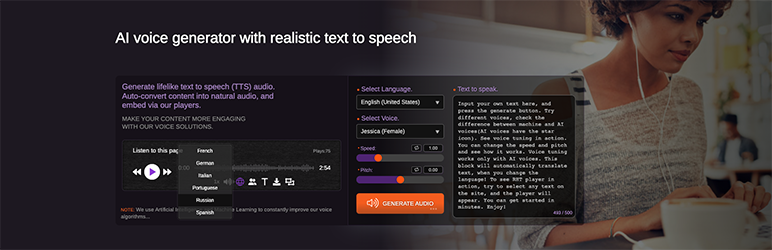
AI voices! See demo. They have the star icon. Take advantage of 220+ voices in 60+ languages. Pick the voice, control speed and pitch, so that works best for your users and application.
Tranlstae Blog Content and listen to audio version using 67 languages supported by Google Technology(please check the list in FAQ).
Voice Tuning: Personalize the speaking pitch of your selected voice, up to 20 semitones more or less from the default. Adjust your speaking rate(speed) to be 4x faster or slower than the normal rate.
Text Aliases: example – teach it, to read AI as Artificial Intelligence.
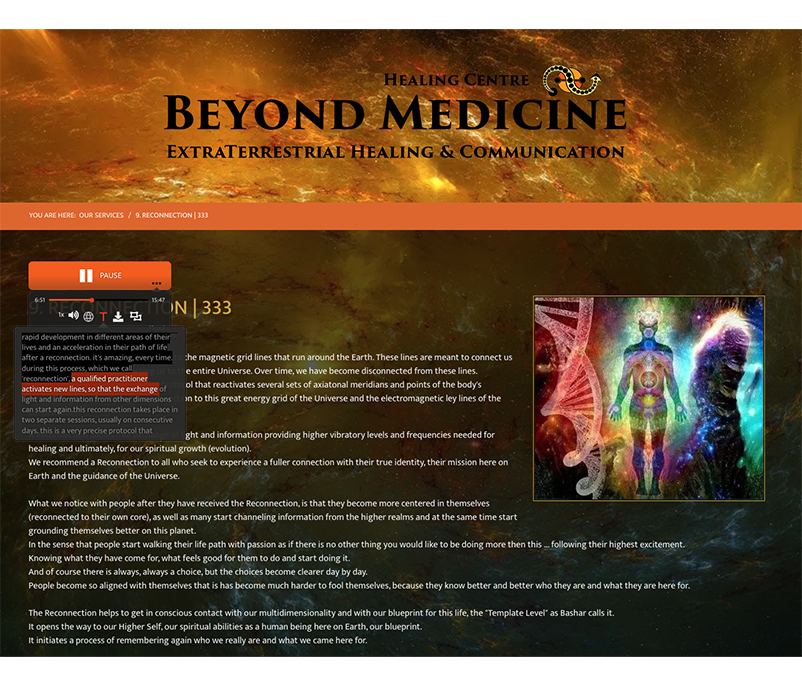
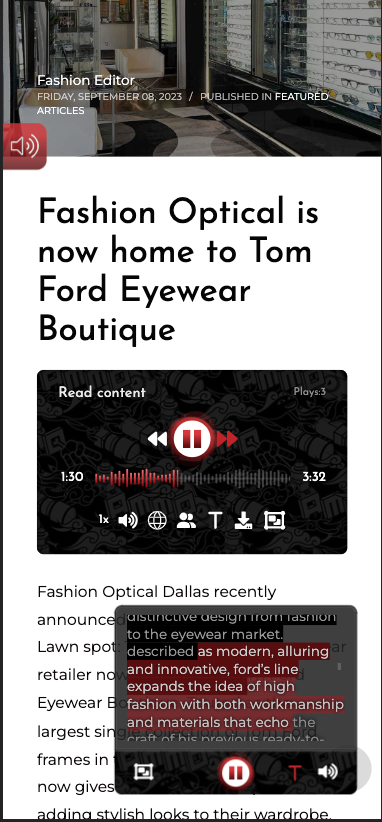
Text Panel: Shows text panel, and caption the part of text, which is being read.
Context Player: Would follow the users as they scroll and allow them to control the player when it’s out of view.
Voice Panel: Allow your users to listen audio in desired voice(differnent male/female voices).
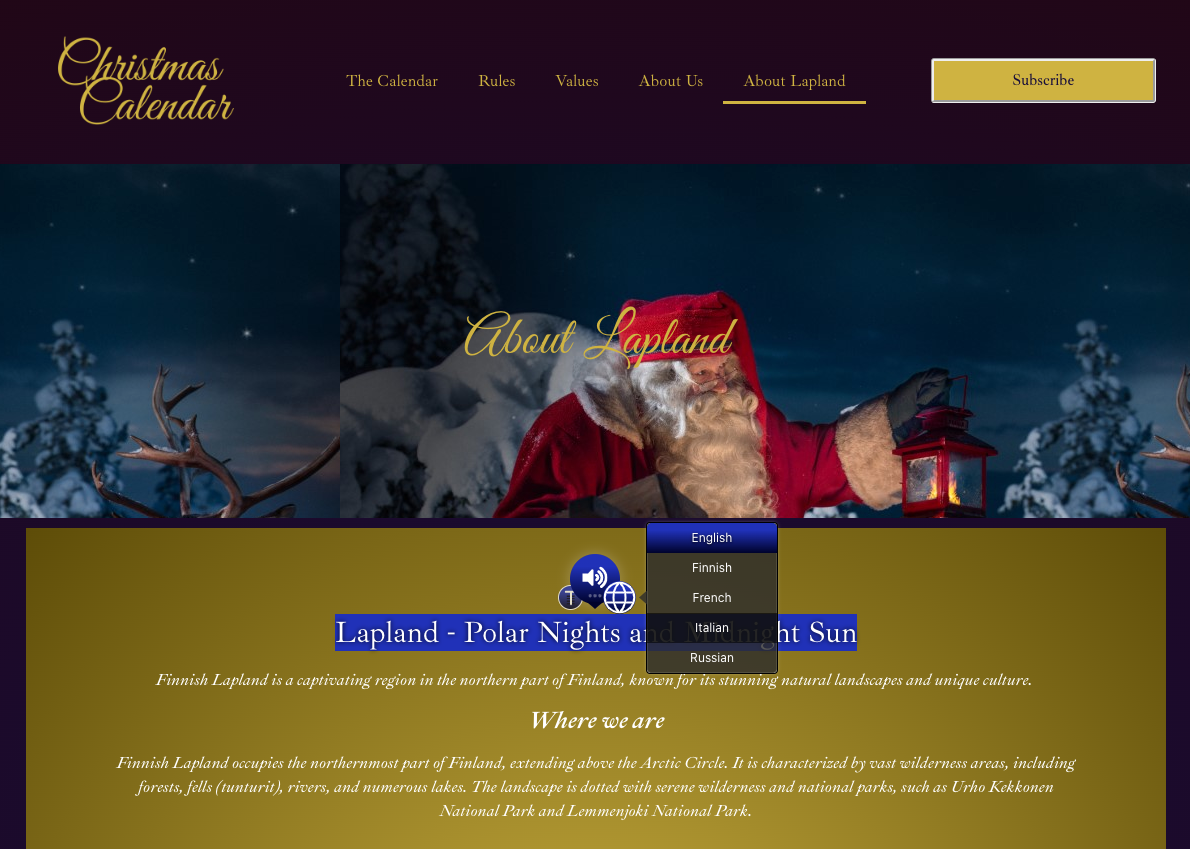
Translate Panel: Give your users opportunity to on-the-fly translate audio to desired language instantly from the player(real time tranlation). We use Google Power and best neural solutions. Shows a globe icon in the player, to choose the language.
No need to get API keys: We are taking care for all that stuff(both TTS and Translation API keys). You just pay for your service.
RHT Player: View 2, View 3(translate and text panels included – see screenshots).
Download audio. Shows download icon in the player, .mp3 file being downloaded! Unlimited downloads.
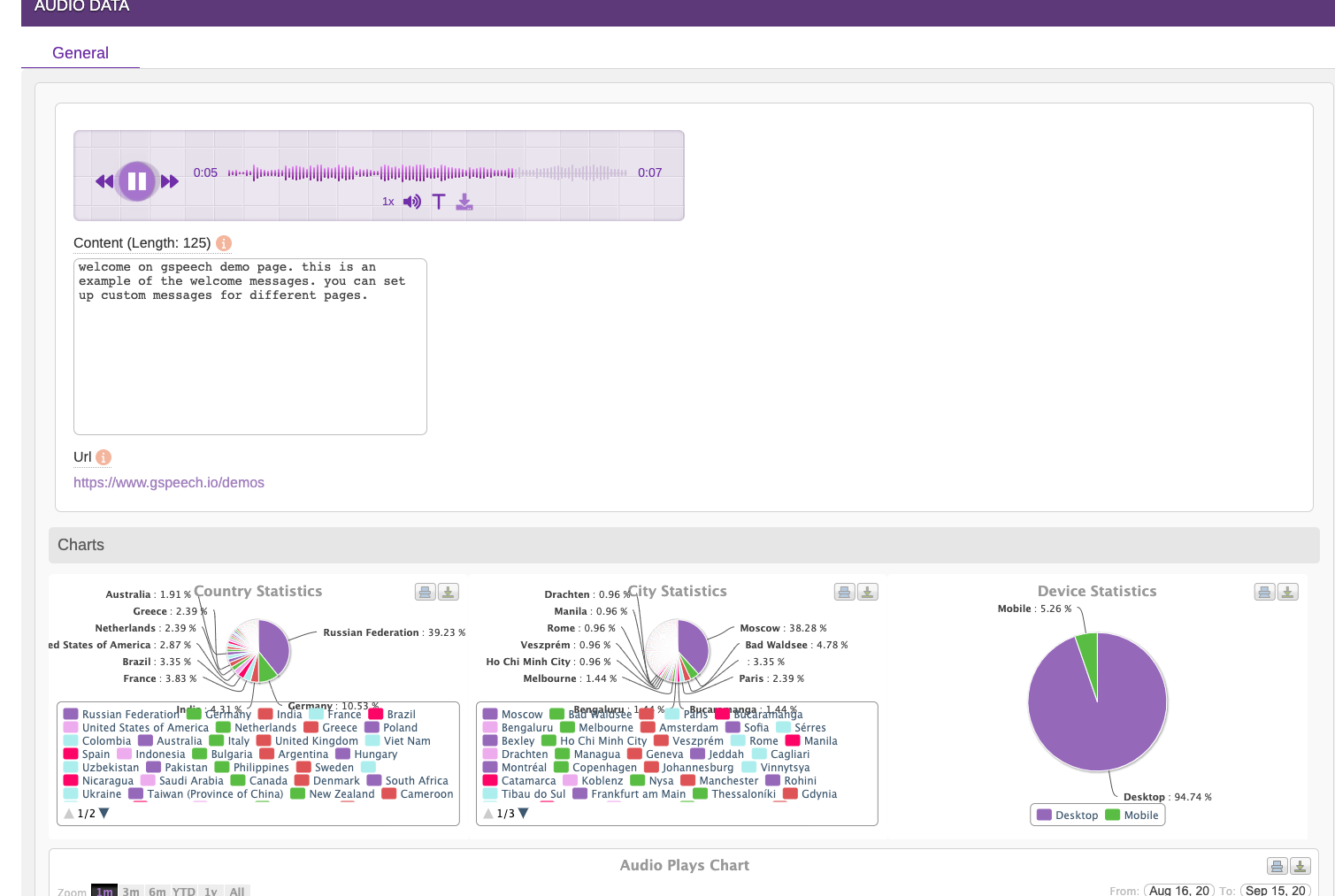
Download statystics!
Seamless updates (cloud service updated on our side – SaaS, you do not need to worry about any updates).
Detailed Analytics.
Play statystics.
Dedicated Support.
Text to Speech by GSpeech plugin gives apportunity to add accessibility feature in any WordPress site in just one click. Text to Speech by GSpeech plugin implements Web Content Accessibility Guidelines (WCAG) in the site.
Use Text To Speech by GSpeech to Create More Engaging WordPress Content
Text-to-speech technology can create more engaging content for customers. Convert your articles, blog or any content into high-quality audio for users who prefer listening over reading. It also shows that you’re willing to go the extra mile to accommodate your customers. Transforming text into speech can provide an engaging experience for audiences, encouraging return visits!
WordPress Text to Speech Plugin – Full Player (AI voices)
WordPress Text to Speech Plugin – RHT Player (AI voices)
GSpeech(3.X) usage terms
The GSpeech 3.X version provides a Text To Speech service, which is performed by GSpeech. As such, the service is required to make calls to GSpeech’s backend server. For using GSpeech 3.X Version you should consent to our Terms of Service.
It also still provides support for the GSpeech 2.X Version in the same package.
GSpeech 2.X Features(it is also integrated in 3.X version):
Unlimited text to speech!
Read any selected text.
Welcome messages.
Place speaker wherever you want! (use {gspeech}text to speech{/gspeech} shortcode)!
Customizable TTS block styles!
Customizable tooltip styles!
Ability to set custom style and language for each the each TTS block!
40 speaker types!
Live preview in administration panel!
GSpeech 2.X Requirements
You must have curl library enabled on your hosting, for GSpeech 2.X
Usage GSpeech 2.X – Creating Text to Speech blocks.
Basic structure – If you want the speaker to appear after the text, do the following!
{gspeech}Text to speech{/gspeech}
Structure with parameters – You can specify custom styles and language for each Text to Speech block!
{gspeech style=2 language=en}Custom text to speech{/gspeech}
Structure with all parameters will be
{gspeech style=2 language=en autoplay=1 speechtimeout=0 registered=0 selector=anyselector event=anyevent hidespeaker=1}welcome{/gspeech}
We keep screenshots updated, you can check screenshots from clients websites, and see GSpeech in action, multiple themes and templates!
GSpeech was created in 2013, and was providing the text to speech generation directly on your server.
It uses the default voices of the Google Translate!
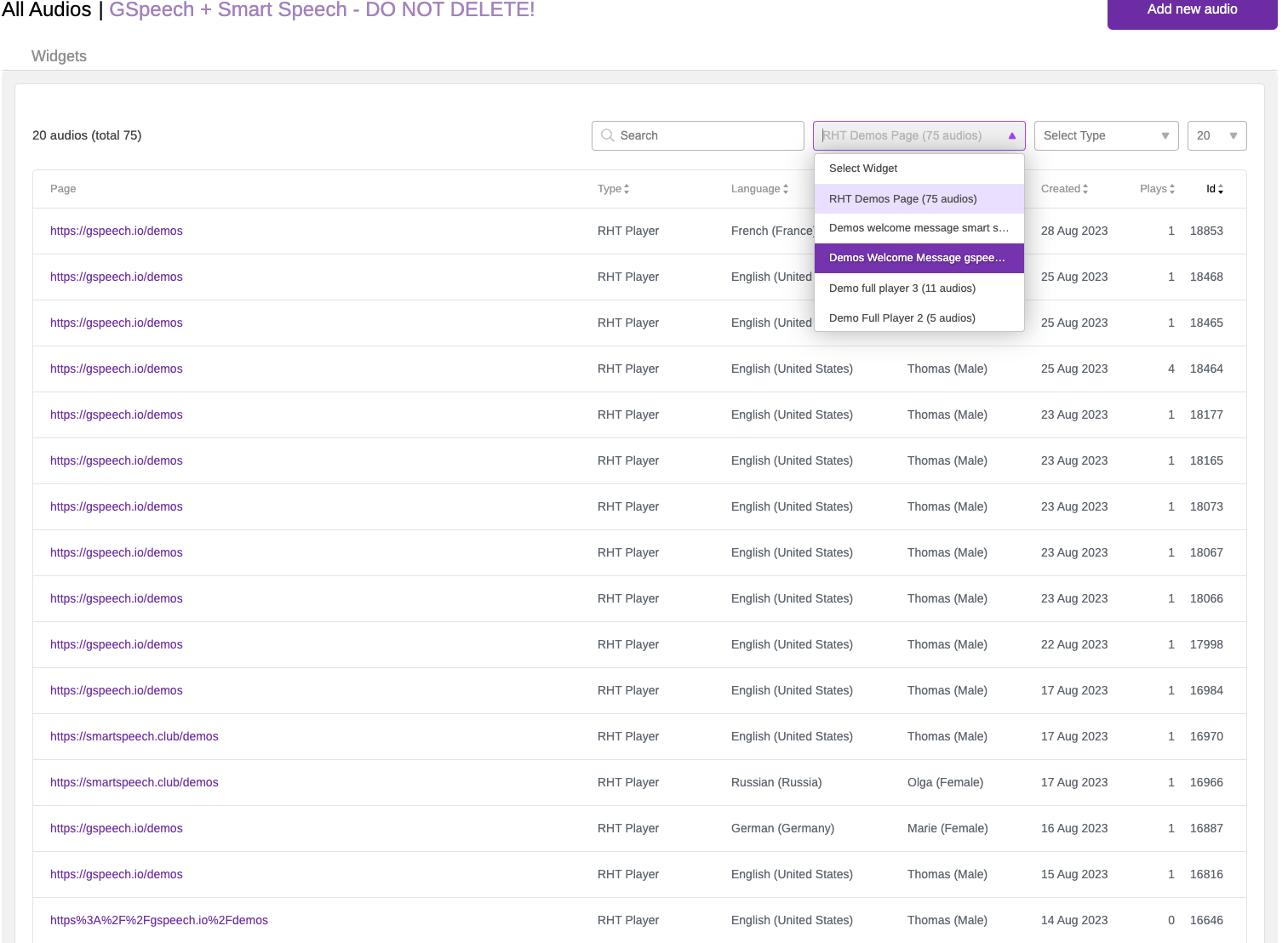
Gspeech 3.X update(August 2023) is a migration the completely new powerfull platform: GSpeech Dashboard, with support of the best AI voices(commercial plans), multiple player types, widget types(page players, welcome messages, RHT(Read Highlighted Text) player, speaking links, inactivity message or custom audio event), text aliases, audios database with ability to download, detailed analytics and statystics, and with full intefration in WordPress Admin Panel.
Which languages are supported?
Here is the list: Arabic, Basque, Bengali, Bosnian, Bulgarian, Catalan, Chinese (Simplified), Chinese (Traditional), Croatian, Czech, Danish, Dutch, English (Australia), English (UK), English (India), English (United States), Estonian, Filipino, Finnish, French (Canada), French (France), Galician, German, Greek, Gujarati, Hindi, Hungarian, Icelandic, Indonesian, Italian, Japanese, Javanese, Kannada, Khmer, Korean, Latin, Latvian, Lithuanian, Malay, Malayalam, Marathi, Myanmar, Nepali, Norwegian, Polish, Portuguese (Brazil), Portuguese (Portugal), Romanian, Russian, Serbian, Sinhala, Slovak, Spanish (Spain), Spanish (United States), Sundanese (Indonesia), Swahili, Swedish, Tamil, Telugu, Thai, Turkish, Ukrainian, Urdu, Vietnamese, Yue Chinese.
How to insert a player in a post or page or any article?
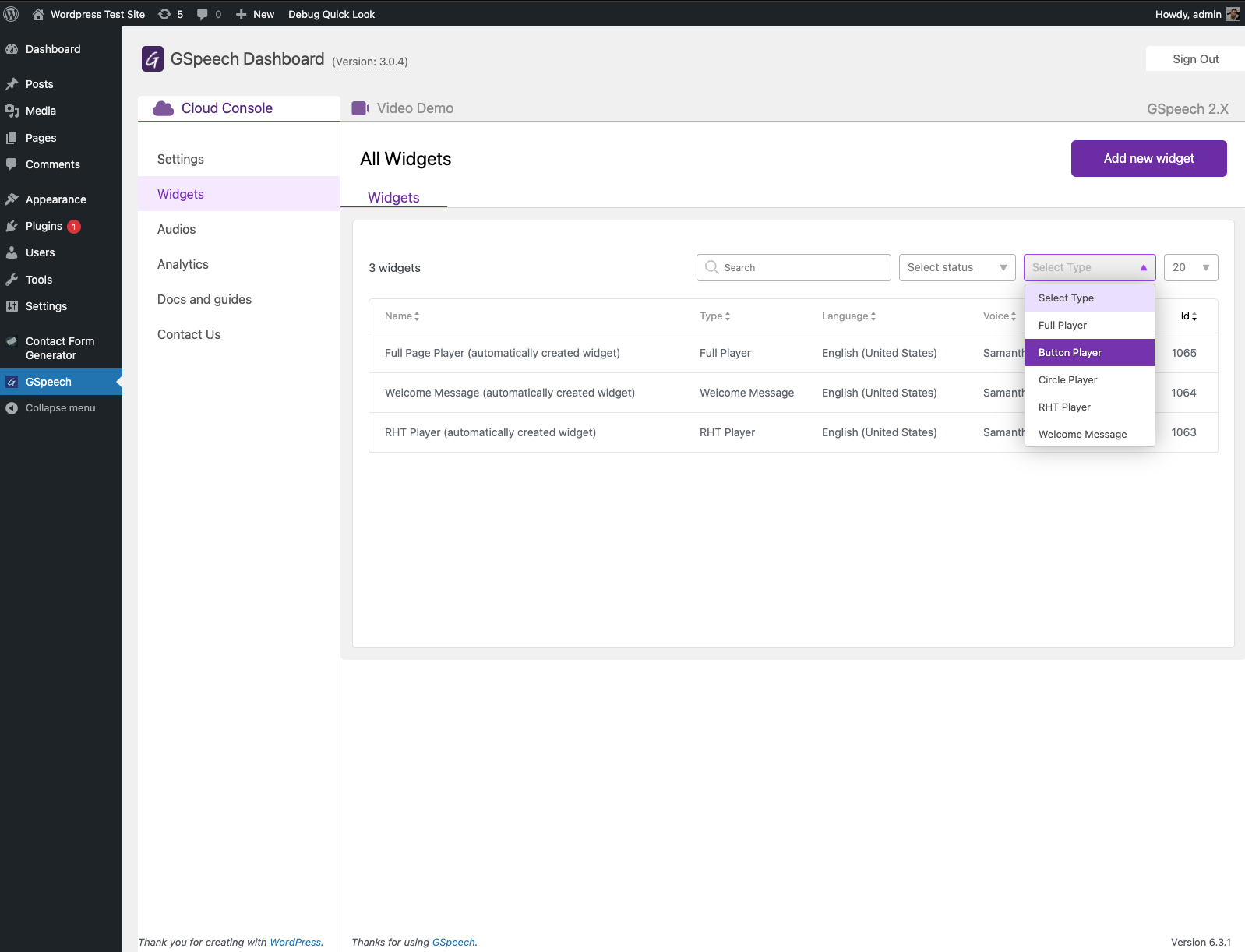
GSpeech supports multiple ways to render the players. Once you activate the Cloud Console(just one click is required), the required widgets are being created automatically!
Shortcode
1. To insert the Full Page Player anywhere in content, use [gspeech] shortcode.
2. To insert the Button Player anywhere in content, use [gspeech-button] shortcode.
3. To insert the Circle Player anywhere in content, use [gspeech-circle] shortcode.
4. To use inline shortcode, use {gspeech id=ID}text to speech{/gspeech} shortcode. Where ID is the id id the audio widget.
To edit players settings, please go to: WP-Admin->GSpeech->Cloud Console->Widgets.
Each of player has its widget there!
To automatically add player on multiple pages, please go to: WP Admin->GSpeech->Cloud Console->Widgets and publish the “multi-page” audio widget(set Status to Published). It usually works on most types of wordpress sites.
Custom Html
1. To insert the Full Page Player anywhere in the content, use: <div class=”gsp_full_player”></div>
2. To insert a Button Player anywhere in content, use” <div class=”gsp_button_player”></div>
3. To insert a Circle Player anywhere in content, use: <div class=”gsp_circle_player”></div>
You can contact-us, and we will quickly configure it for your website.
How GSpeech can help to improve your wordpress accessibility?
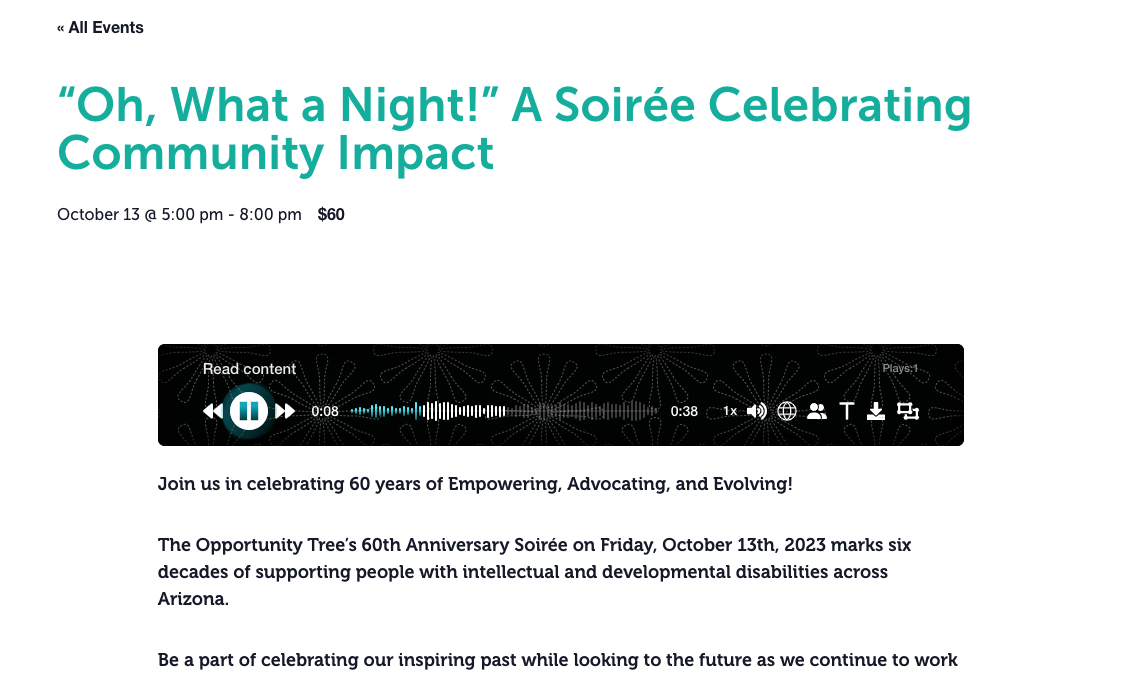
GSpeech is a universal audio solution. It has different player types, to read out loud your articles and any content. It supports three player types, with 16+ themes.
Also it has a special player called RHT Player, which allows to listen to the audio of any selection from your website. See RHT section bellow.
What is Read Higlighted Text(RHT) Player, how to use it?
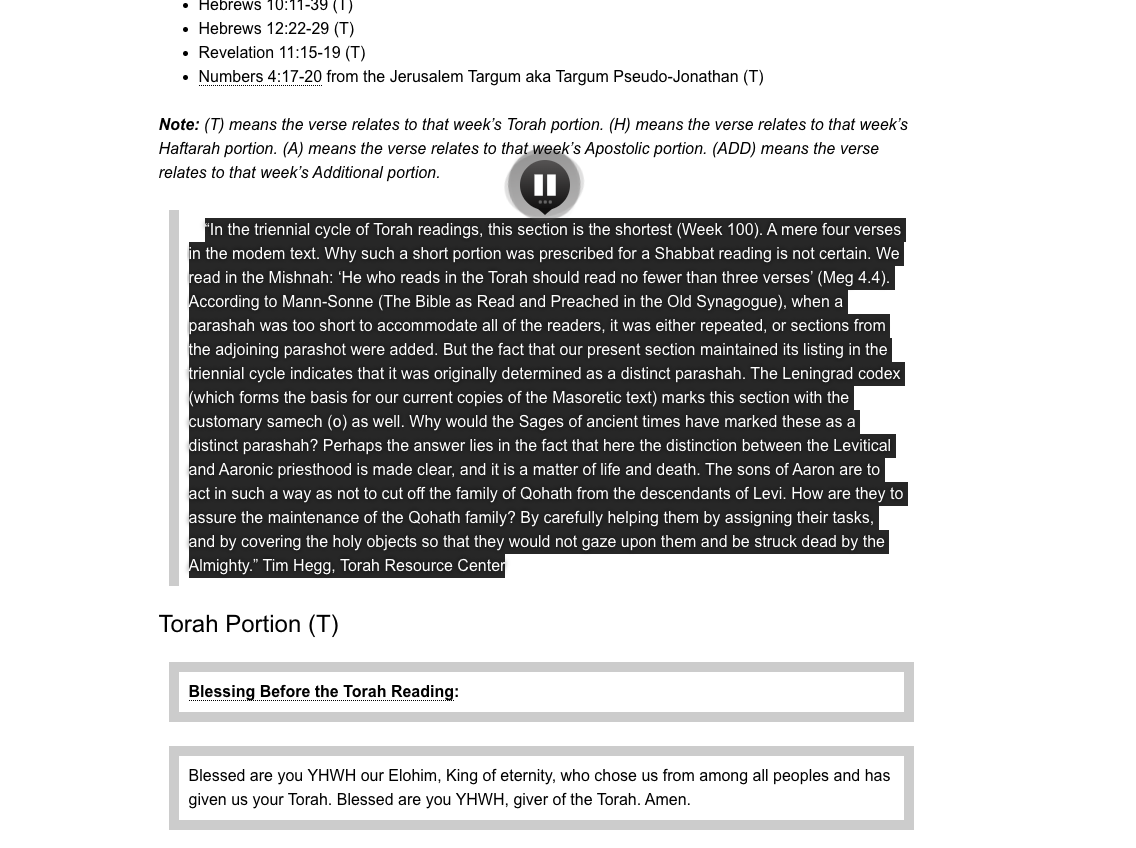
The RHT Player is a very nice accessibility feature for any website to improve WordPress accessibility, which allows all your website visitors to listen to any selected text on the webiste.
It is being activated automatically after you enable the plugin and activate the Cloud Console!
It also shows animated banners, which informs your website visitors about that(TTS) feature active.
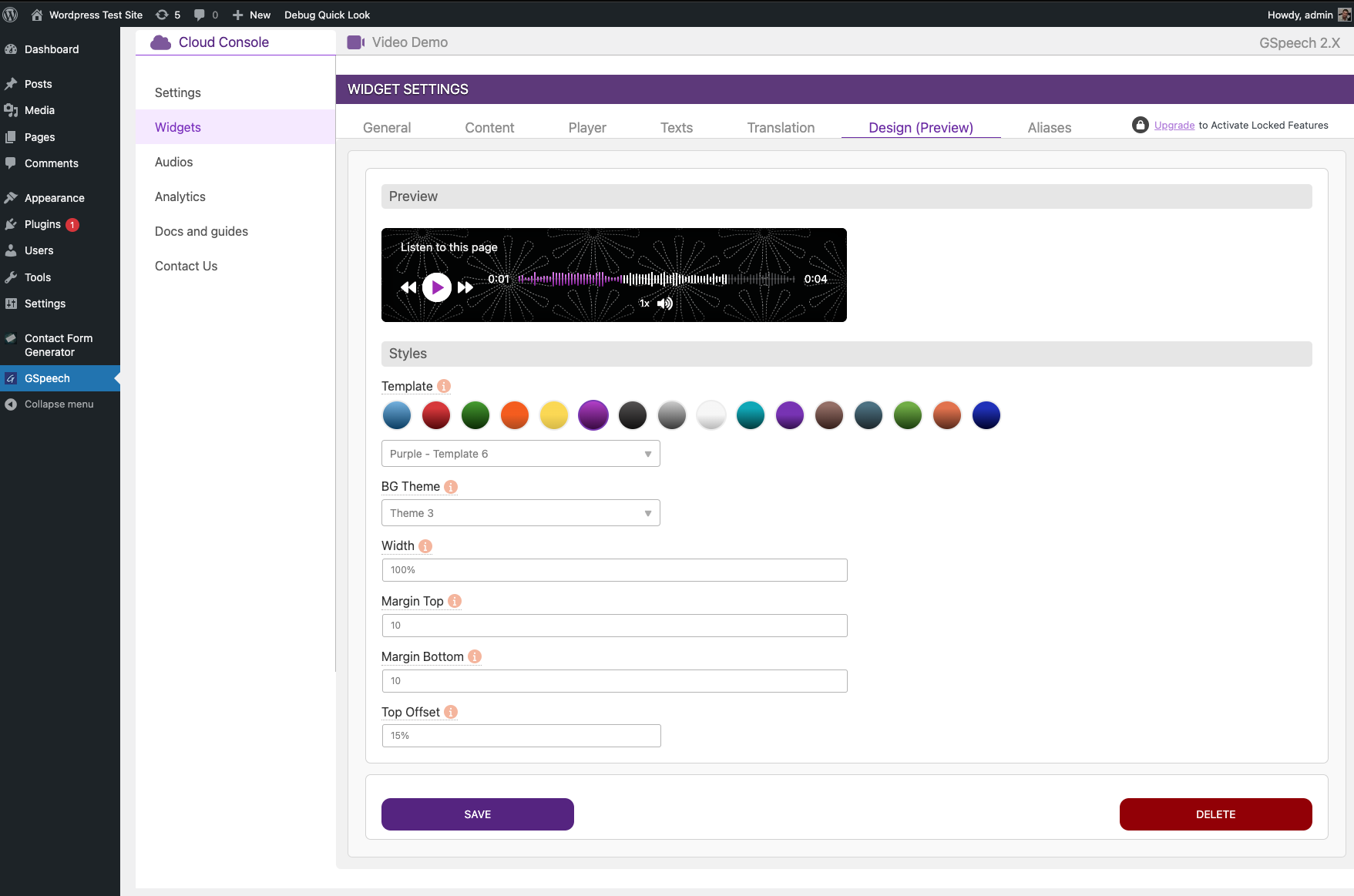
You can adjust one of 16 different templates, change banner position, texts, and much more.
To make the configuration, please go to: WP-Admin->GSpeech->Cloud Console->Widgets->RHT Player. You will see the list of all options there.
It has three views. By default it uses the View-1, which is a circle icon, and has built-in timeline and volume/speed options.
In commercial plans you can use View-2 and View-3, where you can translate any piece of text, and listen to the translated content.
Once you activate the Cloud Console, the widget Welcome Message is being created automatically, but it is unpublished by default. To activate it, please go to: Wp-Admin->GSpeech->Cloud Console->Widgets->Welcome Message:
and set Status to Published.
To change the welcome message:
in the same page go to Content tab and change the Content Text.
To set up only on some pages:
Use Allowed Urls, set one url per row. If you need only on homepage, place only url of homepage.
To play only once:
Go to Advanced tab, and set Play Type to Once per session.
Is it FREE?
Yes! There is no audio limit fory the GSpeech 2.X(included in the same package), and for the GSpeech 3.X the limit is 50k characters each month!
Characters are being counted on a new content only. Then audio file is stored on the cloud, and can be played unlimited times.
GSpeech Structure!
Gspeech has a Flexible Architecture!
Each account can have up to ten websites! Each of them has its settings and analytics!
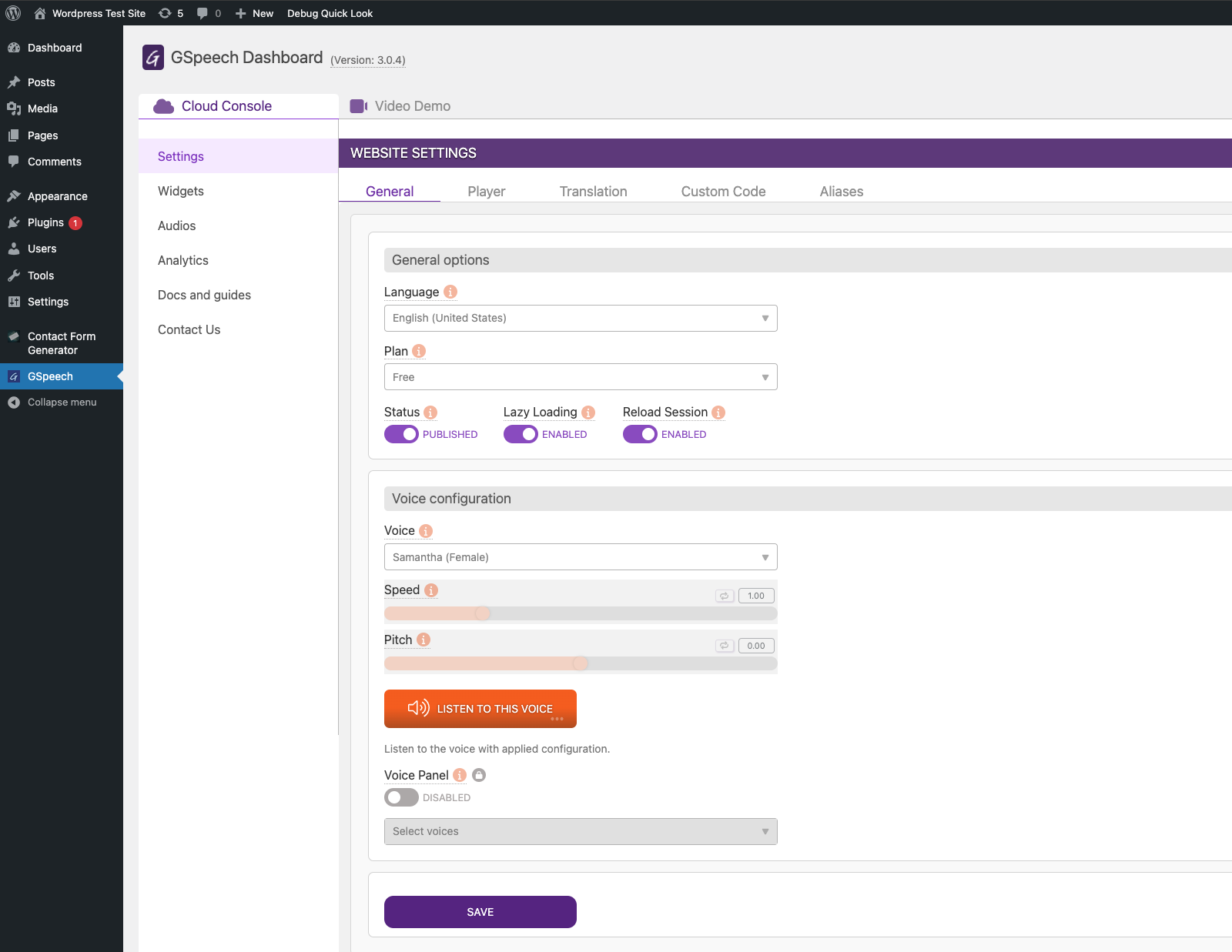
Website Settings:
You specify the Website Language, and Default Voice. (Speed and Pitch of voices can be configured, for AI voices).
The players generation is made by the Smart Widgets Architecture:
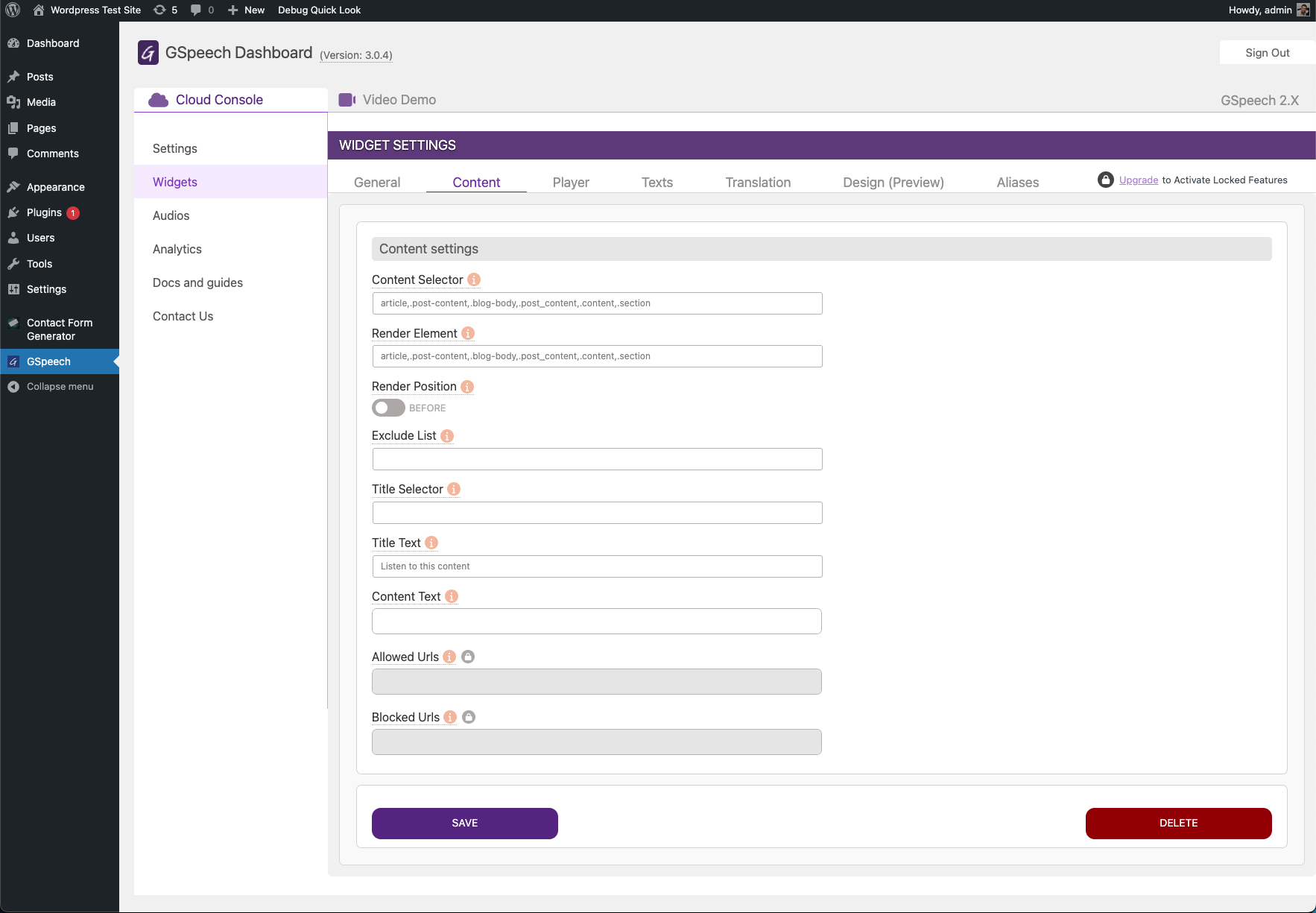
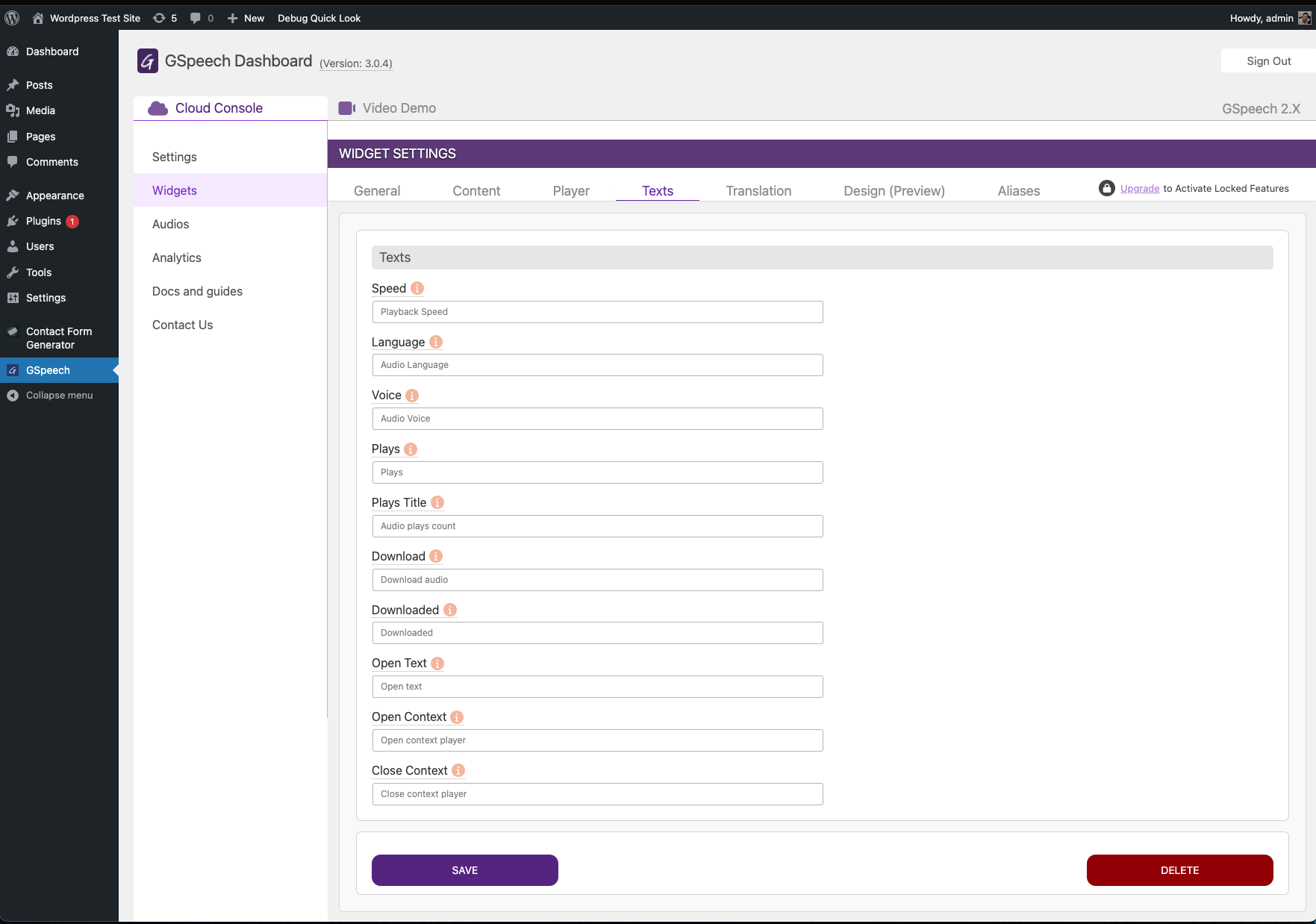
Widget Settings:
There are six types of widgets: Full Page Player, Button Player, Circle Player, RHT Player, Welcome Messages, Custom Audio.
Main section of each widget is:
Content Settings 1: Content Selector: specifies which elements should be included in the audio. HTML markup being used, which means you call elements by its html values. Usage:
To call element by class, .(dot) is being used. For id, # being used.
You can specify more than one element there. Separate with ,(coma). NOSPEECH Class:
To exclude some part of content from the audio, add the class nospeech to the containing element of that piece of content. Greather-then >:
Can be used, to navigate to parents element. Example: .mydiv>.parentdiv . Less-then <:
Can be used, to navigate to children element. Example: .mydiv<.childdiv .
There are two keywords: self_class, and parent_class, relative to Render Element.
If you write self_class, ir will use the same content, as Render Element has, and for parent_class it will use the parent elements content.
2: Render Element: specifies where to render the widget. Usage:
To call element by class, .(dot) is being used. For id, # being used. Data usage: Structrue: data-{attribute_name}:{attribute_val} .
If your element has data-id=”777″, you can access it: data-id:777 .
3. Exclude List: specifies which elements should be excluded from audio(HTML markup being used, which means you call elements by its html values. To call element by class, .(dot) is being used. For id, # being used). You can specify more than one element there. Separate with ,(coma).
4. Title Text: Player Title. Will be used as top text for the Full Page Player, content for Button Player, and title for Circle Player.
5. Title Selector: Use this to catch the post title, and show it in the player. Example: h1. Leave it empty, if you are using Title Text.
6. Allowed Urls: The list of urls, where the player should be rendered. Use *(asterisk) to match any character. Example: use www.example.com/blog* to render on all blog pages.
7. Blocked Urls: The list of urls, where the player should not be rendered. Use *(asterisk) to match any character.
You can contact-us, and we will configure it for your website.
How to use with Elementor!
To use with Elementor pages, add the shortcode [gspeech type=button](type can have values of: full/button/circle) anywhere in the content.
By default it will include the content of parent element, where the player placed.
To change the element, which content will be included in the audio, set the custom class to your elementor wrapper in the advanced tab. For example set the class my_gsp_player(in elementor you put value without dot).
Then go to WP Admin->GSpeech->Cloud Console->Widgets->Shortcode Widget(depends on the type you use, choose full/circle/button), go to content tab, and set content_selector to the value you specified in the Elementor custom class.
In our example it will be .my_gsp_player(here dot is required).
That’s all.
You can contact-us, and we will quickly configure it for your website.
Do I need to pay for Google TTS and Translate API keys usage?
No, all the TTS keys and the automatic real time translations are included in all packages(commercial plans).