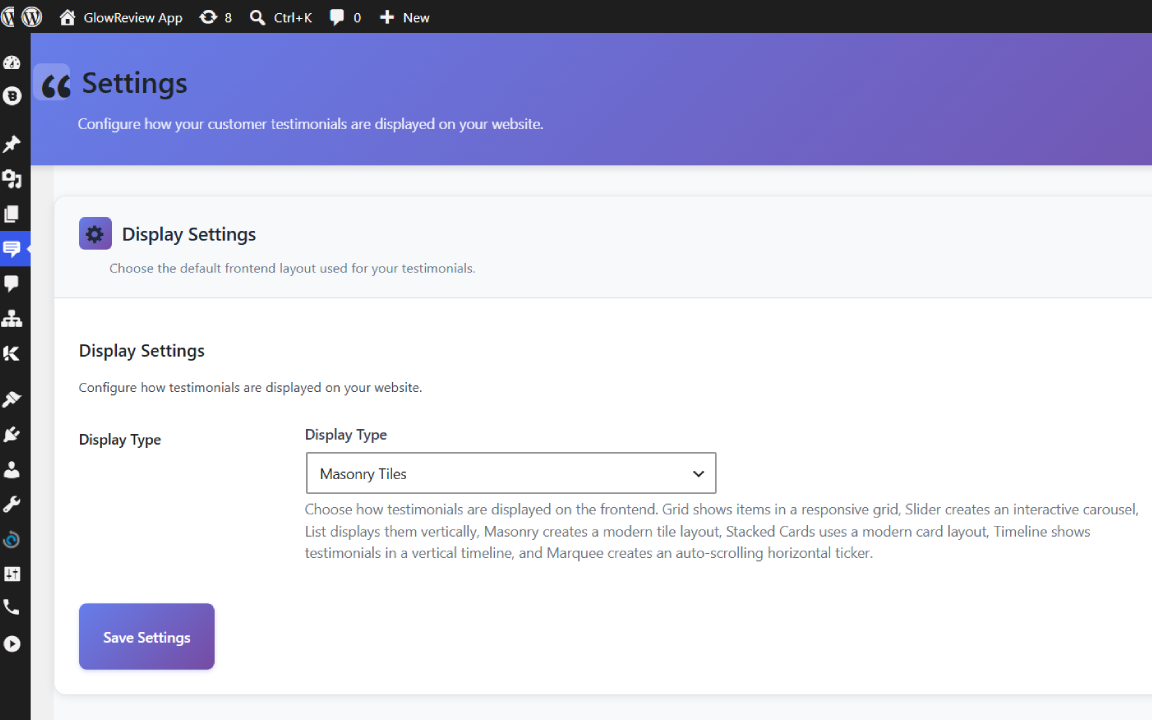
GlowReviews is an all-in-one customer feedback and testimonial plugin for WordPress. Effortlessly collect genuine 1-5 star ratings, manage submissions through an intuitive moderation queue, and showcase social proof in responsive grids, sliders, marquees, masonry tiles, or custom drag-and-drop layouts.
Whether you build with the modern Block Editor (Gutenberg / FSE), Elementor, Divi, Bricks, or classic themes, GlowReviews gives you full creative freedom without touching code or slowing down your website.
???? Watch Video Tutorial
???? Why Choose GlowReviews?
Native Gutenberg Blocks: Insert testimonial showcases or feedback forms with real-time in-editor previews and live sidebar controls. Search /testimonial or /review in the block inserter.
1-Click Sample Testimonials: Cold-start solved! Load 5 curated, high-converting sample testimonials with 1 click to preview layouts immediately, and clean them up anytime.
Visual Drag-and-Drop Layout Builder: Build custom testimonial cards with live desktop, tablet, and mobile previews.
14+ Designer Presets: Instant access to modern design styles including Glassmorphism, Gradient Border, Social Proof, Rating-First, Minimal, and Corporate.
Custom Layouts: Create and save unique designs with our drag-and-drop card builder.
????️ Smart Feedback Collection & Moderation
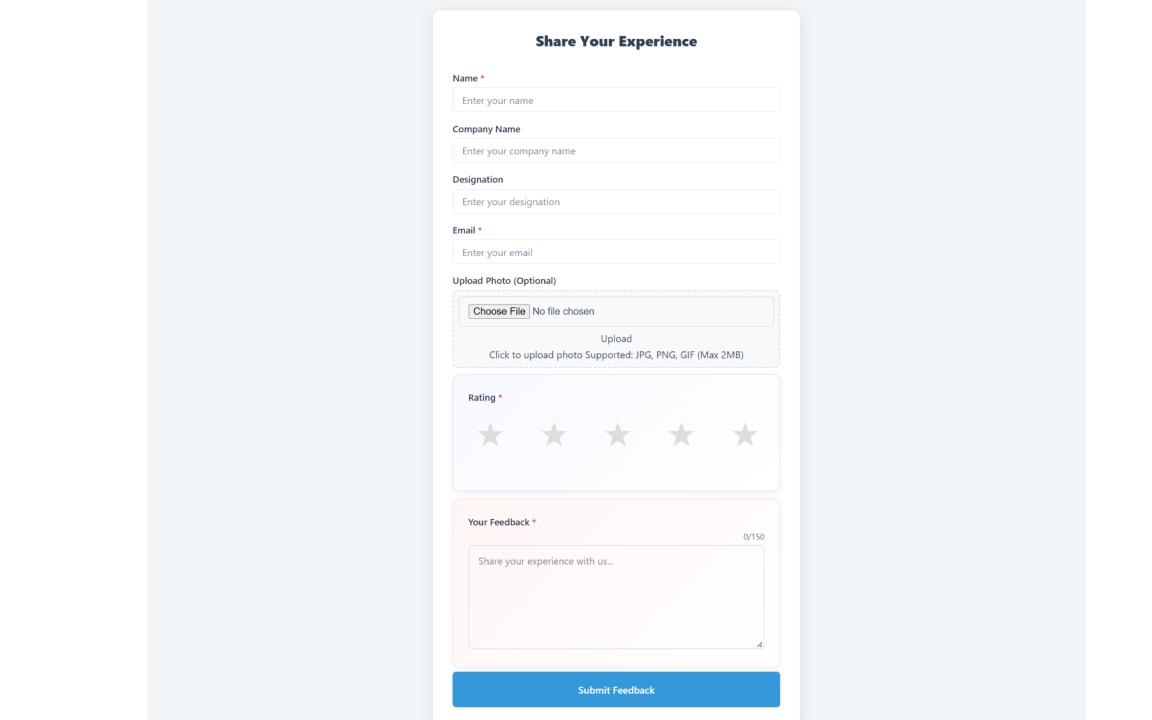
Frontend Submission Form: Clean 1-5 star rating selector, name, company, designation, email, customer photo upload (up to 2MB), and testimonial text.
Duplicate Email Protection: If an existing reviewer submits feedback with the same email, GlowReviews allows them to update their existing testimonial rather than creating spam duplicates.
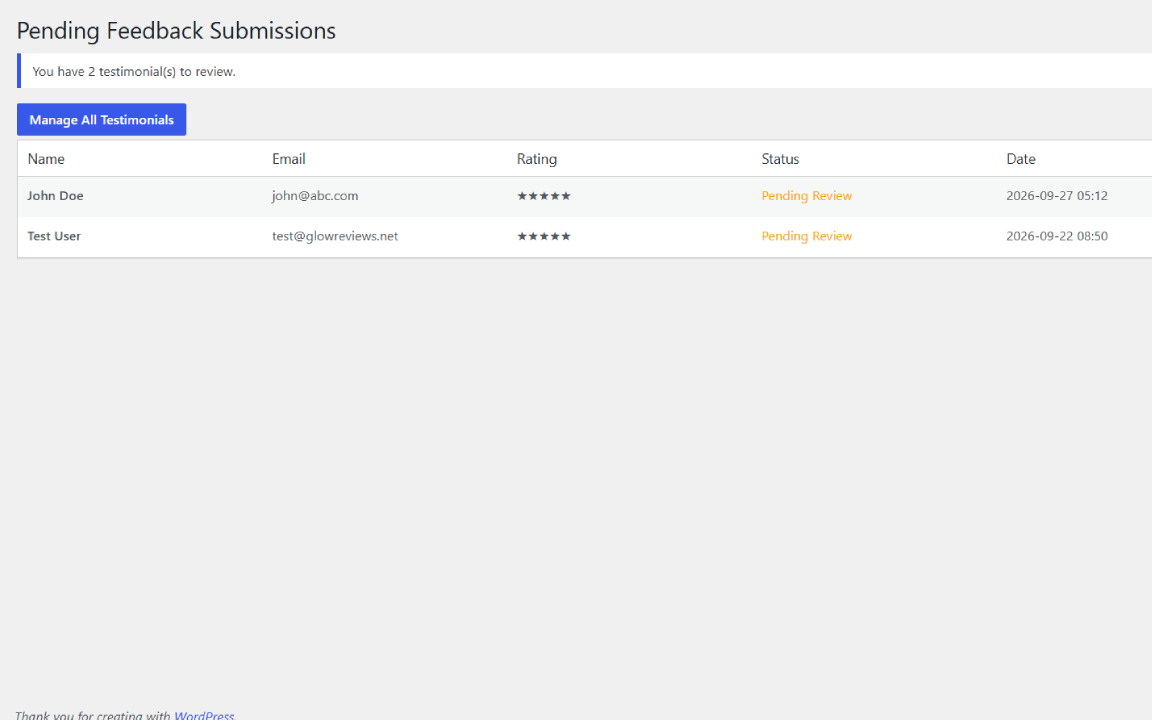
Pending Moderation Queue: All submissions are queued under GlowReviews > Pending Feedback where site administrators can review, approve, edit, or reject entries before they go public.
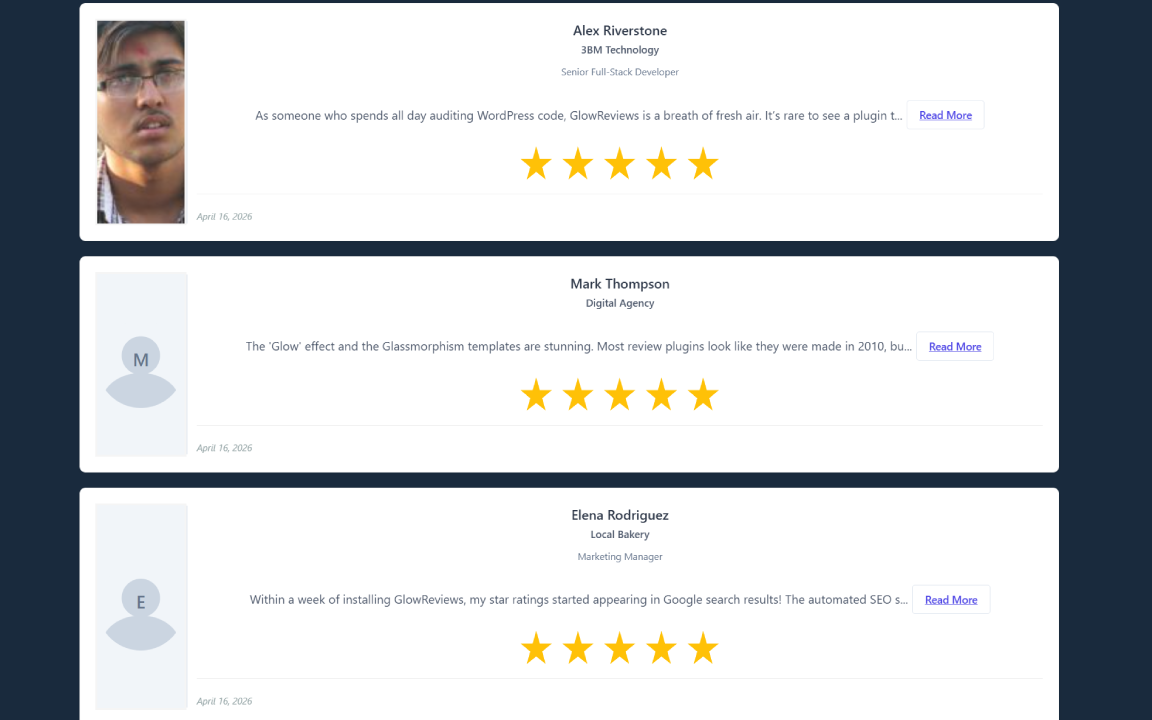
Avatar Fallbacks: Supports customer photo uploads, WordPress user profile avatars, Gravatars, or clean inline SVG initials for non-photo reviewers.
Expandable Content: Testimonial text longer than 120 characters features an automatic Read More / Read Less expander to keep card heights uniform.
???? Key Features Summary
Collect feedback with 1-5 star ratings
Native Gutenberg Blocks with live in-editor previews (/testimonial, /review)
1-Click sample testimonial generator and 1-click removal
Advanced drag-and-drop layout builder with live responsive device preview
14+ preset layout templates (Glassmorphism, Gradient Border, Social Proof, Rating-First)
Display approved testimonials in grid, slider, list, masonry, stacked, timeline, marquee, or custom layouts
Touch-enabled carousel slider with navigation controls
Smooth continuous auto-scrolling marquee ticker
Show Read More / Read Less toggles for longer reviews
Customer image upload validation (JPG, JPEG, PNG, GIF up to 2MB)
Avatar fallbacks for WordPress profile photos, Gravatar, and SVG initials
Dedicated Pending Feedback moderation screen with approve/reject actions
Spam protection: honeypots, nonce verification, form timing validation, and IP rate limiting
Duplicate email detection with review update flow
Fully compatible with Elementor, Divi, Beaver Builder, Bricks, and classic themes via shortcodes
Uses WordPress Object Caching APIs to minimize database queries
Does GlowReviews support the Block Editor (Gutenberg) and Full Site Editing (FSE)?
Yes! GlowReviews provides two native Gutenberg blocks with live in-editor previews and inspector controls:
* Testimonials Showcase (glowreviews/display-testimonials) – Select layout (Grid, Slider, Marquee, Masonry, Custom), columns, category, and display toggles directly in the block sidebar.
* Customer Feedback Form (glowreviews/feedback-form) – Embed an interactive 1-5 star feedback form with custom title controls.
Search for /testimonial, /review, or /glow in the Block Inserter to add them.
How do I collect feedback?
You can insert the review form using the native Gutenberg block Customer Feedback Form or with the shortcode:
[glowrev-feedback-form]
Available form shortcode attributes:
* title – Form title. Default: Share Your Experience
* show_title – Show or hide the title (yes or no). Default: yes
* class – Add a custom wrapper CSS class
What fields are included in the feedback form?
Reviewer Name
Company Name
Job Title / Designation
Email Address
1-5 Star Rating
Optional Customer Photo / Avatar upload (JPG, PNG, GIF up to 2MB)
Testimonial Text
How do I display testimonials on my site?
Insert the Testimonials Showcase block in the Block Editor, or use the display shortcode:
[glowrev-display-testimonials]
Supported shortcode attributes:
* layout – grid, slider, list, masonry, stacked, timeline, marquee, or custom
* limit – Number of testimonials to display. Default: -1 (all)
* columns – Columns for grid/masonry layouts (1 to 4). Default: 3
* category – Filter by category slug(s), comma-separated
* custom_layout – ID of a custom layout created in the Layout Builder
* orderby – date, title, or rand. Default: date
* order – DESC or ASC. Default: DESC
* show_rating – yes or no. Default: yes
* show_image – yes or no. Default: yes
* show_company – yes or no. Default: yes
* show_designation – yes or no. Default: yes
* show_date – yes or no. Default: yes
* show_excerpt – yes or no. Default: yes
Example for a 6-item slider:
[glowrev-display-testimonials layout=”slider” limit=”6″ show_rating=”yes” show_company=”yes”]
Example for a marquee ticker:
[glowrev-display-testimonials layout=”marquee” limit=”10″]
Example for a custom layout created in the builder:
[glowrev-display-testimonials layout=”custom” custom_layout=”123″]
How does the Layout Builder work?
Access the Layout Builder directly from GlowReviews > Layout Builder in wp-admin:
* Drag-and-Drop Interface: Drag identity, star rating, avatar, quote, and date fields into sections.
* 14+ Presets: Select from ready-made presets (Glassmorphism, Gradient Border, Social Proof, Rating-First, Minimal, Corporate).
* Live Responsive Preview: Test your layout in real time across desktop, tablet, and mobile viewports.
* Shortcode Generator: Easily copy the generated shortcode for any saved layout.
Can customers update an existing feedback entry?
Yes. If a submission uses an email address that already exists in the database, GlowReviews detects it and allows the customer to update their existing testimonial rather than creating a duplicate. Updated submissions return to pending moderation for admin review.
Do testimonials appear automatically after submission?
No. All frontend submissions enter a pending moderation state to protect your site against spam and inappropriate content. You can review and approve them under GlowReviews > Pending Feedback.
How do I moderate submissions?
Go to GlowReviews > Pending Feedback where you can:
* Review customer ratings, messages, and uploaded photos.
* Approve testimonials to display immediately on your site.
* Reject testimonials (moves them to trash).
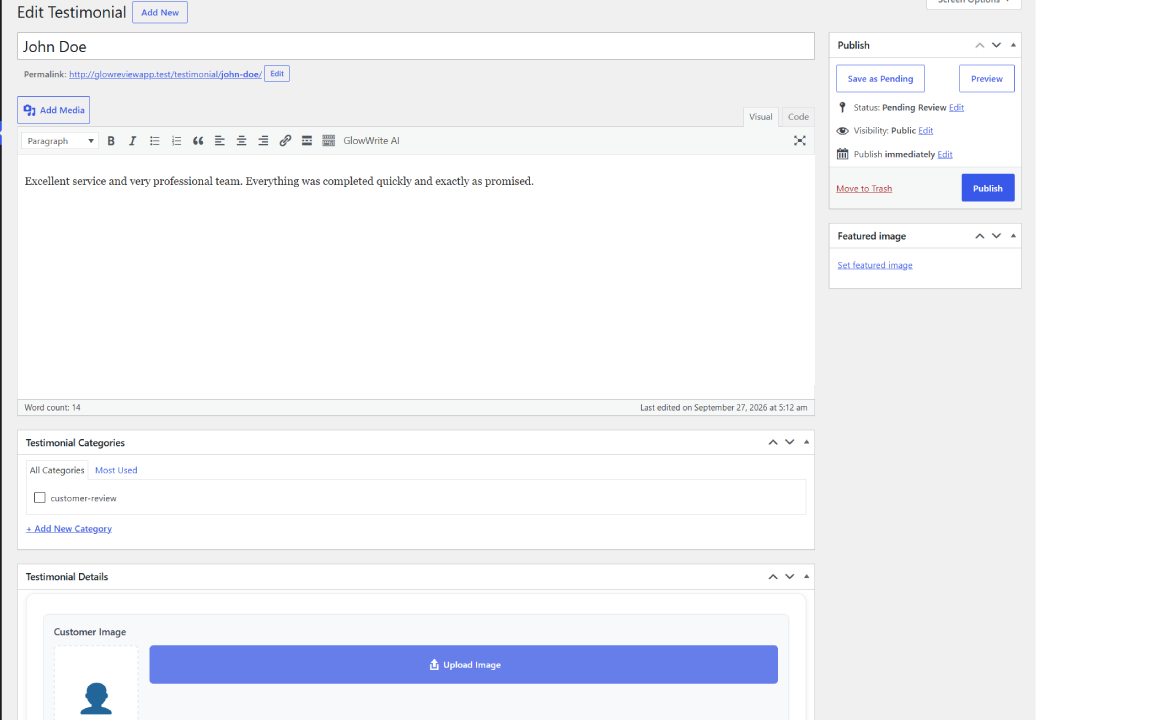
* Edit testimonial content and metadata before publishing.
Is GlowReviews compatible with Elementor, Divi, Beaver Builder, and Bricks?
Yes! In addition to native Block Editor (Gutenberg) blocks, GlowReviews works seamlessly with Elementor, Divi, Beaver Builder, Bricks, and classic themes. Simply drop [glowrev-display-testimonials] or [glowrev-feedback-form] into any page builder’s Shortcode or HTML widget.
Is GlowReviews optimized for speed and Core Web Vitals?
Yes. GlowReviews is built using native WordPress APIs and modular CSS. It introduces zero external CDN dependencies, avoids heavy JavaScript libraries on frontend display, and utilizes WordPress object caching to keep database queries minimal.
What spam and fraud protections are included?
WordPress nonce verification
Invisible honeypot trap fields for bots
Submission timing validation
IP-based rate limiting (3 submissions per hour, 10 per day per IP)
Duplicate email detection
Strict file type (JPG, PNG, GIF) and file size (max 2MB) validation
Complete sanitization and escaping across all inputs and outputs
Added native Gutenberg Blocks: Testimonials Showcase (glowreviews/display-testimonials) and Customer Feedback Form (glowreviews/feedback-form) with real-time in-editor previews and sidebar controls
Added 1-Click Sample Testimonials generation and one-click removal to eliminate the empty-state cold start
Unified admin menu architecture: relocated Layout Builder directly under the primary GlowReviews menu and added legacy redirects
Added modern, dismissible Welcome & Quick-Start guide upon activation
Updated WordPress Playground blueprint with automatic active preview landing page and pre-seeded sample data
Optimized WordPress.org keyword tags and short description for long-tail discovery
Added value-triggered social proof review prompt for satisfied users
Added Update Log & Version History to the built-in documentation page
1.2.0
Added advanced drag-and-drop Layout Builder with preset designs
Added gallery view for browsing and selecting preset layouts
Added live preview with device switching (desktop, tablet, mobile)
Added scroll reveal animations for enhanced user experience
Added marquee layout for auto-scrolling testimonial display
Added inline SVG avatar fallback for testimonial authors
Improved custom layout rendering with template system
Added device-responsive preview in layout builder
Updated documentation with video tutorial link
Enhanced preset layout templates with modern designs
1.1.1
Added a masonry tile display for testimonials
Improved WordPress coding standards compliance
Streamlined plugin structure for better performance
1.1.0
Added Read More / Read Less toggle for testimonial text longer than 120 characters across grid, list, and slider layouts
Improved slider navigation positioning and rating display behavior
Centered testimonial text in the grid layout
Standardized plugin-facing prefixes for settings, cache groups, filters, and shortcode documentation
Improved readme, shortcode examples, and documentation to match the current plugin usage
Replaced the duplicate-email meta_query lookup with a prepared cached email lookup for smoother submissions
Improved WordPressCS and PHPCS compliance for escaping, translators comments, nonce verification, line endings, BOM handling, and naming conventions
Added duplicate email detection and customer review update flow
Added dedicated Pending Feedback admin screen with approve and reject actions
Improved frontend form validation and secure submission handling
Added honeypot fields, form timing checks, and IP-based rate limiting
Added file upload validation for allowed image types and maximum size
Improved logged-in user avatar support and testimonial image handling
Added migration helpers for older CLVO settings, post types, and admin URLs
Improved caching for testimonial queries and taxonomy term lookups
Added plugin documentation and streamlined admin settings access