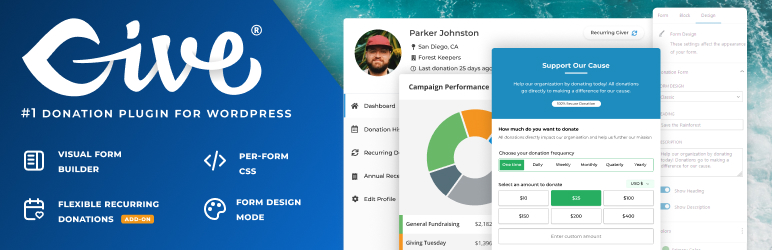
GiveWP is the highest rated, most downloaded, and best supported donation plugin for WordPress. Whether you need a simple donate button or a powerful donation platform optimized for online giving, GiveWP is right for you.
Transform the way you accept online donations, starting for free. With GiveWP you can accept gifts for charity or for other purposes, through customizable donation forms. Our donation plugin also allows you to view donor data and fundraising reports, manage donors, and integrate with a wide variety of third-party gateways and services.
✨ GiveWP Features
GiveWP is free and full of many advanced features to suit your needs. Start by choosing one of our donation form templates to create your first fundraising campaign. Then, take advantage of full-featured fundraising reports and donor management tools to increase your overall fundraising revenue by learning what makes donors donate.
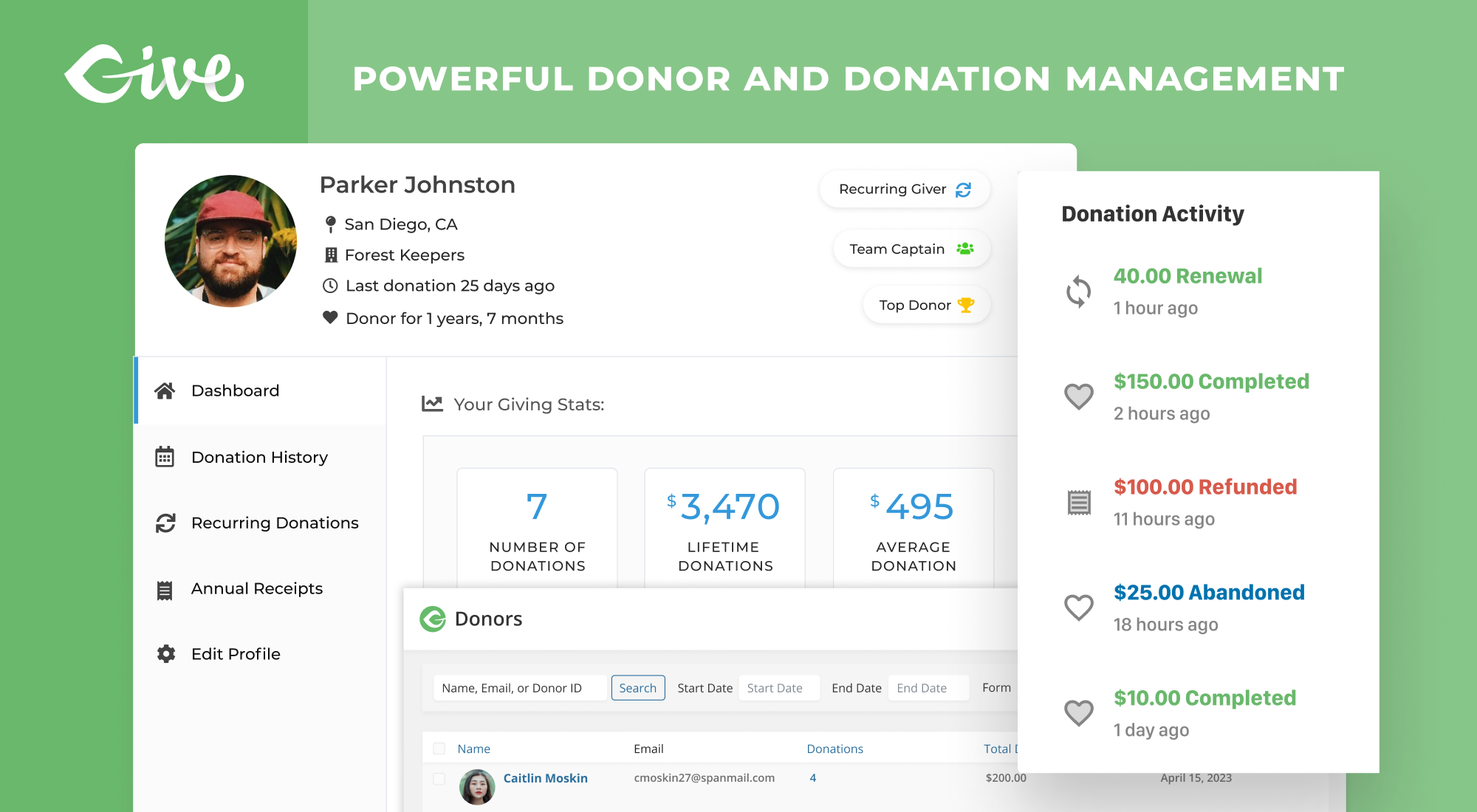
Free donor tools also help keep your donors happy. The donor dashboard helps your donor base easily manage their accounts and access their donation history. With our premium add-ons, you can add additional donor tools, like annual receipts.
GiveWP makes it easy to manage and launch successful fundraising campaigns directly from your WordPress site. Whether you’re raising funds for a single project, a long-term cause, or a series of initiatives, GiveWP’s campaign-based approach helps you streamline your efforts and maximize your fundraising potential.
Key Features of Campaign-Based Fundraising
Campaign Creation: Create multiple campaigns on your site, each with its own unique donation goal, target audience, and messaging.
Customizable Donation Forms: Each campaign comes with a built-in, fully customizable landing page, created using the WordPress Block Editor. Add text, images, and donation forms to create a visually appealing and engaging page that strengthens your donor connections.
Dedicated Landing Pages: Create custom landing pages for each campaign, complete with campaign-specific content, donation forms, progress bars, and social sharing options to engage and inspire donors.
Organized Fundraising: All your donation forms are linked to specific campaigns. This makes it easy to manage and track your efforts, set goals, and monitor campaign performance in one streamlined view.
Visibility Controls: Publish, archive, or draft campaigns to manage when and how your campaigns appear on your site. This gives you full control over the visibility of your campaigns and associated donation forms.
How Campaigns and Donation Forms Work Together
GiveWP’s donation forms seamlessly integrate with your campaigns, allowing you to:
Create forms that directly support the campaign’s fundraising goals.
Customize form fields to match the needs of your campaign, whether it’s a specific project or a general cause.
Promote campaigns via donation forms displayed on any page on your website.
Campaigns offer more flexibility, better control, and enhanced organization for your fundraising efforts, making it easier to achieve your goals and connect with donors. Whether you’re running a large-scale initiative or multiple smaller projects, Campaigns will help you streamline the process and improve your overall fundraising strategy.
Allow donors to view their donation history, update their profile, manage their recurring donations, and download PDF receipts through their own donor dashboard
With more than 100,000+ active installs of GiveWP, we hear more and more success stories from nonprofit organizations. Causes are using GiveWP to raise millions of dollars per year. Check out some of our GiveWP Stories and Case Studies for details about their success.
The City Mission used GiveWP for Giving Tuesday and a competition fundraiser with a neighboring organization, where they raised $45K in 16 hours.
Quiltlove, which provides personalized quilts for different life events (like new babies, extended hospital stays, and more), uses GiveWP to create a sustainable business model.
Niels Vink, a Dutch wheelchair tennis player, uses GiveWP to raise money to train, travel, and participate in competitions. At the 2021 Tokyo Paralympics, Vink earned a gold medal in doubles and a bronze medal in singles.
In addition to nonprofit organizations, GiveWP is widely used for individual or creative purposes. We’ve seen tip jars for blogs or musicians, live streams, and more. Our Donation Upsells for WooCommerce Add-on is even used in some eCommerce stores to collect donations for a cause, or ask for tips in the cart or checkout.
We’ve even seen GiveWP used to collect gifts for birthdays and weddings!
???? Simple and Pain-Free Giving
We built GiveWP to be the best WordPress donation plugin from day one. Simply install and activate the plugin to get started.
The strength of GiveWP lies within its optimized donation forms. When creating a form, you can start with a template and customize the donation levels, including allowing donors to give a custom amount. The donation forms can then be displayed anywhere on your website using a block, shortcode, widget, or the single donation form page.
You can also integrate your forms with a wide variety of payment processors, including PayPal and Stripe within the free plugin. You can also purchase add-ons to use Authorize,net, Bitpay, Square, and more.
???? First Time Users
For new users, we suggest reviewing our Getting Started Guide to get an understanding of how the plugin works. If you run into any trouble, we offer free support to help you with your issues, questions, and concerns.
If you are a GiveWP customer with an active license of any of our popular add-ons, we’d love to hear from you and support you via our Priority Support channel.
???? Accept Credit Card Donations and More
GiveWP comes with several payment gateway options:
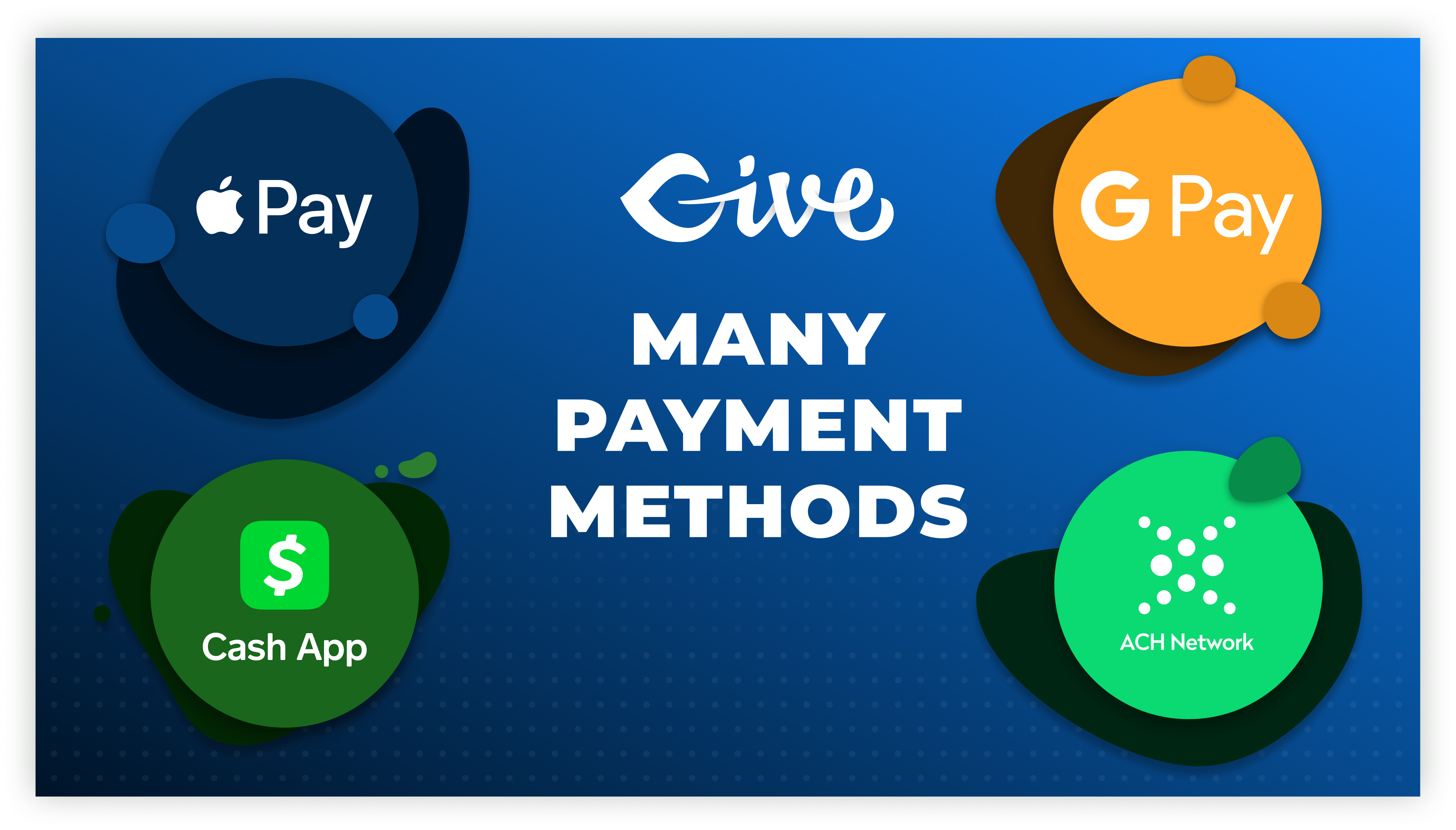
Stripe Donations — Accept donations through any payment method (like Apple Pay, Google Pay, or ACH) activated in your Stripe accounts. Additional fees may apply for free users. Read our Stripe documentation for more information.
PayPal Donations — Allow worldwide donations with PayPal Donations. No additional fees applied.
Venmo Donations — Give donors the option to pay through Venmo with their account balance or connected bank account.
Offline Donations — Enable your donors to send checks or physical donations with an offline gateway with instructions.
Test Gateway — use the Test Gateway to see exactly how your donors will walk through the donation process.
And many more Gateways – View additional payment gateways on our website. These include Authorize.net, Bitpay, Square, Razorpay, Paytm, and more.
In-Person Donations (Tap To Pay) — Accept swipe, insert, or Tap to Pay card donations right from your mobile device or Stripe reader with Jovvie.
⚙️ Extend GiveWP with Powerful Add-ons
GiveWP’s goal is to “Democratize Generosity.” We want to make it easy for everyone to raise funds online.
In addition to our free donation plugin, we have premium GiveWP add-ons available to extend the functionality of GiveWP. Ultimately, these tools allow you to raise more money and give you a better relationship with your donors.
Are you a developer? GiveWP is built with best practices and easy to extend and customize. Here are some great developer-oriented tutorials and docs to help you customize GiveWP to your liking:
The most downloaded fundraising plugin on WordPress, Give has helped users raise over $350 million since 2009. Behind it is a professional team of WordPress developers who know what serious fundraising operations need: flexible tools, rock-solid reliability, and software that grows with your mission. As part of Nexcess’s software offerings, Give is backed by decades of experience building and hosting WordPress solutions.
???? Connect with GiveWP
Stay in touch with us for important plugin news and updates:
This plugin is proudly open source (GPL license) and we’re always looking for more contributors. Whether you know another language, love to code, or just have an idea, we would love your help and input.
Here’s a few ways you can contribute to GiveWP:
Star/fork/watch the GiveWP GitHub repository to learn more about what issues we’re tackling and the project is developing. If you’ve never worked with Github before, learn about pull requests here and submit one for GiveWP, we’d love to give you our feedback.
Translate GiveWP into your native language. The best place to do that is here on wordpress.org. Go to https://translate.wordpress.org/, then search for your language, click the “Plugins” tab, then search for “GiveWP”. When you’ve submitted at least 95% of GiveWP’s strings, the language moderators will review and approve your translations and then they will be available to all WordPress users for your native language. If you are interested in translating any of our Premium Add-ons, contact us, we’d love to chat with you about that.
Join the GiveWP Community Facebook group. We chat about all things related to WordPress, GiveWP, fundraising, and online donations in general.
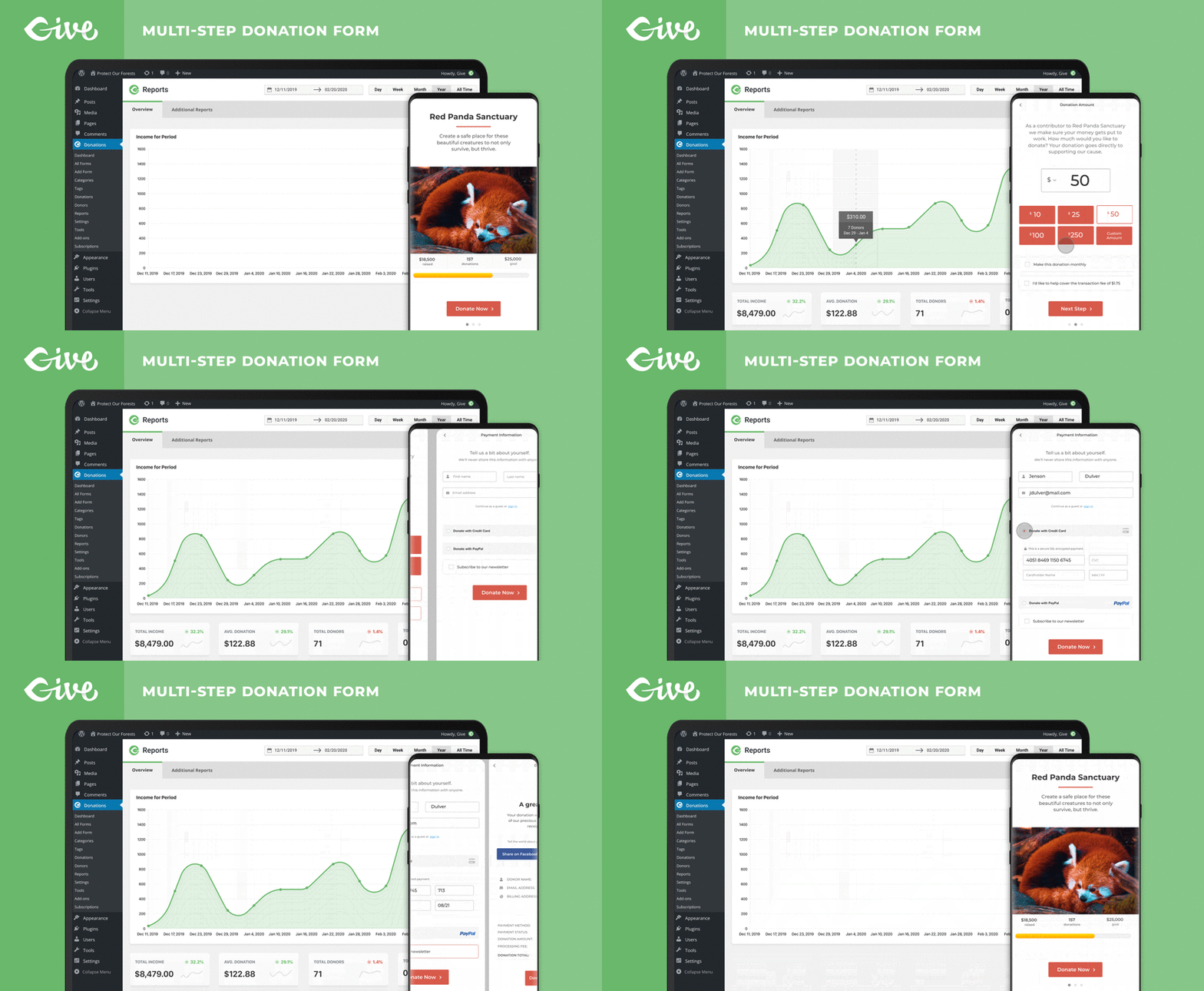
Creating powerful donation forms is easy with GiveWP. Simply install the plugin, create a new donation form, set the desired giving options, and publish!
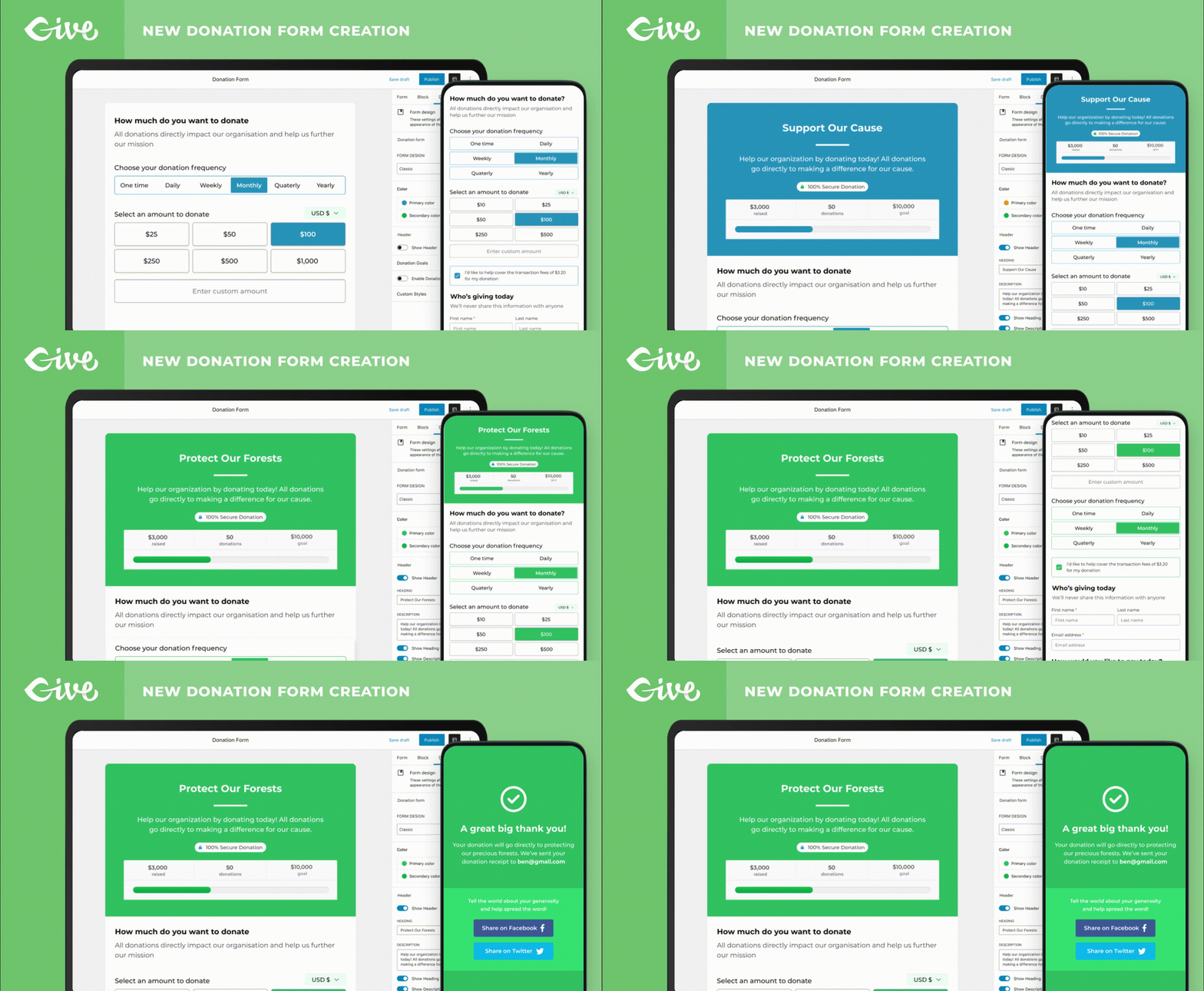
Customizing your donation forms is easy and intuitive with customization options for any fundraising campaign.
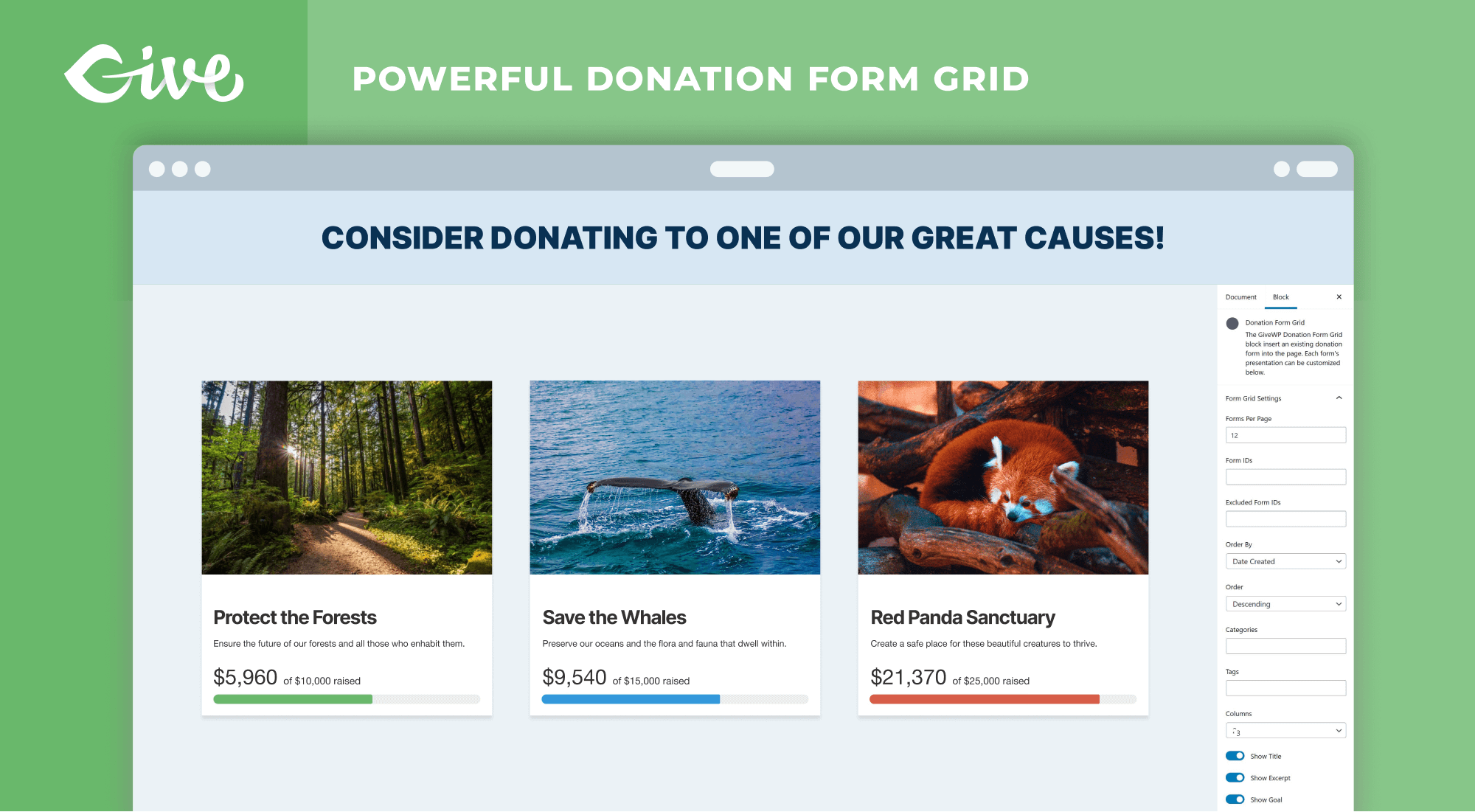
Display you donation forms within a responsive grid on any page to make it easy for your visitors to choose a giving option.
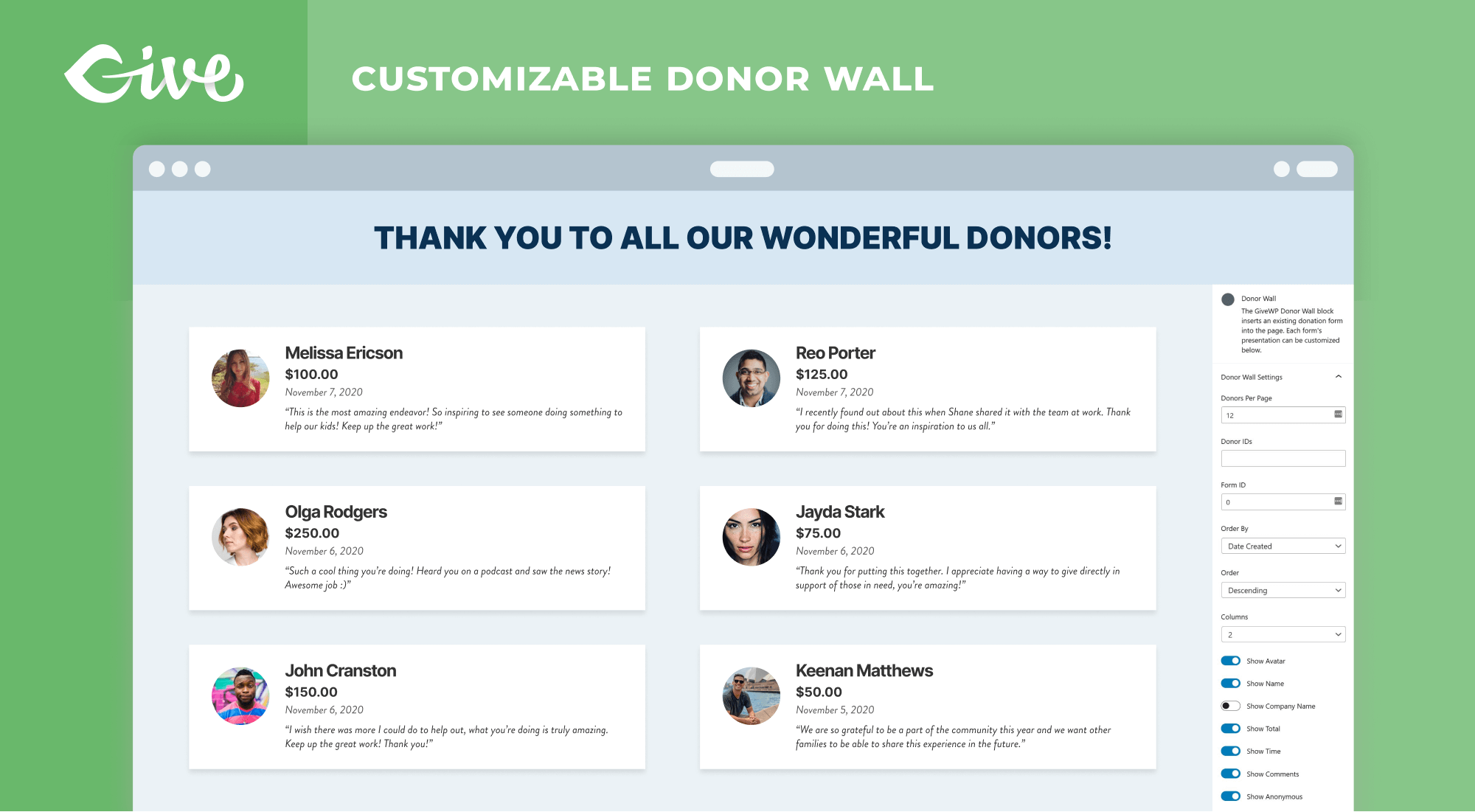
Show of your donor's generosity with our customizable Donor Wall block and shortcode.
Manage your donors and receive key insights to maximize your fundraising efforts.
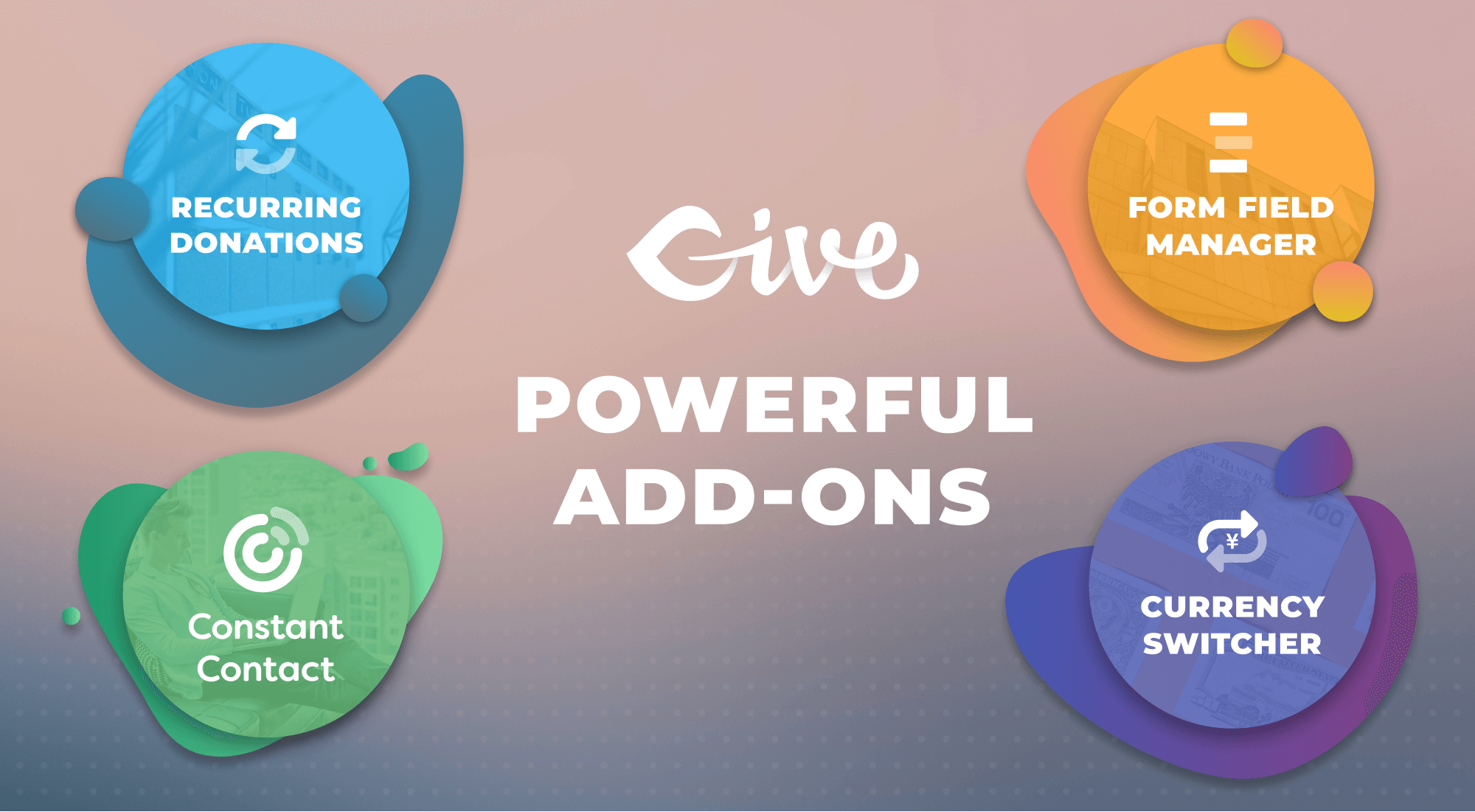
Extend GiveWP with a robust suite of powerful Add-ons. Accept recurring donations, credit cards, add custom form fields, and more!
GiveWP is thoroughly documented to help you get started quickly and learn basic to advanced features and functionalities.
GiveWP has a dedicated support team to help answer any questions you may have and help you through stumbling blocks.
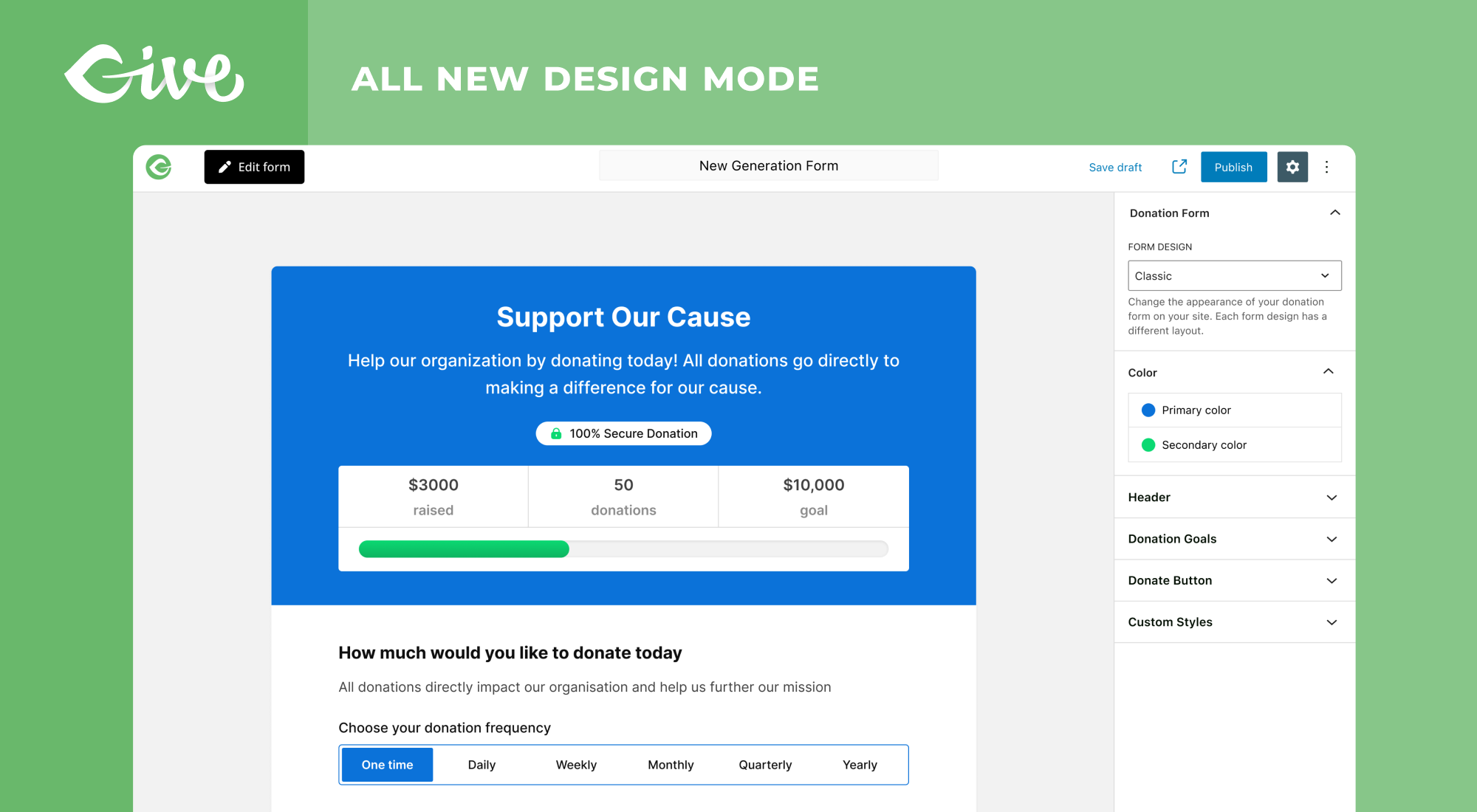
Customize your forms with design mode.
Use almost any payment gateway integration with GiveWP through our add-ons or by creating your own add-on.
We have extensive documentation on installing and configuring GiveWP on our website. We suggest starting with the GiveWP 101 article.
How can I get support for GiveWP?
We work hard to the best support possible for GiveWP. The WordPress.org Support Forum is used for free community based support. We continually monitor the forum and do our best to ensure everyone gets a response.
Priority support is given to users who have an active license for one of GiveWP’s Add-ons or Pricing Plans. We provide email-based support to our Premium Add-on customers with an average 1st response time of 2 to 4 hours and average time to resolution of 24-48 hours depending on the severity of the issue.
Do you have any demos?
Yes! We have several live examples of GiveWP and the wide variety of form options you can use with GiveWP. Check out our live demo, where you can see what your donors would see.
GiveWP Plus, Pro, and Agency Plan customers will also get a free 30-minute website audit with our Customer Success Team after they purchase. In this meeting, we’ll cover everything you need to know about GiveWP to fit your needs.
Do you have Case Studies of Nonprofits using GiveWP?
Yes! We have two different types of studies that highlight nonprofits in different ways.
“GiveWP Stories” are stories of how nonprofits or individuals implemented GiveWP with success. You can read them all here.
“Case Studies” are more detailed examples of how an agency implemented GiveWP for a specific purpose for an organization. You can read those here.
How is GiveWP better than a simple PayPal donate button?
PayPal donate buttons take your users off-site, which can cause you to lose some in the process. With GiveWP, your donors can stay on-site and you get the benefit of gathering donor data, viewing free fundraising reports, and creating unlimited donation forms. On the other hand, you can always use GiveWP as a simple customized PayPal donate button if you prefer.
How is GiveWP better than a form plugin for accepting donations through WordPress?
Form plugins are excellent solutions for general intake forms. That said, they most often lack substantial donation reporting features, and donor management options. They also lack a variety of presentation options like GiveWP has for embedding your forms in different places throughout your site. If you want a “Donate Now!” button in the header of your site that opens in a modal, you’ll most often have to do quite a bit of customization to get that working just right with form plugins — but not with GiveWP.
GiveWP works great alongside all the most popular form plugins. Use GiveWP for donations, and Caldera Forms, Ninja Forms, Gravity Forms or other for your general purpose intake forms. They’ll work great alongside each other.
How is GiveWP better than an eCommerce plugin for accepting donations on WordPress?
We built GiveWP specifically to overcome many of the hurdles you have to go through in order to get an eCommerce plugin (like WooCommerce) to be streamlined for donations. You want to treat your donors right. No donor wants to add their donation to a cart and go through several page refreshes just to type in their information. You, as the site admin, don’t want to have to change the word “Products” to “Donations” everywhere, and go through all the hoops of removing taxes and shipping, either.
On top of that, customizing the plugin’s terminology is a daunting task. You never want your users to receive an “invoice” for the donation “product” they “purchased.” Rather, you’d like for them to receive a receipt for the donation they gave.
Use GiveWP for donations, and let your WooCommerce or WP eCommerce plugin or the like handle your products. They work alongside each other just fine. Your donors will be happy, your customers will be happy, and so will you.
Additionally, you can use our Donation Upsells for WooCommerce GiveWP add-on to allow your customers to do a donation upsell in the cart or checkout.
How can I report security bugs?
You can report security bugs through the Patchstack Vulnerability Disclosure Program. The Patchstack team help validate, triage and handle any security vulnerabilities. Report a security vulnerability.
Enhancement – The Reports page now loads much faster on sites with hundreds of thousands of donations
Feature – Added automatic Stripe webhook setup when an account is connected, webhook endpoint management for each connected account, and an email when a webhook endpoint stops working.
Fix – Prevented a fatal error and an empty Donor Dashboard Donation History when a donation’s subscription had been permanently deleted, and kept a donation whose receipt fails to build from stopping the donor’s other donations from loading.
Fix – Prevented blank donation form fields from erasing saved donor profile data when a returning donor submits a later donation.
Fix – Resolved an issue where a logged-in user with the Subscriber role was not connected to their existing donor profile. The donor is linked to the user when the user opens the Donor Dashboard from an email access link sent to the account email address.
Fix – Resolved an issue where a Stripe invoice that is not linked to a subscription caused a fatal error.
Fix – Resolved an issue where PayPal Donations asked donors for a shipping address, which failed debit and credit card donations with SHIPPING_ADDRESS_MISSING and stored addresses on donations that never requested them.
Fix – Resolved an issue where Recent Transactions on the donor details page showed completed renewals as Pending, or showed no transactions for donors with fewer than five donations.
Fix – Resolved an issue where recurring donations declined by Stripe still showed as active subscriptions.
Fix – Updated more of the codebase to meet the official WordPress Plugin Check guidelines.
Security – Added additional validation to donor address data.
Security – Improved handling of comment text in donation forms.
Security – Improved handling of donor email access links and donor-dashboard password updates.
[4.19.2.2] 2026-11-23
Security – Added additional protection to the admin requests that load the donation form text editor and the donation level dropdown. Reported by Santh.
[4.19.2.1] 2026-11-17
Security – Added additional permission checks to the donor list REST API endpoint.
Security – Added additional protection to the donor email access.
Security – Improved anonymous donor filtering in the donor search results. Reported by Vũ Quang Huy.
Security – Improved security on the donation confirmation receipt.
Security – Improved Stripe account data security in the Visual Form Builder. Reported by Pasi Nuwan Senevi.
[4.19.2] 2026-11-12
Fix – Allowed PayPal Donations on v2 forms to accept a donation at the form’s maximum amount when Fee Recovery adds its fee.
Fix – Resolved an issue where Stripe ACH donations that require microdeposit verification stayed in a Processing state with no donor instructions. Donors were emailed a hosted verification link and the verification was recorded on the donation.
[4.19.1.1] 2026-11-03
Feature – Added support for Nexcess Plugin Stack licenses
Security – Added additional validation to the donor default user role setting. (CVE-2026-118193)
Security – Improved validation of donor email on donation forms.
[4.19.1] 2026-10-27
Fix – Updated the codebase to be fully compatible with the official WordPress Plugin Check guidelines.
Fix – Added nonce and capability checks to dismiss, onboarding, import, export, usage tracking and database updater requests. A manual migration now requires a URL with a valid nonce (wp_nonce_url with the give_manual_migration action) or the Migration log page.
Fix – Renamed unprefixed functions and hooks to give_-prefixed names. The old names still work and log a deprecation notice, except _give_is_form_migrated() and before_give_init, which add-ons still use.
Fix – The donor search term is now escaped inside Give_Donors_Query, so callers must not escape it themselves.
Fix – The uninstall script now deletes only the options that start with a GiveWP prefix. It used to delete every option with “give” in its name, including options of other plugins.
Fix – Restored the Logout link in the Donor Dashboard mobile menu.
Fix – Restored keyboard Tab access to Form Field Manager and other add-on fields on the amount step of multi-step forms that use the Sequoia template.
Fix – Enabled the ‘Update Subscription’ button in the Donor Dashboard for failing subscriptions, so donors can replace an expired or declined card.
Fix – Running a database update by hand with give-run-migration no longer ends in a fatal error.
Fix – Reset Stats now clears only the deleted options from the object cache instead of flushing the whole cache.
Fix – Prevented a fatal error on the Donor Register email preview when Give Peer-to-Peer is active.
Fix – Changed the default ‘Donate’ button text color in the Donation Form Grid block to meet color contrast accessibility requirements (WCAG AAA).
[4.19.0.2] 2026-10-26
Security – Added additional validation to account registration on donation forms. Reported by Pablo Alaniz
Security – Improved donation amount validation so donations always meet the amount set on the form.
[4.19.0.1] 2026-10-22
Security – Improved donation currency validation so the submitted currency must be supported by the form, including currencies enabled by the Currency Switcher. Reported by Shirshak.
Security – Enhanced security for the donation form view. Reported by vuxvinh.
Security – Improved validation of donor profile e-mail changes. Reported by Kaveesha Nirmal.
Security – Improved validation of the core settings import. Reported by Karthik Ramakrishnan.
Security – Added additional validation to donation form template appearance settings. Reported by Karthik Ramakrishnan.
Security – Determine the page being edited from the current request context before granting page capabilities. Reported by Karthik Ramakrishnan.
Security – Added additional validation to donor address management. Reported by Hariom Singh.
Security – Improved anonymous donor filtering in the donor list. Reported by Vũ Quang Huy.
Fix – Resolved an issue with Nexcess licensing not respecting the deactivated grace period
[4.19.0] 2026-10-13
Feature – Added the ability to create and edit donation forms without a campaign, and brought back the Forms list with a Campaign column, a “No campaign” filter, and a link-to-campaign action
Feature – Added a campaign action on the Forms screen to assign a form to a campaign, move it to another one, or remove it from its campaign
Feature – Added a Form column and a form filter to the Donations screen so you can see and filter donations by the form they came through
Fix – Resolved an issue where the form picker on donation and subscription details showed an incomplete list of forms after a form was chosen
Fix – Forms that are not linked to a campaign now load their own goal on the form page and in the forms list, and their donations show the form title in the donations list
Fix – Resolved an issue where add-on licenses were not recognized correctly on sites using the Unified License Manager
Fix – Resolved an issue where a donation moved to a different form still counted toward the old form in the Multi-Form Goal progress bar
Fix – Changed PayPal order descriptions, the {donation} email tag and donation exports to name the donor’s selected level instead of the first level, including for donations without a stored level or with a recovered fee.
Fix – Corrected donation and form queries leaving WordPress post globals populated after their results loop, which caused Multisite Network Admin site links to use a donation ID instead of the site ID.
Fix – Resolved an issue where the classic Donations screen showed a broken campaign link for donations to forms without a campaign
Tweak – Improved the unified licensing page experience.
Tweak – Added a dismissible announcement banner to plugin admin pages.
[4.18.0.1] 2026-10-06
Security – Improved validation of PayPal Standard IPN notifications.
Fix – Resolved an issue where PayPal Standard donations and subscription renewals with recovered fees were not recorded after the IPN validation update.
[4.18.0] 2026-10-01
Enhancement – Improved donations list table performance on sites with hundreds of thousands of donations by paging on IDs first, fixing the total count query, and replacing the single-column donation meta indexes with composite ones
Enhancement – Improved the Reports screen and legacy earnings stats on large sites by summing and counting donations in the database instead of loading every donation into memory
Fix – Recurring donation stats on the campaigns list now read from the cache correctly instead of showing empty values
Fix – Campaign stats now show for campaigns that were added after the stats cache was built
Fix – Resolved an issue where campaign stats showed as zero after viewing the Campaigns screen with test mode enabled
Fix – Donations list table was running extremely slowly and including trashed donations on large sites.
Fix – Resolved an issue where a database error while saving a donation, donor, subscription, campaign, or event caused a critical error and hid the real cause
Fix – Resolved an issue where sites running PHP 8.4 or newer logged deprecation notices from GiveWP
Fix – Database migrations started a second time in requests that arrive while a slow migration is still running. Now it runs one time and the migrations list now shows the latest run first.
Fix – Resolved an issue where a PHP warning could appear on development copies of GiveWP that have not been built
Fix – Resolved an issue where subscription webhook events caused a fatal error when the subscription had no initial donation
Fix – Updated campaign duplication to create a single copy of each associated form when form metadata contains duplicate keys.
Fix – Restored donor names, initials, and totals on the donor wall block and shortcode.
Security – Enhanced security in Stripe webhook module
Security – Enhanced security on the campaign block. (CVE-2026-97643)
Security – Enhanced security for the Donor Dashboard access.
[4.17.0] 2026-09-23
Feature – Added the ability to embed donation forms on any website with a copy-paste snippet from the form builder
Enhancement – Donation form embeds now show a loading state while the form loads
Fix – Fixed the revenue table index migration adding duplicate indexes when it runs more than once
Fix – Added additional escaping to the legacy donation form’s billing address fields.
Security – Donors can no longer add unverified email addresses to their own donor record.
Security – Enhanced security for donations imported from CSV
[4.16.9] 2026-09-16
Security – Added additional validation to PayPal Commerce donation processing.
Security – Added additional sanitization to donor information displayed on public pages.
Fix – Resolved an issue where resuming a paused Stripe subscription triggered a fatal error.
[4.16.8.1] 2026-09-10
Security – Improved validation of the event tickets purchase flow.
Security – Added additional validation to PayPal Commerce completed-order processing.
Security – Added additional validation to donor email lookups. Thanks Jakub Herman for responsibly disclosing this issue.
[4.16.8] 2026-09-02
Fix – Fixed a campaign’s default donation form appearing unpublished in the form builder.
Fix – Fixed PHP warnings on the form builder screen when its page is opened without the locale or donation form ID query arguments.
Fix – Resolved a plugin conflict that prevented donor first and last names from being recorded when the Charitable plugin was active alongside GiveWP.
Fix – Resolved an issue where the custom amount minimum and maximum also applied to the donation levels and the set donation amount, so a level below the minimum could not be donated. Forms that leave the minimum empty now fall back to the lowest configured amount, and a minimum or maximum with cents is no longer rounded down.
Security – Removed vulnerable dead code related to legacy donor relinking. (CVE-2026-82676)
Security – Enhanced security on donor account access. (CVE-2026-82675)
Tweak – Replaced the axios HTTP client with WordPress core’s apiFetch in the donor dashboard, reports, onboarding wizard, and the log and migration list tables, and removed axios from the plugin’s JavaScript dependencies.
[4.16.7.2] 2026-08-27
Security – Added additional hardening for serialized data handling in the donation flow.
[4.16.7.1] 2026-08-24
Security – Added additional validation to PayPal Donations order requests.
Security – Improved validation of the checkout login form.
Fix – Resolved an issue where paused or failing Stripe Payment Element subscriptions remained stuck when the donor updated their payment method or the subscription was resumed in Stripe.
Fix – Resolved a conflict where scripts enqueued by other plugins while a donation form was being rendered could stop the form builder design preview and embedded forms from loading.
Fix – Resolved an issue where editing a page could exhaust the PHP call stack when a theme or plugin filtered post metadata.
Fix – Activation banner for addons doesn’t show when addons are activated from the Unified License Manager
[4.16.6.1] 2026-08-12
Security – Added additional validation to PayPal Standard IPN.
[4.16.6] 2026-08-06
Tweak – Improved the unified licensing page experience.
Security – Added additional validation when handling serialized data during the donation process.
Security – Added additional escaping and validation to legacy donor admin screens and the donors REST API.
Security – Strengthened validation of the donor email-access token and the donation receipt email preview.
Security – Added a capability check to the onboarding form preview screen to prevent unauthorized access.
Security – Added nonce verification to the front-end registration handler and restricted automatic donor account linking to the verified donation checkout flow.
Fix – Added validation to prevent empty password updates in the Donor Dashboard.
Fix – Resolved an issue where uploading a ZIP add-on with a folder name that differs from the ZIP filename (e.g. give-recurring-donations-2.19.0.zip containing the folder give-recurring/) would fail to detect the plugin after extraction.
[4.16.5.1] 2026-07-27
Security – Strengthened security on legacy donors listing and donation details pages.
[4.16.5] 2026-07-22
Fix – Resolved an issue where selecting a donation amount level would also select other levels with the same value.
Fix – Resolved an issue where extra separators could render in the donation confirmation page header when line breaks were present in the header text.
Fix – Resolved an issue where refunding a donation made with a per-form Stripe account would fail because the refund request used the default account instead of the form-specific account.
[4.16.4] 2026-07-14
Security – Added additional validation to the core settings importer.
Security – Added additional escaping to donor information displayed in the admin.
Security – Added additional escaping to the Sequoia (Multi-Step Form) template output. (CVE-2026-14987)
[4.16.3] 2026-07-06
Security – Added additional validation to ensure donation gateway selection respects the enabled payment gateway settings.
Security – Improved escaping of donation form template output.
Security – Improved the security of the recurring donation REST API.
[4.16.2] 2026-07-01
Security – Added additional escaping and sanitization to the Sequoia (Multi-Step Form) template settings and donation form markup (CVE-2026-13704).
[4.16.1] 2026-06-29
Security – Standardized email access confirmation AJAX responses to prevent distinguishable server responses.
Security – Added additional escaping and sanitization to the Campaign Comments block and shortcode attributes (CVE-2026-13246).
[4.16.0] 2026-06-24
Feature – Added an optional donation ID parameter to gateway webhook event handlers, allowing gateways to locate donations when the transaction ID is only available in the webhook payload.
Fix – Resolved an issue where multi-step donation forms could be incorrectly rejected as spam because Akismet was checked on every form step; the spam check now runs once on final submission.
[4.15.5] 2026-06-22
Security – Improved the security of the Donor Dashboard login process.
[4.15.4] 2026-06-15
Security – Added additional protection to the email notification settings.
[4.15.3] 2026-05-28
Fix – Resolved a user role permission conflict with The Events Calendar Pro
Fix – Resolved an issue when using multiple Stripe accounts, recurring donations, and webhook API 2026-02-25.clover
[4.15.2] 2026-05-13
Tweak – Update Harbor to 1.2.0, removing the Liquid Web Products page when there are no premium plugins present.
[4.15.1] 2026-05-12
Tweak – Moved the Liquid Web menu item to Settings -> Liquid Web Products.
Tweak – The Settings -> Liquid Web Products page now requires a opt-in to communicate with external servers.
[4.15.0] 2026-05-11
Feature – Integrate with Nexcess Licensing and Portal.
Tweak – Updated branding references from StellarWP to Nexcess.
Fix – Resolved issue with separator style for title on donation-form thanks message.
[4.14.6] 2026-04-22
Security – Added additional sanitization to the Donation Form.
Security – Added additional access control checks to the REST API.
[4.14.5] 2026-04-08
Security – Added additional escaping to the Donation Form Block attributes.
Fix – Resolved an issue with donation level labels not displaying correctly for multi-currency donations.
[4.14.4] 2026-04-02
Security – Added additional validation to PayPal Commerce requests.
[4.14.3] 2026-03-11
Security – Added additional sanitization to the Donation Form.
[4.14.2] 2026-02-25
Enhancement – Added form migration and campaign compatibility for P2P.
Fix – Resolved an accessibility issue with the Form Grid Block where screen readers announced all nested content as a single links
Fix – Resolved an accessibility issue with buttons on the View Subscription screen on Donor Dashboard page
Fix – Resolved an issue with the Donation Form modal when opened in a mobile device
Fix – Resolved an issue with emailTags not being assigned to block fields
Fix – Resolved an issue with the Donor Confirmation header and description colors on changing text
Fix – Resolved an issue where campaign default form title didn’t match campaign name
[4.14.1] 2026-02-11
Fix – Resolved an issue with the Stripe refunded webhook
Fix – Resolved an issue with importing Subscriptions without a donor_id
Fix – Resolved an issue when using additional Stripe accounts and recurring donations
Fix – Resolved an issue with custom visibility conditions on donation forms when initially rendering
Fix – Resolved several PHP deprecated warnings on the donor dashboard
[4.14.0] 2026-01-28
New – Added failed donation email notifications to keep you informed when donations don’t go through
New – Added default country field setting for the billing address block to streamline the donation process
Enhancement – Improved compatibility with legacy user roles for sites upgrading from older versions of GiveWP
Fix – Resolved a conflict with the Paid Membership Subscriptions plugin
Fix – Resolved inconsistencies with the currency switcher display and functionality
Fix – Resolved an issue where revenue entries were not being properly removed when donations were deleted
Fix – Resolved schema mismatches for donors and donor subresources in the REST API V3
Fix – Resolved an issue with the admin fee recovery upgrade notice display
[4.13.2] 2025-12-08
Fix – Resolved block compatibility with WordPress 6.9
Security – Added additional sanitization to the donor wall and campaign blocks (CVE-2025-66533)
Enhancement – Added Caribbean guilder (XCG) as a currency option
Enhancement – Added Curaçao as a country option (open-source contribution by @Genevieve-K)
Security – Added additional escaping to the donor wall (CVE-2025-13206)
Fix – Resolved a validation issue with some custom form fields using conditional logic
Fix – Resolved an issue that was causing REST API console log errors in the browser for not being logged in
Fix – Resolved an issue with Donor REST API and sorting by totalAmountDonated
Fix – Resolved an issue with merging campaigns and cached campaign goal data
[4.13.0] 2025-11-05
Enhancement – Updated the date and time formatting throughout the new admin screens to respect WordPress settings for timezone, date format, and time format
Fix – Resolved an issue with form field manager checkboxes and conditional logic
Fix – Resolved an issue with the legacy future status of donations
Fix – Resolved a compatibility issue with the Divi color pickers default palette setting
Fix – Resolved an issue with Loco Translate that was preventing custom translation files from being loaded properly
Dev – Updated the schema for Campaigns and Donations in the v3 REST API
Dev – Updated MCP server to be compatible with Angie 1.0.2
[4.12.0] 2025-10-29
New – The admin subscription list table has been upgraded to a new design with additional sorting, filters and statistics
New – Updated the new admin donor list table with additional filters and sorting
New – Updated the new admin donation list table with additional filters
Fix – Subscriptions that were transferred to a form using the visual form builder are now referencing the correct form ID
Fix – Resolved an issue with sorting by revenue on the Campaigns list table
Fix – Resolved MCP server console errors with Angie v1.0.1
Fix – Resolved a migration issue that was causing the cache campaign data migration to be incomplete in some cases
[4.11.0] 2025-10-16
New – Added a new csv subscriptions importer tool for the ability to import recurring donations into GiveWP
New – The admin donor list table now displays quick stats
New – The new admin subscription details screen now has record fields for status, gateway subscription ID, campaign, form, and associated donor
Fix – Resolved conflict from composer with some plugins like KestrelWP
[4.10.1] 2025-10-02
Security – Improved REST endpoint permissions for campaigns and forms (CVE-2025-11227, CVE-2025-11228)
[4.10.0] 2025-10-01
New – The admin list tables have been upgraded to a new design with various enhancements!
New – The admin donations list table now displays quick stats
Enhancement – Improved the currency validation for donation forms
Fix – Resolved an issue where editing an option-based form was resetting various settings
Fix – Resolved various issues with deactiving and deleting GiveWP
Fix – Resolved occasional 404 console log errors in the new subscription detail screen
Dev – Added a sidebar slot fill to the donor details screen
[4.9.0] 2025-09-17
New – Added MCP server integration with compatibility for Angie by Elementor
Enhancement – Updated GiveWP for PHP 8.3 compatibility
Fix – Updated various strings that were missing translations (open-source contribution by @DAnn2012)
Fix – Resolved schema registration issues in V3 REST endpoints
[4.8.1] 2025-09-15
Fix – Resolved an issue with the campaign field in the new donation detail screen not saving properly
[4.8.0] 2025-09-10
New – The subscription admin details screen has been upgraded to a new design and experience!
Enhancement – Improved the loading performance of the campaign list table and grid
Enhancement – Added Stripe webhook compatibility with their latest version 2025-03-31.basil
Enhancement – Improved the performance and experience of the associated donor field in the donation details screen
Fix – Resolved an issue with some campaign blocks not rendering option-based forms
[4.7.1] 2025-09-04
Fix – Resolved an issue with the legacy form widget for Elementor not displaying a preview in the builder
Fix – Resolved an issue with the Elementor GiveWP category not showing up as intended
[4.7.0] 2025-08-20
New – Elementor support for widgets and campaign landing pages have been added to GiveWP without the need for a separate add-on
Enhancement – Stripe Payment Element and PayPal Donations have been updated to support refunding
Fix – Resolved an issue with donation form goal progress when using custom date ranges
Fix – Resolved an issue with some campaign shortcodes not loading properly
Dev – Added support for custom REST API fields for donation and donor endpoints
[4.6.1] 2025-07-29
Security – Addressed an issue with donor information visibility (CVE-2025-47444)
[4.6.0] 2025-07-23
New – The donation admin details screen has been upgraded to a new design and experience!
Fix – Resolved an issue with the bulk actions selector on the campaign forms list
Fix – Resolved an issue with PayPal donations and zero decimal currencies like Japanese Yen
Fix – Resolved an issue with some form migrations using different goal formats and PHP 8.1+
Security – Added additional sanitization and escaping to donor notes (CVE-2025-7205)
Security – Added additional auth checks for certain Give user roles (CVE-2025-7221)
Security – Removed PayPal donations client token when not being used
[4.5.0] 2025-07-09
New – Added a new PayPal setting to optionally accept credit cards when using Smart Buttons
New – Added shortcodes for givewp_campaign_donations, givewp_campaign_donors, and givewp_campaign_comments
New – Added support for the gateway transaction ID to the donation importer
Enhancement – Added core Stripe gateway support for customers in countries BR, IN, MY, MX, SG, TH
Fix – Resolved a Divi compatibility issue
Fix – Ensure campaign overview and goal statistics are calculated in the base currency
Fix – Resolved a style issue causing a double border around the custom amount field
Fix – Resolved an issue with translations that use ajax (Open-source contribution @Genevieve-K)
Fix – Resolved PHP 8.1+ compatibility issues with Form Goal Settings
Fix – Resolved an issue with the global css form setting where some characters were being encoded
Fix – Resolved an issue with the terms and conditions modal not working properly in Firefox
Dev – Added API for gateway webhook events
[4.4.0] 2025-06-18
New – The donor admin details screen has been upgraded to a new design and experience!
Enhancement – When using the the visual form builder with recurring donations, the gateway options will now only display the ones that support recurring donations
Fix – Resolved an issue with recurring donation email templates in the visual form builder settings
Fix – Resolved an issue with the campaign page donate button and option-based forms
[4.3.2] 2025-06-11
Enhancement – Improved accessibility across form modal and new tab display styles
Enhancement – Added focus border to donation confirmation donor-dashboard link
Enhancement – Added aria-support to donation confirmation secure badge
Enhancement – Replaced definition list tags in donation confirmation field lists for better semantic structure
Fix – Resolved an issue with additional keyboard focus on new donor wall items
Fix – Resolved accessibility issues with event ticket elements
Fix – Resolved an issue with aria labels in form-grid progress bar
Fix – Resolved an issue with campaign colors for grid and block goal progress
Fix – Resolved backwards compatibility issues for campaign_id in legacy objects and gateways
Fix – Resolved an issue where the Campaign Grid block does not show any Campaigns when the Campaign filter is used
Fix – Resolved an issue with the visual form builder route user roles
Fix – Resolved an issue with error focus on Date and File fields
Fix – Resolved an issue where some servers were experiencing a “Missing PayPal webhook header” error
Fix – Resolved a conflict with custom text fields that use the same name as the billing address block field names
[4.3.1] 2025-05-30
Fix – Resolved an issue with the Donor wall when filtering by multiple form IDs
Security – Updated permissions for various endpoints (CVE-2025-4571)
[4.3.0] 2025-05-21
New – Added a new Campaign form block and shortcode
Enhancement – Improved the performance of the campaign form list table
Enhancement – Updated the donation list table to include it’s associated Campaign
Enhancement – Recurring donation renewals using Stripe will now include meta data
Enhancement – Made various improvements to the accessiblity of our donation forms
Enhancement – Updated our advanced migration system to offer the ability to rollback a failed migration
Enhancement – Updated the campaign admin screen with a sticky header UI
Fix – Updated the form to campaign migration to take into account the possibility of multiple upgraded forms which would sometimes cause it to fail