
Adds different expansions and tools to the bbPress 2.0 plugin powered forums: BBCode support, signatures, custom views, quote…
Adds various expansions and tools to the bbPress plugin implemented forums. Currently, included features:
- Quote Reply or Topic
- Change allowed HTML tags and attributes
- User signature with BBCode and HTML support
- Signature field in BuddyPress profile edit
- Toolbar menu integration
- BBCode shortcodes with 30 BBCodes
- Limit bbPress admin side access
- Tweak: Disable bbPress breadcrumbs
- Tweak: Topic tags field in reply form for author only
- Tweak: Show lead topic
- Tweak: Show search form for all forums and topics
- Tweak: Disable ‘private’ title prefix
- Topics View: Topics with most replies
- Topics View: Latest Topics
- Topics View: Topics by freshness
bbPress Plugin Versions
GD bbPress Tools 3.5.3 supports bbPress 2.6.2 or newer. Older bbPress versions are no longer supported!
More free dev4Press.com plugins for bbPress
Upgrade to GD bbPress Toolbox Pro
The Pro version contains many more great features:
- Enhanced attachments features
- Limit file types attachments upload
- Add custom file types for upload
- BBCodes editor toolbar
- Report topics and replies
- Say thanks to forum members
- Query Performance Booster
- Various SEO features
- Various privacy features
- Enable TinyMCE editor
- Private topics and replies
- Auto closing of inactive topics
- Notification email control
- Show user stats in topics and replies
- Track new and unread topics
- Mute Forums and Users
- Great new responsive admin UI
- Setup Wizard
- Forum based settings overrides
- Improved BuddyPress support
- 40 BBCodes (including Hide and Spoiler)
- 19 more Topics Views
- 9 additional widgets
- Many great tweaks
- And much, much more
With more features on the roadmap exclusively for Pro version.
Screenshots
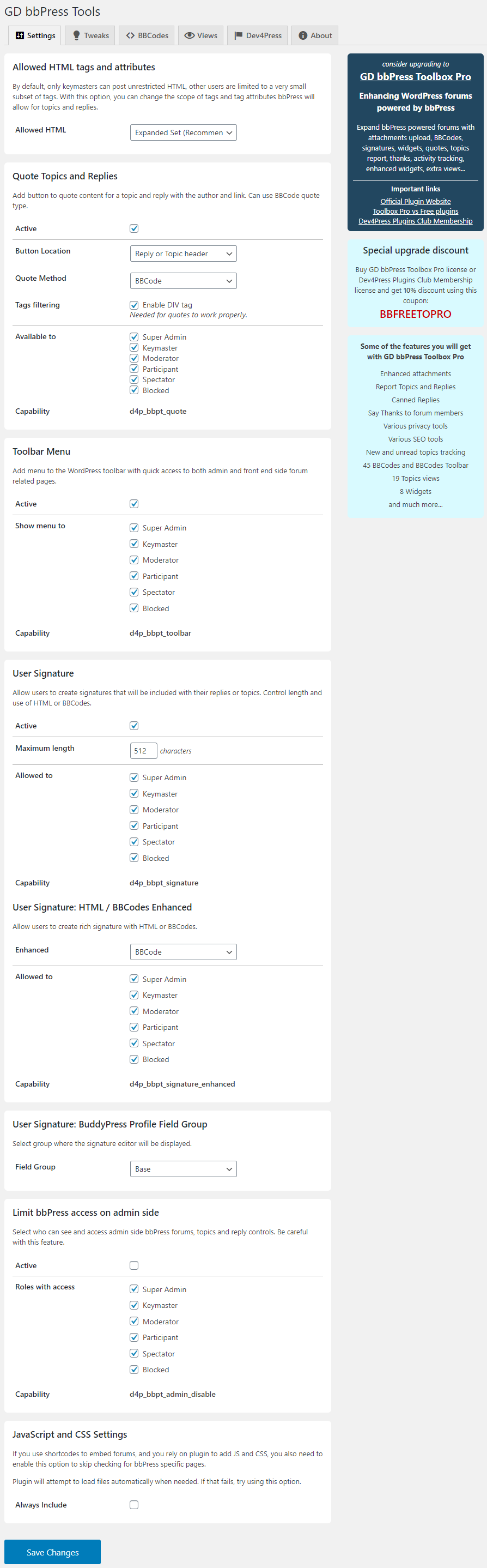
Main settings panel
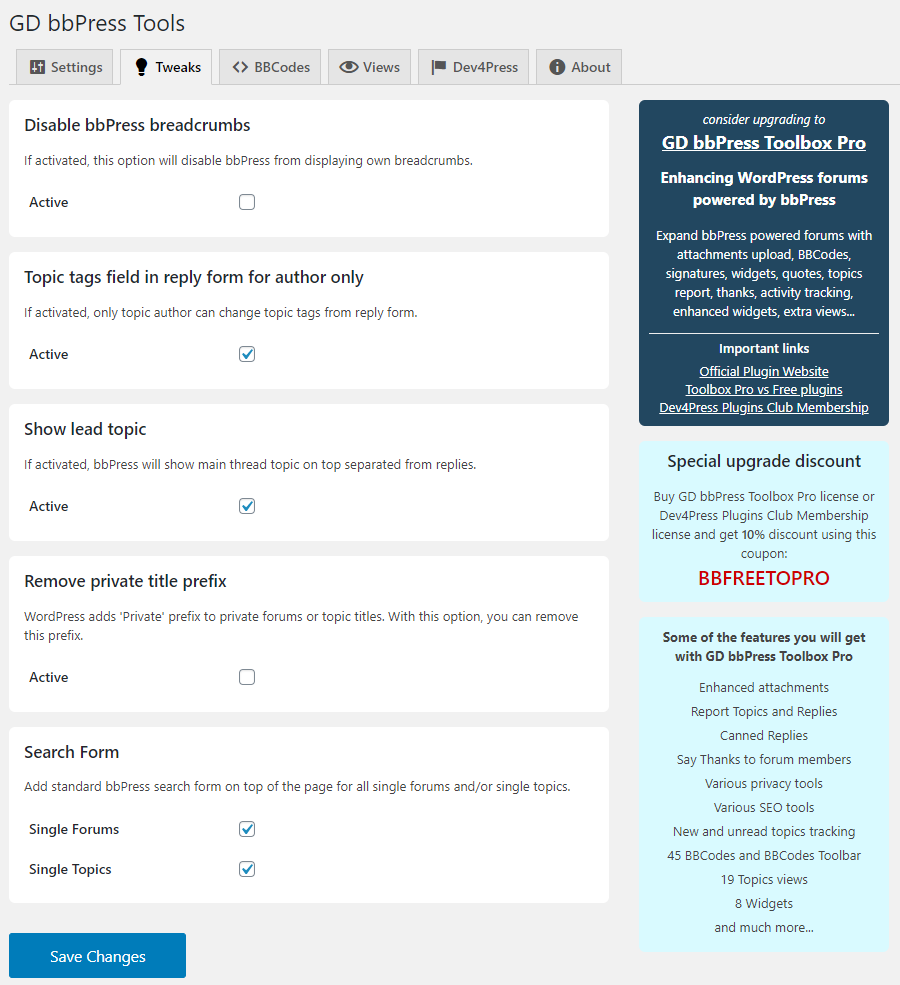
Tweaks panel
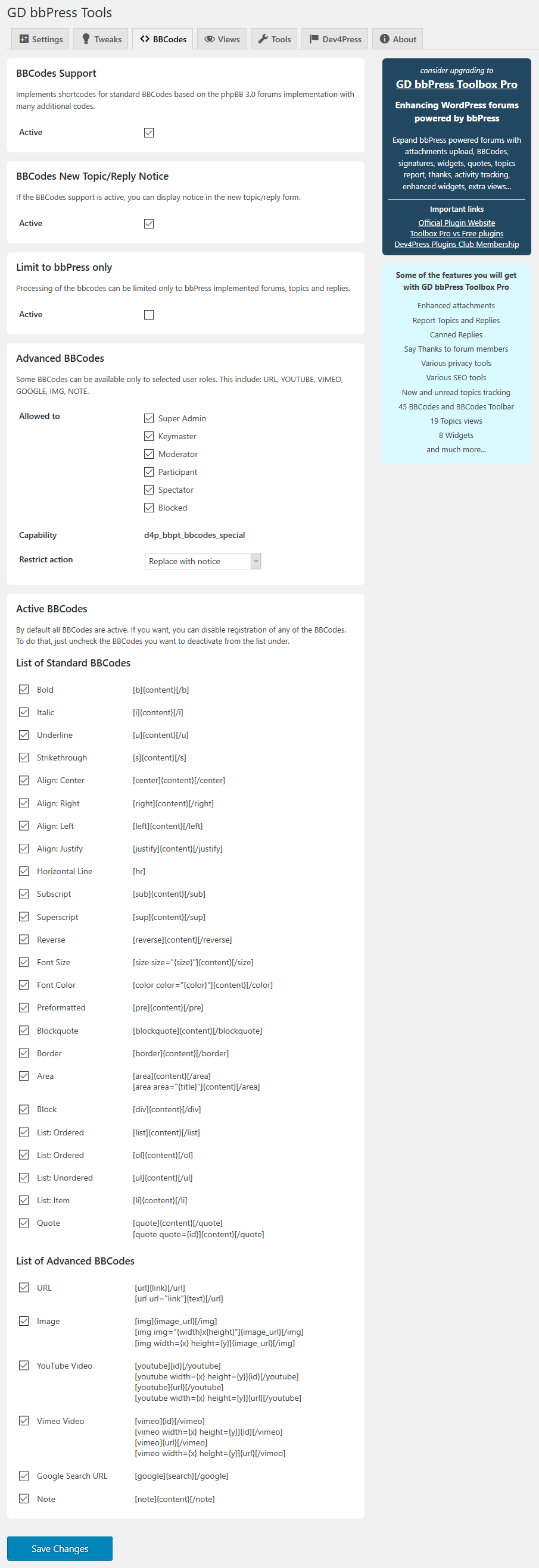
BBCodes panel
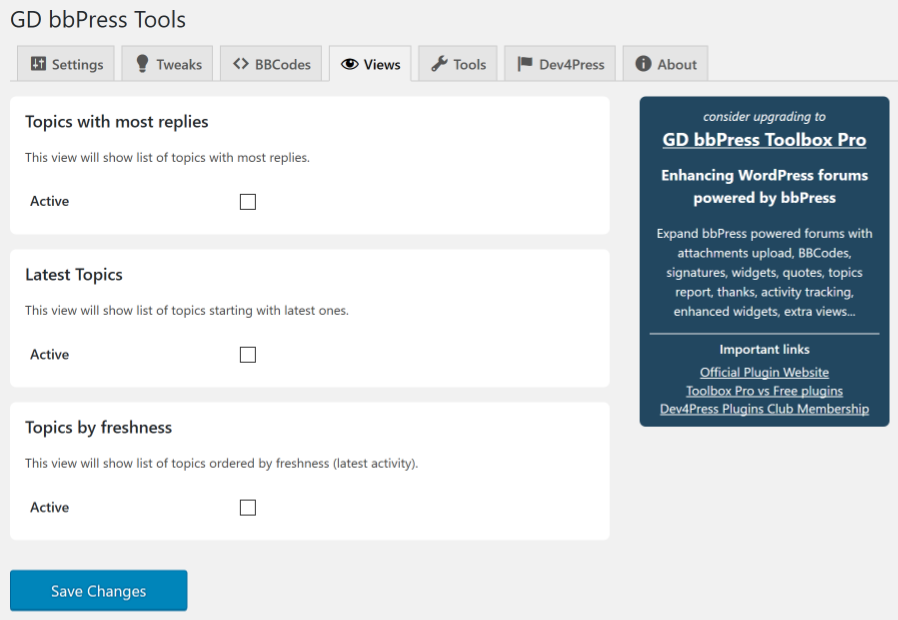
Topics Views panel
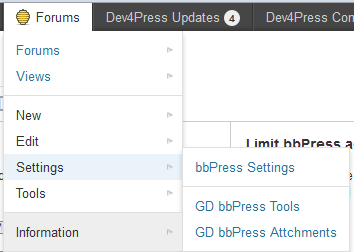
Toolbar bbPress forums menu
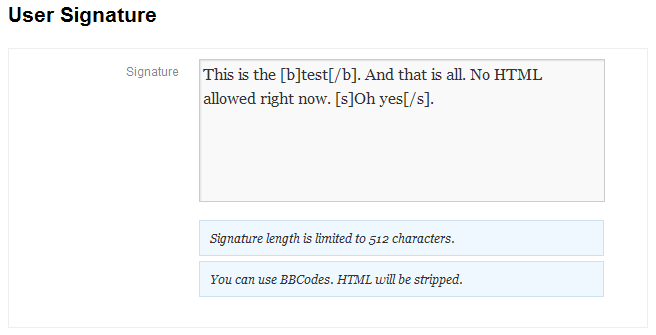
Setting up signature
Where can I configure the plugin?
In the WordPress dashboard, open Forums → Tools. The Settings tab includes signatures, quoting, and allowed HTML. Use the Tweaks, BBCodes, and Views tabs for their respective settings.
Where do members edit their forum signatures?
Members with permission to use signatures can edit the Forum Signature field in their WordPress profile or on their bbPress profile edit screen. In Forums → Tools → Settings, the User Signature and User Signature: HTML / BBCodes Enhanced sections control who can edit signatures, the maximum length, and which formats members can use.
Why does my signature look different after upgrading to 4.1?
Version 4.1 filters both new and existing signatures when displaying them. Common formatting, links, images, smileys, and standard BBCode still work when enabled. The default allowlist strips custom CSS classes, HTML IDs, and iframe embeds. Use a regular link to share a video.
Where is the signature field in BuddyPress?
With Extended Profiles active, the field appears when a member edits the profile group selected under User Signature: BuddyPress Profile Field Group in Forums → Tools → Settings. Check that the signature feature is active and that the member’s role can use it.
Why does the Quote button do nothing?
The plugin may be missing its JavaScript on that page. This can happen when forums are embedded with shortcodes or displayed in BuddyPress groups. In Forums → Tools → Settings, enable Always Include under JavaScript and CSS Settings to load the plugin’s assets on all public pages.
Why does a quote lose formatting after I save my reply?
bbPress filters the saved reply according to the HTML the reply author can use. Review Allowed HTML under Forums → Tools → Settings if you need to change the tags or attributes allowed in replies. Signatures use a separate HTML allowlist.
What if the Italic BBCode interferes with BuddyPress Nouveau?
On the BBCodes tab, limit BBCodes to bbPress content or disable the Italic BBCode. The conflict can occur when BuddyPress’s Underscore templates are processed as BBCode.
ChangeLog
4.1 (2026.11.25)
- New: renamed the plugin to forumTools for bbPress.
- New: filter for the signature HTML allowlist
- Edit: use the HTML
<s> element for strikethrough BBCode
- Edit: document plugin actions and filters in the source code
- Fix: stored cross-site scripting vulnerability in forum signatures
- Fix: verify signature saves with a nonce
- Fix: signature saving preserve literal backslashes
4.0.1 (2026.05.24)
- Fix: using the wrong constant to load the template
4.0 (2026.04.21)
- New: system requirements: PHP 8.0 or newer
- New: system requirements: WordPress 6.2 or newer
- Edit: various security-related updates and improvements
- Edit: improvements to the main JavaScript code
- Fix: XSS vulnerability related to BBCodes processing
- Fix: the issue with Quote object initialization
3.5.3 (2024.08.19)
- Edit: updated links to the Dev4Press website
- Edit: various PHP code changes and improvements
- Fix: fatal error on one of the admin panel tabs
3.5.2 (2024.05.15)
- Edit: few more tweaks to the main JavaScript code
- Fix: problems with the Quote not working with TinyMCE editor
3.5.1 (2024.05.14)
- Edit: few more tweaks to the main JavaScript code
- Edit: various small updates to readme file
- Fix: missing semicolon in the JavaScript code
3.5 (2024.04.28)
- New: directive
Requires Plugin added into main plugin file
- New: System requirements: PHP 7.4 or newer
- New: System requirements: WordPress 5.8 or newer
- New: plugin fully tested with WordPress up to 6.5
- New: plugin fully tested with PHP 8.3
- Updated: code style and translation formatting
- Updated: main plugin JavaScript library
Full changelog: forumTools for bbPress Changelog

