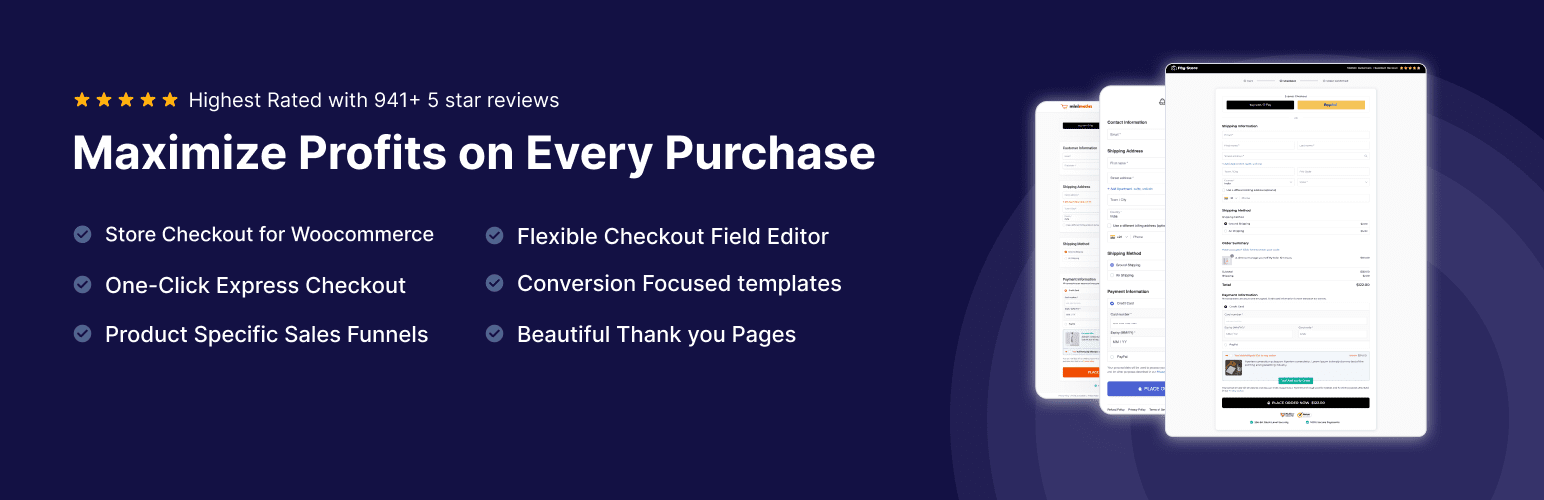
Tired of paying high monthly fees for rigid checkout plugins and funnel builders?
You don’t need to anymore.
Meet FunnelKit (formerly WooFunnels): the most intuitive and affordable Funnel Builder for WordPress. It makes the process of creating conversion-optimized WooCommerce checkouts, beautiful opt-in pages, landing pages, one-click upsells and even thank you pages a breeze.
FunnelKit Funnel Builder helps store owners by enhancing WooCommerce checkout conversions with pre-designed templates for every use case. You can create unlimited sales funnels to attract visitors and guide them toward becoming loyal customers.
FunnelKit provides you with pre-built templates that are 100% mobile-responsive and look great on all devices. You can find templates for designing custom WooCommerce checkouts, sales pages, lead generation pages, order bumps, one-click upsells, and thank you pages.
And you can even customize these templates with any of the popular page builders.
Use FunnelKit’s Funnel Builder to create:
Optimized WooCommerce checkout pages, including one-page checkouts
Multi-step checkouts (Pro)
Beautiful sales/landing pages
Highly targeted order bumps (Pro)
Rule-based one-click upsell offers (Pro)
Custom thank you or order confirmation pages
Lead generation and opt-in confirmation pages
Get ready to attract more paying customers to your business!
The WooCommerce Checkout Plugin Built for Conversions
FunnelKit Funnel Builder is also a complete WooCommerce checkout plugin. The default WooCommerce checkout is a single rigid form, on a page you can’t design, with fields you can’t reorder and no way to offer anything extra before the customer pays. Every unnecessary field is another reason to abandon.
Customize your WooCommerce checkout page
Import a conversion-optimized checkout template and edit the whole page visually in Elementor, Divi, Bricks, Oxygen or Gutenberg. Every template includes trust seals, product guarantees and customer reviews. No code, and no editing your theme’s template files.
Edit your checkout fields by dragging them
Reorder and rearrange the existing checkout fields and sections, and reposition fields like email and phone that WooCommerce places poorly by default, so you capture them earlier in the form. Remove the fields you don’t need. Fewer fields means fewer abandoned checkouts.
Faster checkout for every shopper
Express pay buttons let mobile shoppers pay with Apple Pay or Google Pay without typing card details. Inline validation catches errors as the customer types, an enhanced international phone field reduces mistakes, and smart login speeds up returning customers.
Live cart capturing saves the shopper’s email the moment it’s typed, so abandoned checkouts can be followed up automatically.
Works with every native payment gateway
Stripe, PayPal, WooPayments, Authorize.net, Braintree, Square and Mollie all work on the FunnelKit checkout, so it fits the payment setup you already have.
Replace your checkout storewide and raise order value
With FunnelKit, you can override the default WooCommerce checkout across your entire store. Funnel Builder Pro lets you build one-page or multi-step layouts, add custom and conditional fields, and place rule-based order bumps on the checkout page with one-click upsells straight after it.
WHY DO YOU NEED A SALES FUNNEL?
A sales funnel takes users from downloading a lead magnet to buying your product or service. Not only that, it boosts your average order value through order bumps and one-click upsells.
Here are some major benefits of a sales funnel:
Fewer Distractions: Users go from one step to the next without any exit points along the way.
Higher Return on Ad Spend: Creating optimized user journeys allows you to maximize returns on ad spends.
Greater Order Value: Show customers relevant pre- and post-purchase offers they can accept with one click.
Higher Conversion Rates: With marketing automation added to your sales funnel, you can bring abandoned users back to complete their purchase.
Let’s explore the essential features of FunnelKit Funnel Builder.
FUNNEL BUILDER LITE FEATURES
Customized WooCommerce Checkout Page Storewide
Design beautiful, conversion-optimized WooCommerce checkout pages for your store. Every FunnelKit checkout template includes trust seals, product guarantees, customer reviews and more. Customize your WooCommerce checkout page for more conversions with these proven techniques.
Truly Flexible WooCommerce Checkout Field Editor
Take control of your WooCommerce checkout form. Edit, reorder and rearrange the existing checkout fields and sections by dragging them, and reposition fields like email and phone that WooCommerce places poorly by default, so you capture them earlier in the form. Remove the fields you don’t need.
Opt-in & Sales Pages
Send paid traffic to a dedicated landing page instead of your storefront. Build sales pages that make the case before the checkout, and squeeze pages that capture leads who aren’t ready to buy yet. Embed opt-in forms directly on the page, or open them in a lightbox (Pro).
Customizable WooCommerce Thank You Pages
The default thank you page looks bland and isn’t optimized to carry the conversation forward. With our highly customizable templates and widgets, you can create beautiful order confirmation pages.
High-Converting Templates for Every Step
Every template is thoughtfully built, imports with one click, and is optimized for mobile, tablet, and desktop.
Contacts Activity
Get in-depth insight into every customer, including what they bought, which offers they accepted or rejected, total spend, spend at each step and more.
You can see the contacts entering your funnel and see detailed analytics in real time.
What’s more? You can choose to send the contacts over to your CRM or nurture them using FunnelKit Automations – one of the most popular marketing automation and broadcast CRM for WordPress.
Performance Dashboard
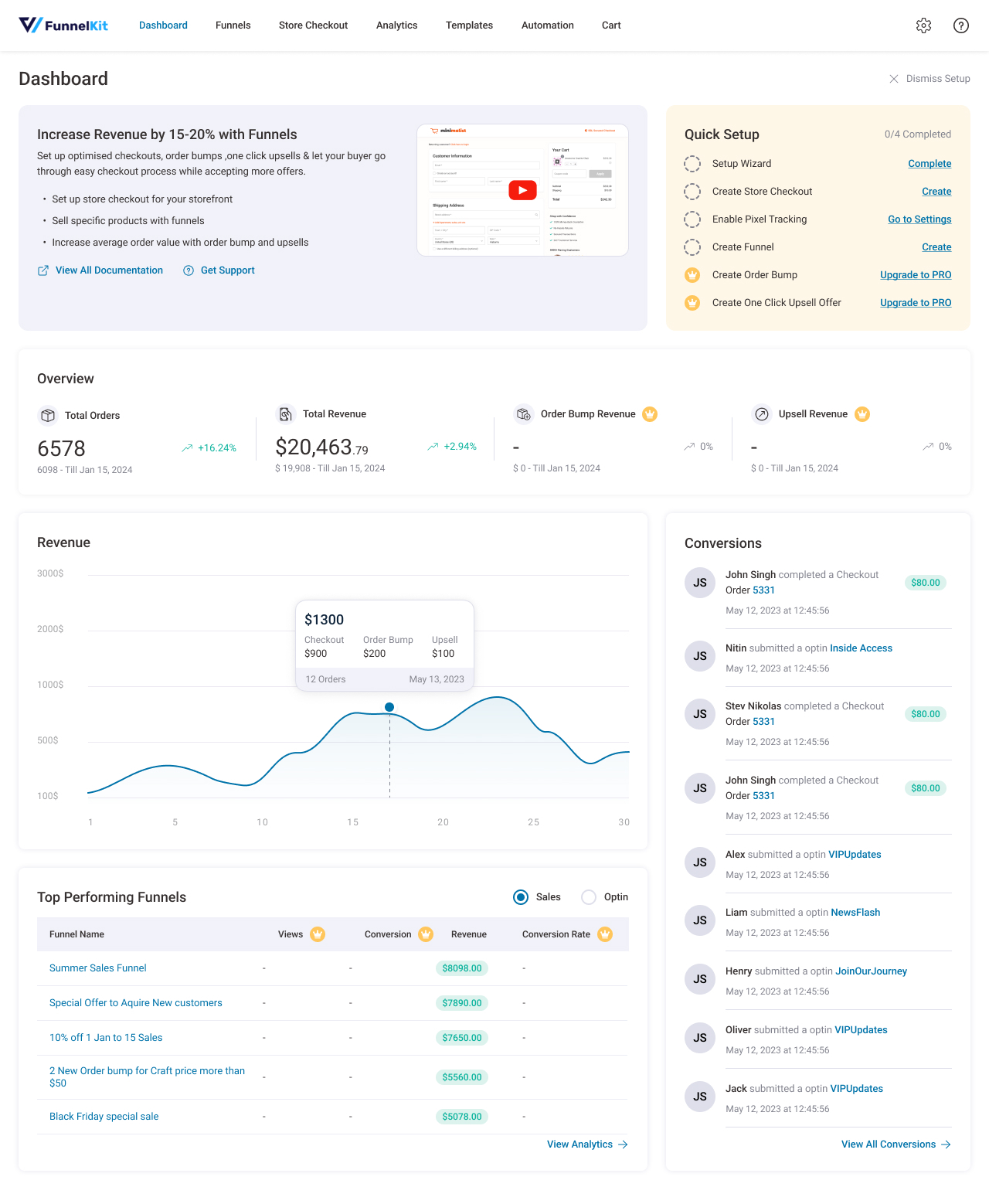
The Performance Dashboard gives you a bird’s-eye view of all your funnels.
Here’s what you can see right inside your WordPress dashboard:
The total number of contacts, orders, and revenue
Revenue generated per contact
Best-performing funnels and pages to See the leaderboard to know what’s working and what’s not
Recent activities to see a log to track the users’ actions in real time
FUNNEL BUILDER PRO FEATURES
Conversion Optimized WooCommerce Checkout Pages
Split a long checkout form into one-, two- or three-step layouts, including a Shopify-style layout, or build a streamlined one-page checkout and dedicated order forms to sell one or several products. Apply discounts, let customers choose the exact product or variant with checkboxes or radio buttons, and build deals like buy two get one free directly at checkout.
Add entirely new fields to the checkout, choosing from 14+ field types such as text, checkbox, radio, HTML and file upload. Make fields conditional so they appear only when relevant, like a company name field for business buyers or a gift message when a gift option is chosen. Edit the order summary and mini cart shown at checkout.
Optimize your checkout with smart features like Google Address Autocomplete, auto-apply coupons, smart login, multistep field preview, and more.
Order bumps are offers shown on the WooCommerce checkout page. Customers add them to the cart with one click.
Rule-based order bumps to show or skip a bump based on cart items, product category, cart total, coupons used, & more.
Multiple order bumps on one checkout, shown in a slider skin. The order total updates with each bump added.
Different skins and display positions to match your brand.
Compatible with WooCommerce Subscriptions and Sublium (including variable subscriptions), plus membership products.
Post-Purchase One-Click Upsells
With post-purchase upsells, secure the immediate order before pitching other offers. Users can accept them with a single click, which boosts the store’s average order value. The friction-free purchases enhance user experience after the WooCommerce checkout page.
Rule-based upsells and downsells based on item(s) bought, payment gateway used, order total & more.
Dynamic Offer Paths to link offers together and show the next one based on whether the previous offer was accepted.
Smart Skip to avoid offering products the customer already bought or has in the current order.
Multiple upsells on a single page.
Mobile-responsive, pre-built one-click upsell templates for Elementor, Bricks, Gutenberg, and other page builders.
Ability to separately charge a shipping fee on the upsell product.
A/B Testing
Split test any page in the funnel, or the complete funnel. Does a one-page WooCommerce checkout convert better than a multi-step one? Does a single order bump beat three? A/B testing answers both.
Divide the traffic and send it to different variations of your page to see which path converts best.
Split test products and offers
A/B test prices
Compare page designs and checkout layouts
Test order bumps and one-click upsells
Try different headlines and sales copy
In-Depth Analytics
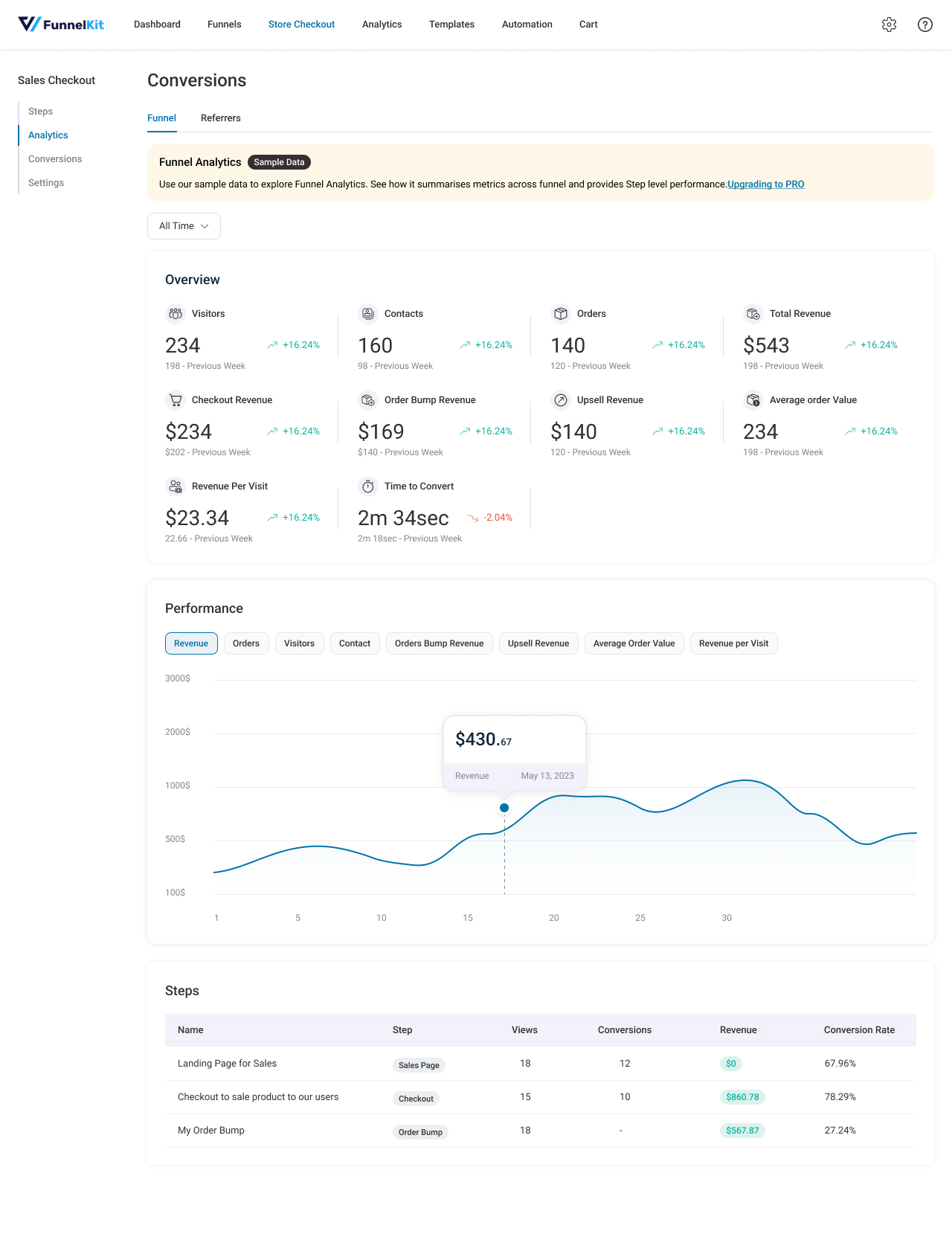
Visits, total revenue, revenue per visit, revenue per step and conversion rate for every funnel and every step, over any date range. See revenue generated from order bumps, one-click upsells and cart upsells.
All Premium Templates
The entire library of conversion-optimized templates, from opt-in pages to WooCommerce checkouts to thank you pages.
FunnelKit Cart Included
The Pro side cart comes free with your FunnelKit Plus license, with no separate purchase or license key. It includes in-cart upsells and cross-sells, free-shipping progress bars, milestone rewards and cart analytics.
Works With Your Stack
Themes
Works with all themes including Astra, Divi, Flatsome, WoodMart, Woostify, Shoptimizer, Enfold, Rey, and any WooCommerce-compatible theme available in WordPress.
Page Builders
Elementor, Divi, Bricks, Oxygen, Gutenberg, and Beaver Builder. Other builders like Spectra, Avada Fusion, Cornerstone, Brizy, Thrive Architect, and Greenshift work via shortcodes.
Payment Gateways
Stripe, PayPal Payments, WooPayments, Mollie, Authorize.net, Mercado Pago, and more. Apple Pay, Google Pay, and Amazon Pay are supported as express checkout options.
Plugins
WooCommerce Subscriptions, WooCommerce Product Bundles, Advanced Coupons, EU/UK VAT Manager, WPML, Polylang, TranslatePress, LearnDash, Lifter LMS, hCaptcha, Cloudflare Turnstile, and many more.
Tracking
Meta Pixel & Conversions API, Google Analytics 4, Google Ads, TikTok, Pinterest, and Snapchat.
Live cart capture for accurate abandonment tracking
Post-purchase follow-up sequences
Time-delayed sends scheduled around buyer behavior
Real-time reporting on abandoned carts, recovered carts, and recovered revenue
It’s one of the most popular marketing automation and broadcast CRM plugins for WordPress, and it integrates directly with your FunnelKit checkout.
✅ Who Is FunnelKit Funnel Builder For?
FunnelKit Funnel Builder is the ideal WordPress funnel builder and WooCommerce checkout plugin for any store or business, including:
WooCommerce store owners
Course creators and coaches
Membership and subscription businesses
Software companies
Fashion and apparel brands
Dropshippers
Fitness coaches
Authors and publishers
Personal brands and bloggers
Real estate professionals
Educational institutions
Digital product sellers
???? Works Great With
FunnelKit Cart – A WooCommerce side cart that sends shoppers straight to your checkout, with free-shipping progress bars, milestone rewards and in-cart upsells.
FunnelKit Automations – Marketing automation and CRM for WordPress. Recover abandoned checkouts, send post-purchase follow-ups and run email/SMS broadcasts.
Sublium Subscriptions – Recurring payments, subscribe-and-save, memberships and installment billing, with failed-payment recovery plus MRR and churn analytics. Built by the FunnelKit team to work smoothly with your checkout.
FunnelKit Payment Gateway for Stripe WooCommerce – Accept cards, Apple Pay, Google Pay and buy now, pay later options through Stripe. It’s built for FunnelKit checkouts and supports one-click upsells.
FunnelKit may connect to the following external services, only when the related feature is used:
FunnelKit provides the template library, template images, previews and optional usage tracking. Terms and Privacy Policy
FunnelKit AI (app.funnelkit.com) connects an AI assistant to your store. It is off until an administrator turns on “Allow AI connections” and approves the connection. The service then calls this site’s endpoint and receives what its tools return: the site’s name and address, funnels and their steps, step, checkout and opt-in form settings, templates, global settings, and bundles with the products and prices in them. The free plugin’s tools send no customer or order data. The site’s address is also used to look up its FunnelKit license on that service. Terms and Privacy Policy
Google Fonts may load when a Google font is selected. Terms and Privacy Policy
Google reCAPTCHA may be used for opt-in spam prevention. Terms and Privacy Policy
YouTube may embed tutorial videos on FunnelKit screens. Terms and Privacy Policy
Pinterest may receive pixel events when a tag is added. Terms and Privacy Policy
Snapchat may receive pixel events when a tag is added. Terms and Privacy Policy
TikTok may receive pixel events when a tag is added. Terms and Privacy Policy
Mollie may load Mollie.js on the checkout to show Mollie express checkout buttons, when Mollie Payments for WooCommerce is active and its express checkout is enabled. Terms and Privacy Policy
Source Code
Unminified source for the plugin’s compiled JavaScript and CSS, along with the build configuration and build steps, is available here: https://drive.google.com/drive/folders/1Z-R0_Nbb0BOCyqauxvCftjhS9Ve–IHH
The Bundles module (modules/bundles/) ships its admin app, blocks and styles in compiled form. Its unminified source is in the same source folder linked above, under modules/bundles/, with its build steps in that folder’s README.md and package.json.
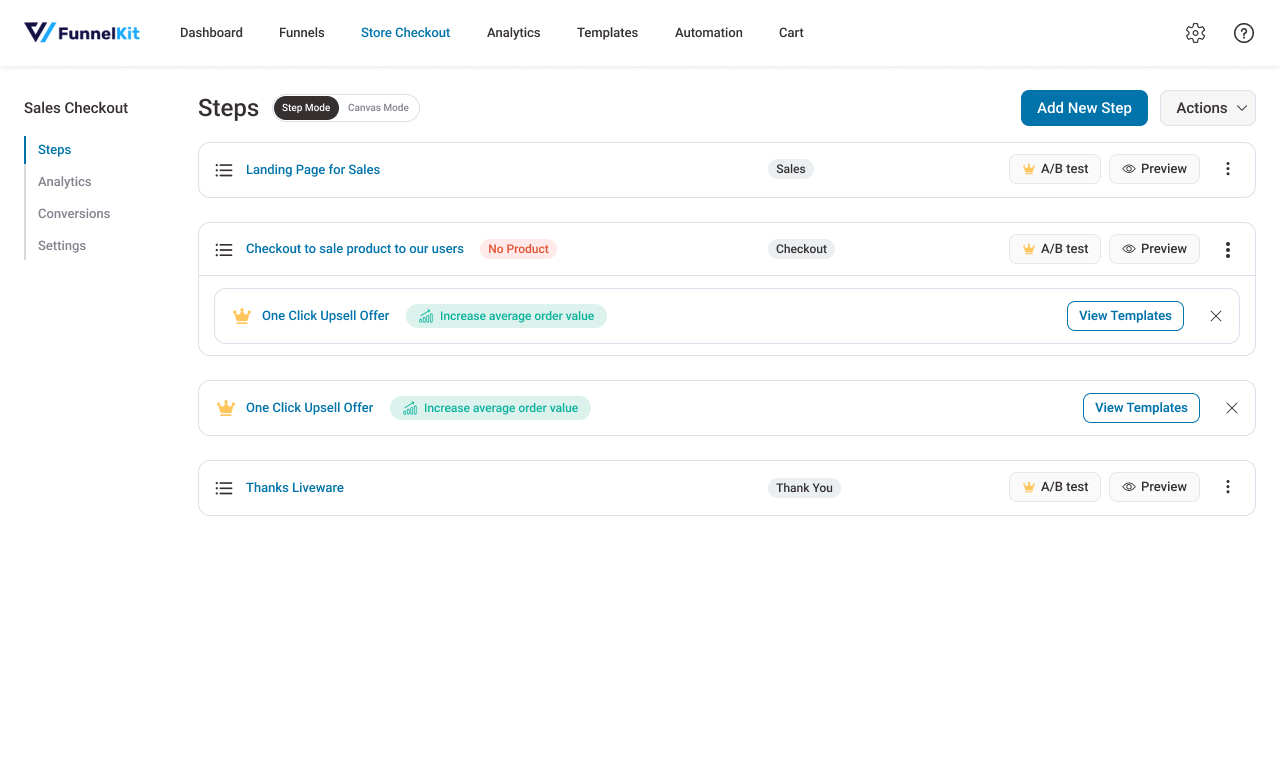
A sales funnel guides a prospect from first contact to purchase. It starts with many potential customers at the top and narrows to the ones who buy. A simple funnel is a landing page, a checkout page and a thank you page, but you can add opt-ins, order bumps and upsells to turn it into a real revenue engine.
How can sales funnels enhance my WooCommerce store?
Sales funnels allow you to offer a guided path to your visitors. Instead of only having a storefront with a catalog of products, create dedicated paths for select items.
Create a beautiful store checkout with our optimized templates. Plus, add order bumps and one-click upsells to boost your average order value. You can also set up rules for your offers and target customers with offers relevant to them.
Why do I need a sales funnel builder?
Sales funnels boost sales and increase conversions for online businesses.
But creating beautiful pages requires you to spend loads of money on web developers. And most SaaS funnel builders are complicated or too expensive.
The main purpose of a sales funnel builder is to help you create a high-converting sales funnel fast. It should also be affordable and easy to use.
FunnelKit’s Funnel Builder offers an affordable, robust solution.
Use FunnelKit’s Funnel Builder to create profitable sales funnels without learning code.
How do I choose a WooCommerce checkout plugin?
It depends on what you need. If you only want to hide or rename a few fields, a simple checkout field editor is enough.
If you want to replace the checkout page entirely, redesign it, restructure the fields, speed it up with Express Pay and address autocomplete, and raise order value with order bumps and upsells, you need a full checkout solution.
FunnelKit is the second kind. It’s active on 30,000+ WooCommerce stores and has 1,000+ five-star reviews on WordPress.org, many of them about our support team.
How do I customize the WooCommerce checkout page?
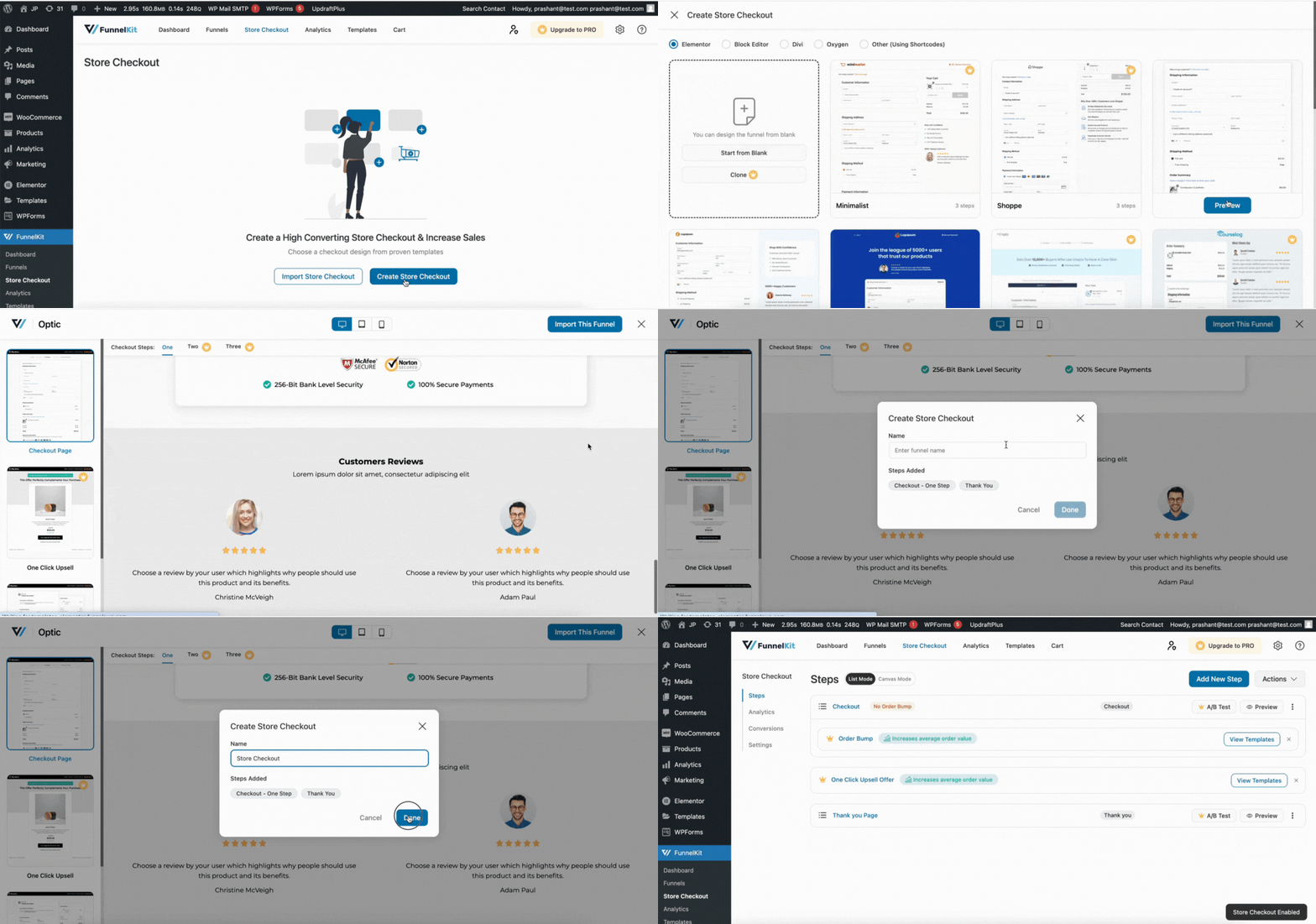
Install and activate FunnelKit Funnel Builder.
Go to FunnelKit > Store Checkout and create a checkout.
Import a checkout template.
Add, remove or reorder fields in the drag-and-drop field editor.
Choose a one-step or multi-step layout (multi-step is Pro).
Style the page in Elementor, Divi, Bricks, Oxygen or Gutenberg, then save.
No code is required, and you don’t need to edit your theme’s template files.
Can I add, remove, or reorder WooCommerce checkout fields?
Yes. FunnelKit’s checkout field editor lets you add custom fields, delete fields you don’t need, reorder them by dragging, and create your own sections to group them. You can add text, radio, checkbox, select, and HTML fields, and set each one as required or optional.
Does FunnelKit Funnel Builder replace the default WooCommerce checkout page?
Yes. Store Checkout overrides the default WooCommerce checkout across your whole store. You can also build product-specific checkouts that apply only to certain products, while everything else uses the default flow.
Will this checkout plugin work with my payment gateway?
FunnelKit Funnel Builder works with every major WooCommerce payment gateway, including Stripe, PayPal Payments, WooPayments, Amazon Pay, Authorize.net and Mercado Pago. Express pay methods like Apple Pay and Google Pay are supported directly on the checkout page.
Is FunnelKit Funnel Builder a one-page checkout plugin?
Yes. The free version includes a one-page checkout with free templates. With Pro, you can also split the form into two- or three-step layouts and A/B test them to see which converts better for your store.
How is this different from a WooCommerce checkout field editor plugin?
A checkout field editor changes the fields. FunnelKit changes the entire checkout experience, including the page design, field structure, payment options, speed, and what you can offer the customer before and after they pay. The field editor is one feature inside it.
Will FunnelKit Funnel Builder slow down my checkout page?
No. Recent releases specifically optimized checkout performance: redundant total recalculations were removed, field rendering was made lighter, and database queries at checkout were consolidated. FunnelKit is also compatible with caching plugins.
Is there a free version of the checkout plugin?
Yes. FunnelKit Lite includes lead gen, sales funnels, customizable WooCommerce store checkout pages, the checkout field editor, thank you page templates, opt-in and sales pages, and the performance dashboard. Order bumps, one-click upsells, A/B testing, and detailed analytics are Pro features.
Do I need the Pro version?
It depends on what you’re doing. Lite is enough to customize your checkout page and build funnel pages. If you want to replace your store checkout sitewide, add order bumps or one-click upsells, or run A/B tests, you’ll need Pro. See current pricing at funnelkit.com.
Does the free plugin need a license key?
No. The plugin itself has no license check, and nothing in it is locked. It tells FunnelKit AI, an optional external service listed above, which license tier each of its tools belongs to, and that service decides on its own servers which tools it offers.
Can I add a side cart or mini cart to my WooCommerce store?
Yes, with the free FunnelKit Cart plugin. It replaces the static WooCommerce cart page with a slide-out drawer that opens without a page reload, so shoppers can edit quantities and apply coupons in place, then go straight to your FunnelKit checkout. Both plugins are built by the same team and work together with no setup.
Will FunnelKit Funnel Builder be compatible with my WordPress theme?
Yes. FunnelKit Funnel Builder works with any WooCommerce-compatible theme, and we ship theme-specific compatibility fixes in most releases include compatibility fixes for popular themes like Astra, Divi, Flatsome, Woodmart, Woostify, Shoptimizer, Enfold, Rey, and many more.
What makes FunnelKit Funnel Builder unique as compared to other funnel builders?
FunnelKit is the most powerful WordPress sales funnel builder that gives you complete control over your funnels.
You don’t have to rely on other tools or plugins to create or track your funnels.
Here’s why FunnelKit Funnel Builder is one of a kind when compared to other funnel builders:
Professionally designed templates that are customizable
Works with all the page builders
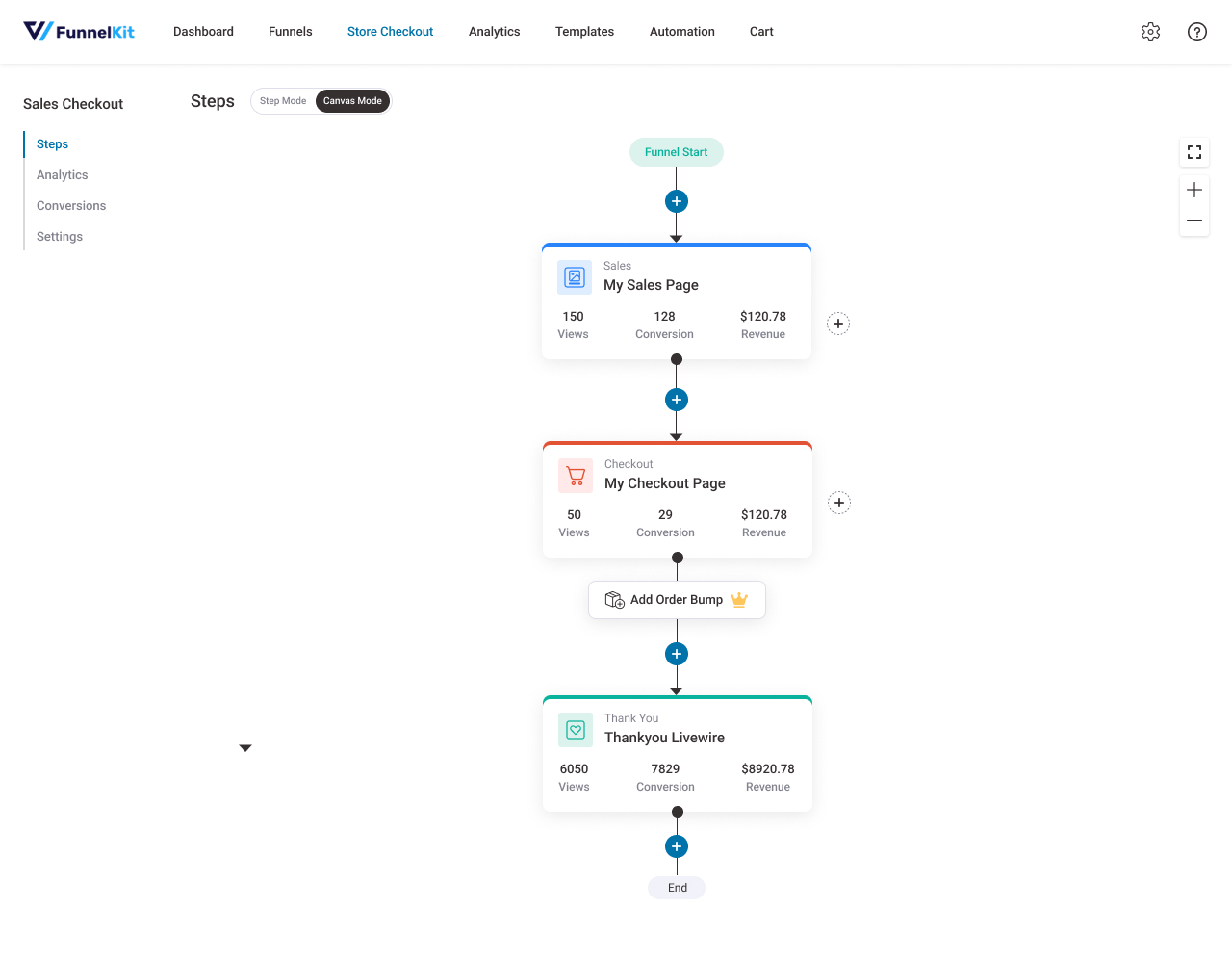
Canvas mode to visualize your sales funnels on a single screen
Store Checkout to replace your traditional WooCommerce checkout
Checkout field editor and optimization options
Order Bump offers on the checkout page
Upsells and downsells with dynamic offer path
Rule-based AOV boosting order bumps and one-click upsells
Built-in A/B testing
In-depth analytics and reporting
Supports all the major payment processing gateways, and a lot more.
Will FunnelKit Funnel Builder work with the page builder I use?
Yes. FunnelKit integrates deeply with Elementor, Divi, Bricks, Oxygen and Gutenberg, with dedicated templates and widgets for each. Other builders like Beaver Builder, Thrive Architect and Brizy work through shortcodes.
Does FunnelKit work with WooCommerce Subscriptions?
Yes. Checkout, order bumps and one-click upsells all support subscription and membership products. For advanced subscription management, FunnelKit also works alongside Sublium.
Does FunnelKit works with Facebook Pixel?
Yes, FunnelKit work with Facebook Pixel including the Conversions API for server-side tracking. FunnelKit also supports Google Analytics 4, Google Ads, TikTok, Snapchat, and Pinterest.
What types of funnels can I build?
Lead generation, course, membership, subscription, ebook, webinar, tripwire, affiliate, masterclass, product launch, physical product, squeeze page, quiz and challenge funnels, among others. There’s no limit on how many you create.
Do I need any coding or design skills to set up funnels with FunnelKit?
No, you don’t need any coding or design skills to set up your sales funnels with FunnelKit.
With a library of templates, you can start customizing and creating your funnels fast. Create your funnels from scratch with drag-and-drop widgets using different page builders.
I’m new to FunnelKit. Where can I find its documentation?
Congratulations on starting your journey with FunnelKit. Click here to explore our official FunnelKit documentation.
Can I keep the Bundles module from loading?
Yes. Add define( 'WFFN_DISABLE_BUNDLES', true ); to your wp-config.php file. Funnel Builder then skips the Bundles module completely: its screens, product page offers and cart handling do not load. Remove the line to load it again. Bundles you have already set up stay saved.
I’m stuck. Who do I contact?
Reach our Support Team. We answer questions on the free version too.
Fixed: FunnelKit AI: Export funnel ability now handles large funnels, so the export completes regardless of the funnel’s size. (#9802)
Fixed: Checkout: The checkout now sets up its cart on requests that arrive without an Accept header, so the order summary always shows the right products. (#9774)
Fixed: Checkout: Opening a checkout in the block editor now works smoothly on setups where WooCommerce has no cart. (#9791)
Fixed: Checkout: The “Enter your address to view shipping options” message now appears when shipping costs are hidden until an address is entered. (#9799)
Fixed: Checkout: Opening the same checkout in several tabs now keeps each tab’s product in the cart. (#9818)
Fixed: Funnel: The Funnel Ended event now fires once per order, so automations no longer re-run on thank you page reloads. (#9803)
3.18.0.1
Improved: Funnel: FunnelKit AI funnel orders now load within the reply limit, with buyer journeys available as a separate ability. (#9764)
Improved: Funnel: FunnelKit AI now reads funnel steps in bulk, pages through orders, applies templates faster and names the reason when a request is declined. (#9772)
Improved: Funnel: FunnelKit AI setting and design edits now name the field and allowed values when a change is declined. (#9780)
Improved: Funnel: FunnelKit AI now includes the module version in error and sign-in replies for faster troubleshooting. (#9789)
Fixed: Funnel: FunnelKit AI global settings now return every settings group the tool lists. (#9781)
3.18.0
Added: Funnel: Added FunnelKit AI (MCP) with a dedicated settings screen and secure sign-in, so AI assistants can build and refine your funnel steps. (#9386)
Added: Funnel: Added Google Ads Merchant Centre settings so purchase conversions report cart data for richer shopping reports. (#9712)
Added: Optin: Email typo suggestions now work on optin pages, sharing one lightweight script with checkout. (#9709)
Improved: Checkout: Checkout step URLs now skip the site’s permalink prefix, matching every other funnel step. (#9693)
Improved: Funnel: Improved compatibility with Elementor. (#9643, #9660)
Improved: Checkout: Improved compatibility with WooCommerce Fraud Protection. (#9704, #9736)
Improved: Checkout: Improved compatibility with MyParcel, PostNL and DPD France. (#9691)
Improved: Checkout: Improved compatibility with Fetchify. (#9730)
Improved: Funnel: Improved compatibility with Bricks Builder. (#9701)
Improved: Funnel: Improved compatibility with Jetpack. (#9677)
Improved: Funnel: Improved compatibility with Perfmatters. (#9720)
Improved: Funnel: Improved compatibility with PayPlug. (#9660)
Fixed: Checkout: Embed form field errors now show in red, independent of the form content colour. (#9696)
Fixed: Funnel: Meta Conversions API now sends only populated customer fields and the correct click ID timestamp for more accurate matching. (#9683)
Fixed: Funnel: The Admin UI date picker now keeps the Specific Date calendar open and shows range labels clearly. (#9702)
3.17.0.1
Improved: Funnel: Improved compatibility with Bricks Builder. (#9665)
Improved: Funnel: Improved compatibility with Elementor Pro. (#9662)
Improved: Funnel: Improved compatibility with FunnelKit Stripe. (#9678)
Fixed: Funnel: Resolved PHP 8.3 undefined warnings for some cases where WP_Post object is stdClass instead of post. (#9667)
3.17.0
Added: Checkout: Added an Email typo suggestion option under Checkout Optimisation to catch common email domain mistakes. (#9605)
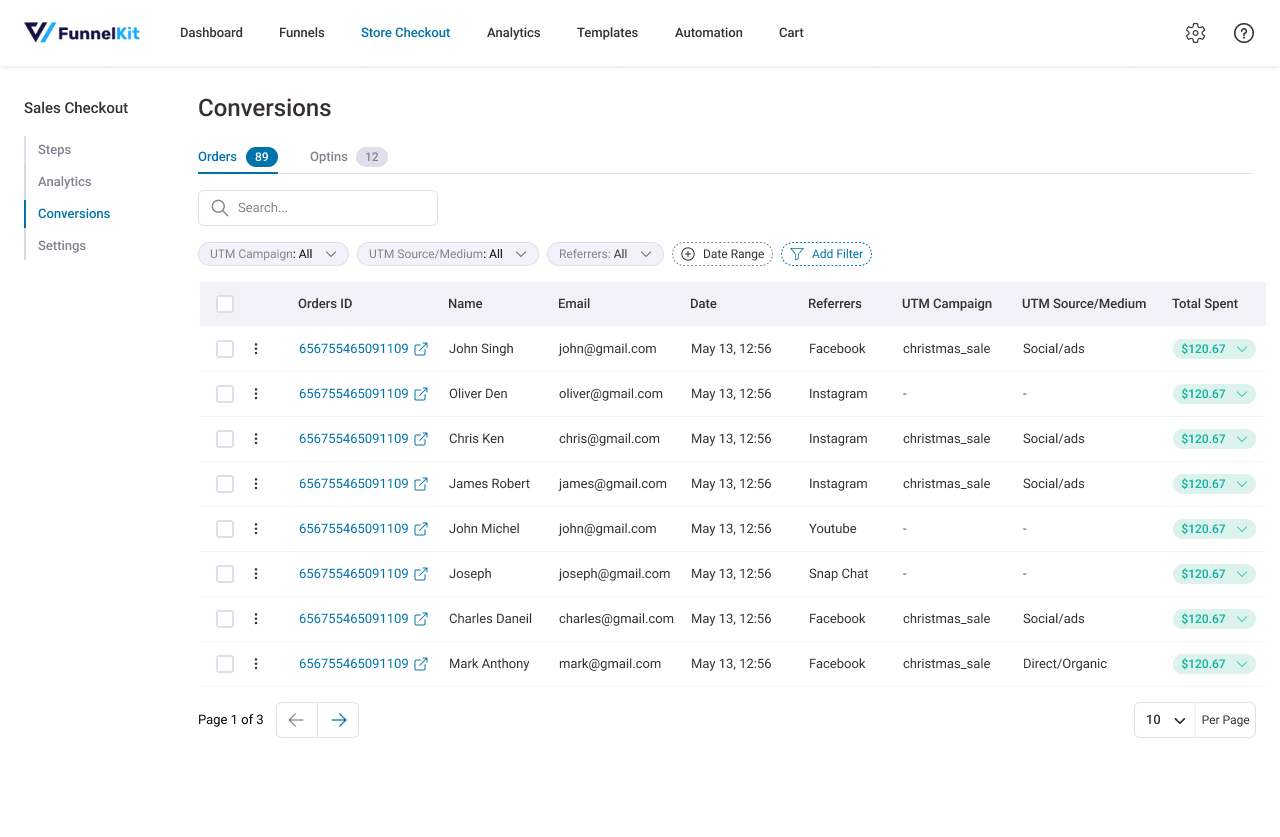
Added: Funnel: Added Customer Journey to Conversion Tracking with a Conversions column, details modal, Pages Visited filter and export. (#9504)
Added: Funnel: Added attributed revenue reporting for landing page steps, including order bump and upsell revenue. (#9536)
Added: Funnel: Added a setting to skip Meta Purchase events for subscription renewal orders. (#9336)
Added: Checkout: Added new filters for order item thumbnails on checkout and Thank You pages, with cart item context. (#9443)
Improved: Checkout: Checkout CSS loading optimised on a per-builder basis. (#9549)
Improved: Checkout: Improved checkout accessibility with named mini-cart controls and labelled quantity inputs (WCAG 2.2 AA). (#9608)
Improved: Checkout: Phone fields now render as telephone inputs with valid autocomplete for better mobile keypads and autofill. (#9625)
Improved: Checkout: Added the Unbounded Google Font to the embed form font selector. (#9638)
Improved: Checkout: Improved compatibility with Weight Based Shipping. (#9451)
Improved: Checkout: Improved compatibility with WooCommerce EU VAT Number. (#9454)
Improved: Checkout: Improved compatibility with Envia Shipping. (#9486)
Improved: Checkout: Improved compatibility with Colombian Departments and Cities. (#9538)
Improved: Checkout: Improved compatibility with Spectra. (#9540)
Improved: Checkout: Improved compatibility with FiboFilters. (#9554)
Improved: Checkout: Improved compatibility with MailerLite for WooCommerce. (#9568)
Improved: Checkout: Improved compatibility with SDEK and eDostavka. (#9571)
Improved: Checkout: Improved compatibility with Germanized for WooCommerce. (#9584)
Improved: Checkout: Improved compatibility with WPLoyalty. (#9596)
Improved: Funnel: Optimised the dashboard upsell and order bump listing for stores with many offers. (#9420)
Improved: Funnel: Updated the Google Fonts list in block editor controls with newer families such as Lexend Deca. (#9602)
Improved: Funnel: Improved conversion analytics now cover the UTM content column too. (#8592)
Fixed: Checkout: Collapsible order summary now shows coupon success and error messages correctly. (#9345)
Fixed: Funnel: Improved deduplication for duplicate Add to Cart tracking events. (#9483)
Fixed: Checkout: Resolved unexpected zooming on iPhone Safari for block-supported themes. (#9479)
Fixed: Checkout: Order summary now shows the correct line total for subscription products with quantity above one. (#9543)
Fixed: Checkout: Checkout discounts now apply to products with a scheduled sale on WooCommerce 11.1.0. (#9544)
Fixed: Checkout: The Bricks checkout breadcrumb setting is now honoured. (#9620)
Fixed: Funnel: Meta Pixel and Conversions API events now report the actual page URL. (#9268)
Fixed: Funnel: Meta ViewContent events now send the standard product content type. (#9576)
Fixed: Funnel: View events for variable products now use the URL-selected variation and its price. (#9591)
Fixed: Funnel: Child pages now redirect to their canonical URL with the parent slug. (#9603)
Fixed: Optin: Opt-in forms now redirect to the next step correctly when the Kit (ConvertKit) integration is enabled. (#9352)
3.16.0.6
Improved: Thank You Page: Hardened output with inline scripts on the order received page. (#9581)
3.16.0.5
Improved: Funnel: Admin App styling improved with WordPress version 7.1. (#9442)
Improved: Checkout: Better handling for the phone field styling conflict with 3rd party plugins printing intl-tel-input CSS. (#9465)
Fixed: Checkout: PageView and Custom events for Facebook conversion API fixed. (#9493)
3.16.0.4
Improved: Funnel: Compatibility with Elementor improved related to widget cache. (#9446)
3.16.0.3
Improved: Thankyou Page: Shortcodes for order details and customer info improved to handle QR codes. (#9436)
Fixed: Optin: Compatibility with Cloudflare Turnstile causing double validation. (#9432)
3.16.0.2
Fixed: Checkout: Advanced phone field styling issues with divi builder. (#9418)
Fixed: Checkout: Phone field validation not working correctly in a few edge cases. (#9414)
3.16.0.1
Fixed: Plugin deactivation modal popup was not working. (#9405)
3.16.0
Added: Optin: Added compatibility with Simple Cloudflare Turnstile for optin forms. (#8823)
Improved: Checkout: Improved checkout performance by skipping redundant total recalculations action hooks. (#8717)
Improved: Checkout: Optimized advanced field rendering with a lighter order lookup. (#8719)
Improved: Checkout: Enhanced compatibility with Yoast SEO by Team Yoast. (#8008)
Improved: Checkout: Enhanced company field settings in customizer. (#8060)
Improved: Checkout: Improved compatibility with WooCommerce MailerLite integration by handling exceptions and checking for plugin version constants. (#8108)
Improved: Checkout: Updated compatibility with Chronopost by Adexos for FunnelKit Checkout. (#8115)
Improved: Checkout: Added compatibility with Sezzle WooCommerce Payment. (#8148)
Improved: Checkout: Load Gtag JS on footer instead of inline to adhere with HTML validations. (#8150)
Improved: Checkout: Enhanced compatibility with TranslatePress by updating action hooks and adding a filter to manage template loading and order review text. (#8189)
Improved: Checkout: Enhanced compatibility with Woodmart theme. (#7998)
Improved: Funnel: Improved editor experience when using Block editor alongside Classic editor. (#8004)