
WP Front Editor & publisher the best frontend plugin for WordPress.
???? Demo | ???? Documentation | ???? Community | ???? Upgrade to PRO
WP Front User Submit is a versatile WordPress plugin designed to enable post submissions from the frontend with or without user login. Packed with configurable options, it offers a comprehensive solution for guest posting.
✨ Core Features
- Includes a fast & secure post-submission form
- Includes a simple login/register/password form
- Display forms anywhere via shortcode or template tag
- Flexibility for Admins
- Drag and Drop Form Builder
- Guest Post Support
- Admin and User Notification Configurations
- Redirection Options After Submission
- Configure Submitted Post Status
- Enable/Disable Form Components
- Multiple Text Editors (EditorJS, MD Editor, TinyMCE Editor, Simple Text Area)
- Use anywhere easily with shortcodes
- Simple Login and Registration Forms [fus_form_login] & [fus_form_register]
- Redirect user to any URL or current page after submission
- Use the default form styles or add your own custom CSS
- Form fields may be set as optional or required
- Includes shortcode to display a list of submitted posts [fe_fs_user_admin]
- Post Images
- Google reCAPTCHA Integration
- Responsive and Browser Compatible
- Developer Documentation Available
- WooCommerce integration: Enable payment collection for each post submission.
Detailed Features
Flexibility for Admins
Manage users from the frontend and configure backend access for specific users.
Files & attachments
Allow users to upload attachments, including post featured images, directly from the frontend.
Drag-n-Drop Form Builder
Build and customize forms with ease using the drag-and-drop form builder with real-time preview.
Shortcodes
Use unique shortcodes to embed forms anywhere on your site without breaking your theme’s style.
Guest Post Submission
Enable guests to submit posts from the frontend without registering.
Frontend Content Management
Users can upload files, fill out forms, and update their posts directly from the frontend.
Next-Generation Block Styled Editor (EditorJS)
Enhance post content with block-styled editing capabilities.
Customizable Post Status and Messages
Set default post statuses, customize submission messages, and modify submit button text.
Display Custom Fields Data in Post
Custom fields data are viewable to visitors on frontend on single post pages. Admins can disable this feature also.
User Admin Panel
Manage posts with ease, including editing and deleting capabilities, using the [fe_fs_user_admin] shortcode.
Integrations
- Compatible with the User Role Editor plugin for advanced permission configurations.
- Compatible with ACF plugin.
✨ Premium Features
- Custom taxonomy support
- Custom post types
- Custom field support
- FilePond integration for file uploads
- Custom field with various field types
– Textfield
– Textarea
– Number
– Email
– URL
– Tel
- Enhanced EditorJS features (Gallery, Image uploading, Table, Carousel, etc.)
- Thumbnail using WP Media Uploader
- Multiple categories selection
- Files and images advanced uploader field using Filepond JavaScript library
- Google Map Field
- Date Field
- Hidden field
- Radio Group field
- Number field
- Button field
- Header field
- Checkbox Group field
- Paragraph field
- Action hook field
- hCaptcha field
- WooCommerce integration
Boost your site value with user-generated content!
Try It Out
* Online Demo of the FREE & PRO version.
* Login Here
* Username: Demo
* Password: Demo
Please help us to improve the plugin
For revision and issues here
Pro Version
- Front Editor Pro* now available here.
Community
https://wpfronteditor.com/docs/
Documentation
For more information please visit our site .
Translations
- English – default, always included
- Russian – ru_RU
Screenshots

✨ AI writing assistant (free): improve, fix grammar, shorten or expand text right in the form

Drag-and-drop form builder

Frontend post submission form in the free Clean design
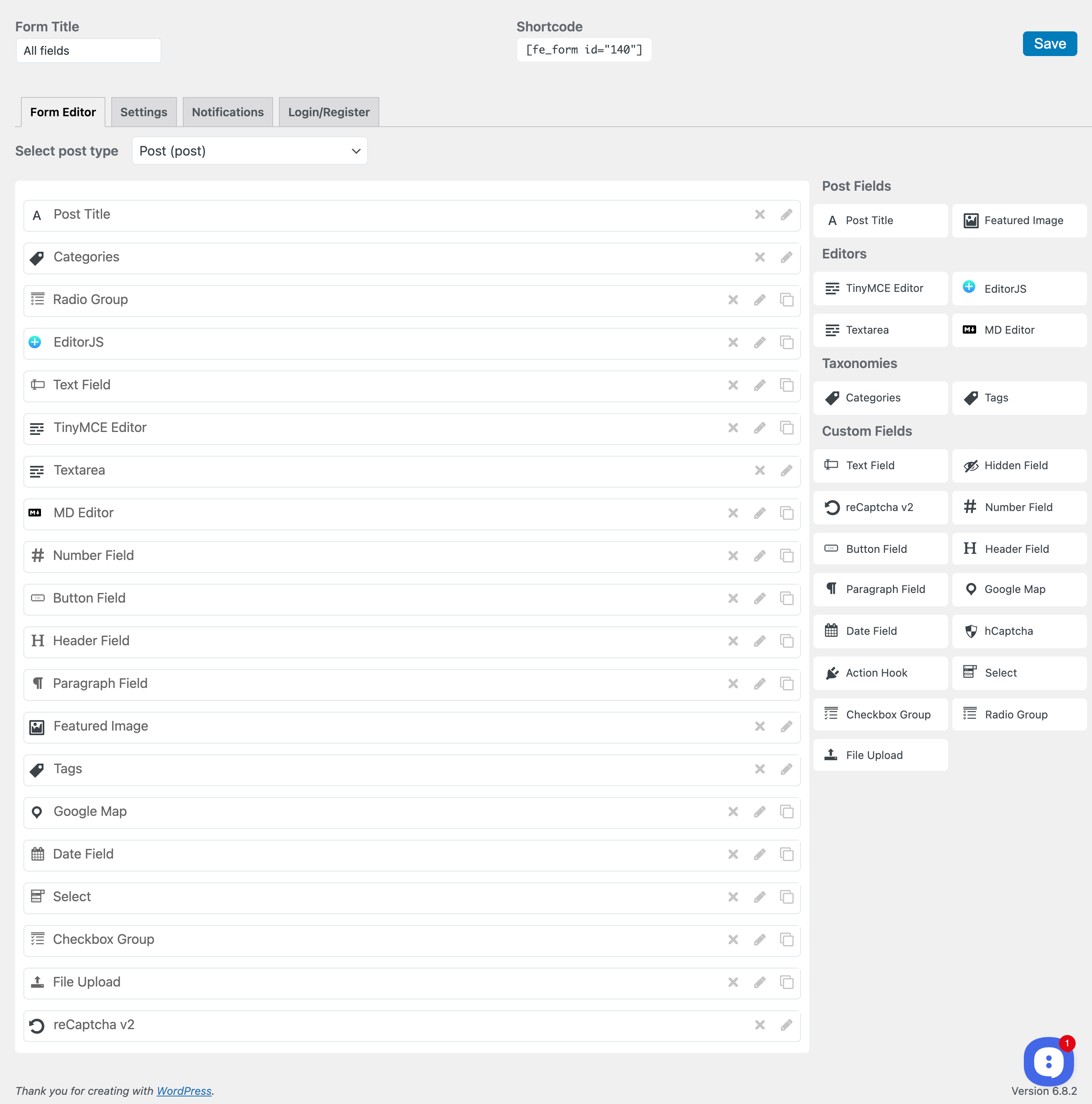
Form builder fields
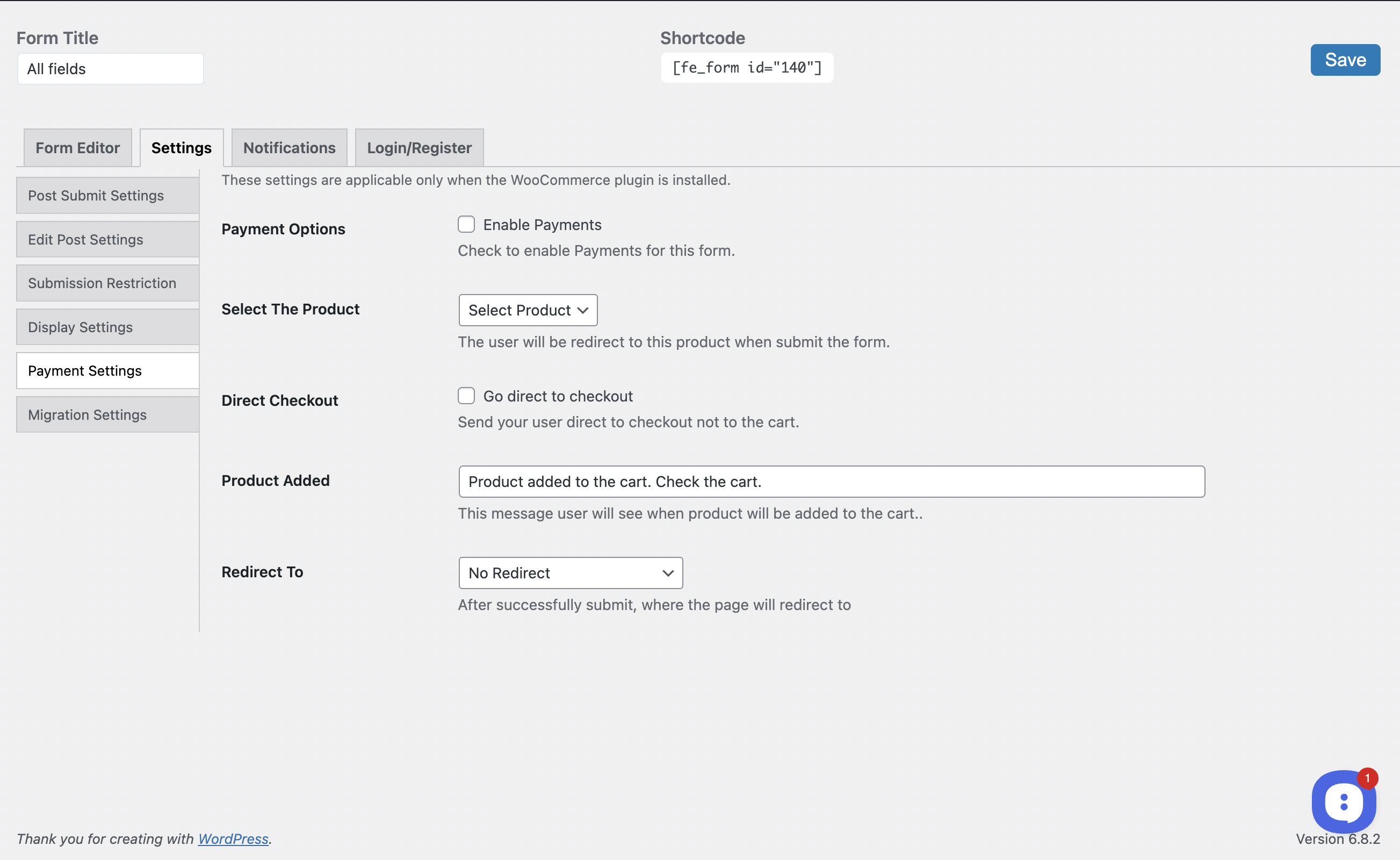
Form post payment settings with WooCommerce integration
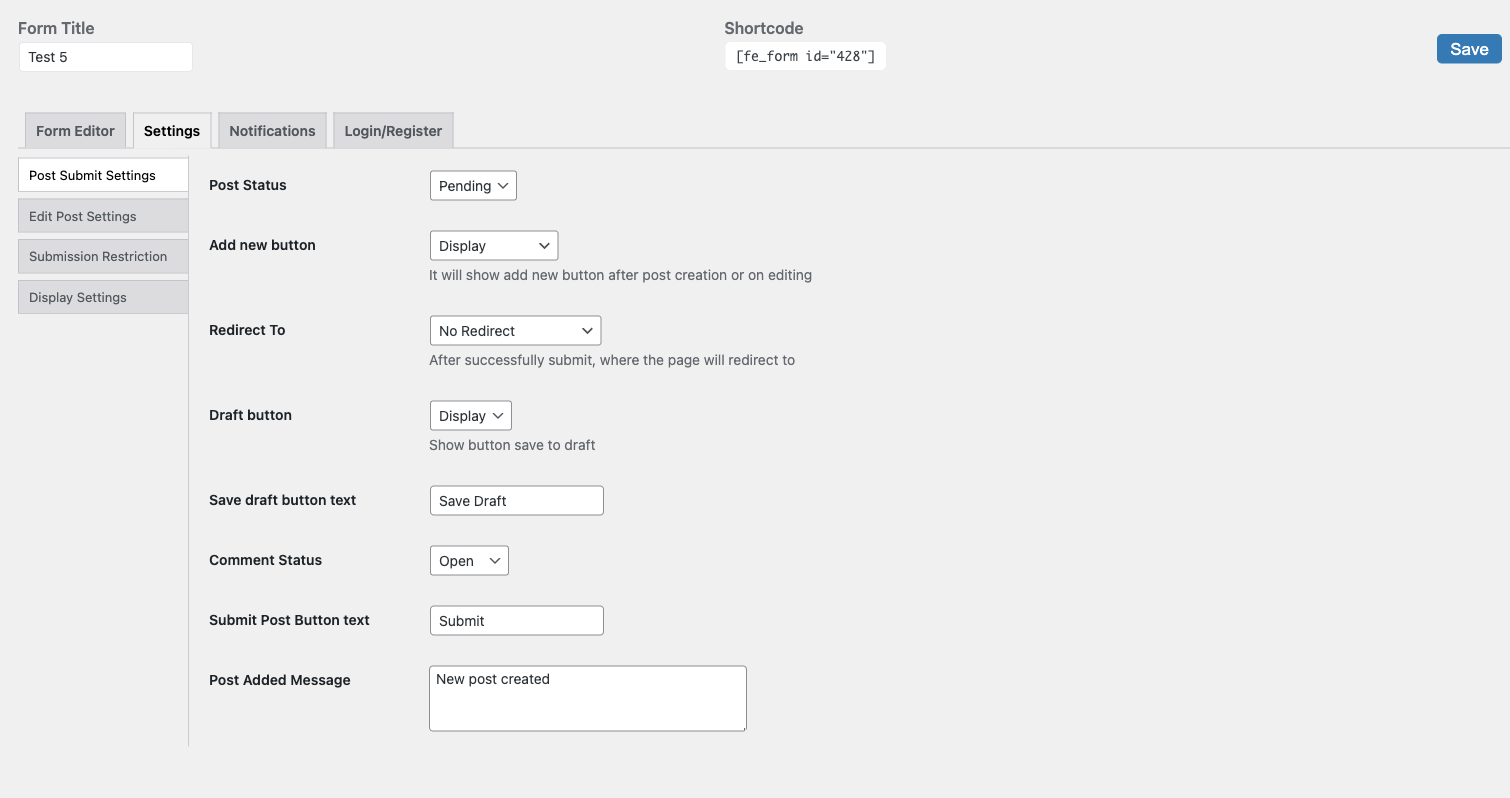
Form post submit settings
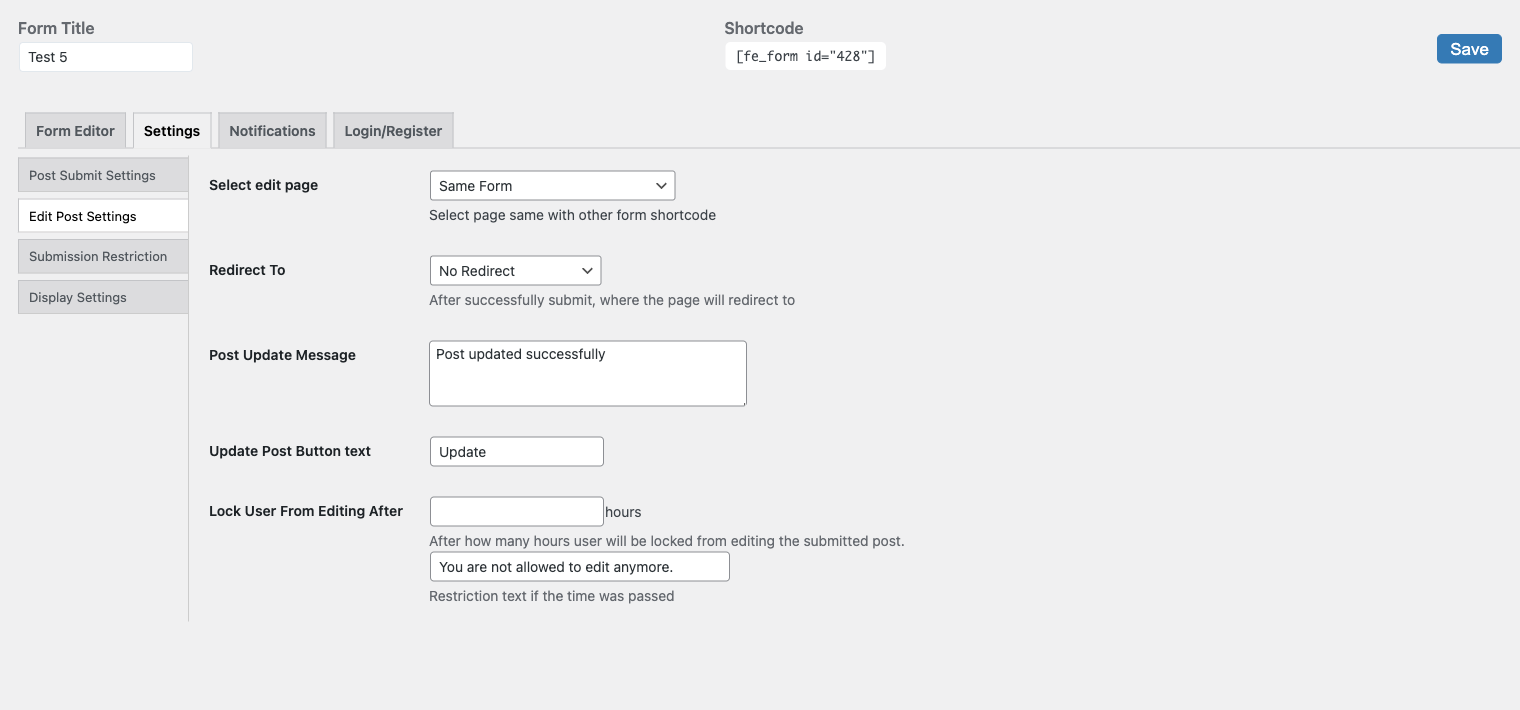
Form post editing settings
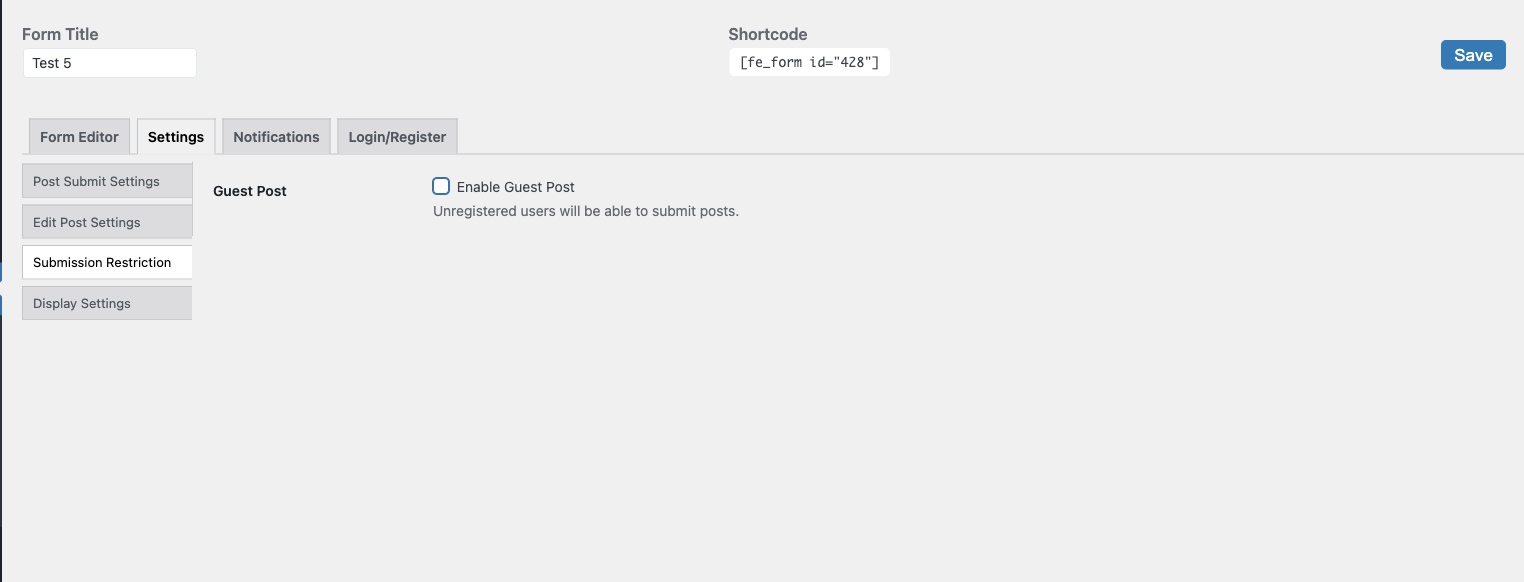
Form submit restriction settings
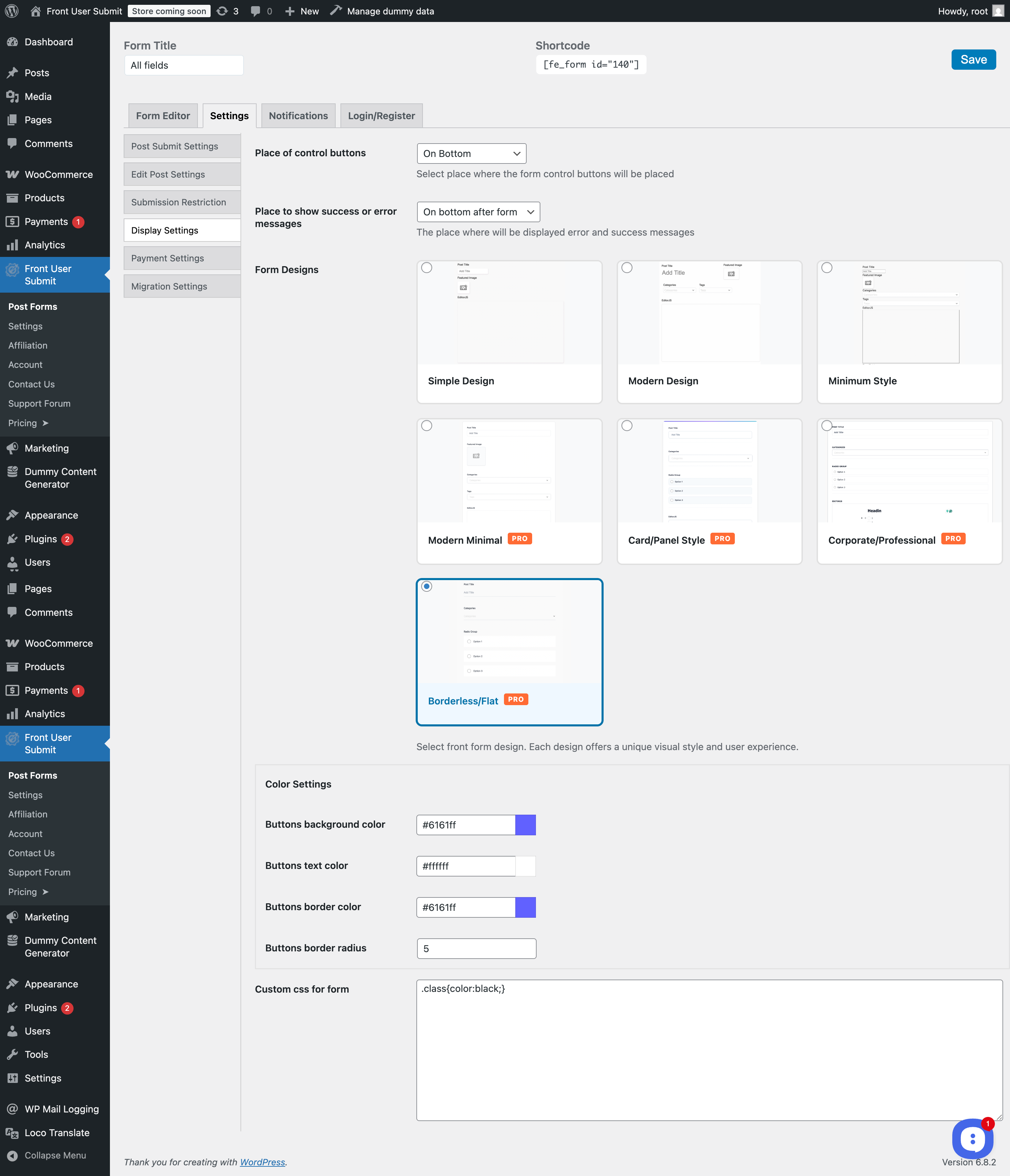
Form display settings
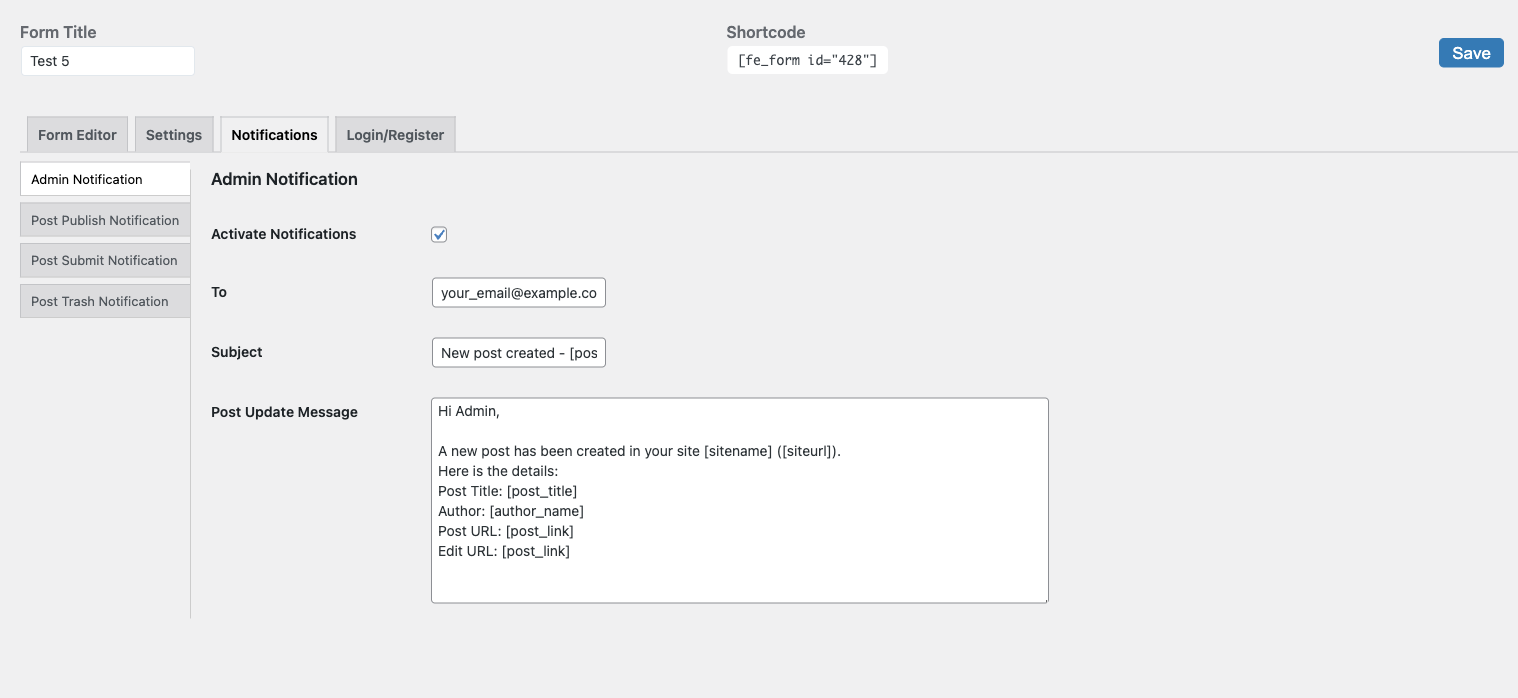
Form post admin notification settings
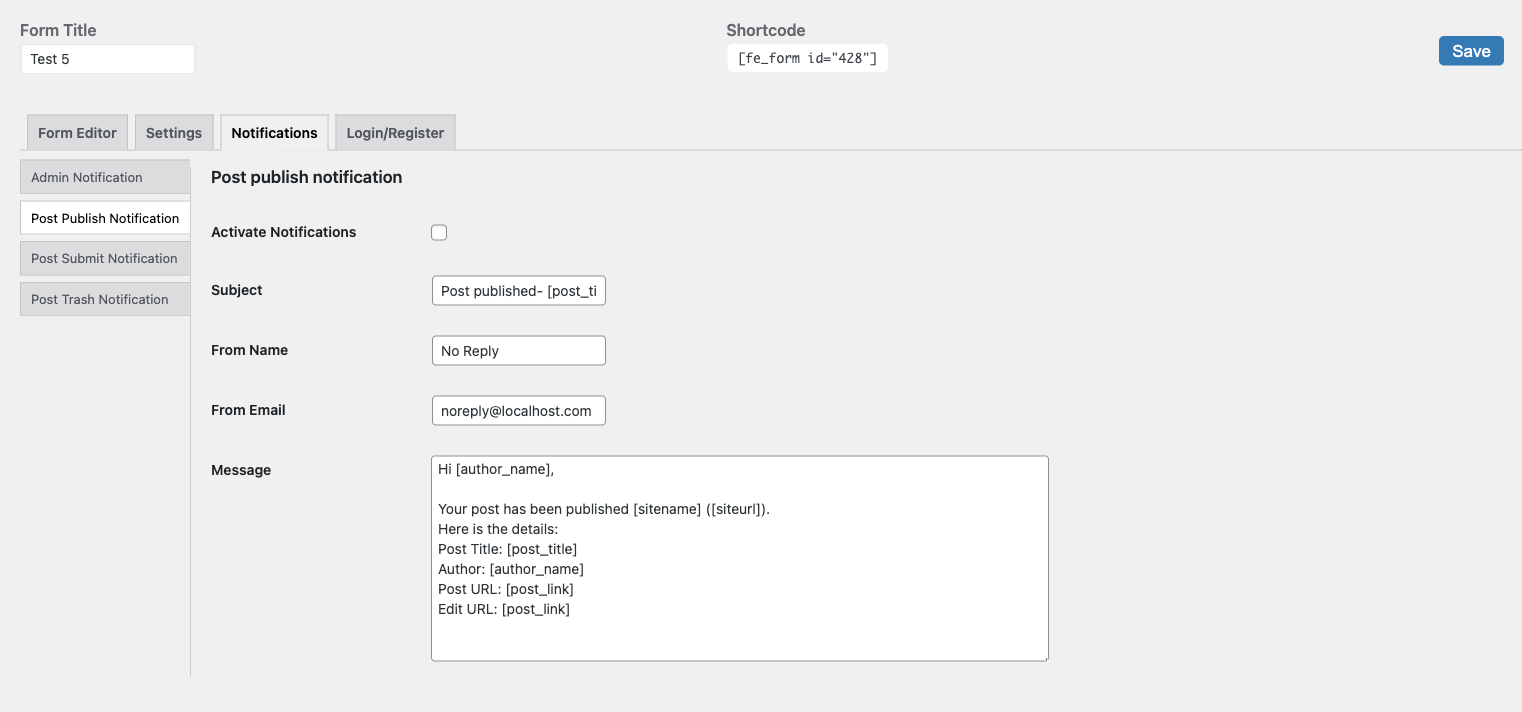
Form post on publish notification settings
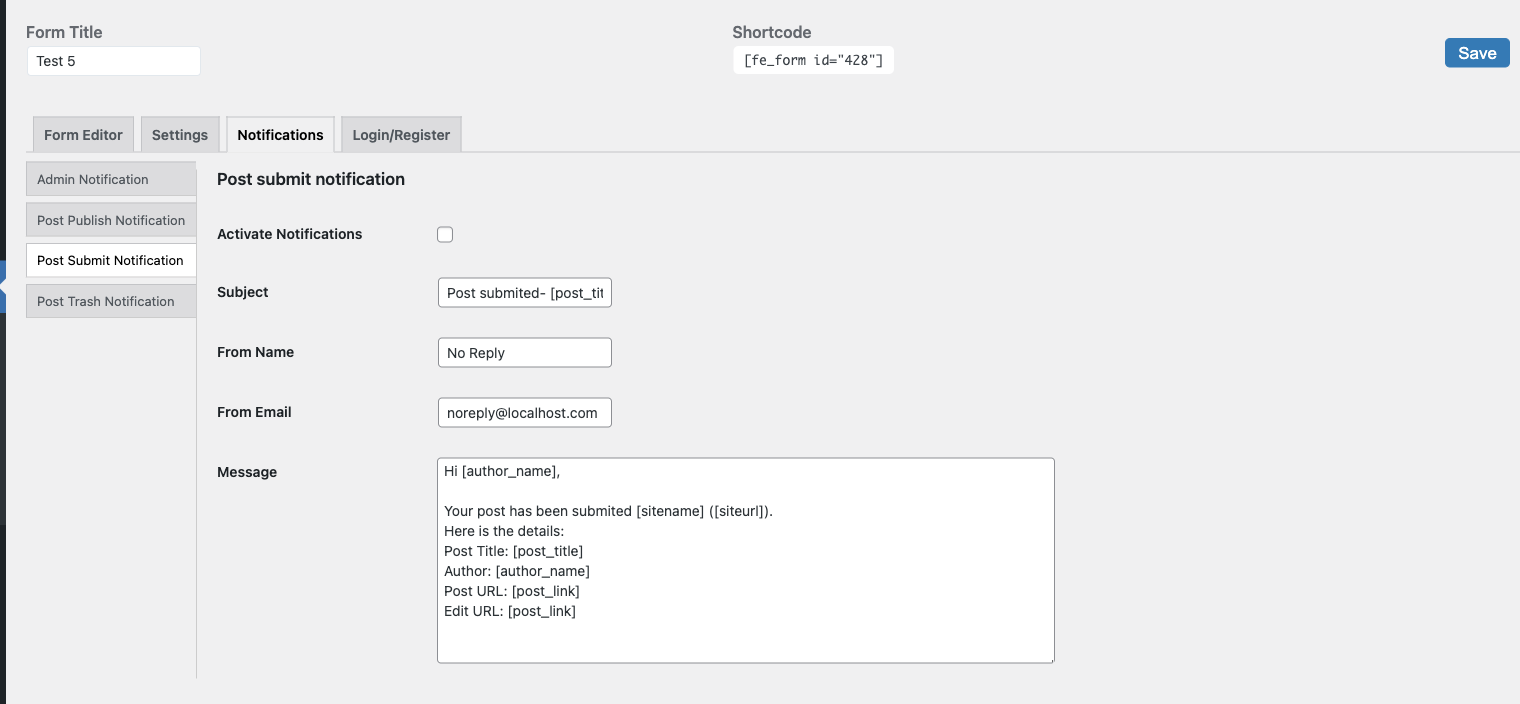
Form post on submit notification settings
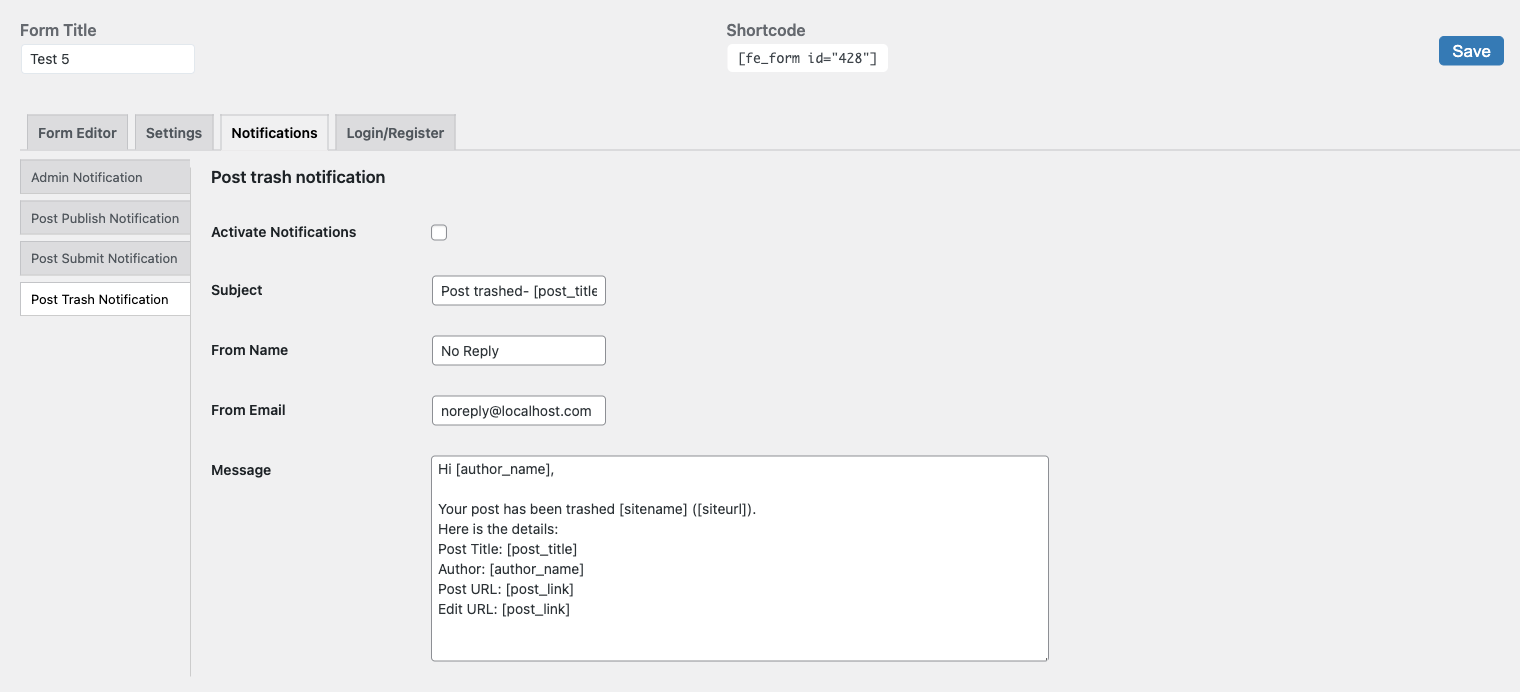
Form post on trash notification settings
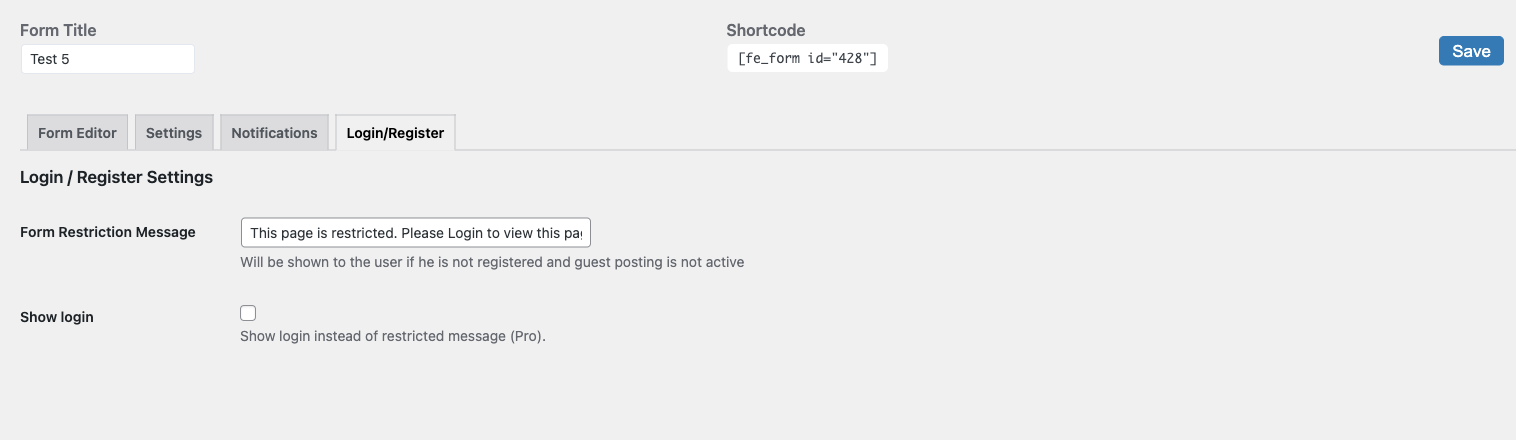
Form login registration settings
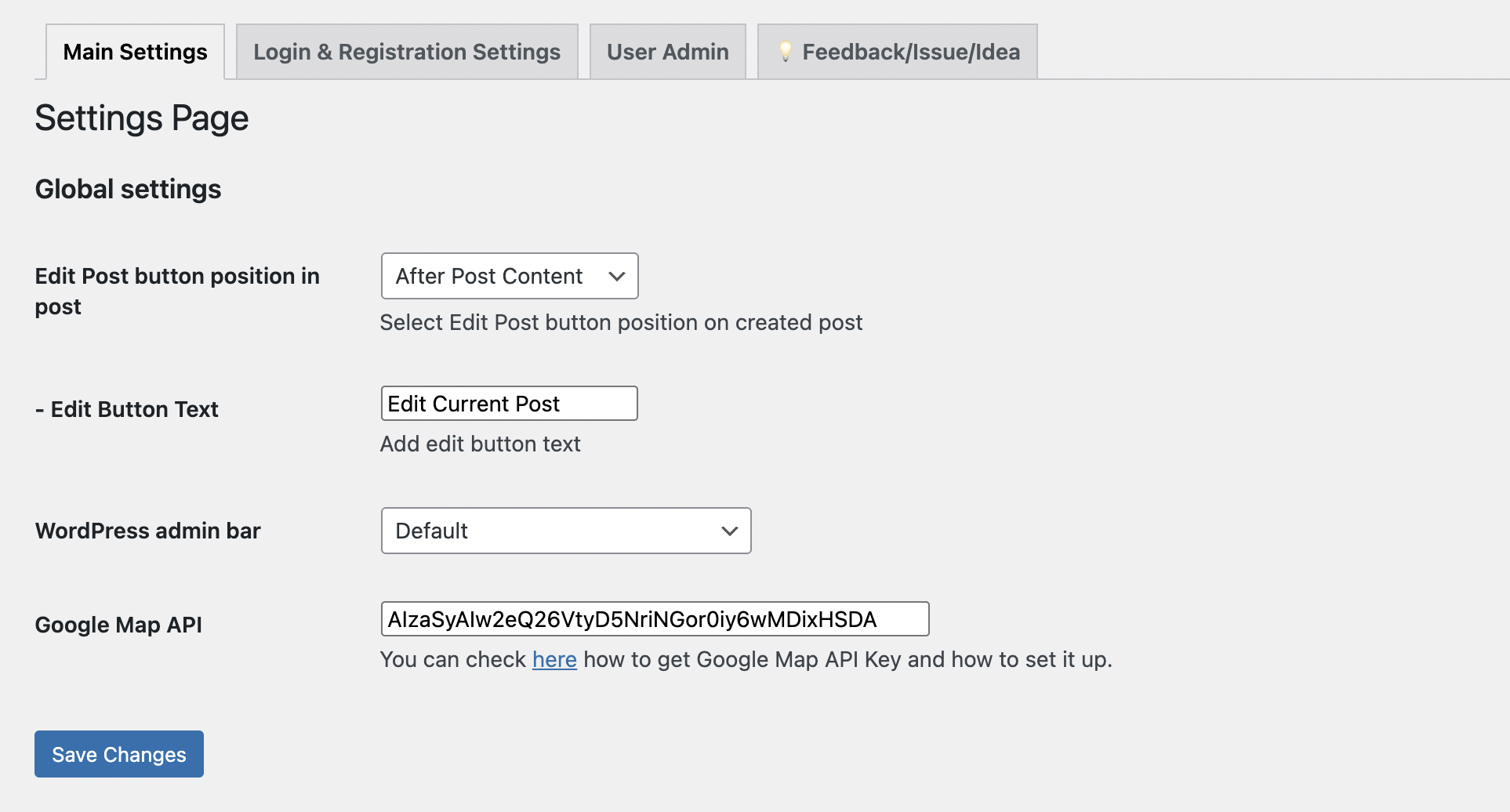
Global main settings
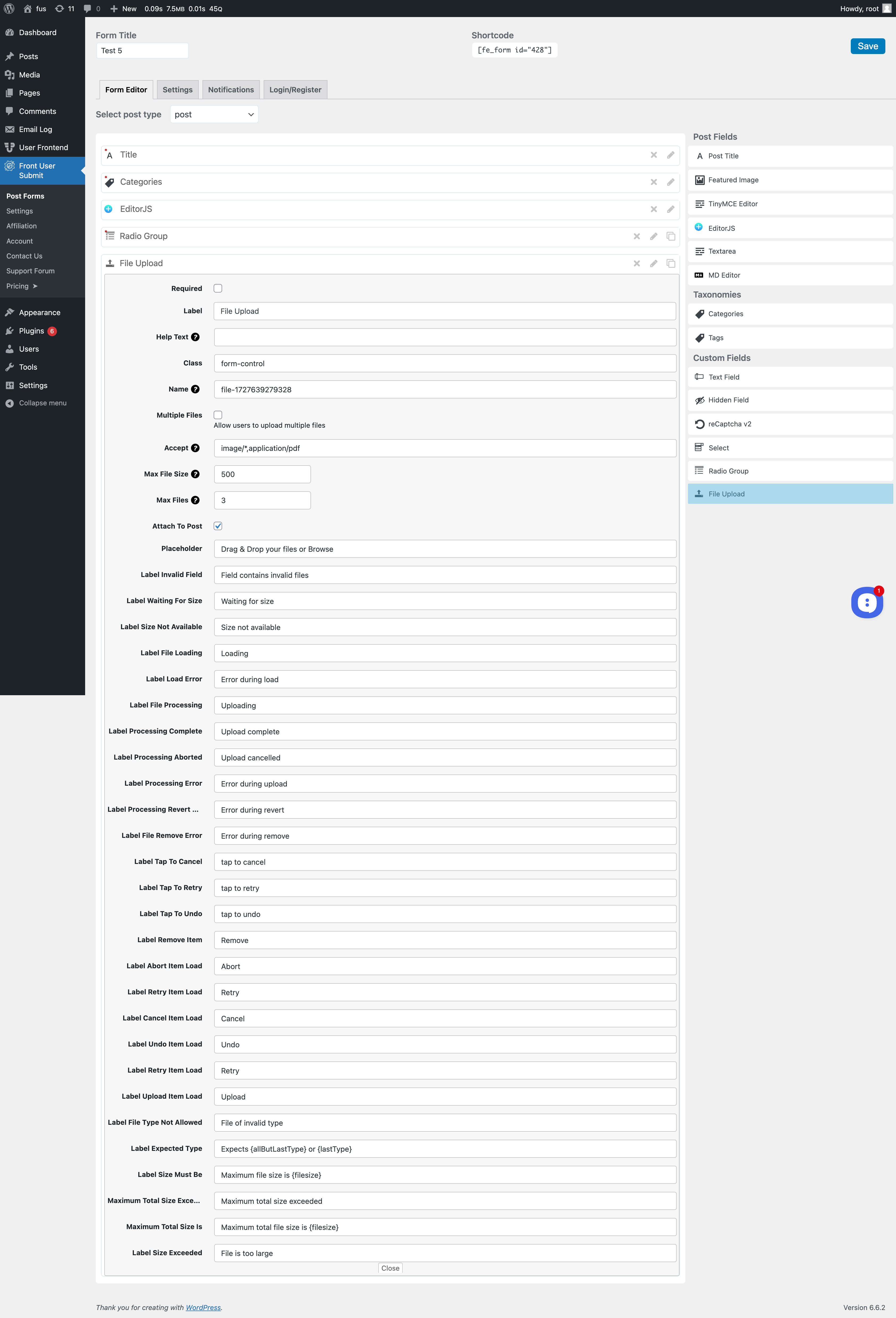
File upload field settings
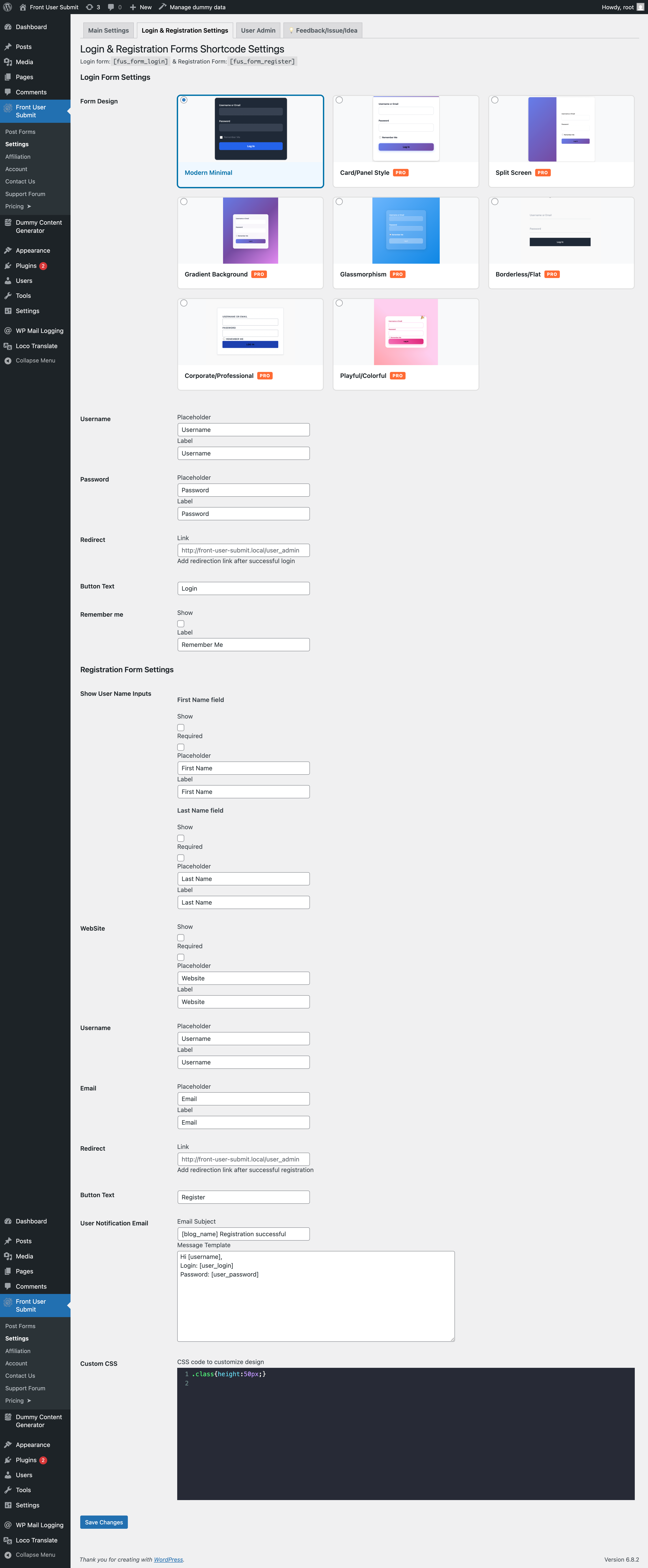
Login/Registrations shortcode settings
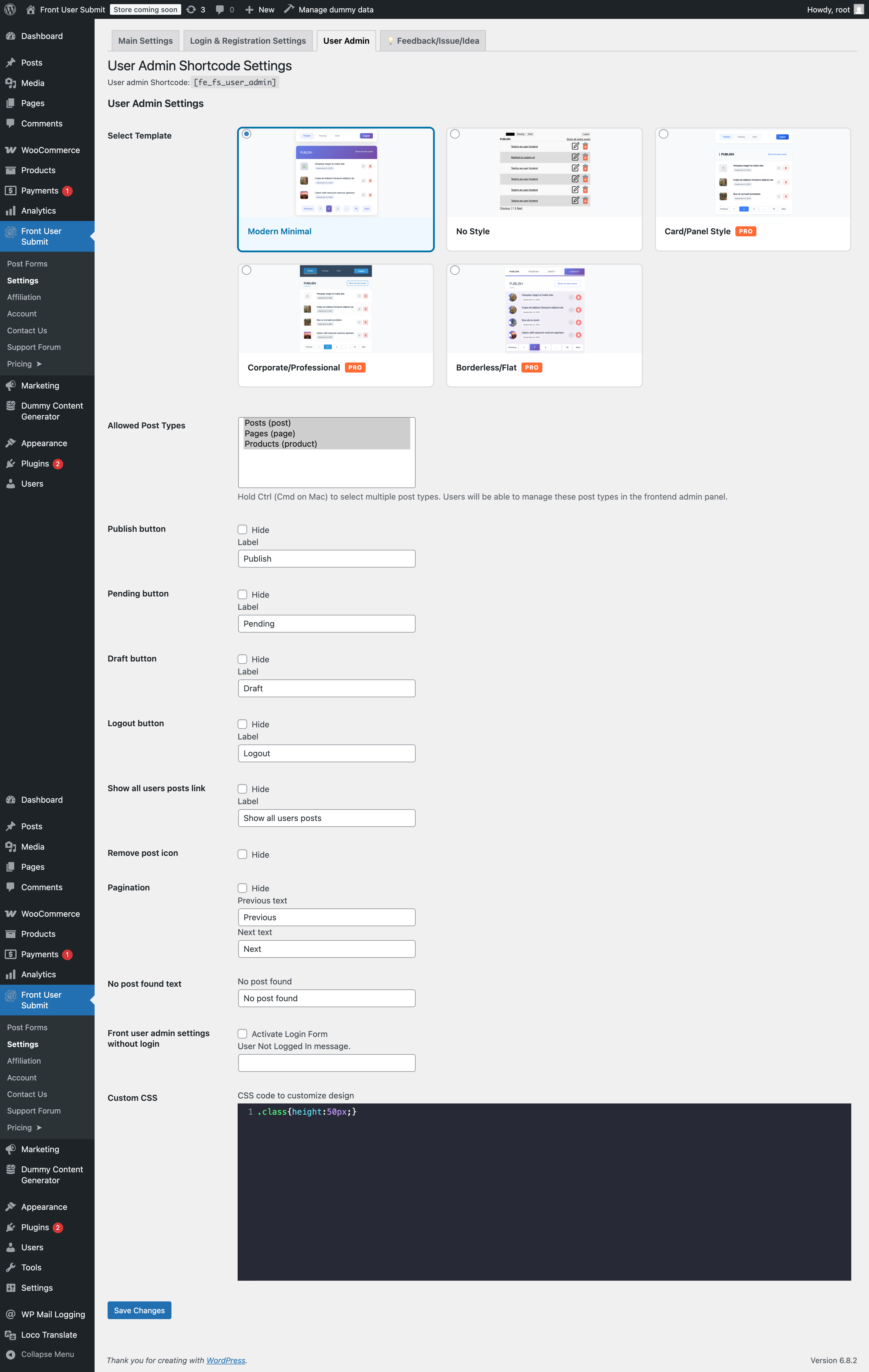
User admin shortcode settings
How do I let visitors submit posts without registering?
Create a form under Front User Submit → Post Forms, tick “Enable Guest Post” in Settings → Submission Restriction and add the form to a page with the [fe_form id="X"] shortcode or the Front Editor block. Set the post status to “Pending” if you want to review guest posts before they go live. Guest posting is free.
How do I stop spam in guest posts?
Add a Cloudflare Turnstile, hCaptcha or reCAPTCHA v2 field to the form (all free) and set the post status to “Pending”, so you review every post before it is published. AI moderation of submitted posts is in Pro.
Can users edit and delete their own posts from the front end?
Yes. Add the [fe_fs_user_admin] shortcode to a page to give users a dashboard with their posts, where they can edit and delete them.
Can users upload images and files?
Yes. The featured image field and the EditorJS image block are free. The file upload field is free too: images and PDF files, up to 2 MB per file and 3 files. Pro lets you change the file types, size and number of files, and adds the WP Media Library and EditorJS gallery and file blocks.
Is the AI assistant free?
Yes, the AI writing assistant (write, improve, fix grammar, shorten, expand) and the AI form generator are in the free version. You pay only your AI provider for the requests made with your own API key.
How do I enable the AI assistant?
- Go to Front User Submit → Settings → ✨ AI, choose a provider, paste your API key, click “Test connection” and save.
- Open your form: Post Forms → edit form → Settings → ✨ AI and set “AI assistant” to Enabled. AI is off in every form by default.
Which AI providers are supported?
OpenAI, Anthropic Claude, Google Gemini, OpenRouter and any OpenAI compatible API, including local models with Ollama or LM Studio.
Who pays for AI requests?
Requests use your own API key and are billed by your provider. Limit usage with “Who can use it” and “Daily limit per user”. Administrators and editors are not limited.
Can I keep the API key out of the database?
Yes. Define it in wp-config.php: FUS_OPENAI_API_KEY, FUS_ANTHROPIC_API_KEY, FUS_GEMINI_API_KEY or FUS_CUSTOM_AI_API_KEY.
How do I stop spam submissions?
Require login for the form, or add a Cloudflare Turnstile, hCaptcha or reCAPTCHA v2 field. Set new posts to “Pending” so nothing is published without your review. Pro adds AI moderation of submitted posts.
Can I charge for post submissions?
Yes, with the Pro WooCommerce integration you can require a payment for each submitted post.
Does it support custom post types and custom fields?
The free version has text, email, phone, number, hidden, header, paragraph and file upload fields, and can show custom field data on single posts. Custom post types, custom taxonomies and the date, select, radio, checkbox, Google Map, button and action hook fields are in Pro. ACF is supported.
Does it work with the block editor (Gutenberg)?
Yes. Use the Front Editor block or the shortcode, with or without the block editor.
Does it work with my theme, page builder and cache plugin?
Yes. A form is a shortcode or a block, so it works in any theme and page builder that shows page content: in Elementor use the Shortcode widget, in Beaver Builder the HTML module. Version 5.3.3 is tested with 11 popular themes (Twenty Twenty-Five, Astra, Hello Elementor, Kadence, GeneratePress, OceanWP, Blocksy, Neve, Storefront and others) and more than 30 popular plugins, including Elementor, Beaver Builder, SiteOrigin Page Builder, GenerateBlocks, Yoast SEO, Rank Math, WooCommerce, Contact Form 7, Wordfence, LiteSpeed Cache, W3 Total Cache, Autoptimize and Polylang. Forms work on cached pages, you do not need to exclude them from the cache. See the compatibility list for versions and for the setting some security plugins need.
How do I use shortcode settings?
See how to use the shortcode.
Can I translate the plugin?
Yes, the plugin is translation ready. Translate it on translate.wordpress.org or with Loco Translate.
ChangeLog
5.3.3
- [fix] Block themes (Twenty Twenty-Five, Twenty Twenty-Four): editing a post in a form with a TinyMCE, Textarea or Markdown field no longer changes quotes and block markup in the saved text
- [fix] TinyMCE field: when the mouse pointer was over the form while the page loaded, the editor could open empty and saving deleted the post content
- [fix] Forms on cached pages: guests could not send the form or log in once the cached page was older than 12 to 24 hours (“Cookie check failed”). Form pages no longer need to be excluded from page caches
- [fix] Guests who uploaded several files at once on a cached page or a page builder page (Elementor) could lose some of the files
- [fix] The title field shows the saved title. Twenty Twenty-One showed “Untitled” in new forms
- [fix] Autoptimize “Aggregate JS-files” no longer stops the TinyMCE editor
- [fix] The user dashboard on new sites uses the Modern Minimal design instead of no styles with very large icons
- [fix] PHP 8.5: no deprecation notice in the log on uploads
- [new] Compatibility list: themes, plugins and page builders tested with this version, see the docs
5.3.2
- [fix] Form pages load Google Maps only when the form has a Google Map field. Before, every form page sent about 8 requests to Google
- [fix] A taxonomy field no longer breaks the page with a critical error after the plugin that registered the taxonomy is turned off
5.3.1
- [new] Once 5 posts from your forms are published, administrators see a request to leave a review on WordPress.org, with “Maybe later” and “Don’t show again” (filter
bfe_show_review_notice turns it off)
- [fix] The trial offer says 7 days, the length of the Pro trial
- [fix] Russian: the trial offer showed a 0-day trial
- Updated Russian translation
5.3.0
- [new] Guest posting is free: tick “Enable Guest Post” in the form settings (Submission Restriction)
- [new] “Show login” is free: show the login form instead of the restricted message
- [new] Cloudflare Turnstile field: free spam protection, once per form
- [new] reCAPTCHA v2 and hCaptcha fields are free
- [new] Text (text, email, password, tel, color, hidden), Number, Hidden, Header and Paragraph fields are free
- [new] File upload field is free with fixed limits: images and PDF, up to 2 MB per file and 3 files. Changing the types, size and number of files stays in Pro
- [new] Categories and tags: “Multiple Selections”, “Allow Add New” and “Show Hierarchically” are free
- [new] TinyMCE: “Media Support”, “Teeny” and “Drag & Drop” are free. Add Media and drag and drop work for users who may upload files (Author and above)
- [new] ✨ AI form generator is free and uses your own AI provider key
- [new] The “Proudly powered by Front User Submit” line under forms is removed
- [fix] The reCAPTCHA field in the free version is now shown and checked. Before, it could be added but did nothing
- [fix] The captcha is reset after each submit, so a second try after an error gets a fresh check
- [fix] Security: the server checks the file type, size and number of files of the File field, not only the browser
- [fix] Security: a taxonomy field without “Multiple Selections” saves one term, and one submit can add at most 5 new terms
- [fix] Header and Paragraph fields allow only heading and text tags
- [fix] The File field works on PHP 7.4 with WordPress older than 5.9
- [new] Files guests uploaded but never sent a post with are deleted once a day, two days after the upload (filter
bfe_guest_upload_cleanup_age)
- [fix] reCAPTCHA, hCaptcha and Turnstile are shown compact in narrow forms on phones instead of sticking out of the screen
- [fix] hCaptcha no longer takes over a reCAPTCHA widget on the same page
5.2.5
- [fix] The registration form now sends the new user an email with a link to set their password, and notifies the admin, like the WordPress registration page
- [fix] Security: updated bundled libraries (webpack runtime, jQuery UI 1.13.3 in the form builder)
- Updated EditorJS 2.31, FilePond 4.32, CodeMirror, Parsedown 1.8, HTML To Markdown 5.2 and the Freemius SDK 2.13.5
- Updated Russian translation
5.2.4
- [fix] Pro File field: guests who pick several files at once get all of them saved with the post, and can remove any of them before submitting (in 5.2.3 only some of the files were kept)
5.2.3
- [fix] Security: values saved with a post are now escaped when the edit form, the “FUS Form Data” box and notification emails show them
- [fix] Security: guests can only attach their own uploads to a post; image and gallery blocks can no longer change other posts or pages
- [fix] Security: form export, import and the form builder now need the administrator capability
- [fix] Security: uploads are accepted only from forms that have an upload field, with a valid security token and an hourly limit for guests; guests can only use files they uploaded themselves
- [fix] Security: a form saves only the fields it has; other post data can no longer be written through a form
- [fix] Security: custom field shortcodes no longer show private data: the submitter IP address, data of unpublished posts and protected fields whose name starts with “_”
- [fix] Security: shortcodes in posts submitted by guests and subscribers are shown as text and not run
- [fix] Security: editing a post no longer undoes moderation (pending, private, AI-held or trashed posts keep their status, and the edit time limit of the original form keeps applying)
- [fix] Security: registration follows the WordPress “Anyone can register” setting
- [fix] Security: guest posting works only when it is switched on in the form
- [fix] Security: the featured image must be the user’s own image
- [fix] Security: the delete link in the user dashboard is protected against links from other sites
- [fix] Security: taxonomy fields only set terms of the form’s taxonomies; new terms only when “Add New” is on
- [fix] Security (Pro): file field downloads and uploads check permissions; reCAPTCHA and hCaptcha are always checked
- [fix] The plugin no longer sends error reports to an external service
- [fix] [fus_custom_field_content] and [fus_google_map] shortcodes work again
- [fix] EditorJS content is always saved, also when you submit right after typing; links with “&” and backslashes in text are kept
- [fix] Form labels with quotes no longer break a form after saving
5.2.2
- Links to documentation, pricing and support now point to the new website wpuserpublish.com
- Removed the link to the old online demo
5.2.1
- [fix] Security: a logged-out visitor could edit posts submitted by other guests through a form with guest posting enabled. Guests can now only create new posts
5.2.0
- [new] Clean form design: free, the default for new forms, looks the same on any theme
- [new] “Preview on my form”: see any design, including Pro ones, on your own form before choosing
- [fix] AI button sits on the field label row and keeps its colours on themes that style all buttons
- [fix] Demo form created on activation uses the Clean design with readable buttons
5.1.0
- [new] ✨ AI writing assistant for title, textarea, Markdown, EditorJS and TinyMCE fields: write from prompt, improve, fix grammar, shorten, expand
- [new] AI providers: OpenAI, Anthropic Claude, Google Gemini, OpenRouter / any OpenAI compatible API, with your own API key and model
- [new] AI settings tab with connection test, access control and daily limit per user
- [fix] Textarea fields use the form font instead of the browser monospace font
- [fix] Simple Design: post title input is full width
- [new] Turn AI on or off for every form (off by default)
- [new][pro] AI form generator in the form builder
- [new][pro] AI translate, change tone and custom instructions in the assistant
- [new][pro] AI moderation of submitted posts
- [new][pro] AI excerpt, tags and SEO meta description after submission
- [new] Features.Vote “Suggest a Feature” widget settings
- Fixed: settings page styles and scripts were not loaded when WordPress is not in English
- Fixed: “Settings saved” message was not shown on the plugin settings page
- Fixed: bundled translations are used for strings missing in the WordPress.org language pack
- Fixed: PHP notice in Markdown editor field
- Fixed: PHP warning when the form has no gallery setting
- Tested with WordPress 7.1, requires PHP 7.4
- Updated Russian translation
5.0.7
- Security: file uploads are now checked by their real content, and uploaded files are always served as downloads. Thanks to Enrico Marcolini, Claudio Marchesini and Dottor Marc for the responsible disclosure via WPScan
- Security: featured image upload by URL no longer requests internal addresses
- The File field upload endpoints are now available only in the Pro version, where the field is used
5.0.*
- Small bug fixed
- Fixed login registration redirect settings issue
5.0.6
- Fixed issue with add new form
- Fixed issue when user can not edit his own post
- Security issues was fixed
5.0.1
5.0.0
- Fixed issue with login and register forms shortcodes
- Added 8 new designs for login and register forms
- Added 4 new designs for form
- Added 5 new designs for user admin
- Added post type selection settings for user admin posts
4.9.5
- Fixed notice function loadtextdomain_just_in_time
- Fixed bug with post submitting
4.9.4
- Fixed issue with bug when post not saving related to title generation
- Cross Site Scripting (XSS) vulnerability fixed
4.9.3
4.9.2
4.9.1
- Bug fixes
- [new] action hook field
- [new] hCaptcha field added
- [new] shortcode added [fus_google_map meta_name=”your_meta_field_name”] to show map content
- [new] shortcode added [fus_custom_field_content meta_name=”user_email”]
4.9.0
4.8.9
4.8.8
- Fixed issue with admin bar behavior added new option “default”
- [EditorJS] Fixed ui bug
- [EditorJS] Updated
4.8.5
- Fixed bug with replacing content
- Added Russian translation
- Fixed bug _load_textdomain_just_in_time was called incorrectly
4.8.3
- Required logic bug fixed
- Empty post title and post content issue
- Added shortcode to show simple field value in post: [fus_display_field name=”{field_name}”]
4.8.0
- Fixed issue with File field when uploading video
- Fixed registration notification bug
- Fixed date field required functionality
- Added Meta Box to the post create by the plugin form
- Buttons both on top and bottom
- Fixed custom css issue
- Notification admin default email now will be admin email
- In Taxonomy and Select fields search input deactivate and can be activated in settings
- TinyMCE added 3 new settings media buttons, making teeny, activating drag and drop functionality
4.7.9
- All fields require field issue fixed
- In all field now you can modify require issue message
- All select elements added settings to change search placeholder and No Result texts
- Multiple editor fields in one form with with selection where to save content (meta, post content, excerpt)
- EditorJS field added Placeholder settings
- New settings to enable or disable preview button
- New settings to change add new and preview buttons texts from form settings
- WooCommerce integration order checking issue fixed
- Fixed title generation with new taxonomy
4.7.0
- WooCommerce integration ready
- Fixed image issue in editor js
- Fixed edit button in posts issue
4.6.7
- Security bug fixed
- MD editor full screen issue fixed
4.6.5
- Migration settings added
- Date field added
- Google map field added
- MD editor editing post fixed added html to markdown parser
- Added settings to User Admin to show login form or change not logged in message
- Changed permissions from delete_pages -> edit_others_posts to work with permission plugins
- Remove unnecessary input from form
- Now we are using Rest API instead of admin ajax with improving security
4.6.0
- Added settings page for user admin page
- New field in builder Number field
- New field in builder Button field
- New field in builder Header field
- New field in builder Checkbox Group field
- New field in builder Paragraph field
4.5.5
- MD editor now working correctly
- Added login and registration settings page
- Security fixes
- Added hidden field
- Default terms settings added in taxonomy fields
- Added Radio Group field
4.5.0
- fixed issue when saving post
- added google reCaptcha field
4.4.8
4.4.7
- Security updates
- Fixed issue with publishing
4.4.5
4.4.1
4.4.0
- [bug] Featured image was fixed
- [bug] Fixed issue with the links
- [New] Lock user from editing after
4.3.5
- Fixed issues with arabic and Russian language
- Added hidden text field type
- Added text input to change placeholder text in EditorJS Quote block
- Added text input to change placeholder text in EditorJS Header block
4.3.0
- Now you can hide edit button on posts
- Now you can add your custom text to edit button
- You can now change submit buttons border color and radius
- Title issue fixed
- Every form now have its own settings for selecting edit page
- User dashboard default is 6 posts
4.2.0
- Login settings in form
- [Post Title Field] Refactoring
- [Post Title Field] Hide field setting
- [Post Title Field] Generate title using other field and taxonomy selected by user
- Required icon in label for all fields
- Ordering files in File Field fixed
4.1.2
- Taxonomy bug hot-fix
- Small fixes on showing restriction messages
4.1.0
- New Select custom field
- New File upload field
- Fixed small issues
- Fixed icons issue in form builder in admin
- [Taxonomy] fields add new button issue fixed
- [Taxonomy] fields can be now shown hierarchically
- [Taxonomy] order field fixed
- [Taxonomy] added field in settings to exclude terms by id
4.0.4
- [EditorJS] fixed issue with toolbox
- Fixed issue with post image duplication
- Updating URL after post successfully added
- Updating submit button text to update button text after post successfully added
4.0.0
- ui settings fix
- new default design
- fixe issue with redirect link
- fixed tinyMCE editor not saving bug
- added button background and font color picker
3.9.6
- small ui issue fixed
- security fix
- align issue fixed
- [editor.js] quote fixed now the author in bottom
- added new content editor TinyMCE
- added 3 type of notification with settings on post publish, submit,trash
3.9.2
- inline tool activated again for paragraph
- fixed small issue in admin
3.9.0
- align settings added to header and text blocks in editor.js
- login and registration Shortcodes added with redirect parameter
- added logout button to user admin
- added control buttons place settings show in the top or in the bottom
- added settings to control success and error messages places in form
- [editor.js] warning block issue fixed [Pro]
- [editor.js] table block activated with new version [Pro]
- added new field in form builder textarea
- added loader on front form

