

Easily add featured videos to your WooCommerce products to increase engagement and conversions.
| Author: | Foad Adeli (profile at wordpress.org) |
| WordPress version required: | 4.0 |
| WordPress version tested: | 7.0 |
| Plugin version: | 2.3.2 |
| Added to WordPress repository: | 19-01-2024 |
| Last updated: | 23-05-2026 |
| Rating, %: | 100 |
| Rated by: | 9 |
| Plugin URI: | |
| Total downloads: | 62 350 |
| Active installs: | 800+ |
 Click to start download |
|
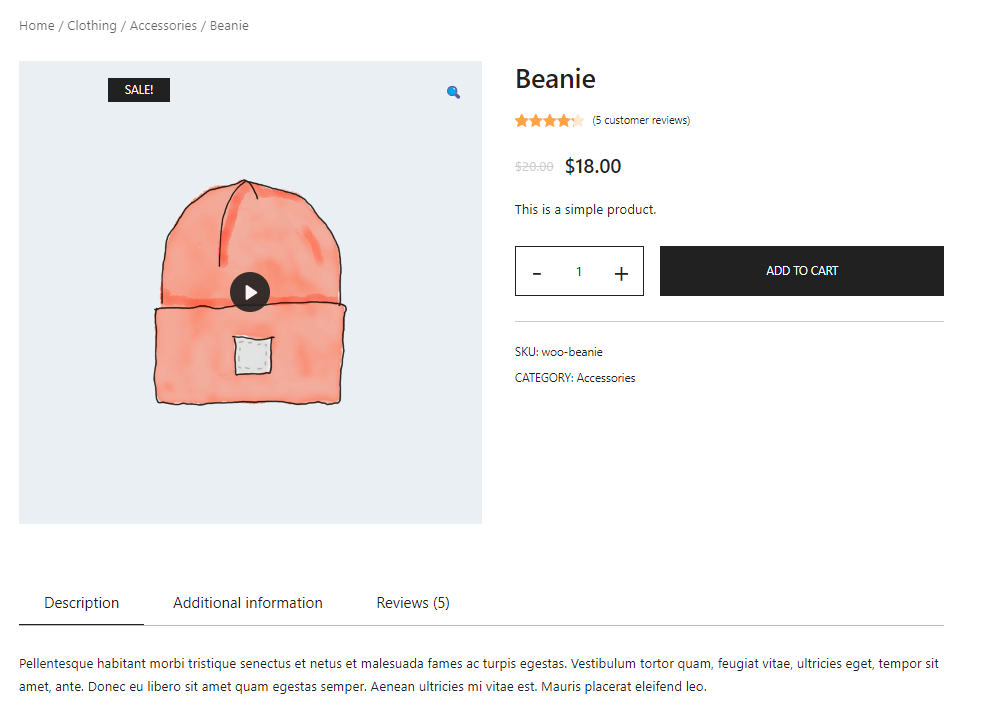
Bring your products to life with video! This easy-to-use WordPress plugin allows you to add a featured video to any product in your WooCommerce online store.
With just a few clicks, you can add featured videos from YouTube, Vimeo, or your own local videos on the product page! Display eye-catching product videos to engage customers and boost conversions.
See the difference video can make for your WooCommerce store! Install the Featured Video for WooCommerce plugin right now.
Key Features
- Easily upload and embed a video on WooCommerce single products page
- Supports videos from multiple sources such as: Self-Hosted, YouTube and Vimeo
- Supports popular video formats like MP4, and WebM
- Advanced video player with a whole lot of features!
- Works seamlessly with variety of WooCommerce product types
- Fully compatible with all standard WooCommerce themes!
- NEW: Shortcode support to display product videos everywhere.
How to Use This Plugin?
- Install and activate the plugin.
- Go to Dashboard Menu > Products > All Products.
- Find the product you want add video to, and click edit.
- On the Product data section, a new Featured Video tab has been added so you could select your video.
- Select the video you want, and enjoy!
Using the Shortcode
You can display the featured video of any product by using the [wcfv product_id="xxx"] shortcode everywhere. Just replace xxx with the actual product ID.
Screenshots
FAQ

ChangeLog