
This plugin is designed to allow you to take online registrations for events and classes.
Supports Paypal, Google Pay, MonsterPay or Authorize.net on
| Author: | avdude (profile at wordpress.org) |
| WordPress version required: | 6.9 |
| WordPress version tested: | 7.1.3 |
| Plugin version: | 7.0.1 |
| Added to WordPress repository: | 03-10-2008 |
| Last updated: | 24-01-2016
Warning! This plugin has not been updated in over 2 years. It may no longer be maintained or supported and may have compatibility issues when used with more recent versions of WordPress.
|
| Rating, %: | 76 |
| Rated by: | 23 |
| Plugin URI: | http://www.wpeventregister.com |
| Total downloads: | 154 465 |
| Active installs: | 100+ |

Click to start download
|
Screenshots
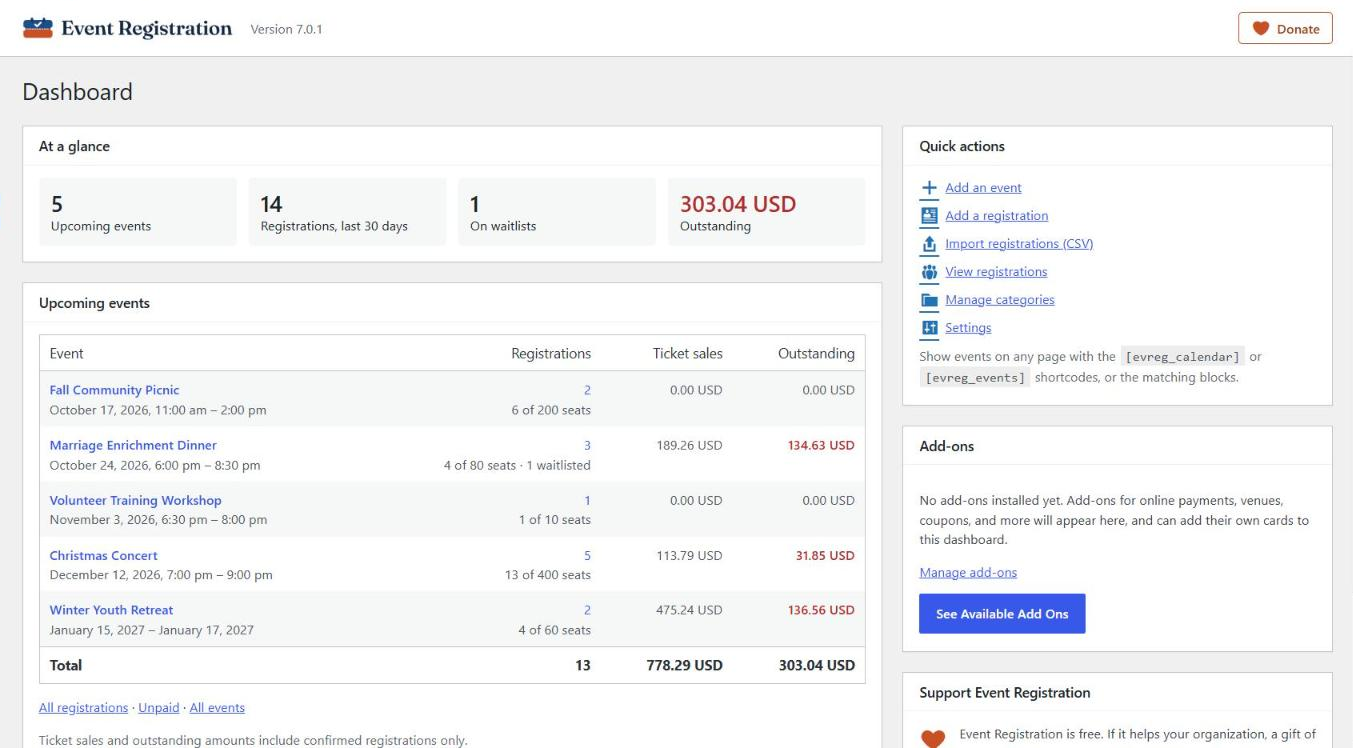
The plugin dashboard: upcoming events, recent registrations, waitlists, and money still owed.
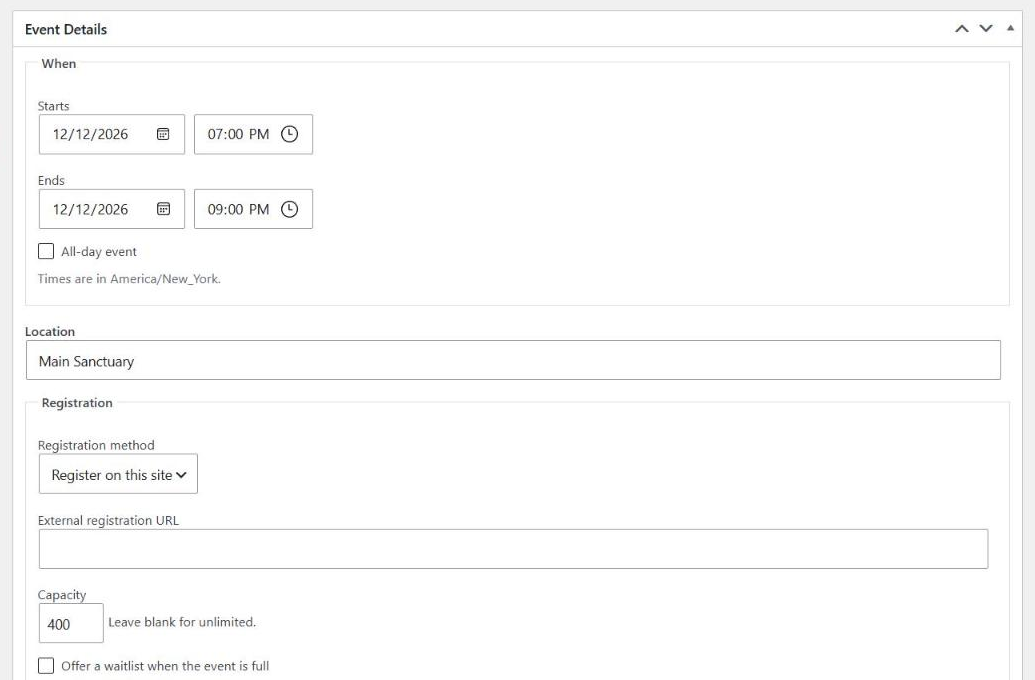
Creating an event: dates, location, capacity, waitlist, and registration settings.
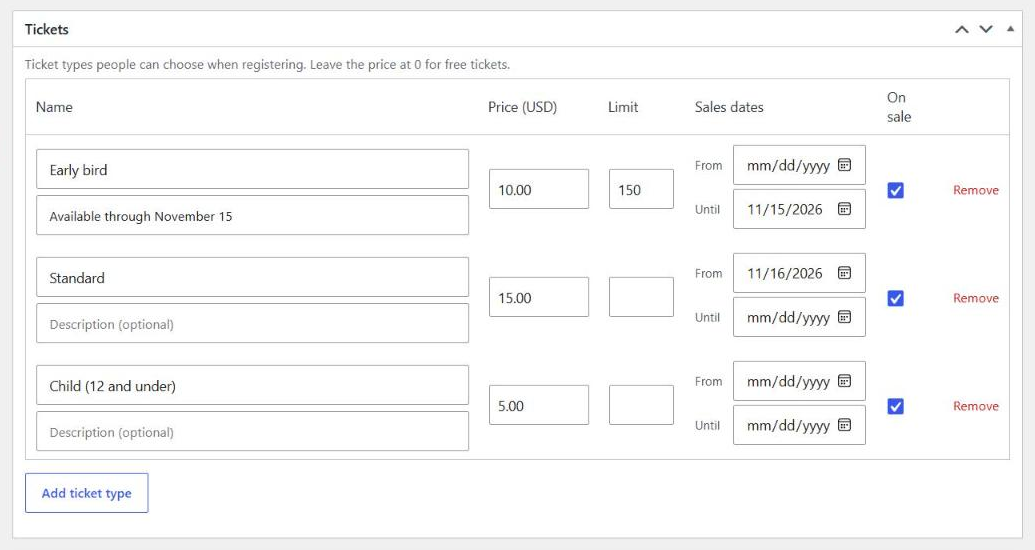
Ticket types with prices, limits, and sales dates.
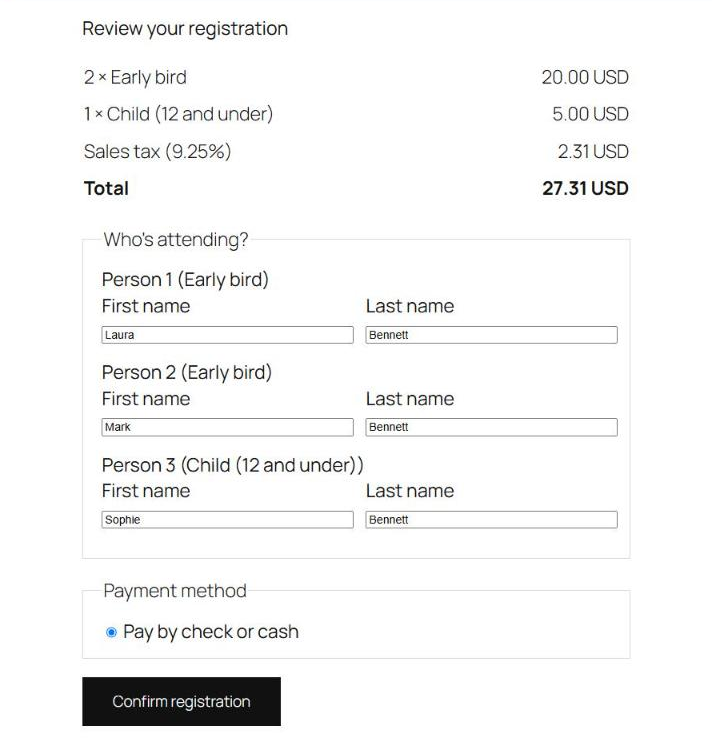
Registering: a total with sales tax, a name for each person, and how to pay.
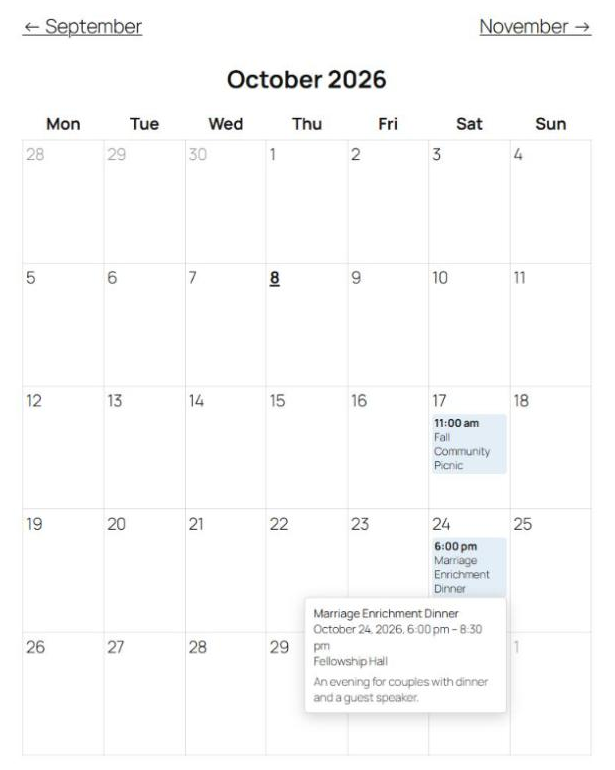
The events calendar, with details on hover.
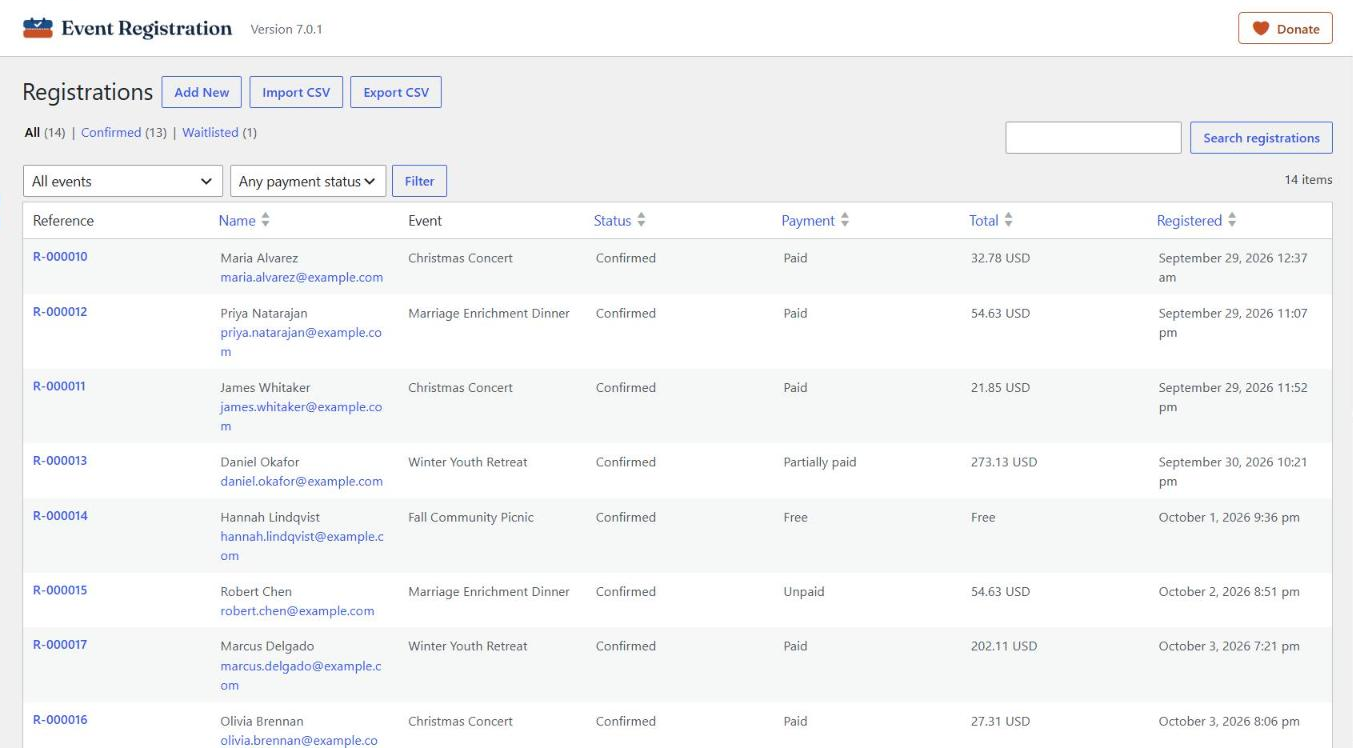
The Registrations screen, with search and filters.
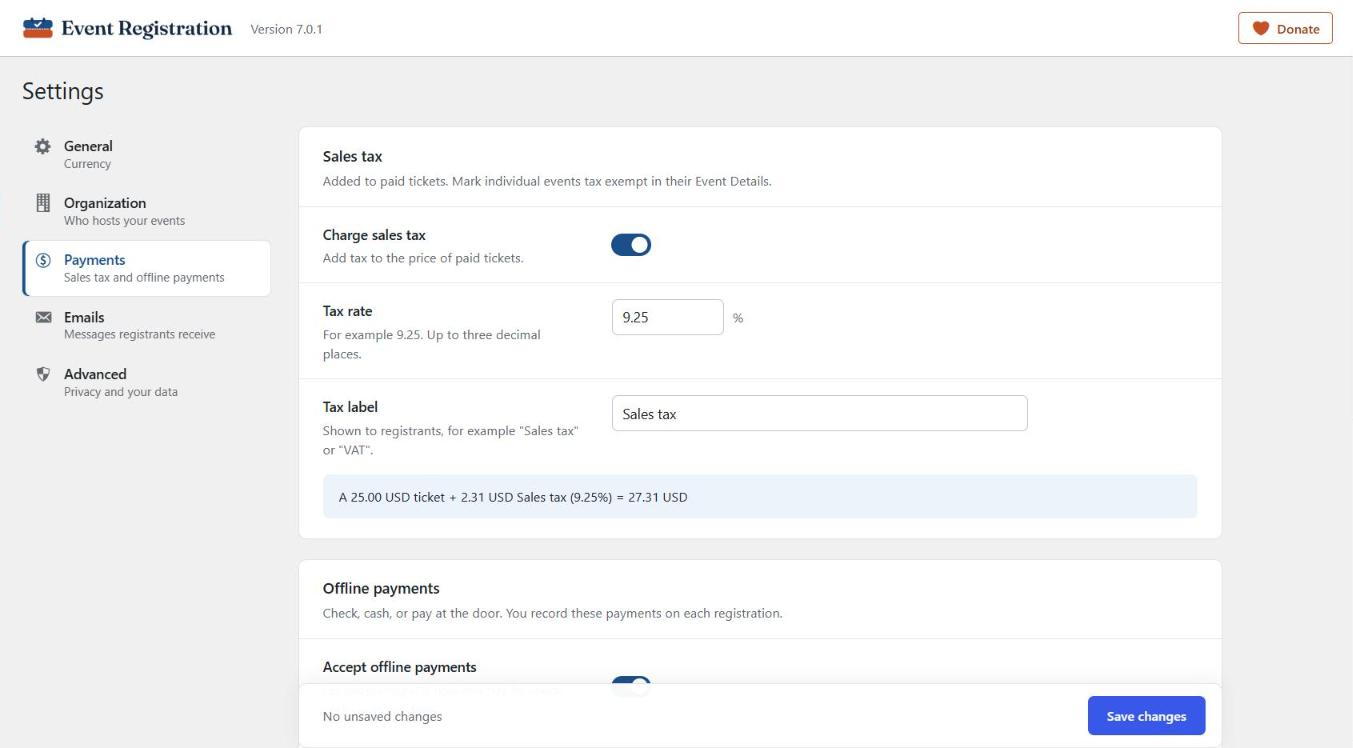
Sales tax settings, with a live example.
Does it take online payments?
The plugin includes offline payments (check, cash, pay at the door) with instructions and receipts. Online payments through PayPal (including debit and credit cards) are available as a separate paid add-on; see wpeventregister.com/add-ons.
How do I show events on a page?
Use the Event Registration, Events Calendar, or Upcoming Events blocks, or the shortcodes [evreg_event id="123"], [evreg_calendar], and [evreg_events]. Each event also has its own page with a registration form.
I used version 6.x. Is my data safe?
Yes. Version 7.0 never modifies or deletes your 6.x data. An importer copies it into the new format, and you decide if and when to remove the old data.
What happened to the Location and Coordinator modules?
They are not compatible with 7.0. After updating, administrators see a notice with a button to deactivate them. Nothing is deactivated until you choose to. Their features are now available as new paid add-ons (Locations and Coordinator), which bring your 6.x venues and coordinator settings across; see wpeventregister.com/add-ons.
Will my pages from 6.x still work?
Yes. The 6.x shortcodes and page tokens keep working after you import your data: {EVRREGIS}, {EVR_CALENDAR}, {EVR_UPCOMING}, [EVR_EVENTS], [EVR_SINGLE], [EVR_CATEGORY], and [EVR_CALENDAR]. Old event links are redirected to the new event pages. [EVR_PAYMENT] shows where to find payment details, and the public attendee list shortcodes ([EVR_ATTENDEE], [EVR_CUSTOM_ATTENDEE]) are no longer available.
ChangeLog
7.0.1
- Ticket types now have optional sales dates (From and Until) in the event editor.
- Fixed: saving an event no longer clears ticket sales dates imported from 6.x.
- A Donate link on the Plugins screen and a small support card on the plugin dashboard.
- Calendar event names no longer break in the middle of a word.
- Settings screen uses the plugin’s brand colors.
- The plugin header (logo, version, and a Donate link) now appears on every Event Registration screen.
- Add-on license keys are entered on a new Licenses tab under Settings, shown when an add-on that needs a license is installed.
- A “See Available Add Ons” button on the plugin dashboard and the Add-ons screen links to wpeventregister.com/add-ons.
- Offline payments: when no payment instructions are set, registrants who owe money now see a standard “How to pay” message on the confirmation page and in the confirmation email.
7.0.0
- Complete rewrite with a new, secure architecture. Requires PHP 8.2 and WordPress 6.9 or later.
- Events with ticket types, custom questions, capacity, waitlists, and categories.
- Registration form with spam protection, attendee names, and a review step; registrants can edit their registration.
- Offline payments, payment receipts, and optional sales tax.
- Registrations screen with search, filters, payments, and CSV import and export.
- Calendar, upcoming events list, blocks, and “add to calendar” files.
- Organization settings, privacy tools (export and erase personal data), and optional data retention.
- One-time importer for 6.x data; 6.x shortcodes and page tokens keep working.
