

Embed Lottie animations on your website.
| Author: | bPlugins (profile at wordpress.org) |
| WordPress version required: | 6.5 |
| WordPress version tested: | 7.1.5 |
| Plugin version: | 1.4.0 |
| Added to WordPress repository: | 02-12-2021 |
| Last updated: | 28-11-2026 |
| Rating, %: | 100 |
| Rated by: | 4 |
| Plugin URI: | https://bplugins.com/products/lottie-player/ |
| Total downloads: | 99 778 |
| Active installs: | 4 000+ |
 Click to start download |
|
You can embed any LottieFiles animations, .json or .dotlottie files to your WordPress Posts, Pages, Widgets, and more. This plugin is packed with many useful features. You can show your Lottie files exactly the way you want.
This plugin has a huge number of options that you can use to achieve your desired goal.
This WordPress plugin empowers you to easily integrate Lottie animations into your website with customizable features to enhance user interaction and design.
You can easily configure controls, autoplay, looping, hover, playback mode, direction, count, speed, links, and player alignment to seamlessly integrate animations into your website pages. Upload both .json and .lottie file formats directly from the media library, lazy load the player for faster pages, respect visitors’ reduced motion preference, and describe the animation for screen reader users – all for free.
With the pro version, unlock advanced functionalities including interactivity options like scroll synchronization, cursor movement effects, and click-triggered animations. Play a specific segment of the animation with start and end frames, and set an interval between animation loops for precise control over animation behavior.
Additionally, you can display captions below the player and customize their appearance with various styling options including text alignment, typography, colors, padding, and margins.
With its features, this plugin offers a comprehensive solution for integrating and customizing Lottie animations to elevate the visual appeal and interactivity of your WordPress website.
Plugin Demo | Documentation | Get Pro Version
Lottie Player Features
-
File: Enter both the .json and .lottie file url.
-
Upload File: Upload both the .json and .lottie file formats from the media library.
-
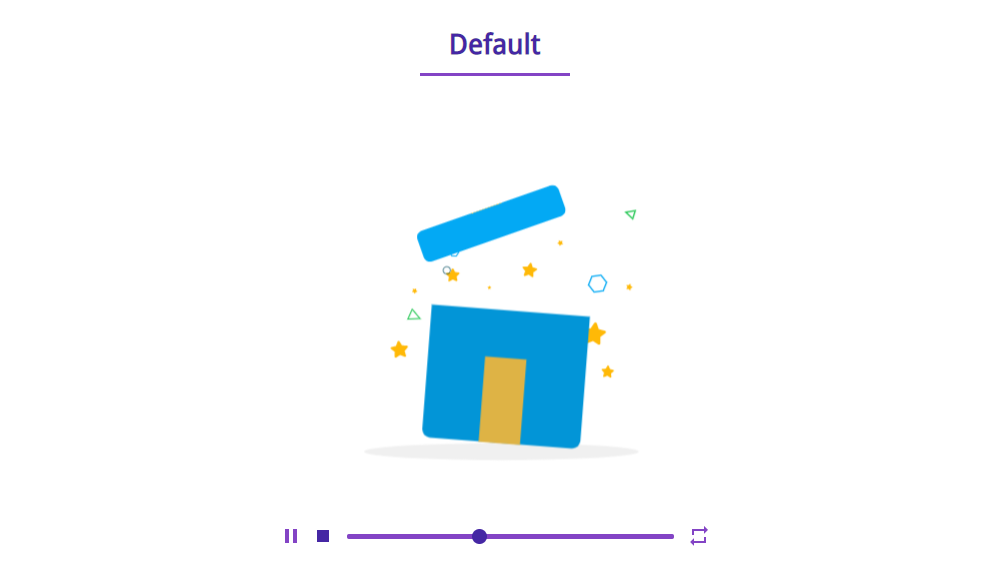
Controls: You can show controls to allow users to interact with the player.
-
Autoplay: You have the option to enable autoplay, allowing the animation to start automatically.
-
Loop: You can enable looping, making the animation repeat seamlessly.
-
Hover: The hover feature lets you enable interaction when the mouse hovers over the player.
-
Mode: You can choose from different playback modes to control how the animation behaves.
-
Direction: You can set the animation’s direction, such as forward or backward.
-
Count: This feature allows you to specify the number of times the animation should play.
-
Speed: You can adjust the playback speed of the animation.
-
Link: You can add a link to the player, allowing users to navigate to a specific URL. Optionally open it in a new tab.
-
Play animation when visible: Play the animation when the player enters the viewport.
-
Lazy Load: Load the animation only when it is about to enter the viewport for faster pages.
-
Reduced Motion: Disable autoplay and motion driven interactivity for visitors who turned on Reduce Motion in their device settings.
-
Description: Describe the animation for screen reader users.
-
Width and Align the player: You can set the width for the player to match your desired design. Also, can align the player to the left, center, or right within its container.
-
Customize the player controls: Adjust the Height, Background Color, Icons Color, Icons Hover Color, Icon Active Color, Tracker Color, and Thumb Color to fit your website’s style.
Lottie Player Pro Features
-
Interval: This option enables you to set an interval between animation loops.
-
Play Segment: Play only a part of the animation using start and end frames.
-
Interactivity: Set different Interactions such as Sync with scroll, Scroll relative to the container, Scroll with offset, Sync animation with cursor position, Sync animation with cursor horizontal movement, Play animation on click.
-
Caption: Show caption below the player.
-
Caption Styles: Customize the caption’s appearance, including Text alignment, Typography, Colors(text and background), Padding, and Margin.
-
Shortcode: Save a player and show it anywhere with a shortcode, such as in classic editor content, widgets and page builders.
How to use Lottie Player
- First, install the Lottie Player block plugin.
- Add the Lottie Player block from the block category called “Widgets” in the Gutenberg editor.
- You can change block settings from the right-side settings sidebar.
-
Enjoy!
-
For installation help click on Installation Tab
User Feedback
⭐⭐⭐⭐⭐ Perfecto
❛❛Genial para meter animaciones lottie❜❜
⭐⭐⭐⭐⭐ Amazing Plugin!
❛❛This is a fantastic plugin to configure Lottie Animations. Simple and easy to use but still very customizable. The support team helped me a lot while i built my site. Thank you very much guys❜❜
⭐⭐⭐⭐⭐ Recommended
❛❛Currently, we have little choice when we need to embed a Lottie animation into a WordPress website built with the block editor. Luckily, this plugin is far above average and offers many options to finetune your animation.
(Tip: You can even use it to embed a Lottie animation with the Divi builder – simply create a sidebar, insert the animation there, and then bring it into your page using Divi’s sidebar module.)❜❜
– Did you like this plugin? Dislike it? Have a feature request? Please share your feedback with us
Check out the Parent Plugin of this plugin-
B Blocks – A blocks collection and page building tool for Gutenberg.
Check out our other WordPress Plugins-
Html5 Video Player – Display videos as single and playlist in multiple skins.
PDF Poster – Display/Embed PDF files with different styles.
Html5 Audio Player – Listen audios with awesome visuals.
StreamCast – Customizable radio player with different skins.
3D Viewer – Embed 3D models and 3D products with interaction.
Advanced Post Block – Show posts and custom posts in different layouts.
Blocks
This plugin provides 1 block.
Lottie Player – Lottie player for display lottie files.
Source Code
You can find the source code, report bugs, and contribute to the development of this plugin on our GitHub repository:
Embed Lottie Player on GitHub
Third-Party Libraries
This plugin bundles the following third-party JavaScript/PHP libraries.
@dotlottie/player-component
- Source: https://www.npmjs.com/package/@dotlottie/player-component
- GitHub: https://github.com/dotlottie/player-component
- License: MIT – https://github.com/dotlottie/player-component/blob/master/LICENSE
- Purpose: Web component used to render and play dotLottie animations in the editor and front end.
@lottiefiles/lottie-interactivity
- Source: https://www.npmjs.com/package/@lottiefiles/lottie-interactivity
- GitHub: https://github.com/LottieFiles/lottie-interactivity
- License: MIT – https://github.com/LottieFiles/lottie-interactivity/blob/master/LICENSE
- Purpose: Adds scroll and cursor interactivity to Lottie animations.
Freemius Lite SDK
- Source: https://bplugins.com/
- GitHub: https://github.com/bPlugins/freemius-lite-sdk
- License: GPL-2.0-or-later – https://www.gnu.org/licenses/gpl-2.0.html
- Purpose: Provides an opt-in consent form for usage tracking and analytics to help improve the plugin. No data is sent before explicit user consent.
- External Services: Communicates with
api.bplugins.com(activation events) andwp.freemius.com(opt-in processing) only after user opt-in. See bPlugins Privacy Policy and Freemius Privacy Policy.
bpl-tools
- Source / GitHub: https://github.com/bPlugins/bpl-tools
- License: GPL-2.0-or-later – https://www.gnu.org/licenses/gpl-2.0.html
- Purpose: Shared utility library providing admin dashboard components and common Gutenberg editor controls.
- External Services: The library may connect to bPlugins, WordPress.org, and Freemius services for product data and checkout functionality. See full details: https://github.com/bPlugins/bpl-tools#external-requests–why-they-are-made
Screenshots
FAQ


ChangeLog