Warning! This plugin has not been updated in over 2 years. It may no longer be maintained or supported and may have compatibility issues when used with more recent versions of WordPress.
Editor Plus extends Gutenberg editor with blocks, advanced design controls, typography, icons, Shape Divider, animations and many more features.
Gutenberg Blocks Library & Toolkit – Editor Plus
Editor Plus extends Gutenberg editor with blocks, advanced Design Controls, Typography, Icons, Shape Divider, Animations and many more features.
Design better pages in Gutenberg editor, faster.
No-Code Style Editor for WordPress
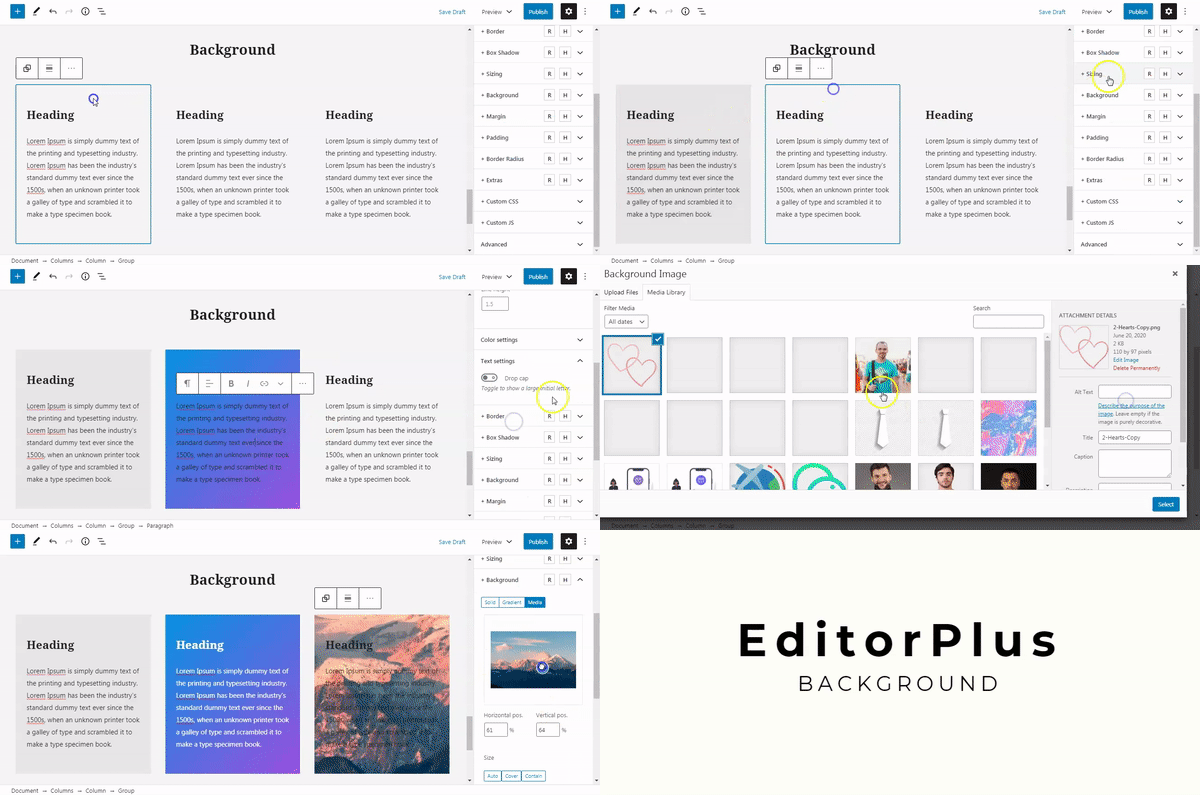
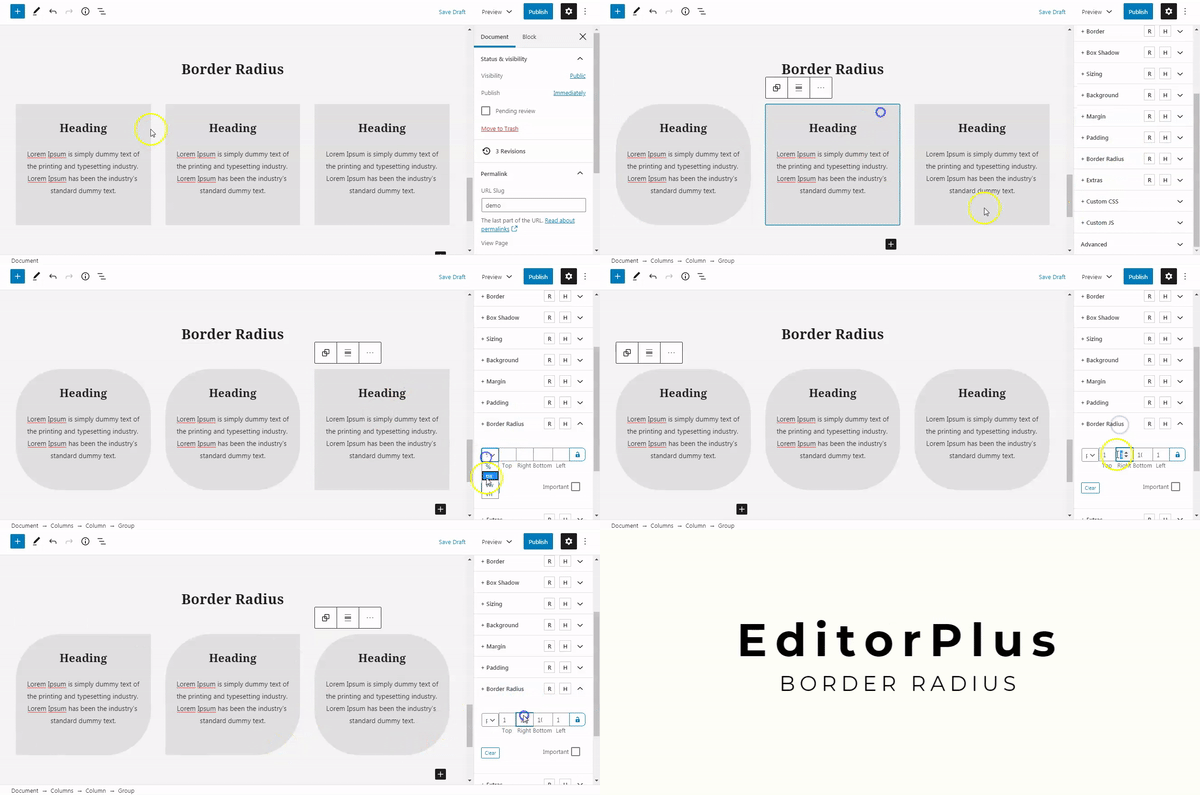
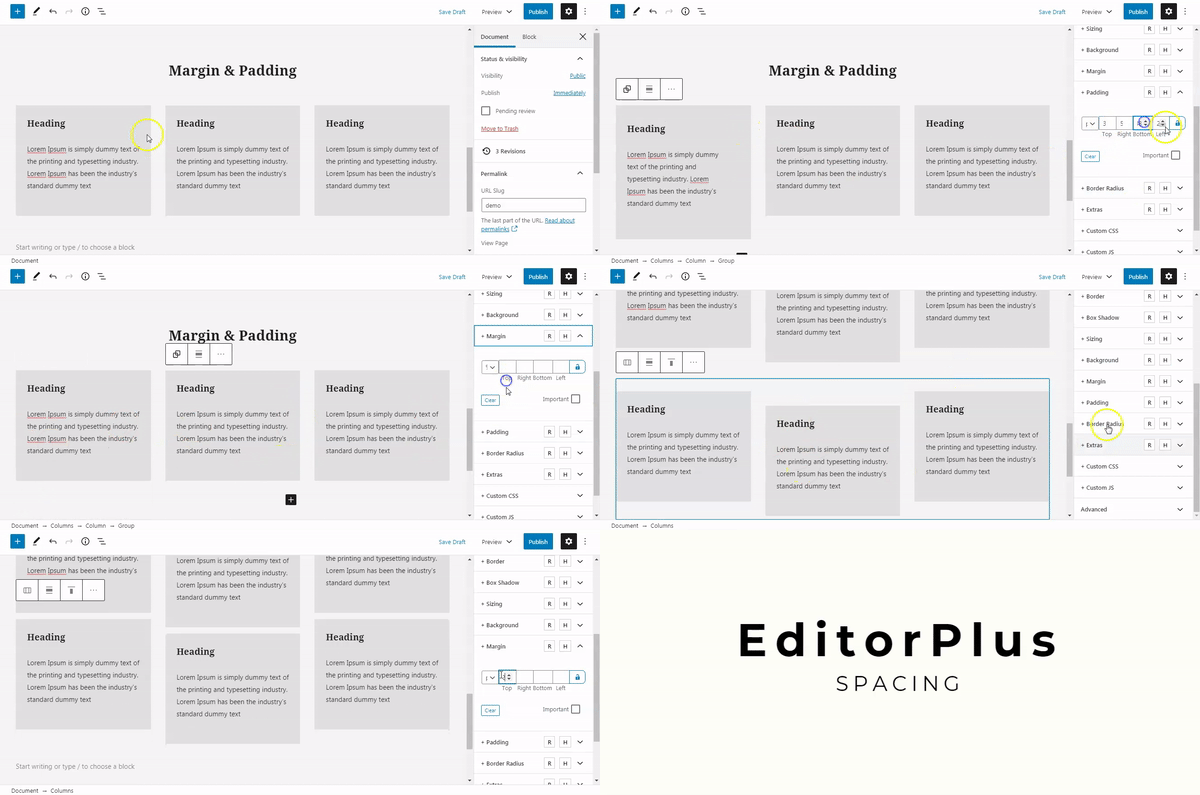
Customize Gutenberg blocks visually without code. Add background, adjust size, apply spacing and more. Supercharge Gutenberg Editor!
⚡️ Animation
✏️ Typography
???? Spacing
???? Border
???? Background
❑ Box-Shadow
???? Visibility
???? Shape Divider
???? Icons
???? More features to be added.
⭐️ All these stylings can be adjusted for Responsive (Desktop, Tablet & mobile) and Hover!
Custom CSS Editor for Power Users
You can write your custom CSS code as well. The custom CSS code box will be available for all Gutenberg core blocks as well as via the plugin admin area for writing global CSS that applies throughout your website (including Gutenberg editor screen).
???? Missing Gutenberg Blocks ????
Missing a block from WordPress block editor? We feel that and have added a bunch of useful blocks that are missing in the core. Here is a list of available blocks.
Tabs Block
Accordion Block / Toggle Block
Icon Block
Rating Block
Progress Bar Block
Stats Block / Counter Block
Countdown Timer Block
If you want to suggest a block, please feel free to do that via the support forum.
⚡️ Add Animation in Gutenberg WordPress ⚡️
Now you can easily animate your content in WordPress Block Editor. You can easily and visually create animation effects by just a few clicks. No custom CSS code required. Best of all we are not using any custom CSS library for creating these animations, we are using optimized custom code behind the scene.
Following animation effects currently available:
Fade
Slide
Bounce
Zoom
Flip
Fold
Roll
✏️ Tweak Content Typography in Gutenberg WordPress
Now it is super easy to tweak your content Typography in Gutenberg WordPress Editor using the Editor Plus plugin. ????
You can easily adjust the following font properties visually using the “Typography” panel available for content blocks.
Font Weight
Font Style
Font Size
Letter Spacing
Line Height
Color
And as Editor Plus allows you to tweak these options for Responsive and Hover, this makes it easier for you to adjust your typography for mobile & tablet differently.
???? Add Icons anywhere (RichText) in Gutenberg Editor ????
Need to insert an icon? Editor Plus brings icons integration that enables you to insert icons anywhere where you can insert text. You can add icons to paragraphs, headlines, buttons, or any other place where you can write text in the editor. Additionally, you can also apply a background color, add a border, and set border-radius to the icons. Currently, we’ve included Font Awesome and Icon Moon icon libraries, but, we may add more in the future.
???? Add Nice SVG Shape Dividers in Gutenberg Editor ????
SVG shape dividers or separators add a nice visual effect to your section or content. Now you can easily add and customize it in Gutenberg WordPress Editor. Currently supported on the following blocks:
Cover Block
Columns Block & inner Column Block
Group Block
As it is available for the Group block means you can simply group any block(s) content and add a shape divider to the group.
????♂️ Be a Pro – Copy & Paste Block Styles & Responsive Visual Editing ????♂️
Starting with Editor Plus v1.6.0, now you can copy a block style and paste it to another block with a click quickly. You do not need to re-style the same thing again and again.
This release also improved responsive editing features by synchronizing the responsive previewer window.
There is much more to come, stay tuned.
More exciting features and enhancements are planned for the WordPress Gutenberg Editor. Stay tuned for updates. ????
=2.10.0 (9 Nov 2023)
* Fix: Missing lodash dependency issue with WP 6.4.
=2.9.16 (25 July 2023)
* Fix: Button styling not working.
* Fix: Button hover styling not working in editor.
* Fix: Letter spacing “0” not working.
* Fix: List icon.
* Fix: Remove link option from tabs.
* Fix: Animation not working.
* Fix: Fix gradient breaks the block.
* Fix: Fix dimension unit.
* Fix: PHP warning on 8.2.7.
Improved: Improved user experience for using templates
=2.7.1 (25 Mar 2021)
New: Hide title and template styling options on page settings panel
Deprecated: Custom blocks extension
Add: Admin notice
Fixed: Bugs
=2.7.0 (9 Mar 2021)
New: Introducing Paid Plans
Fixed: Bugs
=2.6.2 (9 Mar 2021)
Improved: Various improvements to the library inserter
Fixed: Bugs
=2.6.1 (2 Mar 2021)
Improved: Various improvements to the template library inserter
Fixed: Bugs
=2.6.0 (18 Feb 2021)
* New: Template Library
* Optimized: Performance and Code structure
* Fixed: Bugs
=2.5.0 (29 Dec 2020)
* New: Columns Block Extended with Layout Variation Picker, Responsive Columns, Columns Order and more.
* Fixed: Bugs
=2.4.0 (8 Dec 2020)
* New: Button Block Extended with icon and more styling options
* New: Image Block Extended with image shape styling
* Added: WordPress 5.6 Compatibility
* Fixed: Custom Post Type Support Issue
* Fixed: CSS Class issue
* Fixed: Other Bugs
=2.3.0 (2 Dec 2020)
* New: “Extend Core Blocks” Extension
* New: List Block Extended with icon and more styling options
* Added: Background Attachment Option
* Added: Background Placement Option
* Added: Option to Insert Background Image via Url
* Fixed: Bugs
=2.2.0 (13 Nov 2020)
* Added: Options to controls Sizing, Columns, Alignment in toggle block
* Added: Bottom Position and Autoplay Control In Tab Block
* Added: Link Support for lottie Block
* Added: Option to toggle suffix text and title in Rating Block
* Fixed: Bugs
* Performance Boosted – Optimized options performance inside the editor.
=2.1.0 (5 Nov 2020)
* Improved: All Controls UI
* Fixed: Bugs
=1.7.0 (05 Sep 2020)
* New: Typography options.
* Added: Max Width & Max Height Options under sizing panel.
* Improved: Dimension Controls to accept ‘auto’ value.
* Fixed: Bug that was breaking the editor some times.
=1.6.0 (17 Aug 2020)
* New: Copy & Paste Blocks Styles with a click
* New: Live Visual Responsive Editing