Robust compliance checks for firearms eCommerce. Verifies whether your customers can purchase products based on federal, state, and local sales laws.
eCheckpoint screens every order against federal, state and local sales laws for firearms, ammunition, magazines, knives and related products. It checks the cart at checkout, checks the order again after it is placed, and records the result on the order.
An active eCheckpoint subscription and API key are required. To get started, visit echeckpoint.com or contact support@echeckpoint.com.
What it does
- Pre-Order Checkpoint – Screens the cart at checkout and tells the shopper which products cannot ship to their address, need a licensed dealer, or need additional information after checkout.
- Post-Order Checkpoint – Screens each order after it is placed, adds the result to the order notes, shows it on the order screen and in the orders list, can place orders that need review on hold in the status you choose, and can re-check held orders automatically.
- FFL Dealer Selection – Shoppers choose a licensed dealer from a map at checkout. The dealer becomes the shipping address, and the order screen shows the dealer’s license name, FFL number, premise address, phone and license expiration.
- Customer Type – Shoppers identify as an individual, an authorized retailer, or government, law enforcement or military, and the matching rules apply.
- Excluded States – Choose states your store does not screen after purchase. On the classic checkout, orders to these states are also not checked at checkout.
- Order Acceptance – Optionally let orders through checkout when a product is not registered with eCheckpoint or an address cannot be verified.
- 50-State Compliance Fee – Optionally add a compliance fee to United States orders placed through the classic checkout, as a percentage with a per-item minimum and maximum.
- Custom Messages – Set the wording shoppers see for blocked products, dealer requirements and additional information.
- Classic and Block Checkout – Works with both the classic (shortcode) checkout and the block-based checkout.
- High-Performance Order Storage – Works with WooCommerce’s High-Performance Order Storage and with posts storage.
Order history, product setup, credential review and reporting are in the eCheckpoint Portal.
Screenshots
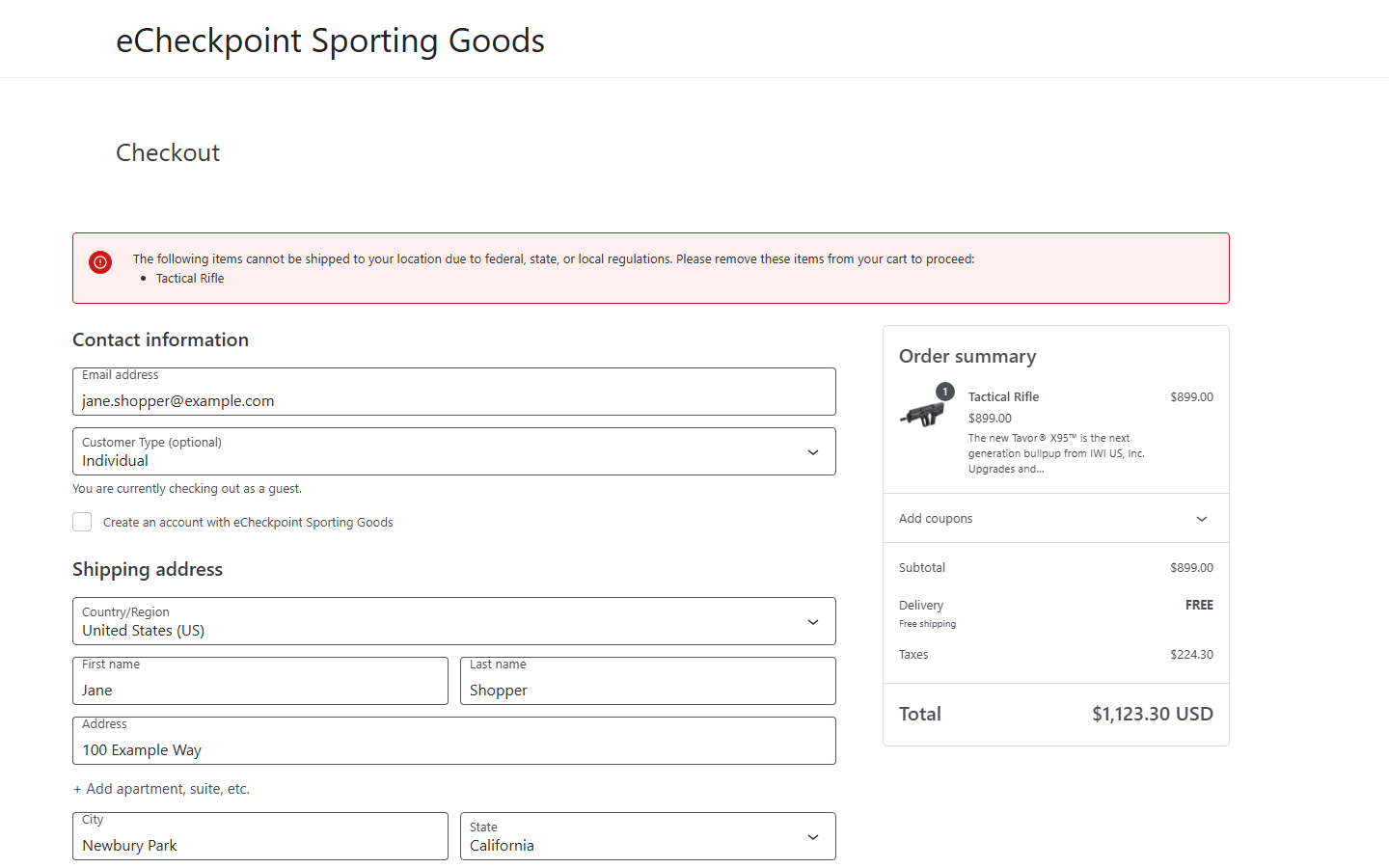
A product that cannot ship to the shopper's address, explained at checkout
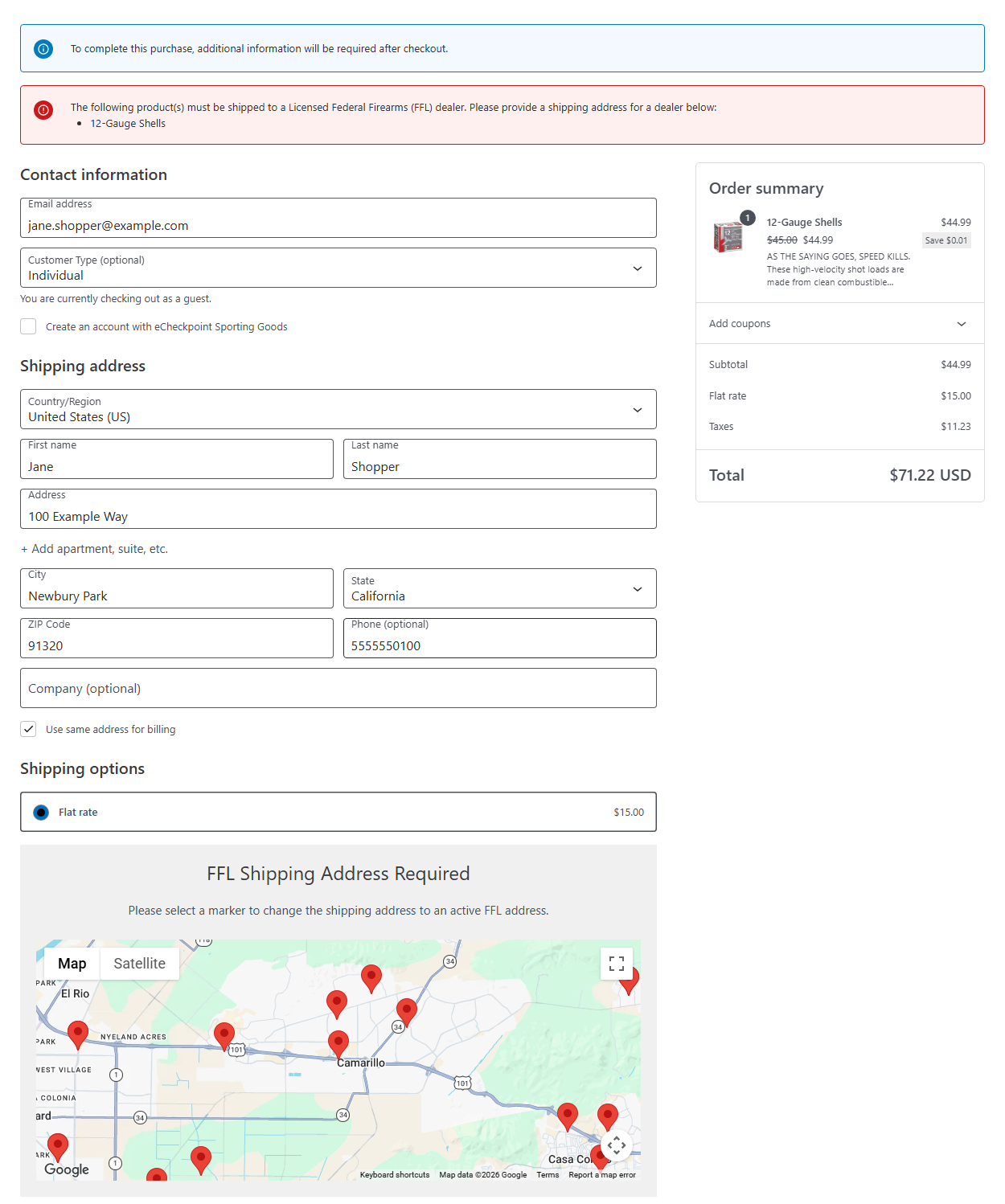
A product that must ship to a licensed dealer, with the FFL dealer map
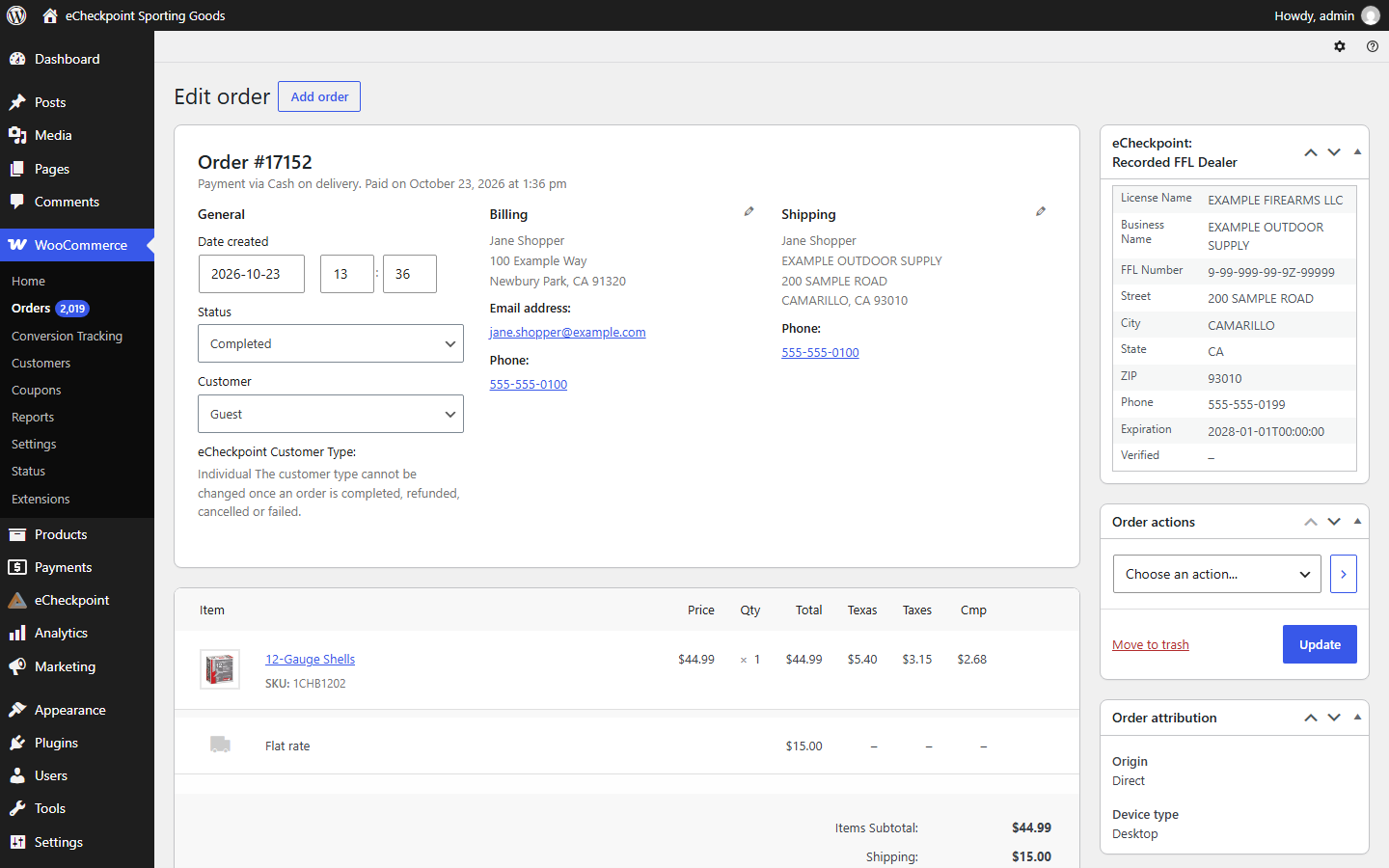
The recorded FFL dealer on the order screen
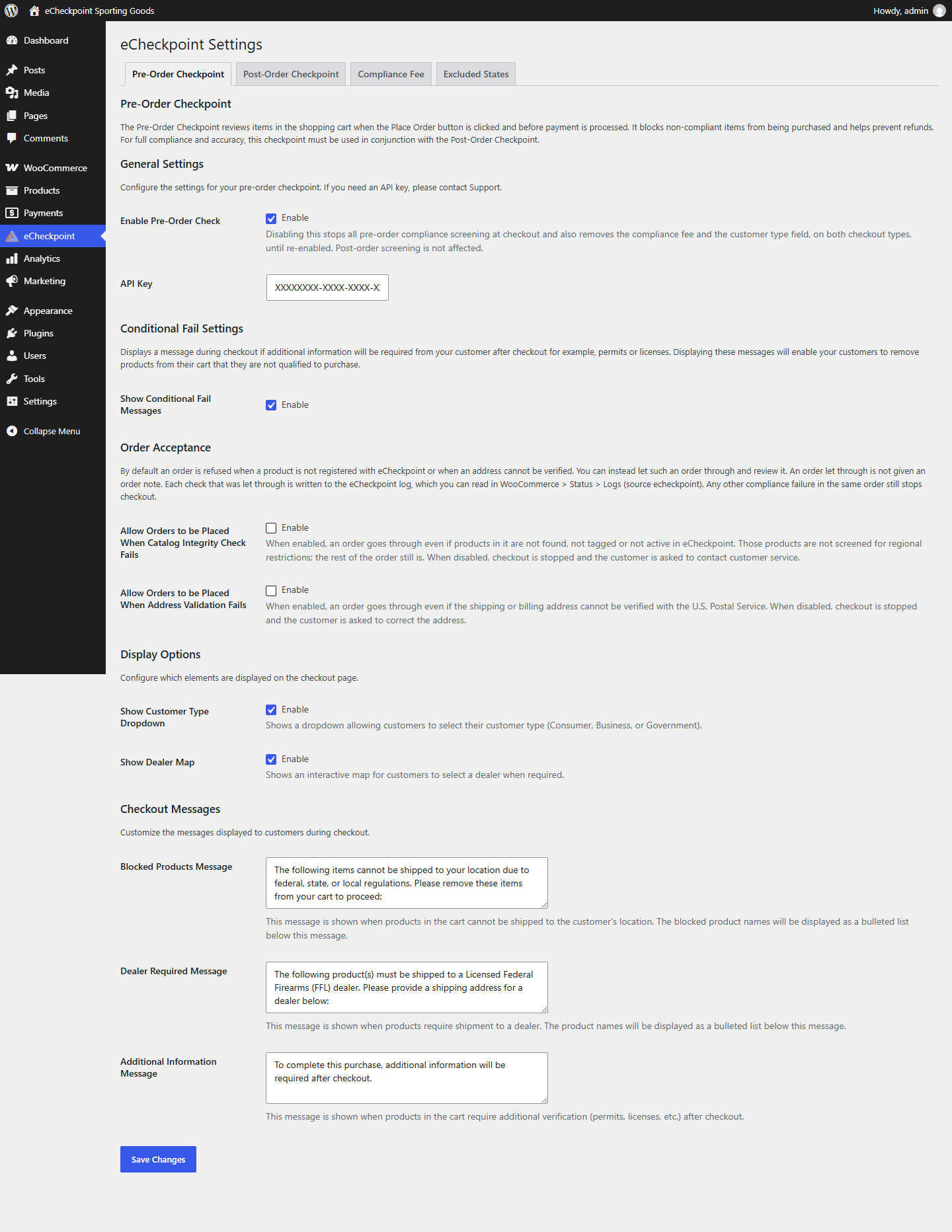
Pre-Order Checkpoint settings

Post-Order Checkpoint settings
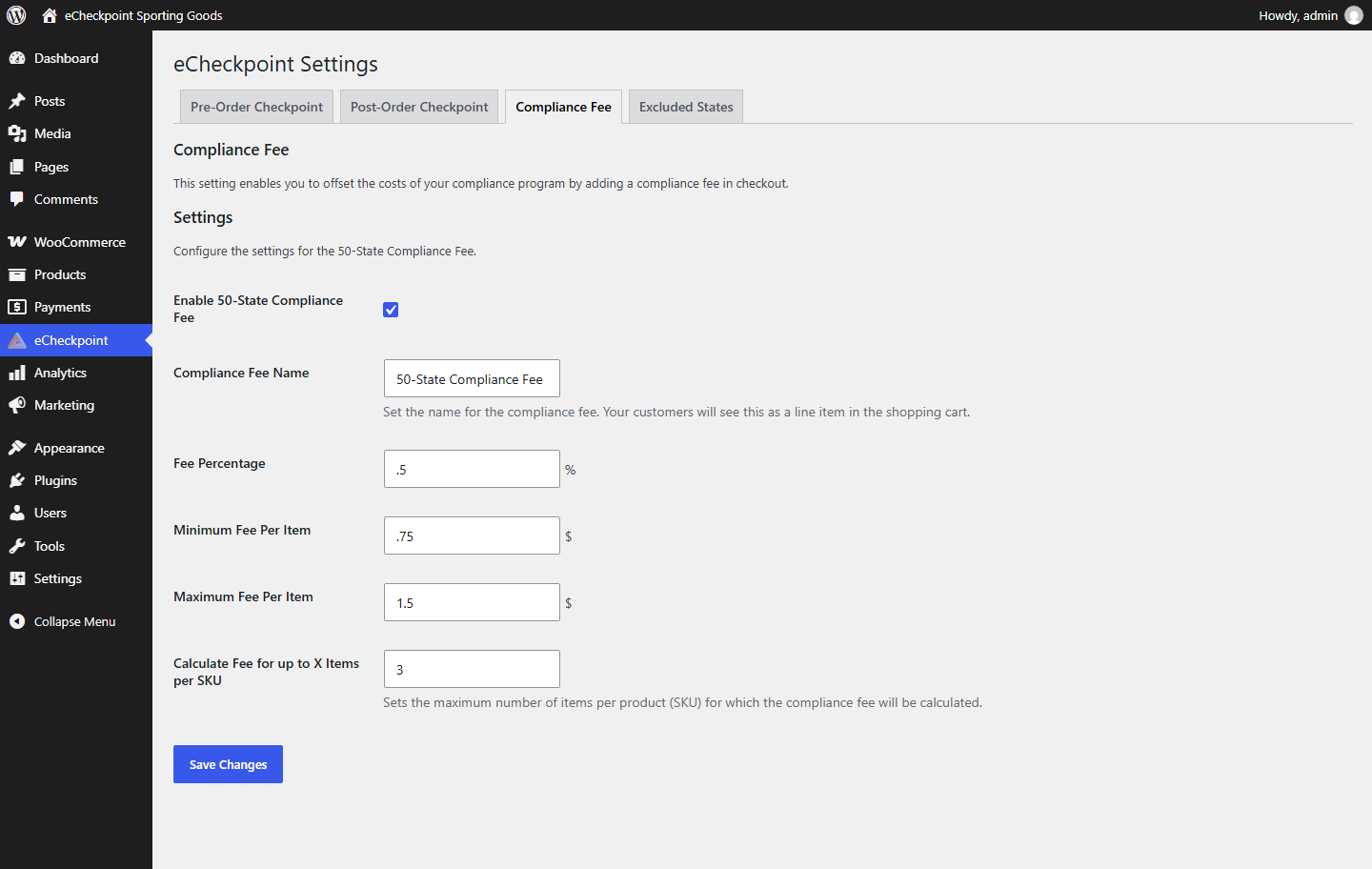
Compliance Fee settings
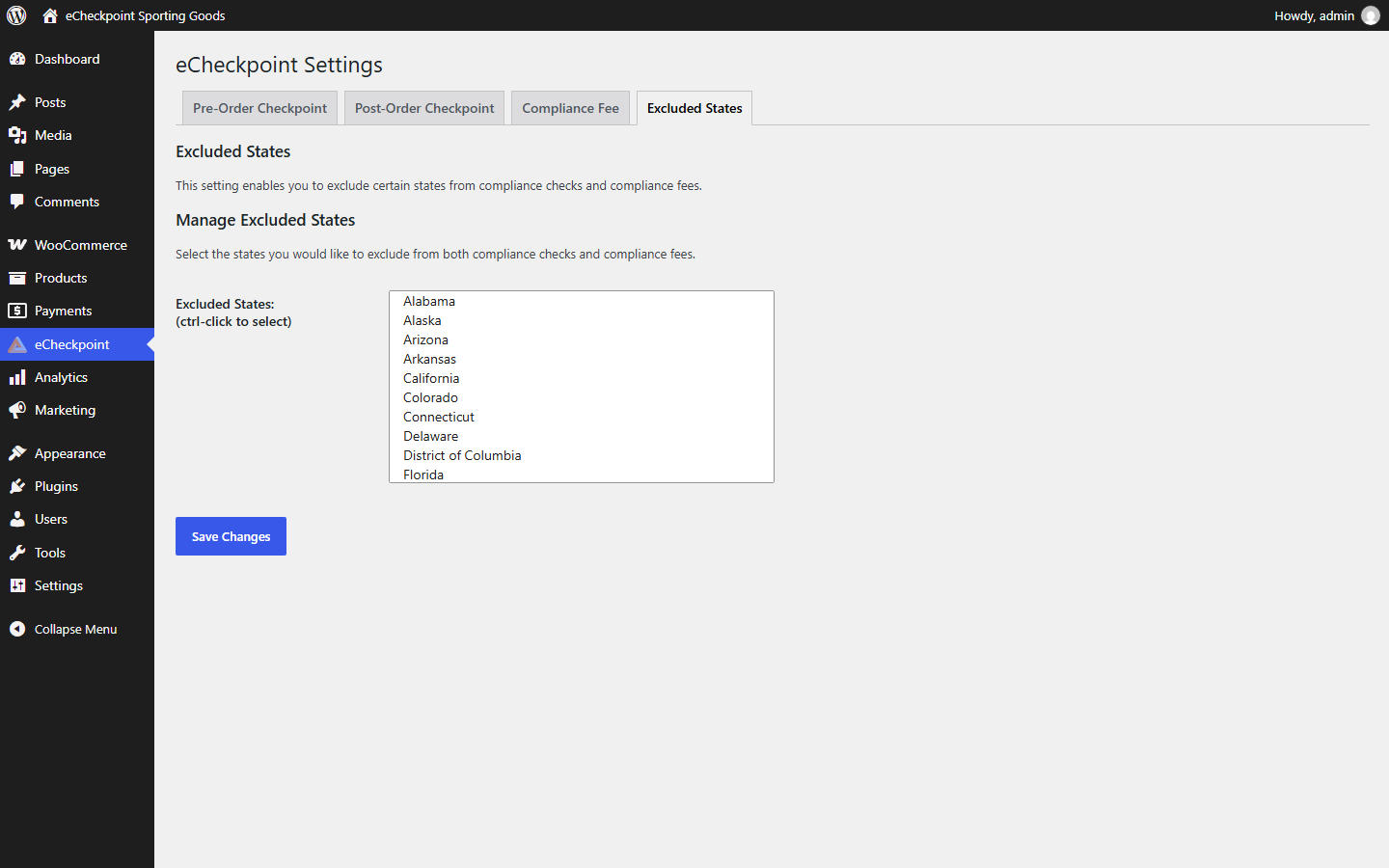
Excluded States settings
What is eCheckpoint?
eCheckpoint is a compliance service that helps stores selling regulated products confirm each sale meets federal, state and local laws.
Do I need an eCheckpoint account?
Yes. The plugin needs an active eCheckpoint subscription and API key.
Does it work with the block-based checkout?
Yes. It works with both the classic checkout and the block-based checkout.
How does FFL dealer selection work?
When a product must ship to a Federal Firearms License holder, the shopper picks a nearby dealer from a map at checkout. The dealer’s premise becomes the shipping address, and the dealer’s details are shown on the order screen.
Does it screen orders outside the United States?
No. eCheckpoint covers United States sales. Orders shipping outside the United States are not screened.
ChangeLog
3.2.2
- Updated held orders to keep the stock taken at checkout reserved while they are held and after eCheckpoint releases them. Stock for the items a re-check cancels or refunds is returned to inventory, and the order note says so when it is.
- Updated the post-order check and the re-check so an order that has not been paid, such as a cash on delivery order, is not moved to the Pass Status when it passes, with a note saying why. Paid orders move to the Pass Status as before.
- Updated the re-check to cancel and refund nothing on an order when items it would cancel or refund are recorded as shipped. The order stays on hold for manual review, with an order note.
- Updated Check Compliance Status to write the same order notes as the automatic re-check, with no note of its own.
- Tested with WordPress 7.1 and WooCommerce 11.3.
- General improvements and bug fixes to automatic remediation and after-purchase screening.
3.2.1
- Added compliance screening for orders staff create in the WordPress admin, under the customer type chosen on the order, while Enable Pre-Order Check is on. An order that cannot be screened is placed On Hold until a compliance check gets an answer.
- Updated checkout to let customers complete their order when the compliance check cannot get an answer. The order is noted as not screened at checkout and, while Enable Post-Order Check is on, is screened after purchase and held until a compliance check gets an answer.
- Added Automatic Compliance Remediation settings to the Post-Order Checkpoint tab, to re-check held orders on a schedule and release each one when its verification is completed. Off by default.
- Added a Lookback Cutoff Date setting. Held orders are re-checked automatically only once it is set.
- Updated the Check Compliance Status button on the order screen to show while Enable Automatic Remediation is on, and also on an order held because it could not be screened.
- Updated a held order that staff move to a final status, such as Completed or Cancelled, to show as Cleared, or as Closed without screening if it was never screened.
- General improvements and bug fixes to checkout, dealer selection and after-purchase screening.
3.2.0
- Added the eCheckpoint: Compliance card to the order screen, with a Check Compliance Status button for orders held for compliance.
- Added an eCheckpoint Status column and filter to the orders list.
- Added settings for the order status applied after purchase when an order passes screening or is held for review, while Place Orders On Hold is on.
- Added an Enable Post-Order Check setting, on by default.
- Added Order Acceptance settings to let orders through checkout when a product is not registered or an address cannot be verified. Off by default.
- Added an optional verification prompt on the order confirmation page. Off by default.
- Added a customer type field to the admin order screen, so staff can record the customer type on orders they enter.
- Added support for WooCommerce High-Performance Order Storage.
- Improved dealer selection on the block-based checkout with a Change button for the chosen dealer.
- Improved checkout messages so they come into view, with the affected products listed.
- Tested with WordPress 7.1 and WooCommerce 11.2.
- General improvements and bug fixes to checkout, dealer selection, customer type handling, product matching and after-purchase screening.
3.1.5
- Updated the Enable Pre-Order Check setting to control pre-order screening, the customer type field and the compliance fee together, with a reminder while it is off. Please confirm this setting after updating.
- Tested with WordPress 7.1 and WooCommerce 11.1.
- General improvements and bug fixes to checkout, dealer selection and after-order screening.
3.1.4
- Added the licensed dealer a shopper selects at checkout to the order, shown on the order screen.
- Added confirmation of the selected dealer by license number.
- Improved dealer selection: choosing a dealer sets the shipping address and company to the dealer’s premise.
- Improved the dealer map to list all nearby dealers for the shopper’s ZIP code, so a different dealer can be chosen at any time.
3.1.2
- Improved after-order screening for off-site payment gateways.
3.1.1
- Improved after-order handling of excluded states.
3.1.0
- Improved styling compatibility with other WooCommerce plugins.
3.0.0
- Added custom checkout messages for blocked products, dealer requirements and additional information.
- Improved compliance rechecks when the shipping address changes on the block-based checkout.
2.0.0
- Added block-based checkout support.
1.0.0
- Initial release with pre-order and post-order compliance checks, address validation, regional restrictions and FFL dealer selection.

