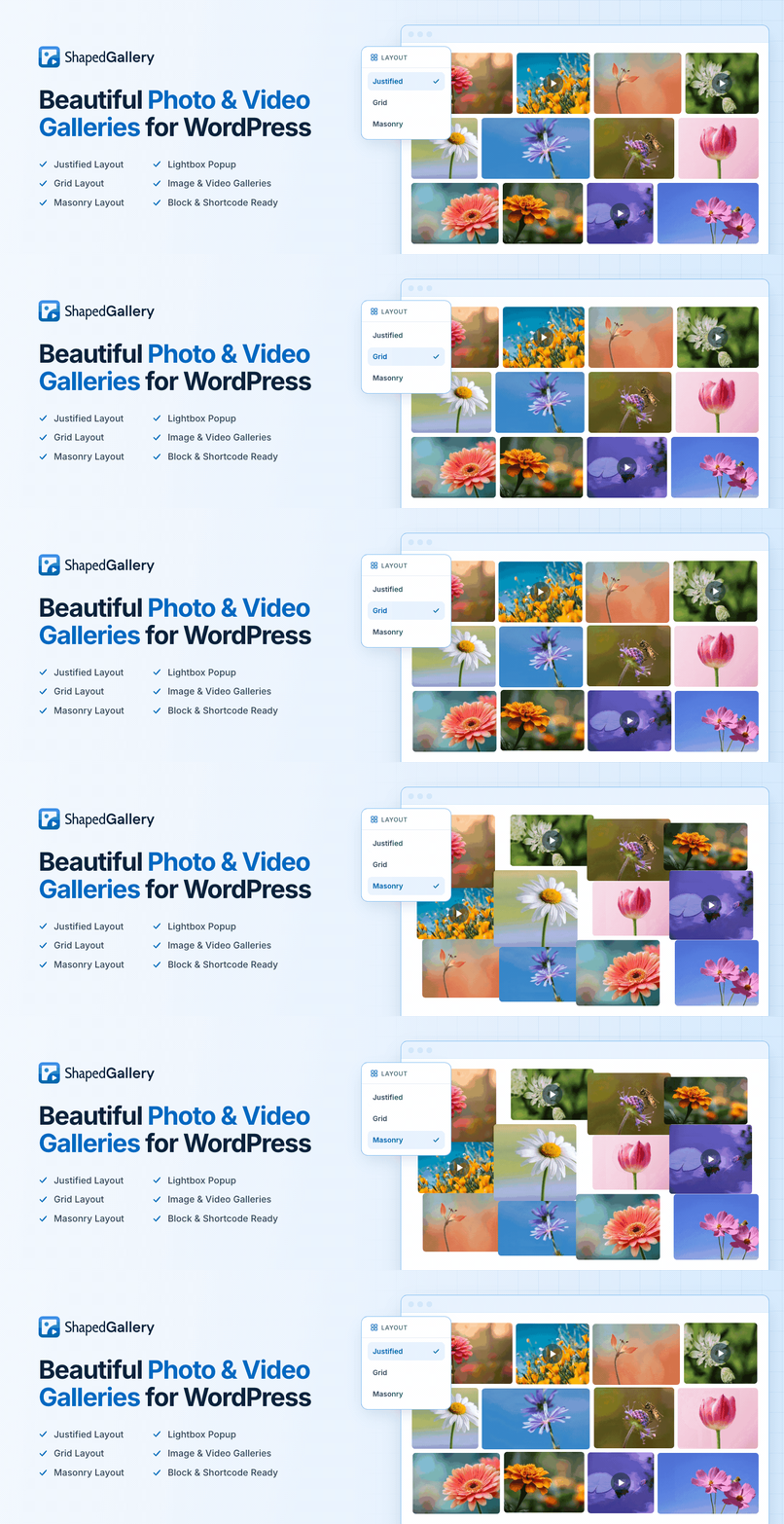
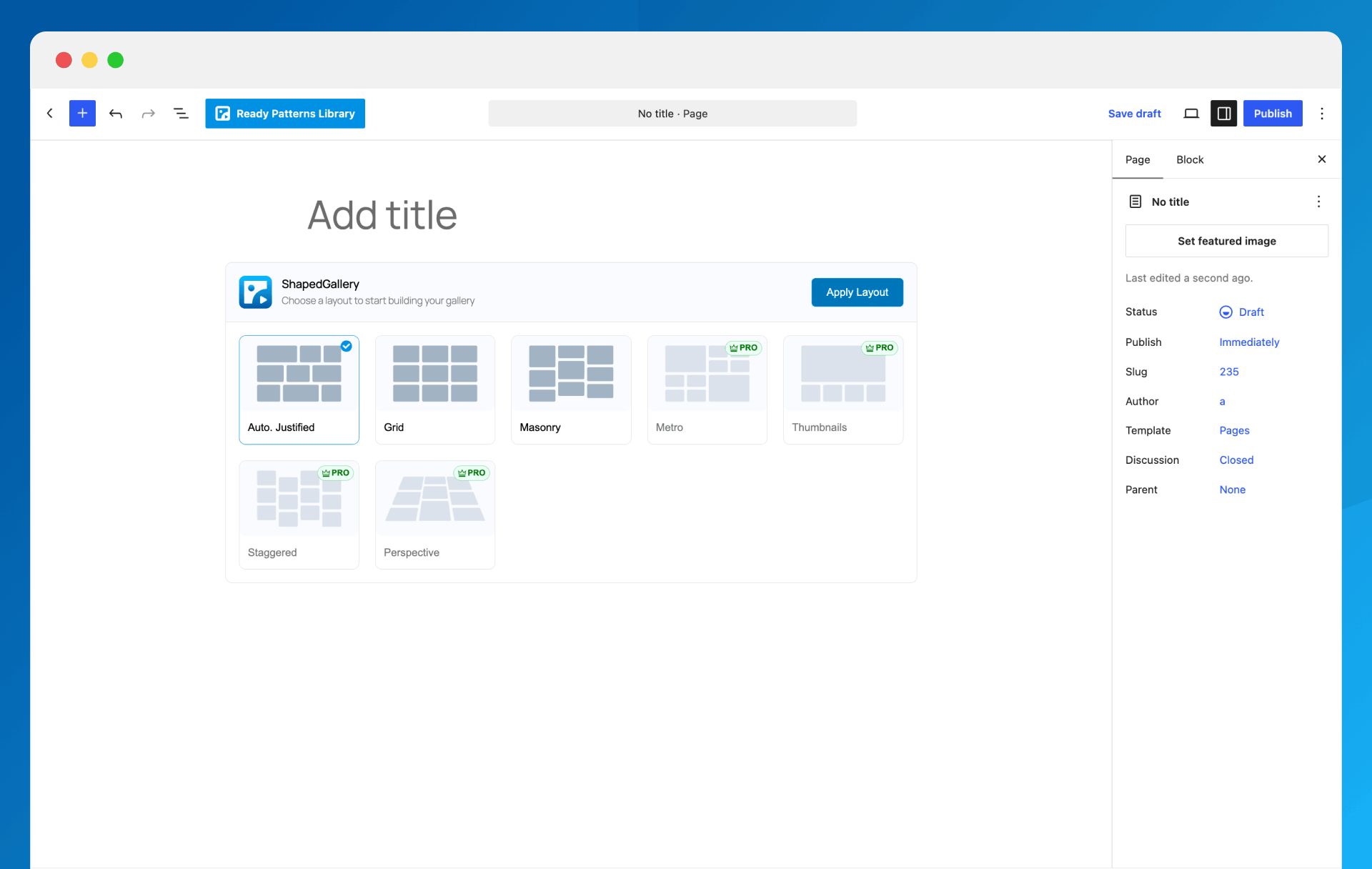
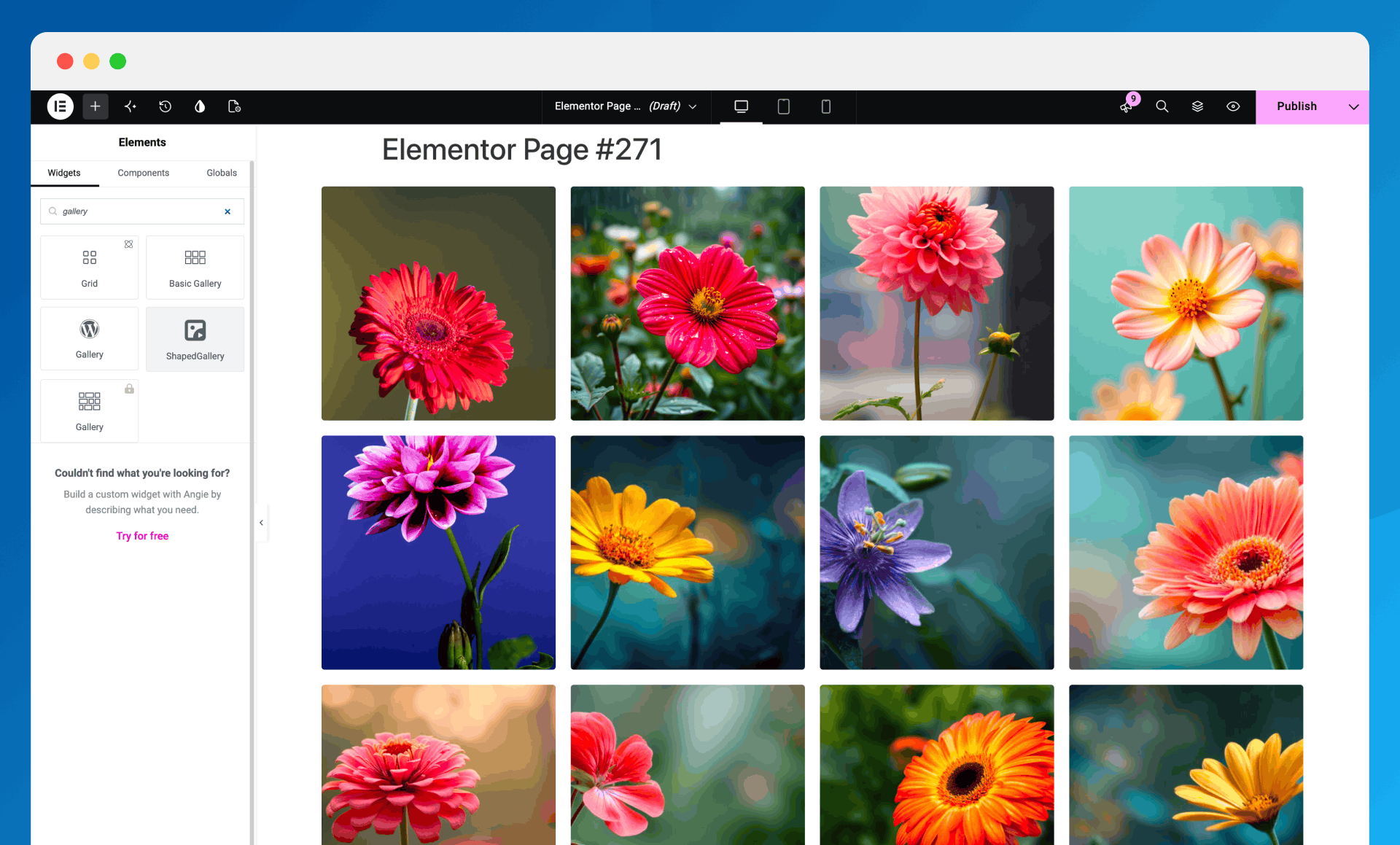
Create beautiful image galleries with ShapedGallery’s visual layout picker. Build justified, grid, masonry and video galleries without writing a line of code. It’s made for photographers, designers, bloggers, agencies and anyone who wants a fast, responsive gallery on their WordPress website.
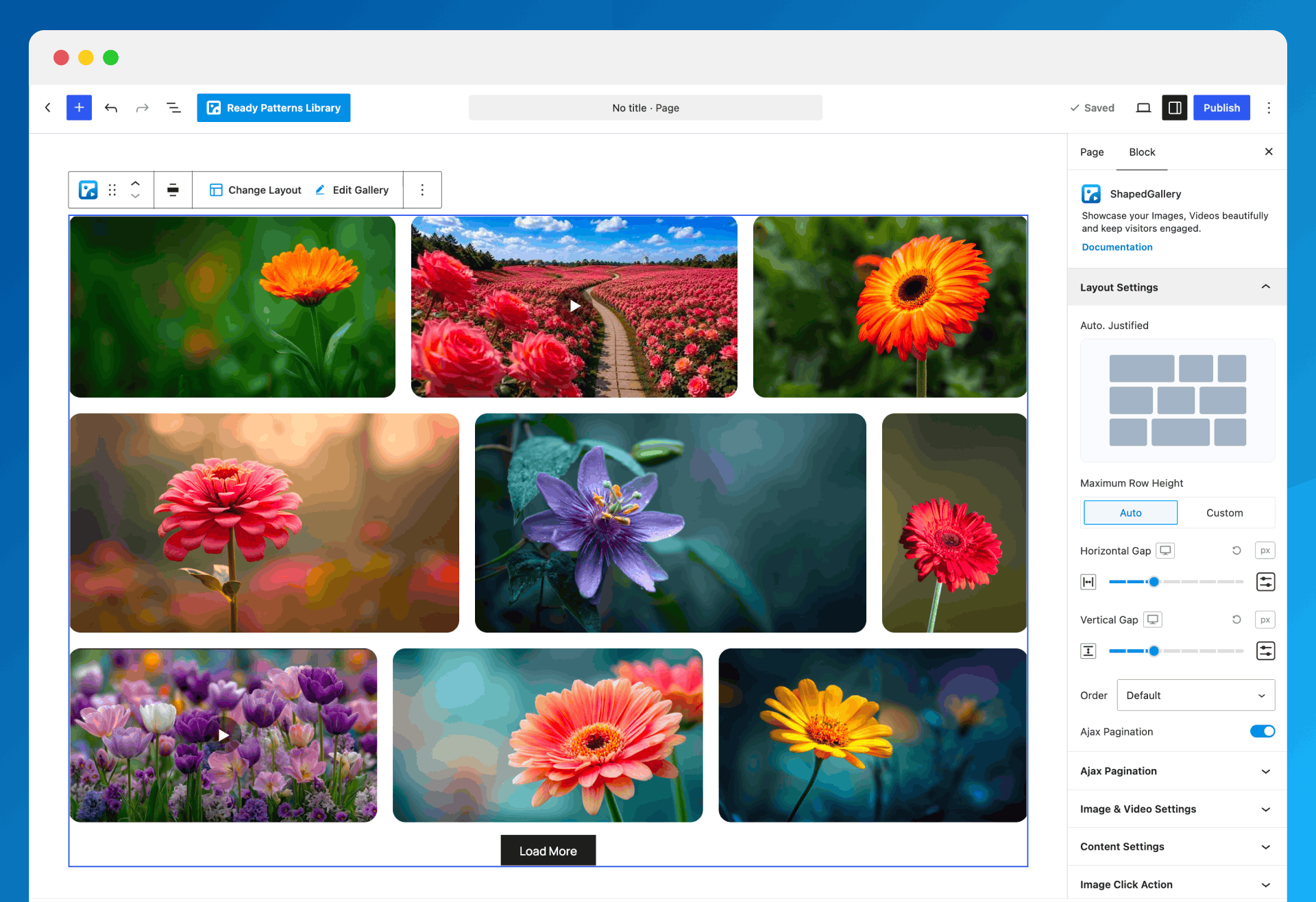
ShapedGallery makes building a photo gallery simple. Pick a layout, add images from your Media Library, style it in the live preview, and publish. What you see in the editor is what your visitors get, on desktop, tablet and mobile.
Most gallery plugins make you work in a separate settings screen and guess how the result will look. ShapedGallery works inside the WordPress block editor you already use. Add the Gallery block, choose a layout, and you’re looking at your finished gallery right away.
Every gallery is rendered on the server as clean HTML. Your images load with the rest of the page instead of jumping into place a moment later, and search engines can read your images, titles and captions like any other content. Pages without a gallery load none of the plugin’s files at all, so your site stays fast.
Why Choose ShapedGallery?
✅ Visual layout picker – See every gallery layout before you choose it, then switch layouts any time without re-adding images.
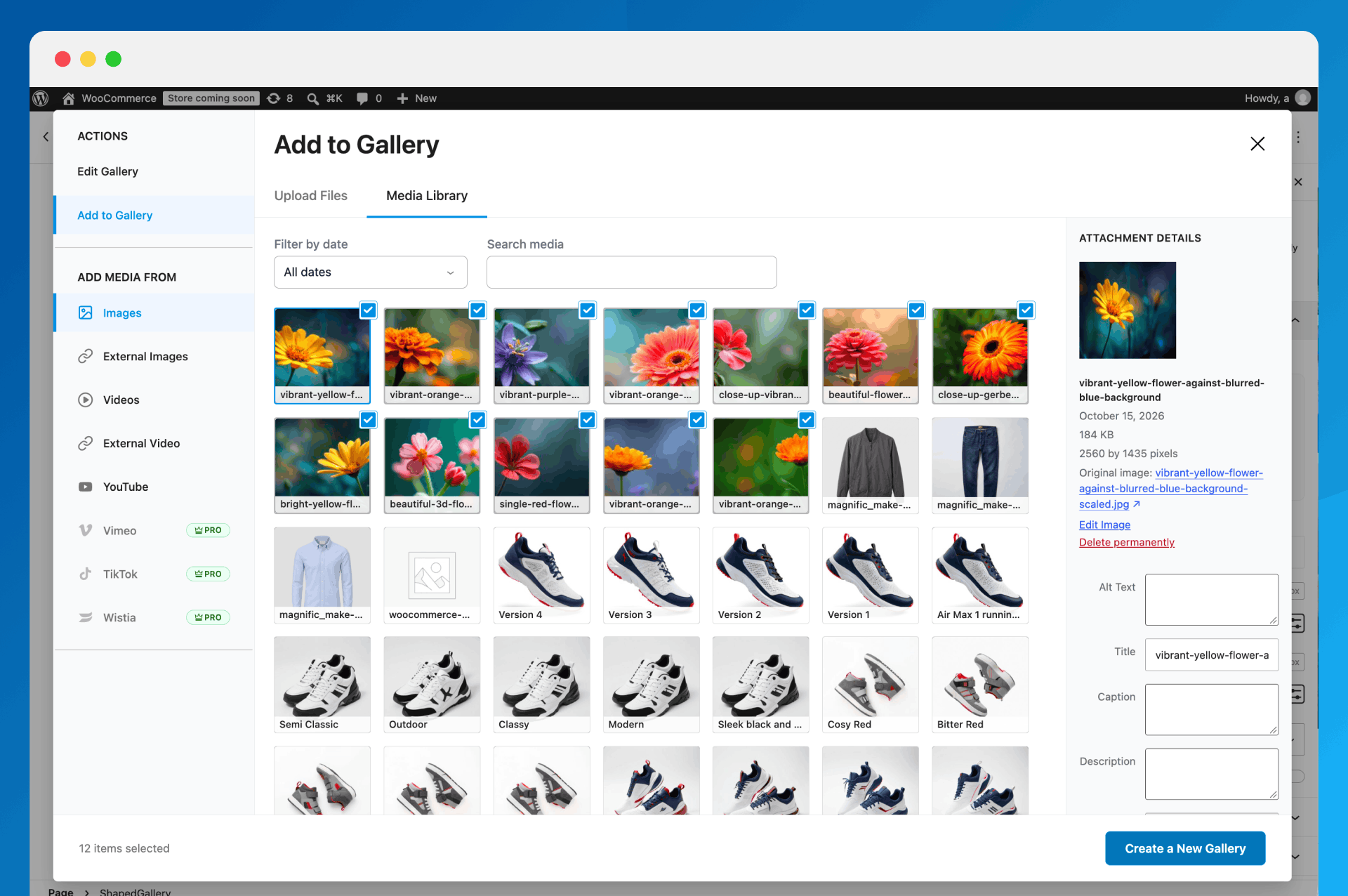
✅ Media Library first – Build galleries from the photos and videos you’ve already uploaded.
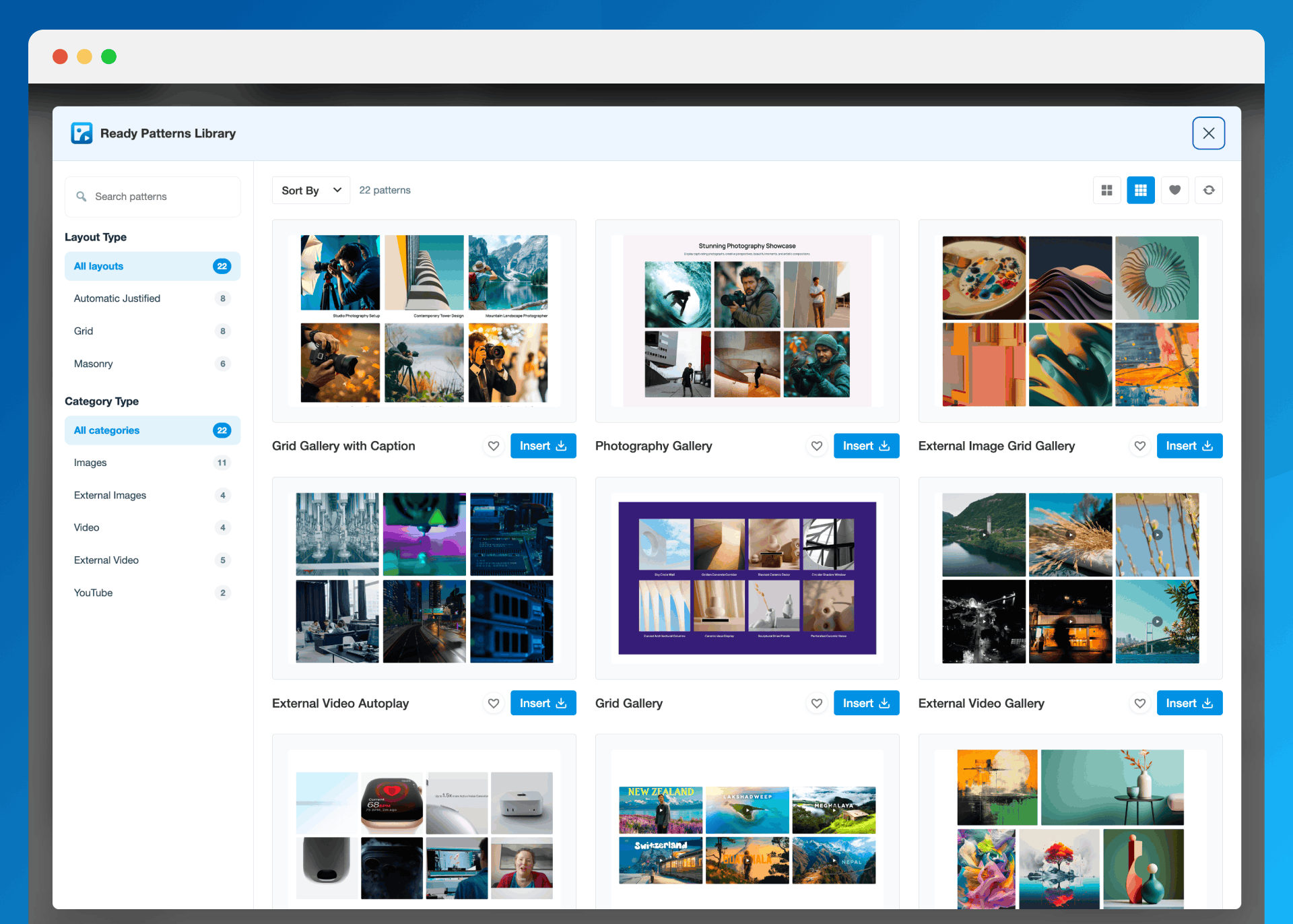
✅ Ready Patterns – Start from a professionally designed gallery with one click.
✅ Built-in lightbox and video player – A modern, mobile-friendly lightbox for your images, and videos that play right in the gallery or in their own popup.
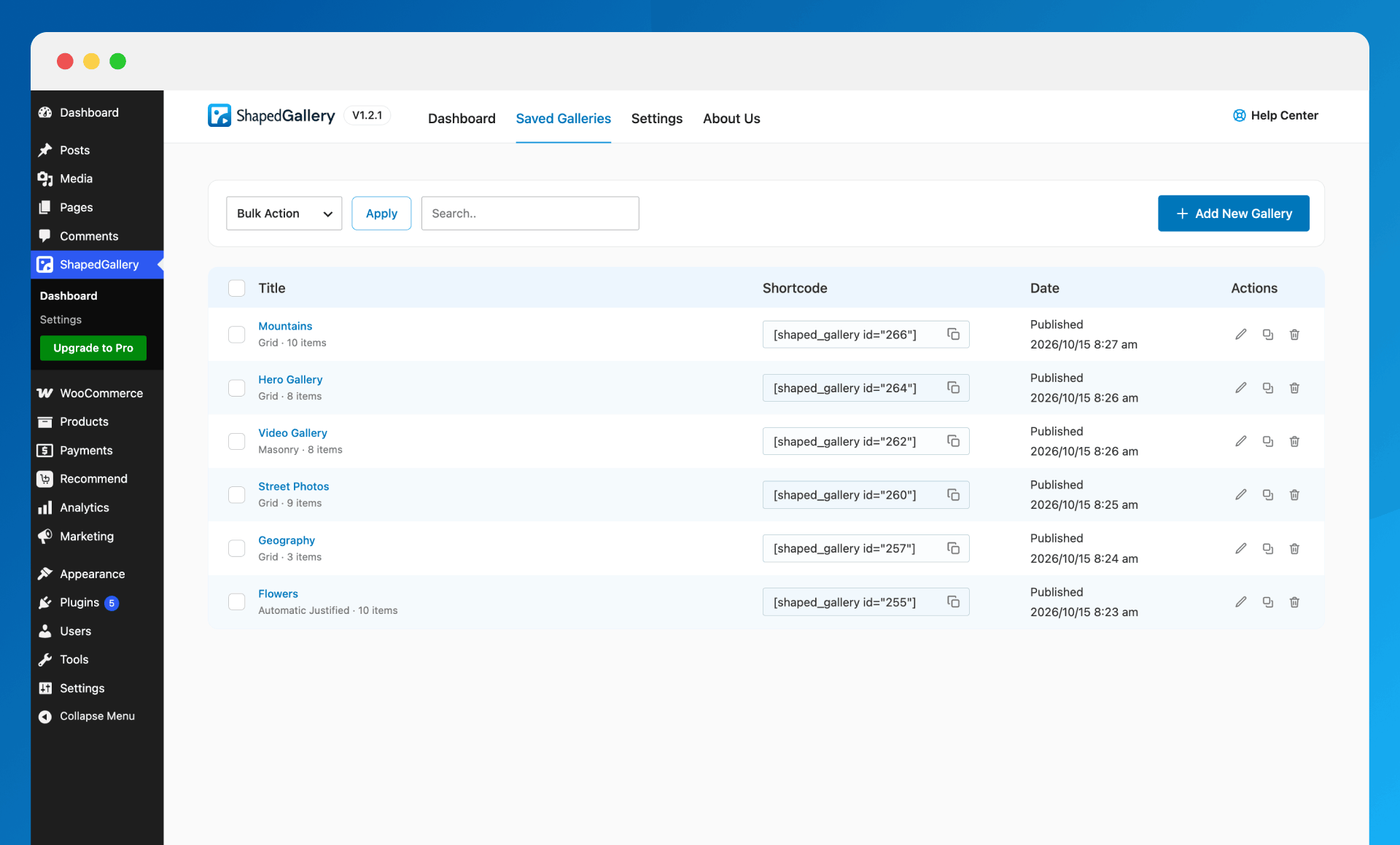
✅ Build once, use anywhere – Every gallery gets a shortcode. Edit it once and it updates on every page.
✅ Lightweight and fast – Scripts load only where a gallery appears.
✅ Works with your page builder – Elementor, Divi, Bricks, Oxygen, Beaver Builder and WPBakery.
Responsive Gallery Layouts
Justified Gallery
Rows of equal height with image widths balanced so every row fills the space edge to edge. The best choice for photographs of mixed sizes and orientations, and nothing gets cropped.
Grid Gallery
Equal tiles in a set number of columns. A clean, tidy look for portfolios, products, team photos and logos.
Masonry Gallery
Pinterest-style columns of different heights with the gaps closed, so tall and wide images sit together naturally.
Every layout is fully responsive. Set columns and spacing separately for desktop, tablet and mobile so your gallery looks right on every screen.
Ready Patterns: Start With a Designed Gallery
Not sure where to begin? Open the Ready Patterns library, preview a design, and insert it with one click. Patterns are grouped by layout, and each one stays fully editable, so you just swap in your own photos. You can open the library from the block toolbar, the editor header or the dashboard.
Video Gallery Support
Mix photos and videos in the same gallery, or build a video gallery on its own. Add:
Videos from your Media Library
External videos by URL
YouTube videos
Choose how videos play with Video Play Mode: right inside the gallery tile, or in a dedicated video popup with its own player. Either way, videos keep out of the image lightbox, so a slideshow of your photos is never interrupted by a clip.
Built-in Lightbox Gallery
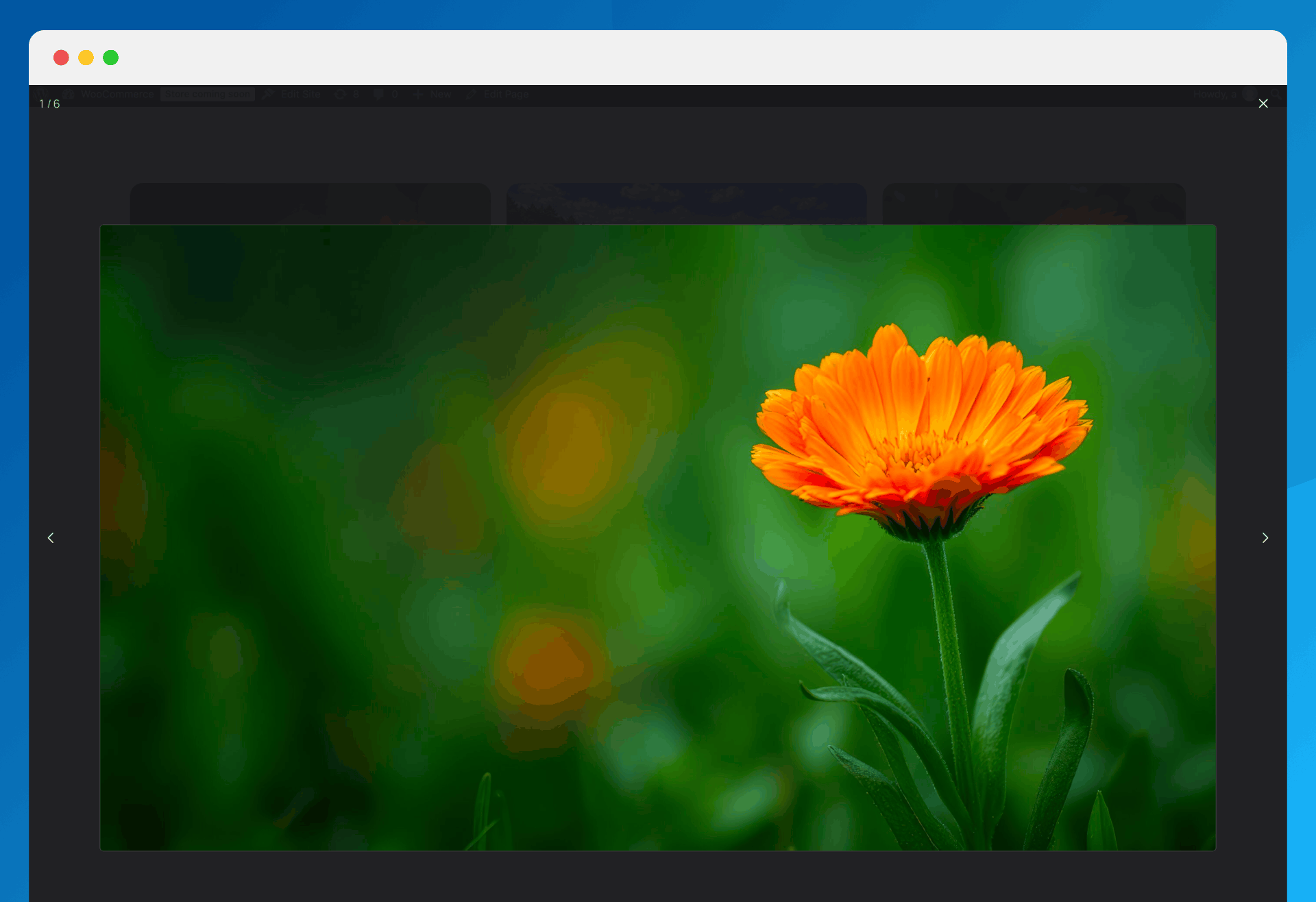
Let visitors view your photos full size without leaving the page. The lightbox is built on the browser’s own <dialog> element, so it’s fast and accessible:
Zoom and pan on desktop, pinch and swipe on phones and tablets
Image counter
Keyboard navigation with arrow keys, and Escape to close
Loads only on pages where a gallery opens it
Customize Your Gallery Design
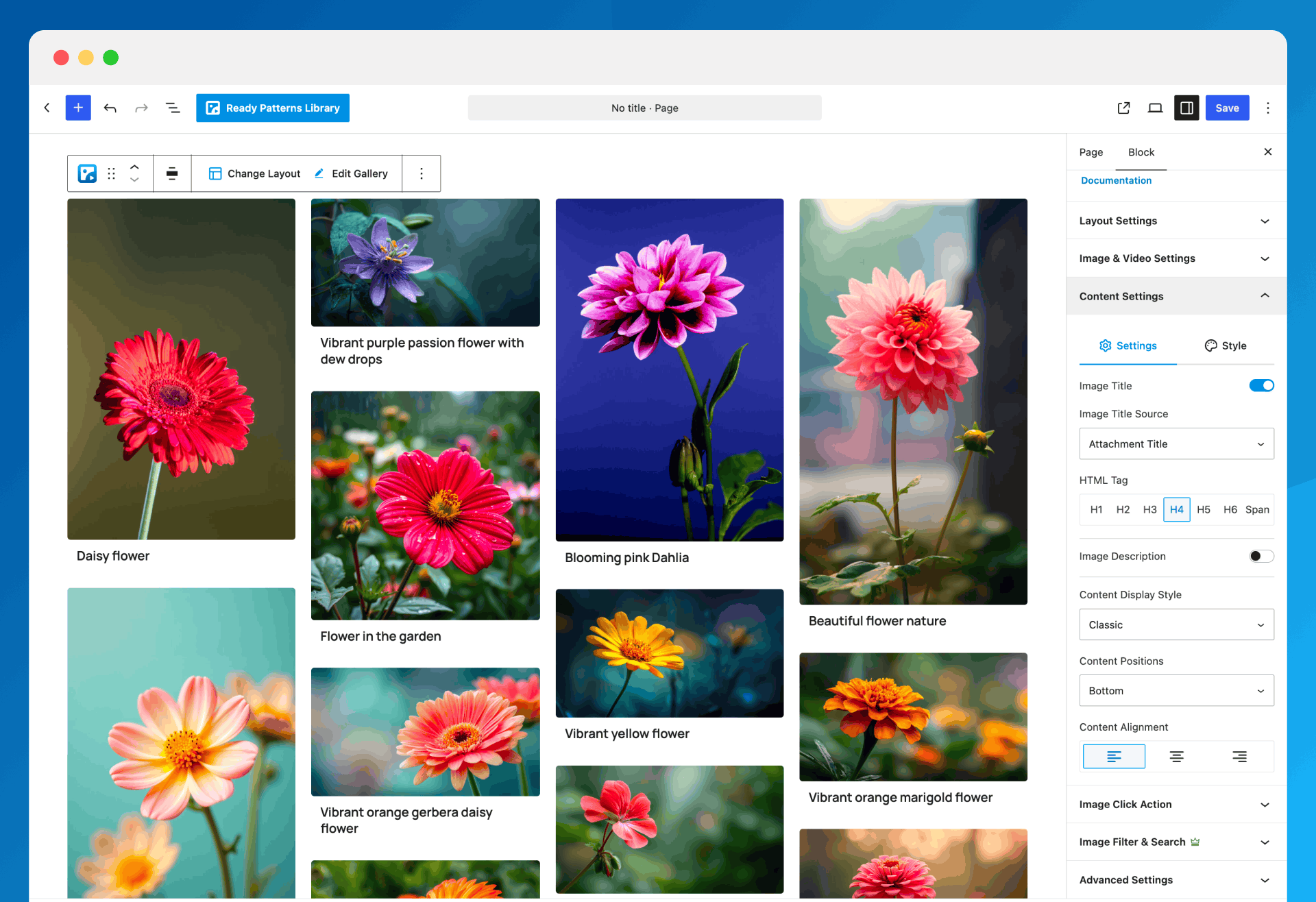
Titles and descriptions pulled from each image’s title, caption or description
Classic or overlay caption styles with full typography control
Border, rounded corners and box shadow for each image, in Normal and Hover states
Choose the image size: thumbnail, medium, large or full
Default or random image order
Click action per gallery: open the lightbox, follow a link, or do nothing
Gallery output caching with an adjustable timeout and one-click cache clearing
Scripts and styles load only on pages that need them
Ajax Load More button to split big galleries into smaller chunks
Private and Password-Protected Galleries
Share photos with only the right people. Each gallery can be public, private or password-protected, which is handy for client galleries, event photos and member-only content.
Works With Gutenberg and Popular Page Builders
ShapedGallery is a native Gutenberg block. Every saved gallery also has a shortcode you can use in the Classic Editor, widgets and theme templates. Dedicated elements are included for:
Elementor
Divi
Bricks
Oxygen
Beaver Builder
WPBakery
Elementor is on by default. Turn on the others in ShapedGallery → Settings → Integrations.
Full Feature List (Free)
Visual gallery layout picker with live preview
Justified, grid and masonry gallery layouts
Responsive columns and spacing for desktop, tablet and mobile
Ready Patterns library with one-click insert
Image and video galleries from the Media Library
External images and videos by URL, plus YouTube videos
Built-in lightbox with zoom, pinch, swipe and keyboard support
Video Play Mode: play videos inline in the tile or in a popup player
Image Custom URL – link any image to a page, product or external website
Ajax pagination with a customizable Load More button
Image titles and descriptions with typography controls
Per-image border, radius and shadow for Normal and Hover states
Hide a gallery on desktop, tablet or mobile
Public, private and password-protected galleries
Lazy-loaded images and gallery caching
Galleries & Albums dashboard with search, copy shortcode, duplicate and bulk actions
Turn modules (Lightbox, Image Custom URL, Ready Patterns) on or off site-wide
Multisite support
Translation-ready and accessible, with full keyboard support
External Services
ShapedGallery connects to the services below. Nothing is sent until the feature is used, and no visitor data is collected by the plugin.
Provides the ready-made gallery designs and album demos in the Ready Patterns library. It is run by ShapedPlugin, the authors of this plugin.
When it is called: only from the WordPress admin, when a signed-in user opens the Ready Patterns library or inserts a pattern or album demo. Visitors to your site never trigger it. The lists are cached on your site for three days.
What is sent: the ID of the pattern or album demo being inserted. WordPress also adds its standard request header, which includes your WordPress version and site address. No post content, images, user data or settings are sent.
The Ready Patterns module can be switched off in ShapedGallery → Settings → Modules, which stops these requests.
YouTube (youtube.com, youtube-nocookie.com)
Plays a YouTube video added to a gallery. When a visitor plays the video, their browser loads YouTube’s player and YouTube receives their IP address and browser details. The privacy-enhanced youtube-nocookie.com host is used where the platform allows. YouTube Terms of Service and Google Privacy Policy.
Vimeo, Dailymotion and Kickstarter (vimeo.com, dailymotion.com, kickstarter.com)
Opened in the lightbox from litebox links, for sites upgraded from Easy Lightbox. The visitor’s browser loads the service’s player only when they open the link, and that service receives their IP address and browser details. Galleries you build with ShapedGallery do not use these services. Vimeo Privacy Policy, Dailymotion Privacy Policy, Kickstarter Privacy Policy.
Source Code
The scripts and styles in dist/ are compiled and minified. The readable source ships in the plugin’s app/ folder.
To rebuild dist/ from app/, run npm install and then npm run build in the plugin folder. It uses @wordpress/scripts with the package.json, webpack.config.js, babel.config.json and generate-json.js files included in the plugin.
A photo and video gallery builder for WordPress. It creates responsive justified, grid and masonry galleries from your Media Library, with a visual layout picker, Ready Patterns and a built-in lightbox.
Do I have to use the block editor?
To build a gallery, yes — the editor is WordPress’s own, on a hidden gallery post type. To place one, no: every saved gallery has a permanent shortcode you can use in any editor, page builder, widget or template.
Will editing a gallery update it everywhere?
Yes. A page embeds a reference to the gallery, never a copy, so there is no re-sync step.
Can I add videos?
Yes: videos from your Media Library, external videos by URL, and YouTube videos. They play right in the gallery tile, or in a popup player if you set Video Play Mode to Popup.
Is it mobile-friendly?
Yes. Every layout is responsive, with separate desktop, tablet and mobile values for columns and spacing, and the lightbox supports pinch-to-zoom and swipe.
Can I password-protect a gallery?
Yes. Each gallery can be public, password-protected or private.
Does the lightbox load on every page?
No. The viewer is a separate bundle, requested only by a page with a gallery whose click action actually opens it. (The one exception is a site upgraded from Easy Lightbox, where the compatibility mode keeps the old site-wide lightbox working.)
Which page builders are supported?
Elementor, Divi, WPBakery, Oxygen, Beaver Builder and Bricks each have a dedicated element. Elementor is on by default; enable the others in ShapedGallery → Settings → Integrations. Anywhere else, use the gallery’s shortcode.
I used Easy Lightbox. Will my site break?
No. Existing litebox links, image sets and the automatic lightbox on WordPress’s shortcode keep working through a compatibility mode that is switched on automatically for upgraded sites. Nothing on your site changes until you choose to build a gallery.
New: Albums that group saved galleries behind cover tiles, so visitors can browse every collection from one page and open each gallery in place, with a link back to the album.
New: Create Album from the galleries selected in Galleries & Albums, so a new album is ready in one step.
New: Album demos in Ready Patterns, so you can insert a finished album design or reuse its style in seconds.
New: Trash for galleries and albums, with Undo, Restore, Delete Permanently, and Empty Trash, so a gallery deleted by mistake can be brought back.
New: Albums module in Settings → Modules, so you can hide every album site-wide and bring them all back unchanged.
New: Live Chat Support switch in Settings → Advanced Controls, so you can hide the support chat on the plugin dashboard; switched off, the chat script is not loaded at all.
New: Locked previews of Pro album options with an upgrade card, so you can see what Pro adds before you upgrade.
Improved: The Saved Galleries screen is now Galleries & Albums, with All, Galleries, and Albums tabs.
Improved: The ShapedGallery block is now called Gallery and sits beside Album in the ShapedGallery category. Existing galleries are unchanged.
Improved: Change Layout now also opens from Layout Settings, not only from the toolbar.
Improved: Ready Patterns keeps search and filters in view while you scroll.
Improved: Galleries load faster, with far fewer database queries.
Fixed: Password-protected gallery copies made in ShapedGallery Pro now stay protected after switching to Free.
Fixed: An unlocked password-protected gallery is no longer stored by page caches, CDNs, or proxies.
Fixed: Only users who can edit a gallery can now change its password.
Fixed: A new gallery password now takes effect when the post is updated, not when it autosaves or is previewed.
Fixed: A gallery that is made private, drafted, or deleted now stops showing its images through Load More and page links right away.
Fixed: Visitors can no longer list galleries through the WordPress REST API.
Fixed: A gallery now shows only images and videos from the Media Library; other uploads, such as PDFs, and trashed files are no longer shown.
Fixed: A WordPress post password on a gallery is now honored everywhere the gallery appears.
Fixed: Pro gallery settings are now kept when a gallery is saved in Free.
Fixed: Saving settings in Free no longer clears ShapedGallery Pro’s watermark, module switches, and lightbox options.
Fixed: Duplicate now keeps quotes and symbols in text and the post password, and gives the copy a password of its own.
Fixed: Files uploaded while the Media Library is still loading now appear in it.
Fixed: A link set from the image toolbar in the editor is now saved with the gallery.
Fixed: Clicking Next or Prev quickly in the lightbox no longer highlights the image.
Fixed: A video tile now keeps its poster, with a loading spinner, until the video starts playing.
Fixed: On phones, Ready Patterns now opens from the editor’s Options menu, and the library fits the screen.
Fixed: Click Action now decides what happens on an image with a custom URL: Lightbox opens the lightbox, None does nothing, and Custom URL follows the link.
Fixed: Clicking an image under an overlay caption now opens the lightbox or link.
Fixed: Justified galleries no longer shift after loading, and Auto row height now suits phones and wide screens.
Fixed: Load More and page links now work with Plain permalinks.
Fixed: The Border Radius control now shows the radius the gallery draws.
Fixed: Turning on Box Shadow now selects the default Shadow Type.
Fixed: A reset button no longer moves keyboard focus out of the settings panel.
Fixed: The block editor now says Gallery, not Post, when a gallery is saved or published.
Fixed: Deleting the plugin with clean-up on now also removes its install records.
Fixed: Deleting the plugin on a large multisite network now cleans every site, not only the first 100.
Fixed: A gallery with a malformed items list no longer causes a critical error on its page.
Fixed: A gallery with an unrecognized video provider no longer breaks the lightbox for the whole gallery.
Updated: The language (.pot) file.
Tested: WordPress 7.2 compatibility.
1.2.3 – Nov 13, 2026
New: Black Friday deal notice in the admin, dismissible with one click.
Improvement: Retired the early-bird Pro offer bar.
1.2.2 – Oct 21, 2026
New: Video Popup plays videos in a focused, accessible player.
Improvement: Redesigned Ready Patterns preview for faster browsing.
Improvement: Settings panels open one at a time for a cleaner sidebar.
Improvement: Editor shows only the first page with Ajax Pagination, matching the frontend.
Improvement: Font Style shows only weights your font supports.
Improvement: Ready Patterns keep their curated order.
Change: Lightbox shows images only; videos follow Video Play Mode.
Change: Description Source defaults to the attachment description.
Fix: Zero gap was showing as 20px in the editor.
Fix: Masonry columns overflowing the editor.
Fix: Stray align class when Alignment is None.
Fix: Tooltips hidden behind module drawers.
1.2.1 – Oct 15, 2026
Security: YouTube embed URLs restricted to YouTube’s own hosts.
New: Upload progress per batch in the Upload tab.
New: Details panel for images and videos added by link.
New: Pro layouts, video sources and options shown as locked previews.
Change: Title Source defaults to the attachment caption.
Fix: Stalled external links never timing out.
Fix: YouTube Shorts sized as landscape.
Fix: Missing fonts falling back to the browser default.
Fix: Random order not shown in the editor.
Fix: Details panel showing items from another source.
Fix: Rounded corners lost under Classic captions.
Fix: Dashboard navigation scrolling out of view.
1.2.0 – Oct 06, 2026
New: Responsive justified, grid and masonry photo and video galleries from your Media Library, with a visual layout picker.
New: Ready Patterns — a library of ready-made gallery designs.
New: A rebuilt lightbox viewer with zoom, pan, pinch and swipe and full keyboard operation, on the browser’s own <dialog> element.
New: Page-builder elements for Elementor, Divi, WPBakery, Oxygen, Beaver Builder and Bricks.