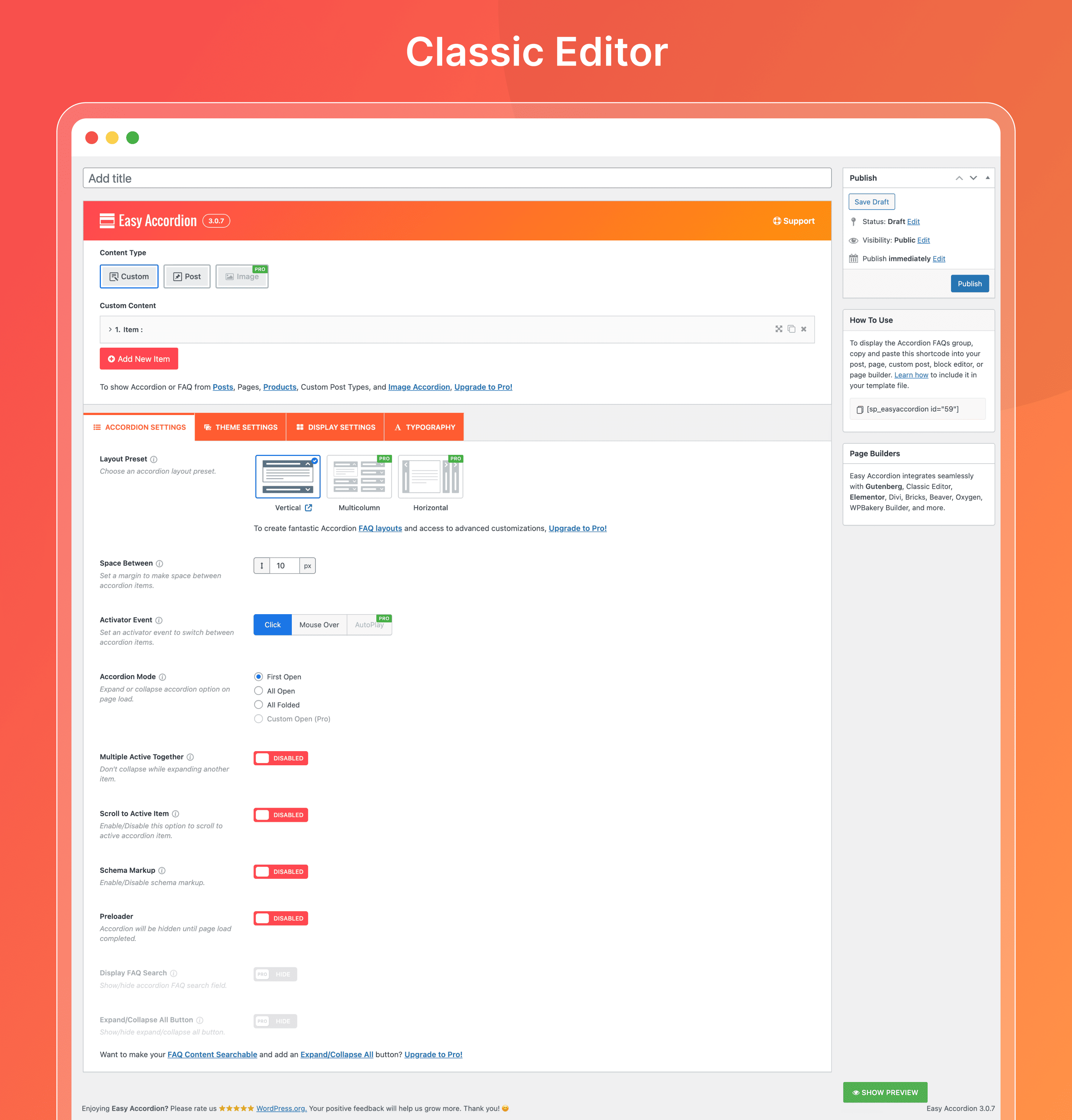
Create beautiful, responsive FAQs and stylish accordions in minutes with Easy Accordion, the most popular WordPress FAQ & Accordion Builder – in 3 simple steps:
Choose a ready design from the rich library
Add your content or generate FAQs with AI
Customize visually, and publish in minutes
The plugin powers up 100k+ WordPress sites and WooCommerce stores built in Gutenberg, Elementor, Classic, and many popular page builders, and becomes the most popular FAQ & Accordion solution with the highest Reviews and Ratings (4.9) ⭐⭐⭐⭐⭐.
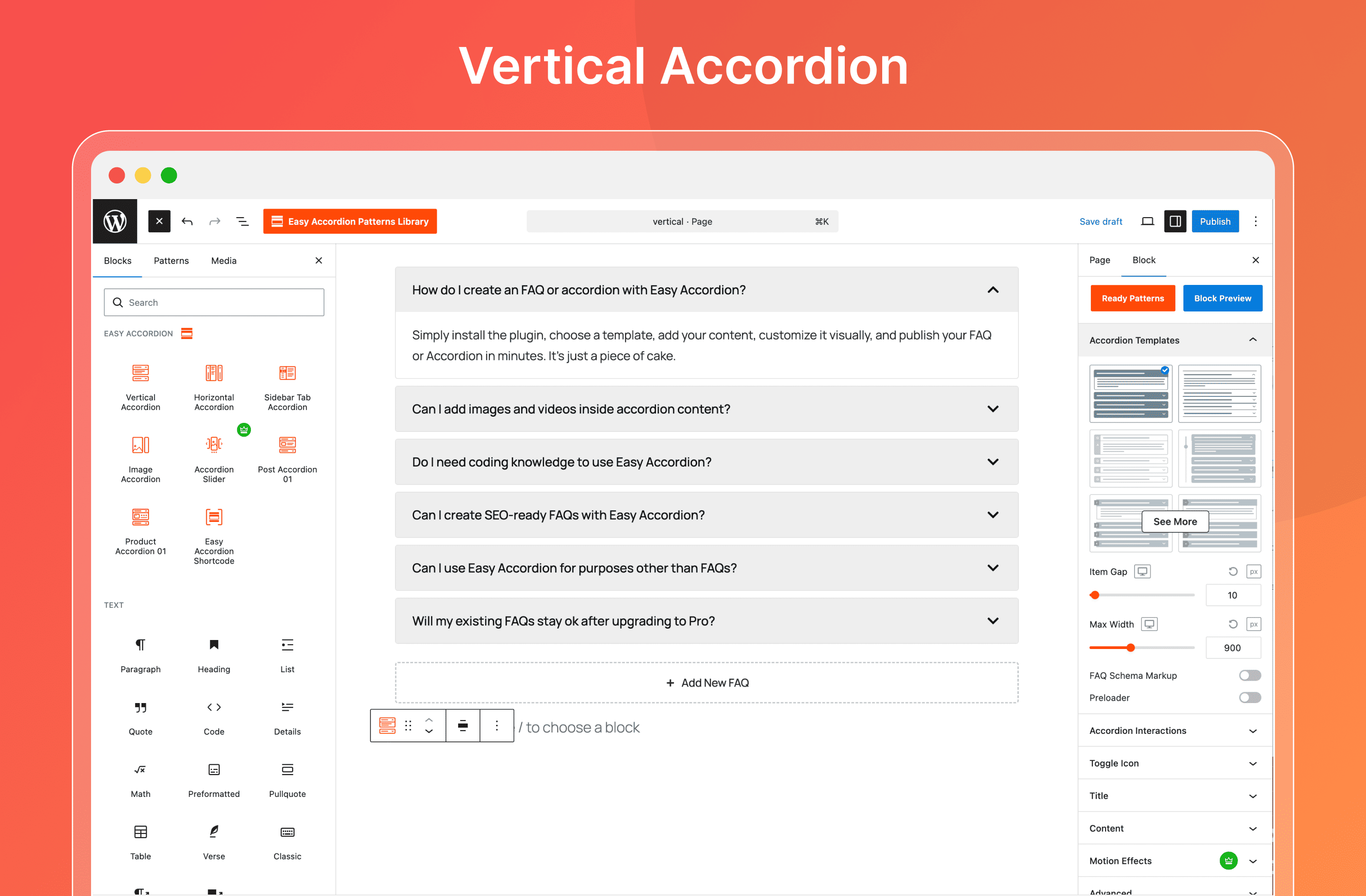
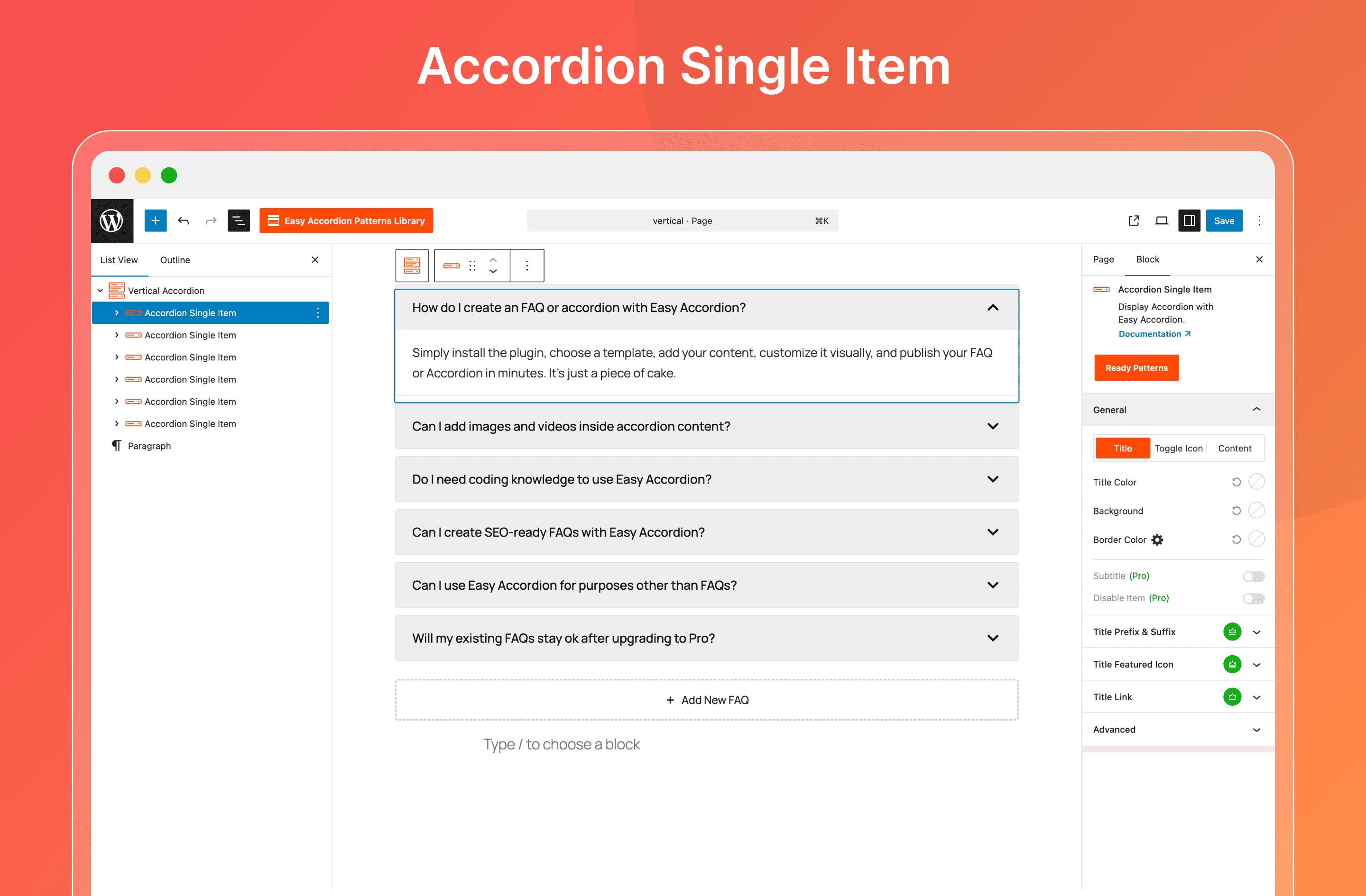
The classic collapsible layout format that stacks content vertically– perfect for FAQs, step-by-step guides, and any content where users need to browse topics sequentially with an intuitive top-to-bottom flow.
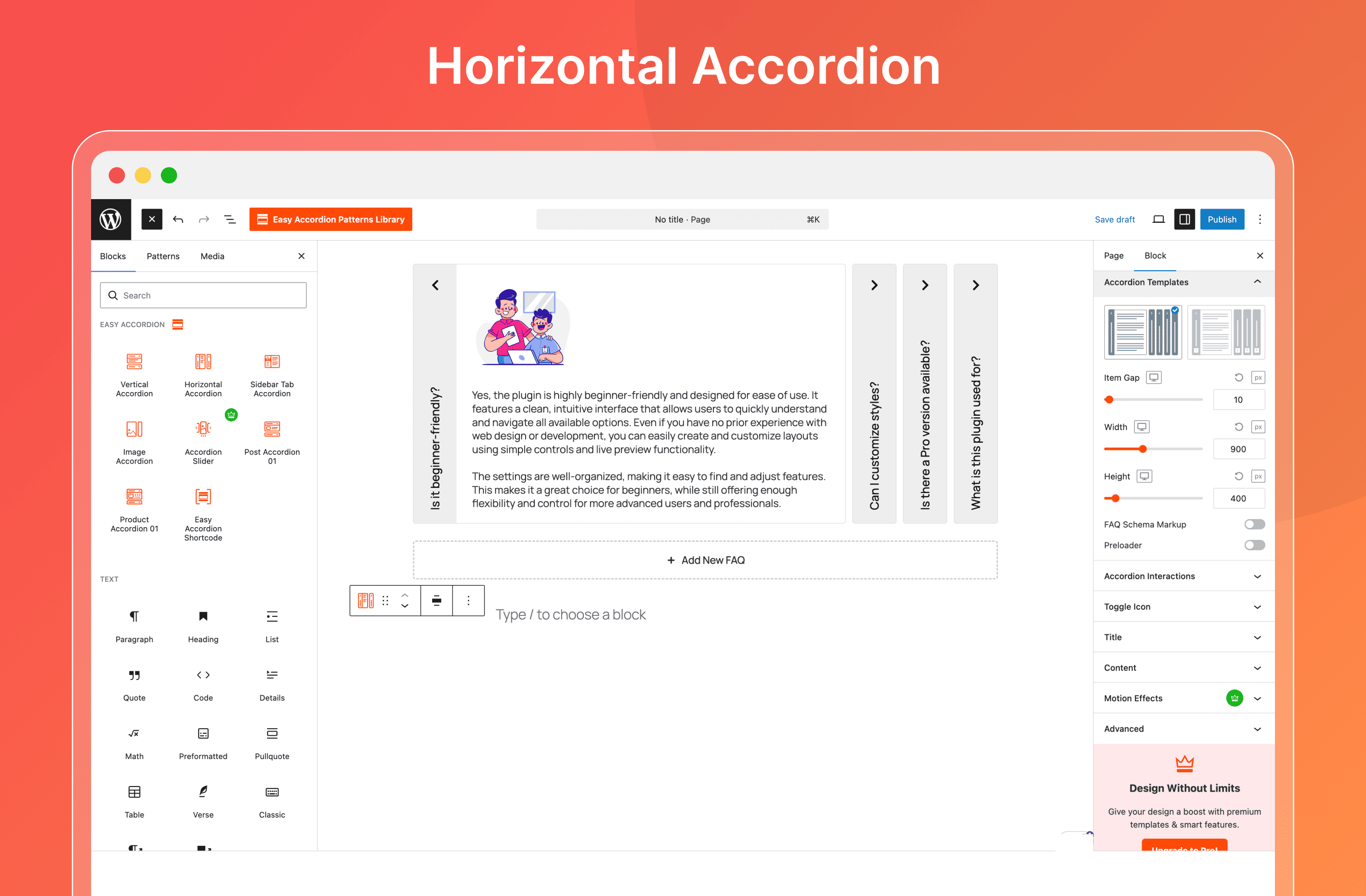
Unique side-by-side expansion that reveals content horizontally– ideal for timeline presentations, comparison displays, or creating unique visual experiences that stand out from typical vertical layouts.
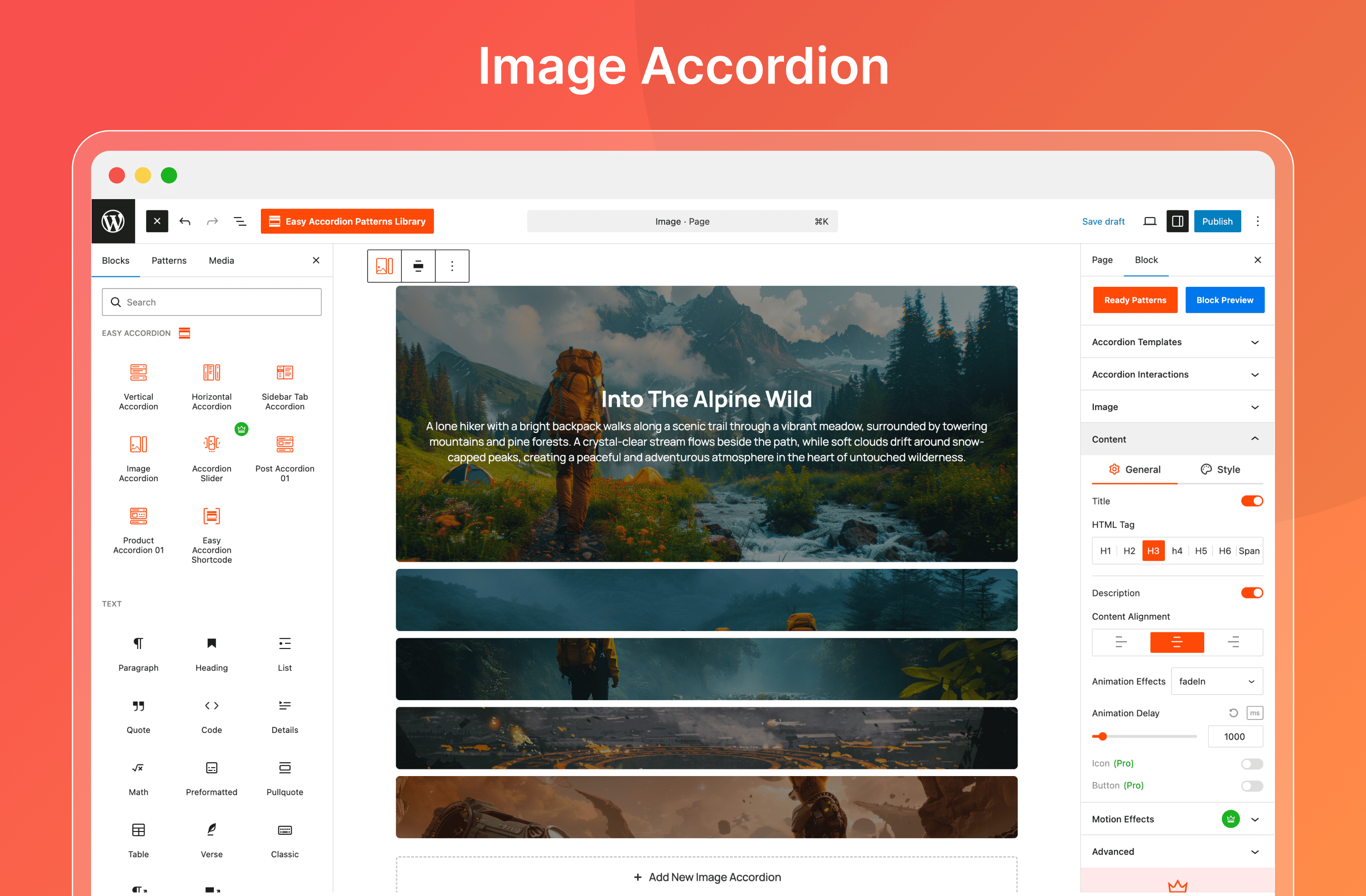
Stunning visual accordions where images expand on hover or click– perfect for portfolios, before/after comparisons, product showcases, or any content where imagery tells the story better than text alone.
Combines accordion functionality with slider navigation– letting users both expand/collapse sections and slide through multiple content sets, ideal for feature tours, product walkthroughs, or multi-step processes.
Use images and texts together within collapsible sections– keeping media-rich pages organized without overwhelming visitors, perfect for tutorials, testimonials, or multimedia content libraries.
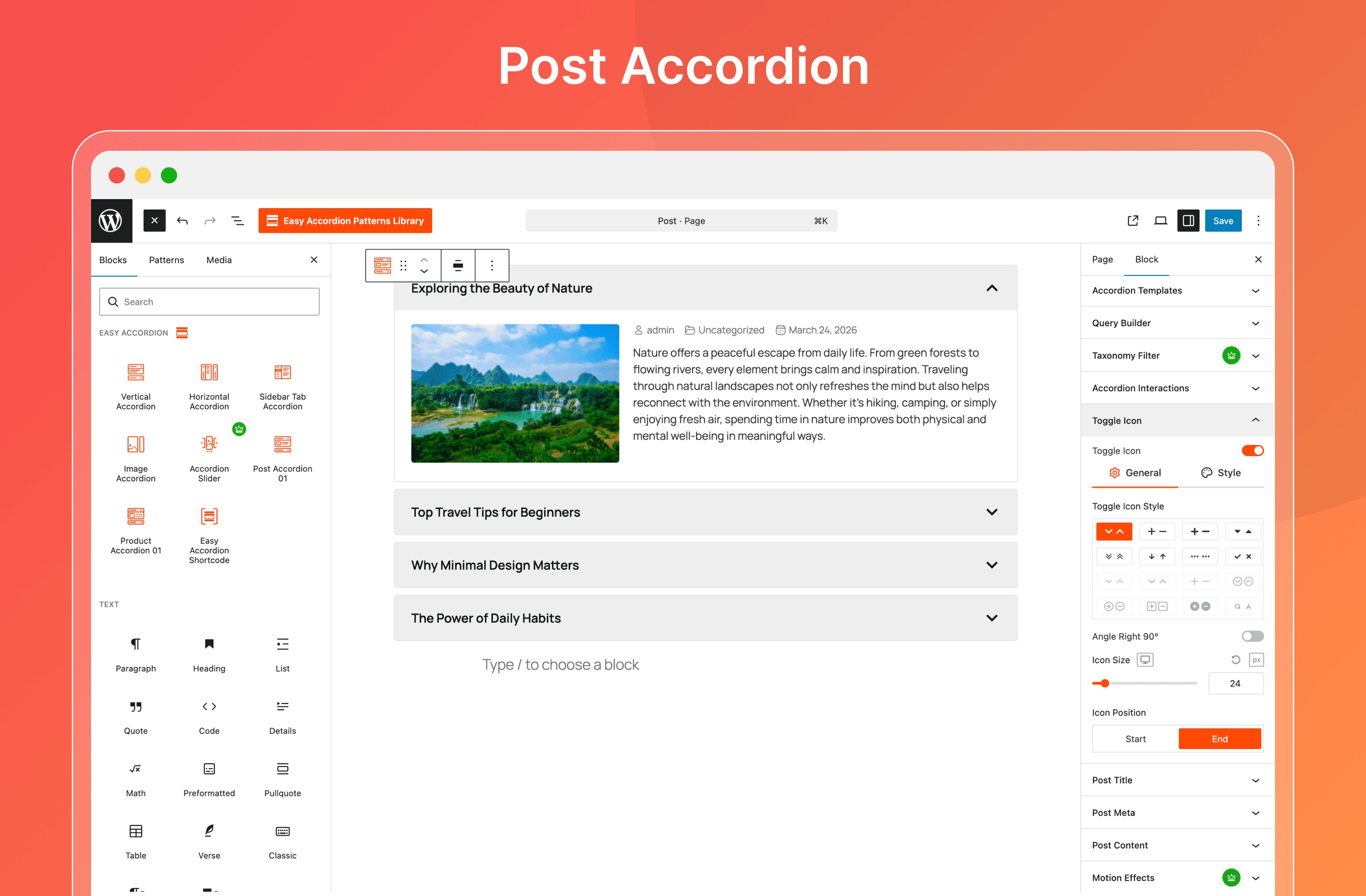
Automatically display your latest blog posts in a sleek accordion format with featured images, excerpts, and metadata– keeping pages fresh with dynamic content that updates automatically as you publish.
Easy accordion offers two post accordion blocks with enhanced filtering, custom queries, and styling options– perfect for news sites, magazines, or blogs needing sophisticated control over which posts appear and how they’re presented. Post Accordion 02
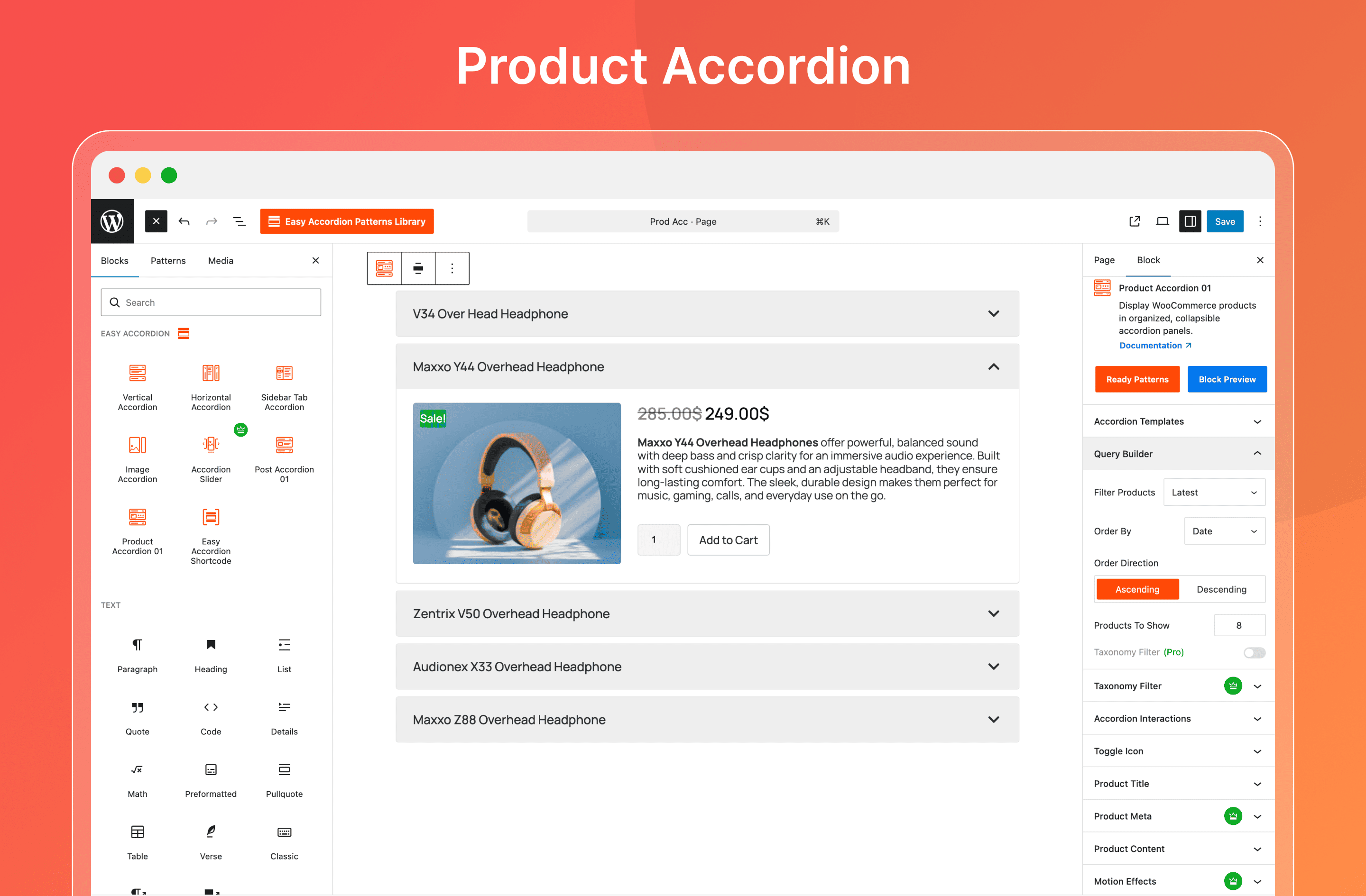
WooCommerce product display in collapsible format showing prices, images, and add-to-cart buttons– ideal for comparison pages, category showcases, or compact product listings that drive sales without clutter.
Easy accordion offers two product accordion blocks with advanced filtering– perfect for stores with complex product catalogs needing organized, conversion-focused displays that guide purchase decisions. Product Accordion 02
Collapsible navigation for categories, menus, or taxonomies– essential for sites with deep content hierarchies, helping visitors explore without overwhelming sidebars or endless dropdown menus.
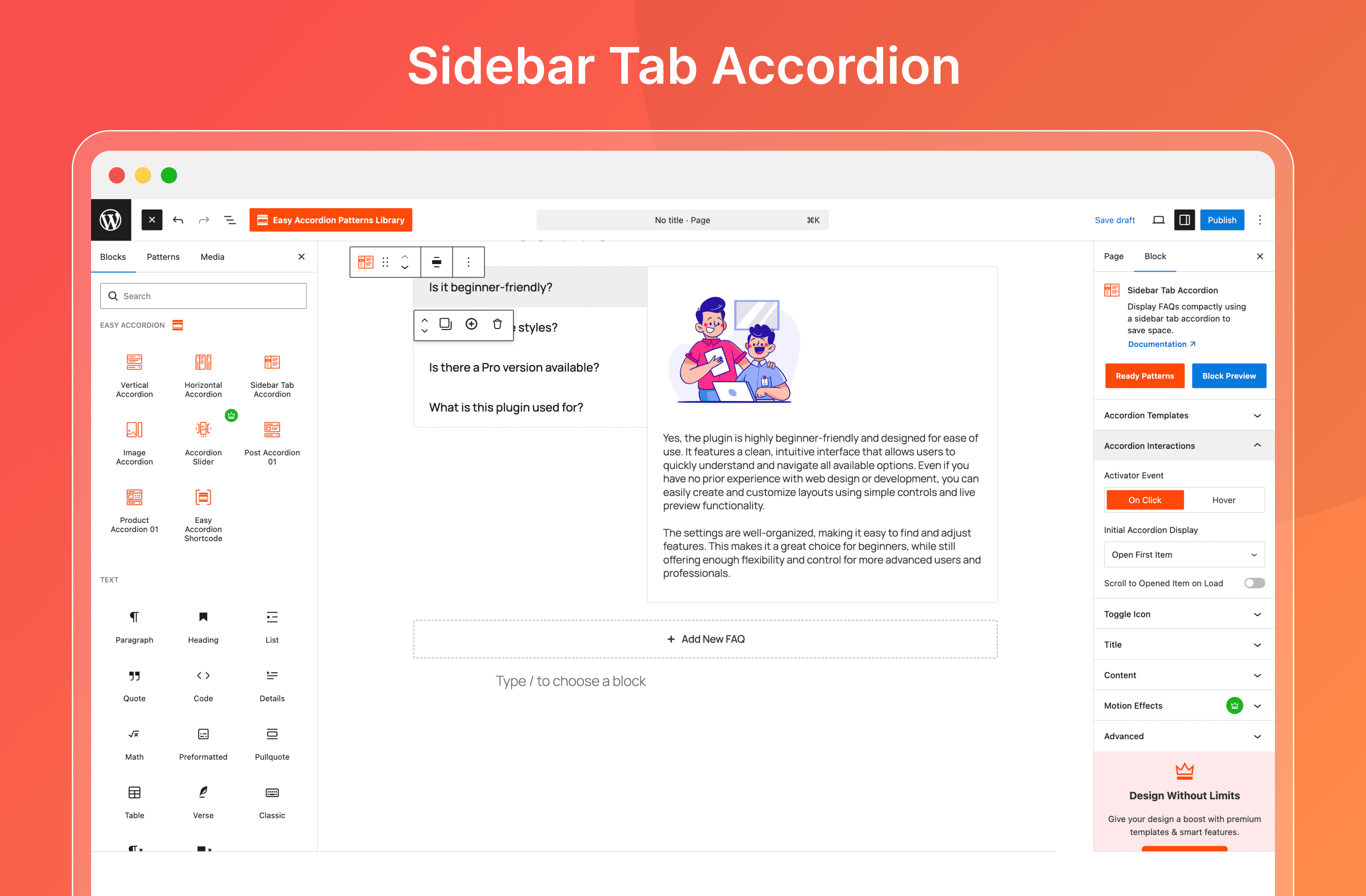
Combine tabs and accordions in sidebar-friendly format– maximizing sidebar utility with organized, expandable content that doesn’t dominate layout or force visitors away from main content focus.
Let visitors submit their own questions directly through an accordion interface– building comprehensive FAQs crowdsourced from real customer inquiries while reducing support ticket volume automatically.
One-click expand/collapse all accordions simultaneously– giving users a choice between focused reading (one section) or a comprehensive overview (all sections open), respecting different browsing preferences.
Instant accordion search that filters and highlights matching content as users type– eliminating frustrating scrolling through irrelevant FAQs, getting customers to answers in seconds instead of minutes.
Smooth, no-reload pagination for accordion content– load more items without page refresh, maintaining user context while browsing extensive FAQs, posts, or product collections efficiently.
❇️ Generate FAQs & Accordions Instantly with AI ????
Stop spending hours writing FAQ content manually. Let AI generate professional, relevant questions and answers in seconds, then customize as needed for instant, expert-quality accordions that engage visitors and answer objections automatically.
Add WooCommerce Product FAQs to Boost Sales
Answer common customer questions directly on product pages with structured, scannable FAQs that eliminate buying hesitation, build instant trust, and drive sales– while dramatically reducing support tickets and cart abandonment from unanswered objections.
Schema Markup for SEO & AIO ????
Easy Accordion automatically generates FAQ schema markup (structured data) that helps search engines, AI assistants (ChatGPT, Gemini, Claude), and answer engines understand and feature your content in rich snippets. It helps boost visibility, powering AI-generated responses, increasing click-through rates, and maximizing your chances of appearing in Google’s “People Also Ask” sections.
Create Reusable Templates for Any Page Builder ????
Build FAQ and accordion templates once, then deploy them instantly across your entire site– works seamlessly with Elementor, Divi, WP Bakery, Gutenberg, and all major page builders, saving hours of repetitive work while maintaining FAQ section or FAQ page perfect consistency.
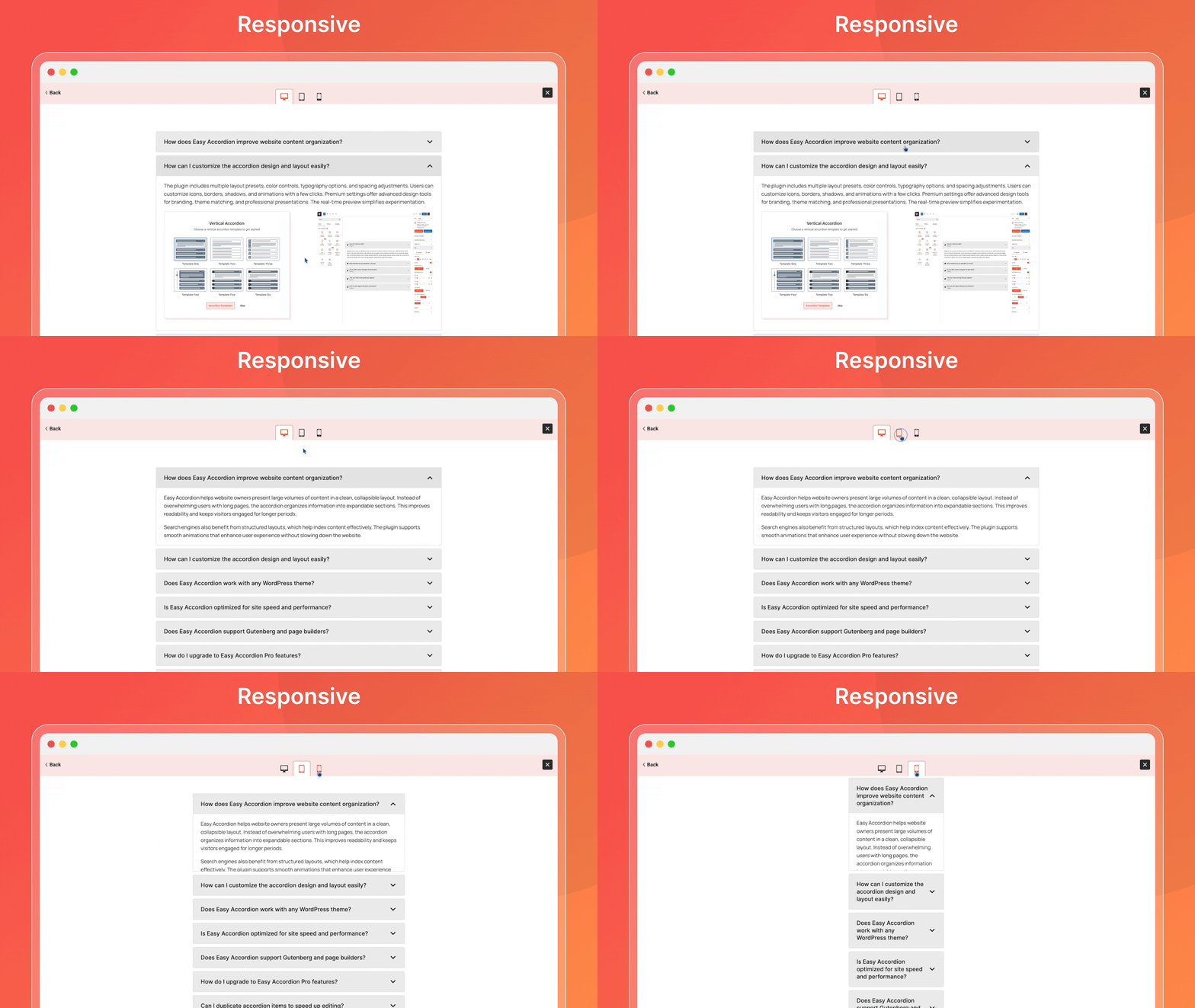
Custom Responsive Breakpoints
Create perfectly optimized FAQs and accordions for every device with custom responsive breakpoints. It ensures flawless display from desktop monitors to mobile phones, controlling exactly how content adapts at each screen size for maximum readability and engagement across all devices.
Let Users Ask Their Own Questions
Add a simple FAQ form to your site after the FAQs section or page, so visitors can submit questions directly. This helps you see what people are actually confused about, so you can build a better FAQ over time — based on real questions, not guesses.
Get Real-Time Insights with Live Analytics
See which FAQ topics get the most attention and how users interact with your content. Use that data to focus on what matters most, answer more questions up front, and reduce support requests.
Customize Visually with Full Flexibility
Enjoy full flexibility to customize your FAQs and accordions with the visual editor and make them exactly how you want. Adjust everything, including colors, dimensions, and styles.
???? Fully Compatible with Page Builders & Themes
No compatibility worries! Easy Accordion works flawlessly with your existing setup. It seamlessly integrates with:
Gutenberg Block Editor
Popular Page Builders: Elementor, Divi, WPBakery, Beaver Builder, and more
Top WordPress Themes: Avada, X Theme, BeTheme, Astra, OceanWP, and others
Multilingual Plugins: WPML, Polylang, Loco Translate, qTranslate, etc. You can translate Easy Accordion on translate.wordpress.org.
WooCommerce and other essential tools
???????????? Author
Easy Accordion is developed by ShapedPlugin LLC, a team with over a decade of experience in building WordPress plugins, focused on quality, performance, and ongoing improvements.
???? Documentation & Support
Although Easy Accordion is beginner-friendly with a minimal learning curve, it is well-documented. It provides dedicated support whenever you need.
Discover our powerful WordPress and WooCommerce plugins designed to save time, boost performance, and enhance your website experience:
Real Testimonials – Showcase authentic customer reviews with stylish layouts to build trust, boost credibility, and increase conversions effortlessly on your website.
WP Carousel – Create responsive carousels for posts, images, and content with smooth navigation to engage visitors and beautifully highlight your key content.
Smart Tabs – Organize content into clean, responsive tabs to improve user experience, reduce clutter, and present information in a structured, engaging way.
Location Weather – Display real-time weather updates for any location with customizable layouts, enhancing user engagement and adding dynamic, useful content to your site.
Smart Post – Smart Post is a next-generation Post Grid and Gutenberg Page Builder Blocks plugin designed to help you build stunning blogs, magazines, news portals, and content-driven websites with ease.
Smart Team – Showcase your team members with stylish, customizable layouts to build trust, highlight expertise, and present your organization professionally.
Logo Carousel – Display client, partner, or brand logos in responsive carousels to build credibility, strengthen brand identity, and showcase partnerships effectively.
Reno Product Gallery – Create beautiful, responsive product galleries for WooCommerce to showcase images attractively, improve user experience, and increase product engagement.
Smart Swatches – Replace default WooCommerce variation dropdowns with color, image, and label swatches to improve product selection and enhance the shopping experience.
Product Slider (Smart Store) – Build modern, conversion-focused WooCommerce store layouts with advanced features to improve product visibility, user experience, and sales performance.
Reno Product Category – Display WooCommerce product categories in stylish grids or sliders to improve navigation, highlight collections, and enhance store browsing experience.
A. Easy Accordion is a WordPress FAQ and accordion builder that lets you create beautiful, responsive FAQs, Image Accordions, Accordion Sliders, and Product FAQs in minutes — no coding needed. It works with Gutenberg, Elementor, Divi, and all major page builders.
Q. How do I get started quickly?
A. Simply choose a ready-made design from the 100+ ready-made pattern library, add your content (or generate it with AI), customize the look, and publish. Most users are up and running in just a few minutes.
Q. Can AI write my FAQ content for me?
A. Yes! Easy Accordion has a built-in AI FAQ generator that creates professional, relevant questions and answers in seconds. Simply enter a prompt describing your topic, or paste a link to any page on your site — and AI will instantly generate FAQs tailored to that content. Just review, tweak if needed, and publish. No more hours of manual writing.
Q. Does it work with WooCommerce?
A. Absolutely. You can add product FAQs directly to product pages, display products in accordion format with prices and add-to-cart buttons, and reduce cart abandonment by answering buyer questions upfront.
Q. Will Easy Accordion help my Google rankings?
A. Yes. It automatically adds FAQ schema markup (structured data) that helps Google, ChatGPT, Gemini, and other AI engines feature your content in rich snippets and “People Also Ask” sections.
Q. Is it mobile-friendly?
A. Yes. Easy Accordion supports custom responsive breakpoints, giving you full control over how your FAQs display on desktops, tablets, and mobile phones for the best experience on every device.
Q. Can visitors submit their own questions?
A. Yes, with the Pro plan. You can add a user FAQ form below your FAQ section so visitors can submit real questions — helping you identify knowledge gaps and build a more helpful FAQ over time.
Q. What’s the difference between the free and Pro versions?
A. The free version covers core accordion and FAQ features. Pro unlocks advanced tools like AI-powered unlimited FAQs generation, live analytics, Ajax search, accordion slider, frontend category filters, smooth animations, and much more. Upgrade to Pro for full access.
Q. Can I see which FAQs are most popular?
A. Yes, with Pro’s real-time analytics. You can track which topics get the most attention, understand user behavior, and use that data to prioritize high-impact content and reduce support requests.
Q. Is Easy Accordion compatible with my existing theme and plugins?
A. Very likely yes. It works seamlessly with popular themes like Astra, Avada, and OceanWP, page builders like Elementor and Divi, multilingual plugins like WPML, and WooCommerce — with no compatibility issues.
Fixed: The dashboard showed a blank page when another plugin or theme printed a PHP notice or warning.
Fixed: Dashboard settings failing to save showed no error message.
Version 3.2.0 – Nov 09, 2026
New: Generate FAQs with AI now supports OpenAI, Anthropic Claude, and Groq alongside Google Gemini.
New: Generate FAQs with AI can use providers connected under Settings → Connectors (WordPress 7.0+).
New: Generate FAQs with AI from your pages, posts, products, URLs, and text files as reference sources.
New: Rewrite any generated question or answer before inserting it.
New: The AI Configuration tab under Settings with API key verification and a primary provider option.
New: The Accordion Placements report on the dashboard overview shows where every accordion is used.
New: Bulk select, duplicate, delete, and copy shortcode actions on the Saved Templates page.
Improved: The dashboard overview page has been redesigned with quick start actions.
Improved: The Ready Patterns Library has been redesigned with sidebar filters, search, and preview.
Improved: The Generate FAQs with AI modal has been redesigned.
Improved: The AI provider settings moved from Integrations to Settings → AI Configuration.
Improved: Scroll to active item now lands the title just below the WordPress admin bar.
Improved: The Documentation and Patterns buttons in the block inspector have been refreshed.
Fixed: The accordion item list jumping when an item collapses in the accordion editor.
Fixed: The page jumping when clicking an accordion header that links to “#”.
Fixed: Strengthened security checks for block queries, saved templates, settings import, and custom JS.
Tested: WordPress 7.1.4 compatibility.
Version 3.1.11 – Oct 13, 2026
New: The Display FAQ on Single Post Template setting, which lets you disable single FAQ item pages site-wide.
Tested: Compatible with WordPress 7.1.3.
Version 3.1.10 – Aug 20, 2026
Fixed: Assets not loading correctly when offloaded to a CDN or external storage.
Tested: Compatible with WordPress 7.1.
Version 3.1.9 – Aug 07, 2026
Fix: Sanitized and escaped the accordion title HTML tag in the block render callbacks to prevent a stored XSS vulnerability.
Fix: Validated the Title HTML Tag option of the shortcode accordion before it is printed.
Version 3.1.8 – Jul 17, 2026
New: “Start with Visual Block Editor” button on the Manage FAQ Groups screen — opens the block editor with an accordion block auto-inserted, so you can start building FAQs visually in one click.
Improved: The plugin dashboard has been enhanced to make it more user-friendly.
Improved: The plugin menus are reorganized.
Improved: Integrations page moved from a standalone dashboard tab into the Settings page.
Version 3.1.7 – Jul 14, 2026
Improved: Replaced unserialize() with WordPress plugins_api() for the recommended plugin section.
Improved: Removed the “Upcoming” badge from the “Generate FAQs with AI” feature, as this feature was already added in v3.1.0
Fix: Sanitized and escaped the Shortcode block align attribute in its render callback to prevent a stored XSS vulnerability.
Version 3.1.6 – Jun 23, 2026
Fix: The Initial Accordion Display option issue – did not work from v3.1.3
Version 3.1.5 – Jun 19, 2026
Fix: A warning found at the Widget Editor.
Version 3.1.4 – Jun 10, 2026
Fix: The compatibility issue with WP 5.9.
Version 3.1.3 – Jun 09, 2026
New: The Default Editor option in the plugin settings tab to set editor preference to create accordion showcase.
New: The Shortcode area added to the Saved Templates’ right sidebar to copy shortcode easily.
Improved: WordPress minimum version requirement updated from 5.0 to 5.9 for better Gutenberg block compatibility.
Improved: PHP minimum version requirement updated from 7.0 to 7.4.
Improved: The Add to Cart button style of Product Accordion block.
Improved: The Plugin Dashboard Panel has been enhanced.
Improved: The Tools (Export/Import) panel moved to Settings page.
Fix: The Import Product Accordion from Ready Template.
Version 3.1.2 – May 13, 2026
Improved: Plugin admin UI improved
Improved: The minor style issue for Astra theme.
Fix: The conflict issue with Divi builder template.
Version 3.1.1 – May 07, 2026
Improved: The plugin security has been enhanced.
Version 3.1.0 – May 07, 2026
New: Introduced the Generate FAQ with AI module to generate FAQs automatically.
New: Vertical Accordion block.
New: Horizontal Accordion block.
New: Sidebar Tab Accordion block.
New: Image Accordion block.
New: Post Accordion 01 block.
New: Product Accordion 01 block.
New: The Saved Templates module to use blocks on any page builder.
New: Setup Wizard to guide users through initial plugin configuration.
New: Ready Patterns Library module to import pre-designed templates.
New: Google Gemini AI integration for the Generate FAQ with AI module.
New: Elementor builder integration for rendering the Saved Templates module.
New: Divi builder integration for rendering the Saved Templates module.
New: WPBakery integration for rendering the Saved Templates module.
New: Oxygen builder integration for rendering the Saved Templates module.
New: Beaver Builder integration for rendering the Saved Templates module.
New: Bricks builder integration for rendering the Saved Templates module.
Tested: WordPress 7.0 compatibility.
Version 3.0.8 – Apr 14, 2026
Fix: Resolved styling issues in certain options with WordPress 7.0.
Tested: WordPress 7.0 compatibility.
Version 3.0.7 – Dec 26, 2025
Improved: Plugin detection logic optimized for better clarity and reliability.
Improved: Code readability optimized by standardizing singleton instance property naming.
Version 3.0.6 – Nov 25, 2025
Removed: Redundant code from the plugin.
Tested: WordPress 6.9 compatibility.
Version 3.0.5 – Sep 01, 2025
Improved: Enhanced plugin security and data validation.
Improved: The Additional CSS and JS options.
Version 3.0.4 – Aug 19, 2025
Fix: The accordion layout breaking issue was found rarely.
Fix: The default padding bottom was added to p tags inside the accordion content.
Updated: The language (.pot) file.
Version 3.0.3 – Jun 20, 2025
Improved: The plugin security for the import accordion feature.
Fix: The empty p tag issue if the shortcode is placed inside the wpautop function.
Fix: The FAQ content style built with the Elementor builder did not show on the Accordion view.
Fix: The multiple FAQ schema issue if all the shortcode schemas were enabled.
Fix: The plugin settings, tools page style issue was found when testing the plugin with WordPress Playground.
Fix: The PHP 7.2 compatibility issue.
Updated: The language(.pot) file.
Tested: WordPress 6.8.1 compatibility.
Version 3.0.2 – Apr 16, 2025
New: A hook sp_eap_schema_allowed_tags added.
Fix: The translation-related warning was found with WP 6.8.
Tested: WordPress 6.8 compatibility.
Version 3.0.1 – Dec 10, 2024
Fix: The warnings found with PHP 7.2 or older versions.
Fix: The Schema markup warnings found in the plugin version 3.0.0
Updated: The language file.
Version 3.0.0 – Dec 04, 2024
New: The FAQ Custom Post Type feature.
New: The FAQ Custom Post Accordion feature.
New: The Export and Import feature for FAQ Custom Posts.
Improved: The Accordion Theme Style option has been moved to the Theme Settings tab.
Improved: The Display Settings options are reorganized into the nested tabs.
Improved: Accordion Item Title & Description options moved to the nested tab of the Display Settings.
Improved: Expand & Collapse Icon options moved to the nested tab of the Display Settings.
Improved: The Accordion Item Title and Description Color option moved to the Display Settings tab.
Updated: The Language (.pot) file.
Fix: The deprecated warning found with WordPress 6.7.1
Tested: WordPress 6.7.1 compatibility.
Version 2.3.12 – Nov 20, 2024
Fix: The plugin style issue for RTL sites.
Version 2.3.11 – Nov 10, 2024
Updated: The language (.pot) file.
Tested: WordPress 6.7 compatibility.
Version 2.3.10 – Oct 16, 2024
Fix: The PHP 7.2 compatibility issue.
Version 2.3.9 – Sep 21, 2024
New: The Add rel=”nofollow” to the Link option.
Improved: The accordion item header button tag was replaced by the anchor tag as it was before.
Fix: The style issue found in the version 2.3.8
Version 2.3.8 – Sep 19, 2024
New: WooCommerce Product FAQ tab feature.
Improved: The plugin backend options have been enhanced.
Updated: The language (.pot) file.
Fix: Some strings translation issue.
Fix: The warning that Links are not crawlable even if using the nofollow attribute by using the button tag.
Removed: The Add rel=”nofollow” to Link option as link tag replaced by button tag.
Tested: WordPress 6.6.2 compatibility.
2.3.7 – Apr 02, 2024
Tested: WordPress 6.5 compatibility.
2.3.6 – Mar 13, 2024
New: Focus Style for Accessibility option in the plugin settings page.
Improved: A few help texts have been improved.
2.3.5 – Mar 04, 2024
Improved: The plugin security has been improved.
Improved: The plugin accessibility feature.
Fix: A warning was found when updating from a very older version.
Tested: WordPress 6.4.3 compatibility.
2.3.4 – Feb 15, 2024
New: A hook ‘sp_easy_accordion_ui_permission’ was added to provide plugin panel access to the editor or other positions.
New: A hook ‘sp_easy_accordion_title_allowed_tags’ was added to modify allowed tags in the accordion item title.
New: A hook ‘sp_easy_accordion_desc_allowed_tags’ was added to modify allowed tags in the accordion item content.
Improved: The plugin security has been improved.
Fix: Some PHPCS-related warnings.
2.3.3 – Jan 18, 2024
Fix: PHP version 5.6.40 compatibility issue.
2.3.2 – Jan 18, 2024
Improved: The Help Page has been redesigned to make it more user-friendly.
Improved: The Shortcode field has been enhanced.
2.3.1 – Jan 12, 2024
Fix: A CSS conflict issue with the div or section that does not contain an accordion.
2.3.0 – Jan 08, 2024
New: The Space Between Accordion Items option.
New: The Custom JS option.
Improved: The Tooltip/Help text of the plugin options to make it more user-friendly.
Improved: The Margin Bottom of the Section Title option has moved to the Typography tab.
Improved: The Font Awesome asset has been replaced by the Fontello icon, as the light version used only two icons in the accordion layout.
Fix: The issue that the video iframe got changed into a tag automatically after updating the shortcode rarely.
Tested: WordPress 6.4.2 compatibility
2.2.5 – Oct 26, 2023
New: Edit Accordion button in Gutenberg edit page.
Updated: WP CLI check for plugin activation redirect.
Fix: Few PHPCS warnings with PHP8.2.
Tested: WordPress 6.4 compatibility.
2.2.4 – Aug 08, 2023
Fix: The plugin admin panel translation is not working if the language file is placed in the plugin language folder.
Updated: Minimum required version of WordPress for the plugin.
Tested: WordPress 6.3 compatibility.
2.2.3 – Jun 08, 2023
Improved: The import feature with animation.
Fix: The custom CSS does not work after importing accordions from another site.
Tested: WordPress 6.2.2 compatibility.
2.2.2 – Mar 30, 2023
New: Multiple br tags in tab content support.
Fix: The iframe width of embedded Google Maps does not work.
Tested: WordPress 6.2 compatibility.
2.2.1 – Feb 15, 2023
New: The Allow Iframe/Script Tags option in the import panel of the plugin.
New: Allow to skip responsive CSS from the iframe by adding a ‘skip’ class to the iframe.
Fix: Iframe does not show in accordion content with the Twenty Twenty theme.
Fix: Import option does not work when the accordion has iframe or script tags.
Removed: The hook ‘sp_easy_accordion_allow_import_tags’ was removed as an option added.
2.2.0 – Dec 15, 2022
New: A hook ‘sp_easy_accordion_allow_import_tags’ added to modify to allow import shortcodes with special tags.
Improved: Plugin security improved.
Removed: Some deprecated shortcodes ( efaccordion, efitems, eaf_items ) has been removed.
2.1.20 – Dec 09, 2022
New: The Scroll to Active Item option added.
New: A hook ‘eap_offset_to_scroll’ added to modify offset as per need.
Improved: Load Stylesheets in the header based on shortcodes on the page.
Improved: SVG preloading icon has been added as a pre-loader image.
Fix: In preview, ul li tags do not show with bullet points as frontend.
Fix: Few styling issues with the plugin admin panel for the RTL site.
Tested: WordPress 6.1.1 compatibility.
Tested: Compatibility with the ‘Youtube Embed Plus‘ plugin.
2.1.19 – Oct 14, 2022
Fix: PHP 5.6 compatibility issue.
2.1.18 – Sept 30, 2022
New: The option to add ‘rel=nofollow’ in the accordion title to avoid search engine crawling.
2.1.17 – Aug 30, 2022
Fix: Few Deprecated JS warnings in plugin admin page.
2.1.16 – Jul 18, 2022
Fix: The overlap issue of the left-aligned image with small text.
2.1.15 – Jun 11, 2022
Fix: The accordion section goes above the header section rarely.
Fix: The premium page warnings.
Fix: The popup video position on the premium page.
2.1.14 – May 23, 2022
Improved: The export option functionality.
Fix: Deprecated warning of Elementor Block.
Fix: Gutenberg block Free to Pro compatibility.
Fix: Deprecated JS warning.
2.1.13 – May 14, 2022
Tested: WordPress 6.0 compatibility.
2.1.12 – May 10, 2022
Improved: SVG preloading icon has been added as a pre-loader image.
Fix: Extra p tag added in ul tag after saving accordion shortcode.
Fix: Some backend assets are not loaded properly when the hosting directory is different.
Removed: The Tinymce button from the classic editor.