Document Embedder allows you to embed PDF, Word, Excel, PowerPoint, and other document formats directly into WordPress posts and pages. It supports local file uploads as well as files hosted on platforms like Google Drive and Dropbox. Files are displayed using the Google Drive viewer and can be configured to match your layout.
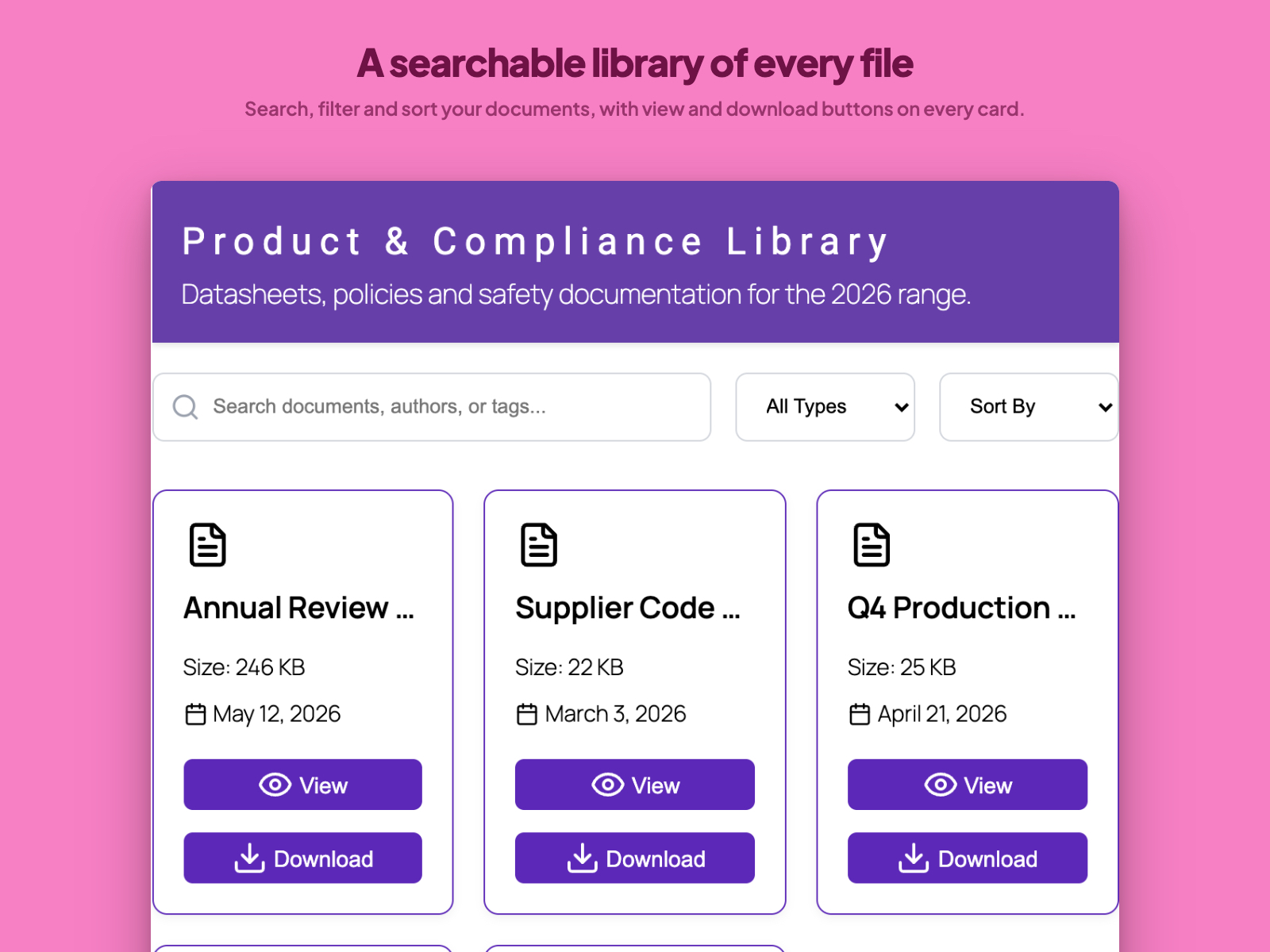
The new Document Library module adds a powerful way to organize and display multiple documents in a structured library. You can upload files from your device, WordPress Media Library, or via URL, rename or delete documents easily, and display them with customizable layouts. The library includes search, filter, and sorting options, a responsive design, and full control over view and download buttons. Shortcode and Gutenberg block support make it easy to add libraries anywhere on your site.
This plugin is ideal for sharing reports, presentations, worksheets, guides, and other materials without requiring visitors to download them or leave your site.
Key Features – Free Version
Embed Multiple File Types: PDF, Word, Excel, PowerPoint, images, code, and more.
Responsive Viewer: Adjust width and height to fit any layout.
Filename Display: Show the document title at the top for clarity.
Download Button: Easily allow users to download PDFs.
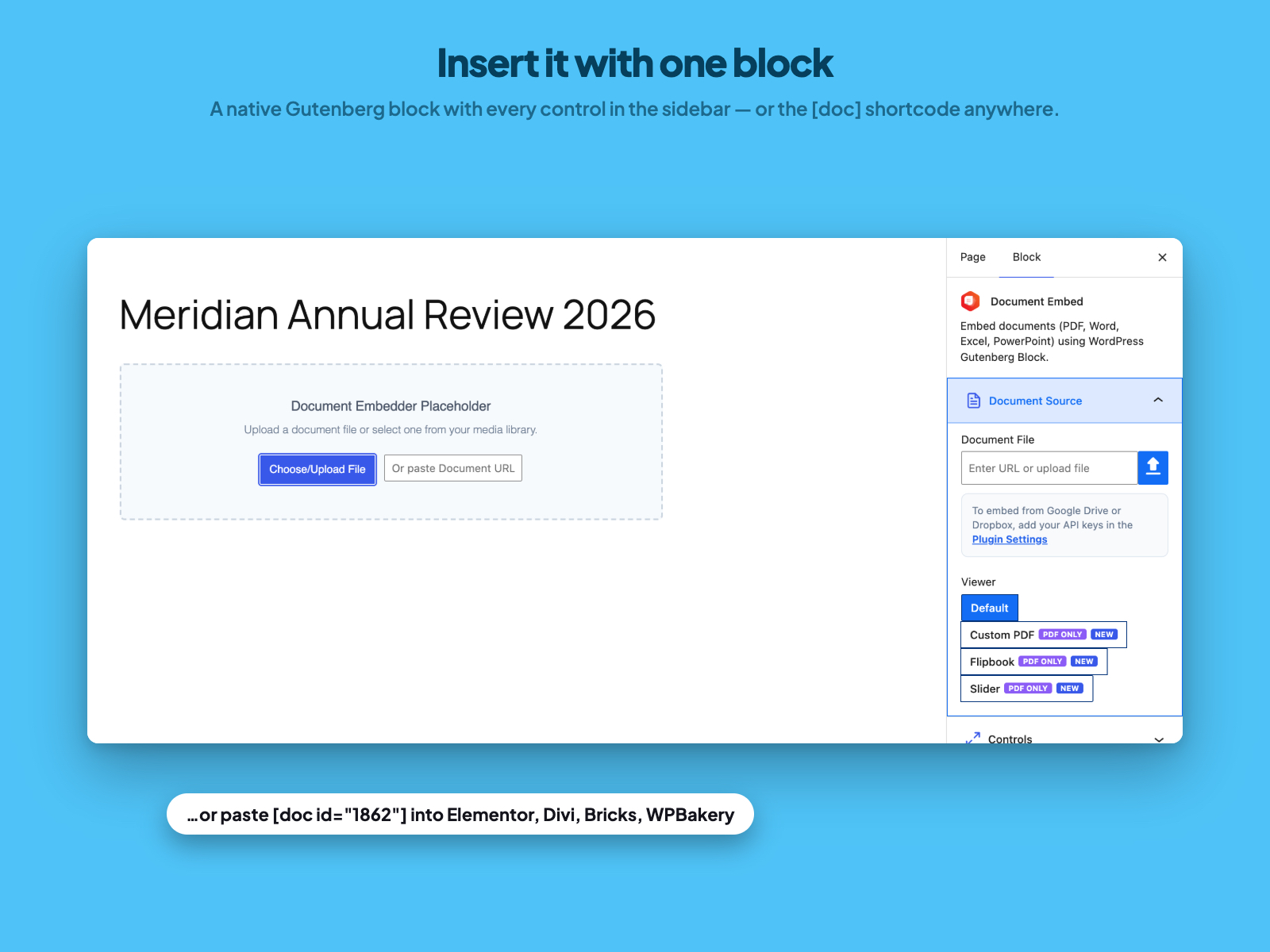
Gutenberg Block Support: Use the Document Embedder Block in the WordPress Block Editor (Gutenberg) for fast and easy document placement.
Powered by Google Drive Viewer: Reliable, fast rendering of your embedded files.
Document Library Module
Display Multiple Documents: Create a structured library of documents.
Support all File Types: Works with PDFs, Word, Excel, PowerPoint, images, and more.
Flexible Upload Options: Add documents from your device, WordPress Media Library, or via URL.
Quick Edit & Delete: Rename or remove documents without hassle.
Shortcode and Block Support: Add libraries anywhere using shortcode or Gutenberg block.
Customizable Layouts: Style the library to match your design needs.
Search and Filter Controls: Enable or hide search and filter options.
Sorting Options: Sort by file size, name, or recent upload, with hide/show controls.
Responsive Design: Optimized for desktops, tablets, and mobile devices.
Download & View Buttons: Show view/download icons or text, with full control over display.
Visibility Settings: Hide or show file icon, view button, download button, file size, and date.
Pro Version – Unlock More Features
Upgrade to Document Embedder Pro for more flexibility, better user control, and advanced integrations.
What’s Included in Pro:
Disable Popout Option: Prevent users from opening documents in a new window.
Lightbox Display: Open documents in a modal window for smoother UX.
Loading Indicator: Show a spinner until the document fully loads.
Google Drive API Integration: Embed and manage docs directly from your Google Drive.
Dropbox Integration: Access and embed files from Dropbox easily.
Document Library Module
Extended Uploads: Upload more than 5 documents (free version limited to 5).
Upcoming Features
Multiple Themes: Choose different styles for displaying document libraries.
File Size d=Display: Show sizes in MB, KB, or other formats.
Flexible Date Formats: Display upload dates in different formats.
How to Use – Step-by-Step Guide
Quick setup in just a few steps:
Install and activate the Document Embedder plugin.
Navigate to Document Embedder > Add New Doc.
Upload or link your document and configure the viewer settings.
Copy the generated shortcode.
Paste the shortcode into any post, page, or widget where you want the document to appear.
Gutenberg Block Support
Prefer the Block Editor? No problem!
Open the Block Editor.
Click + and choose the Document Embedder block under “Common Blocks.”
❛❛Many thanks to the developers for such a wonderful plugin. It really facilitates the administration of projects and optimizes the submission of content from external files. A great solution.❜❜
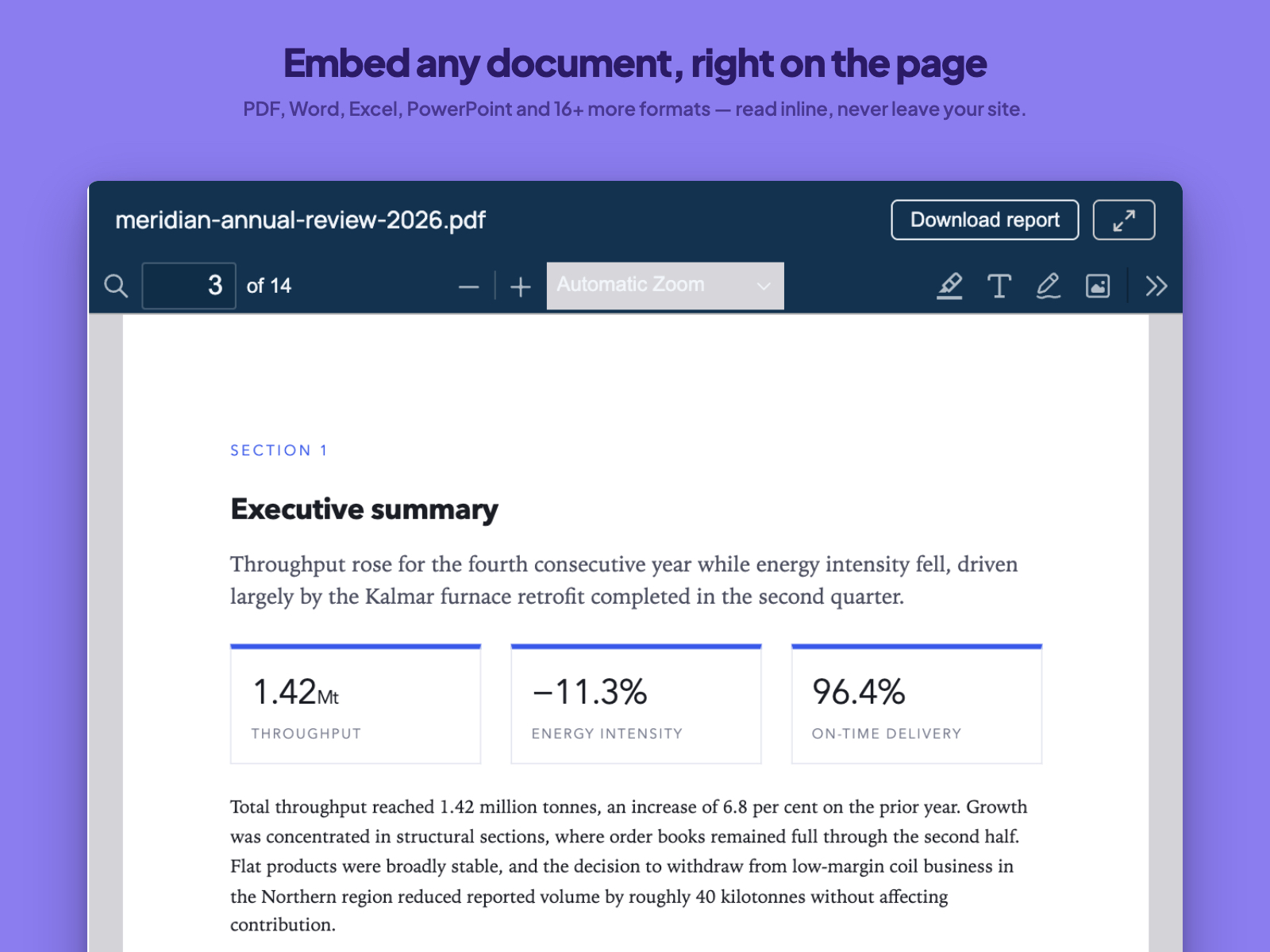
Embed any document, right on the page — PDF, Word, Excel, PowerPoint and 16+ more formats — read inline, never leave your site.
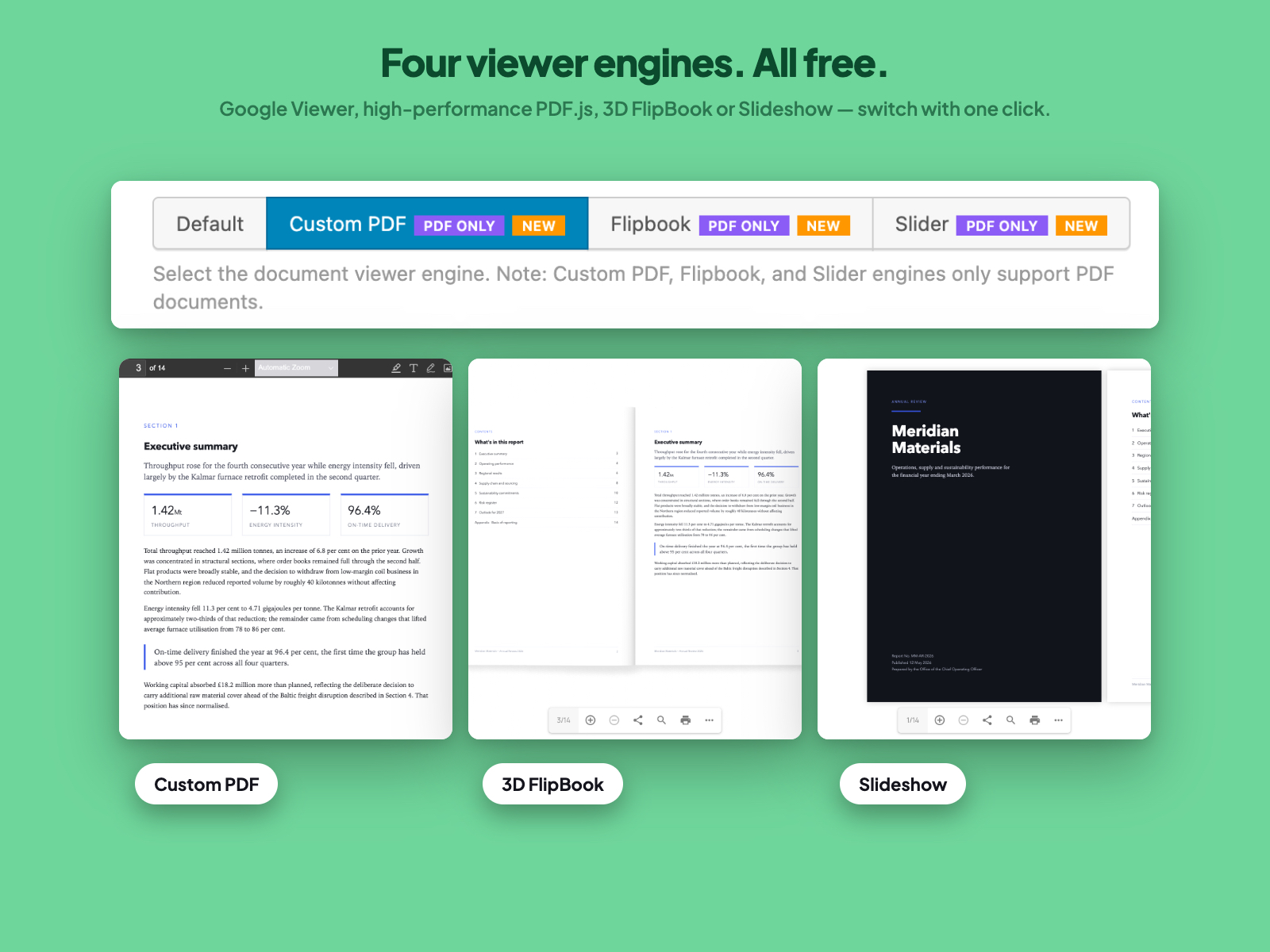
Four viewer engines. All free. — Google Viewer, high-performance PDF.js, 3D FlipBook or Slideshow — switch with one click.
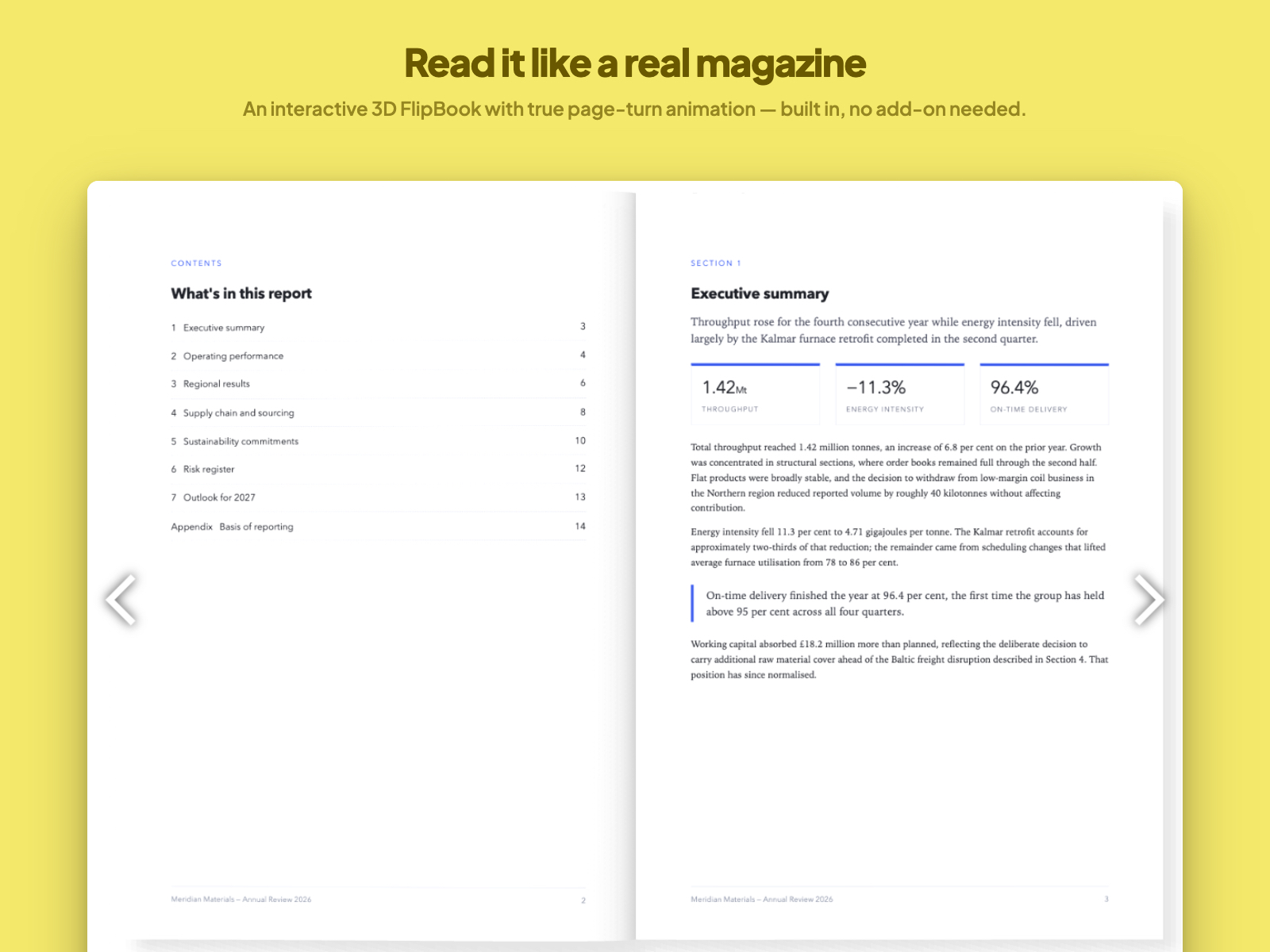
Read it like a real magazine — An interactive 3D FlipBook with true page-turn animation — built in, no add-on needed.
A searchable library of every file — Search, filter and sort your documents, with view and download buttons on every card.
Insert it with one block — A native Gutenberg block with every control in the sidebar — or the [doc] shortcode anywhere.
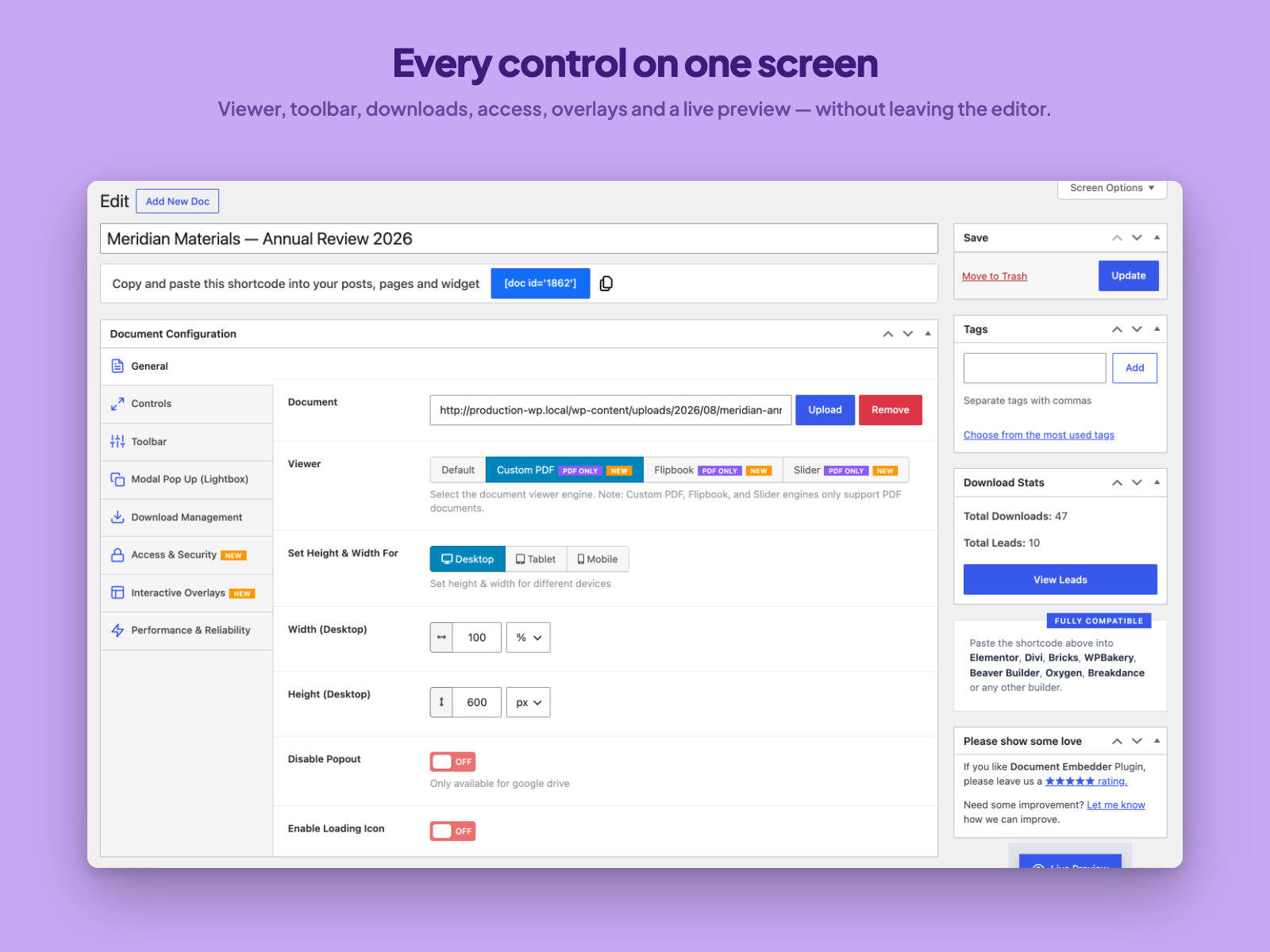
Every control on one screen — Viewer, toolbar, downloads, access, overlays and a live preview — without leaving the editor.
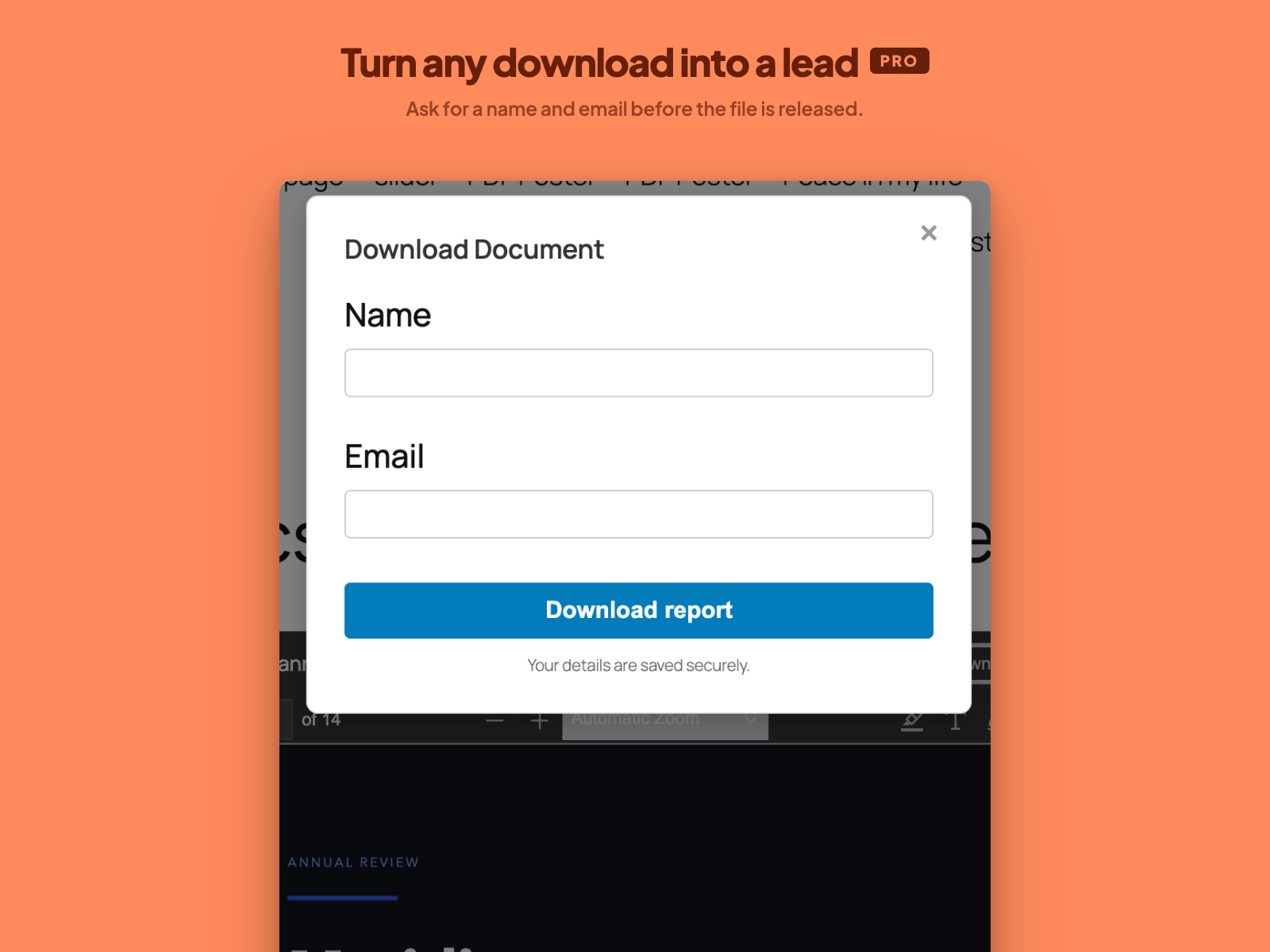
Turn any download into a lead (Pro) — Ask for a name and email before the file is released.
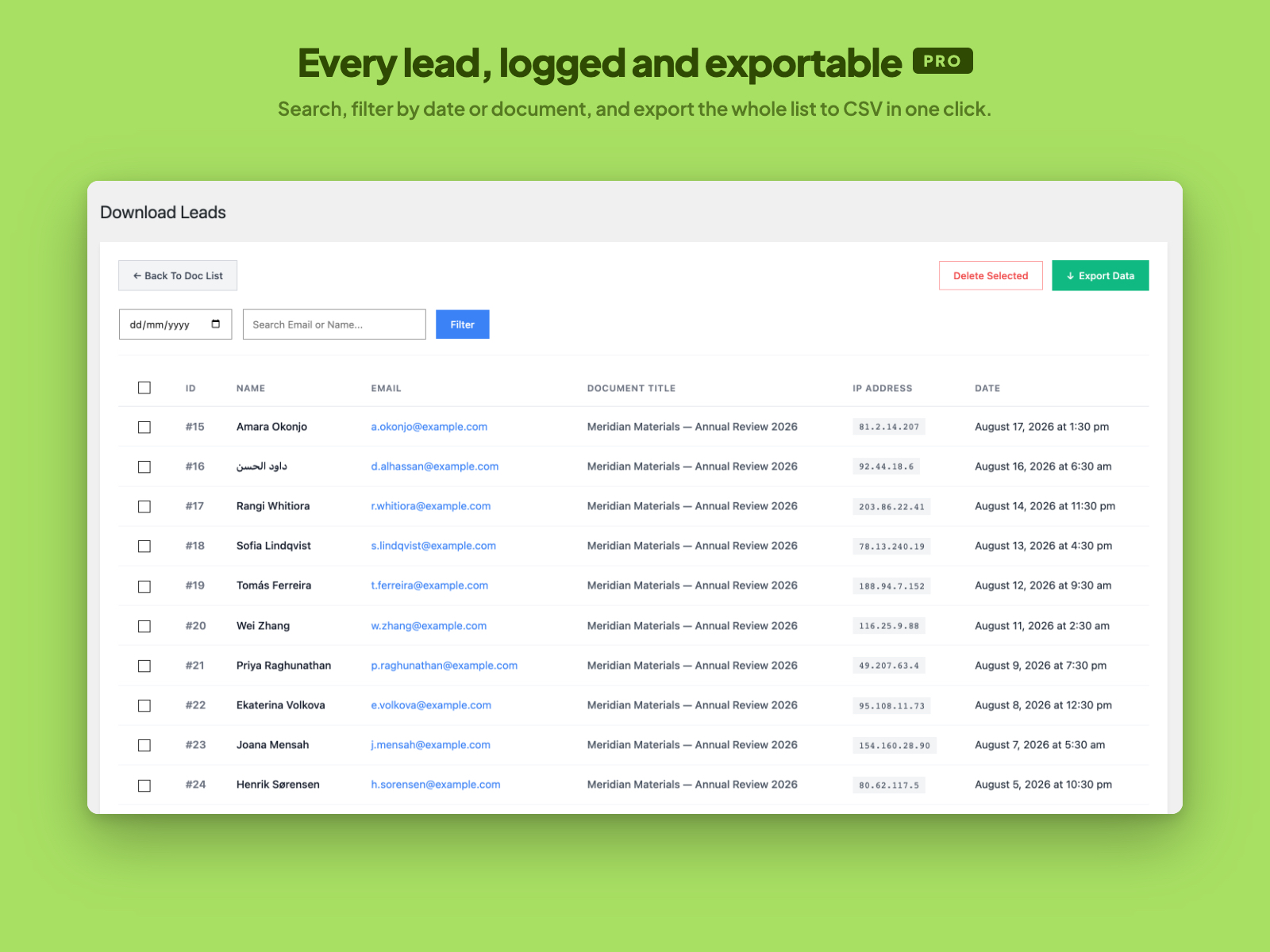
Every lead, logged and exportable (Pro) — Search, filter by date or document, and export the whole list to CSV in one click.
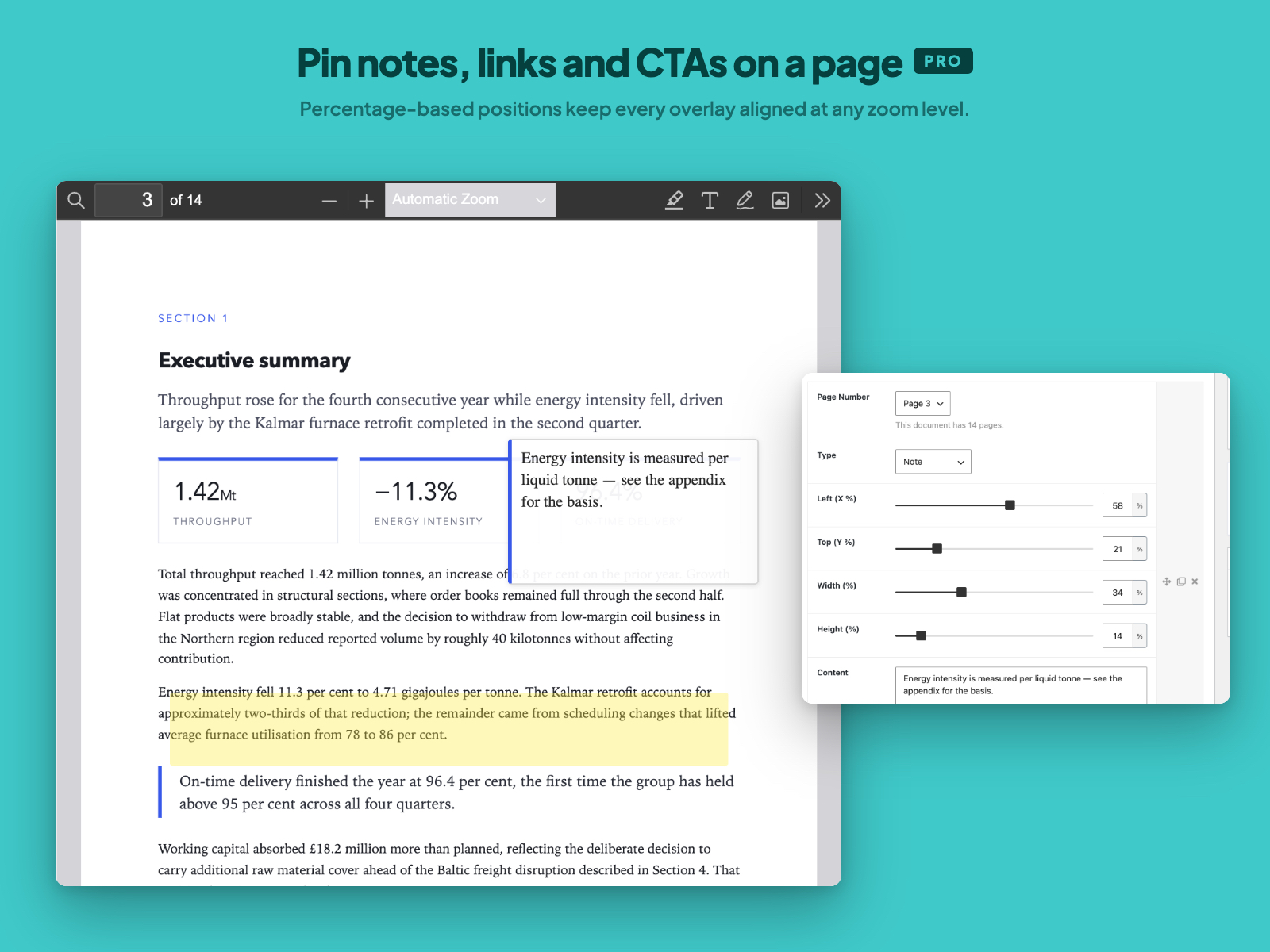
Pin notes, links and CTAs on a page (Pro) — Percentage-based positions keep every overlay aligned at any zoom level.
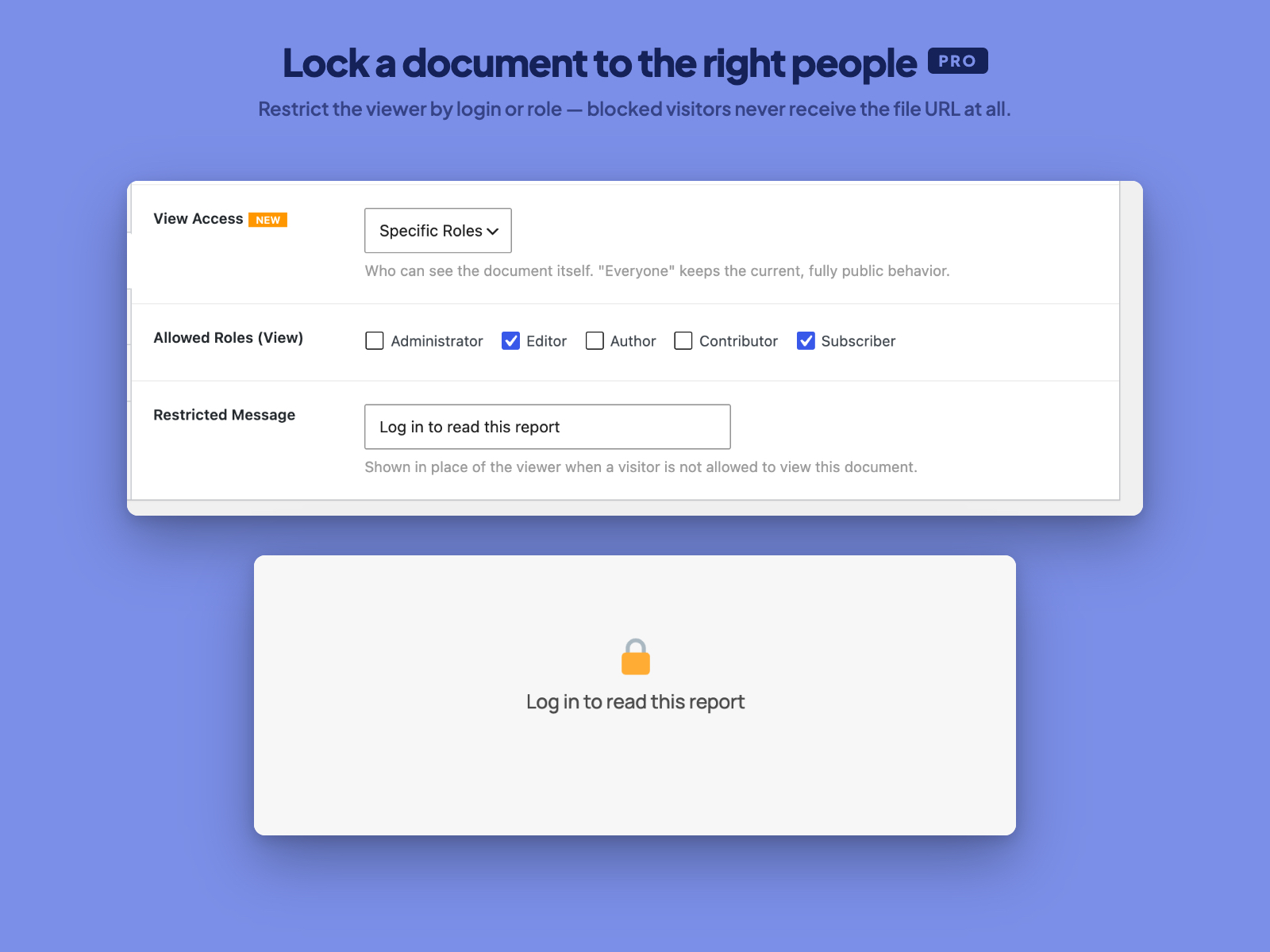
Lock a document to the right people (Pro) — Restrict the viewer by login or role — blocked visitors never receive the file URL at all.
See how every document is read — Views, downloads, leads and time on screen for every document. Today in Free, full history, funnel and CSV export in Pro.
Add the Document Embed block to a post or page, then upload your PDF or pick it from the Media Library. You can also use the Elementor widget, or create a document under Document Embedder > Add New Document and paste its [doc id="123"] shortcode anywhere. The PDF appears in a responsive viewer that visitors can read without downloading.
Can I embed Word, Excel and PowerPoint files?
Yes. DOC, DOCX, XLS, XLSX, PPT and PPTX files are shown inline with the Google viewer, along with Google Docs, images, code files and 16+ other formats.
Can visitors read a document without downloading it?
Yes. That is what the plugin is for. The download button is optional: hide it, or keep it and choose whether it saves the file or opens it in a new tab.
How do I create a document library or file download page?
Go to Document Embedder > Document Library > Add New Library, choose a layout, add your files and save. Show it with the Document Library block, the Elementor widget or the [document_library id="123"] shortcode. Visitors can search, filter by file type, sort, view and download.
Which library layouts are included?
Grid and List are free. Table (sortable columns) and Folder (folders and subfolders) are included in Pro. You can switch layouts at any time without losing your files or settings, and existing libraries keep their current look.
Does it work with Elementor?
Yes. Document Embedder has its own Elementor widget. Search for Document Embedder in the widget panel, then choose a document or a library and style it right in Elementor.
Does it work with Divi, Bricks, WPBakery and other page builders?
Yes. Paste the [doc id="123"] or [document_library id="123"] shortcode into any builder that supports shortcodes.
Can I embed files from Google Drive, Dropbox or Box?
Yes. Paste the public link to the file. Box shared links open in Box’s own viewer. With Pro you can also browse your Google Drive, Dropbox and Box accounts and pick files directly.
Can I turn a PDF into a flipbook?
Yes, for free. Choose the Flipbook viewer and a Flip Style: 3D, Soft or Flat. Flipbooks work with PDF files only. Flipbooks you created before Flip Style existed keep their current look until you change it. Pro adds hard covers, page-turn sound, auto play, single or double page mode, page-turn speed and the 3D page edge colour.
Can I see how many people view my documents?
Yes. Document Embedder > Insights counts views, daily unique views, downloads, full-screen use and time on screen for every embedded document and Document Library file, anonymously. The free version shows today’s figures. Pro adds date ranges, a daily chart, top documents, top host pages, a per-document view and CSV export, reading back every day recorded since you updated.
Is Insights GDPR friendly?
Insights counts anonymously. It sets no cookies and stores no IP addresses. You can exclude user roles, choose how long data is kept, reset the data or turn counting off in Settings > Insights.
Can AI assistants like Claude or ChatGPT read my documents?
Yes, if you allow it. Document Embedder registers read-only abilities with the WordPress Abilities API (WordPress 6.9+), so AI assistants connected through the WordPress MCP Adapter can list documents and read download stats and today’s Insights. Leads are shared only if you opt in. They can never change anything. Turn it off in Settings > AI Agent Access.
Will updating change my existing flipbooks or libraries?
No. Existing flipbooks keep their current page turn and existing libraries keep their layout until you change them.
Can I limit how many times someone can download a file?
Yes, in the free version. Set a download limit per visitor, and optionally show the download count next to the button.
How does the email gate work?
With Pro, visitors enter their name and email before a download starts. Every submission is saved to the Leads dashboard, where you can search, filter by date or document, and export to CSV.
Can I restrict documents to logged-in users?
Yes, with Pro. You can limit viewing, downloading or both to logged-in users or to specific user roles. Visitors without access never receive the file link.
How many documents can I add?
As many as you like. In the free version, each document library holds up to 5 documents; Pro removes that limit.
What is the maximum file size?
Documents up to 20 MB display reliably.
Which browsers are supported?
All modern browsers on desktop and mobile, including Chrome, Safari, Firefox and Edge.
Does it work with TutorLMS?
Yes. Document Embedder is confirmed to work with TutorLMS.
Where do I report security bugs found in this plugin?
Please report security bugs found in the source code of the Document Embedder plugin through the Patchstack Vulnerability Disclosure Program. The Patchstack team will assist you with verification, CVE assignment, and notify the developers of this plugin.
Security: Fixed a reflected XSS vulnerability in the Flipbook and Slider viewer, where a crafted pdf-source link could run scripts. Document links, downloads and printing now accept only safe web addresses. All users are encouraged to update. Reported by daroo (Patchstack).
2.5.0 – 18 October 2026
New: 3D Flipbook with realistic 3D, soft curl or flat page turns. Hard cover, page flip sound, auto play and page mode are available in Pro.
New: Document Insights tracks views, unique views, downloads, full-screen opens and time on screen, with today’s figures free. Pro adds date range reports, top documents and pages, and CSV export.
New: Box integration. Embed Box files from a shared link, or connect your Box account (Pro) to browse and embed files from the block.
New: AI Agent Access lets AI assistants read your documents, stats, leads and Insights through the WordPress Abilities API and MCP.
New: Document Library layouts: Grid and List (Table and Folder in Pro), and you can switch between them at any time.
New: Elementor widget for embedding documents and libraries.
2.4.1 – 17 October 2026
Security: Fixed a stored XSS vulnerability by blocking script URLs in document links and library files. All users are encouraged to update.
2.4.0 – 7 October 2026
Improvement: Redesigned the admin experience to be much cleaner and easier to understand.
2.3.1 – 22 August 2026
Security: Strengthened permission checks for document downloads. All users are encouraged to update. Reported by Vaibhav Narkhede.
Security: Download links are now time-limited.
Security: Additional hardening across file delivery and data export.
2.3.0 – 19 August 2026
New: Complete overhaul of the Access and Security settings module, delivering advanced protection controls with an intuitive interface for all users.
New: Interactive Overlays settings introduced to seamlessly place annotations, links, and actionable elements directly on your documents.
New: Real-time Live Preview capability integrated into the Classic Editor, allowing instant visualization of document embeds before publishing.
Update: Enhanced clarity across all settings by revising and optimizing informative note fields throughout the plugin.
Update: Added two new dedicated utility metaboxes to the Classic Editor sidebox for streamlined document configuration.
Update: Refreshed the Pro feature list modal to accurately reflect the latest premium capabilities and enhancements.
Fix: Integrated a high-performance Custom PDF viewer into the Document Library module, completely resolving intermittent loading failures caused by the default Google Viewer.
2.2.1 – 22 July 2026
New: View PDFs in Full-Screen Mode for a more comfortable reading experience.
New: Pages now load only when needed, making large documents open faster.
New: Added a backup viewer that automatically works if the Google Viewer is unavailable.
New: Open documents in a Lightbox Popup without leaving the current page.
New: Lazy Loading support improves page speed by loading documents only when they come into view.
New: Enjoy an interactive 3D FlipBook reading experience.
New: Added a 2D FlipBook mode for browsers that don’t support 3D effects.
New: Display documents in a SlideShow-style viewer for easy page navigation.
New: Faster document loading with partial page loading, so readers don’t have to wait for the entire document to load.
New: Refactored the plugin for improved stability, better performance, enhanced security, and a smoother overall experience.
2.2.0 – 21 June 2026
New: Added brand new Custom PDF.js Viewer option, enabling high-performance local rendering for PDF files.
New: Fully redesigned responsive document block architecture, engineered with modular layout blocks and premium modern aesthetics.
Update: Unified shortcode rendering engine under the block’s reactive component system, optimizing memory usage and ensuring 100% style and behavior alignment.
Update: Restructured admin dashboard and metadata options into intuitive, clean functional categories for a seamless management experience.
Improved: Automated cloud integration workflows with adaptive viewer modes (Default vs Custom PDF) based on document file types and origin.
Improved: Cleaned up deprecated PHP functions and decoupled legacy controller layers for cleaner, safer, and faster processing.
2.1.2 – 1 June 2026
Improved: Removed legacy and unused DocumentEmbedder files to optimize codebase and performance.
Improved: Regenerated Composer autoloader files to remove obsolete class definitions.
2.1.1 – 23 May 2026
Improved: Refactored the entire plugin codebase for better organization and maintainability.
Improved: Removed unused code and optimized plugin structure for cleaner performance.
Fix: Resolved existing bugs and stability issues across the plugin.
Security: Enhanced overall security and improved code quality for a safer document embedding experience.
2.1.0 – 16 April 2026
New: Complete download feature with a lot of options like access, email gate etc.
New: Email Gate – require visitors to submit Name and Email before downloading; all leads saved to a searchable Leads Dashboard with CSV export and bulk delete.
New: Download Tracking – record total download count per document.
New: Per-IP Download Limits – restrict how many times a single IP address can download a file.
New: Access Restrictions – limit downloads to logged-in users or specific user roles.
Update: Update filename in a toolbar for standard view.
Update: Update Shortcode generated UI for Easy to use.
2.0.6 – 2 March 2026
Update: Improved overall user experience with a cleaner, more intuitive interface.
Update: Refactored internal codebase for better readability, maintainability, and performance.
Fix: Resolved all known UI and functionality issues across the plugin.
Fix: Removed unused and legacy code to reduce clutter and improve stability.