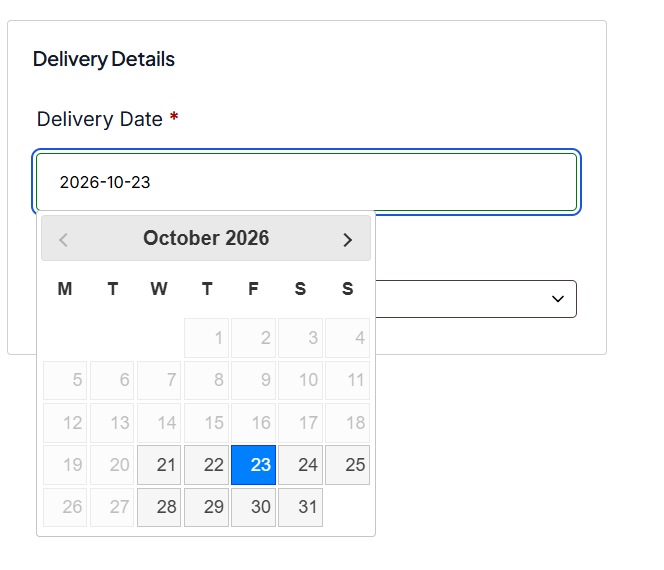
Same-day and next-day delivery, preparation time and a daily cut-off time
Different time slots for each weekday
Maximum orders per day, plus “Fully booked” and “N left” indicators at checkout
Delivery fees by time slot (for example an Express slot), added as a real order fee
Delivery Groups with their own rules and slots for products and categories
Delivery Calendar with a capacity meter and upcoming deliveries grouped by day
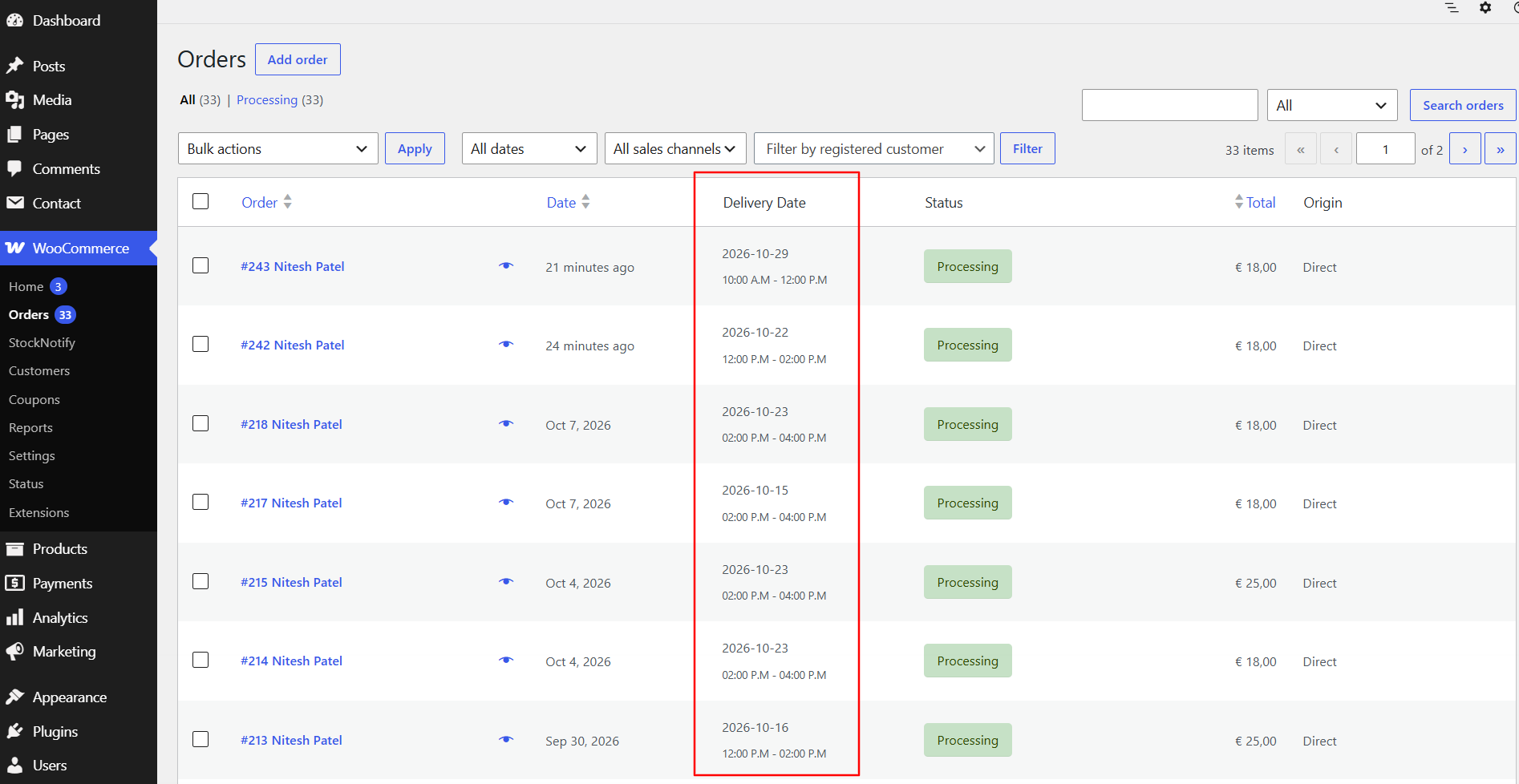
Sortable Delivery Date column and rescheduling from the order screen
All paid plans include everything in the free plugin. Your existing settings are kept when you upgrade, and a 30-day free trial is available with no payment required to start.
Does this plugin support WooCommerce Blocks Checkout?
Yes. The plugin supports both Classic Checkout and WooCommerce Blocks Checkout. Both checkout types display the same consistent field design.
Can I disable certain delivery dates?
Yes, use the “Blackout Dates” calendar in plugin settings.
Can I turn off delivery on certain days of the week?
Yes, choose them in “Disabled Weekdays” in plugin settings.
Can I require notice before delivery, or limit how far ahead customers book?
Yes. “Minimum Lead Time” sets the earliest delivery date in days from today, and “Maximum Booking Window” sets the furthest date customers can pick.
How can I define time slots?
Use the “Delivery Time Slots” field to define one time slot per line.
Does it support WooCommerce shipping zones?
Yes, it is fully compatible with shipping zones and shipping methods.
Is this plugin compatible with WooCommerce HPOS?
Yes. The plugin uses $order->get_meta() and $order->update_meta_data() throughout, which are fully compatible with WooCommerce High Performance Order Storage (custom order tables).
What does the Pro version add?
Pro adds same-day and next-day rules with cut-off time, time slots per weekday, maximum orders per day, delivery fees by time slot, product and category Delivery Groups, a Delivery Calendar and rescheduling from the order screen. See the Pro page for details and pricing.
Will I lose my settings if I upgrade to Pro?
No. Pro pauses and deactivates the free plugin automatically, and shared settings such as time slots and blackout dates are kept.
Fixed: deleting the free plugin no longer wipes the settings shared with the Pro plugin (time slots, blackout dates, slot limit, minimum and maximum days) when Pro is installed
1.9.1
Fixed: PHP notice was called incorrectly on Block Checkout (invalid attributes) logged on every page load with newer WooCommerce versions
1.9
Added: delivery date and time slot now appear in WooCommerce order emails (customer and admin, HTML and plain text) for both Classic and Block checkout orders
Added: “Show in Emails” setting (enabled by default) under Delivery Settings
1.8
Added: “Disabled Weekdays” setting to block delivery on chosen days of the week (e.g. Sundays)
Added: “Minimum Lead Time” setting to set the earliest delivery date in days from today
Added: “Maximum Booking Window” setting to limit how far ahead customers can book
All three rules are enforced in the date picker and server-side on Classic and Block checkout
Regenerated the translation (.pot) template with the new strings
1.7
Added: “Delivery Date” column on the WooCommerce Orders list (HPOS and legacy storage), with the time slot shown underneath
Improved: delivery details on the order-received, order-details and My Account pages now use one consistent card-style table, matching the Block checkout design
Improved: Block checkout order confirmation now shows “Delivery Details” instead of “Additional information” for orders with delivery data
1.6
Security: delivery time slot is now validated server-side against the configured slots (Classic and Block checkout)
Security: settings values (blackout dates, slot limit, time slots) are now sanitized on save
Added: explicit HPOS and Cart & Checkout Blocks compatibility declarations
Fixed: duplicate validation messages and duplicate asset loading on checkout
Improved: slot limit check now queries only as many orders as needed
Added: uninstall cleanup of plugin options
Tested with WordPress 7.1 and WooCommerce 11.1
1.5
Added a “Settings” link to the plugin’s row on the Plugins screen, linking directly to WooCommerce > Settings > Shipping > Delivery Settings
Improved Blackout Dates admin UI: selected dates now display as removable tags below the calendar instead of a raw comma-separated list in the input box
Regenerated the translation (.pot) template so translators have strings for the items above
1.4
Security/compatibility
Fixed: “Max Orders per Time Slot” setting is now actually enforced – checkout is blocked (Classic and Block) once a delivery date/time slot combination reaches its configured order limit
Fixed: delivery date is now validated server-side (format, blackout dates, and past dates) on Classic checkout, matching the validation already used on Block checkout
Hardened: checkout field registration is now wrapped in error handling so a registration failure can’t take down checkout
Hardened: asset enqueueing no longer triggers a PHP warning if a CSS/JS file is unexpectedly missing
Tested for compatibility with PHP 8.0-8.3
1.3
Added consistent label-above-input design for delivery fields on both Classic and Block checkout
Added “Select a delivery date” placeholder to the delivery date field on both Classic and Block checkout
Delivery Time Slot select on Classic checkout now uses WooCommerce enhanced select (Select2), matching other checkout fields
Fixed floating label inside Block checkout Delivery Time Slot select – label now always appears above the field
Fixed delivery details not appearing on the Classic checkout thank-you (order-received) page
Fixed HPOS (High Performance Order Storage) compatibility – all order meta read and write operations now use WooCommerce HPOS-safe methods ($order->get_meta(), $order->update_meta_data())
Added dedicated delivery-checkout.css for consistent field styling across Classic and Block checkout
1.2
Added support for WooCommerce Blocks Checkout
Improved compatibility with the latest WooCommerce version
Minor bug fixes and performance improvements
1.0.1
Fixed the issue of the slug in the datepicker functionality.