
Debug can help you to find errors in your wordpress website via editing wp-config file in wordpress.
| Author: | SoniNow (profile at wordpress.org) |
| WordPress version required: | 5.0 |
| WordPress version tested: | 7.1 |
| Plugin version: | 1.14 |
| Added to WordPress repository: | 21-04-2017 |
| Last updated: | 09-09-2026 |
| Rating, %: | 92 |
| Rated by: | 11 |
| Plugin URI: | |
| Total downloads: | 98 730 |
| Active installs: | 2 000+ |

Click to start download
|
Debug is a development and production tool that helps you find and fix bugs on your WordPress site (including multisite). It gives you a clean admin panel to toggle WordPress’s built-in debug constants, read the error log, and receive instant email notifications when meaningful errors happen — all without editing wp-config.php by hand.
What it does for you
- One-click debug flags — toggle
WP_DEBUG, WP_DEBUG_LOG, WP_DEBUG_DISPLAY, SCRIPT_DEBUG and SAVEQUERIES directly from the settings page.
- Error log viewer — view, clear and download the tail of your
wp-content/debug.log (last 1 MB) right from the admin.
- Real-time email alerts — get notified when errors and warnings occur, with a throttled, level-filtered handler that ignores deprecation notices and suppressed (
@) code.
- Safe wp-config editing — a timestamped backup is created automatically before every change, with one-click restore if you ever need to roll back.
Why you can trust it
The plugin never lets you download wp-config.php (a common credential leak in older debug plugins). All file access is strictly path-guarded, all admin actions are protected with nonces and capability checks, and backups let you revert any change instantly.
Frequently Asked Questions
Is my wp-config.php safe?
Yes. The plugin creates a timestamped backup of wp-config.php before every change, and the settings page lets you restore any backup with one click. wp-config.php is never downloadable from the browser.
Can I use this on a production site?
Yes — and that’s a core use case. Error notifications only fire for meaningful error levels (errors and warnings), never for deprecation notices. Emails are queued and throttled so a busy site won’t flood your inbox, and WP_DEBUG_DISPLAY is kept off by default so errors are not shown to visitors.
Why am I not getting email notifications?
Make sure Email Notification is enabled and a valid address is set, and that wp_mail() works on your host. Only errors and warnings trigger emails (notices and deprecations are filtered out).
The plugin says wp-config.php is not writable. What do I do?
Check your file permissions. Most hosts run with the web user owning wp-config.php (usually 0644). If the plugin still cannot write it, it shows you the exact code to paste into wp-config.php manually — so you’re never stuck.
What does “Error Log” show?
It shows the last 1 MB of wp-content/debug.log, so you can inspect recent errors without loading a huge file. You can clear the log or download it as a plain text file.
Does this work on multisite?
Yes. All settings are stored per-site and the wp-config.php edits apply globally, which is the expected behaviour for network-wide debug toggling.
Contacts
For support or the development team of the Debug plugin: https://soninow.com/contact
Screenshots
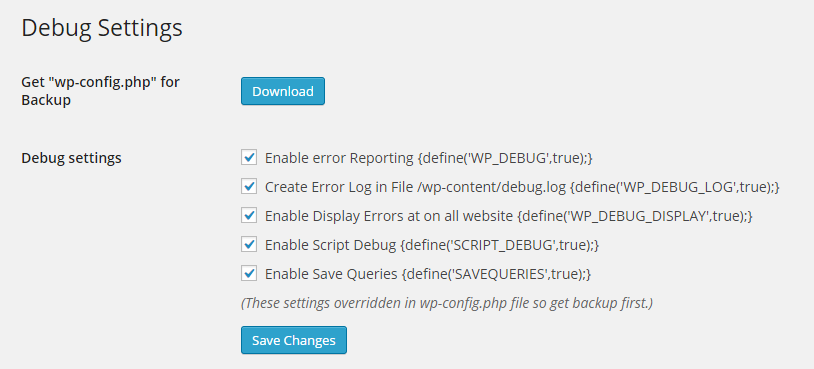
Debug configuration settings page.
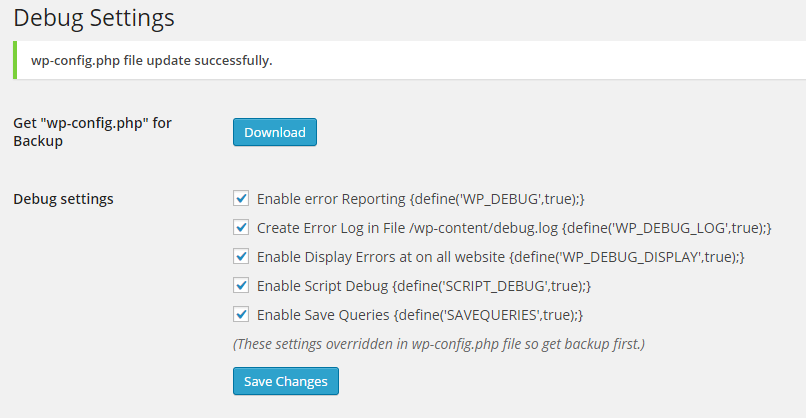
Save settings with success message and auto-created wp-config backup notice.
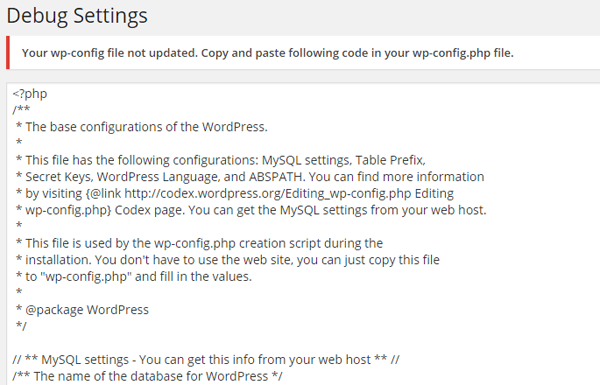
wp-config.php manual-paste fallback when the file is not writable.
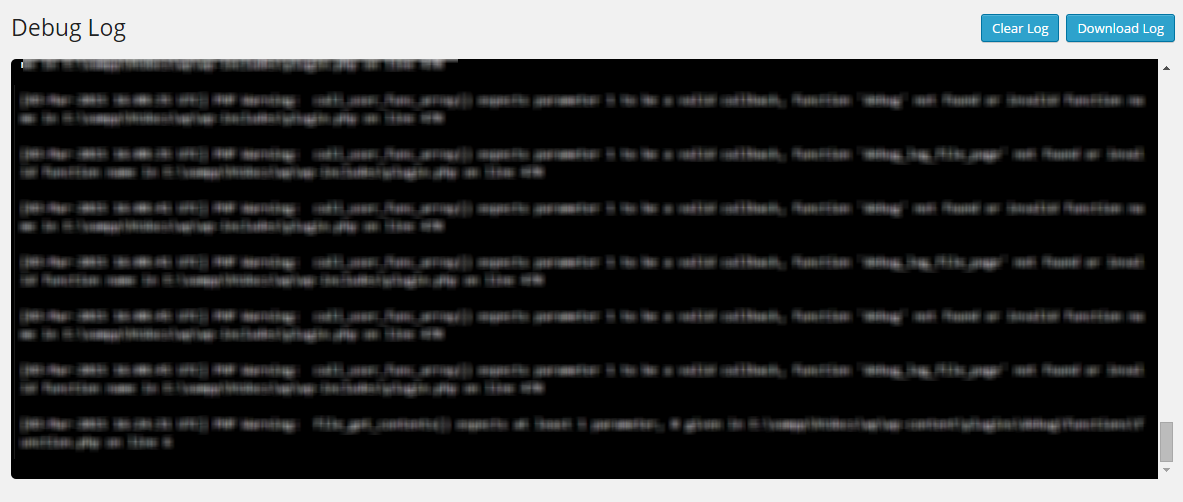
Debug log file viewer with clear/download actions.

wp-config.php backups list with one-click restore.
1.14
- New: full translation support — added
languages/debug.pot and load_plugin_textdomain() (fixes Plugin Check missing-translation warning).
- New: “Send Test Notification” button on the settings page — verify your email alert setup works before relying on it in production.
- New: error-log viewer auto-refresh toggle (every 5s) for watching logs live.
- Improved: error handler now registers on
plugins_loaded for earlier, wider coverage (catches theme/plugin load-time errors).
- Improved: wp-config backups are now auto-pruned (keeps the latest 10) so the site root never fills up, and a delete action lets you remove backups individually.
- Cleanup: removed the last inline script (post-save auto-reload) — the page no longer force-refreshes and wipes admin notices, and the plugin is now 100% CSP-friendly.
- Fix: wp-config
define() editing now tolerates multiline/annotated defines (no more accidental duplicates).
- Cleanup:
README.md is now excluded from the WordPress.org SVN deploy (Plugin Check flagged it as root clutter).
- Compatibility: tested up to WordPress 7.1.
1.13
- Security: removed the ability to download
wp-config.php (full credential leak). Debug log download now only serves the log via a clean admin-post.php endpoint.
- Security: added strict path allowlisting + traversal guards to all file reads/writes.
- Security: automatic timestamped
wp-config.php backup before every save + one-click restore UI.
- Security: error handler now only registers when email notifications are on, filters out deprecation/notice noise, respects
error_reporting(), throttles and queues emails, and chains the previous handler.
- Fix: broken Settings link
href (missing closing quote) on the plugin list page.
- Fix:
esc_html_e() misuse replaced with correct escaping.
- Fix: tolerant, case/format-insensitive regex in
debug_add_option — no more duplicate define() creation.
- Fix: nonce action strings standardized + consistent failure notices.
- Fix: read tail capped to 1 MB.
- Improvements: enqueued CSS instead of inline
<style> (CSP-friendly), modernized baseline (PHP 7.4+, WP 5.0+), uninstall.php cleanup.
1.12: Apr 1, 2024
- BugFix: Fix all bug reporting in plugin https://wordpress.org/plugins/plugin-check/.
- BugFix: Fix duplicate define variable creation error.
1.11: Mar 25, 2024
- BugFix: Cross Site Request Forgery (CSRF) issue.
1.10: Jun 29, 2022
- Increase security for direct access of files.
1.9: Dec 15, 2019
- Compatible with new version.
1.7: Mar 2, 2016
- BugFix: Display error not required for email notification enable.
1.6: Jan 24, 2016
- Add: Email Notification Settings on plugin setting page.
- BugFix: Resolved any user to download debug.log and wp-config.php file. now only super admin can download files.
- BugFix: resolved error when large debug.log file load on plugin section. now only load 1.4 MB file only from end of file.
1.5: Sept 30, 2015
- Add: Email Notification Page to Enter Notification email address and email subject.
- Add: Handle any error and send it to your email address on real time system. (no-email delay).
- BugFix: Resolved undefined “scrollHeight” in console log in jQuery. incase of admin debug.log file not exist.
1.4: June 2, 2015
- BugFix: download wp-config.php file for back-up /Downloads/wp-config.php.exe to /Downloads/wp-config.php.
- BugFix: download wp-config.php file for back-up /Downloads/debug.log.exe to /Downloads/debug.log.
- Remove: console.log function from js.
- Add: Add Setting page link on plugin page.
1.3: March 29, 2015
- Add: option for download wp-config.php file for back-up.
- Add: option for download debug.log file.
- Add: Auto scroll down in debug.log file view in admin panel to see latest error log.
1.2: March 4, 2015
- Add: script debug option
- Add: save query debug option
- Add: debug.log file view and clear option from admin panel
1.1: December 30, 2014
- Add: Banner at wordpress Community
- Add: Add change Log Session
1.0
- Rewrite wp-config.php file with Debug variables.
- Add: WP_DEBUG, WP_DEBUG_LOG, WP_DEBUG_DISPLAY Functionality.
