Use WP Customize to modify elements of password protected and private posts and pages.
Extends WordPress’s own built-in password-protected and private post/page settings — no second password system, no Pro tier, no upsells.
Title prefix
- Hide the “Protected: ” / “Private: ” prefix WordPress adds to a password-protected or private post’s title
- Or replace it with your own text
Password form
- Rewrite the intro text, the password label, and the submit button text
- Set the password field’s and submit button’s colors, and the button’s padding
- Add widget areas before and after the form
- Custom “Invalid password” text for a wrong attempt (WordPress 6.8+)
- Custom excerpt text for protected posts in lists
- Set how long the password cookie lasts, or make it a session-only cookie
- Hide password-protected posts from your homepage, archives, search results, and feeds, while keeping them reachable at their own URL
- Or keep your theme’s own password form (Divi supported) and just add the widget areas
Configure it through the Customizer (Appearance > Customize), which previews your changes as you type, or through Settings > Private & Protected, a plain settings page that works the same on every theme, block themes included. Both edit the same settings. Four options added in 1.6 (invalid password text, excerpt text, cookie lifetime, hide from lists) are on the settings page only.
Donations
If you’d like to support future development, buy me a tea!
Screenshots

Customize the title prefix, intro text, label, and button text from the Customizer, with a live preview.

Two widget areas — before and after the password form — show up under Appearance > Widgets.
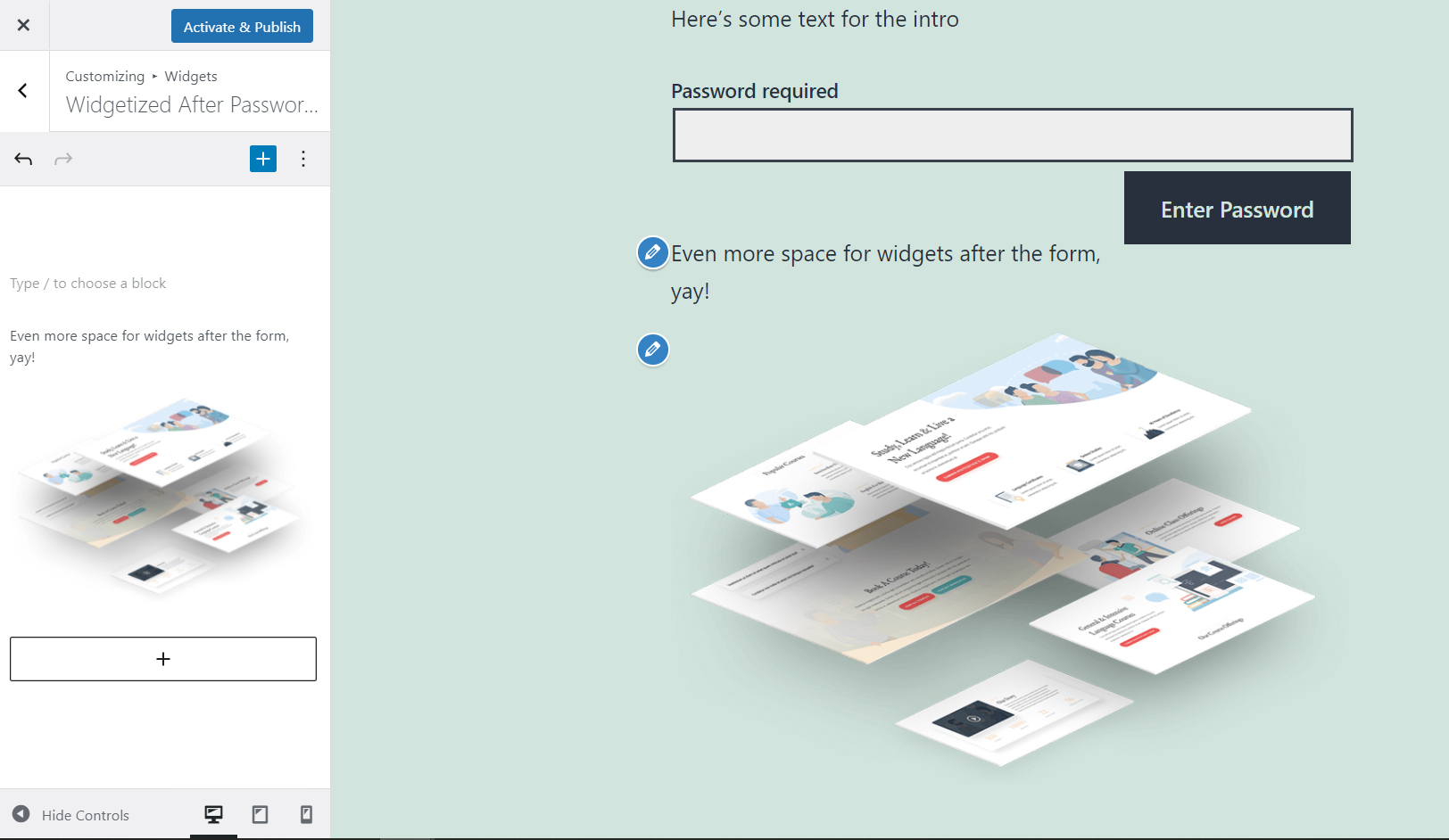
Add any widgets you like to those areas.
How do I remove “Protected: ” from a password-protected page’s title?
Turn on “Hide Prefix” in the settings.
How do I remove “Private: ” from a private page’s title?
The same “Hide Prefix” setting controls both the private and protected prefix.
Can I rename the prefix instead of removing it?
Yes — leave “Hide Prefix” off and set your own text in the Private Title Prefix / Protected Title Prefix fields.
How do I change the password form’s text, or the wrong-password message?
The Protected Intro Text, Protected Label Text, and Protected Button Text fields cover the form itself; Invalid Password Text covers what shows after a wrong attempt.
Where are the settings? I don’t see Appearance > Customize.
There are two places, and both edit the same values. Appearance > Customize > Customize Private & Protected previews your changes as you type. Settings > Private & Protected is a plain page that works on any theme, and it is the only place for Invalid Password Text, Protected Excerpt Text, Password Cookie Expires and Hide From Lists. If your site doesn’t show Appearance > Customize, use the settings page.
Does this change menus or the browser tab title too?
Yes — the prefix comes from the same title WordPress uses everywhere, so menus, widgets, and the browser tab all update along with the page’s own heading.
Does this plugin add password protection to a page?
No. It only changes how WordPress’s own built-in “Password Protected” and “Private” post visibility options look — you still set those from the post/page editor’s Visibility setting.
Does it work with Divi?
Yes — turn on “Use Default Form” and the plugin hands off to Divi’s own password form (still adding the widget areas around it).
Can I hide protected posts from my blog list, search results, and RSS feed?
Turn on “Hide From Lists.” The post is still reachable at its own URL; it just won’t appear in listings. (Private posts are already hidden from anyone who can’t view them.)
Something not covered here? Ask in the support forum — it’s the fastest way to reach me.
ChangeLog
1.6.0 – 2026-09-28
- Renamed the plugin to “Customize Private & Protected: Password Form & Prefix,” and rewrote the tags, description, and FAQ, so it’s findable by what it actually does
- Feature – Custom “Invalid password” text for a wrong attempt (WordPress 6.8+)
- Feature – Custom excerpt text for protected posts in lists (also works in block-theme Query Loops, where WordPress’s own excerpt filter doesn’t reach)
- Feature – Password cookie lifetime: set how many days it lasts, or make it a session-only cookie
- Feature – Hide password-protected posts from the homepage, archives, search results, and feeds (including block-theme Query Loop blocks), while keeping them reachable at their own URL
- Fix – The custom password form’s error message wasn’t actually linked to its
aria-describedby; screen readers now announce it
- Fix – The custom form’s submit button now picks up a block theme’s Global Styles button color
- Added Settings and Get Help links on the Plugins screen, and a Get Help link on the settings page
- The “leave a review” notice now waits 14 days after activation, and its dismiss links persist correctly (they didn’t before)
- Fix – Every release since 1.3.6 had been publishing the plugin’s actual
.git directory (full commit history) into the public SVN repository, because .distignore never listed .git. Purged and fixed; no secrets were ever in that history
1.5.0 – 09-27-2026
- Feature – Added a Settings page under Settings > Private & Protected, with every option the Customizer has. Block themes (the default since WordPress 6.x) hide Appearance > Customize, so this makes every option reachable without it
- Both places edit the same settings, so use whichever is easier
1.4.0 – 09-27-2026
- Feature – Added Customizer color pickers for the submit button’s background and text color
- Fix – Live preview: the private-post title prefix preview rendered nothing (missing return); the protected-post one rendered the wrong thing entirely (a format string, not the title). Both properly re-render the title now, which also fixes the live preview causing a full form reload while typing
- Fix – Live preview JS: a broken selector meant it never found the title in block themes; an accidental global variable
- Fix – Checkboxes and pixel-padding fields were sanitized with a text/HTML sanitizer instead of a boolean or number one
- Fix – Prefix filters now use the post WordPress passes them, instead of only the currently-queried global post (matters for titles shown in menus, widgets, and lists)
- Fix – The
is-protected/is-private body classes and the frontend stylesheet no longer apply to archive pages just because the first listed post happens to be private or protected
- Fix – The “leave a review” admin notice’s role check was broken (checked role names WordPress doesn’t use) and dismissing it never stuck; both fixed
- Fix – Default values now match between the Customizer and the front end, so nothing changes until a value is actually saved
- Renamed an internal class out of WordPress core’s own naming space, to avoid ever colliding with it; removed a leftover unused function
- Assets are now cache-busted with the plugin version, and the plugin’s stylesheet only loads on private/protected pages instead of every page
1.3.6 – 09-27-2026
- Fix – Escaped two unescaped output points in the Customizer’s custom control (flagged by WordPress Plugin Check): a control’s description text, and its
aria-describedby attribute, which was also outputting a bare unwrapped ID instead of a real attribute
- First release shipped via the new automated GitHub Actions → SVN pipeline
1.3.5 – 09-27-2026
- Tested – Passed tests with WordPress version 7.1
- Fix – A
% character in a custom title prefix no longer breaks the page on PHP 8
- Fix – Password field no longer caps entries at 20 characters (core allows up to 255)
- Fix – Password form no longer emits a duplicate
class attribute, so theme styles for .post-password-form apply again
- Fix – Password form now shows the “Invalid password” message and preserves the redirect after a wrong attempt, matching WordPress core since 6.8
- Feature – Added Customizer color pickers for the password field’s background and text color, to fix white-on-white fields on some themes
1.3.4 – 10-04-2025
- Tested – Passed tests with WordPress version 6.8.3
1.3.3 – 01-18-2025
- Tested – Passed tests with WordPress version 6.7.1
- Fix – Added div element to clear float from form submit button
1.3.2 – 05-19-2024
- Tested – Passed tests with WordPress version 6.5.3
1.3.1 – 01-13-2024
- Tested – Passed tests with WordPress version 6.4.2
- Tested – Passed tests with PHP versions up to 8.1.23
1.3.0 – 07-03-2023
- Enhancement – Tweaked selective refresh to improve user experience for supported themes
- Enhancement – Text domain namespace added for internationalization support
1.2.0 – 04-15-2023
- Enhancement – Implemented selective refresh to improve user experience
1.1.1 – 03-18-2023
- Tested – Passed tests with WordPress version 6.2
- Tested – Passed tests with PHP versions up to 8.1.9
- Fix – Fixed variables for custom input attributes, which broke in PHP 8 and up.
1.1.0 – 01-16-2023
- Tested – Passed test with WordPress version 6.1.1
- Feature – Added ability to customize protected button appearance
- Enhancement – Enabled translation in plugin labels
- Enhancement – Minor cleanup
1.0.1 – 09-24-2022
- Tested – Passed test with WordPress version 6.0.2
- Enhancement – Added dismissible notice for plugin review
1.0.0 – 04-06-2022
- Tested – Passed test with WordPress version 5.9.3
- Enhancement – Updated default values for button and label
0.2.0 – 01-09-2022
- Enhancement – Made fields hide/show based on hide Prefix & Use Default checkboxes
- Enhancement – Added support for Divi password form
- Feature – Added option to display WordPress’ default form with widgets
0.1.0 – 08-31-2021

