

Save and manage Contact Form 7 messages. Never lose important data. It is lightweight contact…
| Author: | Arshid (profile at wordpress.org) |
| WordPress version required: | 4.8 |
| WordPress version tested: | 7.1.3 |
| Plugin version: | 1.4.2 |
| Added to WordPress repository: | 18-03-2017 |
| Last updated: | 09-10-2026 |
| Rating, %: | 100 |
| Rated by: | 1875 |
| Plugin URI: | https://ciphercoin.com/ |
| Total downloads: | 9 456 577 |
| Active installs: | 600 000+ |
 Click to start download |
|
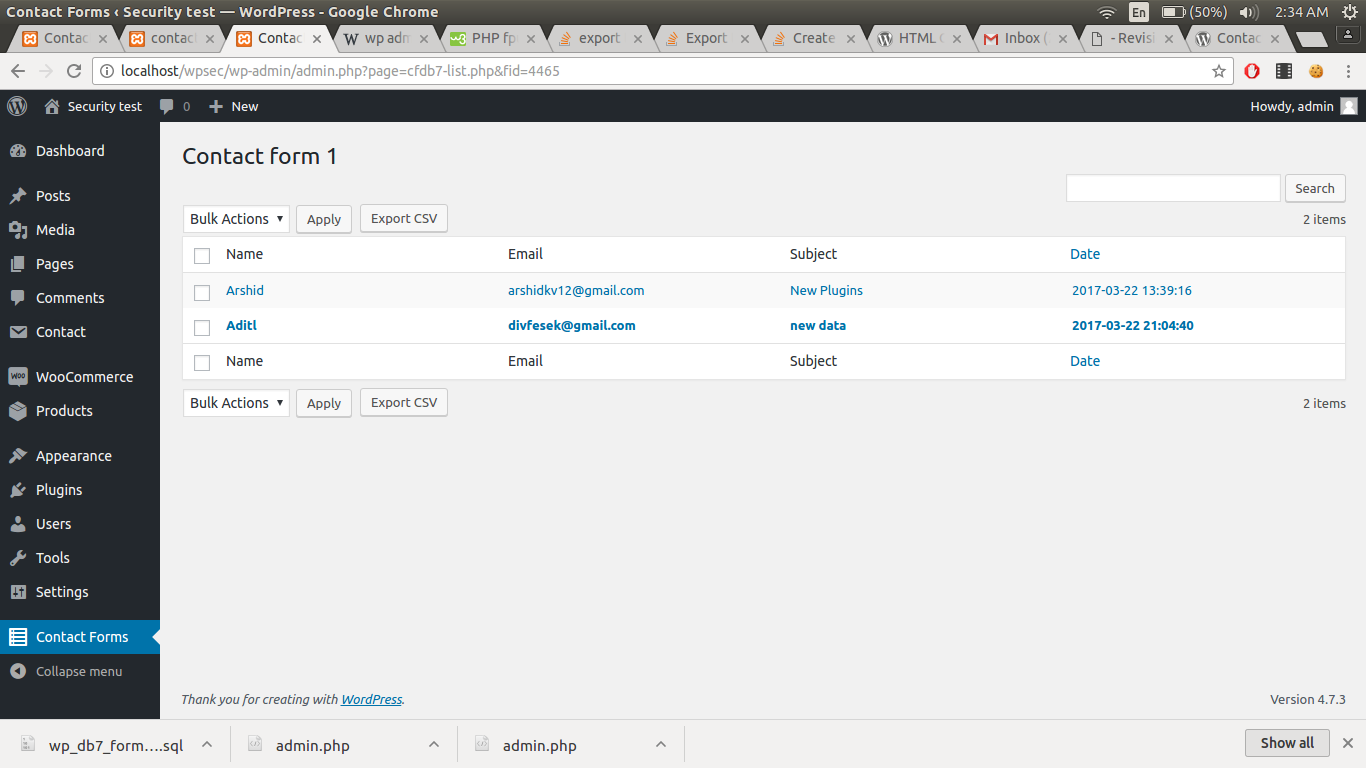
The “CFDB7” plugin saves contact form 7 submissions to your WordPress database. Export the data to a CSV file.
By simply installing the plugin, it will automatically begin to capture form submissions from contact form 7.
Features of CFDB 7
- No configuration is needed
- Save Contact Form 7 form submitted data to the database.
- Single database table for all contact form 7 forms
- Easy to use and lightweight plugin
- Developer friendly & easy to customize
- Display all created contact form 7 form list.
- Export CF7 DB (CF7 Database – cf7db) data in CSV file
???? Real Human Support
Need help? Contact us anytime.
- ???? Email: support@ciphercoin.com
- ???? Live Chat: ciphercoin.com
Form Email Testing Tool
Plugins
Pro Addons
- Entry Automation
Automatically export CFDB7 form entries to CSV on a schedule - Advanced MYSQL DB
Separate MySQL column for each cf7 input field - Excel Spreadsheet (XLSX) Extension
Connect CFDB7 to an external database or another DB - Drag & Drop File Upload
Contact form 7 drag and drop files upload plugin. - Already Submitted?
Trigger error if a field is already submitted - Popup Message
Replace your validation and success messages with beautiful popup messages to attract visitors. - Export PDF File
Easy to export contact forms from database to PDF file - Import CSV to Database
Import data from the CSV file to the CFDB7 database
Support : http://www.ciphercoin.com/contact/
Extensions : Contact form 7 more Add-ons
Screenshots
FAQ
ChangeLog