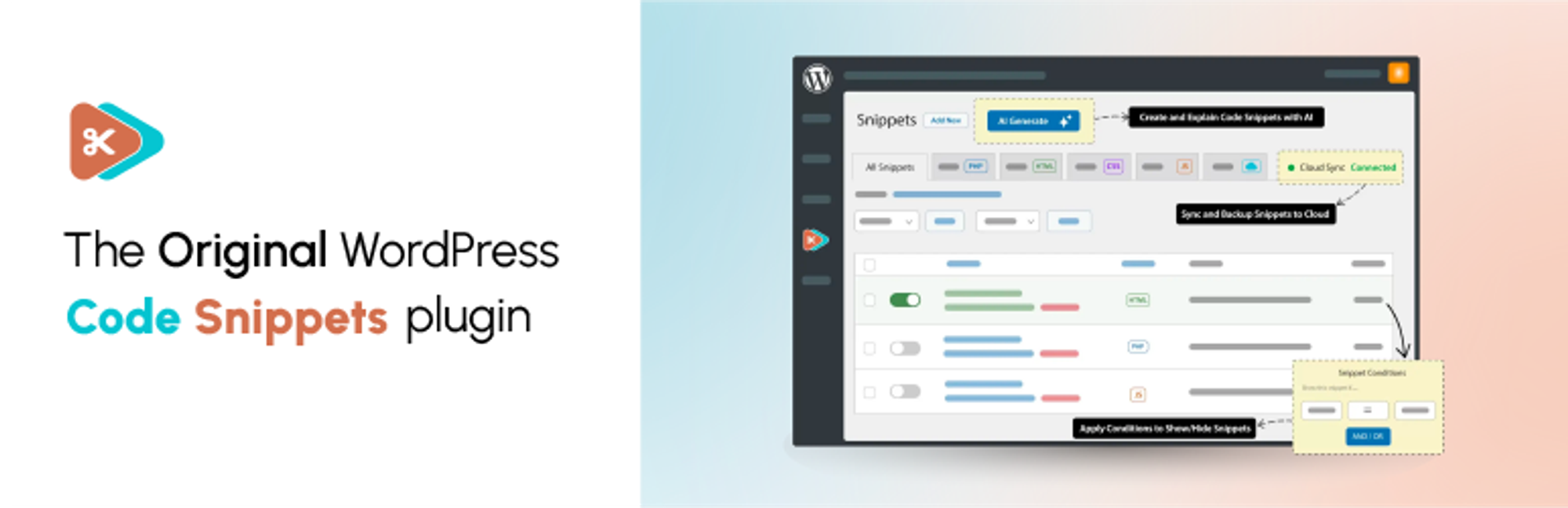
Code Snippets gives you a dedicated WordPress dashboard for creating, organising and managing custom code. Add PHP functionality and reusable HTML content, choose where PHP snippets run, and activate or deactivate snippets individually.
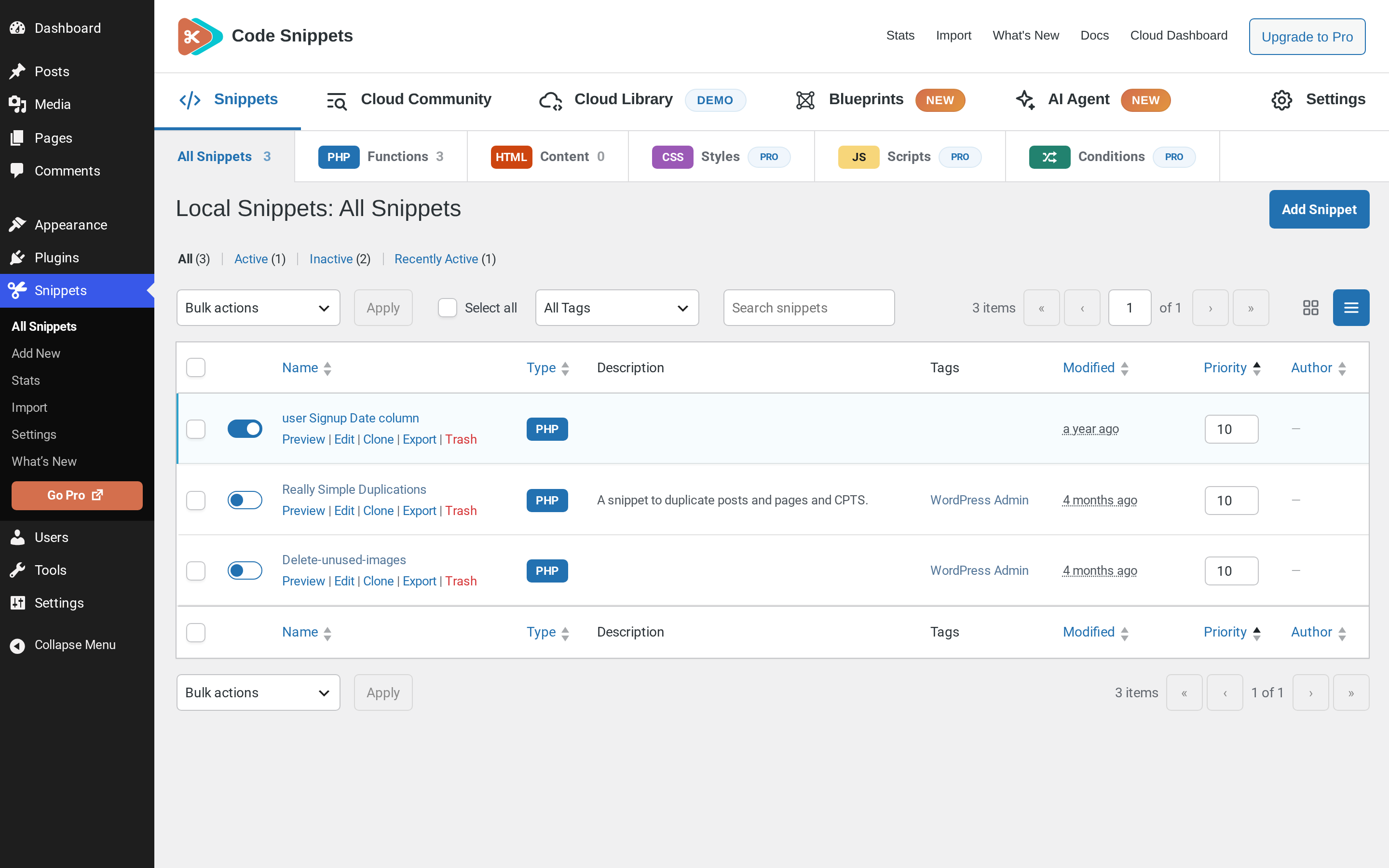
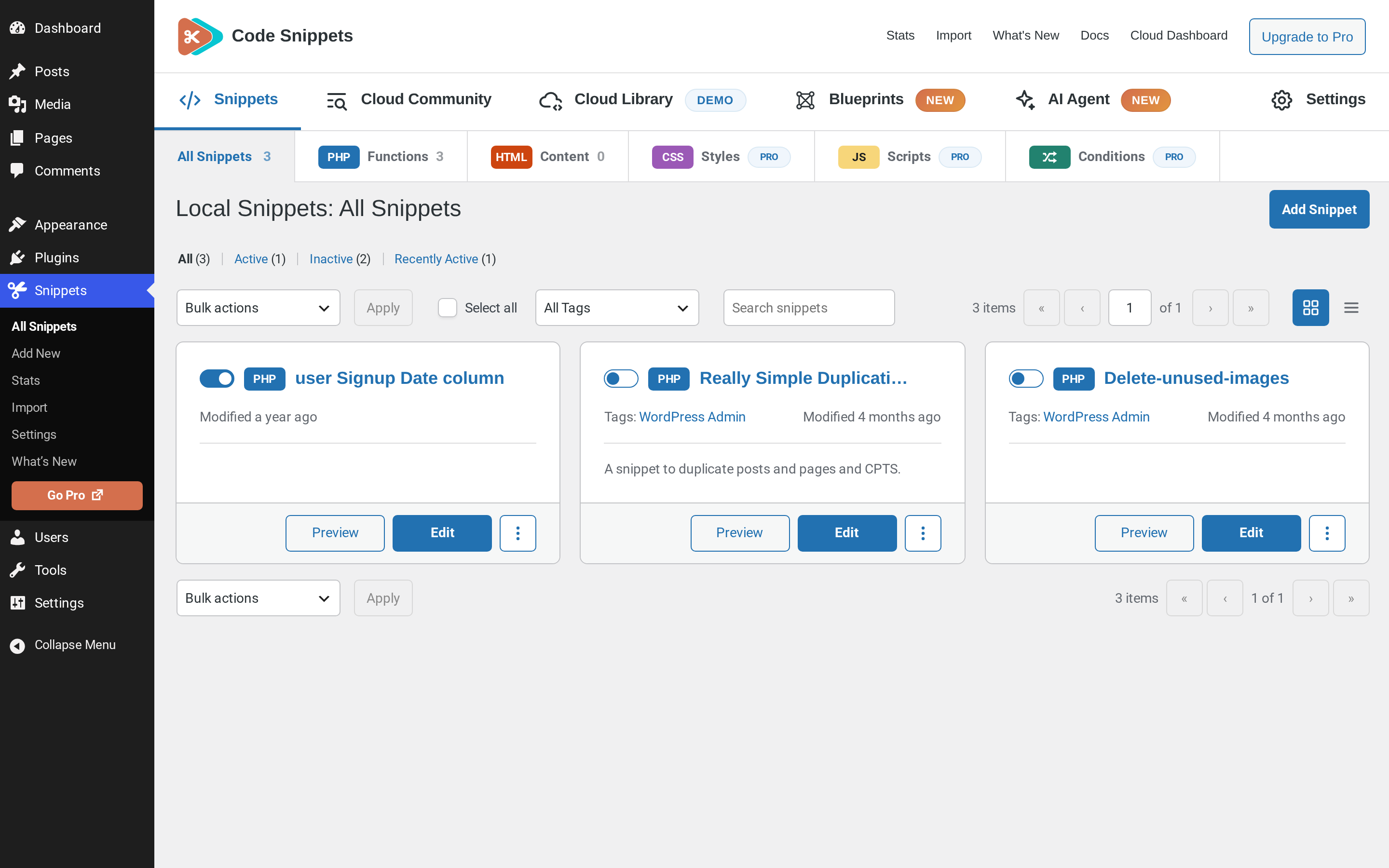
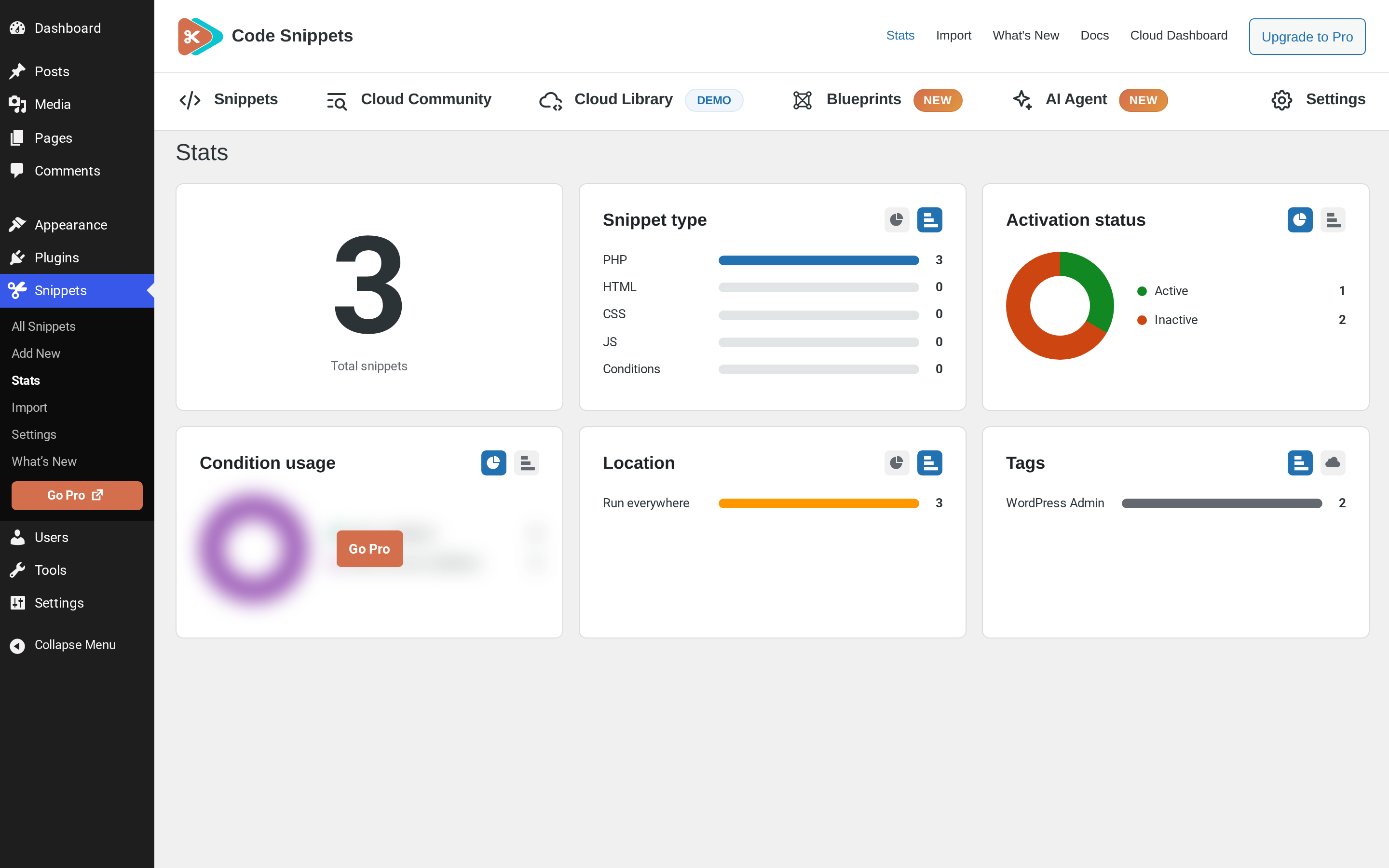
Find snippets with search, tags and filters, switch between table and card views, and preview code without opening the editor. Lock important snippets to help prevent accidental changes, and use the Stats overview to see snippet totals and breakdowns.
Watch the Code Snippets 4.0 walkthrough
See the plugin in use, including features from both the free and Pro editions. The Pro features listed below require the relevant Pro access.
Want AI-assisted code creation and advanced controls?Code Snippets Pro adds the AI Agent, snippet revisions, visual display conditions, CSS and JavaScript snippets, and connected Cloud workflows.
Your snippets stay separate from your theme files. Browse Community Cloud for shared snippets, and use import and export to reuse your code across sites.
Code Snippets has been available on WordPress.org since 2012 and is active on 1 million+ WordPress installations.
Included in the free plugin
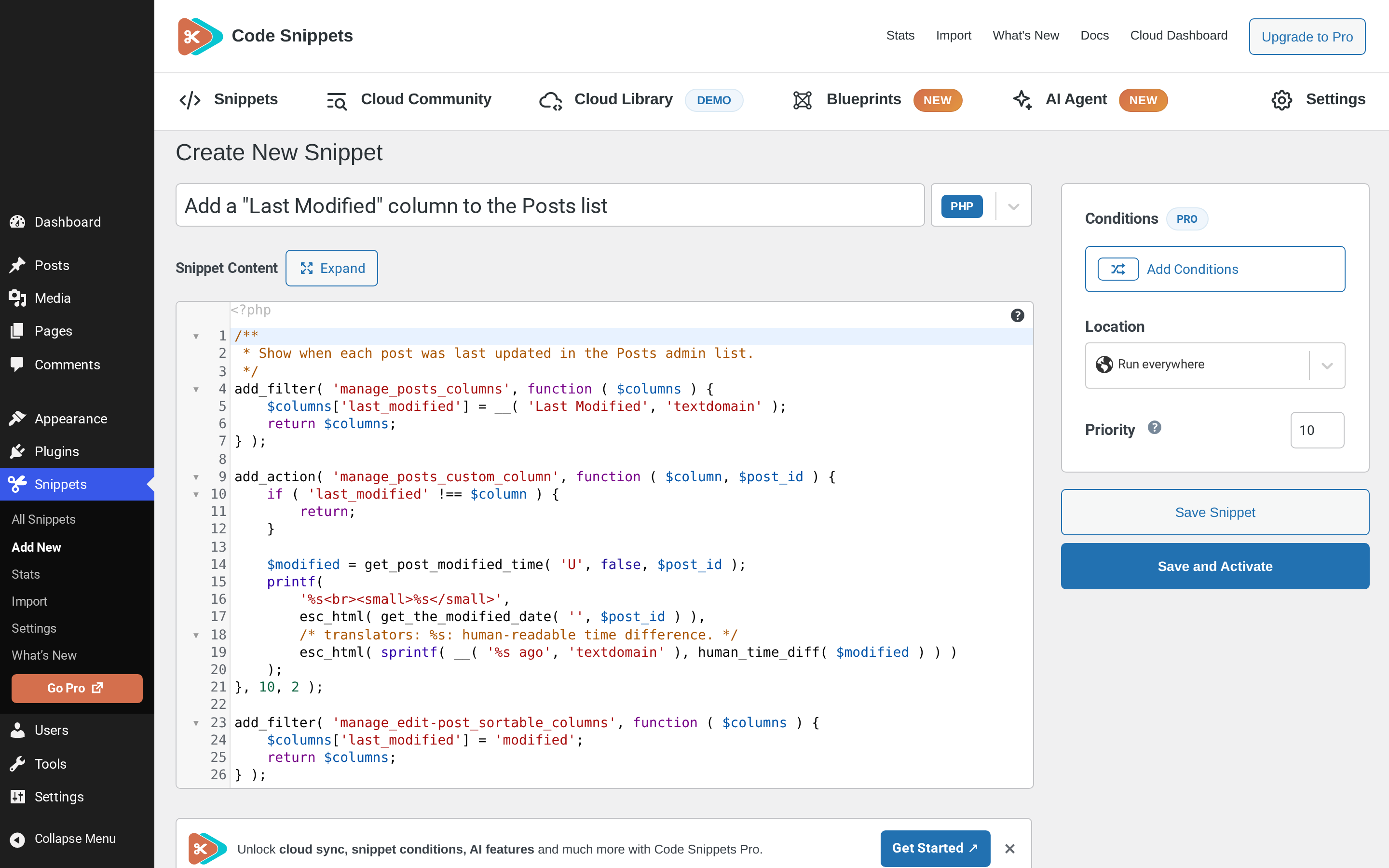
PHP snippets without editing theme files. Add custom functions and WordPress hooks from your dashboard.
Reusable HTML content. Create content snippets and insert them into posts and pages with shortcodes.
Control where PHP runs. Choose everywhere, administration only or front end only. Run-once snippets are available for manually confirmed one-time tasks.
A built-in code editor. Work with syntax highlighting, code checking and adjustable editor preferences.
Organised snippet management. Use names, descriptions, tags, search, filters, sorting and bulk actions. Browse in table or card view, preview code without opening the editor, and lock important snippets to help prevent accidental edits or deletion.
Stats overview. View snippet totals, active and inactive counts, and breakdowns by type, run location and tags.
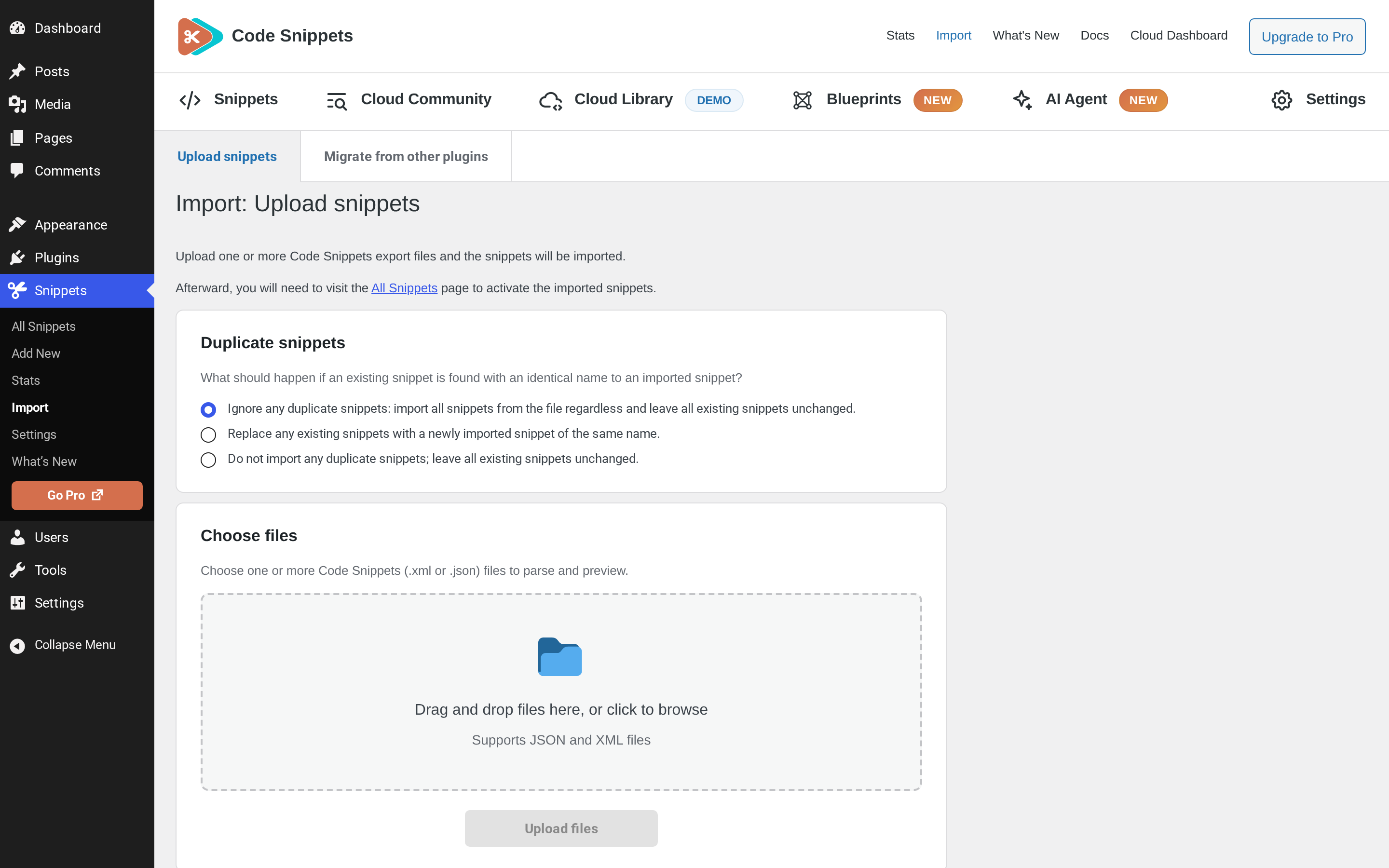
Import and export. Move snippets between sites using export files, or export PHP snippets as a PHP file for use without the plugin.
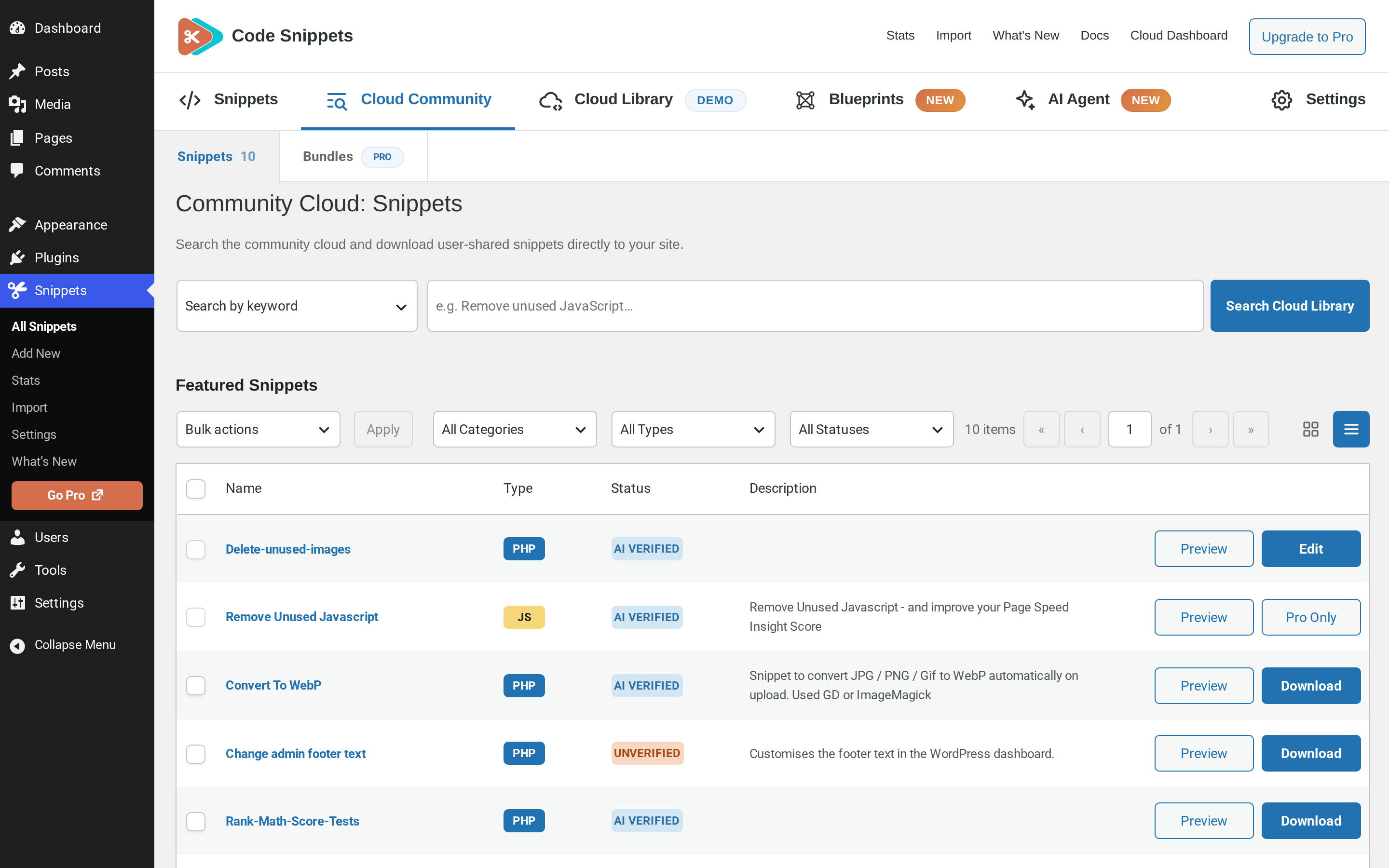
Community Cloud browsing. Search community-shared snippets from inside WordPress and download supported snippet types.
Optional file-based execution. Execute supported snippets from generated files instead of evaluating their code from the database.
Multisite support. Manage network-wide snippets and separate snippets for individual sites.
Safe Mode and feedback tools. Use Safe Mode to troubleshoot snippet-related failures. An optional feedback reporter can be enabled in settings.
PHP snippets execute code on your site. Only use code you trust, review it before activation and keep a current backup. Safe Mode helps with recovery; it does not make every snippet safe or guarantee that every error can be prevented.
Community-powered Code Snippets Cloud
Browse the community-powered Code Snippets Cloud library from inside WordPress. Search user-shared snippets, preview their code and download snippet types supported by your edition.
A Cloud account is not required to create and run local PHP and HTML snippets. Personal Cloud library, synchronisation and deployment workflows require a connected account and the relevant Pro access.
Code Snippets Pro
Code Snippets Pro extends the free plugin with additional code types, editing tools and connected workflows:
CSS and JavaScript snippets, with dedicated integration for Gutenberg and Elementor.
AI Agent. Describe the functionality you need, review and refine a proposed plan, then approve code generation. Review the generated snippets before activating them.
Snippet revisions. Compare a previous version with the current code and restore an earlier revision.
Display conditions. Define where and when snippets run through a visual condition editor.
Form-based Blueprints. Generate PHP code for common tasks such as custom post types, taxonomies, shortcodes, settings pages and extra user profile fields.
Role-based permissions. Control access to viewing, creating, editing and deleting snippets.
Ran on this page. See which snippets executed or produced output on the current request through the admin bar.
Performance and security insights. Optional PHP execution-time tracking and advisory checks for potentially risky code patterns. These checks are not a security audit or a guarantee that code is safe.
Connected Cloud workflows. Manage your personal Cloud library, synchronise snippets and deploy snippets to connected sites, with drift reporting when site and Cloud copies differ.
Cloud-connected Pro features require the appropriate licence and a connected Code Snippets Cloud account. Local PHP and HTML snippets do not require a Cloud account. The free plugin includes interactive demos of selected Pro workflows; using the full tools requires Pro access.
How can I recover my site if a snippet causes an error?
Use Code Snippets Safe Mode to prevent snippet execution while you investigate the problem. Follow the Safe Mode instructions for the appropriate recovery method, then fix or deactivate the affected snippet.
Will I lose my snippets if I change theme or update WordPress?
Snippets are stored separately from your theme in the WordPress database, so changing theme or updating WordPress does not remove them. Code that depends on a particular theme or plugin may still need updating when that dependency changes.
Can the plugin be completely uninstalled?
Enable Complete Uninstall under Snippets > Settings > Advanced before deleting the plugin through WordPress’s Plugins screen if you want stored snippets and plugin settings removed. Export snippets you want to keep first. Leave Complete Uninstall disabled if you want to retain your snippet data when deleting the plugin.
Can I copy snippets to another site?
Yes. Export a single snippet or select several snippets and use the export bulk action. Import the resulting file through the Snippets import screen on the other site.
Can I export snippets to PHP for a site without Code Snippets?
Yes. Select the PHP snippets, choose Export to PHP from the bulk actions and apply it. The generated file contains the exported code, with snippet names and descriptions in comments. Review the file before including it in a theme or plugin.
Can I run snippets across a multisite network?
Yes. Network activation provides a network-level Snippets screen. Activate a network snippet to run it across the network, subject to its execution scope. Individual sites can also have separate snippets, and shared network snippets can be enabled per site where configured.
Where are snippets stored in the database?
Local snippets use the site’s table prefix followed by snippets, for example wp_snippets on a single site or wp_2_snippets on a subsite. Network snippets use the network’s base prefix followed by ms_snippets, for example wp_ms_snippets. Your actual prefix may differ.
When optional file-based execution is enabled, the plugin also creates files used to execute snippets. Continue managing those snippets through the plugin.
Code Snippets is developed on GitHub. Bug reports, pull requests and translations are welcome.
How do I report a security issue?
Report suspected security vulnerabilities privately through the Patchstack Vulnerability Disclosure Program. Do not disclose vulnerability details in a public GitHub issue or support topic.
What is new in Code Snippets 4.0?
The free 4.0 release adds the Stats overview and fixes issues with snippet saving feedback, description truncation, Elementor compatibility and translation loading.
The free plugin also includes table and card views, code preview, HTML content snippets and optional file-based execution.
Pro 4.0 adds the AI Agent and snippet revisions, alongside its additional code types, conditions, permissions, Blueprints and connected Cloud tools. See the Pro section above for the current feature split.
Can I add HTML, CSS and JavaScript snippets?
The free plugin supports PHP snippets and HTML content snippets. Dedicated CSS and JavaScript snippet types, plus the additional Gutenberg and Elementor integrations, are available in Pro.
Do I need a Cloud account?
No account is required to create and run local PHP and HTML snippets. Community Cloud provides access to shared snippets from within the plugin. Personal Cloud library, synchronisation and connected Pro workflows require an account and the relevant Pro access.
Will I need to recreate my existing snippets after updating?
No. Updating the plugin does not require you to recreate your stored snippets. Back up your site and test your custom code when updating WordPress, your theme or other plugins. Compatibility still depends on the code you use and its dependencies.
Can I switch to an earlier plugin version?
Users with permission to update plugins can open Snippets > Settings > Advanced and use Switch Version to choose an available version. Use Refresh Versions if the list needs updating. Back up your site and export important snippets before switching versions.
Promotional banners now appear in a full-width bar above the plugin header, with a countdown to the end of the offer.
Promotional banner text is now limited to links and basic formatting.
Fixed
Fixed welcome and announcement banners no longer appearing on the plugin’s admin screens, and dismissing a banner
only hiding it until the next page load.
Fixed admin pages failing to load when a release date in the changelog could not be read.
Fixed snippets that were deactivated or deleted while file-based execution was turned off running again once it was
turned back on, as the file index is now rebuilt from the active snippets.
Fixed an Undefined array key "condition_id" warning on sites with a file index written by an earlier version.
Fixed snippets no longer running with file-based execution after the site’s security keys and salts change.
Fixed saved settings not being read back correctly on sites with a persistent object cache.
Fixed warnings on the Welcome screen when its content feed lists fewer than four articles or partners.
Fixed the plugin failing to uninstall when Complete uninstall is enabled.
Improved validation of the importer selected on the Import screen. Thanks to crow (via Wordfence) for responsibly
disclosing this issue.
4.1.0 (2026-11-05)
Added
Universal search in the plugin header, for finding snippets and their code, settings, stats, the welcome screen,
documentation and Community Cloud snippets from one field, with keyboard navigation and a full results page.
Labels in the version switcher marking the current, latest, beta and release candidate builds, and the WordPress
version each was tested up to.
Changed
The version switch warning now notes that beta and release candidate builds are not recommended for production sites.
Resetting caches now fetches the list of available plugin versions again, and reports how many were found or why none
could be listed.
Fixed
Fixed the snippets list showing an out-of-date state on sites with a page cache, as the plugin’s REST API responses
were being cached.
Fixed the Search with AI option missing from the Community Cloud search method menu. (PRO)
Fixed the share with subsites setting not being applied when a network snippet was saved on multisite.
Fixed a PHP deprecation notice and a missing browser tab title on the Edit Snippet screen.
Fixed a long unbroken line of code widening the snippet editor page and pushing the sidebar out of view.
Fixed admin screens waiting on remote requests for as long as the site’s default timeout allows when the Code
Snippets service or WordPress.org is slow or unreachable: these requests now give up after 5 seconds, or 3 seconds
for the welcome content.
Fixed version switch messages being hidden by the admin notice filter, and showing markup from the response as HTML.
Fixed the version list refresh reporting success when the versions could not be fetched.
Fixed safe mode failing on sites running a plugin that builds URLs while WordPress is identifying the current user,
and breaking REST API URLs. Safe mode is now carried on admin links only.
Fixed the snippet import routes allowing a subsite administrator on multisite to import network snippets without the
network capability. Thanks to Artus KG for responsibly disclosing this issue.
Fixed the snippet source shortcodes revealing snippet code in posts written by users who cannot manage snippets.
Thanks to Het Kalariya for responsibly disclosing this issue.
4.0.0 (2026-10-12)
Added
Stats page for viewing snippet totals and various snippet breakdowns.
AI Agent for building snippets from a description: it proposes a plan you can refine or approve before any code is
written, and can revise the snippets it created. (PRO)
Snippet revisions, with a history of past versions, a side-by-side diff against the current code, and one-click
restore. (PRO)
Display conditions for controlling where and when a snippet runs, without writing the checks by hand. (PRO)
Per-role snippet permissions, so you can decide which roles may view, edit, activate, or delete snippets. (PRO)
Blueprints for setting up a site from a saved collection of snippets and settings. (PRO)
Flat file storage, for keeping snippets as files so they can be version-controlled alongside the rest of a site. (PRO)
“Ran on this page” tracking, showing which snippets actually executed on the page you are viewing. (PRO)
Natural-language search in Community Cloud, so you can describe what you need instead of guessing keywords. (PRO)
Snippet deployment from Code Snippets Cloud to connected sites, including deploying several snippets under one shared
display condition. (PRO)
Installing a cloud bundle onto a connected site as a standalone plugin. (PRO)
Updating Code Snippets Pro on a connected site from the cloud dashboard. (PRO)
Drift detection, which reports when a snippet on the site no longer matches the copy stored in the cloud. (PRO)
New admin interface for managing snippets, with a cleaner layout, faster interactions, and a more consistent
experience across plugin screens. (PRO)
Card view for browsing snippets, with a view switcher on the snippets table and Community Cloud. (PRO)
Snippet preview modal for viewing snippet code from the snippets table without opening the editor. (PRO)
Automatic hiding of unrelated admin notices from other plugins on Code Snippets screens. (PRO)
Admin bar snippet drawer, based on the Deckerweb Snippets workflow, for quick access to snippets and Safe Mode from
the WordPress admin bar. (PRO)
Snippet locking to help prevent accidental edits or deletion of important snippets. Props
to https://github.com/mgiannopoulos24. (PRO)
Improved screen options on the main snippets table, including controls for visible columns and truncating long snippet
names or descriptions. (PRO)
Bulk actions and bulk code download support in the redesigned snippets table. (PRO)
Featured snippets and improved browsing in Community Cloud. (PRO)
WordPress modern theme admin styling compatibility. (PRO)
Feedback reporter for sending bug reports, feature requests and general feedback from the plugin screens, with an
optional summary of the site environment so the team can reproduce the problem. (PRO)
Changed
Redesigned the main snippets table with improved search, filtering, sorting, pagination, row actions, and bulk
selection. (PRO)
Improved the snippet import and migration experience, including clearer file upload handling and third-party plugin
migration flows. (PRO)
Improved snippet error handling so activation failures, validation errors, and stack traces are easier to understand.
(PRO)
Improved Community Cloud search and filtering, including server-side filters, better result loading, and clearer empty
states. (PRO)
Updated the welcome screen, toolbar, import screen, and cloud screens to match the new admin experience. (PRO)
Updated internal plugin architecture to a cleaner PSR-4 structure for better long-term maintainability. (PRO)
Improved accessibility across the snippets table, import screen, migration flow, Community Cloud, welcome screen,
toolbar, dialogs, tooltips, and code editor. (PRO)
Improved colour contrast and reduced-motion support across admin screens. (PRO)
Faster loading of large code vaults, which are now fetched a page at a time instead of all at once. (PRO)
Fixed
Fixed AI conversations from one connected site being visible from another. (PRO)
Fixed a snippet list stored in Code Snippets Cloud being emptied when the site was temporarily unable to read its own
snippets. (PRO)
Fixed REST API server error responses on missing snippets. (PRO)
Fixed Community Cloud search results and pagination to respect WordPress screen options. (PRO)
Fixed snippet saving and activation feedback to improve validation and runtime error display. (PRO)
Fixed downloaded Community Cloud snippets appearing as not downloaded after a page reload. (PRO)
Fixed network snippet lookups using the wrong database table on multisite. (PRO)
Fixed the inactive snippets count including trashed snippets. (PRO)
Fixed featured Community Cloud snippets failing to load with some cloud API responses. (PRO)
Fixed bulk actions in Community Cloud running against an empty selection, so selected snippets were never downloaded.
(PRO)
Fixed a fatal error in the Elementor editor on Elementor versions older than 3.19.
Fixed snippet descriptions staying truncated after the “Truncate long snippet names and descriptions” screen option
was switched off.
Fixed saving, activating or deactivating a snippet reporting its previous state, which could leave a deactivated
snippet running under file-based execution.
Fixed the snippet editor reporting a save as failed and undelivered when no response was received, which it cannot
determine.
Fixed translations being loaded too early, with a notice from WordPress, when posts were queried while plugins were
still loading.
3.10.2 (2026-09-01)
Added
Added a confirmation flow for run-once snippet execution and hardened the handler to prevent failed or confusing actions.
Changed
Snippet names now respect the row truncation Screen Option in the admin list for better readability.
Version switching AJAX requests now validate the correct nonce, improving reliability when updating snippet versions.
Fixed
Fixed safe mode fatal errors caused by an undefined wp_get_current_user() call.
Fixed PHP validation being triggered incorrectly when activating snippets in bulk.
Fixed saving issues after a user session expires.
Fixed warnings caused by aliased field names when reading modified snippet fields.
Fixed vendor autoloader issues by stripping unprefixed namespace references.
Resolved issues where snippet names and version switches could behave inconsistently in the admin UI.
3.10.1 (2026-08-28)
Changed
Enhanced active-link visibility in the toolbar with border-based styling.
Fixed
Fixed a fatal error affecting snippets that use a namespace or declare statement.
Fixed the snippets page rendering blank when another plugin’s screen settings filter returned an invalid value.
Fixed snippet saving on hosts that block REST API PUT and PATCH requests, by sending writes as POST with a method override.
Fixed the Snippets List Order setting not being applied to the snippets list.
Fixed admin bar snippet scripts failing to load on the free version, including on the site front end.
Fixed snippet modified dates being sent without the correct UTC offset.
Fixed the row truncation screen option not persisting across sessions.
Fixed inconsistent sidebar label sizes.
Fixed the sticky editor sidebar showing an unwanted horizontal scrollbar.
3.10.0 (2026-08-24)
Added
New admin interface for managing snippets, with a cleaner layout, faster interactions, and a more consistent experience across plugin screens.
Card view for browsing snippets, with a view switcher on the snippets table and Community Cloud.
Snippet preview modal for viewing snippet code from the snippets table without opening the editor.
Automatic hiding of unrelated admin notices from other plugins on Code Snippets screens.
Admin bar snippet drawer, based on the Deckerweb Snippets workflow, for quick access to snippets and Safe Mode from the WordPress admin bar.
Snippet locking to help prevent accidental edits or deletion of important snippets. Props to https://github.com/mgiannopoulos24.
Improved screen options on the main snippets table, including controls for visible columns and truncating long snippet names or descriptions.
Bulk actions and bulk code download support in the redesigned snippets table.
Featured snippets and improved browsing in Community Cloud.
WordPress modern theme admin styling compatibility.
Redesigned the main snippets table with improved search, filtering, sorting, pagination, row actions, and bulk selection.
Improved the snippet import and migration experience, including clearer file upload handling and third-party plugin migration flows.
Improved snippet error handling so activation failures, validation errors, and stack traces are easier to understand.
Improved Community Cloud search and filtering, including server-side filters, better result loading, and clearer empty states.
Updated the welcome screen, toolbar, import screen, and cloud screens to match the new admin experience.
Updated internal plugin architecture to a cleaner PSR-4 structure for better long-term maintainability.
Improved accessibility across the snippets table, import screen, migration flow, Community Cloud, welcome screen, toolbar, dialogs, tooltips, and code editor.
Improved colour contrast and reduced-motion support across admin screens.
Fixed
Fixed REST API server error responses on missing snippets.