
Cash, Card and Coin Handling Integrated Platform
CHIP for WooCommerce is the official payment gateway plugin that connects your WooCommerce store to CHIP’s powerful Digital Finance Platform. Accept payments seamlessly with Malaysia’s leading payment methods.
Why Choose CHIP for WooCommerce?
- WooCommerce Blocks Support – Fully compatible with the new WooCommerce Blocks checkout experience
- Multiple Payment Methods – Accept FPX, Credit/Debit Cards, DuitNow QR, E-Wallets, and more
- Subscription Payments – Native support for WooCommerce Subscriptions
- Tokenization – Allow customers to save cards for faster checkout
- Direct Post Integration – Secure card payments without redirecting customers
- Pre-Orders Support – Works seamlessly with WooCommerce Pre-Orders
- Authorize & Capture – Delay capture for card payments until order fulfillment
Supported Payment Methods
- FPX – Malaysia’s #1 online banking payment
- FPX B2B1 – Corporate online banking
- Credit/Debit Cards – Visa, Mastercard, Maestro
- DuitNow QR – Malaysia’s national QR payment
- E-Wallets – GrabPay, Touch ‘n Go, ShopeePay, Maybank QRPay, and more via Razer
- Buy Now Pay Later – Atome
- Stablecoin – Accept stablecoin payments
About CHIP
CHIP is a comprehensive Digital Finance Platform specifically designed to support and empower Micro, Small and Medium Enterprises (MSMEs). We provide a suite of solutions encompassing payment collection, expense management, risk mitigation, and treasury management.
Our aim is to help businesses streamline their financial processes, reduce operational complexity, and drive growth. With CHIP, you gain a financial partner committed to simplifying, digitizing, and enhancing your financial operations for ultimate success.
Documentation
Integrate your WooCommerce site with CHIP as documented in our API Documentation.
Links
CHIP Website
Terms of Service
Privacy Policy
API Documentation
CHIP Merchants & DEV Community
Screenshots
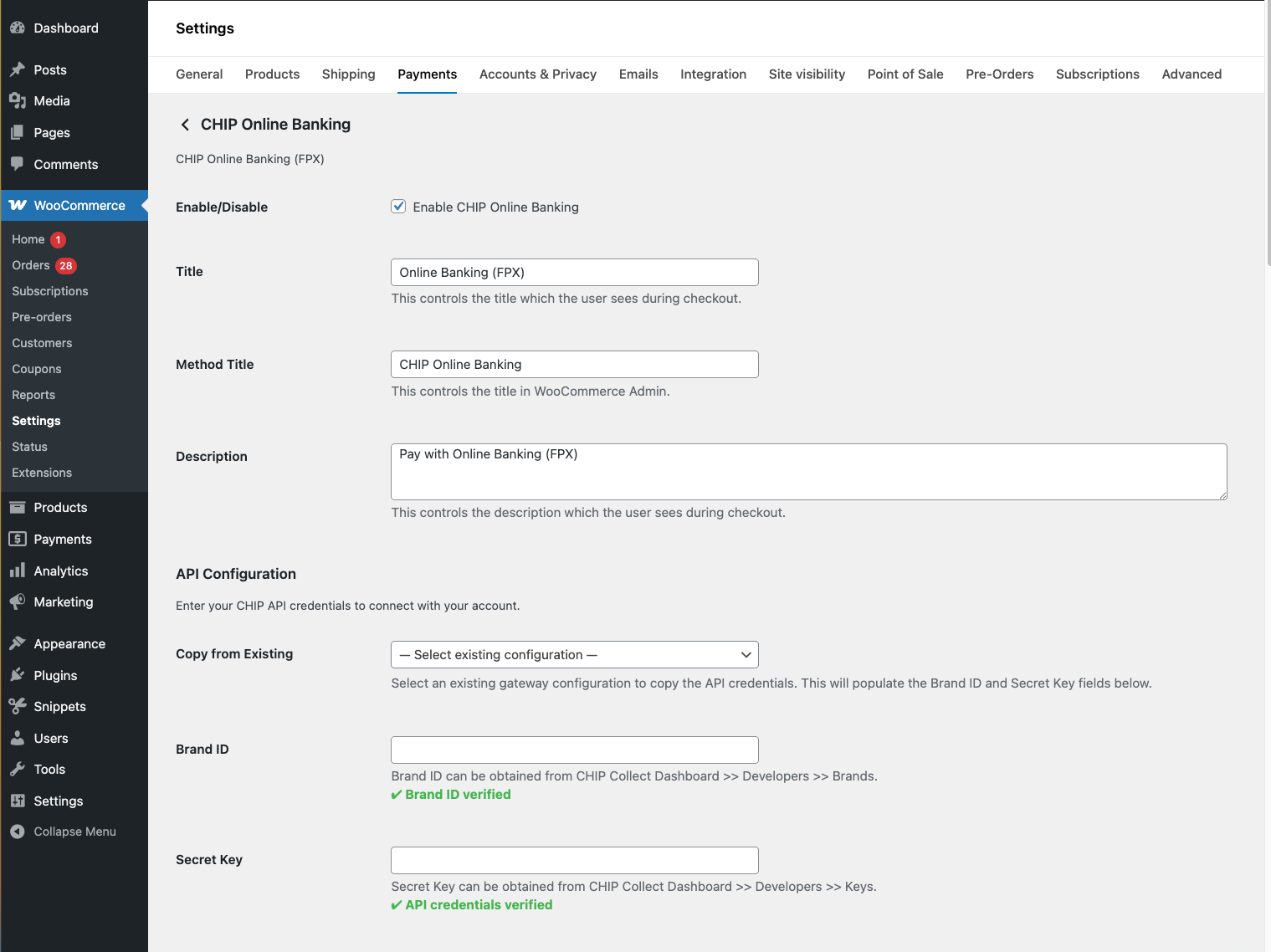
Gateway configuration - Enter your Brand ID and Secret Key to connect with CHIP.
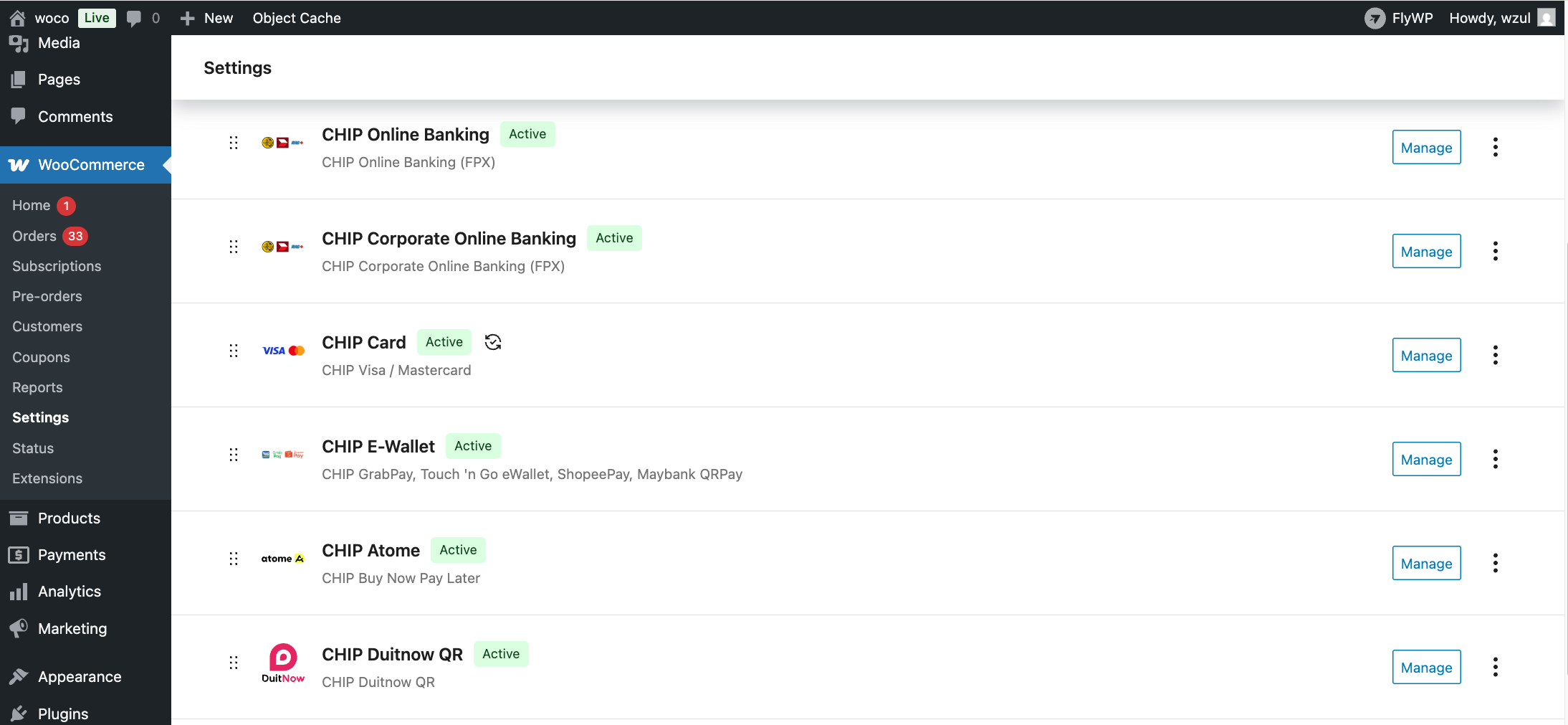
Payment gateways overview - All CHIP payment gateways available in WooCommerce Payments settings.
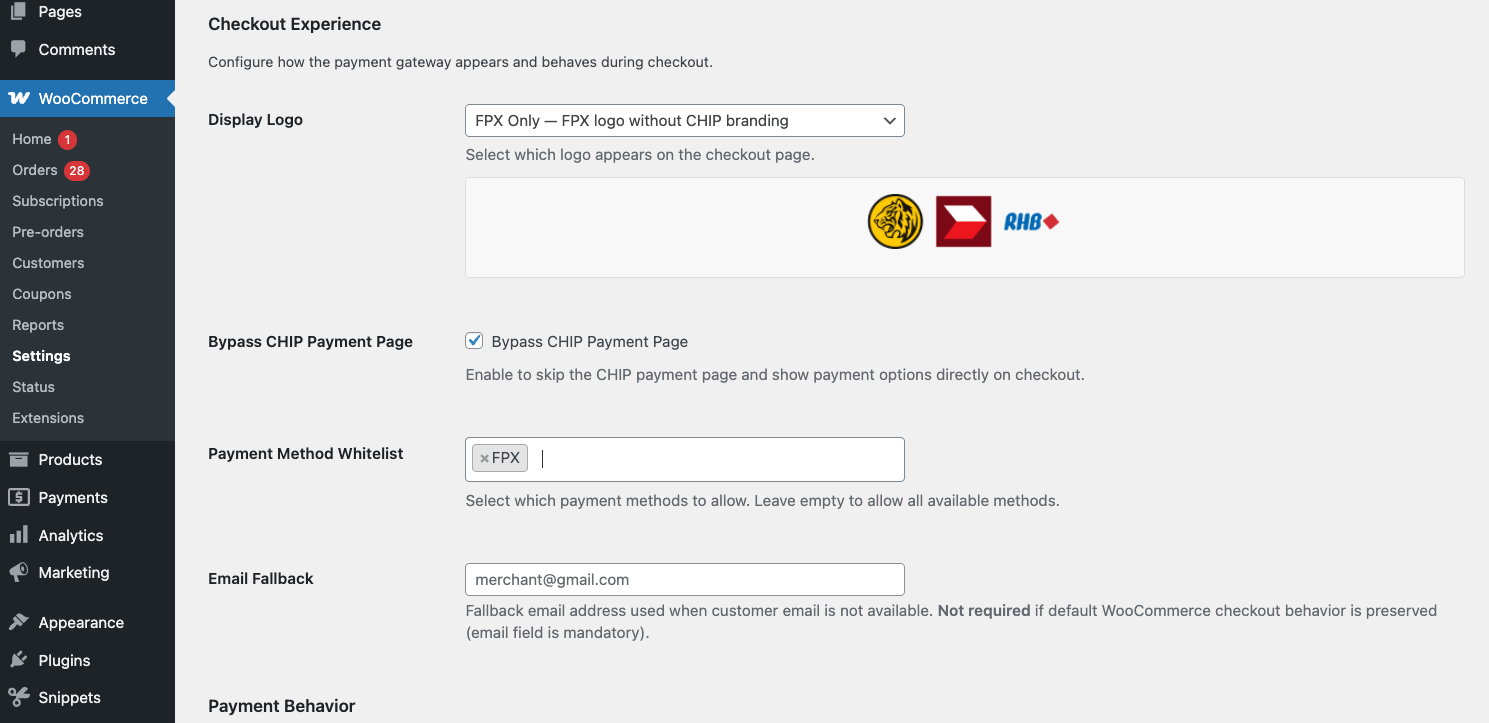
Payment method settings - Configure accepted payment methods and card options.
Card payment form (Legacy) - Secure card input with Visa/Mastercard brand detection.
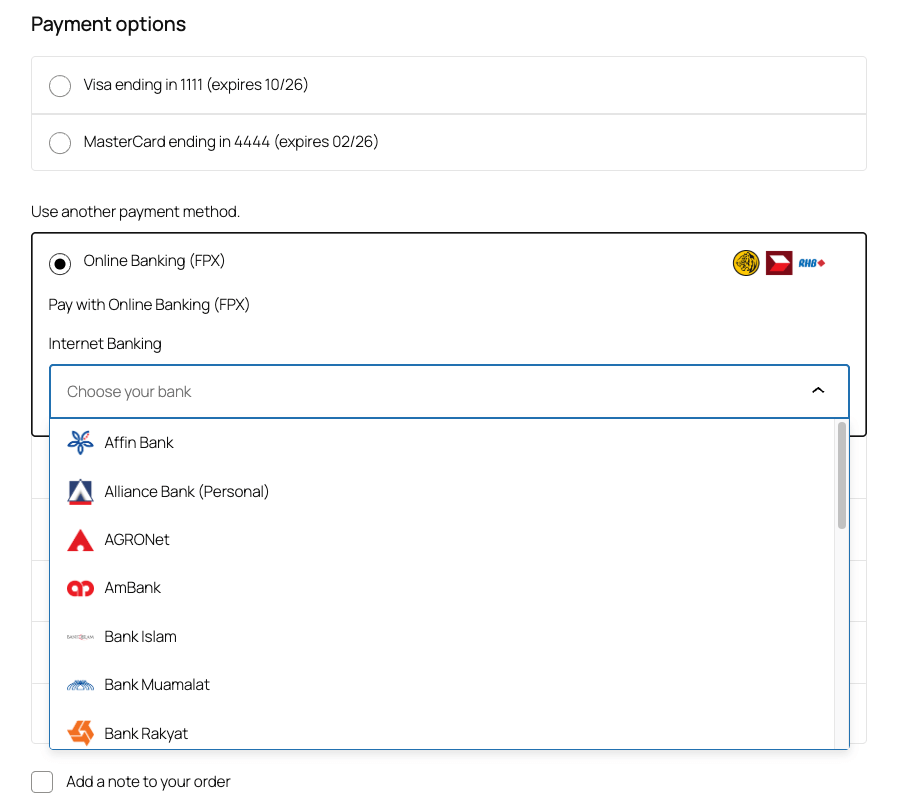
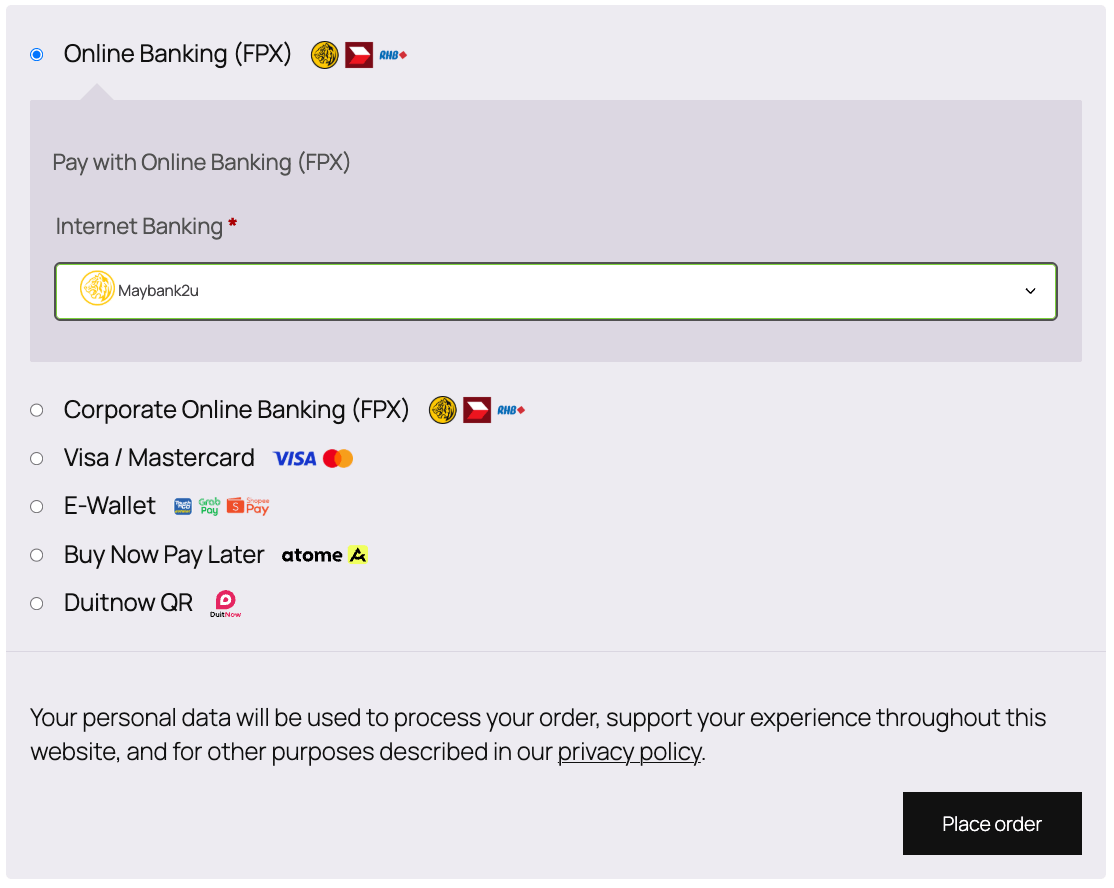
Unified payment method dropdown (Legacy) - Single dropdown listing FPX banks, e-wallets, DuitNow QR, and Card.
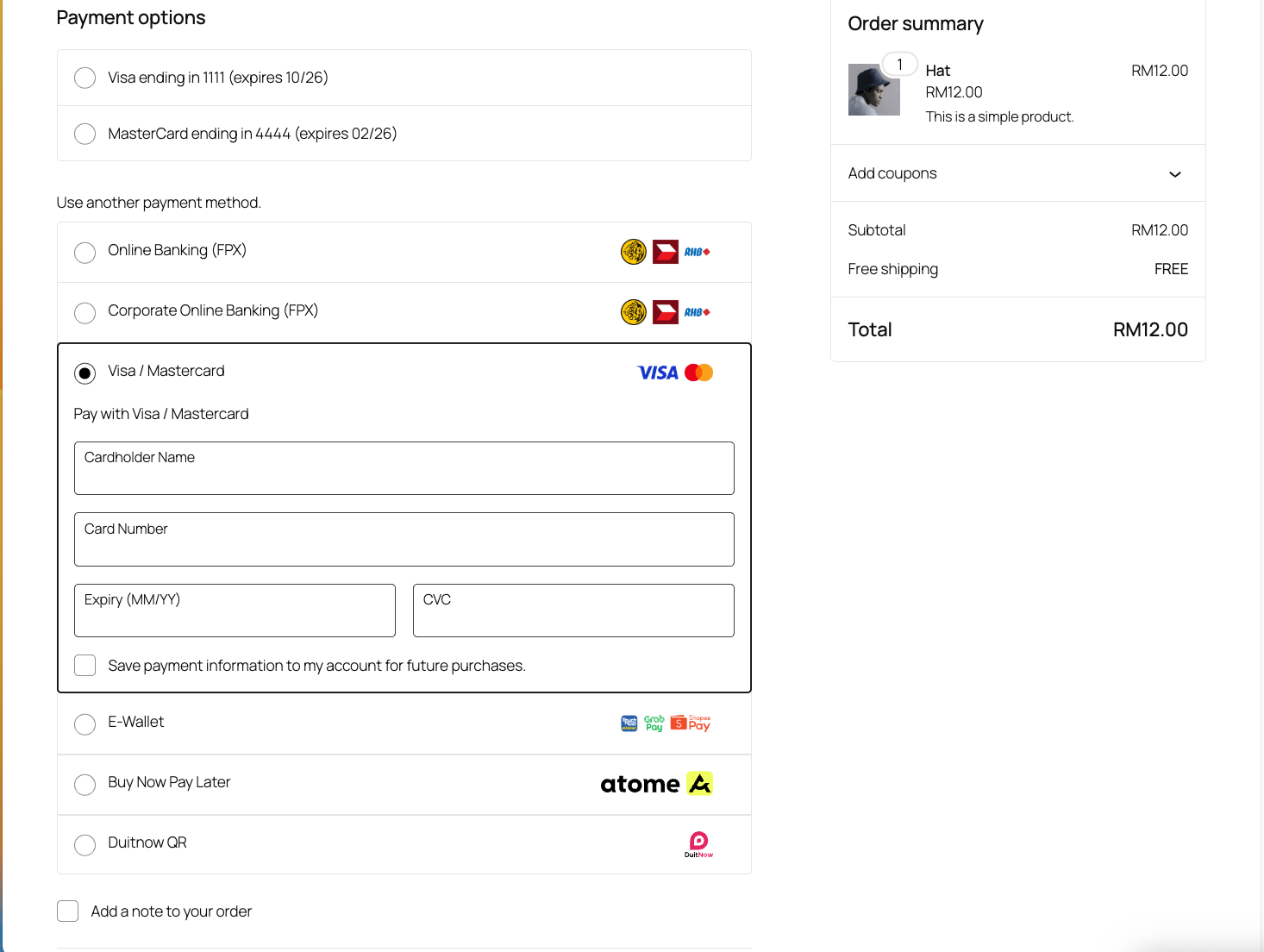
WooCommerce Blocks checkout - Modern checkout with the unified payment method dropdown.
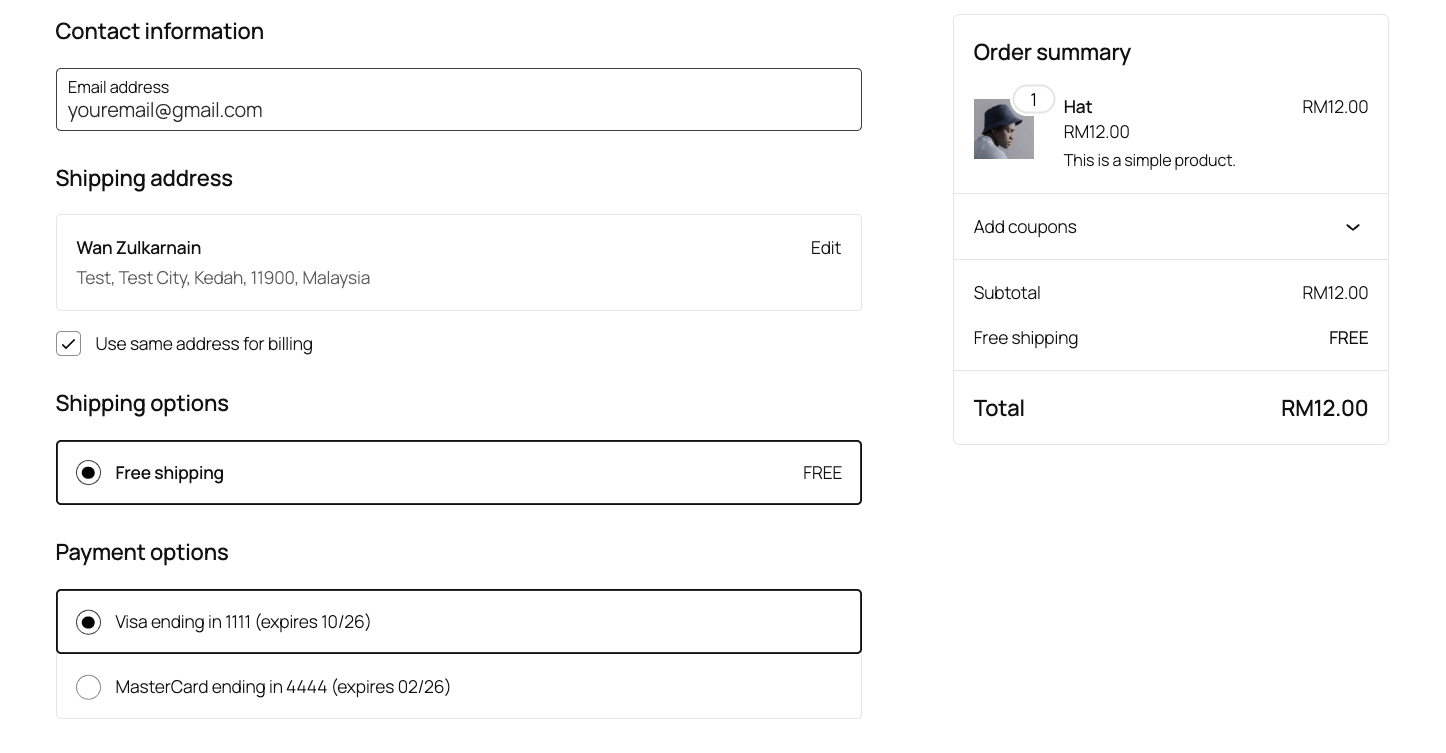
Saved cards selection - Returning customers can pay with saved cards.
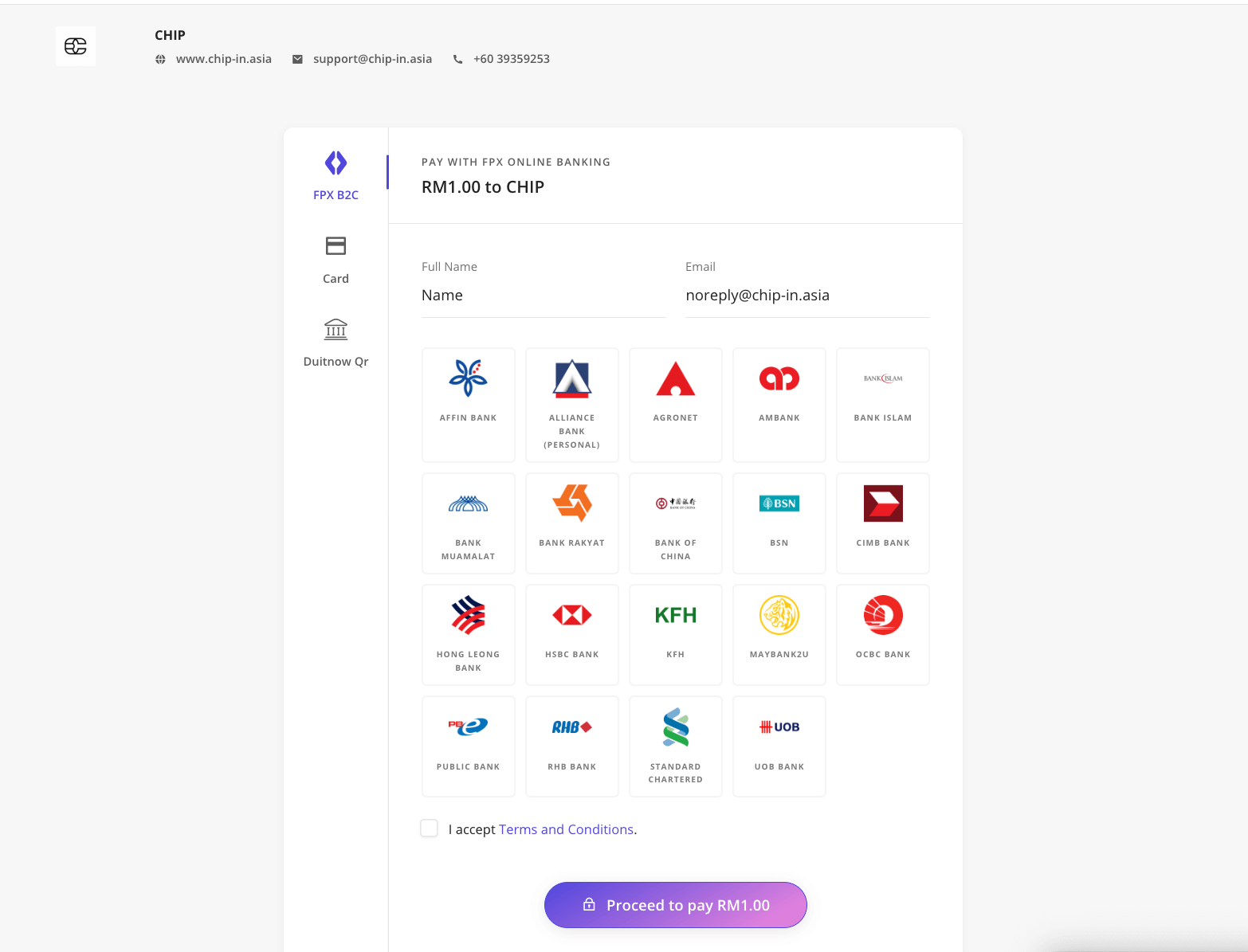
CHIP payment page - Secure hosted checkout for completing payment.
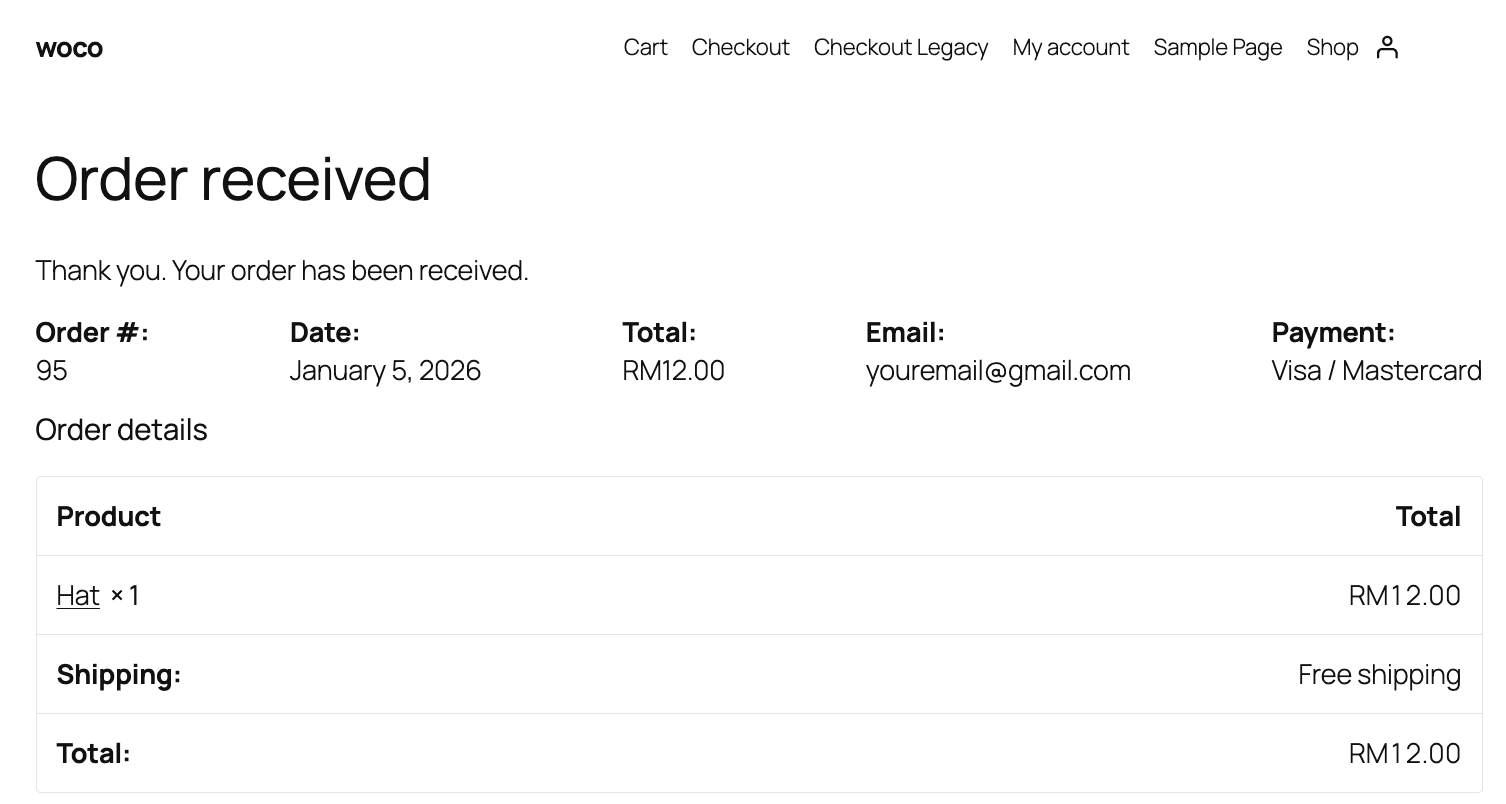
Order confirmation - Customer receives order confirmation after successful payment.
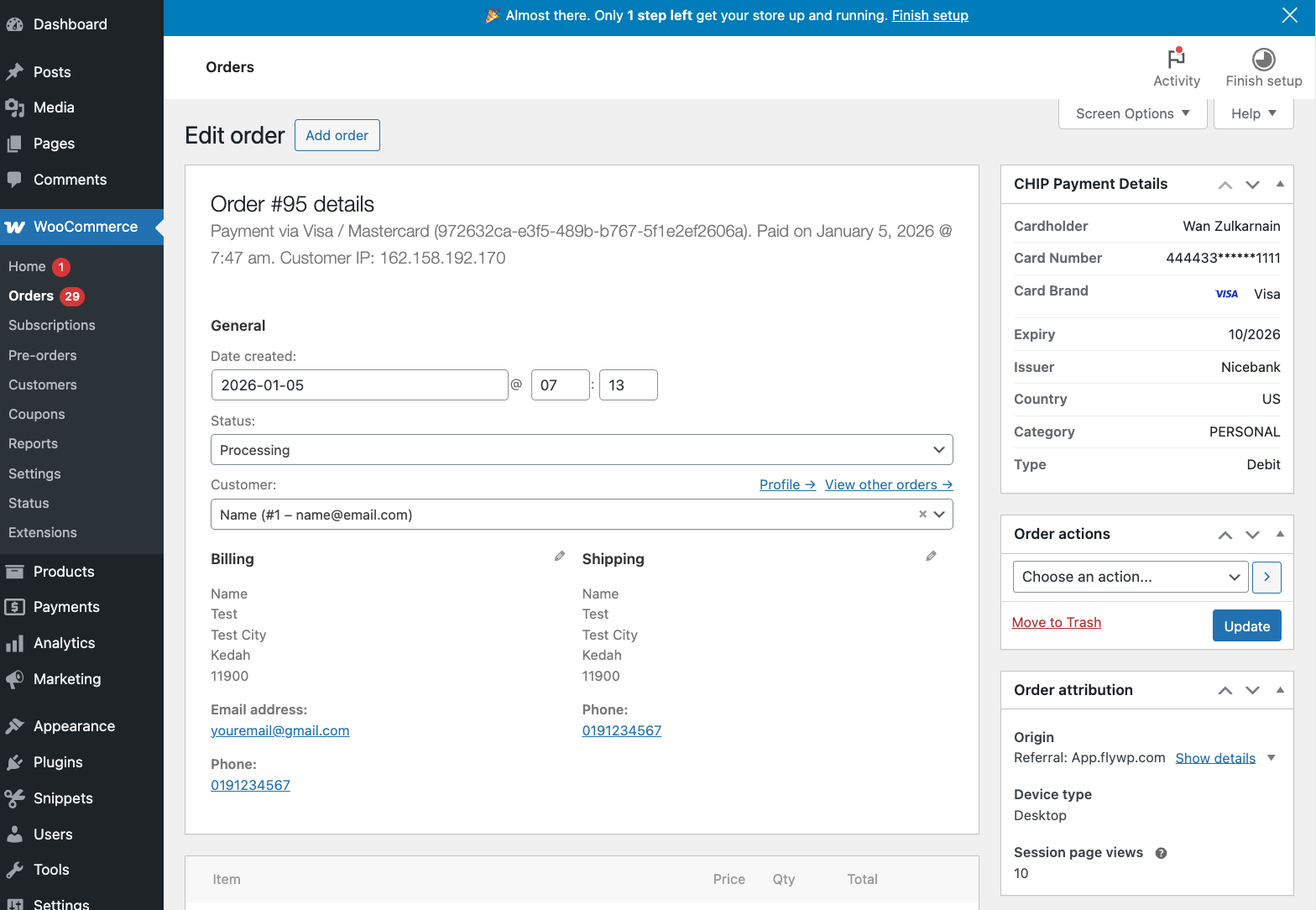
Order admin panel - View payment details including card brand and Purchase ID.
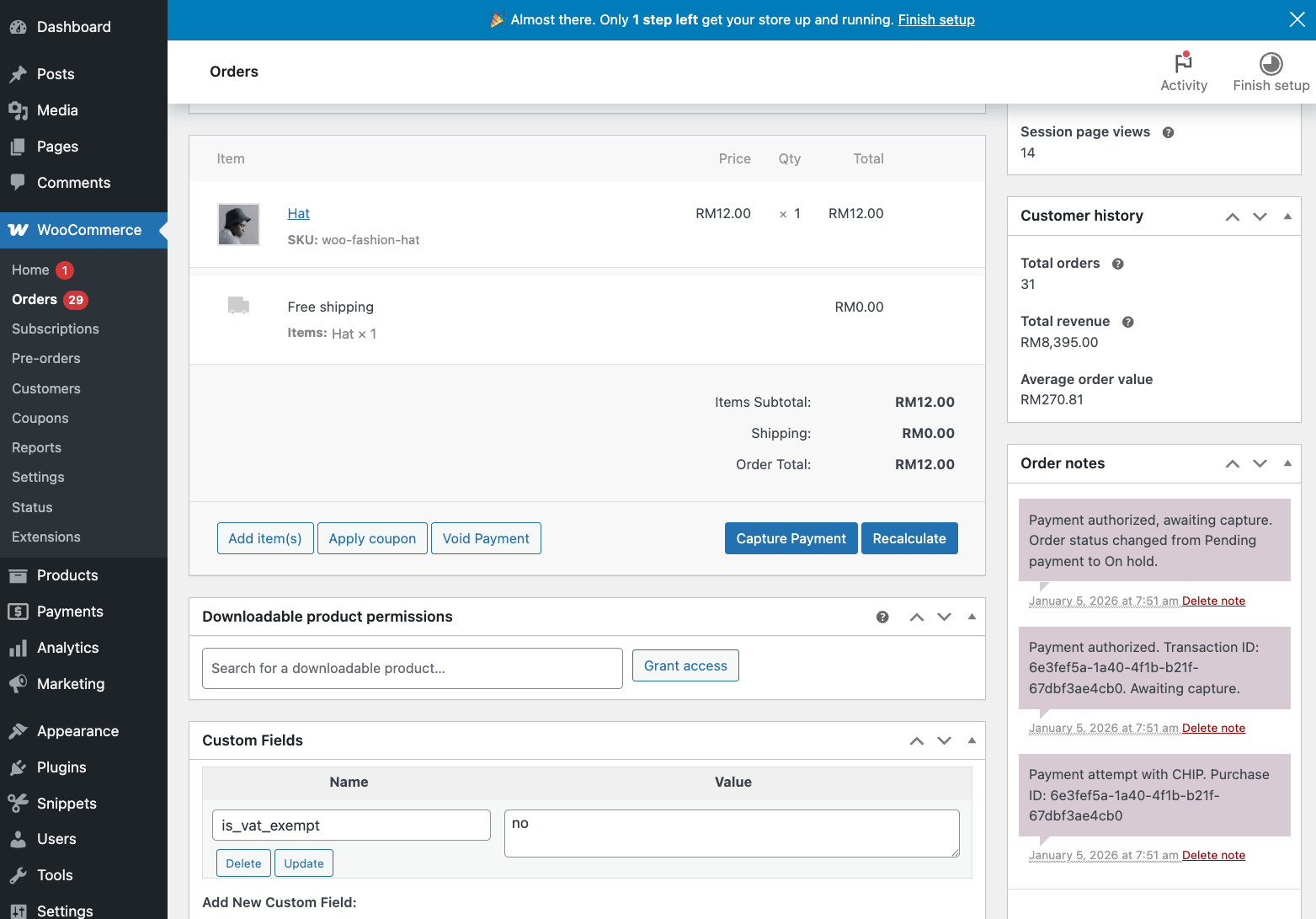
Capture payment - Capture pre-authorized payments when ready to fulfill.
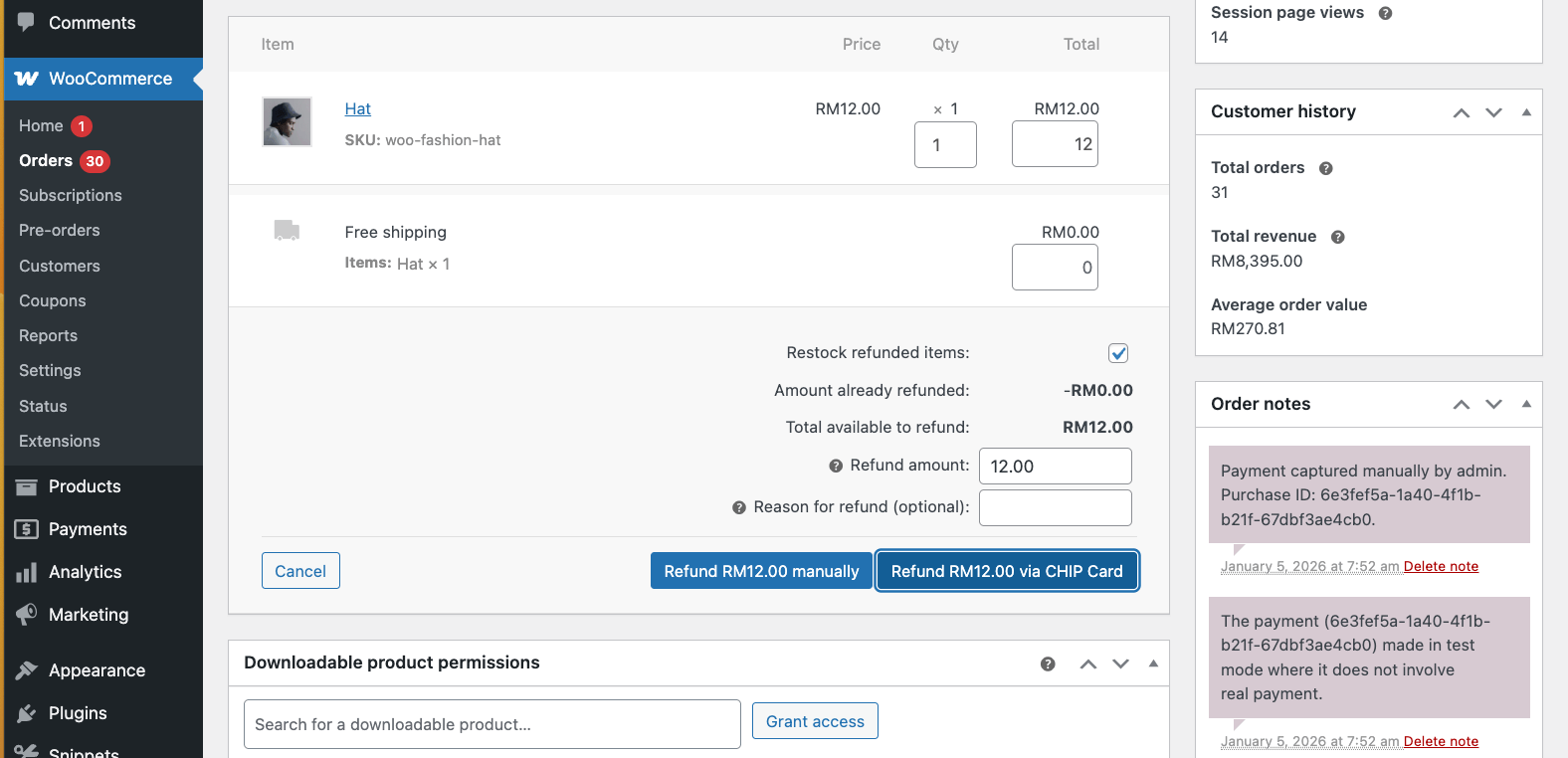
Refund order - Process full or partial refunds directly from WooCommerce.
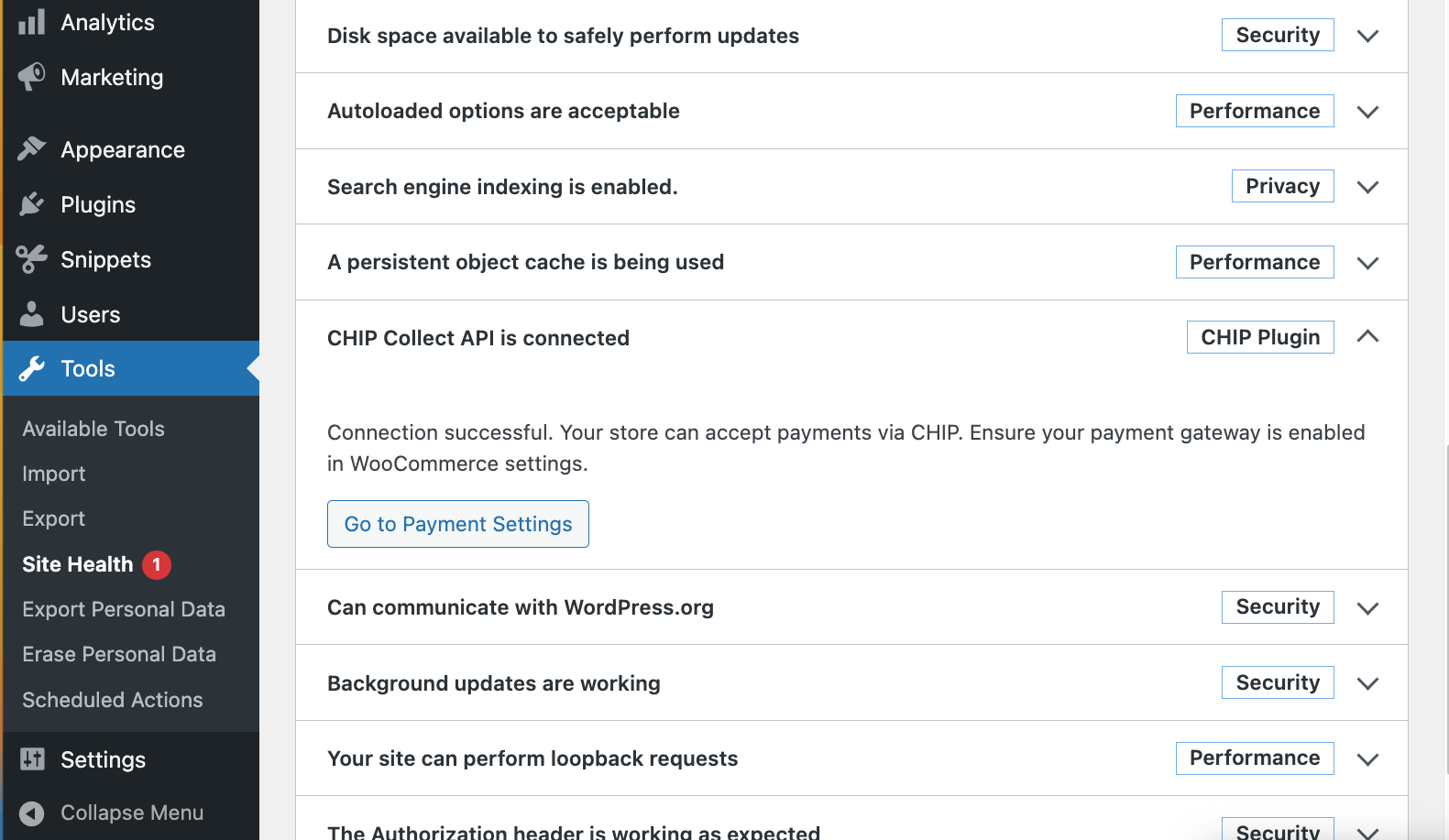
Site Health integration - Verify CHIP API connection status in WordPress Site Health.
Where is the Brand ID and Secret Key located?
Brand ID and Secret Key are available through our merchant dashboard. Navigate to Developer > Credentials after logging in.
What currencies are supported?
CHIP for WooCommerce supports MYR (Malaysian Ringgit) as the primary currency. Contact CHIP support for multi-currency options.
Is this plugin compatible with WooCommerce Blocks?
Yes! CHIP for WooCommerce fully supports the new WooCommerce Blocks checkout experience, including card payments, saved cards, and all payment methods.
Can customers save their cards for future purchases?
Yes. Enable “Allow Customers to Save Cards” in the gateway settings. Customers can then save their Visa, Mastercard, or Maestro cards for faster checkout.
Why is my order showing “On Hold” status?
Orders with “On Hold” status have pre-authorized payments awaiting capture. Go to the order page and click “Capture Payment” when ready to charge the customer.
How do I capture a pre-authorized payment?
Navigate to WooCommerce > Orders, open the order, and click the “Capture Payment” button in the order actions section. You can also enable auto-capture when order status changes to Processing or Completed.
Does this work with WooCommerce Subscriptions?
Yes! CHIP for WooCommerce supports WooCommerce Subscriptions with automatic recurring payments using saved cards.
Does this work with WooCommerce Pre-Orders?
Yes. Pre-Orders are supported with card tokenization. The saved card will be charged when the pre-order is released.
Payment failed but money was deducted from my account?
This is usually a temporary hold by your bank. If payment failed on CHIP’s end, the hold will be released automatically within 1-7 business days depending on your bank.
Why can’t I see the CHIP payment option at checkout?
Check the following:
- Plugin is activated and gateway is enabled
- Brand ID and Secret Key are correctly configured
- Your store currency is supported (MYR)
- Check Site Health (Tools > Site Health) for API connection status
Is card data stored on my server?
No. Card data is processed directly by CHIP’s secure servers. Your WooCommerce store never handles or stores sensitive card information, ensuring PCI compliance.
Are there any transaction fees?
Transaction fees are determined by your CHIP merchant agreement. Contact CHIP sales for pricing details.
Where can I find documentation?
Visit our API documentation for technical reference.
What CHIP API services are used in this plugin?
CHIP API – CHIP_ROOT_URL (https://gate.chip-in.asia)
Payment Operations:
/purchases/ – Create payment/purchases/{id}/ – Get payment status/purchases/{id}/refund/ – Refund payment/purchases/{id}/capture/ – Capture pre-authorized payment/purchases/{id}/release/ – Release pre-authorized payment
Card Token Operations:
/purchases/{id}/charge/ – Charge saved card/purchases/{id}/delete_recurring_token/ – Delete saved card
Other:
/payment_methods/ – Get available payment methods/clients/ – Create clients
FPX Health Check API – CHIP_FPX_ROOT_URL (https://api.chip-in.asia/health_check)
/fpx_b2c – FPX B2C bank status/fpx_b2b1 – FPX B2B1 bank status
How to clone CHIP for WooCommerce?
Create a new class that extends Chip_Woocommerce_Gateway with your own customizations.
Then, hook it with filter woocommerce_payment_gateways and pass your class name to it.
Refer to includes/class-chip-woocommerce-gateway-2.php for an example.
How to remove additional payment methods?
Add this constant to your wp-config.php file:
define( 'CHIP_WOOCOMMERCE_DISABLE_GATEWAY_CLONES', true );
ChangeLog
2.2.0 2026-11-24
- Added – Two new choices in Display Logo. “ShopeePay Only” shows the ShopeePay logo on its own, without CHIP branding; “Custom” shows a logo the merchant uploads, so a store can use its own brand image at checkout.
- Added – A Custom Logo Image field on every CHIP block’s settings screen, with a Choose image button that opens the WordPress media library; the image must come from the store’s own media library. The preview below Display Logo updates as soon as an image is chosen. A store that never selects Custom keeps the logo it already has.
2.1.7 2026-11-23
- Fixed – A Buy Now Pay Later (Atome) purchase now asks the CHIP payment page to collect the buyer’s full name and mobile number when the order does not carry them, instead of creating a purchase the provider could never complete. Only a missing detail is requested, so a customer is never asked to re-enter what the order already holds. All other payment methods send exactly the same request as before.
See changelog for all versions.

