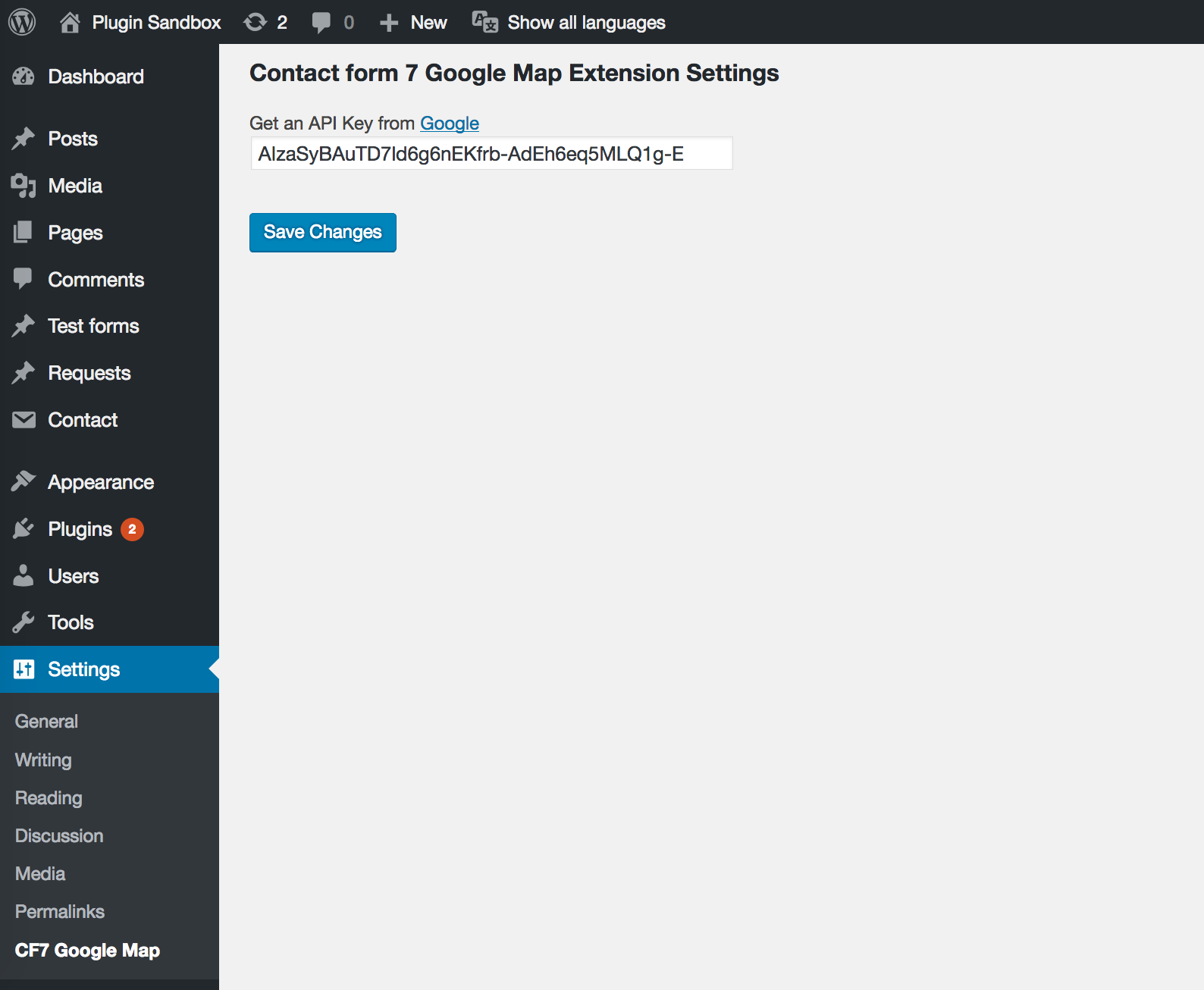
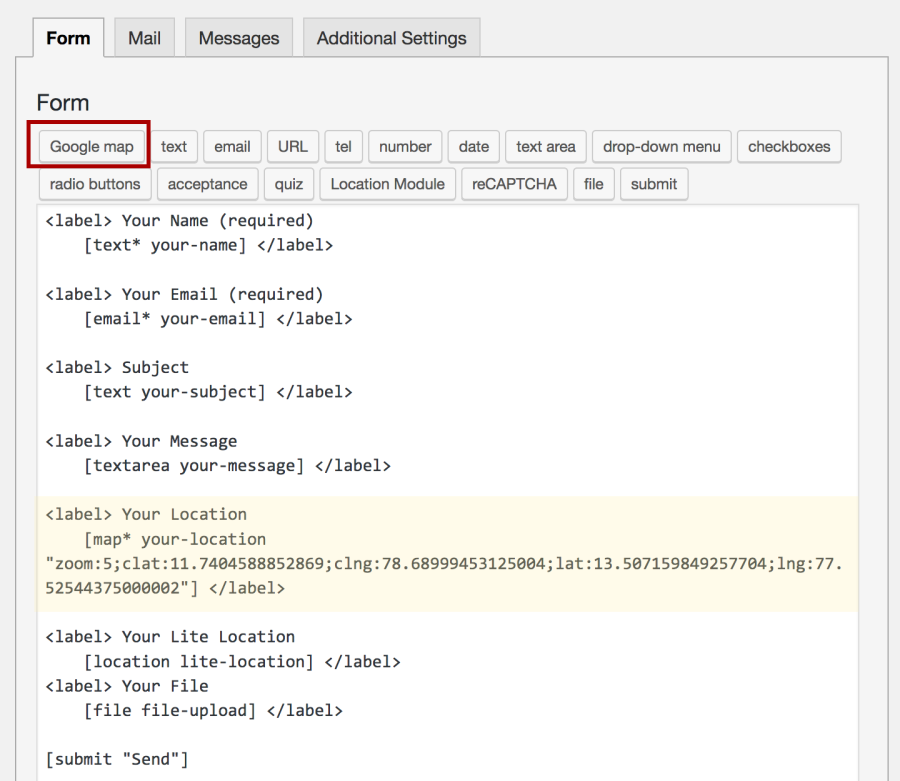
This plugin enables the insertion of google maps into contact form 7 as an input field.
This plugin enables the insertion of google maps into contact form 7 as an input field, functionality available with this plugin include
1. My map is darkened , or ‘negative’ and is watermarked with the text “for development purposes only”.
This is an issue with your Google API key not having the APIs enabled. You need to ensure several things. If you have enabled both Geocode API option and Google Places in the plugin settings, then you need to make sure those APIs are enabled on your key. To enalbe the APIs, log into your Google dashboard, select your project (or create a new one) and navigate to the APIs & Services section. You can then enable/add APIs and search for the Geocoding API and the Google Places API and enable the ones you need. If you are still facing this issue, check Google’s other steps in this FAQ on this issue.
2. I am based in Brazil/Canada/India and my map is not working.
If you are facing the issue described in faq#1 above, and you have enabled all the required APIs but your map is still not functioning, then likely the issue you are facing is related to billing. Request from Brazil/Canada/India need to have API Keys for projects that are linked to a billing-enabled account. See this issue on Google’s faq.
3. How do I retrieve a lat/lng value when my form is submitted?
The forms submits a $_POST['lat-<map-field-name>'] and a $_POST['lng-<map-field-name>'] which you can access by hooking the cf7 action hook wpcf7_mail_sent as well as wpcf7_mail_failed just in case the mail failed but the form still submitted successfully,
add_action('wpcf7_mail_sent', 'get_lat_lng_values');
add_action('wpcf7_mail_failed', 'get_lat_lng_values');
function get_lat_lng_values(){
  //assuming your map field is named your-location,
  if(!isset($_POST['lat-your-location'])) return;
  $lat = $_POST['lat-your-location'];
  $lng = $_POST['lng-your-location'];
}
4. How can I display a link to a google map location in the notification mail?
Assuming you created a map field called ‘your-location’, the mail tag [your-location]`, will by default display the ‘lat,lng’ coordinates of the location your user selected.
You can build a google map link such as,
<a href="http://maps.google.com/maps?q=[lat-your-location],[lng-your-location]&ll=[lat-your-location],[lng-your-location]&z=8">Location map</a>
this will create a link to a map centered on the coordinates with a location pin at the coordinates. You can also change the zoom z value to the desied level.
5. How to setup custom address fields ?
In some countries (Japan, Germany, Spain…) the order of address fields change and so it may be desirable to design a form with address fields in the order in which the user would naturally write a postal address. For this purpose, v1.4 of this plugin introduces custom field functionality. It is up to your to create/add additional text fields in your form that will be populated using javascript events.
Here is an example of a form with a map tag and additional address fields, along with some custom javascript to ensure your fields are correctly populated when a user interacts with the map.
  <p>[map your-location custom_address "zoom:7;clat:12.044014700107471;clng:79.32083256126546;lat:12.007089;lng:79.810600"]
 <p id="line">Your address (street) [text your-address-line]</p>
 <p id="city">Your address (city) [text your-address-city]</p>
 <p id="pincode">Your address (pin) [text your-address-pin]</p>
 [submit "Send"]
 <script type="text/javascript">
   (function($){
     $(document).ready( function(){
       $('.cf7-google-map-container.your-location').on('update.cf7-google-map', function(e){
         //the event has 5 address fields, e.address.line, e.address.city, e.address.pin, e.address.state, e.address.country.
         //some fields may be empty.
         $('p#line input').val(e.address.line);
         $('p#city input').val(e.address.city);
         $('p#pincode input').val(e.address.pin);
       })
     })
   })(jQuery)
 </script>
If you are using the address mail tag in your mail notification, and want your users to modify the address displayed through your custom fields, then it is important that you fire a similar event as the one above on the map container. This will notify the plugin to update the complete address field which will be used to populate the mail tag,
$('p#line input, p#city input, p#pincode input').on('change', function(){
  var event = $.Event("update.cf7-google-map", {
      'address': {
        'line': '', /*insert the first line here*/
        'city': '', /*insert the city here*/
        'state': '',/*insert the state here*/
        'country': ''/*insert the country here*/
      },bubbles: true,cancelable: true});
  /*NOTE: it is not important how many details you enter, only the values will be submitted in the same order.*/
  $('.cf7-google-map-container').trigger(event);
}
6. How can I customise the display of the address in the notification mail?
if you include the address mail tag [address-] into the notification mail body, it will be by default displayed with each field on a new line. If you need to change this, hook the following filter,
add_filter('cf7_google_map_mailtag_address', 'change_address_format',10,3);
function change_address_format($formatted_address, $address, $field){
  if('my-location'==$field){ //make sure you're handling the right form field.
    $formatted_address=implode(', ',$address);
  }
  return $formatted_address;
}
7. Can I change the default map settings ?
yes, you can using the following hook you can filter the map type (set to ROADMAP by default),
add_filter('cf7_google_map_default_type', 'change_map_type', 10,2);
function change_map_type($type, $field){
  //type must be either ROADMAP/SATELLITE/TERRAIN/HYBRID.
  if('your-location' ==$field) $type = 'SATELLITE';
  return $type;
}
you can disable/enable map controls,
add_filter('cf7_google_map_settings', 'use_custom_map_settings',10,2);
function use_custom_map_icon($settings, $field_name){
  if( 'your-location' == $field_name ){
    $settings['mapTypeControl']= false; //hide (true by default).
    $settings['navigationControl']= false; //hide (true by default).
    $settings['streetViewControl']= false; //hide (true by default).
    $settings['zoomControl']=false; //hide (false by default).
    $settings['rotateControl']=true; //show (false by default).
    $settings['fullscreenControl']=true; //show (false by default).
    $settings['rotateControl']= true; //show (false by default).
    $settings['zoom']= 12; //set by default to the value initialised at the time of creating the form tag.
    $settings['center'] = array('11.936825', '79.834278'); //set by default to the value initialised at the time of creating the form tag.

  }
  return $settings;
}
you can filter the map marker’s settings,
add_filter('cf7_google_map_marker_settings', 'use_custom_marker_settings',10,2);
function use_custom_marker_settings($settings, $field_name){
  if( 'your-location' == $field_name ){
    $settings['icon'] = ... //set your image url here.
    $settings['draggable'] = false; //true by default.
    $settings['position'] = array('11.936825', '79.834278'); //set by default to the value initialised at the time of creating the form tag.

  }
  return $settings;
}
9. Can I translate my address field labels ?
If you are using the built-in address fields provided by the plugin, you can change the labels of the fields usig the following hooks,
add_filter('cf7_google_map_address_label', 'change_address_label',10,2)
function change_address_label($label, $field_name){
  if('your-location'==$field_name){
    $label = 'Adresse';
  }
  return $label;
}
add_filter('cf7_google_map_city_label', 'change_city_label',10,2)
function change_city_label($label, $field_name){
  if('your-location'==$field_name){
    $label = 'Ville';
  }
  return $label;
}
add_filter('cf7_google_map_pincode_label', 'change_pincode_label',10,2)
function change_pincode_label($label, $field_name){
  if('your-location'==$field_name){
    $label = 'Code postal';
  }
  return $label;
}
add_filter('cf7_google_map_country_label', 'change_country_label',10,2)
function change_country_label($label, $field_name){
  if('your-location'==$field_name){
    $label = 'Pays'
  }
  return $label;
}
10. Is it possible to interact with the Map and bind event changes ?
As of v1.6 it is possible to interact with the gmap3 library object once initialised, each time a user drags the marker, or if you enable geocode API, to bind address updates when a new search result is selected.
You can get example snipet javascript code examples if you use the Smart Grid extension which has a grid UI editor with code shortcuts to save time in development (see Screenshot #17 on the plugin’s page), else you can bind the following events,
$('.cf7-google-map-container').on('init.cf7-google-map drag.cf7-google-map update.cf7-google-map', function(e){
  //event e contains various object references. e.gm3 for the gmap3 object, e.marker, e.gmap are the google marker and map respectively.
  //so to set a circle around the marker...
  e.gm3.circle({
    center: [e.marker.position.lat(),e.marker.position.lng()],
    radius : 750,
    fillColor : '#b0b14eb1',
    strokeColor : '#fff100ff'
  });

});
11. What are the JavaScript Events exposed ?
As of v1.8 in addition of jQuery Event objects being triggered, plain vanilla JavaScript events are also fired,
All the events are fired on the map containter .cf7-google-map-container
jQuery events:
init.cf7-google-map
drag.cf7-google-map
update.cf7-google-map
the init event is fired on initialisation of a map and exposes
gm3 gmap3 object,gmap Google map object,marker the Google marker object that has been updated.settings.center the coodrinates of the center of the map as an array with [lat,lng]settings.zoom the zoom level of the map.settings.type the map type used,settings.marker the current marker’s coordiates as an array [lat,lng]
the drag event is fired when a marker is dragged on the map, it exposes,
settings.center the coodrinates of the center of the map as an array with [lat,lng]settings.zoom the zoom level of the map.settings.type the map type used,settings.marker the current marker’s coordiates as an array [lat,lng]
the update event is fired with then the marker on the map is changed (when the search field is used to automatically located an result), it exposes,
gm3 gmap3 object,gmap Google map object,marker the Google marker object that has been updated.address the address of the marker location,
**JavaScript equivalent events **
init/cf7-google-map
drag/cf7-google-map
update/cf7-google-map
However note that in JavaScript events, map objects are found in the event.detail property, while in the jQuery event object these are exposed directly in the root of the event object.
12. How can I defer the initialisation of a map ?
To programmatically trigger a map intialisation you need to first turn off the automatic initialisation using the filter,
add_filter( 'cf7_google_map_initialise_on_document_ready','your_location_stop_initialise',10,2);
/**
* Filter initialisation on document ready event.
* You can stop the automatic intialisation should you want to control the process on a separate popup.
* @param Boolean $do_init weather to initialise or not, true by default.
* @param String $field the field name being populated.
*/
function your_location_stop_initialise($do_init, $field){
  if( 'your-location' !== $field) return $do_init; //check if this is the right map field.
  return false;
}
on the front-end you need to fire the initialise-cf7-gmap event on the map container,
$(document).ready(function(){
  //assuming your field is 'your-location'
  $('.cf7-google-map-container.your-location').trigger('initialise-cf7-gmap');
})