
CB Countdown Timer Widget for Elementor is a custom widget that allows you to display a countdown timer on your Elementor-powered website.
CB Countdown Timer Widget for Elementor is a custom widget that allows you to display a countdown timer on your Elementor-powered website. The widget provides a visually appealing way to showcase countdowns to events, product launches, sales, and more.
Countdown list:
* Months
* Days
* Hours
* Minutes
* Seconds
Screenshots

[screenshot-1.png] - The Countdown Widget settings in Elementor.
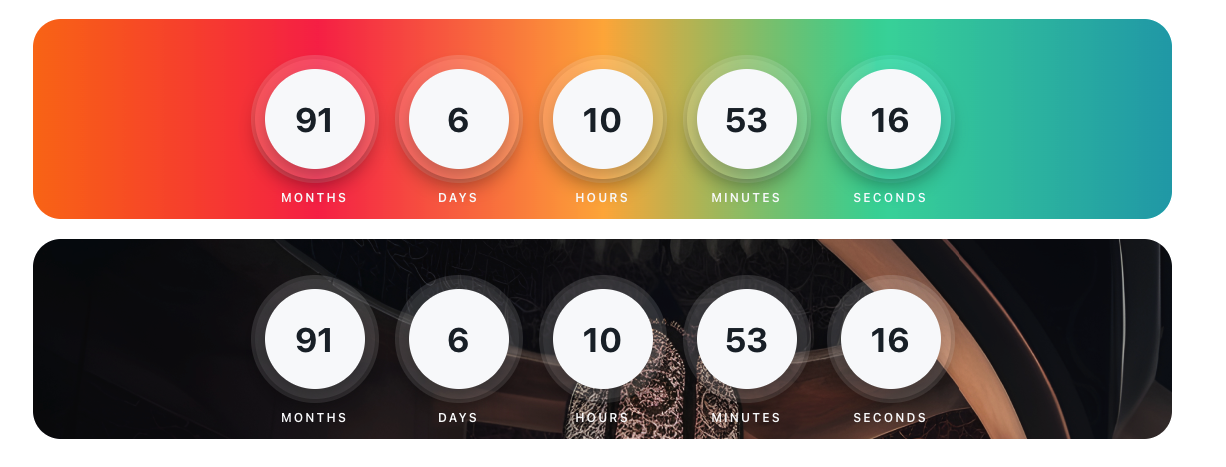
[screenshot-2.png] - An example of the Countdown Widget in action on a webpage.
How can I customize the countdown widget?
You can customize the appearance and styling of the countdown widget using the built-in styling options provided by Elementor. Simply select the widget, go to the Style tab, and modify the settings as desired.
Can I translate the countdown text?
Yes, the countdown widget is translation-ready. It uses the text domain ‘cb-countdown-timer’ for translations. You can translate the countdown text by providing translations in the corresponding language files or using a translation plugin.
ChangeLog
1.3.0
- Bug fix: removed duplicate setInterval that caused the countdown to fire twice per second.
- Bug fix: clearInterval now correctly stops the real countdown interval on expiry.
- Bug fix: expired state now targets the correct element ID instead of a hardcoded selector.
- Bug fix: negative values no longer flash briefly when the countdown expires.
- Bug fix: fixed double-slash in CSS asset URL.
- Bug fix: aligned minimum PHP version requirement to 7.4 across config and readme.
- Code: removed dead commented-out code.
- CSS: fixed missing semicolon on gap property.
1.2.0
1.0

