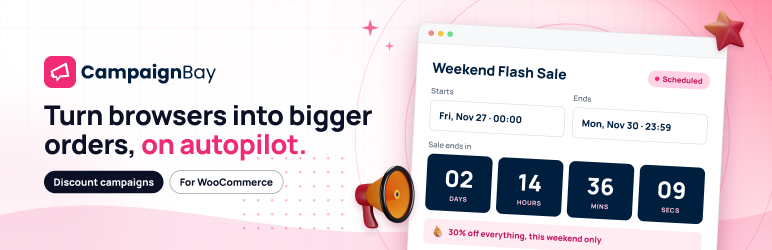
Move beyond basic coupons and revolutionize your WooCommerce store’s promotions with CampaignBay.
CampaignBay is a powerful, user-friendly marketing tool that empowers you to create sophisticated, automated discount campaigns directly from your WordPress dashboard. Whether you’re running a Black Friday flash sale, rewarding customers for bulk purchases, or creating urgency with a limited-time offer, CampaignBay provides the robust features you need to drive sales and engage customers.
With its intuitive dashboard, flexible campaign types, and high-performance discount engine, you get unparalleled control over your marketing strategy without sacrificing site speed.
Why Store Owners Love CampaignBay:
Set It & Forget It – Campaigns auto-start and auto-stop on your schedule.
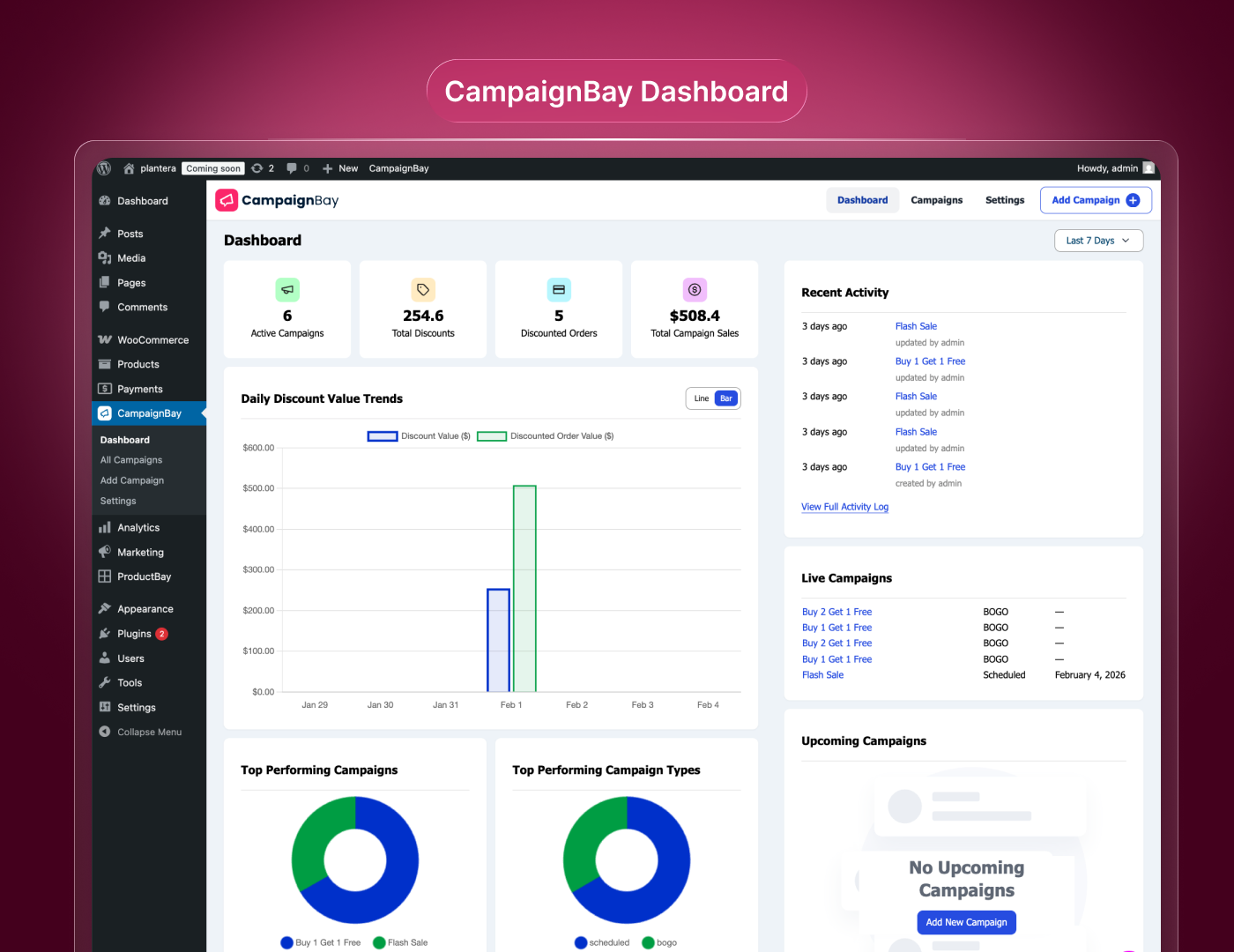
Beautiful Dashboard – Real-time analytics show you exactly how your promotions are performing.
Lightning Fast – Multi-level caching keeps your store blazingly fast.
Campaign Calendar – Workable and effective calendar to enable users to have more control over campaigns.
100% Free Core Features – No artificial limits. Create unlimited campaigns.
New: Campaign Calendar: An informative and interactive calendar with neat visuals that enables users to edit, manage, monitor and evaluate campaigns in a more sophisticated way.
Key Features:
Scheduled Discounts – Run time-limited sales with automatic start and end dates.
Quantity Based Discounts – Tiered pricing like “Buy 3+, get 10% off.”
Early Bird Discounts – Reward the first X customers with special pricing.
BOGO (Buy One Get One) – Classic “Buy 2, Get 1 Free” deals.
Analytics Dashboard – Track KPIs, charts, and top campaigns.
Campaign Calendar: A manageable, campaign initiator tool that doubles as an informative guide.
Flexible Targeting – Target entire store, specific products, or categories.
Product & Category Exclusions – Fine-tune which items are excluded from discounts.
User Role Conditions – Restrict campaigns to Wholesalers, VIPs, or any role.
Cart Total Conditions – Apply discounts only when the cart total meets specific criteria.
Smart Stacking Logic – Control how discounts interact with each other.
Coupon Compatibility – Works seamlessly with WooCommerce coupons.
Customizable Messages – Dynamic placeholders for promotional text.
Product Page Display – Discount tables and banners on product pages.
Cart Integration – Automatic discounts with strikethrough pricing.
Campaign Templates – Pre-built templates for quick setup.
Full Scheduling & Automation – Reliable WP-Cron based activation/deactivation.
Performance Optimized – Multi-level caching for fast storefronts.
Campaign Types:
Scheduled Discounts – Run classic time-limited sales. Set a start and end date, choose percentage or fixed discount, and target your entire store or specific products. Perfect for holiday sales or weekly specials.
Quantity Based Discounts – Encourage bulk purchases with tiered pricing. “Buy 3+, get 10% off. Buy 5+, get 20% off.” Customers see a pricing table on the product page.
Early Bird Discounts – Create urgency and reward early customers. Offer a discount to the first 50 or 100 buyers. A live counter shows remaining slots.
BOGO (Buy One Get One) – The classic deal. “Buy 2, Get 1 Free” or “Buy 1, Get 1 at 50% Off.” Free items are added directly to the cart.
Analytics Dashboard:
Active Campaigns – See how many promotions are running.
Total Discount Value – Track discounts given over any period.
Discounted Orders – Monitor orders that benefited from campaigns.
Sales from Campaigns – Measure revenue from promotions.
Interactive Charts – Line, bar, and pie chart visualizations.
Top Performing Campaigns – Identify winners at a glance.
Recent Activity Log – Track campaign creation and updates.
Live & Upcoming Campaigns – Quick view of active and scheduled promotions.
New: A dismissible Black Friday deals notice from WPAnchorBay for administrators, on the Plugins screen and CampaignBay’s own admin pages, through 20 December 2026. Closing it hides it for a few days, and it comes back on a few key sale dates, such as just before Black Friday and Cyber Monday.
1.2.1
Fix: Discounted cart totals and prices now stay correct when a coupon is checked through the REST API or the block cart.
Fix: A shopper’s individual-use coupon now replaces a CampaignBay coupon-mode discount, as WooCommerce coupons normally do.
Fix: Countdown timers no longer show when CampaignBay is switched off in settings.
Fix: Pressing Escape cancels an inline edit instead of saving it.
1.2.0
New: Countdown timers on product, shop, cart and via shortcode.
New: CampaignBay sale badge, category/shop offer messages and campaign promo blurbs.
New: Quantity-tier labels and a cards layout for the discount table.
New: A fixed quantity discount can apply per unit or once to the whole line.
New: Per-campaign minimum, maximum and step quantity limits.
New: Product tag targeting, “guest vs logged-in” and “cart item quantity” conditions.
New: “Most recently started wins” priority method.
New: Dashboard 90-day, 1-year and custom date ranges.
Fix: Fee-mode quantity discounts on tax-inclusive stores; empty and zero dates; tag lookup and tag names when reopening a campaign; block checkout countdown.
Fix: Conditions on product-level rules are now honoured in the cart pass.
Fix: The “show quantity table” setting is bound to the right option.
Fix: Ordinary coupons are removed from the classic cart when stacking is off.
Fix: PHP warnings on partial REST requests; dashboard chart fill warning.
Fix: An Early Bird tier whose uses are spent no longer gives a discount, warnings or a sale badge.
Fix: A usage limit of N now expires the campaign after N orders, not N-1.
Fix: The variable product price range uses the true minimum and maximum.
Fix: The admin script URL filtered for the legacy build is now the one enqueued.
Fix: No countdown timer for an Early Bird whose tiers are used up.
Fix: Campaign fields now validate as true booleans and strings; REST clients must send real booleans (true/false, 1/0) rather than values like “yes”.
Fix: Product and cart prices now respect the “prices entered with/without tax” and display-tax settings for quantity and fixed-price discounts.
Fix: Importing a campaign keeps its usage count and only expires it when the limit is really reached; cancelling an order re-activates a campaign that expired from its usage limit.
Fix: Duplicating a campaign now keeps its conditions.
Fix: Campaign labels shown on the cart’s discount line are escaped (XSS hardening).
Fix: The “Sale!” badge no longer shows when a fixed-price campaign leaves the price at or above the regular price.
Fix: Stale CampaignBay coupons are removed from the cart after the campaign changes.
Fix: Cart-total conditions are evaluated once per cart state, so shipping changes refresh them correctly.
Fix: Quantity-discount, fixed-price and cart-fee campaigns can no longer be saved with no tiers.
Fix: A deleted product in the cart no longer causes a PHP error; importing campaigns with array fields no longer returns a server error.
Dev: New filters for Pro/third-party extensions (coupons with discounts, cart condition items and totals, campaign types that require tiers).
1.1.12
Fix: Scheduled campaigns saved without a start date now activate immediately instead of getting stuck in “Scheduled” status forever.
Fix: Campaign fields intentionally left blank (e.g. optional tier limits) are no longer rejected by validation.
Fix: Open-ended (no upper limit) quantity discount tiers now apply correctly at checkout, not just in the admin preview.
Fix: Bulk-deleting campaigns no longer errors out when the batch includes an ID that was already deleted.
1.1.11
Fix: Resolved a fatal error on the storefront for category-targeted Scheduled and Early Bird campaigns involving variable products.
Fix: Resolved a fatal error when BOGO campaigns were saved without a complete tier configuration.
Fix: Product/category-targeted campaigns created or updated without a full set of target items no longer crash the storefront.
Fix: Campaign save requests are no longer rejected with a generic server error when optional fields are left blank; the underlying validation error is now returned instead.
Fix: Quantity discount tiers can now be left open-ended (no upper limit) on the final tier.
Fix: Cart Total “equals” conditions now match reliably instead of being defeated by floating-point rounding.
Fix: Editing or deleting a campaign that no longer exists now returns a proper “not found” response instead of a server error, including within bulk actions.
Fix: A campaign’s quantity tiers, target products/categories, and other settings could be unintentionally wiped when only part of the campaign was updated (e.g. a status toggle); updates now only affect the fields actually sent.
Fix: Scheduled campaigns saved with an end date but no start date no longer expire silently without ever activating.
Fix: Corrected a misspelled placeholder token shown in the discount message editor that could cause customer-facing messages to display unreplaced.
Fix: Cleaned up default discount message wording (punctuation and phrasing).
Security: License key is now masked wherever it appears in the admin UI and REST responses.
Fix: Saving unrelated settings could not accidentally overwrite the stored license key or other settings.
Fix: The deactivation feedback library is now correctly bundled and reaches the right endpoint.
1.1.10
Fix: Resolved several bugs affecting campaign conditions, dashboard statistics, and cart discounts.
1.1.9
Fix: Bug fixes.
1.1.8
New Feature: Deactivation Feedback — a friendly modal now asks for optional feedback when you deactivate, helping us improve CampaignBay.
New Feature: Review Reminder — a non-intrusive admin notice gently asks for a review after a few days of use (easily dismissible per user).
1.1.7
New Feature: Cart Total Conditions — now you can restrict campaigns based on the total value of the customer’s cart.
Enhancement: Improved condition evaluation engine for better performance.
1.1.6
Fix: Minor stability improvements and UI refinements.
1.1.5
Fix: Minor Bug Fixes.
1.1.4
Enhancement: UI Optimization.
1.1.3
Fix: Small UI Improvements.
1.1.2
New Feature: Campaign Calendar Page — a dedicated calendar view to easily manage and visualize all your campaigns.
Enhancement: Month, Week, and Year layout options for flexible campaign planning.
Enhancement: Color-coded campaign bars — each campaign type (BOGO, Scheduled, Quantity, Early Bird, etc.) has its own distinct color for quick identification.
Enhancement: Easily spot upcoming and currently active campaigns at a glance.
Enhancement: Campaign type filter toggles to show or hide specific campaign types on the calendar.
New Feature: Dashboard Calendar Widget — a compact calendar on the Dashboard with dot indicators on dates that have active campaigns.
1.1.1
Added close button to the campaign onboarding modal with a confirmation prompt.
1.1.0
Major Update: Complete UI Redesign! The entire admin interface has been rebuilt for a cleaner, faster, and more intuitive experience.
New Feature: Multi-select campaign filters—now filter by multiple types and statuses simultaneously.
Enhancement: Modernized dashboard with improved data visualization.
Enhancement: Streamlined campaign editor with better form layouts.
Enhancement: Refreshed settings pages with improved navigation.
Enhancement: Performance improvements and codebase optimizations.
Enhancement: Updated documentation links.
1.0.9
Enhancement: UI refinements for a smoother experience.
1.0.8
New Feature: Campaign Templates! Pre-built templates for Flash Sales, BOGO, Bulk Discounts, and Early Bird offers.
Enhancement: Visual template selector with example previews.
Enhancement: Campaigns now default to “Active” status for faster onboarding.
1.0.7
New Feature: Conditional Discounts! New “Conditions” section with User Role targeting.
Enhancement: Major UI upgrade across campaign editor and settings pages.
1.0.6
New Feature: Options to disable promotional messages on cart and product pages.
1.0.5
Enhancement: BOGO architecture upgrade—free products now added as separate cart items.
Enhancement: Improved hook system and standardized discount data structure.
Fix: Variable product message and table formatting issues.
1.0.4
Fix: Activation error introduced in 1.0.3.
1.0.3
Fix: Minor bug fixes and stability improvements.
1.0.2
Enhancement: Interactive Tour Guide for new users.
1.0.1
Enhancement: Updated plugin display name for better discoverability.
Refactor: Migrated admin interface to TypeScript for improved code quality.