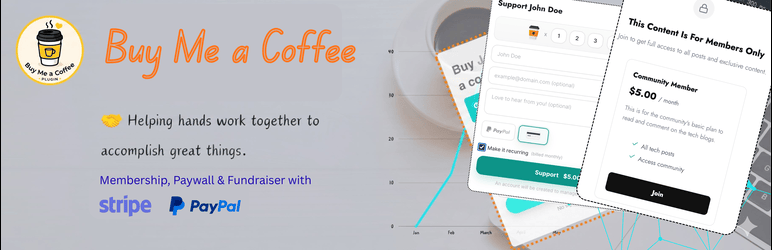
Buy Me Coffee is a free WordPress membership plugin, paywall plugin, donation plugin, and creator monetization tool in one lightweight package. Sell paid memberships, protect premium posts and pages, accept tips, collect one-time donations, and run recurring monthly or yearly subscriptions directly through your own Stripe and PayPal accounts — with zero commission and no third-party platform in between.
New in 1.2.6: Memberships and content monetization. Create paid membership levels, lock premium posts or pages, show teaser content with a built-in WordPress paywall CTA, and turn readers into paying members without sending them to Patreon, Ko-fi, or an external creator platform.
Use it as a self-hosted Patreon alternative, Ko-fi alternative, Buy Me a Coffee alternative, WordPress donation plugin, Stripe donation plugin, PayPal donation plugin, or lightweight membership site plugin. Unlike hosted creator platforms, Buy Me Coffee keeps the payment flow on your WordPress site and sends payments directly to your merchant account. Your supporters pay you — not a middleman.
Who Is This For?
Buy Me Coffee is built for creators, publishers, educators, nonprofits, and membership site owners who want a direct, self-hosted way to monetize content and accept supporter payments:
Freelancers & Consultants — Let clients or fans tip your work
Church & Community Organizations — Accept recurring giving on your own WordPress site
Membership Site Owners — Monetize premium posts, tutorials, newsletters, lessons, downloads, or private updates with paid access levels
Independent Publishers — Build a lightweight WordPress paywall for subscriber-only content
Why Choose Buy Me Coffee?
Memberships and content monetization — Create paid membership levels, restrict premium posts, and convert readers into recurring members.
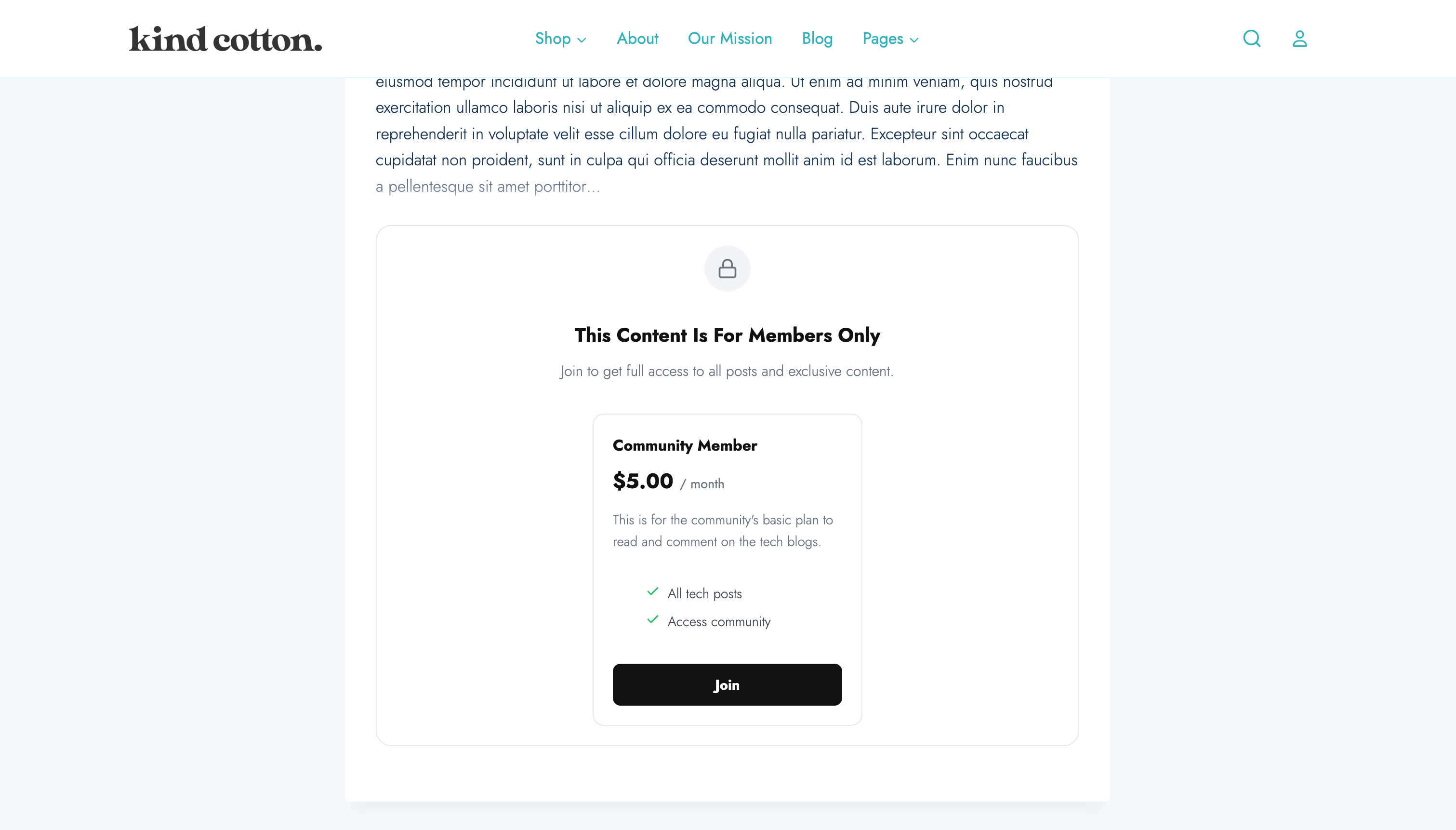
Built-in WordPress paywall — Show a preview, then prompt non-members to join with a clean paywall CTA.
Zero commission, zero fees — We never take a percentage of your donations. Free means free, forever.
Direct payments — Stripe and PayPal deposit funds directly into YOUR bank account. No platform holding your money.
No third-party account required — Supporters don’t need to sign up anywhere. They just donate.
Self-hosted & private — All donor data stays on your WordPress site. No external tracking, no data harvesting.
Recurring subscriptions built-in — Monthly and yearly Stripe subscriptions included free. No paid membership addon required.
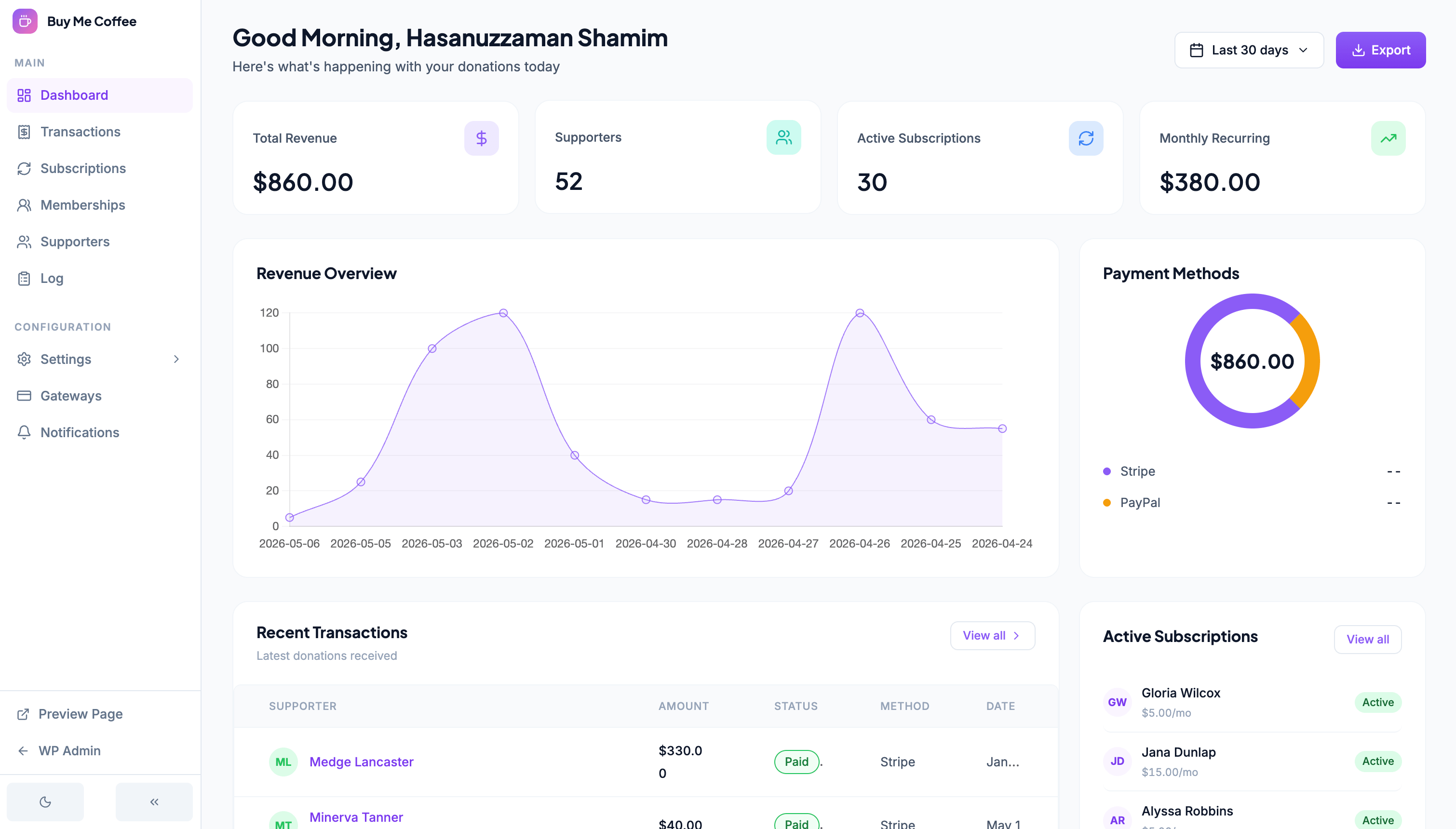
Modern admin dashboard — A beautiful Vue 3-powered admin panel with dark mode, revenue charts, and activity logs.
One-click refunds — Refund any Stripe or PayPal transaction from inside WordPress — no need to log into your gateway dashboard.
Full activity logging — Every payment, renewal, cancellation, refund, and webhook event is recorded with a searchable timeline.
Key Features
Memberships & Content Monetization
Turn your WordPress site into a self-hosted membership platform. Create paid membership levels with monthly or yearly pricing, descriptions, and reward bullets. Mark posts or pages as members-only from the editor, choose which membership levels can access each piece of content, and show non-members a word-limited preview followed by a polished paywall CTA. Active members get access automatically based on their subscription status.
WordPress Paywall for Premium Content
Protect blog posts, pages, tutorials, newsletters, lessons, downloads, private updates, or creator-only resources. Use teaser content to improve conversions, then send visitors straight into the membership checkout flow with the selected level and return URL.
Accept Donations via Stripe & PayPal
On-site Stripe checkout and PayPal integration let your visitors donate or subscribe without ever leaving your website. Supports 135+ currencies via Stripe and 20+ via PayPal. Credit cards, debit cards, Apple Pay, and Google Pay — whatever your visitors prefer.
Recurring Monthly & Yearly Subscriptions (Stripe)
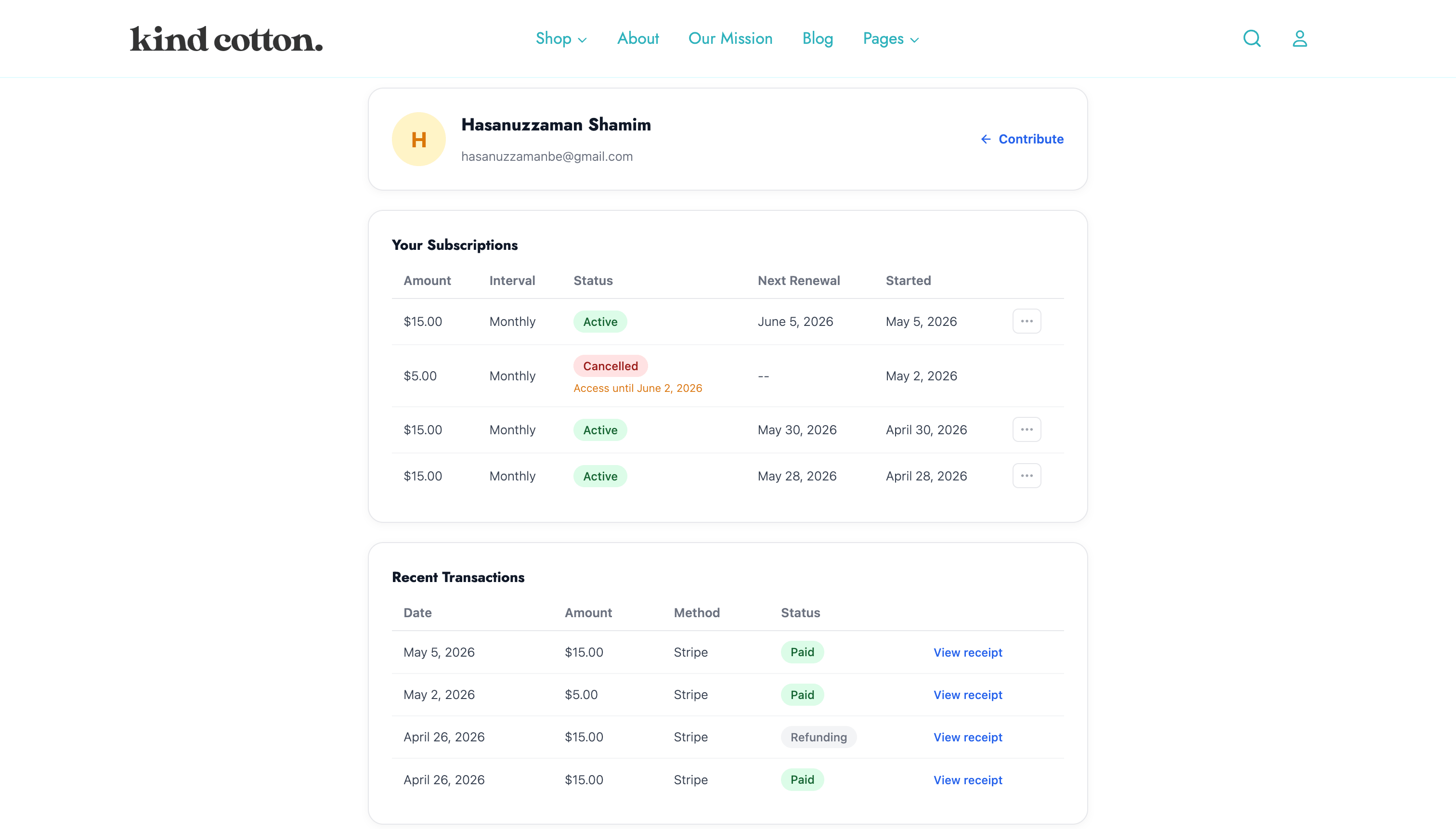
Let your supporters become long-term monthly or yearly members with Stripe recurring subscriptions. Full lifecycle management is included: automatic renewals via webhook, admin cancellation from WordPress, subscription status tracking, and a dedicated subscriber account page. No paid addon required.
Membership Members Dashboard
Manage active members from a dedicated Memberships screen. Search members by name or email, review their level, billing interval, renewal date, and subscription status, then jump directly to subscription details or cancel a membership when needed.
No WooCommerce Required
Run paid content, supporter subscriptions, donation forms, and membership checkout without installing WooCommerce or a heavy LMS. Buy Me Coffee is built for creators who want a focused monetization workflow.
Supporter Wall & Donor Leaderboard
Display a beautiful ranked leaderboard of your top donors on any page with the [buymecoffee_supporters] shortcode. Gold, silver, and bronze badges highlight your top 3 supporters. Choose which fields to display (name, avatar, amount, message) from the admin settings.
Gutenberg Block & Shortcodes
Add a donation button, inline donation form, or full donation page anywhere on your site using the native Gutenberg block or classic-editor shortcodes:
[buymecoffee_button] — Donation button that opens a modal or links to your donation page
[buymecoffee_form] — Inline donation form embedded on any post or page
[buymecoffee_basic] — Full-page donation template with banner, profile, supporter wall, and form
[buymecoffee_supporters] — Public supporter wall / ranked donor leaderboard
[buymecoffee_account] — Subscriber self-service dashboard for logged-in recurring supporters
One-Click Refunds
Issue full refunds for Stripe and PayPal transactions directly from your WordPress admin. A confirmation modal displays transaction details and live gateway response — no need to visit your Stripe or PayPal dashboard.
Subscriber Account Page
Recurring supporters are optionally assigned a WordPress user account linked to their subscription. Place the [buymecoffee_account] shortcode on any page to give them a self-service dashboard showing active subscriptions, billing history, and payment status.
Complete Activity Logging
Every event is logged — payments, refunds, subscription renewals, cancellations, webhook events, and outgoing emails. Each supporter and subscription has its own chronological activity timeline. A global Activity Log page provides a filterable, paginated view across your entire donation history.
Email Notifications
Automatically send a branded thank-you email to donors after every successful payment, and receive an admin notification for each new donation. Both templates are fully customizable with dynamic placeholders: {{donor_name}}, {{amount}}, {{payment_method}}, and more.
Supporters Admin Hub
A dedicated admin hub with everything in one place:
Metric cards — Total supporters, lifetime revenue, active subscribers, average donation amount
Top supporters ranking — Your highest-value donors at a glance
Configurable display settings — Control exactly what appears on the public supporter wall
Shortcode documentation — Copy-paste shortcodes with descriptions, inline in the admin
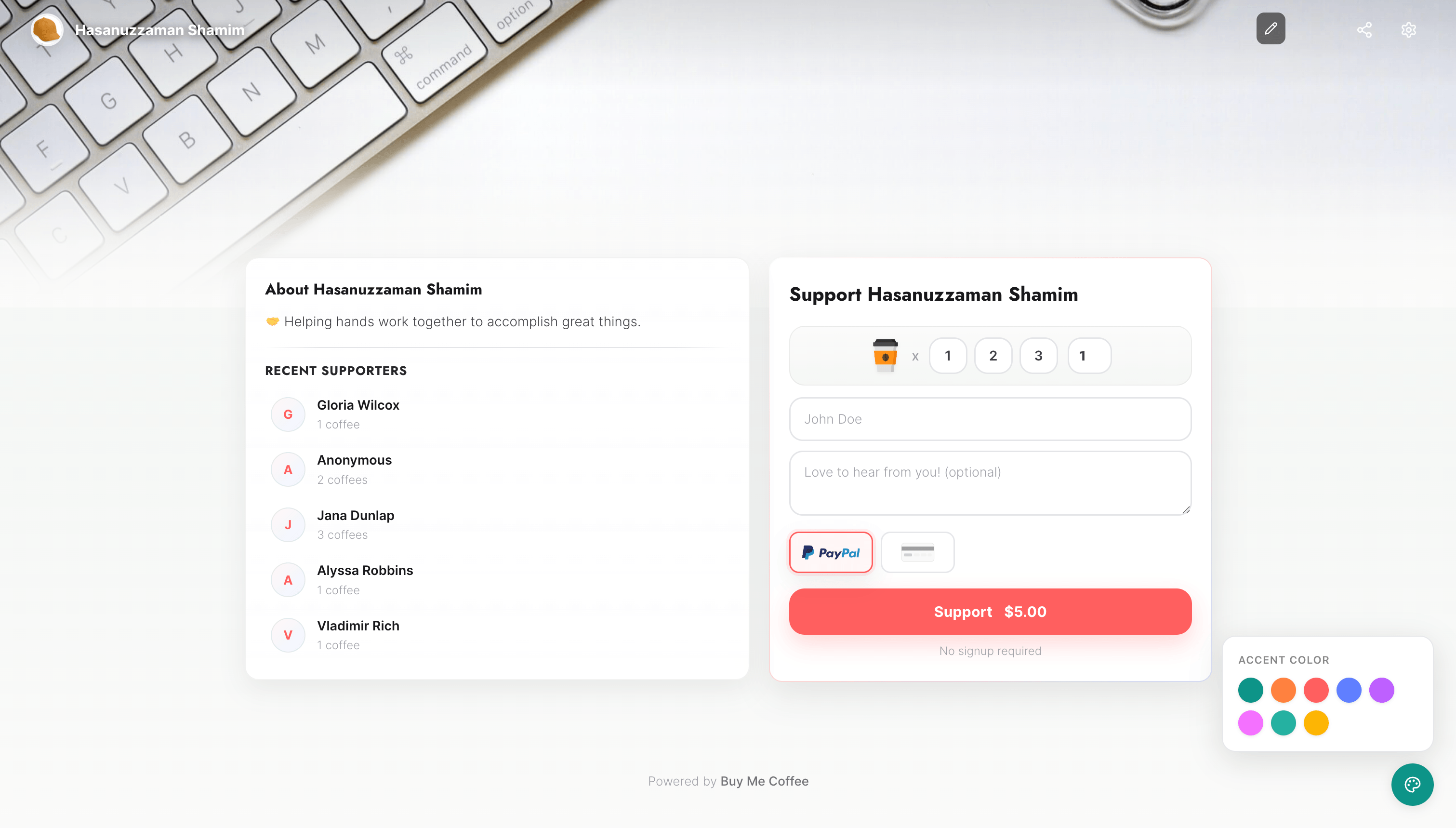
Customizable Donation Page Appearance
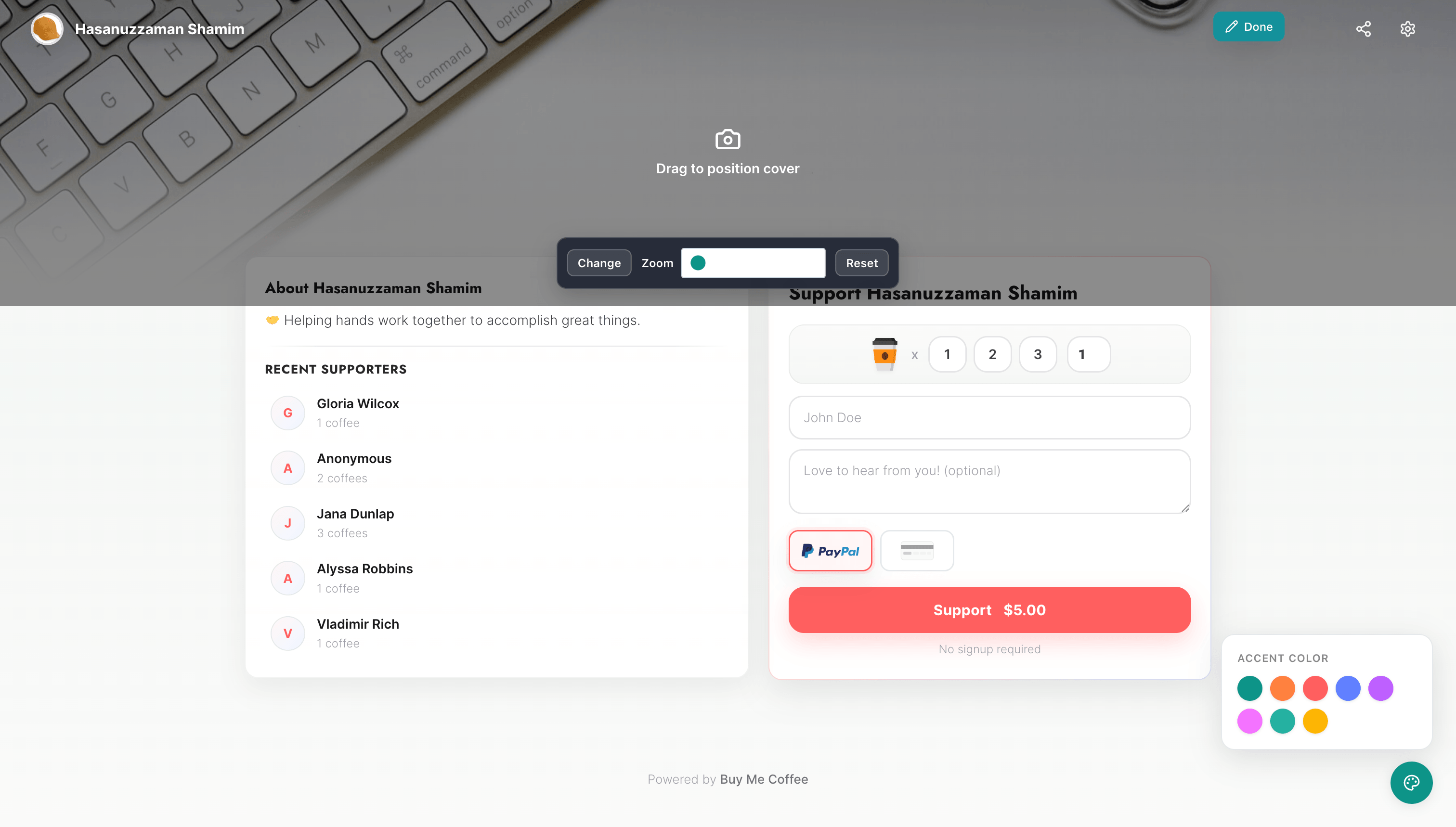
Personalize your donation page with a profile image, banner photo, brand accent color, and a custom quote. A live preview updates in real time as you make changes. Styling uses CSS custom properties — no bloated override rules.
Modern Vue 3 Admin Panel
The entire admin interface is a single-page application built with Vue 3, featuring sidebar navigation, breadcrumbs, a revenue chart dashboard, dark mode with system theme detection, and a responsive layout that works on desktop and mobile.
WordPress Multisite Compatible
Activate network-wide on WordPress Multisite — each site gets its own isolated tables, supporter records, and plugin settings.
Guided Quick Setup Wizard
A 5-step onboarding wizard (Welcome → Profile → Form → Payment → Launch) gets you from zero to accepting donations in under two minutes. Includes Stripe API key verification and PayPal credentials setup.
Test Mode & Safe Data Reset
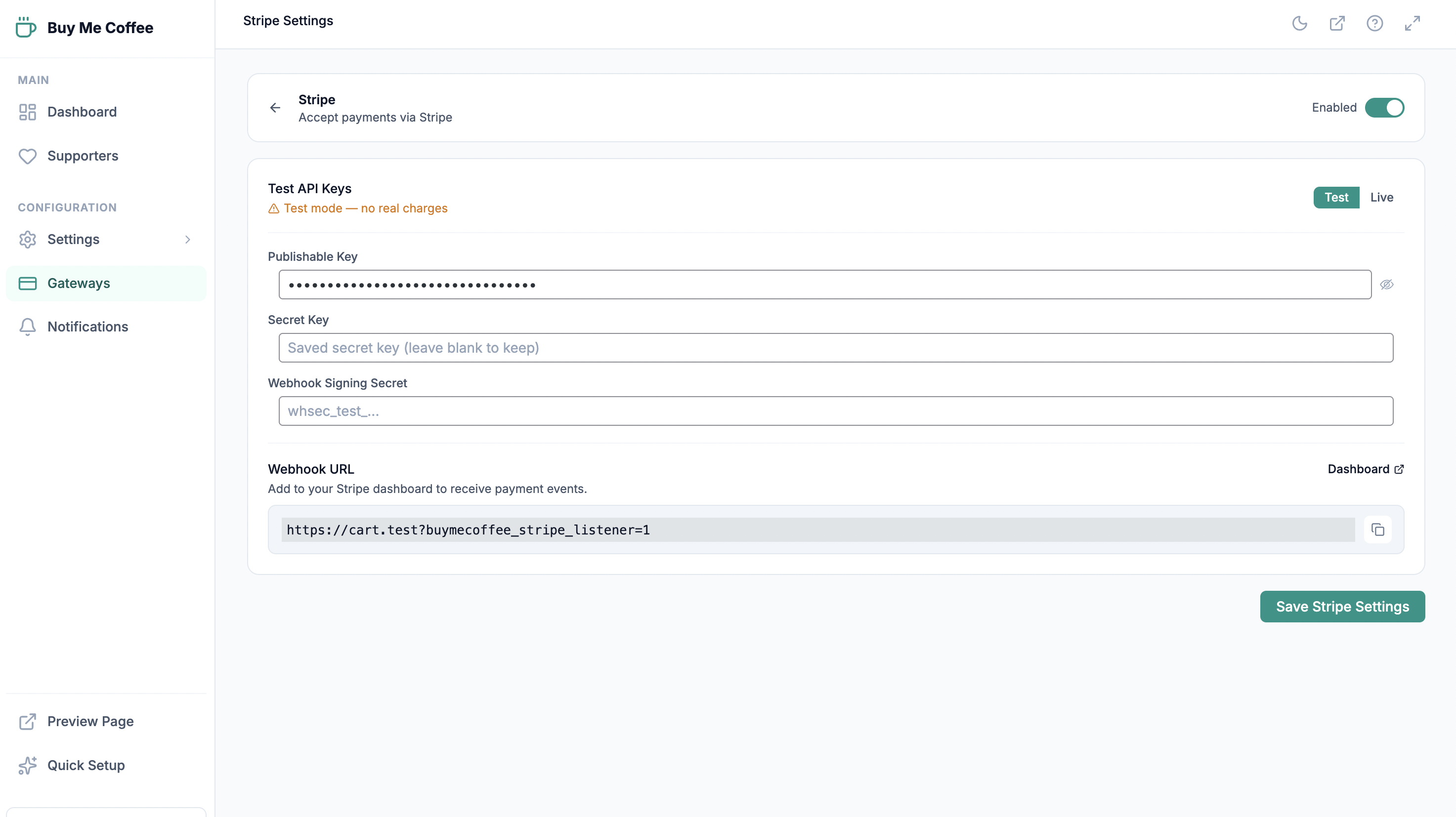
Switch between Stripe test mode and live mode without changing your configuration. A “Delete all test data” button removes test transactions, supporters, and subscriptions in one click so your dashboard stays clean.
Compare: Buy Me Coffee vs. Membership, Donation & Creator Platforms
Buy Me Coffee is built for direct, self-hosted WordPress monetization instead of routing supporters through an external platform.
Commission: Buy Me Coffee takes 0%. Official Buy Me a Coffee takes a platform fee. GiveWP Free takes 0%. Ko-fi may charge platform fees for some features.
Payment routing: Buy Me Coffee sends payments directly to your Stripe or PayPal account. Official Buy Me a Coffee routes payments through its platform. GiveWP routes payments directly. Ko-fi routes payments through Ko-fi.
Content monetization: Buy Me Coffee includes paid membership levels, members-only content controls, and a built-in WordPress paywall CTA for premium posts and pages.
Recurring subscriptions: Buy Me Coffee includes Stripe subscriptions free. Official Buy Me a Coffee requires a paid plan. GiveWP requires a paid addon. Ko-fi subscriptions stay on Ko-fi.
Admin refunds: Buy Me Coffee supports Stripe and PayPal refunds from WordPress. The compared free alternatives do not include the same built-in WordPress refund workflow.
Activity logging: Buy Me Coffee includes a full payment, refund, subscription, webhook, and email event log.
Supporter wall: Buy Me Coffee includes a built-in [buymecoffee_supporters] shortcode.
Admin UI: Buy Me Coffee uses a modern Vue-powered WordPress admin screen with dark mode.
Data storage: Buy Me Coffee stores supporter and payment records on your WordPress site.
Price: Buy Me Coffee is free forever with no plugin commission.
Get Started in 2 Minutes
Install and activate the plugin from the WordPress plugin directory
Run the Quick Setup wizard (Dashboard → Buy Me Coffee → Quick Setup)
Connect your Stripe or PayPal account in Settings
Create membership levels if you want to monetize premium content
Mark posts or pages as Paid and choose allowed membership levels
Add [buymecoffee_button], [buymecoffee_form], or [buymecoffee_basic] anywhere on your site
Start receiving memberships, donations, tips, and subscriptions directly to your account — zero commission
Yes. Buy Me Coffee is 100% free with no premium version, no paid addons, and no commission on memberships, donations, tips, or subscriptions. We will never charge you a percentage of your earnings.
Is this a Buy Me a Coffee alternative?
Yes. Unlike the official Buy Me a Coffee platform which routes payments through their servers and charges a platform fee, this plugin sends donations and memberships directly to your own Stripe or PayPal account with zero plugin commission.
Is this a Ko-fi alternative?
Yes. Unlike Ko-fi which requires your supporters to use the Ko-fi platform and routes payments through their service, this plugin keeps memberships, donations, and supporter data on your own WordPress site with direct payments to your accounts.
Is this a Patreon alternative?
Yes. If you want to sell paid memberships, restrict premium content, or accept recurring monthly or yearly support from your community without giving Patreon a cut, this plugin provides WordPress membership levels and Stripe recurring subscriptions — no third-party creator platform required.
Is this a WordPress membership plugin?
Yes. Buy Me Coffee includes paid membership levels, active member management, subscription tracking, and post/page access controls for members-only content.
Is this a WordPress paywall plugin?
Yes. You can protect premium posts and pages, show a limited preview, and display a built-in paywall CTA with membership levels, prices, rewards, and join buttons.
Can I monetize members-only posts?
Yes. Version 1.2.6 adds membership levels and post/page access controls. Create paid levels, mark content as Paid from the editor, choose allowed levels, and show non-members a teaser plus paywall CTA.
Can I create multiple membership tiers?
Yes. You can create multiple active membership levels with monthly or yearly pricing, descriptions, reward bullets, and content access rules.
Do I need WooCommerce to sell memberships?
No. Buy Me Coffee handles paid membership levels, Stripe subscription checkout, donation forms, and paywall access without WooCommerce.
How do I accept donations?
Connect your Stripe or PayPal account in the Settings page, then add the [buymecoffee_button] shortcode or Gutenberg block to any page. Your visitors can donate via credit card, debit card, Apple Pay, Google Pay, or PayPal.
Do you support recurring donations?
Yes. Stripe recurring subscriptions are fully built in — supporters can choose monthly or yearly billing intervals for donations or membership levels. Renewals, cancellations, payment failures, and status changes are handled automatically via Stripe webhooks. No paid addon is required.
What currencies are supported?
Stripe supports 135+ currencies. PayPal supports USD, EUR, GBP, CAD, AUD, and 15+ more. You can select your preferred currency in the plugin settings.
Can I display my supporters publicly?
Yes. Use the [buymecoffee_supporters] shortcode to display a ranked supporter wall and donor leaderboard on any page. Configure which fields to show (name, avatar, amount, message) and privacy settings from the Supporters admin page.
Do donors need to create an account?
No. One-time donations require no account anywhere. For recurring subscribers, the plugin can optionally auto-create a WordPress user account so they can manage their subscription via the [buymecoffee_account] shortcode.
Can I issue refunds from WordPress?
Yes. Open any supporter’s profile, click Refund Transaction, and the refund is processed through Stripe or PayPal in real time. The confirmation modal shows the live gateway response and updated transaction status.
Is there a tip jar shortcode?
Yes. The [buymecoffee_button] shortcode creates a donation/tip button on any page. The [buymecoffee_form] shortcode embeds an inline donation form. Both work as tip jars for blog posts, portfolios, or any page.
How do I add a donation button to a blog post?
Add [buymecoffee_button] anywhere inside the post content. You can also use the native Gutenberg block — search “Buy Me Coffee” in the block inserter to add it visually without a shortcode.
Can I set a suggested or default donation amount?
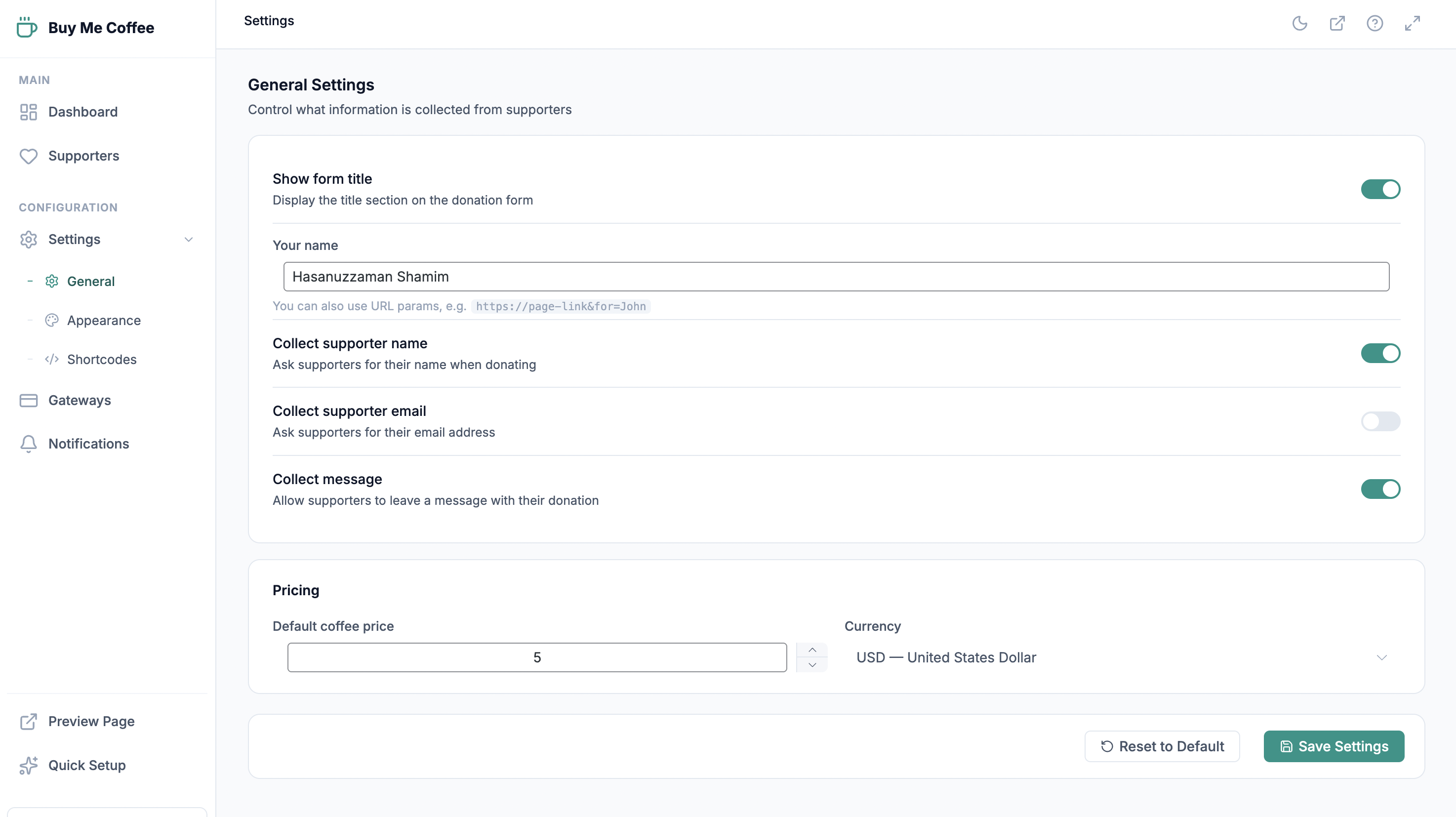
Yes. You can configure preset donation amounts and a default selected amount in the plugin’s Form Settings. Donors can also enter a custom amount.
Is it compatible with page builders like Elementor or Divi?
Yes. The shortcodes work in any shortcode-capable widget or page builder area. The Gutenberg block works natively in the WordPress block editor.
Is it secure?
Yes. All payments are processed directly by Stripe and PayPal — no card numbers or sensitive payment data ever touches your server. The admin panel is protected by WordPress nonces and user capability checks. Stripe webhook payloads are verified by re-fetching the event from the Stripe API rather than relying on signature alone.
Does it work with my theme?
Yes. The donation button, form, and supporter wall are designed to work with any properly coded WordPress theme. Styles use scoped CSS classes and CSS custom properties that do not conflict with your theme’s styles.
Does it support WordPress Multisite?
Yes. The plugin can be activated network-wide. Each site in the network gets its own isolated database tables, settings, supporters, and donation records.
Can I customize the donation page appearance?
Yes. Upload a banner image, set a profile photo, choose your brand accent color, and write a custom quote. Changes appear in a live preview before you save. The ?share_coffee URL parameter loads your full-page branded donation experience.
What email notifications does it send?
The plugin sends a thank-you email to the donor after each successful payment and an admin notification email to you. Both templates support custom HTML and dynamic merge tags including donor name, amount, and payment method.
Can I see a history of all donation activity?
Yes. Every payment, renewal, refund, cancellation, and webhook event is recorded in an activity log. Each supporter profile has its own timeline. A global Activity Log page shows your complete donation history with filters and pagination.
Fixes PayPal live-mode checkout by using the current live REST endpoint, safer redirect URL generation, single-item Standard checkout, and supported-currency validation.
1.2.4 May 01, 2026
Adds Deactivation feedback modal with WPMiners feedback collection
Improves Quick Setup visibility so it hides after setup is complete
Improves Buy Me Coffee admin page by suppressing stray WordPress notices
Fixes release compatibility issue for translated placeholder text