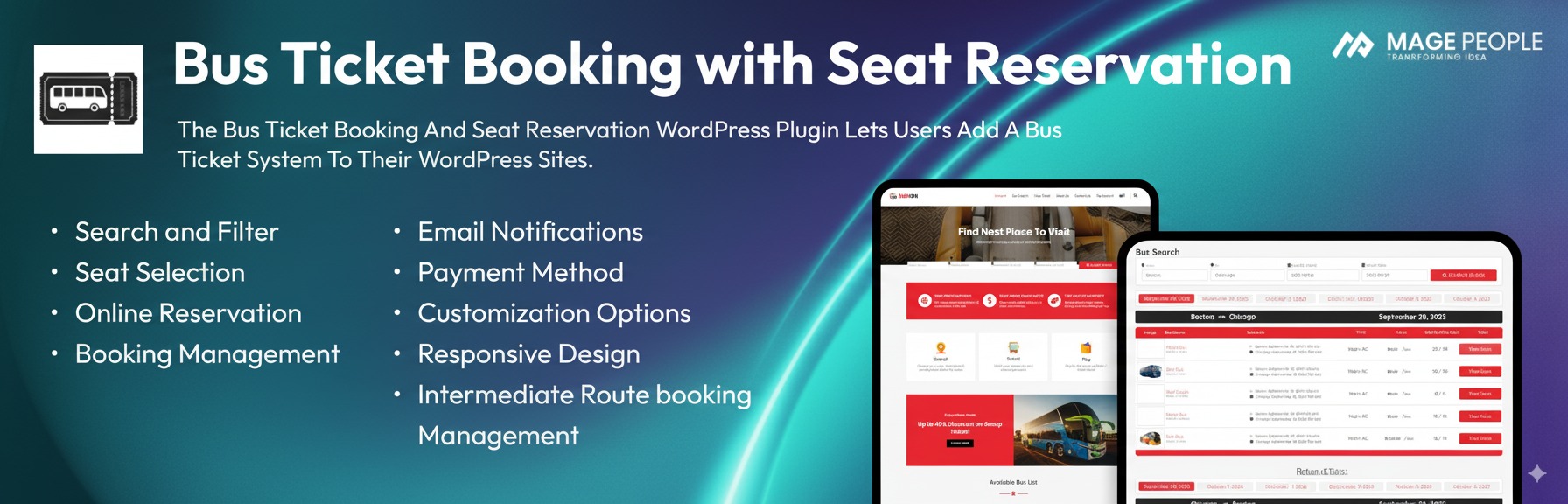
Bus Ticket Booking with Seat Reservation is a Bus booking Plugin for WordPress which is…
Make the ticketing process effortless and convenient for travelers with our customized bus ticket booking plugin.
Integrated with WooCommerce, enjoy diverse payment gateways for stress-free transactions. Your gateway to hassle-free bus adventures!
Enjoy hassle-free payments, Customize unique routes, set dynamic prices, and personalize booking forms in one place.
Leveraging years of research Mage Team created customized ticketing solutions for bus seat reservations. Accelerate your ticketing system with WP WpBusTicketly though have a small business or large.
The Mage team has innovated a data-driven solution, simplifying ticket and reservation management for rental systems. Tackling the complexities, our invention ensures an easy and efficient approach to managing reservations, offering a streamlined solution to longstanding challenges.
This shortcode allows you to add a search form to any page where customers can search for bus tickets and buy ticket
if someone like to add left filter option then need to add new parameter for left-filter
We have a dummy import option and guidelines. if you check the welcome link left sidebar of our plugin. you will dummy import guidelines.
Create something bigger with the pro version of the plugin, leveraging unparalleled features for ultimate system value and user satisfaction.
So let’s uncover the features that are hidden in the premium version:
Rest assured, we provide top-notch support for our plugin. With full confidence in its compatibility with any theme, if you encounter any issues or require customization, reach out to us at support@mage-people.com. Our dedicated support team is ready to assist you promptly.
6.0.1
- New: Add hooks and enforcement for PRO per-stop and pair On/Off controls.
- New: Add extension hooks for PRO booking controls and update changelog.
- Fix: Retain valid travel dates when routes change.
- Fix: Keep bus tickets when WCML switches the cart language.
- Fix: Accept fractional hours for the ticket sale cut-off.
- Fix: Give the AppNeck SDK instance its own variable name.
Unreleased (Post 6.0.0 — Nov 2026)
- New: Extension hooks and filters for PRO route stop/pair On/Off controls, per-bus sale cut-off and buffer overrides, seat blocking without orders, min/max seat limits, seat attribute tags, pickup/drop-off point surcharge calculation, and Booking List portal request actions.
- Fix(search): Retain valid travel dates when route stops change.
- Fix(cart): Preserve bus tickets in cart when WCML switches the active cart language.
- Fix(settings): Accept fractional hours (e.g.
0.5) for the ticket sale cut-off configuration.
- Fix(sdk): Use a dedicated variable name for the AppNeck SDK instance to avoid global collisions.
- Docs(mcp): Clarify MCP security boundaries, OAuth sign-in flow, and connection token usage.
6.0.0
- New: Add event booking pages, single-bus embed shortcode and Elementor widgets.
- New: Add dynamic customer and operator app integration.
- New: Add compatibility for restricted PRO bus operations.
- Improvement: Define the sleeper flag when creating booking records.
- Improvement: Show the booking form on Purchase Ticket when Reservation is off.
- Improvement: Purchase Ticket: let the Return tab open on the admin booking screen.
- Fix: Locale-driven labels and add Italian translations.
- Fix: Stop creating a new hidden product on every bus save.
- Fix: Allow WCML return bookings and date reselection.
- Fix: Keep travel calendars above results page content.
1.0
Initial Release Date – 10 Sep 2018
1.1.0
Some Minor Bug Fixed – 11 Sep 2018
1.1.2
Some Minor Bug Fixed – 11 Sep 2018
1.1.3
Bus Category Template fixed – 11 Sep 2018
1.1.4
New Shortcode Added to show Bus Search Form and Search List & Huge Update – 17 Sep 2018
1.1.5
Price Exploit issue fixed – 19 Sep 2018
1.1.6
Bug and some sorting issue fixed – 10 Oct 2018
1.1.7
Seat booking of a canceled seat issue fixed – 16 Oct 2018
1.1.8
Some minor fixed – 23 Oct 2018
1.2.0
Return Ticket & Operational Date feature added Seat Panel UI changes modified and some bug fixed – 28 Oct 2018
1.2.6
Seat booking major issue fixed. – 28 Nov 2018
1.3.1
Translation Ready.
Bangla Language added
Offday issue fixed in Details Page
1.3.2
Search Table Heading issue fixed
1.3.3
Minor issue fixed
1.4.0
A Big Update With Seat Panel Template, Now 3 Free Seat Template added in this version
1.5.0
- Update List: A Big Update With a Brand New Seat Panel System, Now You can create any type of seat plan.*
1.5.8
- Bus Search Page slug issue solved.*
1.6.0
- PHP Warning issue fixed,Operation On Day Feature*
1.6.1
- Added seat checking before order place, so if the seat is already booked it can’t be booked, Fixed bug on return bus list, some minor design issue fixed.*
1.6.2
- Fixed Return Date Search Result issue, Fixed Buffer time issue*
1.6.3
Fixed Search Result issue
1.6.4
- Fixed Search calculation issue for same bus in round trip, Mobile seat selection feature now available in search page, Removed past date from the Operational on day list in the bus details page*
2.0
- This is a Big update, we suggest you back your date before update to this Version, New UI
Ajax search field load
Improved Performance
Double-decker seat plan added
Many bug fixed*
2.1
Adult & Child Seat Feature Added
Translation Issue fixed for Translation setting page
Improved Performance
Code Optimize
2.2
Double Booking Issue fixed
Ajax not working mobile issue fixed
Date issue fixed
Code Optimize
Some minor bug fixed
2.3
Code Optimize
Some minor bug fixed
2.5
Code Optimize
Some minor bug fixed
Return Discount Price rule added
Infant ticket type added
Design issue fixed
2.6
Booked seat not showing issue fixed
Code Optimize
Some minor bug fixed
Return Discount Price issue fixed
Design issue fixed
2.8
New Backend UI
Code Optimize
Some minor bug fixed
Design issue fixed
3.0
Code Optimize
Some minor bug fixed
Design issue fixed
3.6
- Code Optimize
Some minor bug fixed
welcome page adding
global offday settings*
3.7
Code Optimize
Some minor bug fixed
5.5.1
Minor issues fixed
Seat rotation added
5.5.2
Made compatiable with some of the major caching plugin
5.5.3
Translation Issue fixed
5.5.6
Cabin booking functionality added
Bus default available seat selection added
Seat number rotation stopped
5.7.2
Release Date – 11 Jun 2026
Return Bus on Single Bus Page
* Added return date picker on single bus details page when same-bus return is enabled
* Added “Departure Bus” and “Return Bus” tabs in search results on single bus page
* Return bus tab shows the same bus for the return trip with same-day time filtering
* Previously return functionality was only available on the global search page
Admin – New Bus List Design
* Introduced modern responsive admin screen for bus fleet with grid/table views
* New “New Bus List Design” setting (Enable/Disable) in General settings
* Stat cards showing Total / Published / AC Coach / Non AC Coach counts
* Card grid and table views with bus details, featured image, author and status
* Edit, Trash, Restore and Delete actions with nonce protection
* Trash management within the same styled layout
* Live search by title and coach number with client-side pagination
* Grid/list toggle persisted across sessions
Admin – Bus List UX Upgrades
* Table view now shows bus featured image thumbnail in Name column
* Name column shows route details (start/end points with stop count)
* Journey date info: schedule range for Repeated mode, first date + count for Particular mode
* Return route displayed when same-bus return is enabled with “Return” tag
* Action buttons converted to icon buttons (view/edit/trash) with accessible labels
Admin – Return Timetable Warning
* Added highlighted warning box in return route settings reminding to rearrange return timetable
* Auto-generated reverse stops keep outbound clock times and need adjusting before saving
Frontend – Sold-Out Date Picker
* Journey and return date pickers now show sold-out dates as unselectable
* Sold-out dates marked with red “Sold Out” style and legend
* Works for both single bus and general search date pickers
Frontend – View Button
* Added “View on frontend” action in bus list to open bus permalink in new tab
* Shown alongside Edit/Delete on card hover and in table view
Bug Fixes
* Fixed return-bus Details/Stops/Features popup not opening after outbound selection
* Fixed duplicate ID issue causing popup to target wrong container
* Fixed “Seal Plan” typo to “Seat Plan” in classic bus list column
Admin – Documents Tab
* Replaced video-only tutorials with searchable documentation system
* New “Documents” tab with 24 sub-tabs organized by bus settings
* 10 Free Plugin docs and 12 PRO Addon docs with visual distinction
* Shortcode reference table updated with PRO shortcodes
5.9.0
Release Date – 22 Jul 2026
Ticket Sale Cut-off (New)
* Automatically stop selling tickets a set time before each departure, so you have time to plan routes and get every shuttle out on schedule
* Two cut-off styles: a fixed number of hours before departure (e.g. sales close 12 hours before), or a specific clock time on a day before departure (e.g. 10:00 PM the night before)
* Enforced everywhere — closed trips are hidden from search results and blocked at checkout across WooCommerce, direct booking and admin counter sales
* New “Ticket Sale Cut-off” control under General Settings → Booking behavior; disabled by default so existing sites are unaffected
* The settings screen reveals only the fields relevant to the cut-off style you pick
Bus Stop Rename — No More Broken Routes
* Renaming a Bus Stop (for example, adding a gate number to the name) no longer breaks its route or fare configuration — the stop no longer has to be rebuilt from scratch
* The old name is migrated automatically to the new one across every bus’s route stops, fare table and existing bookings
* Prevents a rename from silently reopening already-booked seats, avoiding accidental double-booking
Booking List
* New “Booked by” badge marks counter / admin-created bookings with the staff member’s name, so they’re easy to tell apart from customers’ own checkouts
Double-Decker Cabins (New)
* Cabins and coaches can now be double-decker — each cabin gets its own optional Upper Deck alongside its Lower Deck, perfect for double-decker buses and train carriages
* Build each deck independently with the full seat editor (seat templates, drag-and-drop doors/toilets/driver, rotation and add/remove rows) in both the classic and modern bus editors
* Set a different price for each deck — separate Lower Deck and Upper Deck price multipliers per cabin, so an upper-deck seat can cost more (or less) than a lower-deck one
* On the booking page, passengers switch between Lower Deck and Upper Deck with a simple tab inside the cabin and pick seats on either deck
* Upper- and lower-deck seats are tracked separately end-to-end, so the same seat number on each deck never clashes for availability, holds, cart or orders
* The chosen deck is shown everywhere the seat appears — Booking List, Passenger List, PDF tickets, thermal tickets, email, admin counter orders, the booking calendar and CSV exports (e.g. “Coach A – Upper Deck – 3”)
* Fully backward compatible — existing single-deck cabins and all past bookings are unchanged; a cabin only becomes double-decker when you turn its Upper Deck on
Seat Editor Improvements
* “Without Seat Plan” can no longer be selected while Multiple Cabin/Coach mode is on (cabins require a seat plan) — the option is clearly disabled instead of silently reverting
* Drag-and-drop now works immediately on freshly added seat rows in the cabin and deck editors
* Admin and booking-page assets are versioned by file change time, so editor and seat-plan updates are never served from a stale browser cache
Documents (New)
* New “Documents” submenu — a complete, searchable in-admin handbook for the plugin, so you no longer have to leave WordPress to look something up
* Every screen is documented with screenshots: bus list, bus types, bus stops, pickup & drop-off points, features, coupons, terms, booking calendar, the 4-step bus editor, the frontend booking flow, checkout, booking list and sales report
* A complete Settings Reference lists every Global Settings field with its purpose, type and default value — nothing is left undocumented
* Live search across the whole handbook jumps straight to the field or screen you are looking for
* When the PRO addon is active, its screens and settings appear inline alongside the free ones; without PRO they are clearly marked so you can see what an upgrade adds
* Getting Started, shortcode reference, video tutorials and troubleshooting are all gathered in the same place
System Status Moved into Settings
* The separate “Status” menu item is gone — the system report now lives as a “Status” tab inside Global Settings, keeping the Bus menu shorter
* Greatly expanded report with modern cards: WordPress environment, server and hosting details, database, PHP version and configuration limits, required PHP extensions, and active plugin/theme information
* An at-a-glance health summary highlights anything that needs attention before you contact support
* New “Copy report” button copies the whole environment report to your clipboard in one click, ready to paste into a support ticket
* Add-on requirement checks (such as the PDF library) are preserved and continue to appear in the report
Settings Screen Improvements
* Settings tabs can now be linked to directly — any link to a specific tab (for example from a notice or an add-on) opens that tab instead of whichever tab you last viewed
* The settings sidebar no longer covers the admin bar’s notifications dropdown
* The Save button is automatically hidden on informational tabs such as Status, where there is nothing to save
* Settings styles are versioned by file change time so updates are never served from a stale browser cache
Double-Decker Cabin Fixes
* Fixed the Upper Deck and Lower Deck of the same cabin sharing a single seat price override — each deck now keeps its own per-seat prices, so an upper-deck seat can be priced independently of the lower-deck seat with the same number
* Seat prices you have already saved are preserved and continue to apply to the Lower Deck exactly as before; only the Upper Deck needs its prices entered
* The Booking Calendar no longer shows the internal seat reference (such as “cabin_0_dd_A1”) — it now displays the seat number with the deck shown as a small “Upper Deck” tag, and the cabin name on its own line
Passenger Form Fields in Booking List Exports (Fix)
* Custom fields you add to the Passenger Form — for example “Emergency Contact Name” and “Emergency Contact Phone” — are now included automatically in both the Booking List CSV and PDF exports, with no setup needed
* Restores the custom-field export that was available in the Passenger List before it was merged into the Booking List, so passenger manifests are complete again
* Fields use the exact labels and order you configured on the bus, and the built-in passenger fields (name, email, phone, address, gender) are exported alongside your own
* Filtering the Booking List by a bus exports just that bus’s form fields instead of every field used across the site
* Answers collected before a field was renamed or removed from the form still appear in exports, so nothing already gathered is ever lost
* In the PDF, passenger details print as a compact line beneath each booking, so the table stays readable no matter how many custom fields your form has
* The booking detail screen now labels each passenger field with your form label instead of its internal field name
One Export Button, With Rules (New)
* The separate “Export CSV” and “Export PDF” buttons are now a single Export button that opens a dialog — pick the format and exactly what to export, in one place
* Three formats: CSV spreadsheet, printable PDF manifest, and Thermal (POS) tickets — one receipt per booking on a 58/80mm roll, so a whole departure can be printed in one run
* Six ways to choose the rows: the current filtered view, only the bookings you ticked, today’s bookings (day-end sales sheet), today’s departures (driver’s manifest), a date range, or every booking
* A date range can mean travel dates or booking dates — pick which, so “everything sold last week” and “everyone travelling next week” are both one click
* Any scope can be narrowed further by bus and by status, giving bus-wise, route-wise and status-wise exports without touching the filter bar
* Formats that are unavailable on your site (no PDF library, or Thermal tickets switched off) are shown greyed out with the reason, instead of failing after you click
* Thermal printing is capped at 200 tickets per run and tells you when a selection is too large, so a mis-click can never spool thousands of receipts
PDF Export Redesign
* Export PDF now produces proper Booking Confirmation tickets — one printable card per booking, on its own page: company header with the bus image and a status badge, perforated tear lines, the full trip, customer and passenger details, an itemised price summary, your terms, and a thank-you footer
* It is the very same card a passenger gets from “Download Ticket (PDF)”, so what you hand over the counter and what you print in bulk are identical documents
* Passenger form answers (including your custom fields) get their own “Passenger Information” section on the card, separate from the billing customer
* Fixed the currency symbol printing as an empty box for several currencies — most visibly the Bangladeshi Taka (৳) — in the PDF ticket and the Thermal (POS) ticket
* Fixed Thermal (POS) tickets printing a long blank stretch of paper after each receipt; every ticket is now sized to its own content, and a multi-ticket run prints one receipt per page
* Fixed a passenger field appearing twice in exports when the same question existed under two field ids (after a form field was renamed)
5.9.1
Release Date – 30 Jul 2026
Search Form Location Autocomplete (Fix)
* Fixed typing in the “From” and “To” fields of the search form no longer filtering the location list — the list stayed complete, so long route lists had to be scrolled through by hand
* Typing now narrows the list instantly again: a few letters such as “man” bring up “Mangalia”, and “las” brings up “Las Vegas”
* Matching works anywhere in the name, not only at the start, so “vegas” also finds “Las Vegas”
* Accents and letter case are ignored while searching — “brasov” matches “Brașov” — so nothing has to be typed exactly as it is spelled
* A short “No matching location found” note is shown when nothing matches, instead of an empty panel
* Clicking the field again clears the search and brings back the full list, with the currently selected stop still ticked
* Applies to both the standard and Flix-style search forms, and to the search bar on the results page
5.9.4
Release Date – 1 Sep 2026
Security (Fix)
* Fixed a booking-status flaw in the Custom Payment (standalone) checkout, reported by Supakiad S. (m3ez) via Patchstack: the page a payment gateway returns to acted on the booking number alone, so anyone who could guess a number could cancel someone else’s booking from a plain web request — and, with a gateway that confirms payment locally, mark an unpaid booking as paid
* The return and cancellation links a gateway sends the customer back to are now signed for that one booking and that one action, and are only acted on while the booking is still waiting for its payment, so an old link does nothing and a made-up one does nothing
* A booking that has already been paid for is never re-opened by a late cancellation
* Which gateway a booking was sent to is now taken from our own record of it rather than from the address bar
* Closed a related gap where a booking could be reached through the id of one of its other seats, side-stepping the check that stops a paid booking’s billing details being rewritten
Booking List & Reports (Fix)
* Fixed the Booking List crashing on sites with a large booking history — its totals were built by scanning the whole booking meta table with no limit
* Bounded the aggregate statistics so the same screen stays fast as bookings accumulate
* Reconciled the Booking List totals with the figures on the E-Voucher, so the two no longer disagree
Exports (New)
* Added a Passenger list export
* “Merge Pdf Ticket” is now honoured by the PDF export, so a merged run produces one document instead of many
Booking Form (Fix)
* Per-passenger extra services are now scaled correctly in the booking form’s price preview instead of being charged once
* The Booking Summary now itemises extra services rather than folding them into the total
Search & Filters (Improvement)
* Compacted the search-result card, and stopped the plugin’s pages scrolling sideways on narrow screens
* Redesigned the sidebar filter toggle and reworked the filter panel’s styling and animations
* Fixed a batch of mobile layout bugs in the filter area, and moved the filter reset to a more predictable place
* Added a Bus Type filter to the fleet list
Settings & Licence (Fix)
* Role dropdowns in settings are populated again instead of showing an empty list
* Fixed licence activation always reporting “enter your valid licence key” even when the key was correct
Dates (Fix)
* Repeated-date events keep their anchor phase once the start date has passed, so the recurring pattern no longer shifts
5.9.10
Event Booking Pages (New)
* New [wbtm-bus-event event="..."] shortcode: one page per concert, festival or other event that lists every bus going there (each boarding stop with departure and arrival time, fare, seats left and a Book button) above one booking form limited to those buses
* New [wbtm-bus-booking id="..."] shortcode to embed one bus, with its details and the full booking flow, on any page
* Events are managed under Bus > Events with a date and a destination, and assigned to buses in the bus editor’s General tab
* [wbtm-bus-search] and [wbtm-bus-list] now accept event, bus_ids, destination and date. Without them their output is unchanged
* New Elementor widgets “Bus Booking” and “Bus Event Booking”
* New “Event Booking Pages” settings tab, and the new shortcodes are listed on the Docs screen
Translations (New)
* Bundled Italian (it_IT) translation. The plugin follows the WordPress site language, and its labels now load before other code builds them, so they no longer stay in English. Custom labels and a user’s own profile language are kept
Bus Editor (Fix)
* Saving a bus no longer creates a new hidden WooCommerce product every time; the bus keeps its linked product. Hidden products already created this way are left in place, because past orders can refer to them
Bookings (Fix)
* Fixed the “Undefined variable $has_sleeper_layout” warning logged on every bus order. The berth type (Seater or Sleeper) is now saved on the booking record, as intended since 5.9.5, so the ticket PDF, passenger list and exports can show it
5.9.9
Release Date – 20 Oct 2026
Security (Fix)
* Fixed a broken access control flaw in the Custom Payment (standalone) checkout, reported via Patchstack (#37159). With guest booking allowed, a logged-out visitor could add a return leg to another customer’s pending booking group, or delete it, by sending its id
* A booking group can now only be changed by its owner: the logged-in account that made it, or the browser holding its guest token
* The public checkout and confirmation pages, and the ticket PDF link shown after payment, only open for the booking’s owner or through the signed link a payment gateway returns to
Admin Revenue (Fix)
* Bus > Analytics counted an order’s full total once for every seat, so multi-seat orders inflated revenue and bookings. Each order is now counted once, including fees and minus refunds, matching WooCommerce
* The Booking List revenue, tax and balance cards counted failed, pending, cancelled and refunded seats under “All Statuses”. They now count paid bookings only, with a new “Paid” status filter and a note on what the cards include
Search Results (Fix)
* The “Book Seat” / “Close Details” label and its arrow now follow the details panel instead of running one click behind
* Result cards, prices and the selected date follow the saved Theme Color
* The bus photo fills its card, and long bus-type badges wrap instead of being cut off
* The date strip spreads its buttons across the row and shows the weekday, and clicking a date updates the date shown in the search form
Routes (Fix)
* Fixed arrivals shown a day late on routes where an old, hidden “Next Day Dropping” flag was stored on a boarding stop. The flag is now ignored on boarding stops and cleared when the route is saved
* Dragging stops into a new order keeps each “Next Day Dropping” checkbox with its own stop
Telemetry
* Updated the bundled Appneck SDK to 0.5.0
5.9.8
Booking Security (Fix)
* Fixed a pricing bypass in seat-plan bookings: a booking request carrying a passenger type that is not configured on the route was priced at 0, so paid seats could be checked out for free. Such requests are now refused instead of being priced at 0
* The checkout total no longer prices an unknown passenger type at 0 either: a cart line holding one is removed with a notice
* Selected seats are now checked against the bus’s seat plan. Seats that do not exist, door, driver, aisle and other non-seat cells, seats on a hidden deck or a disabled cabin, and the same seat selected twice are all refused
* Cart lines whose seat is no longer on the seat plan (for example after the seat was renamed) are removed at checkout with a notice instead of being sold
* An empty seat or ticket selection can no longer be added to the cart as a 0-priced line
* Applies to the lower deck, upper deck and cabin seat plans, in both the WooCommerce and the Standalone checkout
5.9.7
Telemetry (Fix)
* Updated the bundled Appneck SDK to the latest version.
Search (Fix)
* Fixed “Next Day Dropping” adding one more day for every flagged stop, which showed routes with several after-midnight stops as a day too long
Page Builders (Fix)
* The booking page’s scripts and styles now load when the shortcode sits inside a page builder block (such as an Avada Code Block or global element), not only when it is in the post content
5.9.6
Telemetry (New)
* Updated the bundled Appneck SDK to the latest version.
5.9.5
Telemetry (New)
* Added the Appneck SDK for opt-in telemetry and update tracking. It does not collect any data by default; it only starts after you confirm via the admin notice. See External Services in this readme
Seater and Sleeper Seats (New)
* Any seat in the seat plan builder can now be marked as a sleeper berth with the new “Sleeper” checkbox, on the lower and upper deck and inside cabins; every other seat stays a seater
* Sleeper berths are drawn as a taller berth on the booking page, and a Seater / Sleeper legend is added to buses that have at least one sleeper
* The berth type follows the booking: a “Seat Type” line (Seater or Sleeper) appears next to the seat on the WooCommerce order screen and in order emails, and is saved on the booking record, so it stays correct even if the bus layout is edited later
* The “Seat Type”, “Seater” and “Sleeper” labels can be changed under Translation Settings
* Fully backward compatible — buses without sleeper seats look exactly as before, and their orders get no extra Seat Type line. Whole-bus bookings are not given a seat type
Deck Tabs (Improvement)
* The seat plan builder now shows the Lower Deck and Upper Deck on separate tabs instead of one above the other; the Upper Deck tab appears when “Show Upper Deck” is turned on
* On the booking page, double-decker buses now switch between Lower Deck and Upper Deck with tabs, the same way cabin decks already do, instead of showing both decks in one long column
* Single-deck buses are unchanged and show no tabs
Seat Editor (Fix)
* Labels, placeholders, help text and confirmation messages that the cabin and seat builder creates in the browser are now translatable, so they no longer stay in English on translated sites
* The main admin script and stylesheet are now versioned by file change time, so seat builder changes show up immediately after an update instead of being served from a stale browser cache
Journey Date Picker (Fix)
* Fixed every repeated-date bus losing all of its travel dates when “Maximum advanced day Sale” in Global Settings, or “Advanced day for booking” on the bus, was left blank; the journey date calendar showed every day greyed out with no error. A blank value now falls back to the default of 30 days
* Fixed a bus losing its only bookable date when its sale window opens and closes on the same day — for example an advance-sale window of 0 days, a repeat end date equal to its start date, or a “Ticket sale off after date” of today
* A sale end date that has already passed still closes sales as before
Search Form (Fix)
* Fixed the search bar turning into an oval on phones when the theme rounds it into a “pill” shape on desktop; the curved edges cut across the stacked fields and the Search button. On mobile the search card now always keeps its 10px rounded corners and never grows wider than the screen