

Professional site builder for WordPress. Create astonishing designs with easy to use drag and drop interface.
| Author: | Builderius (profile at wordpress.org) |
| WordPress version required: | 6.4 |
| WordPress version tested: | 7.1.5 |
| Plugin version: | 1.8-rc4 |
| Added to WordPress repository: | 04-12-2019 |
| Last updated: | 17-11-2026 |
| Rating, %: | 100 |
| Rated by: | 16 |
| Plugin URI: | https://builderius.io |
| Total downloads: | 18 315 |
| Active installs: | 100+ |
 Click to start download |
|
Drag-and-drop page builder for WordPress website creators who want to build visually with professional results. Create landing pages, dynamic templates, and custom designs with clean code output. Visual building that doesn’t compromise on quality.
Why Choose Builderius
Tired of choosing between easy visual building and professional code quality? Builderius eliminates that compromise. Our page builder combines intuitive drag-and-drop functionality with clean, semantic HTML and CSS output that performs well and follows web standards. Unlike other builders that create bloated markup, Builderius generates lean code that loads fast and ranks well in search engines. You get the efficiency of visual building with the quality you’d expect from hand-coded websites.
Perfect for Landing Pages and Content Templates
Builderius excels at creating high-converting landing pages and templates that control how your content displays. Build standalone landing pages with precision and no limits, or create templates that automatically style your blog posts, pages, and archives with consistent design while pulling from WordPress content and custom fields.
Whether you’re building individual landing pages or creating templates that style hundreds of posts consistently, Builderius saves time while maintaining quality across your entire site.
Professional Features That Scale
- Template System: Create templates that control how your posts, pages, and archives display. Design once and apply consistent styling to unlimited content, use built in header and footer components with the ability to customize through properties and conditions.
- Clean Code Architecture: Every element generates semantic HTML with clean CSS. No shortcode bloat, no unnecessary wrapper divs, no inline styles cluttering your markup.
- Built-in Staging Environment: Test changes safely before going live. Make updates in your staging environment, preview the results, then deploy when ready.
- Dynamic Data Integration: Connect to Advanced Custom Fields, Meta Box, and WordPress queries visually. Display dynamic content without writing code.
- Visual CSS Control: Style elements using visual controls that correspond directly to CSS properties. Access selectors and create CSS variables through the visual interface.
Free Version Capabilities
The free version provides everything needed for professional landing pages and basic template building:
- Unlimited landing pages and content templates
- Global header and footer components
- Basic dynamic data (ACF and Meta Box simple fields)
- WordPress main query integration for post loops
- Built-in staging environment with Releases for import and export between websites
- Clean code output with visual CSS controls
- Responsive design tools
Screenshots

Atepe Teknoloji Homepage, a website built by Cengiz Karaman
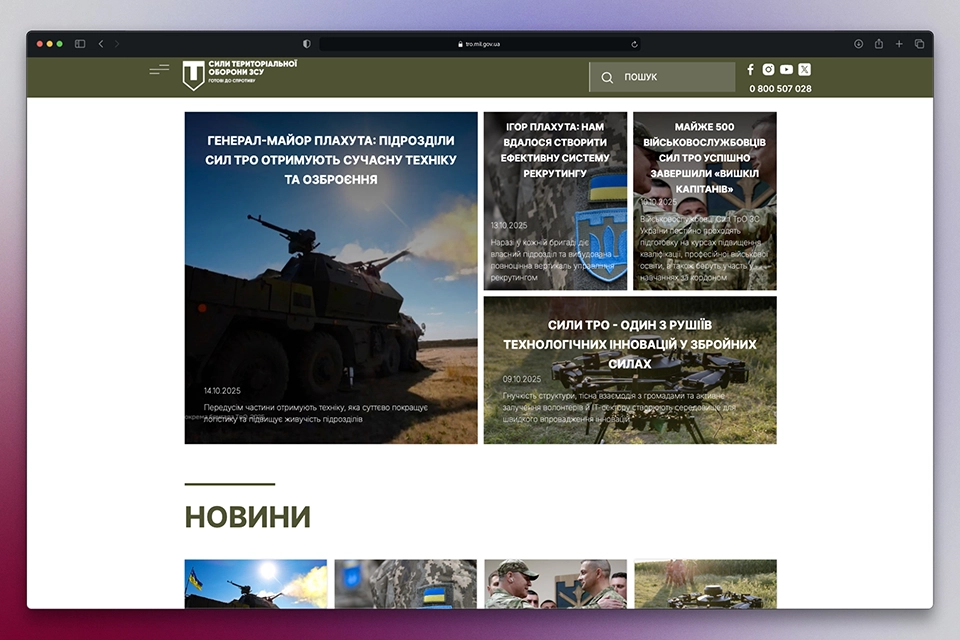
Ukrainian Territorial Defense, a website built by Vitalii Kiiko
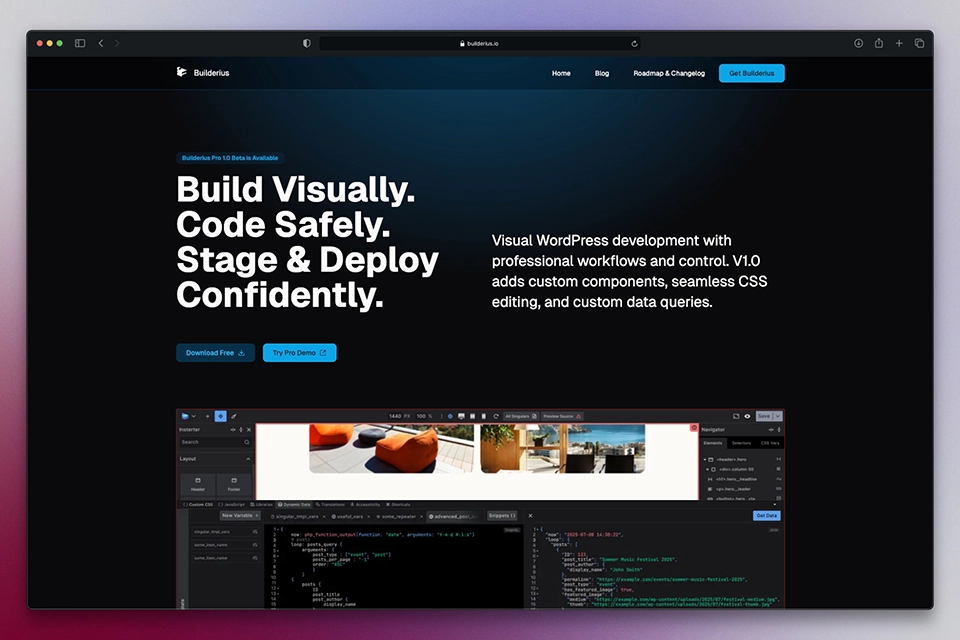
Builderius, a website built by Israel Reyes
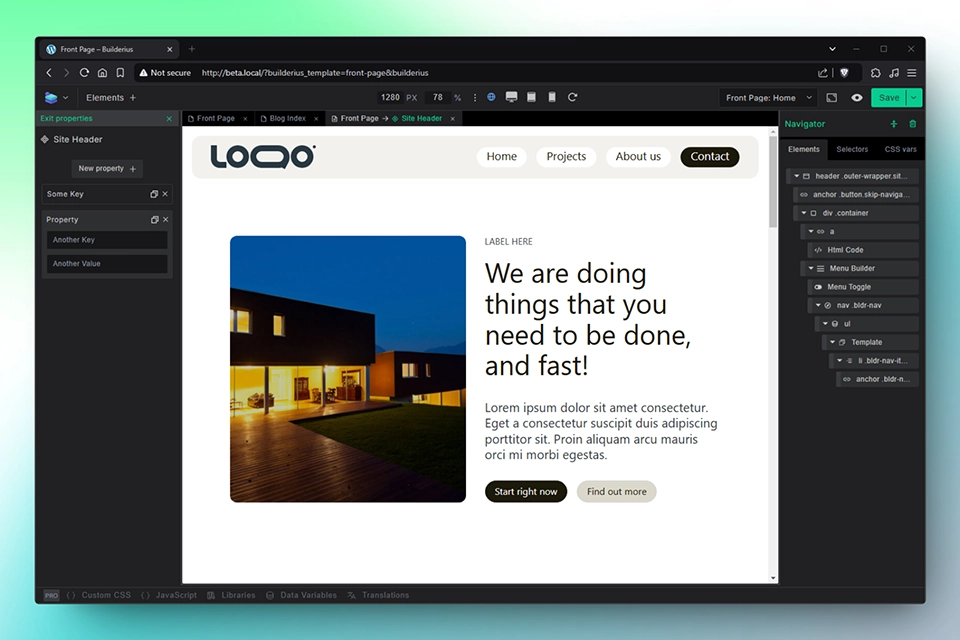
Builderius builder, component editing view
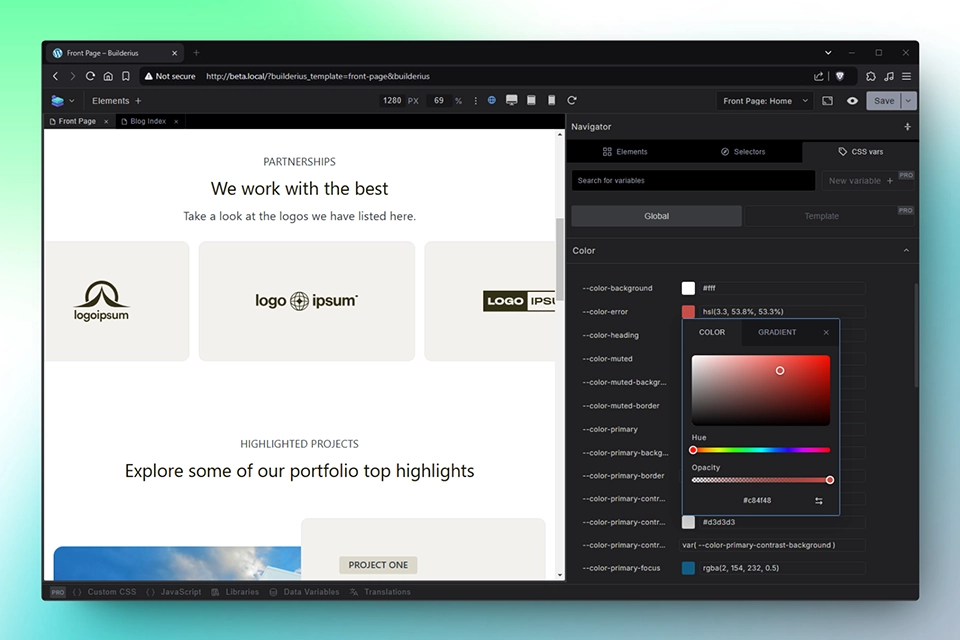
Builderius builder, global style controls using CSS variables
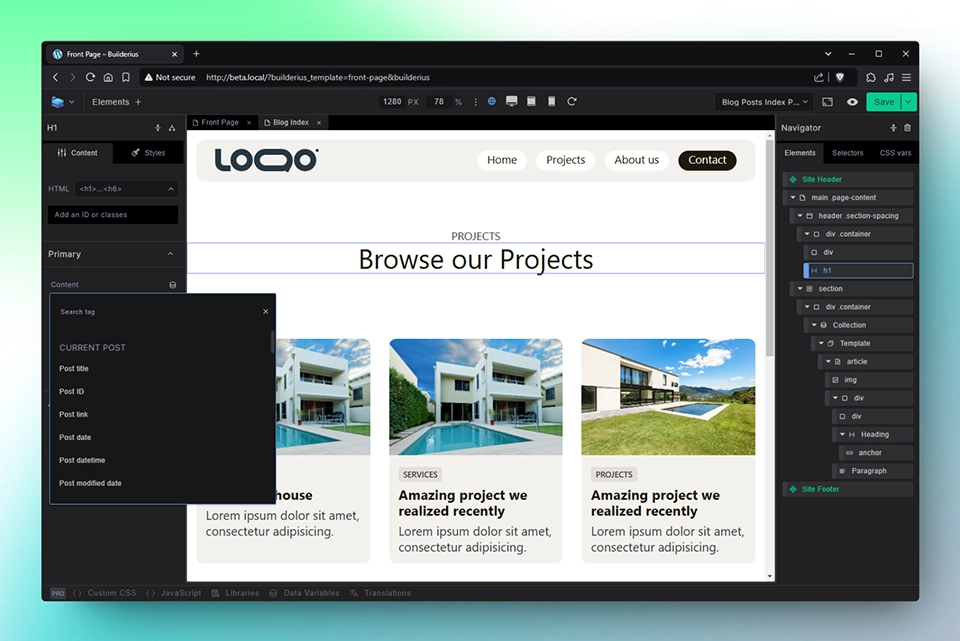
Builderius builder, dynamic data sources view
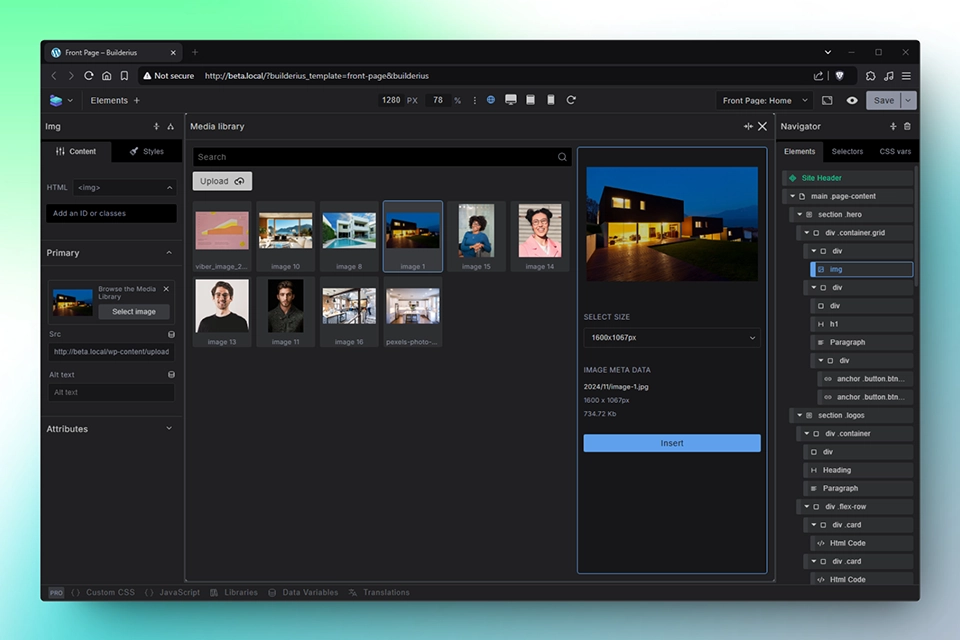
Builderius builder, media library view
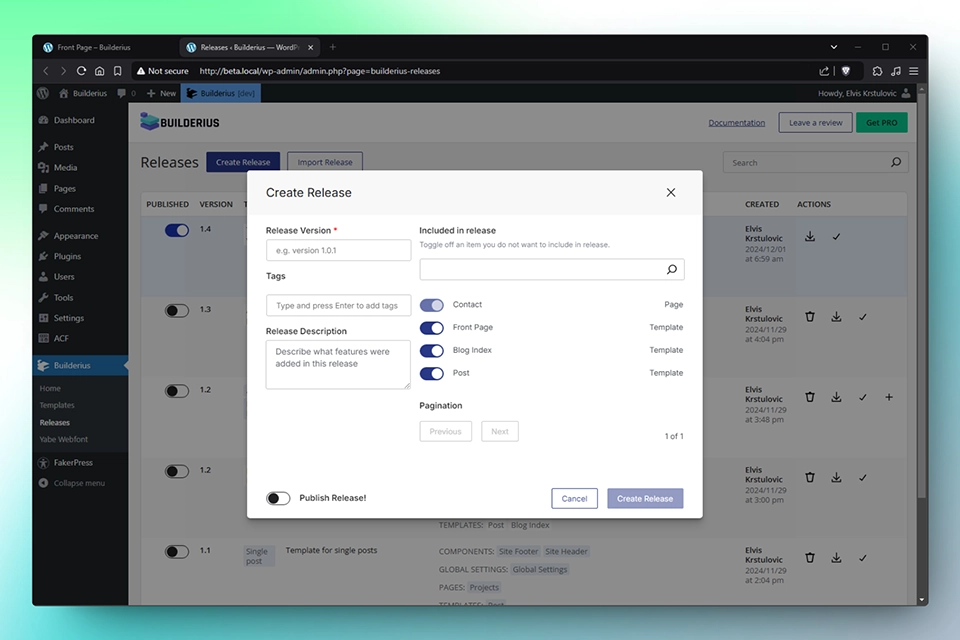
Builderius builder, release creation view
Do I need coding skills to use Builderius?
No coding required. Builderius provides visual tools for everything, while teaching web standards through its interface. You’ll understand HTML and CSS better by using it, but you don’t need to know them to start.
How does Builderius compare to Elementor or other page builders?
Builderius focuses on code quality and professional workflows. While other builders prioritize ease of use above all else, we provide visual building that maintains web standards and generates clean markup. You get professional results without sacrificing efficiency.
Will Builderius slow down my website?
Builderius websites load faster than most page builder sites because we generate clean, minimal code. No bloated CSS, no unnecessary JavaScript, no shortcode overhead. Just semantic HTML and efficient stylesheets.
Is my site secure with Builderius?
Yes. Builderius passed a rigorous security audit when selected for the Ukrainian Territorial Defense website (Ukrainian Military). Our architecture prevents common security vulnerabilities found in other builders by using a customized GraphQL system that blocks potentially harmful functions and prevents unauthorized database modifications. Additionally, Builderius restricts builder access to WordPress administrators only – we don’t just hide the interface, we prevent it from running for users without proper permissions.
Can I migrate from other page builders?
Yes. Builderius works alongside other builders during transition periods. You can gradually rebuild pages and templates at your own pace without breaking existing content.
Is the free version limited or a trial?
The free version is fully functional for landing pages and basic template building. It’s not a trial or demo – it’s a complete solution for many use cases. Pro features add advanced capabilities for complex sites and agency workflows.
What themes work with Builderius?
Builderius works with any properly coded WordPress theme. For maximum flexibility, we recommend minimal themes, but Builderius functions with any theme that follows WordPress standards.
Can I use Builderius with the Advanced Custom Fields Plugin?
Certainly, the pro version works with all ACF fields. The free version of the builder works with simple fields only, including:
- text
- textarea
- number
- range
- url
- password
- image
- file
- wysiwyg editor
- select
- checkbox
- radio
- button
- true/false
- link
- page link
Can I use Builderius with the Meta Box Plugin?
Certainly, the pro version works with all Meta Box fields. The free version of the builder works with simple fields only, including:
- button
- checkbox
- checkbox list
- hidden
- number
- password
- radio
- range
- select
- select advanced
- text
- textarea
- url
- autocomplete
- color picker
- Google Maps
- image select
- oEmbed
- slider
- time
- wysiwyg
- file
- file advanced
- file input
- image
- image advanced
- video
1.8-rc4
BUILDERIUS
- Feature: Component properties can be reordered by dragging, and grouped. Drag a property’s header in Edit properties and a line shows where it will land. A line above every property reads “Group name +”: naming it starts a group that runs to the next named line, shown on every instance as an accordion
- Feature: Create a property from the field itself. The property picker’s Create new lists the property types; picking one adds the property to the component, connects the field to it, and opens Edit properties on it with its name selected, ready to be named and given a default
- Feature: Auto Properties. Inside a component, the element menu’s Auto Properties lists every setting a property usually stands for — text, image source and alt, link address and label, media source, a nested component’s properties. Leave rows out, change names and types, and Apply creates them with the current values as defaults and links them, as one undo step
- Feature: Customize the Inserter. An eye on every element and category hides what you never use; kept in your browser, like favourites. Search matches element names as well
- Feature: Select several elements in the Navigator — Shift for a range, Cmd/Ctrl one at a time. Duplicate, Delete, Rename, Move (drag any selected row), Wrap, change tag, add class and Collapse/Expand children act on the whole selection, each as one step in the history
- Feature: Filters section: blur, brightness, contrast, grayscale, hue-rotate, invert, opacity, saturate, sepia, drop-shadow and url() as a list in CSS order, each with its own fields
- Feature: Effects section: Blending (mix-blend-mode), Opacity in percent, and box shadows and text shadows as lists, inset shadows included, the first on top
- Feature: Transforms section: Perspective and its origin, then translate, scale, rotate, skew and perspective() as a list; any other function is kept as written. Transitions section: property, easing, duration and delay per transition
- Feature: Physical and logical CSS. Margin, Padding, Position, Sizing, Radius and Border read both spellings (margin-left, margin-inline-start, border-block…), place each on the side it lands on in the writing direction, and convert between them in place with a Physical | Logical switch. Settings › Appearance › New CSS properties sets your default spelling
-
Feature: Keyboard shortcuts you can change. One registry and one set of keys; the Shortcuts panel (⌘/) lists them in four columns with a search. Click a shortcut to record new keys — clashes with another shortcut or the browser are refused — and export or import your keys as a file to take them to another site
-
Improvement: A light theme. Settings › Appearance offers System, Light or Dark for each user; System follows the operating system. A builder that is already open, and its code editors, switch the moment the setting changes. The dark theme looks as it did
- Improvement: A Components panel. A button beside Add elements opens every component — Built-in (Site Header, Site Footer) and your own — with a search. A click inserts one; Shift-click inserts it and keeps the panel open. Right-click opens it in its own tab, or renames, duplicates or deletes it (built-in components cannot be renamed or deleted). Components left the Inserter, which now lists elements only
- Improvement: Components can be hidden, shown and favourited. The panel’s cog puts an eye on every component and category; hovering a component offers the star that pins it to the favourites column beside the Navigator, as for elements
- Improvement: Elements navigator V2. Rows are tighter, with guide lines under open parents; the tag chip opens the HTML tag list; components are green, collections violet, and everything inside a collection stays violet. Duplicate, Delete and Clear styles sit at the row’s right edge while the tree scrolls sideways. Dragging carries the row and a blue line marks where it will land
- Improvement: The Navigator names rows by what they are: your label, else the id, the classes, the element’s own text, an image’s file, a link’s address or the element’s name. The bare tag (div, section…) shows only when there is nothing else. A collection’s rows read Collection, Sub-Collection and Template when they have no name
- Improvement: Opt+Cmd (Alt+Ctrl) + click on an element, on the canvas or in the Navigator, selects it, opens Styles and puts the class field at the pointer, ready to type
- Improvement: One element menu for the Navigator and the canvas: insert (div, paragraph, image), duplicate, delete, cut / copy / paste with their shortcuts, convert, rename (F2), Auto BEM, wrap in a div or a collection, and the new Unwrap, which puts the element in its parent’s place (an emptied parent is removed). Right-click on the canvas selects the element and opens the menu at the pointer. An image can be wrapped in a figure as well as a picture
- Improvement: Empty elements can be seen. An element that would be 0px tall or wide gets a 40px minimum and a faint dashed outline on the canvas only, so it can be hovered and clicked. Spans, images, inputs, templates and code elements are left alone, and the live site is unchanged
- Improvement: Drop images on the canvas to add them as img elements
- Improvement: A Media library button in the top bar opens the library on its own: browse, and upload any file type WordPress allows. Insert makes the right element — img, video or audio with its source, or a link to the file — or, with an img, source or link selected, fills it
- Improvement: The Media library takes files dropped on it, deletes several files at once (two clicks), and filters by type and by month. Opened from a field it shows only the files that fit that field
- Improvement: Flex alignment as a 3 × 3 grid and two selects in place of Align Items and Justify Content. A click aligns on both axes, Alt spaces the main axis (between / around / evenly), Shift stretches the cross axis. The grid follows the direction, and with nothing set shows what flex gives by default, greyed
- Improvement: Object Position as a nine-point grid with two fields that also take any value (25%, calc(), var(), “right 20px”). Position as a nine-point grid for absolute, fixed and sticky that pins the element to an edge or its centre. Aspect Ratio as Width and Height fields
- Improvement: Advanced suggests as you type: every CSS property the browser knows in the name field, and in the value field the keywords, functions and units that property takes. A name or value the browser would refuse is marked in red
- Improvement: The colour picker opens on the colour the element actually shows (a var() resolved on the canvas) and lists the site’s colour variables and ten shades of the current colour. Its + creates a new colour variable from the picked value
- Improvement: The gradient picker lists gradient variables, and a stop can take a colour variable so the gradient follows it
- Improvement: Right-click any field that takes a CSS variable to open the variables list
- Improvement: Edits in the panel patch the rule in place. A changed value updates its own declaration, so comments, order and formatting written in the CSS editor survive
- Improvement: Shorthands stay shorthands. margin, padding, inset, border, border-radius, outline, gap, place-*, flex, overflow, text-decoration and transition written by hand fill their controls, and an edit goes back into the declaration it came from. A shorthand holding var() is resolved to show its sides, or locked with a note when it cannot be split
- Improvement: New shortcuts: ⌘S save, ⌘I insert element, ⇧I insert component, ⌘D duplicate (was ⌘⇧D), ⌥G wrap in div, ⌥C add class, ⌘⌥K create component, arrows to select the sibling, child or parent on the canvas, Esc deselect, Space hide all panels, E D W S V H C B for the panels, ⌥1–⌥7 for the bottom panels, ⌥− / ⌥= for breakpoints, ⌥P content preview, ⌥T the tab bar’s +, P interactive mode, ⇧ + Enter in margin or padding to set the opposite side too. Letters match as typed, so other keyboard layouts keep ⌘Z
- Improvement: Sidebars hide one at a time: double-click a sidebar’s edge, or press [ and ], and double-click the edge again to bring it back at its width. Remembered per browser
- Improvement: Canvas tabs, Dynamic Data tabs and JavaScript tabs can be reordered by dragging. The tab bar’s + opens any template or page in a new tab
- Improvement: Every modal can be dragged by its header and opens again where it was left; double-click the header to put it back
- Improvement: Quick Access. The logo menu links to Builderius, WordPress, ACF and Meta Box screens and the resources, showing only the screens you are allowed to open
- Improvement: The builder on one design: the top bar (round Add elements, Save as an icon, Preview Content), panel tabs, one dropdown, one modal, 32px fields with a focus ring, one switch, one grey button, rounded tabs, outlined line icons on square frames, the Inter typeface on one size scale
- Improvement: The element’s HTML tag is picked in the panel header; Content | Styles are full-width tabs
- Improvement: Every dropdown works from the keyboard — ↓ ↑ Home End to move, Enter or Space to pick, Esc or a click outside to close. Hovering the chosen option shows × in place of its check, and a click clears the field
- Improvement: Dropdown lists are taller, fit the window and no longer scroll smoothly, which made them drift under the pointer
- Improvement: Layout shows only the settings of the element’s display — grid settings on grid, flex settings on flex, alignment and gap on either. A layout property that does nothing at that display is listed under Advanced, and leaving grid for another display removes the grid-only properties
- Improvement: Setting display: flex (or grid) on a class shows its settings at once, as it already did on the element itself
- Improvement: Fullscreen keeps the canvas editable: elements can still be hovered, selected and dragged with the panels hidden
- Improvement: The Auto BEM dialog shows each class as its block prefix and an editable part; rows can be left out, Indent shows the nesting, and an element’s existing classes are never overwritten. It sits beside the Navigator instead of over it, and long names fit
- Improvement: Reloading the canvas keeps the selected element and the panel as they were, instead of dropping the selection and showing all the CSS
-
Improvement: The builder’s stylesheet is half the size — 135 KB to 68 KB gzipped — and the editor no longer blurs behind modals and loaders; sidebars open and close at once
-
Fix: Deleting a closing bracket in the CSS editor could lose whole chunks of the stylesheet, nesting the following rules inside the broken one, and putting the bracket back did not undo it. An unbalanced stylesheet is now left untouched
- Fix: Styling a one-letter selector such as
arewrote every “a” in the stylesheet (background: aquabecame unreadable) - Fix: The selection outline slid away from its element while the canvas scrolled, when the element sat inside a sticky section
- Fix: !important was dropped when a value passed through the panel, and a property written twice showed the wrong one. Controls now show and edit the declaration the browser uses
- Fix: A border-radius with several values was split into four corners that each held the whole value, which is invalid CSS
- Fix: Submenus in the context menu showed but could not be clicked, and tooltips on menu rows were half hidden behind the menu
- Fix: A one-character class chip, such as
a, could not be clicked - Fix: A label that looked like HTML was inserted into the canvas as HTML; labels are plain text
- Fix: A changed video or audio source did not play until the canvas was reloaded
- Fix: The Media library could show the results of an older search when filters changed quickly, and a failed request showed nothing
- Fix: Dragging the colour picker over the canvas stalled
- Fix: A gradient stop in OKLCH, the default format, turned black when the gradient was read back
- Fix: Opening Backgrounds could fail with “a is not a function”
- Fix: Clicking beside a section label cleared its value
- Fix: A rebuilt builder script could stay cached in the canvas even after a hard reload; builder files are now versioned by their modification time (the live site is unchanged)
- Fix: The unused fonts generation WP-CLI command, which fetched a file from GitHub with no timeout, has been removed
1.7-rc3
BUILDERIUS
- Feature: Move an element on the canvas itself. The outline of the selected or hovered element carries a grip: drag it and the element lands before, after or inside whatever is under the pointer — side by side a drop reorders, Alt drops inside — with the parent marked and a line showing where it will go. Esc cancels, the click that ends a drag selects nothing, and the move is one step in the history, exactly as a move in the Navigator is
- Feature: Change an element’s HTML tag from the canvas. The pencil on its outline opens a box for the tag name; Enter or a click away applies it, Esc cancels, and a name that is not a valid tag is refused
- Feature: Alt (Option) and the arrow keys move the selected element — Up and Down past a sibling, and out of the parent at its edge; Left out of the parent, just before it; Right into the sibling below as its first child, when that element can hold children. It replaces Ctrl/Cmd + Alt + Up/Down and is listed in the Shortcuts tab. Typing in a field, in inline text or in the CSS editor keeps the keys
-
Updated: A setting showing a default rather than a value you chose — a track’s
auto, for instance — shows it dim, as a placeholder, rather than looking like a value that has been set -
Fix: The builder could open a page with every dynamic data binding empty while the page itself rendered correctly, and stayed that way until the query was run by hand from the GraphQL tab. The values were fetched and then discarded; they are asked for once the editor knows which page is asking
- Fix: A
{{ ... }}argument on the first field of a query was sent as empty instead of being resolved or left as written, so whatever it was filtering on was lost - Fix: The builder is far quicker on a large page. Every write to its state — a click, a hover, a drag move — re-rendered elements that nothing had changed, and selecting an element threw away the dynamic data of every element on the canvas. On a page of 1,008 elements, selecting one in the Navigator blocked the browser for 3.3 seconds and now blocks it for 0.15, and dragging a row in the Navigator went from 0.48 seconds to 0.05. A small page was never slow enough to notice and is quicker as well
- Fix: Selecting an element wrote that element back unchanged, which counts as an edit. It left a step in the history that restores identical content, so Undo could appear to do nothing
- Fix: A keyboard shortcut used while the canvas had focus left its keys counted as still held — only the press was forwarded to the builder, never the release — so the next shortcut sharing one of those keys matched nothing
- Fix: The Navigator could label an element with the tag it used to have. The label was read back off the canvas, so it only caught up when that row happened to redraw — and when the builder first opened, before the elements existed on the canvas, every row fell back to its stored label. It now comes from the element’s own configuration, which cannot be stale
- Fix: An entry in the Navigator that opens a page was a button asking the browser to open a window, so right-click “Open Link in New Tab”, Cmd or middle click, “Copy Link Address” and the address on hover were all missing from it. It is a real link now, and a plain click still opens a new tab
BUILDERIUS PRO
-
Feature: A visual CSS grid builder. In the panel: track cards for the columns and rows with their sizes and line names, the alignment of items in their cells, auto flow with Dense, named grid areas, and each child’s placement — Auto, manual lines, or an area — applied to every item or to one of them. On the canvas, switched on from the grid’s own label: track headers that add or remove a track, the named areas drawn over the grid, a grip to move an item and a handle to change its span, rails that stay on screen as the page scrolls, and the items of a Collection addressed one at a time. Manual placement reads a grid whichever way it is written, a
grid-area: 2 / 1 / 4 / 2shorthand from an import or the CSS editor included — that used to be reported as Auto, with span fields that did nothing to it. Included in Website, Professional and Studio -
Fix: A
@transformexpression on the first field of a query could not read the fields beside it, and the field it transformed came back empty
1.6-rc2
BUILDERIUS
-
Feature: A data variable field that resolves to nothing is written to the log — one line per query, naming each path that failed and the reason, rather than nothing at all
-
Fix: A page meant for one visitor could be served to another. The page cache compared the cookies it was told to watch against the names of the cookies on the request instead of their values, so every visitor who was not signed in but carried any cookie at all shared one cached copy of each page — a cart count, a pending-comment notice, or a password-protected post unlocked by one visitor could reach the next. A page that belongs to somebody is no longer stored
- Fix: A page rendered while previewing as another user was stored under the public key and served to the next visitor, admin bar and all
- Fix: Clearing the caches from a URL asked for no permission at all. It wipes the compiled service container and the compiled templates, so anyone passing by could hold a site rebuilding them; it now asks for the Builderius developer capability
- Fix: The Builderius cache directory under uploads was reachable over the web — the compiled service container, the compiled templates and the builder’s preview scratch among them. It is denied to browsers now, and its object pool sits in a directory named from a secret of the site’s
- Fix: Emptying that directory by hand left it permanently without the files that keep it off the web. Every guard file is restored with the directory it guards
- Fix: A page rendered while a release was being published could stay cached for ten hours. A cache entry written before a publish is unreachable after it
- Fix: Generated CSS and JS kept their old
?ver=when the file behind them was rewritten, so a browser or a CDN went on serving the previous one. The version follows the file’s content now - Fix: Builderius emptied the whole object cache in six places, taking every other plugin’s cached data on the site with it on any install running Redis or Memcached. Each of the six invalidates only what Builderius wrote
- Fix: Serving a page from the cache cost four database queries that it no longer makes
- Fix: A rendering condition on a component placed in a Collection is decided for each row, rather than once against the unresolved
{{ field }}— which was always true - Fix: A dynamic data value of
0rendered as nothing, so a count could neither be shown nor compared against zero. A0prints as0 - Fix: Two data variables whose queries shared a root field name returned one another’s values
- Fix: Every page view by somebody who is not signed in reported an error for each user field a logged-out visitor simply does not have. A property that cannot be read is a value of null, not an error
- Fix: Keyboard shortcuts stopped working as soon as an element on the canvas was selected, which is how an element is normally selected — Ctrl+C, Ctrl+Z and Esc did nothing, and Ctrl+Shift+D opened the browser’s own dialog instead of duplicating
- Fix: Redo by Ctrl+Shift+Z never worked, in any panel, on any platform
- Fix: On a screen wider than the canvas, the canvas ignored the width you dragged or typed until a breakpoint took over, and the base breakpoint reported a width the canvas did not have
BUILDERIUS PRO
-
Feature: A licensed site asks once a day whether its licence still covers it, so removing a site from your account takes effect on the site. One that had been removed could keep every paid feature indefinitely
-
Fix: An activation stopped before it reached the licensing server settles over the update check instead, which the same protections let through. Sites had been running licensed for months while their activation record said they had never been activated
- Fix: A site whose activation was intercepted read as valid with every paid feature switched off. The update check keeps the grants it was sent
- Fix: After updating, a site went on advertising an update to the version it had just installed, for up to twelve hours
- Fix: Licence messages named Builderius PRO on every edition, including the two that have never carried that name. They name the edition that is running
- Fix: After activating a licence, the other settings tabs went on saying a licence was required until the page was reloaded by hand
- Fix: Publishing a commit group did not regenerate JS, so an edited snippet went on serving its previous file
- Fix: Generating assets could delete a component’s JS and never write it back, depending on the order two listeners happened to run in
- Fix: The Sense AI endpoints in Studio answered on an unlicensed site — saving settings, installing an MCP server, minting an application password and reading bridge diagnostics were all reachable while the settings tab said a valid licence was required
1.5-rc1
BUILDERIUS
- Feature: Builderius is now one plugin per tier — Community, Website, Professional or Studio — instead of a free plugin and a paid one installed together. A site on the old pair keeps working: the new plugin runs beside the one it replaces, and activating it turns the old ones off for you. Your licence key, templates and settings carry across. Because the plugin’s name changes, that one switch is a download from your account; everything after it updates normally
- Feature: A licence that covers a different tier offers that plugin as an ordinary update, and the switch changes the plugin over without the site losing its builder along the way. A licence is only ever offered the edition it covers
- Feature: Preview as — look at the canvas, and the front end, as any user on the site or as a logged-out visitor, without logging out yourself. Rendering conditions, data variables and the templates that apply all follow the previewed user, and a banner says who you are looking at. Off until you switch it on, and a previewed page can run forms and actions as that user only if you allow it
- Feature: Translate, on the content editor’s context menu, and
translate()registered under its WordPress name__()so a string can be translated where it is written - Feature:
sort,rsortandusortin the expression language, alongsideis_numericandis_json— all four were documented and none were registered. Both engines, the canvas’s and the page’s, are now held to one corpus so they cannot drift apart again - Feature: Renaming a class renames it everywhere — its rules in every scope, and the class on every element carrying it, across every template and component. Ones you have not opened are carried along at Save. The rename offers “everywhere” or “this selector only”, and renaming onto a name that already exists is refused rather than quietly merging the two
- Feature: Deleting a class now takes the class off every element as well as removing its rules. It asks before it acts, and says how far the deletion reaches in the scope you are in
- Feature: Import Images, a new option on HTML import. Every image the markup points at is copied into the media library and the page re-pointed at the copies, so an imported design stops depending on the site it came from. The download runs in the background with progress, an image already imported is reused rather than fetched again, and one that cannot be fetched keeps its original address and is reported
- Feature: Allow Inline Scripting, a new option on HTML import, off by default. With it on, an imported page keeps behaving as it did: inline handlers — onclick and the rest — become JavaScript snippets you can see and edit in the JS panel,
javascript:links and<iframe srcdoc>are kept, and imported iframes are left unsandboxed. With it off, none of that imported code can run -
Feature: The %local% / %selector% badge is a split control — the label inserts the plain selector, the caret offers :hover, ::before and ::after
-
Fix: Dynamic data could render blank across a whole site, leaving a fatal in the log about
Type::getNullableType(). A template’s data variable query and a global one were being merged every time a page rendered, and the merge could produce a document nobody wrote: two different fields answering to one response key, a variable used with nothing defining it, a fragment nothing spreads — and one invalid document costs the page every value in it. Queries are no longer merged at render time — a template’s own data variable wins, the way it always has in components - Fix: A
wpdata variable that had reached Global Settings is folded back into the templates and components that should have held it, once, on upgrade. Nobody could create one by hand; it got there when an added, pasted or imported element’s config was written to global settings. History is rewritten too, not only what is active, so restoring an older commit or release cannot bring one back - Fix: A data variable named
wpcan no longer be created through the API. The name is reserved, and the builder maintains that variable itself from the bindings you make - Fix: A default of
0in a query —query ($limit: Int = 0)— was dropped when the query was printed, and a0inside a list value went with it, because the bundled GraphQL library read “0” as false -
Updated: The bundled GraphQL library no longer emits deprecation notices on PHP 8.2 to 8.4
-
Fix: Text that an imported page displayed as characters could come back as markup the browser runs.
<img onerror=...>in the source arrived as a real tag, because the importer stored text decoded and the renderer prints it as HTML. Imported text is now re-encoded, so what the original showed as text the import shows as text - Fix: Imported content containing
[[,[%,[#or[^was compiled as template syntax rather than printed — a wiki link, a regex or a footnote marker could take the whole template down with a syntax error. Those sequences are now neutralised on import, and still display as written - Fix: Imported markup carried its scripts into the page. Inline handlers are now either rehomed as snippets or dropped, depending on Allow Inline Scripting, and
srcdoc,objectdata andjavascript:URLs are handled the same way. An imported iframe pointing somewhere else is sandboxed; one pointing at your own site is not, since sandboxing it would break it - Fix: Text inside a template could call PHP functions. Twig’s sandbox let a string like
systemthrough on seven filters, because a string is a valid callable in PHP - Fix: Relative URLs in an imported page no longer change meaning. They are resolved against the page they came from,
<base>included - Fix: A
<template>element’s contents were dropped on import, and everything below 255 levels of nesting with them - Fix:
<textarea>content and preformatted whitespace survive an import, instead of being collapsed - Fix: Microdata and document attributes —
itemscope,itemprop,lang,dirand the rest — are kept rather than stripped - Fix: A
<style>block’s media condition is kept, and only the@importrules that are really there are lifted out of it - Fix: An inline style could escape its own rule, and an inline stylesheet could end its own
<style>element - Fix: Framework attributes — Alpine’s
x-on:, Vue’s@clickand:class— failed the whole import rather than being carried through - Fix: One unsafe SVG no longer takes the whole template with it, and ids that HTML allows but the builder does not are renamed instead of refused
- Fix: A page full …