Choose right WordPress plugin from thousands others in a moment
Blockspare – Beautiful Page Building Gutenberg Blocks for WordPress
We design an elegant series of WordPress blocks to help you create the website you always wanted with ease. Let’s Start Designing Your Dream Site in M …
BlockSpare is a powerful Gutenberg blocks plugin built for publishers, bloggers, businesses, agencies, and content creators who want to build beautiful WordPress websites using the native Block Editor.
Trusted by 17,000+ WordPress users, BlockSpare includes 60+ Gutenberg blocks, 137+ starter templates, 270+ ready-made sections, and powerful tools for building content-rich websites—all designed to work naturally with the WordPress Block Editor.
With BlockSpare Pro, you can unlock AI-powered content generation, AI summarization, AI Key Q&A, AI model selection, an advanced Site Builder, Header & Footer Builder, premium starter sites, advanced post queries, dynamic content, smart visibility controls, AJAX post filters and Load More, breaking news tickers, advertisement blocks, and more.
Why Choose BlockSpare?
Unlike general-purpose block plugins, BlockSpare is designed specifically for content-rich websites, professional publishing, and flexible WordPress site building.
✅ Purpose-built for news, magazine, blog and editorial websites
✅ 60+ specialized Gutenberg blocks
✅ 100+ professionally designed starter templates
✅ 300+ ready-made sections
✅ Powerful post query and content filtering tools
✅ AI-powered content generation with multiple AI models
✅ AI summarization and Key Q&A tools
✅ AI connectors with configurable language and model settings
✅ Advanced Site Builder for managing website templates
✅ Header & Footer Builder
✅ Dynamic content and smart visibility controls
✅ AJAX post filters and Load More
✅ Breaking News Ticker and Advertisement Blocks
✅ Native Gutenberg experience
✅ No shortcode lock-in
✅ Works with modern WordPress themes
✅ Built by the creators of popular AF Themes
Build Almost Any Type of Website
BlockSpare makes it easy to create professional layouts for:
BlockSpare brings together powerful Gutenberg blocks, AI-powered content tools, a flexible Site Builder, professionally designed starter sites, and reusable sections to help you build and publish WordPress websites faster.
AI-Powered Content Tools
Create, improve, and understand your content with AI directly inside WordPress.
✓ AI Content Generation
✓ AI Content Summarization
✓ AI Key Questions & Answers
✓ Multiple AI Model Support
✓ Custom AI Generation Prompts
✓ Multiple Language Support
Use your connected AI providers and preferred models to generate content, summarize posts, and discover useful questions and answers.
Advanced Site Builder
Build and customize your website using the native WordPress Site Editor with flexible template controls.
✓ All Templates
✓ Header Templates
✓ Footer Templates
✓ Front Page Templates
✓ Singular Templates
✓ Archive Templates
✓ Search Results Templates
✓ Category Templates
✓ Author Templates
✓ Tag Templates
✓ Date Archive Templates
✓ 404 Page Templates
Create and manage templates for different parts of your website without relying on heavy page builders or custom code.
Professional Publishing Blocks
Create engaging news, magazine, blog, and editorial layouts using:
✓ Hero Banners
✓ Breaking News Tickers
✓ Trending Posts
✓ Post Grids
✓ Post Sliders
✓ Post Carousels
✓ Post Lists
✓ Express Lists
✓ Masonry Layouts
✓ Timeline Layouts
✓ Featured Categories
✓ Large Featured Sections
Perfect for online newspapers, digital magazines, blogs, editorial websites, and other content-rich publications.
Business & Utility Blocks
Build professional business pages and content sections with:
Create flexible content layouts using the powerful post query builder.
Display and organize posts by:
???? Categories
???? Tags
???? Authors
???? Date
???? Modified Date
???? Popular Posts
???? Featured Posts
???? Custom Ordering
???? Random Posts
???? Include & Exclude Posts
Choose from multiple layouts and control which content appears on your pages.
Dynamic Content & Visibility
Create flexible content experiences with dynamic blocks and display controls.
Use dynamic content to:
???? Display custom content and fields
???? Create dynamic buttons and labels
???? Build dynamic section headings
???? Customize content based on your data
Control block visibility based on:
???? User Role
???? Device
???? Date Range
???? Display Conditions
Create more flexible layouts that show the right content to the right visitors.
Built for Performance
BlockSpare is designed to work naturally with the WordPress Block Editor without unnecessary complexity.
Whether you’re launching your first blog, building a business website, or managing a large online publication, BlockSpare gives you the tools to build and publish faster with Gutenberg.
Create content with AI, build complete websites with the Site Builder, start from professionally designed templates, and create engaging news, magazine, blog, and business layouts with flexible Gutenberg blocks.
From breaking news homepages and featured stories to business websites and landing pages, BlockSpare is designed to work seamlessly with the WordPress Block Editor.
Why Publishers Love BlockSpare
Whether you’re launching your first blog or managing a large online publication, BlockSpare helps you build faster with professional layouts that are optimized for readability, engagement, and performance.
From breaking news homepages and featured stories to business websites and landing pages, everything is designed to work seamlessly with the WordPress Block Editor.
Unlock More with BlockSpare Pro
Upgrade to BlockSpare Pro to unlock AI-powered content tools, advanced Site Builder features, premium starter sites, powerful publishing tools, dynamic content controls, and advanced design options for professional WordPress websites.
AI-Powered Content Tools
Create, improve, and understand your content directly inside WordPress with integrated AI tools.
✅ AI Content Generation
✅ AI Content Generation Blocks
✅ AI Summarization
✅ AI Key Q&A
✅ Multiple AI Model Selection
✅ AI Connector Support
✅ Configurable Default Language
Use your preferred AI provider and model to generate content, summarize posts, and identify useful questions and answers from your content.
Advanced Site Builder
Build and manage templates for different parts of your website with the BlockSpare Site Builder.
✅ All Templates
✅ 404 Page
✅ Header
✅ Footer
✅ Front Page
✅ Singular
✅ Archive
✅ Search Results
✅ Category
✅ Author
✅ Tag
✅ Date Archive
Create and customize website templates using Gutenberg without relying on heavy page builders or custom code.
Premium Starter Sites
Start your website with professionally designed complete websites and ready-made layouts.
Build Professional Websites in Minutes: Access an all-in-one Gutenberg-powered toolkit to create visually stunning news, magazine, and business sites instantly.
AI Content Creation Setting Dashboard: Configure global AI providers, select preferred models like Google Gemini, and customize generation roles effortlessly.
AI-Powered Content Creation: Generate, summarize, and optimize your entire content workflow inside Gutenberg using advanced AI models.
Advanced Site Builder: Design headers, footers, archives, and single templates for every part of your dynamic website without code.
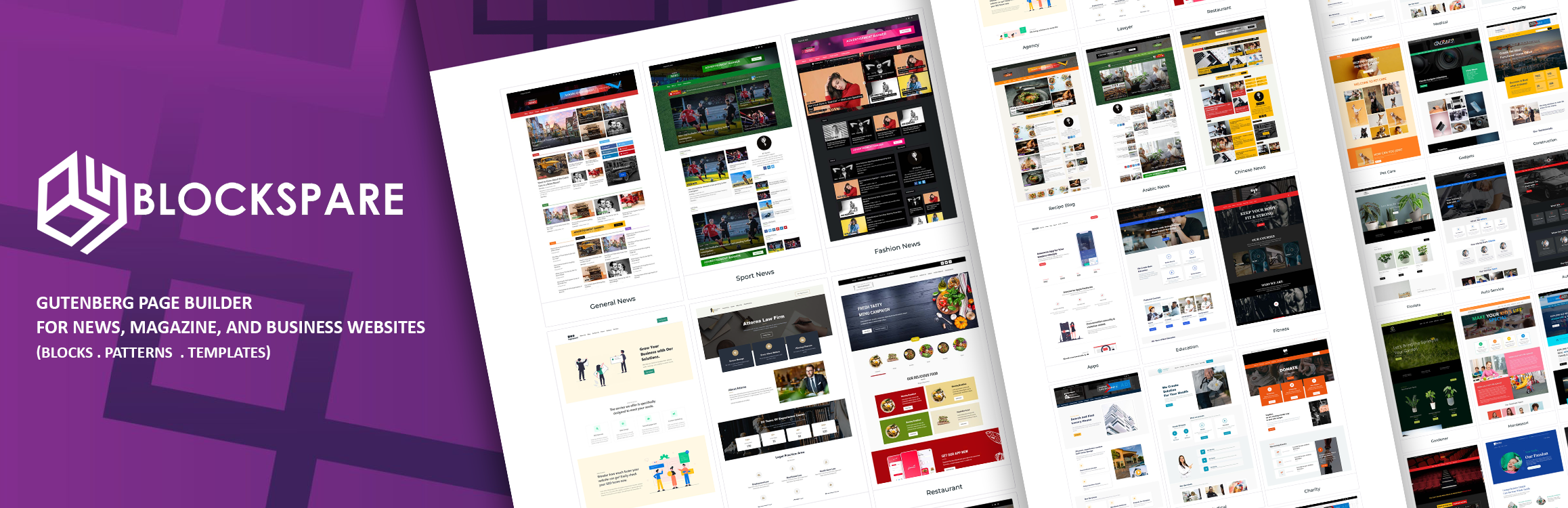
137+ Ready-to-Import Templates: Kickstart your project with a library of complete professional websites and customizable sections.
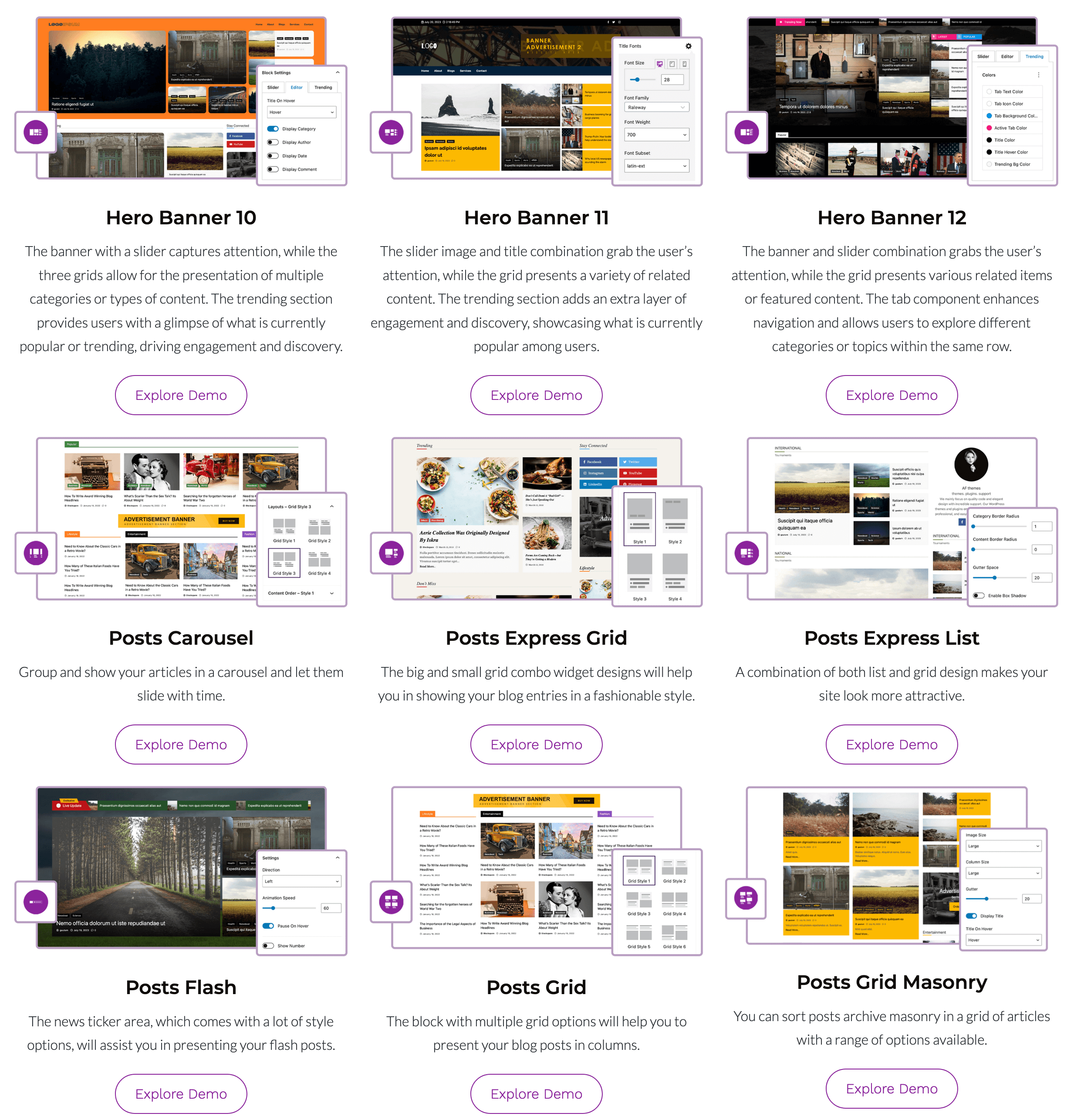
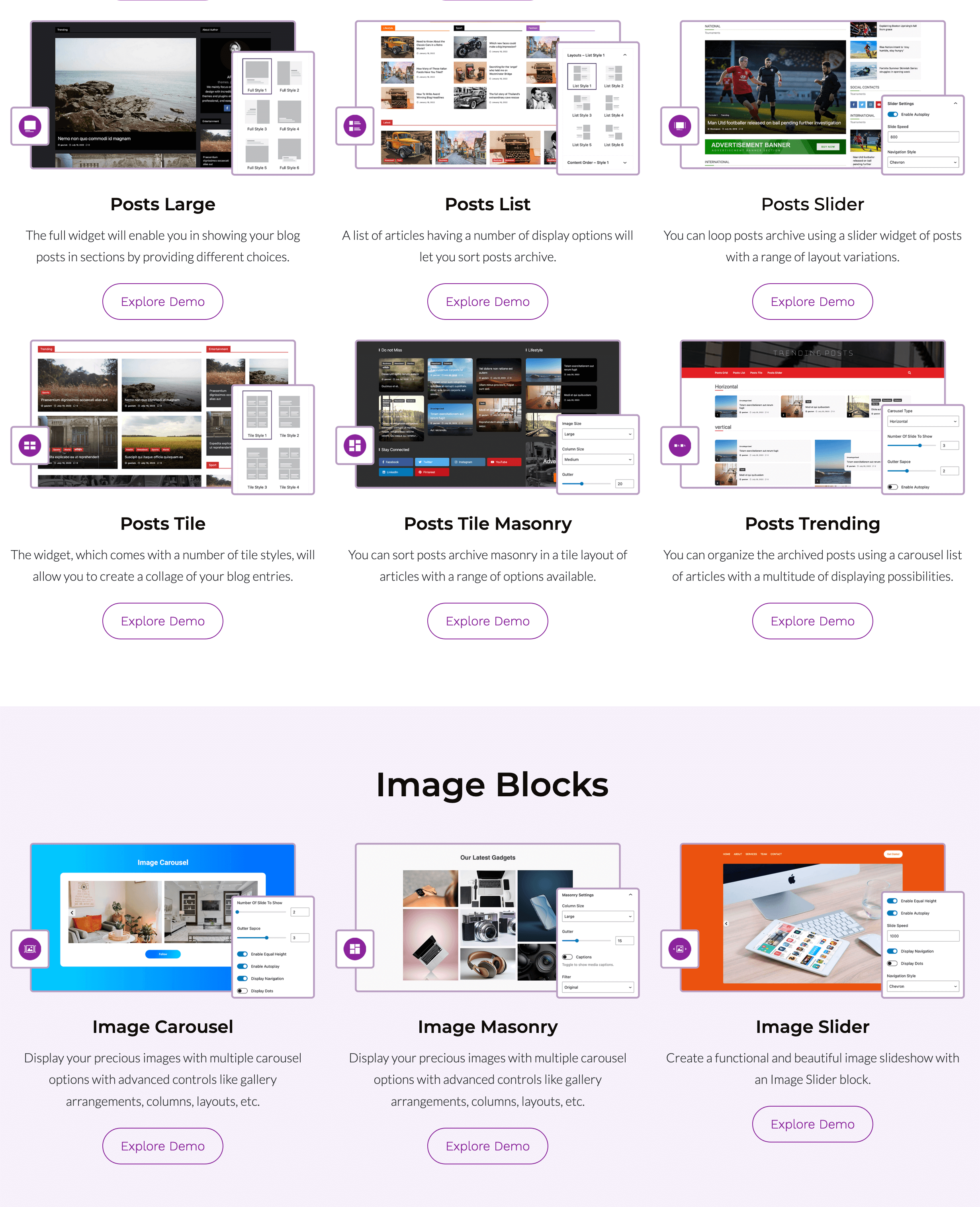
Specialized Publishing Blocks: Engage readers with dedicated News Tickers, Post Grids, Hero Banners, and Editorial layouts.
Dynamic Post Query & AJAX: Master your content display with advanced filtering, conditional logic, and seamless AJAX pagination.
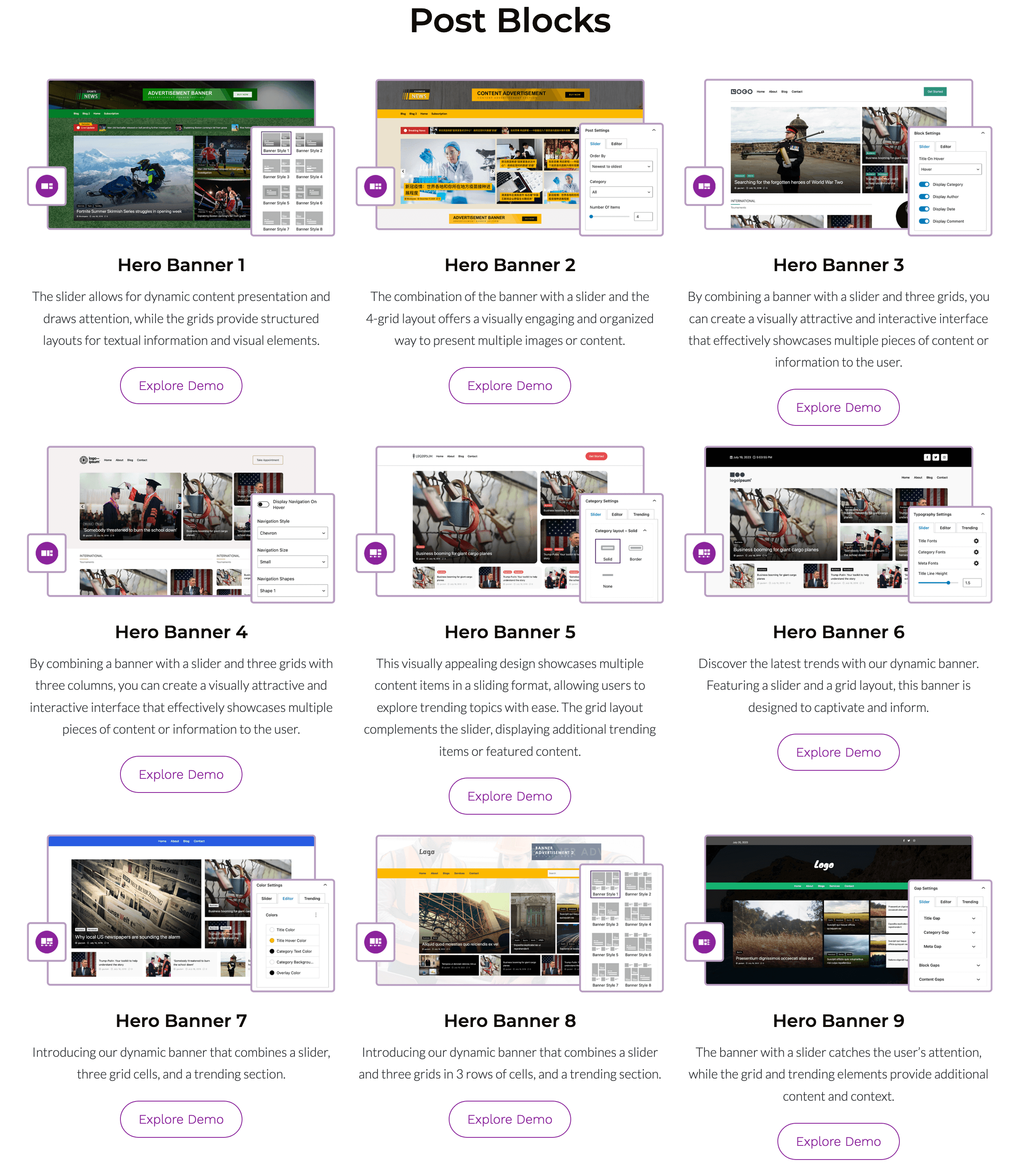
Endless Variation with Post Layouts: Transform post displays with 9+ Hero Banners, sliders, masonry grids, and carousel styles.
Design Controls - Social Media Links Options: Easily configure and style social media channel integrations across your pages with flexible layout choices.
BlockSpare is a Gutenberg blocks plugin for WordPress that helps you build professional news, magazine, blog, editorial, business, portfolio, landing page, and content-rich websites using the native Block Editor. It includes 60+ blocks, 137+ starter templates, 270+ ready-made sections, and powerful publishing and design tools.
Who is BlockSpare designed for?
BlockSpare is designed for bloggers, publishers, online magazines, news websites, businesses, agencies, freelancers, educators, nonprofits, and anyone who wants to build professional WordPress websites with Gutenberg without relying on heavy page builders or custom code.
Can I create news and magazine websites with BlockSpare?
Yes. BlockSpare is purpose-built for news, magazine, editorial, and blog websites. It includes Hero Banners, Breaking News Tickers, Trending Posts, Post Grids, Post Lists, Sliders, Carousels, Masonry layouts, Timeline layouts, Featured Sections, and other publishing-focused blocks.
Can I build business websites and landing pages?
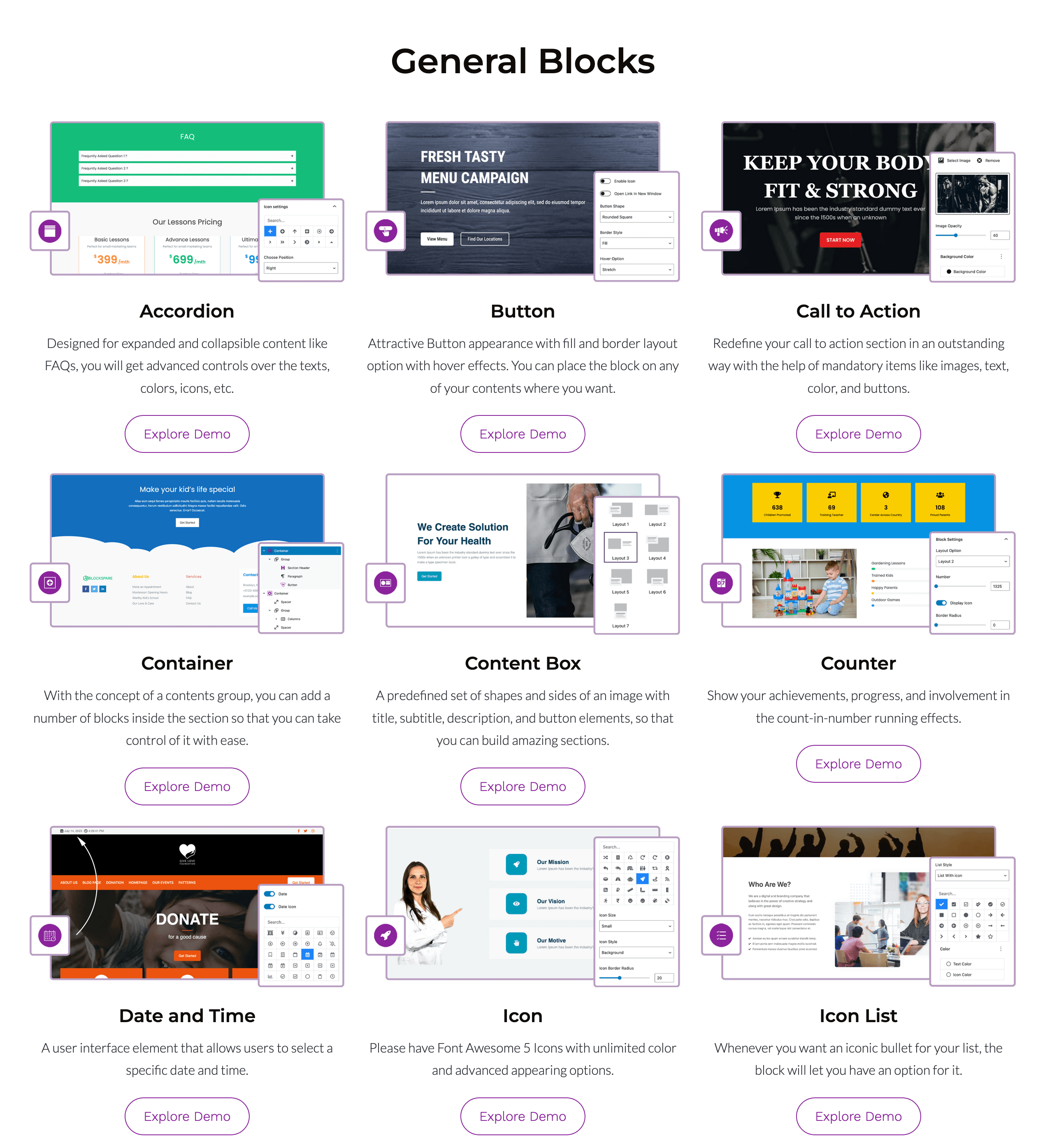
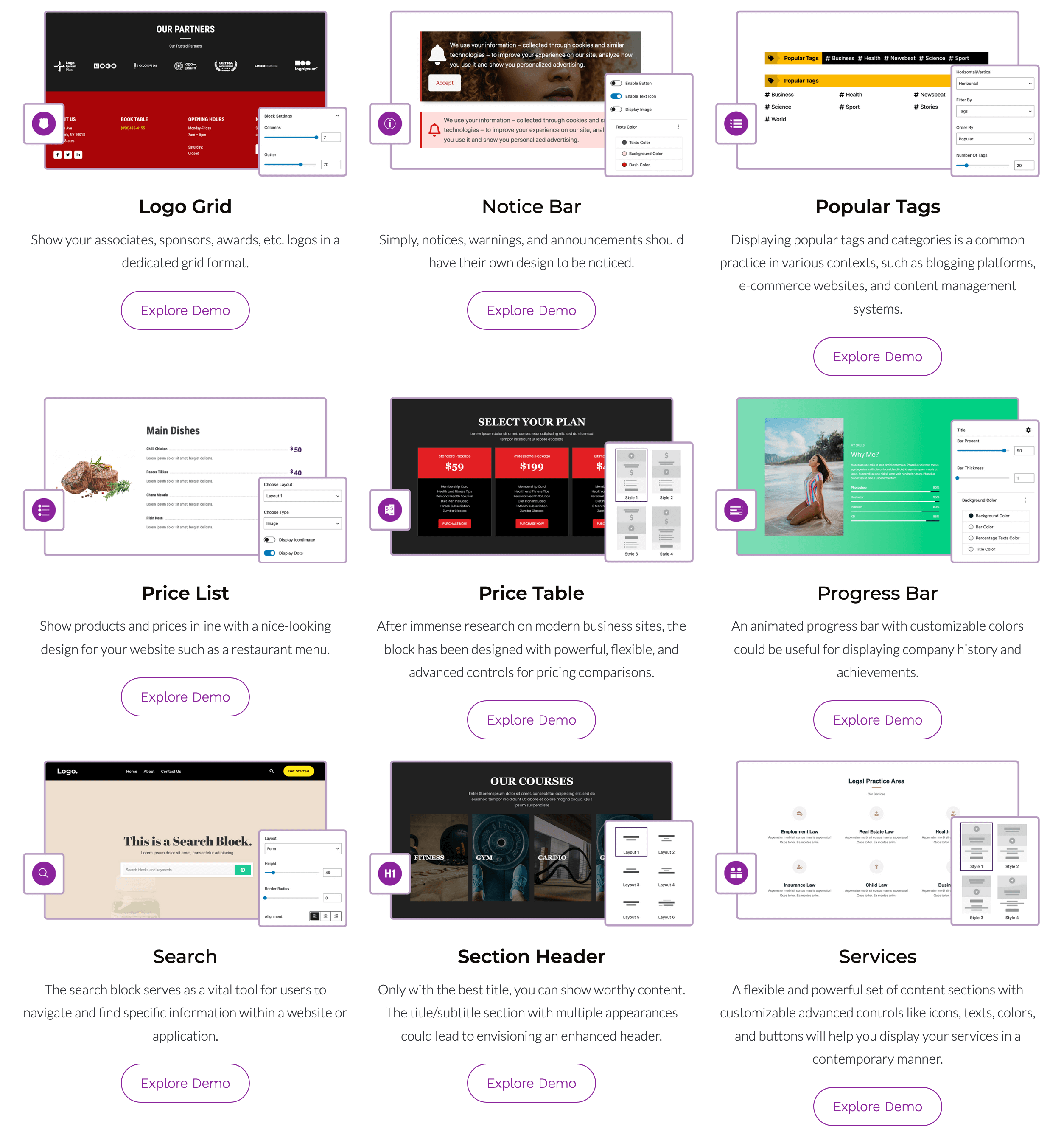
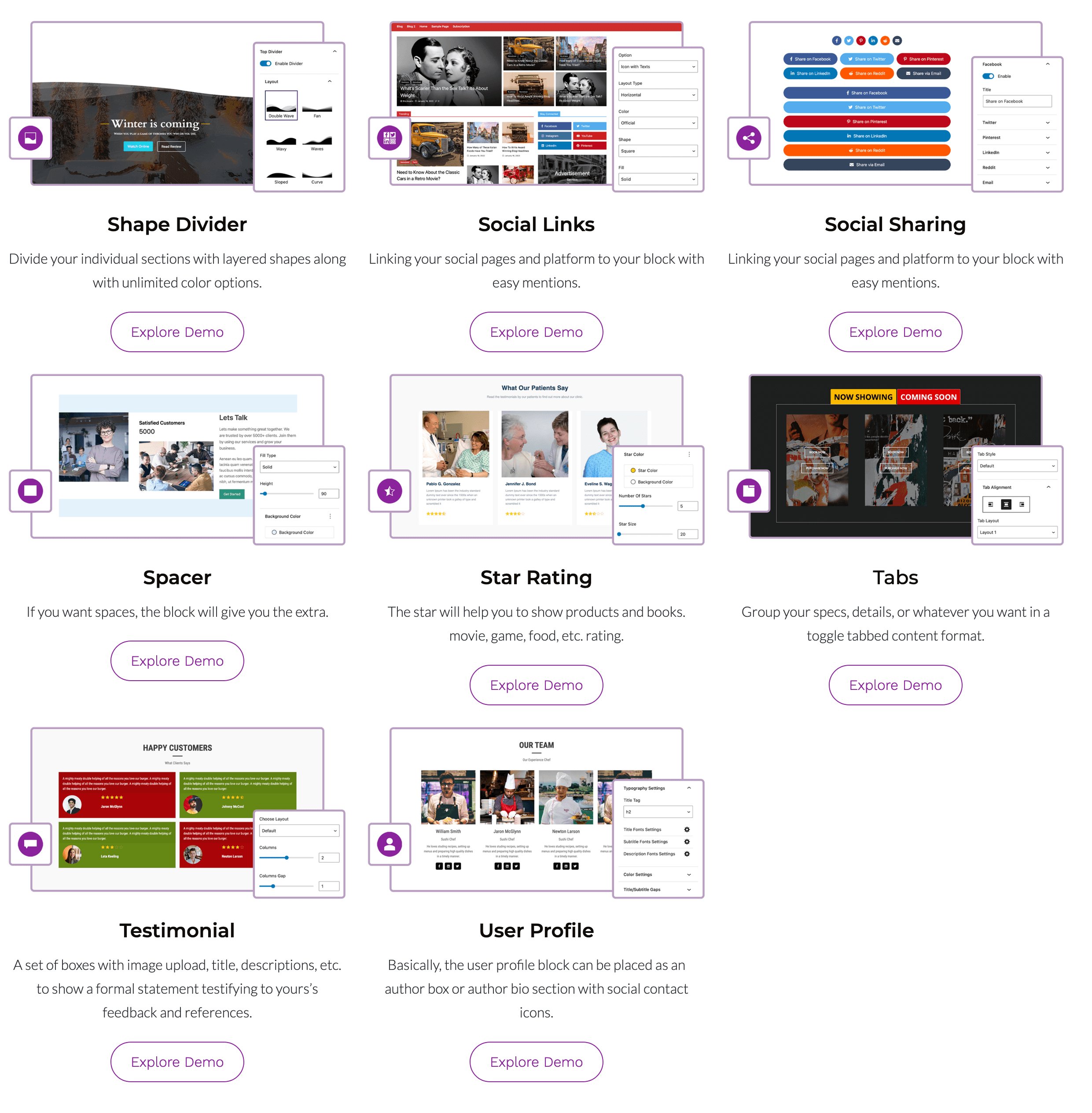
Yes. BlockSpare includes business-focused blocks such as Containers, Content Boxes, Pricing Tables, Testimonials, Services, Call-to-Action sections, Counters, Progress Bars, Tabs, Accordions, Buttons, and other flexible content blocks for creating professional business websites and landing pages.
What is BlockSpare Pro?
BlockSpare Pro adds advanced website-building and publishing features, including AI-powered content tools, AI model selection, the Site Builder, Header & Footer Builder, premium starter sites, advanced post queries, AJAX filters and Load More, dynamic content, smart visibility controls, advertisement blocks, and additional design controls.
What AI features does BlockSpare Pro include?
BlockSpare Pro includes AI-powered tools for creating and working with WordPress content.
AI features include:
AI Content Generation
AI Summarization
AI Key Q&A
AI Content Generation Blocks
AI Model Selection
AI Connector Support
Configurable Default Language
You can use connected AI providers and your preferred AI model to generate content, summarize posts, and identify useful questions and answers from your content.
Can I choose which AI model BlockSpare uses?
Yes. BlockSpare Pro provides AI model selection, allowing you to choose an available model from your connected AI provider for AI-powered content tools.
Can I generate content in different languages?
Yes. BlockSpare Pro includes a configurable Default Language setting for its AI content tools. The selected language is used when generating and working with content through the AI features.
What is the BlockSpare Site Builder?
The BlockSpare Site Builder helps you create and manage templates for different parts of your WordPress website using Gutenberg.
The Site Builder supports:
All Templates
404 Page
Header
Footer
Front Page
Singular
Archive
Search Results
Category
Author
Tag
Date Archive
You can create and customize templates for different parts of your website without relying on heavy page builders or writing custom code.
Can I build custom headers and footers with BlockSpare Pro?
Yes. BlockSpare Pro includes Header & Footer Builder functionality through the Site Builder, allowing you to create and customize header and footer templates using Gutenberg.
What are Starter Templates?
Starter Templates are professionally designed website layouts that help you launch a website quickly. BlockSpare includes 137+ starter templates and 270+ ready-made sections. You can import complete website designs or individual layouts and customize them using Gutenberg.
Do I need coding knowledge?
No. BlockSpare is designed for visual editing with Gutenberg. You can build and customize websites without writing HTML, CSS, JavaScript, or PHP.
Does BlockSpare work with Full Site Editing (FSE)?
Yes. BlockSpare works with modern block themes and Full Site Editing (FSE), while also providing Gutenberg blocks that can be used with compatible classic themes.
Does BlockSpare work with any WordPress theme?
BlockSpare is designed to work with modern Gutenberg-compatible WordPress themes. It integrates especially well with AF Themes while remaining usable with other compatible WordPress themes.
Is BlockSpare compatible with WooCommerce?
Yes. BlockSpare can be used alongside WooCommerce to create shop layouts, promotional sections, product landing pages, and other content sections.
Can I create post grids, sliders, carousels, and news tickers?
Yes. BlockSpare includes multiple publishing blocks for Post Grids, Lists, Tiles, Sliders, Carousels, Breaking News Tickers, Trending Posts, Masonry layouts, Timeline layouts, and Featured Sections.
Does BlockSpare include a post query builder?
Yes. BlockSpare provides post query options for displaying content by categories, tags, authors, dates, popularity, featured posts, random order, custom ordering, and other criteria. BlockSpare Pro adds advanced query controls, AJAX filtering, AJAX Load More, and additional content controls.
Can I filter posts with AJAX?
Yes. BlockSpare Pro includes AJAX post filters and AJAX Load More functionality, allowing visitors to browse and load additional content without a full page reload.
Can I use custom fields or ACF with BlockSpare?
Yes. BlockSpare Pro includes dynamic content features and support for Advanced Custom Fields (ACF), allowing you to use custom field data in supported dynamic content features.
What are Dynamic Content and Smart Visibility?
BlockSpare Pro includes dynamic content and visibility controls that allow you to create more flexible layouts and control when and where content is displayed.
Depending on the feature, you can use dynamic content with custom fields and control visibility based on user role, device, date range, and other display conditions.
Can I customize colors, typography, and layouts?
Yes. BlockSpare provides flexible design controls for typography, colors, spacing, backgrounds, borders, layouts, responsive settings, hover effects, animations, and other block-specific options.
Is BlockSpare mobile responsive?
Yes. BlockSpare blocks and starter templates are designed to create responsive layouts that work across desktop, tablet, and mobile devices.
Will BlockSpare slow down my website?
BlockSpare is built with performance in mind and uses native Gutenberg blocks with optimized frontend assets. Actual website performance also depends on your hosting, theme, images, caching configuration, and other plugins.
Is BlockSpare SEO friendly?
BlockSpare is designed to work with WordPress best practices and popular SEO plugins. Its Gutenberg-based blocks generate structured HTML markup, while overall SEO performance also depends on your content, theme, site configuration, and SEO setup.
Is BlockSpare translation ready?
Yes. BlockSpare is translation ready and supports RTL (Right-to-Left) languages.
Is BlockSpare free?
Yes. BlockSpare includes a powerful free version with Gutenberg blocks, starter templates, ready-made sections, and design controls. BlockSpare Pro adds advanced AI tools, Site Builder features, premium starter sites, advanced publishing tools, dynamic content, and additional design options.
What is the difference between BlockSpare Free and Pro?
The free version provides a collection of Gutenberg blocks, starter templates, sections, and essential design controls. BlockSpare Pro adds advanced features such as AI-powered content tools, AI model selection, Site Builder, Header & Footer Builder, premium starter sites, advanced post queries, AJAX filters and Load More, dynamic content, smart visibility, and additional premium controls.
Can I use BlockSpare on client websites?
Yes. BlockSpare can be used for personal websites, business websites, and client projects according to the applicable BlockSpare Pro license terms.
Where can I see BlockSpare starter templates and demos?
You can explore BlockSpare starter templates, website demos, and available designs through the BlockSpare website.
Where can I find BlockSpare documentation?
BlockSpare documentation includes information about installation, configuration, blocks, templates, Site Builder, AI features, and other available features.
Where can I get support or request a feature?
You can get support through the AF Themes support form or the official documentation. Feature requests and feedback are welcome and help guide future BlockSpare improvements.
Fixed an information disclosure vulnerability in post blocks by checking whether post types are viewable.
Improved security when querying non-public post types through server-rendered blocks.
Updated default designs for call-to-action, content box, pricing table, accordion, services, and other blocks.
Fixed alignment issues in call-to-action and content box blocks.
Improved link insertion with a loading indicator and SVG button URL support.
Refined title sizes, post list columns, and section layouts.
5.1.2
Fixed a security vulnerability related to stored cross-site scripting (XSS) in the author icon block attribute.
Improved REST API permission checks for saving templates.
Strengthened input sanitization and output escaping for author icon attributes.
5.1.0
Added AI model selection interface and improved AI generator controls.
Improved AI content generation with enhanced prompts and system instructions.
Added support for selecting post types in relevant content settings.
Added user role settings for improved control over plugin features.
Improved block previews for Accordion, Content Box, CTA, Services, and Testimonial blocks.
Improved default designs and layouts for Accordion and Testimonial blocks.
Improved popup designs and interface consistency across block generators.
Improved testimonial image handling, aspect ratios, alignment, and image generation.
Improved CTA opacity and visual presentation.
Improved compatibility between the free and Pro versions.
Improved interface text, icons, spacing, and overall design consistency.
Fixed various UI and design issues across block generators and previews.
5.0.0
Added AI-powered content generation.
Added AI model selection support.
Added a dedicated AI settings panel.
Added AI content generation blocks and controls.
Added Header and Footer template support in the Theme Builder.
Improved Theme Builder dashboard and template management interface.
Improved Theme Builder template selection and display.
Improved Theme Builder responsive design and user interface.
Added additional security checks for AI and content generation features.
Improved template include and display conditions.
Improved AI content generation interface with additional links, icons, and controls.
Fixed undefined array key issues.
Fixed tab and template display issues.
Fixed frontend console errors related to WordPress Interactivity.
Fixed various Theme Builder interface and layout issues.
Improved plugin code structure and removed unused code.
Fixed a security vulnerability that could allow authenticated users with Subscriber-level access or higher to create arbitrary posts due to an incorrect authorization check.
Improved template import with include and exclude options.
Improved archive template handling.
Fixed tabs and accordion display issues.
Excluded My Templates from the post selection dropdown.
Improved interface text spacing and messaging.
4.2.0
Improved query builder with enhanced taxonomy and author filtering.
Improved typography controls and cross-device editor experience.
Improved banner typography with compact layouts.
Improved latest post, Express List, and Full Style CSS.
Improved inspector panel design and overall editor UI.
Improved customizer compatibility and REST field handling.
Improved package configuration and build process.
Fixed taxonomy query and exclude query issues.
Fixed exclude functionality with pagination.
Fixed Flash News exclude queries and title tags.
Fixed vertical Trending block edit query.
Fixed frontend query handling across blocks.
Fixed array-to-string conversion issues.
Fixed Customizer scripts and settings issues.
Fixed typography CSS inconsistencies.
Fixed meta URL handling.
Fixed icon typos and miscellaneous editor errors.
Fixed title tag support in Post Grid and Flash News.
Fixed feature compatibility with WordPress editor updates.
Optimized CSS across Latest Post and Express List layouts.
Optimized inspector styles and overall editor performance.
Removed unused code, console logs, and unnecessary components.
Reduced default post query limit for improved editor performance.
4.0.0
Added new default designs for Post Grid, Post List, Express List, Post Carousel, and Trending Carousel blocks.
Added new default styles for Flash News, Latest Post, Post Full, and Post Slider blocks.
Added redesigned Banner block layouts for Banner 1–12.
Added default masonry and tile masonry layout designs.
Added dashboard icons and improved empty state icons.
Added admin menu enhancements and updated demo template links.
Added deprecated handling and transform support for Pricing Table description blocks.
Added attempt recovery improvements and updated translation makepot support.
Added webpack start support for development workflow.
Improved Trending Carousel thumbnail sizing and layout consistency.
Improved Express Grid and Express List mobile responsiveness.
Improved branding colors and overall block styling consistency.
Improved Post Slider Wide and Exclusive Text layout presentation.
Improved Banner block default appearances and style reviews.
Improved code structure and optimized development workflow.
Improved compatibility with WordPress 7.0 changes.
Fixed icon display issues across blocks and dashboard.
Fixed masonry layout and image masonry rendering issues.