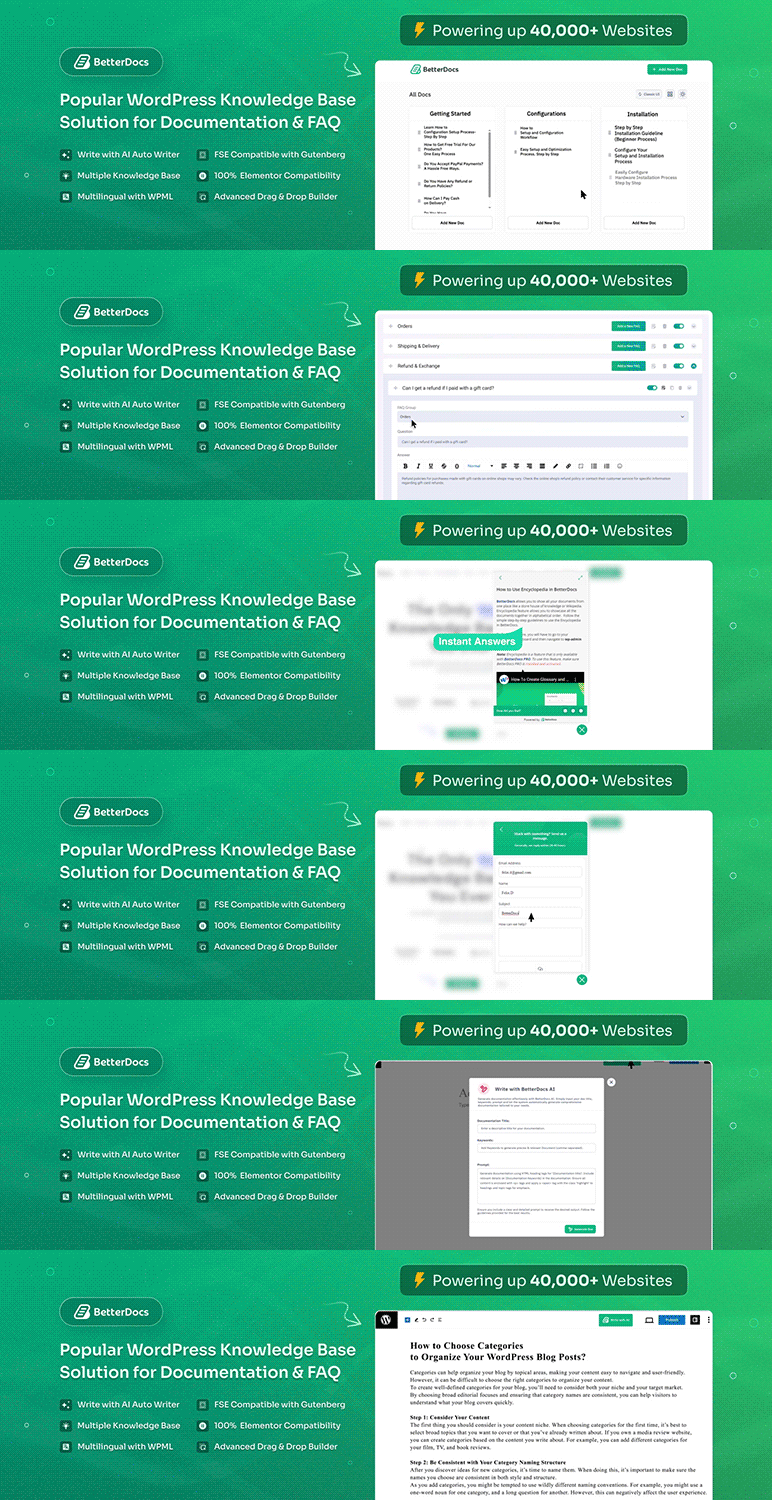
Do you want to reduce support tickets immediately? How about you creating a resourceful knowledge base for your customers with AI-powered documentation and FAQs? ????
???????? 82% of customers prefer to support through an online knowledge base and get annoyed creating support tickets as it’s a lengthy process. So an informative Documentation page can help to enhance your customer experience.
But how do you create a knowledge base easily on web site without any coding? Well, we’ve got you covered. ????
???? Create Effective Knowledge Base To Scale Customer Support
BetterDocs will help you to create & organize your documentation page in a beautiful way that will make your visitors find any help article easily. It will facilitate your client to make faster decisions and get help on the spot by self-service instead of avoiding lengthy conversations.
???? Power Up Knowledge Base To Reduce Support Tickets
Let the visitors instantly find the answers they are searching for without having to wait for the support team and reduce support workload.
???? Top Features
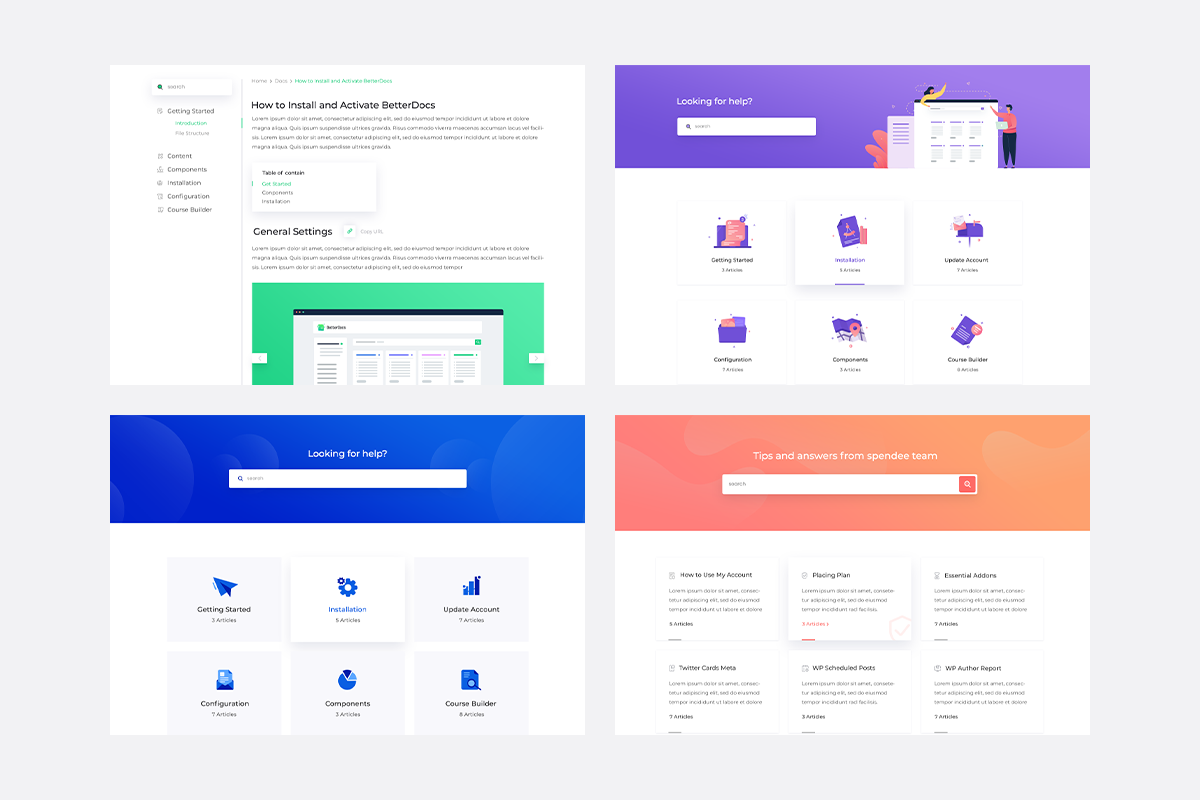
Ready-made template designs to create your Docs landing page, Single Doc page, & Archive page without any coding
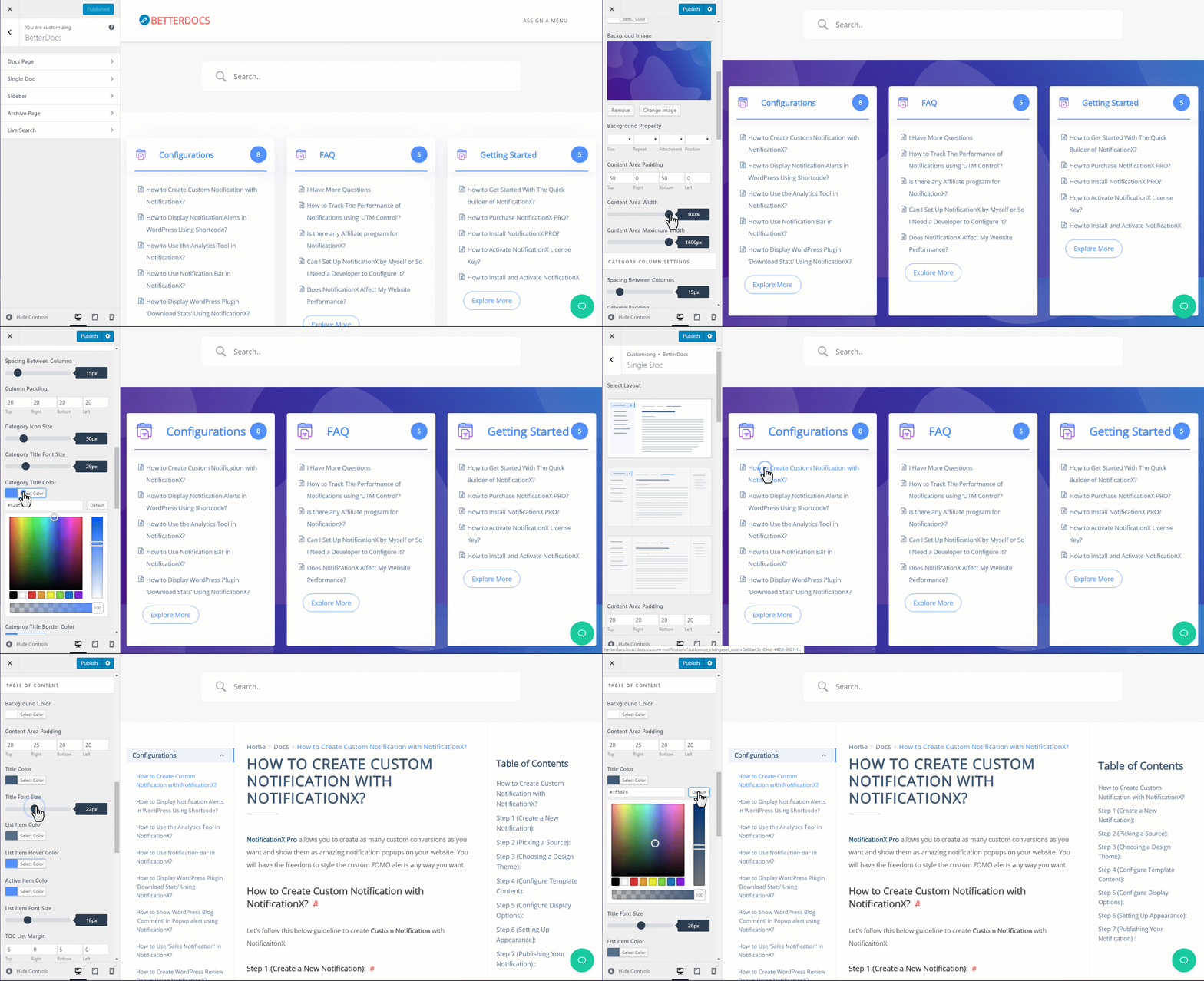
In-built theme customization option, or use Shortcodes & Elementor widgets, or Gutenberg Blocks to design & customize the entire documentation page
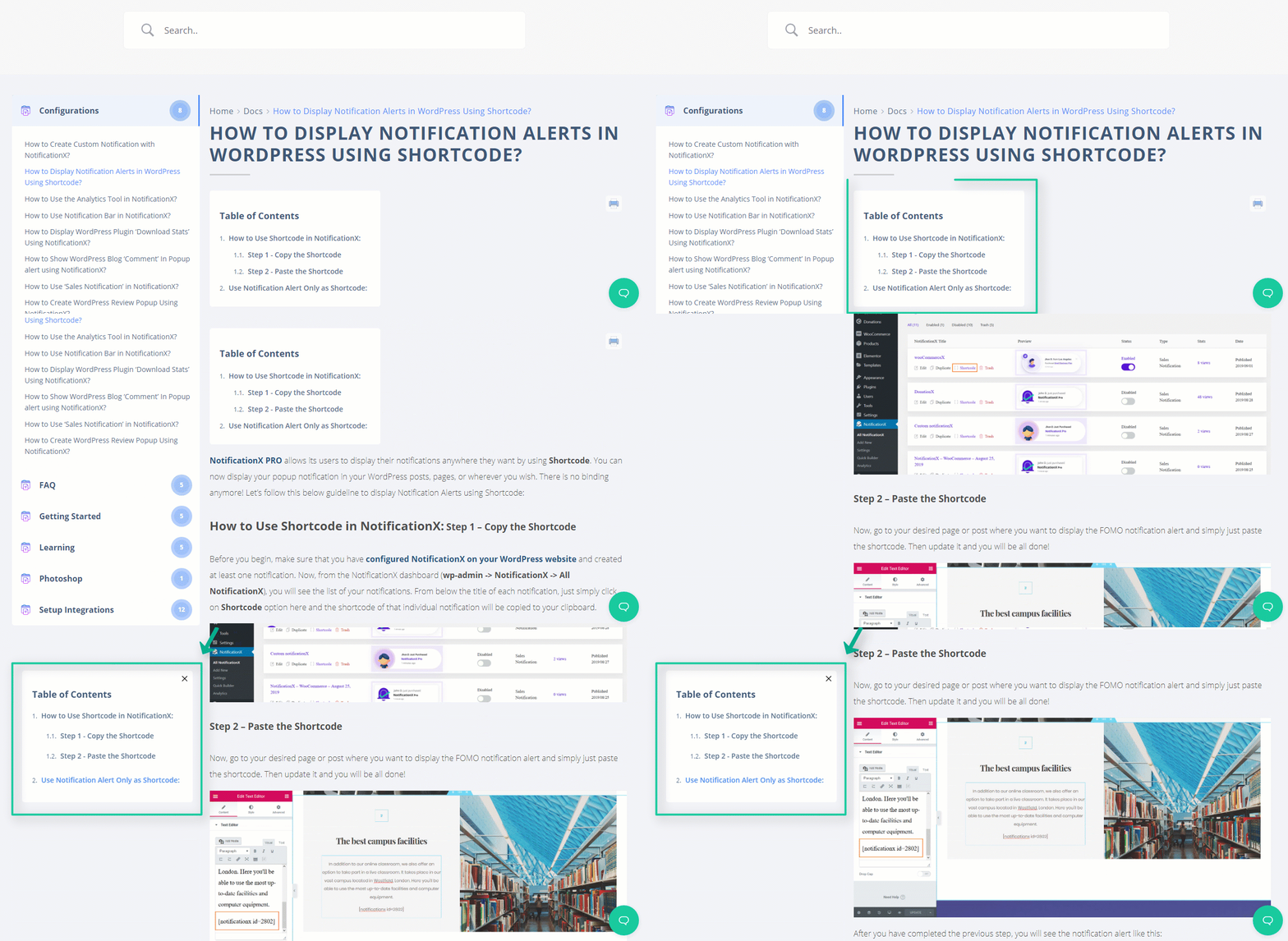
Table of Contents or Sticky TOC to provide an absolute user experience
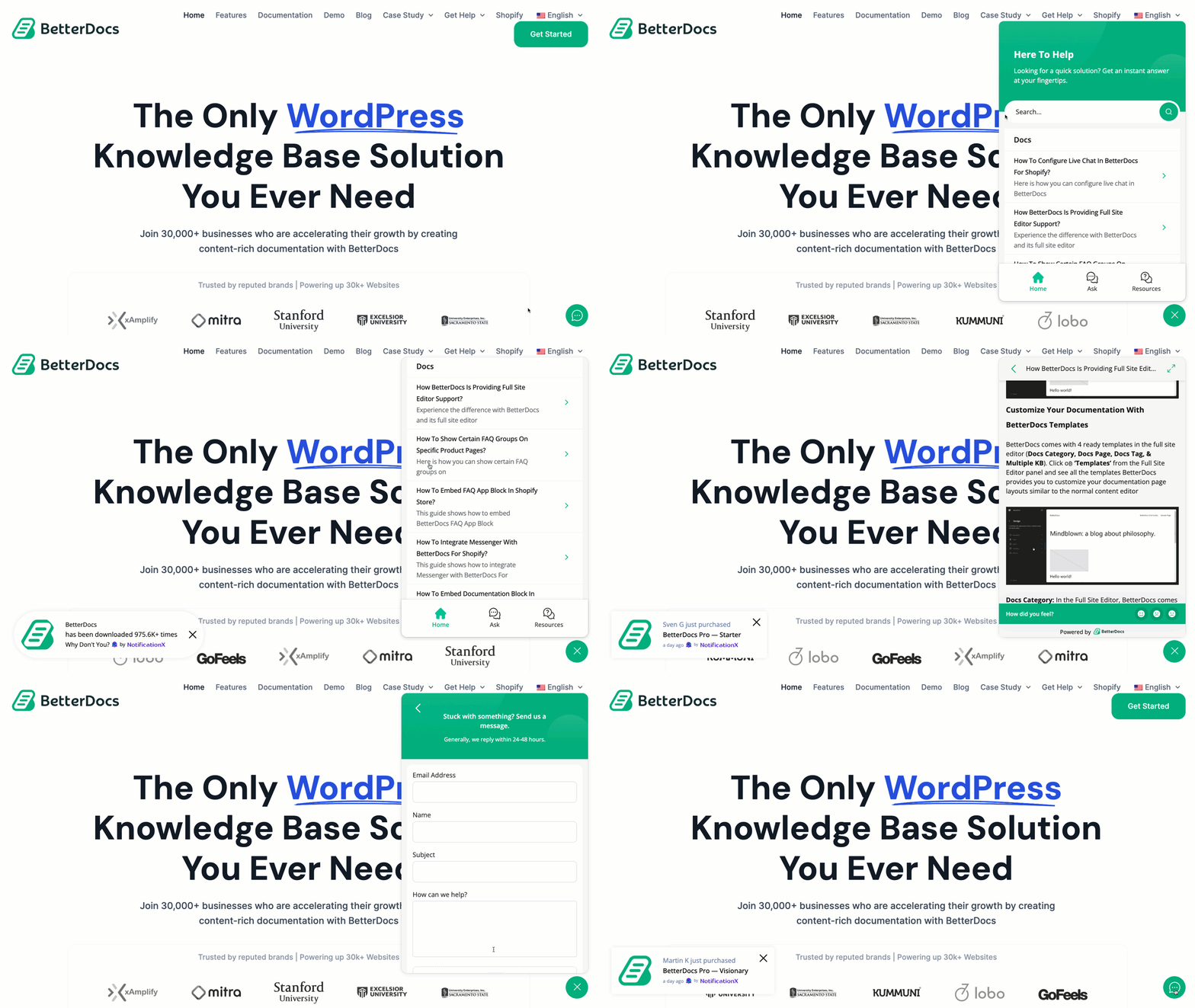
An in-built advanced live search bar to help visitors get the exact docs solution
Advanced List View & Drag & Drop Grid View feature
Connect AI assistants like Claude, ChatGPT, and Cursor to your documentation via MCP with a simple OAuth-based setup — no coding or manual API configuration required
Create & manage multiple knowledge bases for all products separately (PRO)
Manage roles for your knowledgebase users & give access accordingly
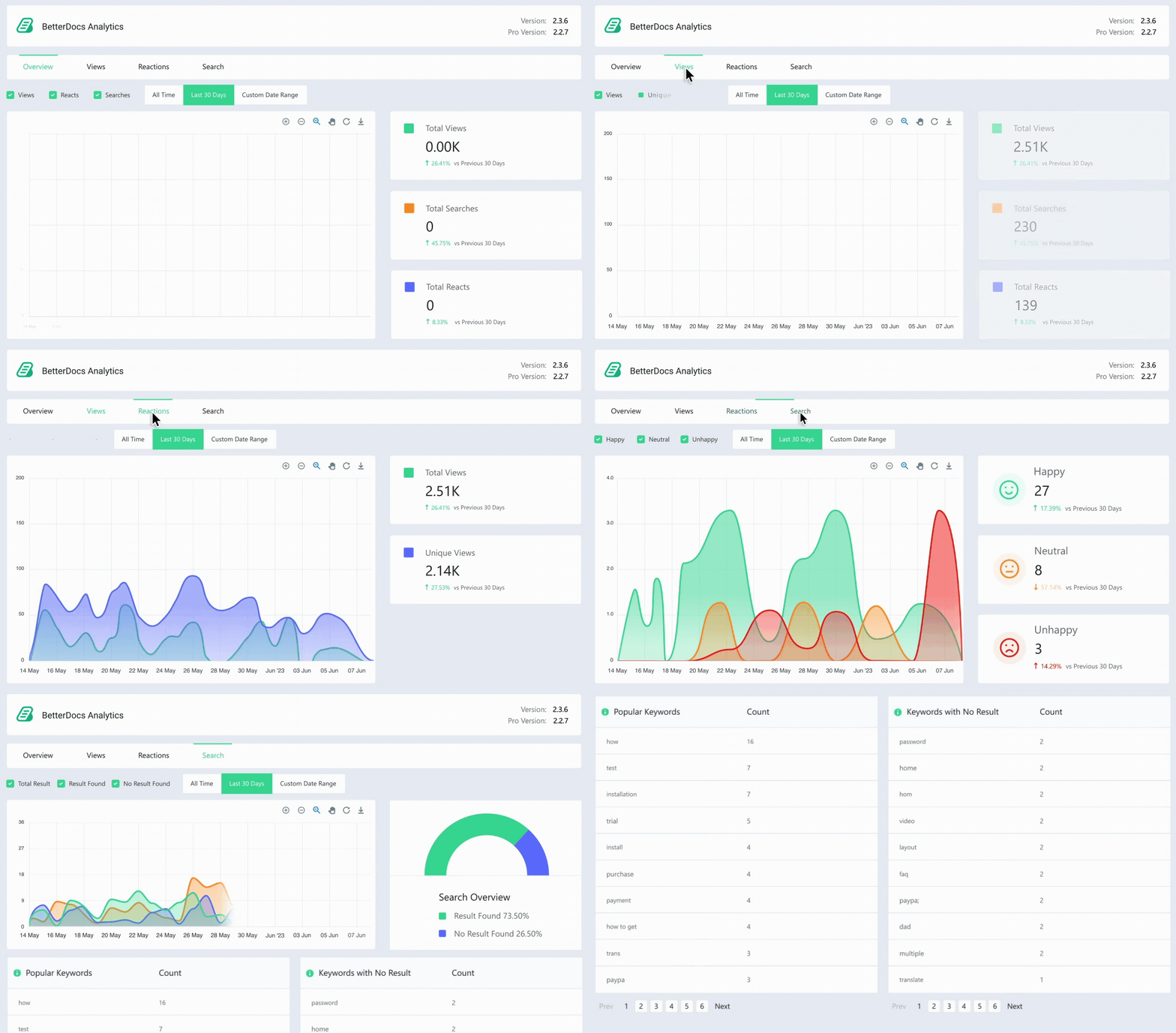
Integrated with Analytics to track and evaluate the performance
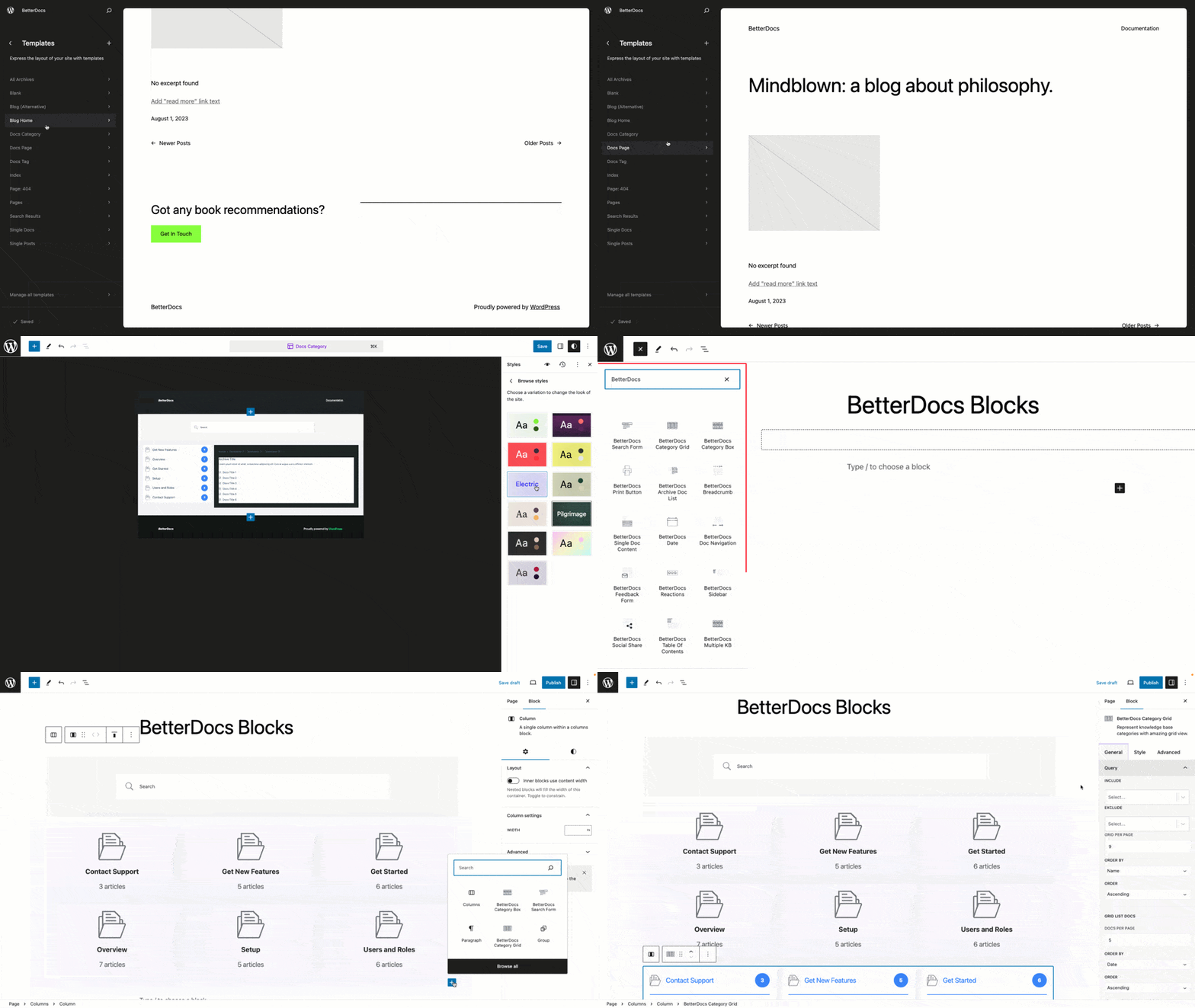
FSE Compatible with 10+ Gutenberg Blocks & Patterns
Import and export CSV and XML files options to migrate essential documentation or back up your knowledge base
Generate advanced documentation instantly using Write With AI, the powerful AI auto writer feature by integrating ChatGPT
Generate Sample Data to make the knowledge base data creation process smooth
Seamless migration of the knowledge base from any 3rd party solution like Help Scout
Estimated Reading Time for Single Docs
Add attachments to any single doc to provide additional content to help readers (PRO)
Related doc embedding in any single doc to provide supporting documentation for more knowledge (PRO)
Add glossaries to help readers understand the frequently used terms or technical jargon easily with tooltips. (PRO)
Showcase your glossary or documentation alphabetically so that users can find what they need easily. (PRO)
BetterDocs AI Chatbot Addon provides instant, intelligent support by enhancing documentation searchability and answering user questions seamlessly.(PRO)
BetterDocs AI Doc Summarizer allows you to generate an AI-powered summary of your documentation to give readers a quick, accurate overview of the doc content.
BetterDocs Code Snippet allows you to add and display formatted code blocks within your technical documentation, making it easier for readers to understand and replicate technical instructions in both Elementor and Gutenberg.
???? VERSATILE READY LAYOUTS FOR DOCS LANDING PAGE
Design your WordPress documentation site using multiple ready layouts, such as the Slate layout, Handbook layout, and Modern layout with customization flexibility.
????️ TRANSLATE SINGLE DOC PAGE WITH WPML
Translate your knowledge base documentation for users around the world by using WPML.
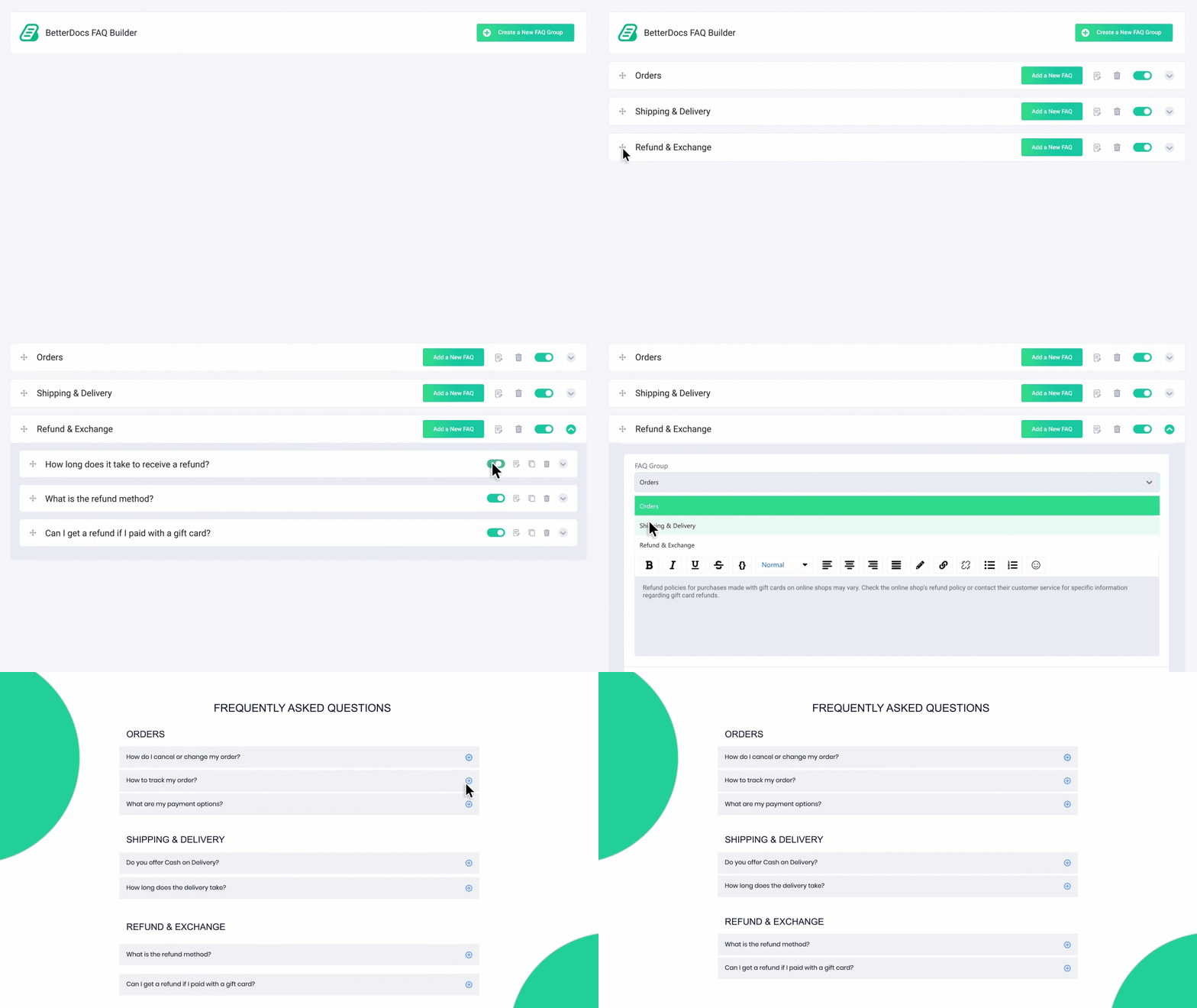
???? CREATE FAQ INSTANTLY
Design FAQ sections for your Knowledge base easily with the help of BetterDocs FAQ Builder.
✅ FULL SITE EDITOR (FSE) COMPATIBILITY
Design your documentation, single docs, and archive pages effortlessly in the Block Editor using BetterDocs.
????️ AI-NATIVE DOCUMENTATION ACCESS WITH MCP
Let AI assistants like Claude, ChatGPT, and Cursor read and write your documentation directly through the Model Context Protocol, so your team can create, update, and manage docs from chat instead of switching between tools.
???? INTERACTIVE TABLE OF CONTENTS (TOC)
Create a reader-friendly Table Of Contents(TOC) while you are writing your documentation. This TOC moves with your scroll, so your visitors can always go to other pages easily.
???? IN-BUILT ADVANCED SEARCH OPTION
Assist your visitors to get the exact docs and reduce dependency on support with a built-in advanced live search & advanced search option(PRO) from the top.
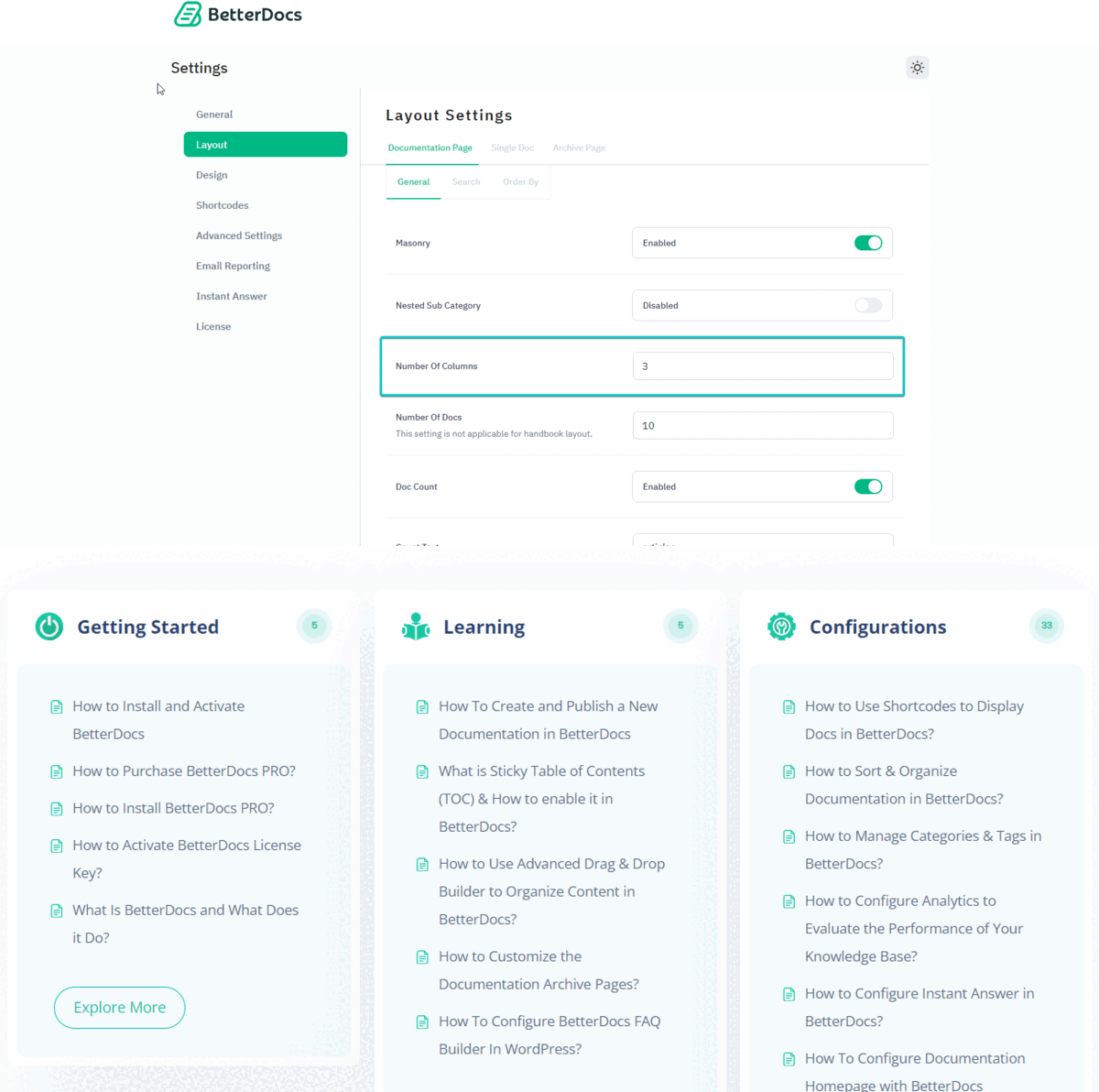
⚙️ ADVANCED CUSTOMIZATION OPTION
Customize documentation pages from settings or even add shortcode (PRO), page builder widgets, and more to get the full authority to make it stand out for your web visitors.
???? 100% COMPATIBILITY WITH ELEMENTOR PAGE BUILDER [FREE ELEMENTOR WIDGETS]
???? SINGLE DOC & DOC ARCHIVE TEMPLATE WITH ELEMENTOR
Create an amazing single doc & archieve template with advanced elements, and ready layouts with Elementor Theme Builder
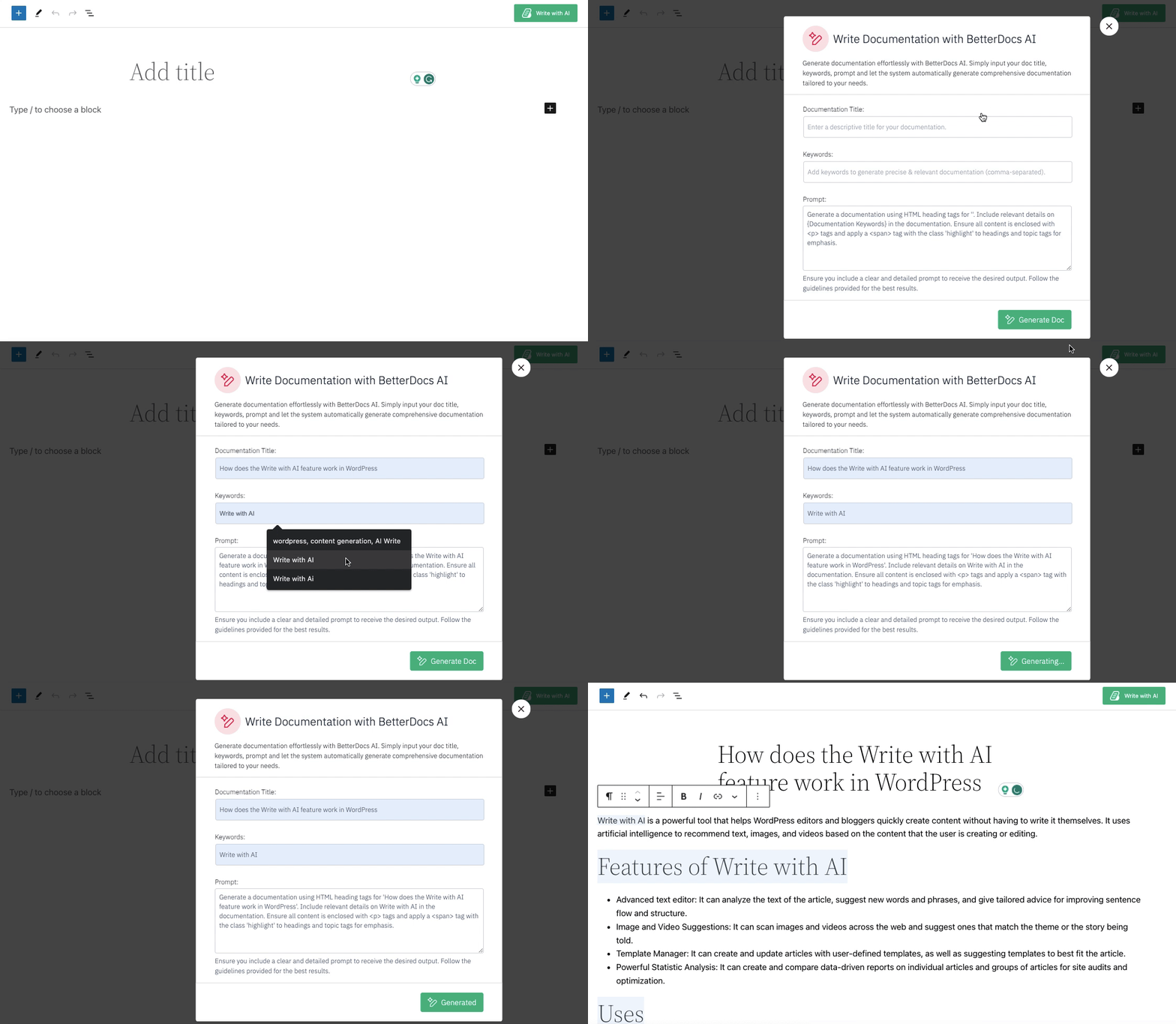
???? WRITE DOCUMENTATION & FAQ WITH AI AUTO WRITER
Use the powerful ‘’Write With AI’’ – auto writer feature that integrates ChatGPT to quickly generate detailed documentation & FAQs in a few clicks.
???? IMPORT AND EXPORT OPTION
Migrate your valuable content and back up your knowledge base with just a few clicks with an easy import and export feature that seamlessly supports CSV and XML formats.
↪️ 3RD PARTY MIGRATION SUCH AS HELP SCOUT
Seamless migration of the knowledge base from any 3rd party plugin solution like Help Scout with a single click to improve customer service capabilities.
???? INSTANT ANSWER TO REDUCE SUPPORT TICKETS (PRO)
Help your customers browse the docs and knowledge base articles right from the chat window without leaving the page and reduce the support tickets.
???? INSIGHTFUL ANALYTICS TO EVALUATE PERFORMANCE (PRO)
Track and evaluate activities on your documentation page and improve customer experience. Also, analyze the site traffic to get insights into your Knowledge Base.
???? CREATE MULTIPLE KNOWLEDGE BASES (PRO)
Create multiple knowledge bases for different products and provide instant support to your customers from one place
???? MANAGE INTERNAL KNOWLEDGE BASE (PRO)
Restrict your knowledge base based on certain user roles and manage the Internal Knowledge Base to make your documentation private
???? ADD ATTACHMENT IN SINGLE DOCUMENTATION (PRO)
Include attachments within each document to offer supplementary content and extra details, enhancing comprehension and accessibility.
???? EMBED RELATED DOCS IN SINGLE DOCUMENTATION
Incorporate relevant documentation into each document to promote supporting content and additional information.
⚡ AI-POWERED REAL-TIME RELATED DOCS (PRO)
Automatically suggest the most relevant documentation to your readers using AI-powered, real-time related docs, helping users discover answers faster and stay engaged.
???? GLOSSARY (PRO)
Create glossaries for frequently used terms or technical jargon and showcase them as tooltips so readers can easily understand them.
???? ENCYCLOPEDIA (PRO)
Build an Encyclopedia page to display your glossary or documentation in alphabetical order and help readers easily find what they are looking for.
???? AI CHATBOT ADDON (PRO)
BetterDocs AI Chatbot Addon allows instant, AI-powered support for your documentation, helping users quickly find answers and improve customer service more efficiently. It integrates seamlessly and enhances user satisfaction.
???? GIT INTEGRATION TO SYNC DOCS WITH GIT ACCOUNT (PRO)
Instantly sync your documentation directly with your Git account and keep everything updated in one place. Manage changes, streamline workflows, and maintain accurate docs effortlessly with Git Integration.
You don’t have to just take our word for it. See what one of the WordPress experts are saying:
Sweet solution for adding a knowledge base to your website.
Visit /docs to view the built-in page (URL is changeable in settings)
Easy to create and manage with beautiful layouts and powerful search.
-Nathan, iThemes
???? After reading this feature list, you can probably imagine BetterDocs is a great solution for creating knowledge bases for your website. Give BetterDocs a try.
This Documentation plugin is brought to you by the team behind WPDeveloper, a renowned name in the WordPress industry, trusted by 6 Million+ happy users.
???????? DOCUMENTATION AND SUPPORT
For documentation and tutorials go to our Documentation
BetterDocs works without contacting any outside service. The services below are only contacted after you opt in, enter your own API key, or click the feature that needs them.
Usage tracking (WPInsight, by WPDeveloper)
Only if you click “Sure, I’d like to help” on the opt-in notice. Once a day, it sends your site URL, the email of the admin who opted in, WordPress and PHP versions, active theme and plugins, and BetterDocs usage counts to send.wpinsight.com. It also sends your public IP to ip-api.com to look up the country.
WPDeveloper: Terms, Privacy Policy. ip-api.com: Terms and Privacy.
AI Sample Docs (BetterDocs AI service, api.betterdocs.co)
Only when you click “Generate” in AI Sample Docs. It sends your site name, tagline, URL, short excerpts from your pages, posts and products, and your BetterDocs Pro license key (if any), and gets back draft docs. Terms, Privacy Policy.
Elementor template library (betterdocs.co)
Only when you open the BetterDocs templates in Elementor’s template library. It requests the template list and the template you insert; your site URL is sent as part of the request. Terms, Privacy Policy.
AI providers (OpenAI, Anthropic, Google Gemini)
Only for the provider you configure with your own API key, and only when an AI feature runs (Write with AI, AI editing, article summaries, FAQ generation and similar). It sends the prompt and the doc content the feature works on.
– OpenAI (api.openai.com): Terms, Privacy Policy
– Anthropic (api.anthropic.com): Terms, Privacy Policy
– Google Gemini (generativelanguage.googleapis.com): Terms, Privacy Policy
Help Scout migration (docsapi.helpscout.net)
Only when you enter your Help Scout API key and run the migration. It sends your key to read your Help Scout Docs collections, categories and articles. Terms, Privacy Policy.
Google Analytics 4 (googletagmanager.com)
Only if a GA4 Measurement ID is set. The standard GA4 tag is loaded on doc pages and sends page views to Google. Terms, Privacy Policy.
BetterDocs helps you create and manage a WordPress knowledge base, documentation site, FAQ section, wiki, or help center so visitors can find answers faster and your team can reduce repetitive support tickets.
Does BetterDocs work with any WordPress theme?
Yes. BetterDocs works with standard WordPress themes. You can use it to create documentation pages and knowledge base layouts while keeping your existing site design.
Can BetterDocs help reduce support tickets?
Yes. By organizing documentation, FAQs, and help articles in a searchable knowledge base, BetterDocs helps customers find answers on their own before contacting support.
Does BetterDocs include live search for documentation?
Yes. BetterDocs includes an advanced search experience so visitors can quickly find relevant documentation articles, FAQs, and knowledge base content.
Can I create documentation with Elementor or Gutenberg?
Yes. BetterDocs supports designing documentation with ready templates and works with popular WordPress editing workflows, including Elementor and the Gutenberg block editor.
Does BetterDocs support AI features?
BetterDocs includes AI-focused documentation features such as writing assistance, document summarization, quality analysis, and an AI chatbot experience depending on the feature setup and plan you use.
Can I create an internal knowledge base with BetterDocs?
Yes. BetterDocs can be used for internal documentation and private knowledge bases, including role-based access control for teams that need internal docs, SOPs, or company resources.
Does BetterDocs support multiple knowledge bases?
BetterDocs is designed to help organize documentation into categories and knowledge bases. Multiple knowledge base workflows are useful when you need separate docs for different products, teams, or audiences.
Can I track how my documentation performs?
Yes. BetterDocs provides analytics-focused features to help you understand documentation performance, visitor behavior, popular docs, and opportunities to improve your help center content.
Is BetterDocs useful for multilingual documentation?
Yes. BetterDocs supports multilingual documentation workflows and integrates with multilingual tools such as WPML, helping you create knowledge base content for users in different languages.
Can I connect ChatGPT or Claude to my documentation?
Yes. BetterDocs includes an MCP server, which lets AI assistants such as Claude, ChatGPT, Cursor and VS Code work with your documentation directly. Turn it on under BetterDocs → MCP, copy the connection URL, and add it to your assistant — it will ask you to approve the connection on your own site.
New: KB Based Search option in the Search Form block and Elementor widget
New: “Delete all” for Uncategorized FAQs in FAQ Builder
New: FAQ Order option in the Elementor FAQ widget
Improvement: FAQs and FAQ groups can be translated with Polylang
Improvement: FAQ export and import now keep the products and product categories of Product FAQ groups, and include FAQ groups with no FAQs
Improvement: Deleting a single FAQ now warns that it can’t be undone
Improvement: Quick Setup can be exited from the wizard header, after a confirmation
Fixed: Saving settings could turn on the Internal Knowledge Base and hide docs from visitors
Fixed: CSV import reported success but imported nothing from files saved in Excel or Google Sheets, and lost the descriptions of categories, tags and FAQ groups
Fixed: Help Scout migration imported the same articles again on a later run, published unpublished articles, lost their author and categories, and showed a technical error when it could not connect
Fixed: Analytics missed doc views when several visitors opened a doc at the same time, logged search keywords containing & or # incorrectly from the search modal, and showed wrong percentage changes in the report email
Fixed: FAQ questions could not be opened with the keyboard, the FAQ tab layout ignored the order option, and FAQ Builder refused short answers such as “Yes.”
Fixed: Shortcode yes/no options ignored 0, no and off, and the reactions shortcode logged PHP warnings when used without attributes
Fixed: Previous/next doc navigation wrapped around at the ends of a custom-ordered category
Fixed: Headings inside code samples appeared in the Table of Contents
Fixed: Reading time could go down for a longer doc
Fixed: Category icons caused a horizontal scrollbar on mobile with lazy-load plugins
Fixed: Quick Setup disappeared after saving any setting before finishing the wizard
Fixed: Dismissing one admin notice could hide other notices for a very long time
Improved: Security Enhancement
Few minor bug fixes and improvements
4.9.6 – 10/11/2026
New: Latest AI models in AI Content Suite — GPT-6 Luna, GPT-6.1 Sol, GPT-6 Astra, Gemini 3.5 Flash Lite, Gemini 3.8 Flash and Claude Haiku, Sonnet and Opus 5.5
New: Model prices and Recommended, Older and Premium badges in the AI model picker
New: Delete Data on Uninstall setting
Improvement: Sites on a retired AI model move to its closest replacement automatically
Fixed: Spam bots could flood the doc feedback form
Fixed: Write with AI and AI Doc Summarizer settings couldn’t be saved on GPT-5 and GPT-6 models
Fixed: Saving settings with BetterDocs Pro deactivated removed Pro-only settings
Fixed: Previous/next doc navigation could link a doc to itself
Fixed: Quick Setup could need more than one click to finish
Fixed: Importing docs with “Replace” permanently deleted docs that weren’t in the file
Fixed: Importing an invalid settings file wiped all settings
Fixed: Doc URLs returned 404 after turning on Category Hierarchy Slug
Fixed: A doc added to a category later could be missing from the category page
Fixed: All Docs showed only 10 uncategorized docs
Fixed: A zero column value crashed the category box shortcode
Fixed: Creating sample FAQs failed for an existing FAQ group and added duplicates
Fixed: The FAQ Builder search failed for an empty search
Fixed: WPML and Polylang compatibility issues with category and doc ordering
Fixed: Categories without a saved order were missing when using BetterDocs Order
Fixed: Previous/next links ignored BetterDocs Order
Fixed: “BetterDocs Order” appeared twice in the Category Grid block
Improved: Security Enhancement
Few minor bug fixes and improvements
4.9.5 – 12/10/2026
Few minor bug fixes & improvements
4.9.4 – 08/10/2026
New: Write with AI now accepts audio and video attachments — drop in a Loom, a Zoom recording or a voice note and BetterDocs transcribes it, lets you correct the transcript, then writes the doc from it. Up to 25 MB, using your own OpenAI or Gemini key
New: Listen — a pill beside reading time that reads the article aloud in the reader’s browser, with play, pause, seek and speed controls. Enable it under Settings → Layout → Single Doc → Listen; it also ships in the Reading Time block and Elementor widget, and as the [betterdocs_listen] shortcode
New: Animated GIFs in docs are served as a looping, muted video instead of a GIF, cutting page weight substantially, with an editor UI to link an MP4 and a poster image to an existing GIF
New: AI Actions — a “Copy page” button in the single doc meta row that copies the article as clean Markdown, or opens it in ChatGPT, Claude, Google AI Studio, Perplexity or Grok with the page as context. Every doc is also published as Markdown at .md so AI assistants can read it. Enabled by default; configure under Settings → Layout → Single Doc → AI Actions, with full Customizer styling including Icon Color. On block themes and with Elementor Theme Builder it ships inside the “Reading Time, Listen and AI Action” block and widget, and the [betterdocs_ai_actions] shortcode places it anywhere
Improvement: Search now ranks exact title matches above older partial matches, instead of sorting ties oldest-first
Improvement: The Category Grid block script now loads only on pages where the block actually renders
Fixed: AI features ignored the AI platform you selected and required an OpenAI key regardless
Fixed: A site could crash when the AI Chatbot loaded before BetterDocs and Pro loaded after it
Fixed: Single doc URLs returned 200 instead of a proper 404 on WPML sites
Fixed: Table of contents, search box and search form could overflow the page on phones, scrolling the page sideways
Fixed: Single Doc Layout 7 scrolled sideways at 360px, and the reactions box overflowed on phones
Fixed: A collapsible table of contents placed on a regular page could not be expanded on phones
Fixed: The doc sidebar shifted after page load, and sidebar items could stack incorrectly
Fixed: Synced patterns containing BetterDocs blocks lost their styling on most pages, and stale Essential Blocks CSS kept loading in the widget stylesheet on every page
Fixed: GIFs served as video ignored the Image block’s size and styles, lost “Expand on click”, stayed frozen with no controls when the browser blocked autoplay, and rendered as an empty box when linked to a non-video attachment
Fixed: The REST API and RSS feed returned video markup for converted GIFs
Few minor bug fixes and improvements
4.9.3 – 27/09/2026
New: AI Actions — a “Copy page” button in the single doc meta row that copies the article as clean Markdown, or opens it in ChatGPT, Claude, Google AI Studio, Perplexity or Grok with the page as context. Every doc is also published as Markdown at .md so AI assistants can read it. Enabled by default; configure under Settings → Layout → Single Doc → AI Actions. On block themes and with Elementor Theme Builder it ships inside the “Reading Time and AI Action” block and widget, and the [betterdocs_ai_actions] shortcode places it anywhere
Fixed: Doc URLs that do not exist now return a proper 404 instead of an empty page, on sites using category-in-path permalinks
Fixed: Live search returned no results when the knowledge base is served from a subdomain or a domain alias
Fixed: Single Doc Layout 5 no longer shows Table of Contents Background, Hover and Padding controls that had no effect on the page
Fixed: Encyclopedia entries are now listed alphabetically within each letter, instead of newest first
Fixed: MCP OAuth discovery could answer for — or be answered by — another MCP-enabled plugin on the same site, so connecting clients were handed metadata for the wrong plugin
Few minor bug fixes and improvements
4.9.2 – 16/09/2026
Fixed: Customizer layout migration seeded the wrong defaults, so saved layouts reverted to Layout 1
Fixed: Nested subcategories could be cached while empty and stay empty until the cache expired
Fixed: Term counts were not refreshed after a recount, and an aborted import left counts stale
Fixed: Category grids now collapse to a single column below 500px
Fixed: FAQ group titles can now have their own background color
Few minor bug fixes and improvements
4.9.1 – 03/09/2026
New: Print template — add your logo and a custom footer to printed / PDF pages, from Settings → Layout → Single Doc
Improvement: Glossaries now show a preview in Free, so you can see what the Pro feature does before upgrading
Improvement: MCP catalogue now surfaces Pro’s API Docs, insights, Git Sync and related-docs abilities; connection self-test no longer flags healthy endpoints as broken
Fixed: The Documentation grid hid knowledge bases containing only private docs from admins and editors
Fixed: Doc Category Archive layouts 2 and 3 never rendered nested subcategories
Fixed: “Lazy Load Sidebar Docs & Subcategories” now works for nested categories across both Elementor and block layouts
Fixed: Single doc URLs with arbitrary category segments returned 200 instead of redirecting to the real permalink
Fixed: Importing docs failed with a critical error on exported XML files and on docs with existing slugs
Fixed: The AI Content Suite showed “undefined” / “[object Object]” instead of a readable message when the API key is invalid
Improved: Security Enhancement
Few minor bug fixes and improvements
4.9.0 – 27/08/2026
New: MCP Server — connect Claude, Cursor, VS Code and other MCP-capable editors directly to your knowledge base over a per-site endpoint, with OAuth 2.1 consent, pairing tokens and rate limiting
New: BetterDocs registers its docs, categories, tags, glossary, FAQ, settings and analytics with the WordPress Abilities API, so any Abilities-aware tool can read and write your knowledge base
New: MCP admin page with a connection health report, self-test, per-tool picker and ready-made setup snippets for each supported editor
Improvement: Knowledge base meta is now visible over REST, and the FAQ Builder capability check repairs itself when roles drift
Fix: Document import no longer fails on PHP 8 — WP_Importer has no constructor, and calling it aborted every import
Fix: The FAQ block now accepts bare term IDs in its group filters
Few minor bug fixes and improvements
4.8.2 – 20/08/2026
New: Code Snippet Tab — a tabbed, multi-language code block available as both a Gutenberg block and an Elementor widget
New: Write with AI can now draft from an uploaded file (TXT, MD, DOCX, PDF) or read image attachments (PNG, JPG, WEBP) using a vision model
Improvement: Code Snippet block, Elementor widget & shortcode now support multiple languages with a built-in language switcher and self-hosted syntax highlighting (no external requests)
Improvement: Content Area Width & Max Width controls for the single doc layout in the Customizer
Improved: Security Enhancement
Few minor bug fixes and improvements
4.8.1 – 04/08/2026
Few minor bug fixes and improvements
4.8.0 – 04/08/2026
New: Multiple AI platform support — choose OpenAI, Google Gemini, Anthropic Claude for Write with AI and the Docs AI Suite
Improvement: Documentation archive & sidebar performance — term-count caching plus an optional “Lazy Load Sidebar Docs & Subcategories” mode for large knowledge bases
Fixed: WPML-translated doc tag & category base slugs now resolve correctly in routing and term links
Improved: Security Enhancement
Few minor bug fixes and improvements
4.7.0 – 22/07/2026
New: AI category, tag & glossary suggestions in the editor and in the Write with AI flow
Improvement: Redesigned “Write with AI” and “Edit with BetterDocs AI” modals — cleaner AI Studio surfaces aligned to the design system, with reusable instruction Guides
Improved: Security Enhancement
Few minor bug fixes and improvements
4.6.2 – 16/07/2026
Improvement: AI Sample Docs — deeper knowledge base generation grounded in your real site content, with AI-designed outlines expanded into full articles (inserted as drafts for review)
Improvement: AI Sample FAQs — AI now designs the FAQ groups, questions & answers from your site content, including store-wide and per-category Product FAQs for WooCommerce
Improvement: Product FAQ groups can now target all products or specific products
Improvement: Quick Setup wizard now hands off to the Site Editor on block (FSE) themes
Improvement: FAQ Builder — clearer published/draft group counts and a dedicated Uncategorized bucket for Product FAQs
Few minor bug fixes and improvements
4.6.1 – 09/07/2026
Improved: Security Enhancement
Few minor bug fixes and improvements
4.6.0 – 07/07/2026
New: AI-powered “Generate Sample Docs & FAQs” — auto-detects your site and instantly creates a starter knowledge base or FAQ set
New: Product FAQ for WooCommerce — dedicated FAQ groups that display on single product pages
New: Rich text (HTML) editor support in the FAQ Builder
Improvement: Revamped admin with new React-based Knowledge Base, Doc Categories, Doc Tags, FAQ Builder and Glossaries screens
Fixed: Code Snippet block now correctly removes cleared code on the frontend
Few minor bug fixes and improvements
4.5.6 – 30/06/2026
Fixed: Redirect issue with Glossary & Learn More buttons in the Gutenberg/FSE environment
Few minor bug fixes and improvements
4.5.5 – 23/06/2026
Improved: Security Enhancement
Few minor bug fixes and improvements
4.5.4 – 18/06/2026
Added: Translated documents support in BetterDocs Export
Fixed: Scheduled doc showing wrong “Updated on” date after publish
Improved: Plugin integration list completeness during initial setup
Improved: Compatibility with PHP 8.4 and PHP 8.5
Improved: Security Enhancement
Few minor bug fixes and improvements
4.5.3 – 10/06/2026
Fixed: AI Chatbot tab — Save failing with ‘Could not get a valid response from the server’ error
4.5.2 – 08/06/2026
Added: Tag archive template for the Elementor theme builder
Added: GPT-5 and GPT-5.5 support for the BetterDocs AI Content Suite
Improved: Tag and category based search support across Customizer, blocks, widgets, and WordPress search
Fixed: Search modal results jumping while typing and returning no results for known keywords
Fixed: Non-heading options (H6, Div, Nav, P) for the sidebar block Category Title Tag
Few minor bug fixes and improvements
4.5.1 – 25/05/2026
Fixed: Fatal error in category counter templates on PHP 8.x triggered by a translation issue in some locales
4.5.0 – 20/05/2026
Added: Bulk Define with AI for Glossary terms
Added: Edit with AI for any existing section or content
Improved: Write with AI now supports core Paragraph, Heading, and more
Improved: Settings tabs now support direct deep links
Fixed: Translation issues in the Elementor Sidebar widget
Fixed: WPML-related issues with doc ordering, archive slugs, translated permalinks, and secondary languages
Fixed: FAQ CSV import not creating FAQs
Fixed: FSE block inspector color settings leaking across templates
Fixed: Multi-category feed URLs returning 404
Few minor bug fixes and improvements
4.4.1 – 13/05/2026
Fixed: 404 triggered on query-string archives with plain permalinks
Fixed: Disable reaction option not working in Essence single doc layout
Fixed: Archive page pagination not working
Fixed: Category Box and Slate Layout blocks ignoring MKB filter when no KB selected
Fixed: Category Grid block rendered empty on frontend with Multiple Knowledge Base enabled
Fixed: Elementor Category Grid widget showing categories from only one KB when “All knowledgebase” was selected
Improved: Block API version updated for apiVersion 3 iframe compatibility
Improved: Security Enhancement
Few minor bug fixes and improvements
4.4.0 – 11/05/2026
Few minor bug fixes and improvements
4.3.12 – 22/04/2026
Improved: Security Enhancement
Few minor bug fixes and improvements
4.3.11 – 15/04/2026
Improved: Security Enhancement
Few minor bug fixes and improvements
4.3.10 – 18/03/2026
Improved: Added an option to customize the “No Docs Found” text in the modal search
Improved: Modified “Write with AI” feature to make it aligned with “Docs Analyzer” standard
Fixed: Single docs returned a 404 error when using a custom permalink structure containing index.php
Few minor bug fixes and improvements
4.3.9 – 11/03/2026
Fixed: Single Docs returning 404 in certain cases
Improved: Security Enhancement
Few minor bug fixes and improvements
4.3.8 – 8/03/2026
Fixed: Several Gutenberg block styling issues
Fixed: FAQ schema not working in FAQ shortcodes
Fixed: BetterDocs font applied across the entire WordPress admin area
Fixed: Glossary “Write With AI” API redirection issue
Fixed: Multiple KB Sleek layout block is generating uncaught error
Few minor bug fixes and improvements
4.3.7 – 10/02/2026
Few minor bug fixes and improvements
4.3.6 – 28/01/2026
Fixed: ‘Insert OpenAI API key’ redirections causing error
Improved: Enabled draft visibility in all docs and enhanced drag & drop ordering in BetterDocs UI
Few minor bug fixes and improvements
4.3.5 – 21/01/2026
Fixed: Docs permalink issue affecting recent documents in the admin dashboard.
Fixed: Block recovery error occurring after importing docs.
Fixed: Category-based search not functioning properly in Gutenberg Blocks and Elementor Theme Builder.
Fixed: Multilingual search results not returning correctly.
Fixed: Single docs navigation footer not following the correct BetterDocs ordering.
Few minor bug fixes and improvements
4.3.4 – 01/01/2026
Improved: Security Enhancement
Few minor bug fixes and improvements
4.3.3 – 18/12/2025
Fixed: Doc Category template not loading in certain cases.
Few minor bug fixes and improvements
4.3.2 – 17/12/2025
Few minor bug fixes and improvements
4.3.1 – 15/12/2025
Few minor bug fixes and improvements
4.3.0 – 15/12/2025
Added: New Feature | Doc Quality Analysis by AI
Fixed: Unassigned category in Docs triggers 404 not found.