
Whitelist specific IP addresses to access your WordPress admin site.
IP Whitelist lets administrators limit access to the WordPress dashboard and login page to a list of trusted IP addresses. Any visitor whose address is not on the list receives a 403 “Access Denied” response, which keeps brute-force bots and curious strangers away from /wp-admin and /wp-login.php without touching the public site.
Features
- Protects
/wp-admin and /wp-login.php; the login protection can be switched off separately.
- Accepts single IPv4 and IPv6 addresses and CIDR ranges such as
203.0.113.0/24 or 2001:db8::/32.
- Optional comments after
# on each line so you can label entries.
- Shows the IP address WordPress sees for you, with a one-click “Add to list” button.
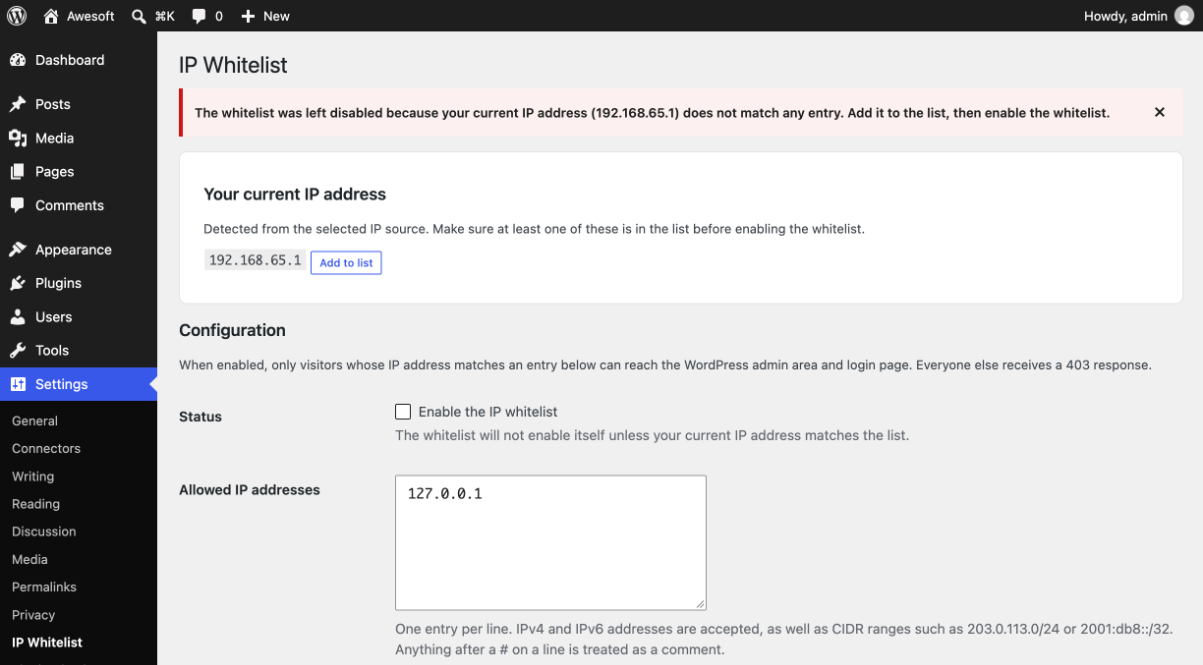
- Lock-out guard: the whitelist refuses to enable itself if your own address is not on the list.
- Choose where the visitor IP comes from: the connection address (default) or the
X-Forwarded-For, X-Real-IP or CF-Connecting-IP header when the site runs behind a proxy, load balancer or Cloudflare. Headers are never trusted unless you select them.
- Customisable access-denied message.
- Public site features keep working: AJAX (
admin-ajax.php), cron, WP-CLI, front-end admin-post.php submissions and password-protected post forms are not blocked.
- Emergency bypass: define
AWESOFT_IP_WHITELIST_DISABLE in wp-config.php to switch the whitelist off without database access.
awesoft_ip_whitelist_allowed filter for developers who need custom allow rules.- Removes all of its options when the plugin is deleted.
Screenshots
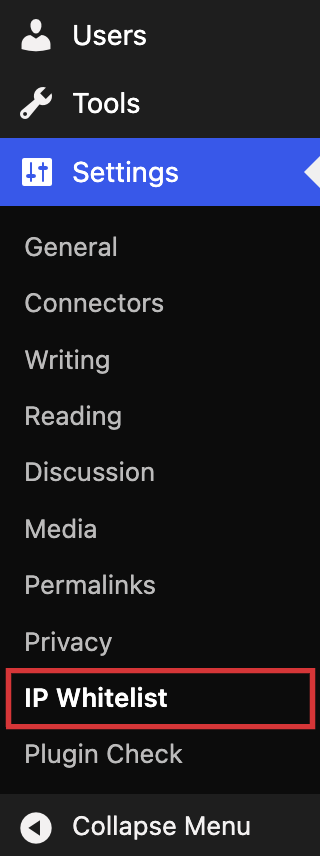
The IP Whitelist entry under the Settings menu.
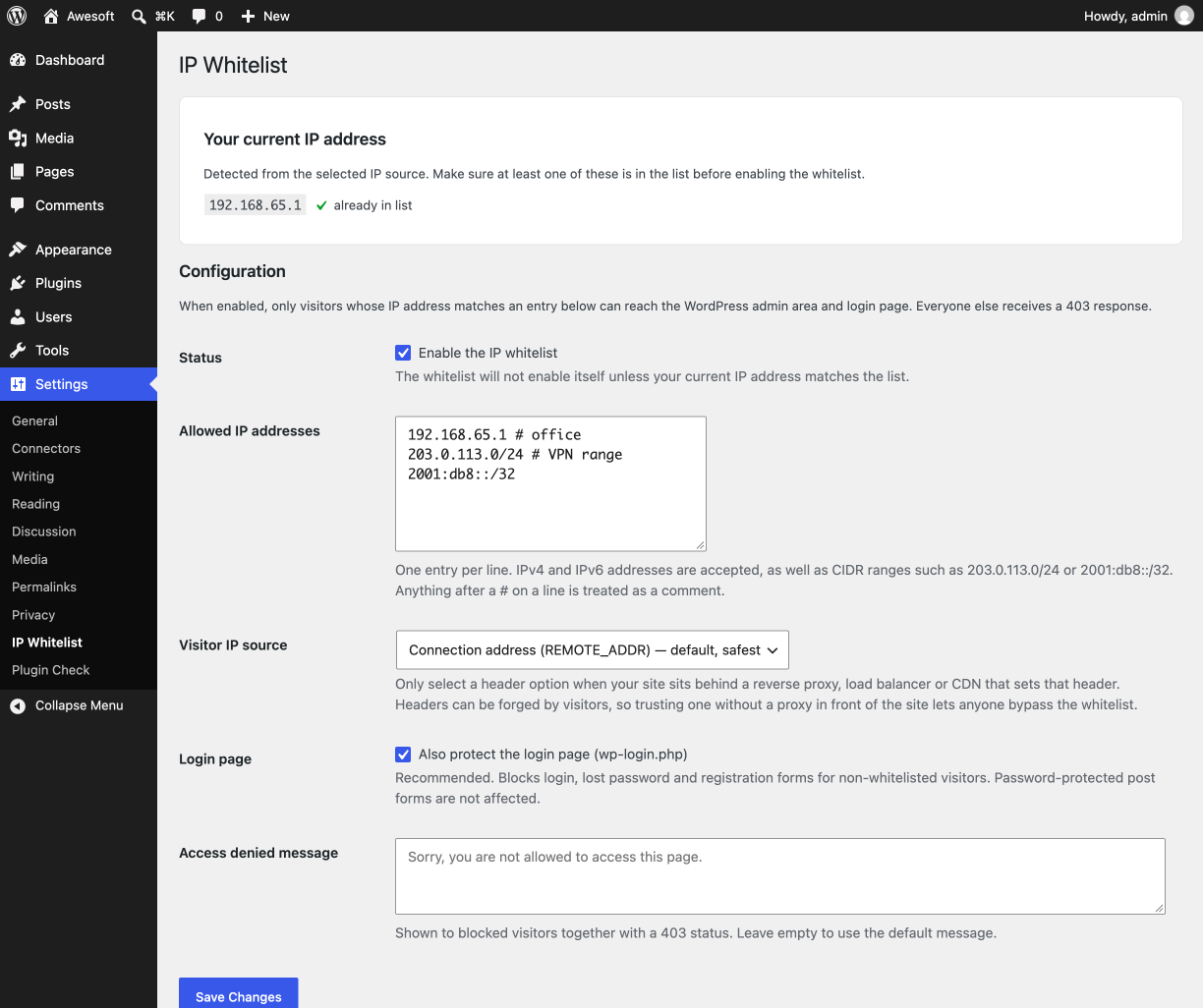
The settings page with the detected IP address, allowed addresses and proxy header options.
What a blocked visitor sees when trying to open the admin area.

I locked myself out. How do I get back in?
Add the following line to wp-config.php and the whitelist is bypassed immediately:
define( 'AWESOFT_IP_WHITELIST_DISABLE', true );
Then log in, fix the list, and remove the line again. Alternatively, delete the awesoft_ip_whitelist_enabled option from the wp_options table, or remove the plugin folder over FTP/SSH.
My site is behind Cloudflare / a load balancer and the plugin shows the wrong IP.
By default the plugin only trusts the connection address (REMOTE_ADDR), which is the proxy’s address in that setup. Choose the header your proxy sets under Visitor IP source: CF-Connecting-IP for Cloudflare, X-Forwarded-For for most load balancers, or X-Real-IP for Nginx. Only do this when a proxy really sits in front of the site, because visitors can forge these headers otherwise.
Does it block the REST API or AJAX?
No. Only the admin screens and the login page are protected. admin-ajax.php, wp-cron.php, WP-CLI and front-end form submissions to admin-post.php are left alone so themes and plugins keep working for every visitor.
Can I allow a whole network?
Yes. Use CIDR notation, for example 203.0.113.0/24 for an IPv4 range or 2001:db8::/32 for IPv6.
Can I add custom allow rules from code?
Use the awesoft_ip_whitelist_allowed filter. It receives the current decision, the visitor’s candidate IP addresses and the configured rules, and must return a boolean.
ChangeLog
1.1.0
- New: IPv6 and CIDR range support.
- New: Selectable visitor IP source for sites behind a reverse proxy, load balancer or Cloudflare.
- New: Lock-out guard; the whitelist will not enable unless your current IP address matches the list.
- New: Current IP address panel with an “Add to list” button on the settings page.
- New: Option to turn login page protection on or off, and a customisable access-denied message.
- New:
AWESOFT_IP_WHITELIST_DISABLE emergency constant and awesoft_ip_whitelist_allowed filter.
- New: “Settings” link on the Plugins screen.
- Security: The
X-Forwarded-For header is no longer trusted by default; it could be forged to bypass the whitelist.
- Fix: Invalid entries are no longer saved to the list.
- Fix: AJAX requests, cron and front-end
admin-post.php submissions are no longer blocked for non-whitelisted visitors.
- Fix: Login protection now uses the
login_init action instead of the authenticate filter.
- Options are removed when the plugin is deleted.
1.0.2

