

Secure private file access with expiry, role-based permissions, token-based URLs, and detailed download logs.
| Author: | Ankit Patel (profile at wordpress.org) |
| WordPress version required: | 6.0 |
| WordPress version tested: | 7.1.1 |
| Plugin version: | 1.0.7 |
| Added to WordPress repository: | 23-01-2026 |
| Last updated: | 16-09-2026 |
| Rating, %: | 0 |
| Rated by: | 0 |
| Plugin URI: | https://ankitpatel.co.in/ankit-secure-private... |
| Total downloads: | 2 010 |
| Active installs: | 30+ |
 Click to start download |
|
Secure Private Files allows you to securely manage and share private files with selected users or user roles in WordPress.
Files are protected using unique token-based URLs, ensuring they cannot be accessed without proper permission. You can define who can download each file, set an expiry date, and track download activity.
YouTube Tutorials | Free Support
This plugin is ideal for:
– Membership sites
– Client portals
– Secure document sharing
– Restricted downloads
– Private resources for logged-in users
Key Features
- Secure token-based file access (no public URLs)
- Assign files to specific users
- Allow access by user roles
- Optional expiry date for each file
- Logged-in user verification
- Download activity logging (user, IP, date)
- Dedicated Private Files custom post type
- Media library integration for file selection
- AJAX-powered user search (Select2)
- Frontend shortcode to list accessible files
- Works with any WordPress theme
- No third-party dependency required
How It Works
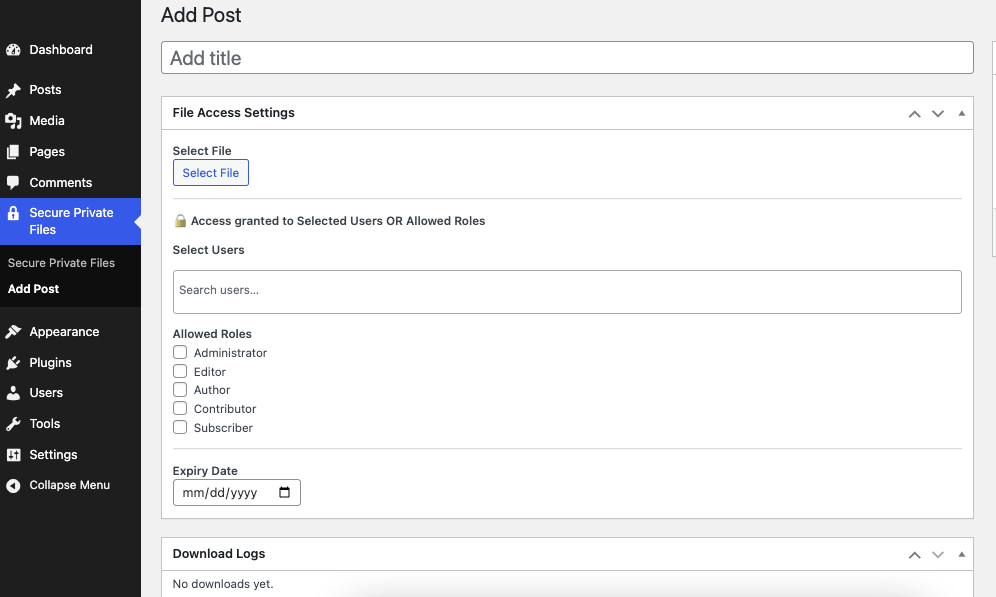
- Admin creates a Private File post
- Uploads or selects a file from Media Library
- Assigns allowed users and/or roles
- (Optional) Sets an expiry date
- Plugin generates a secure download token
- Authorized users can download the file using the secure link
Shortcodes
List logged-in user’s available private files
[secure_files]
Displays only files the current user is allowed to access.
Screenshots
FAQ
ChangeLog