
Automatically convert given keywords into Search Engine Friendly Affiliate Links (+colorful interactive links) throughout your blog.
| Author: | BlashO (profile at wordpress.org) |
| WordPress version required: | 3.0 |
| WordPress version tested: | 4.9.1 |
| Plugin version: | 2.2 |
| Added to WordPress repository: | 11-08-2012 |
| Last updated: | 15-01-2018
Warning! This plugin has not been updated in over 2 years. It may no longer be maintained or supported and may have compatibility issues when used with more recent versions of WordPress.
|
| Rating, %: | 60 |
| Rated by: | 4 |
| Plugin URI: | https://www.blasho.com/affilinker/ |
| Total downloads: | 11 675 |
| Active installs: | 10+ |

Click to start download
|
Screenshots
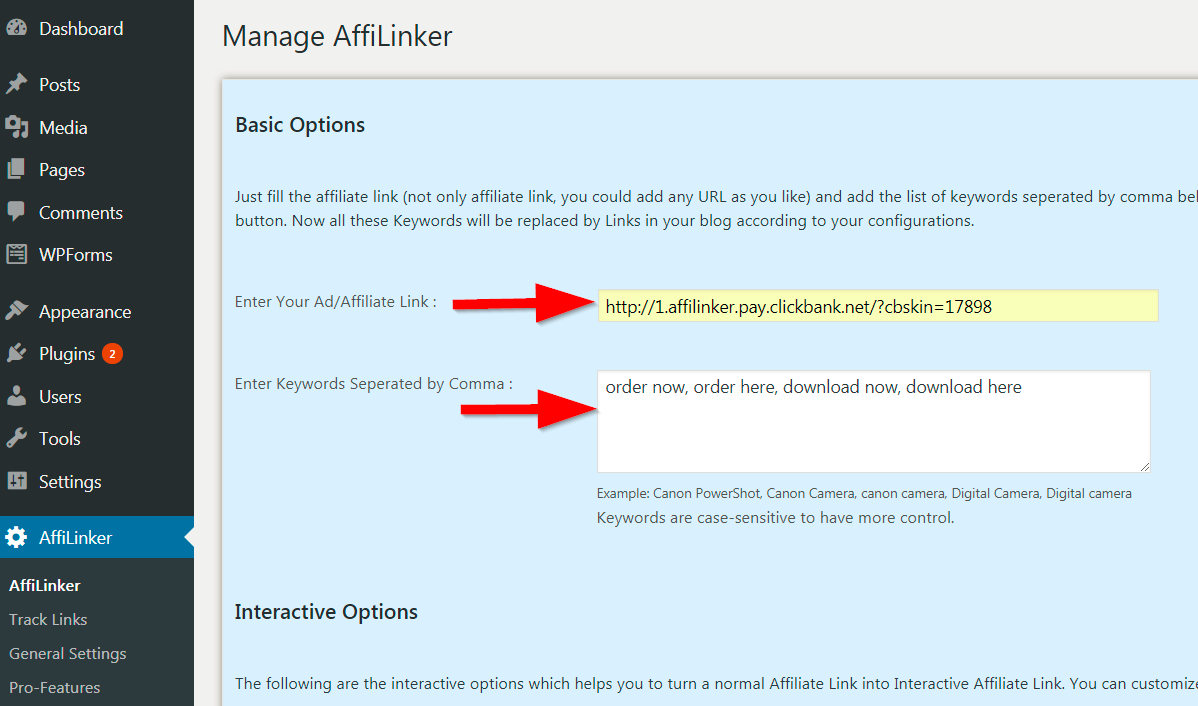
create affiliate link
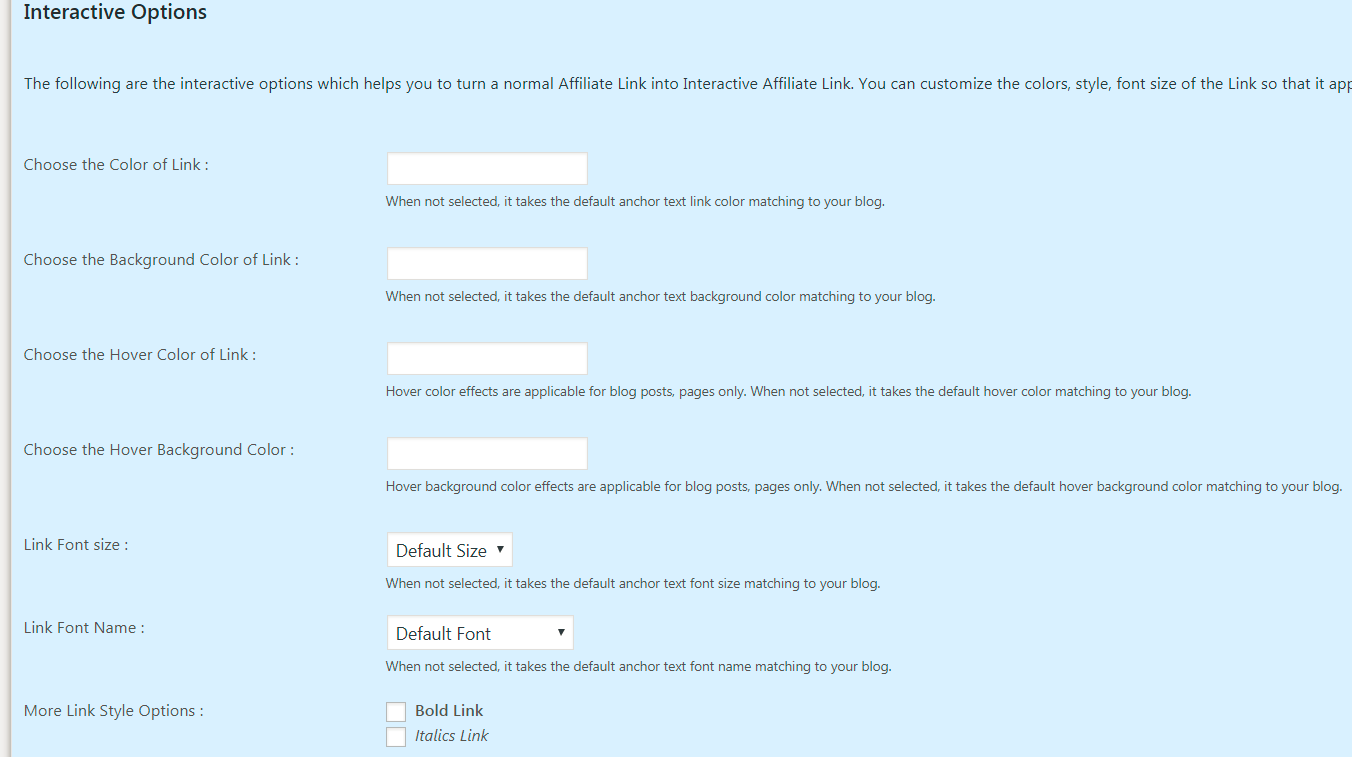
affiliate link interactive options
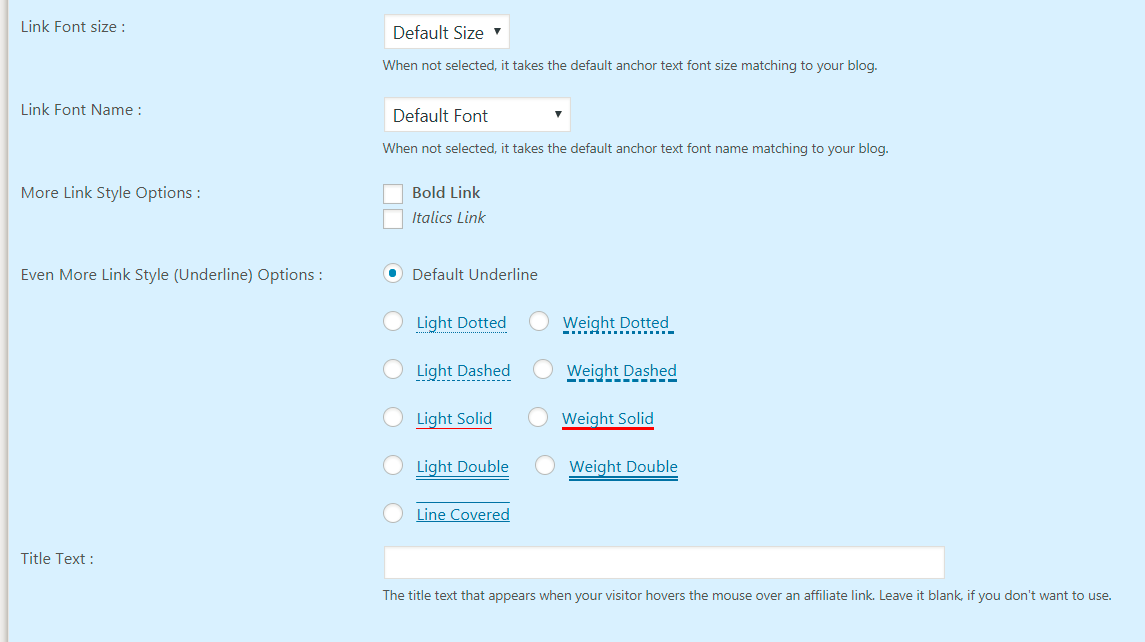
affiliate link other options
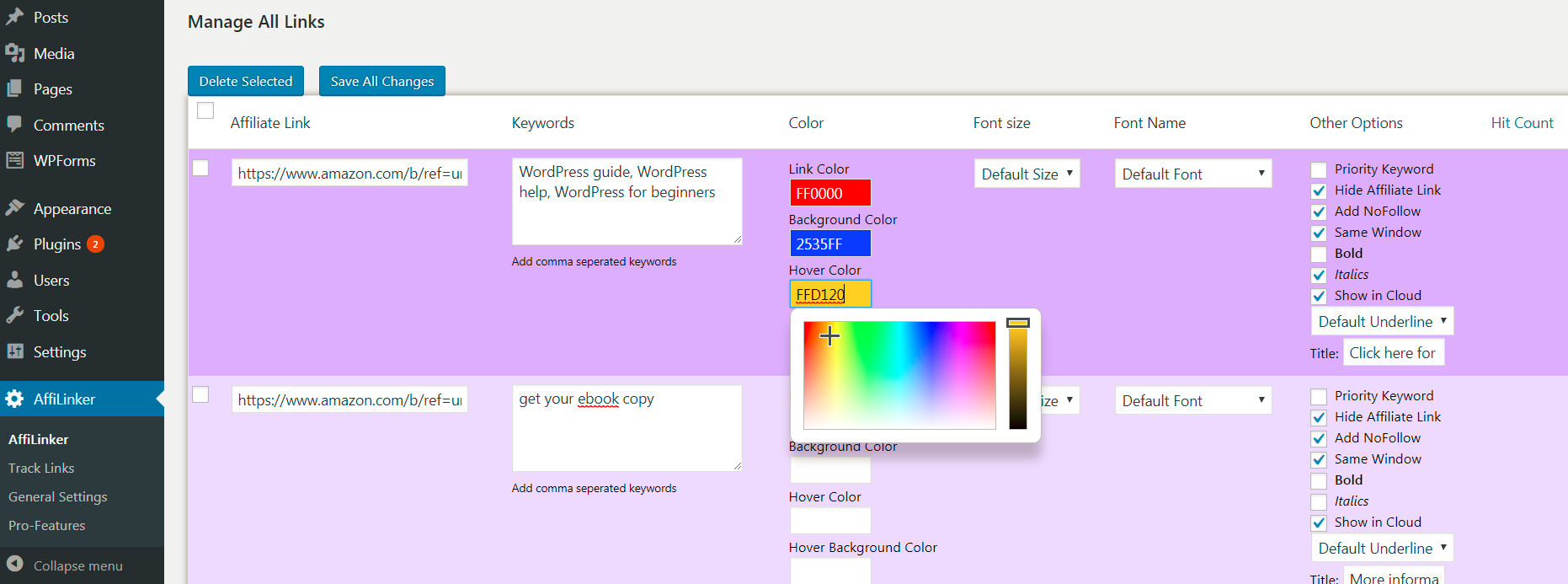
affiliate link edit color
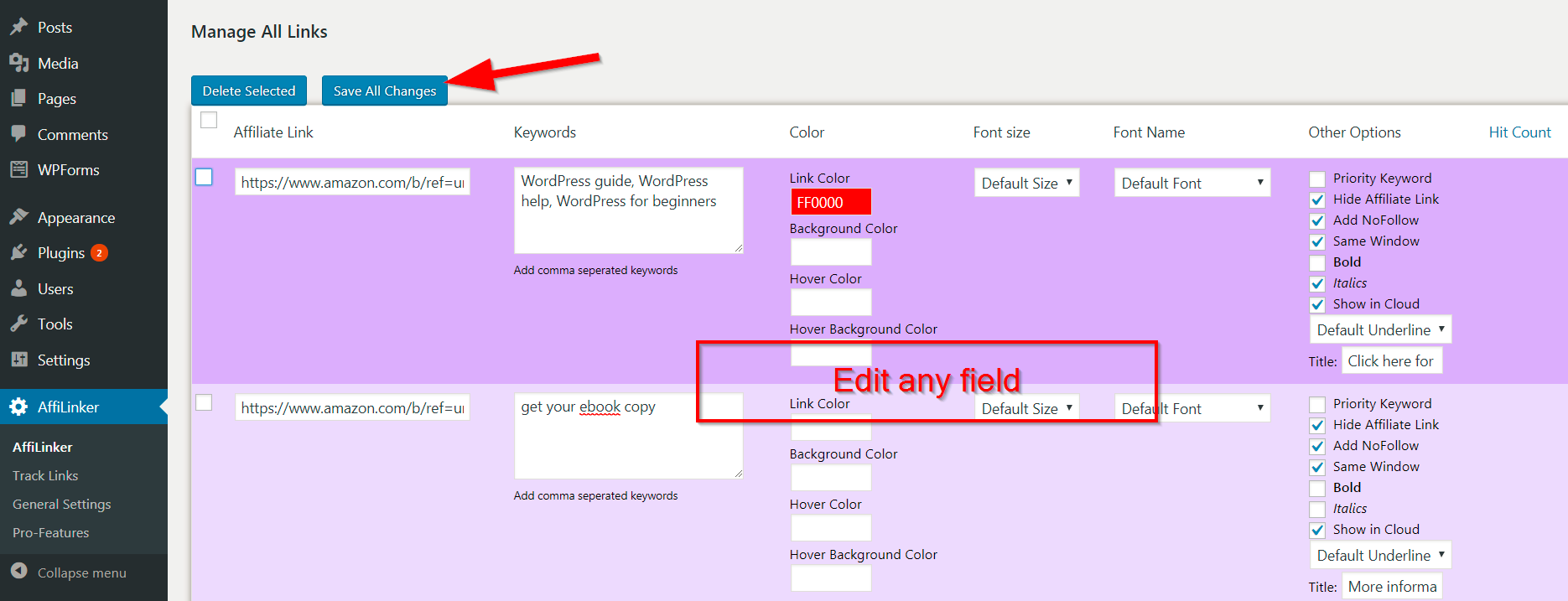
edit affiliate link settings
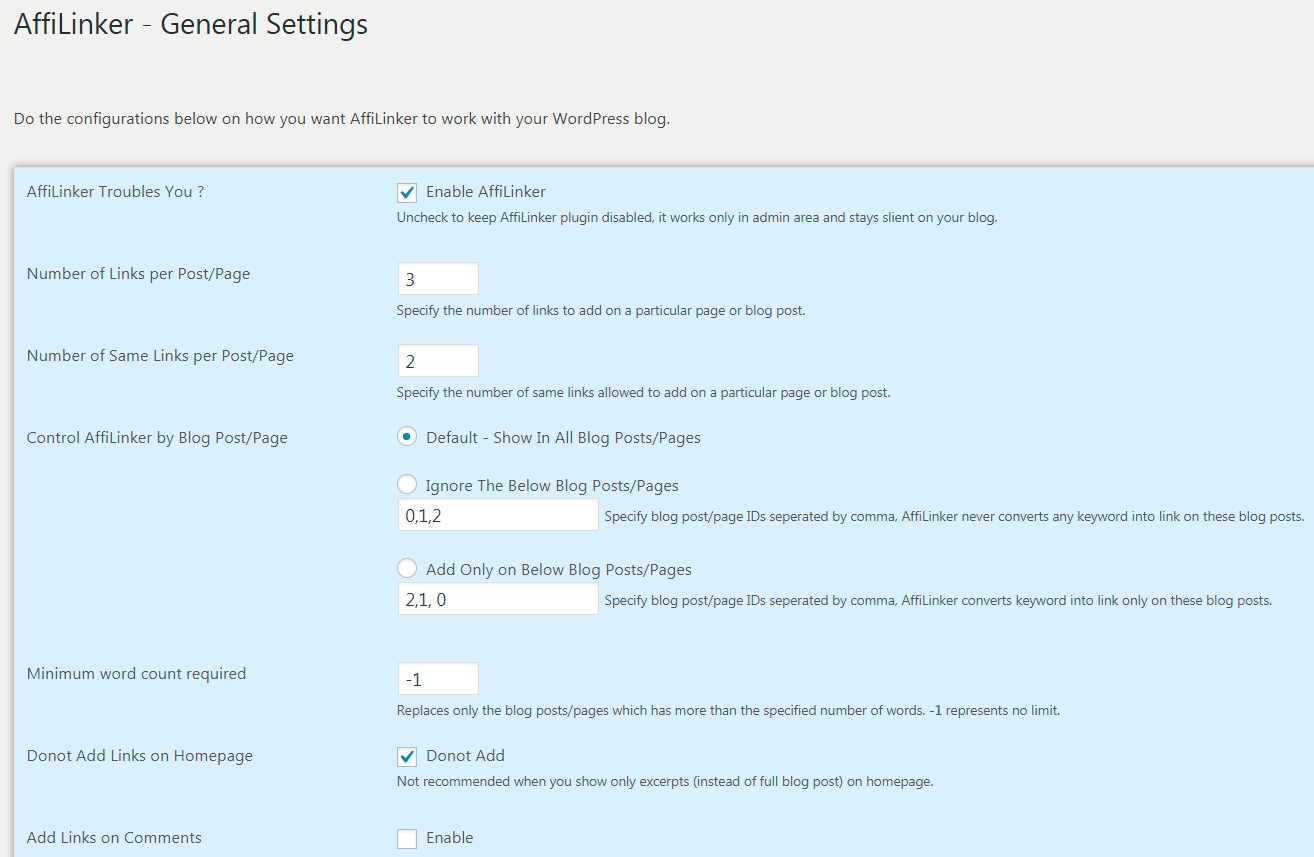
affilinker general options
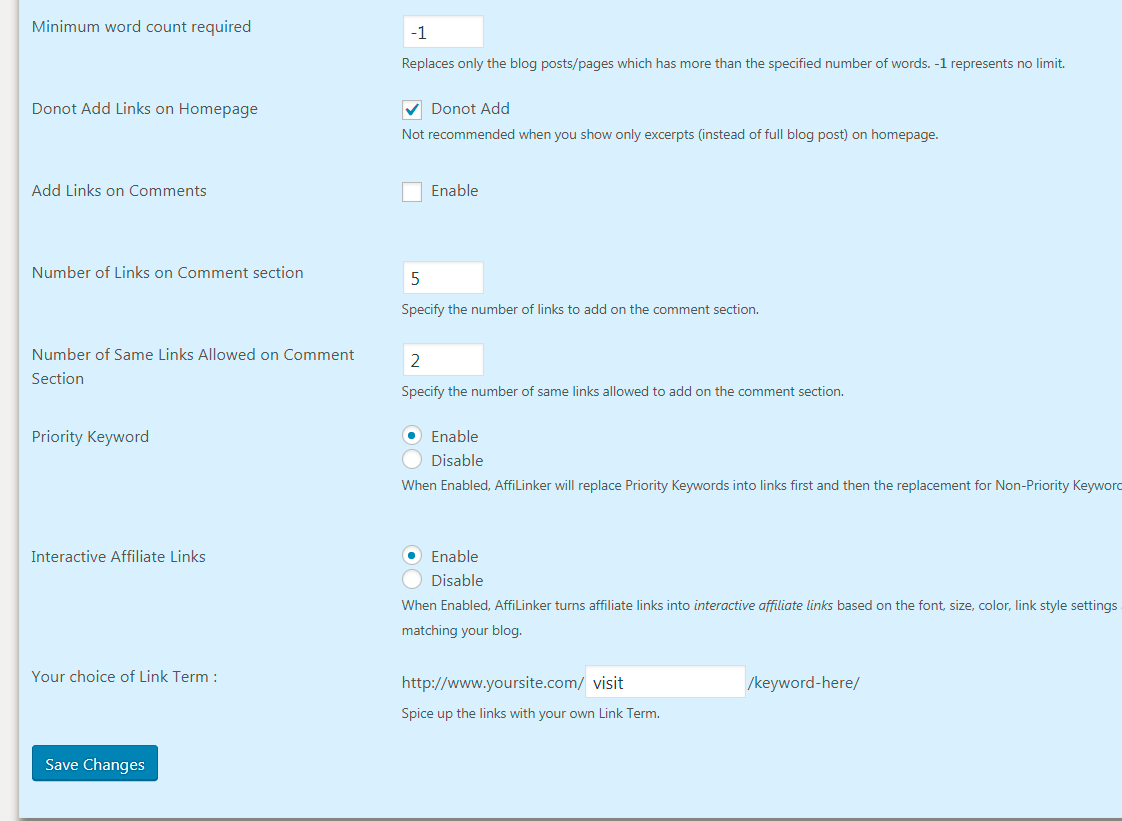
affilinker more general options
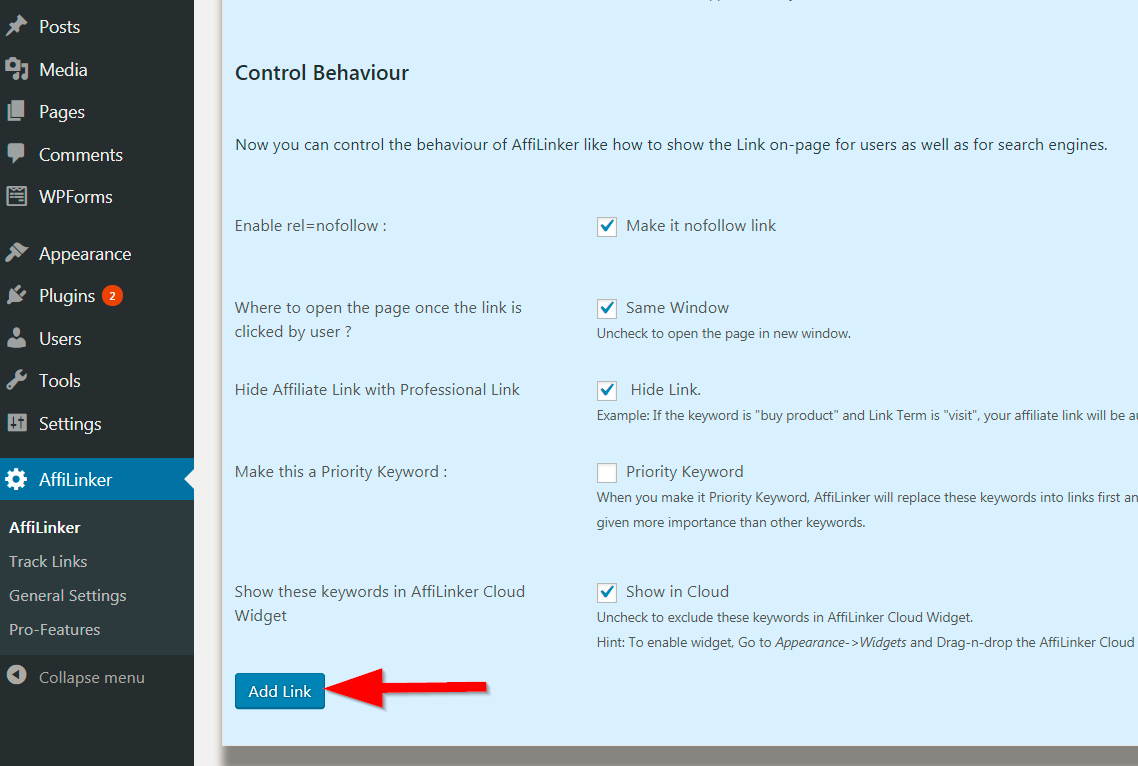
add new affiliate link
FAQ
Installation Instructions
- Login to your WordPress blog dashboard
- Go to “Plugins” > “Add New”
- Search for “AffiLinker”
- Click “Install” and then “Activate”
- Done
What is the purpose of AffiLinker Affiliate Link WordPress Plugin ?
Long story short, AffiLinker helps to quickly monetize your WordPress blog and helps to increase your blog income instantly + search engine friendly.
It converts the specified keywords into given Affiliate Links automatically throughout your blog and you can also show a collection of Affiliate Links as a Cloud on Sidebar/Footerbar.
Do it inserting Affiliate Links using JavaScript runtime ?
No, affiliate links are not generated using JavaScript, they are embedded as HTML links only. we have disabled the hidden link feature as this is against Google Webmaster Guidelines.
Now, your blog will be 100% complaince to Webmaster Guidelines using AffiLinker. Affiliate Links placed only in blog posts, pages, comment section, link cloud are all normal HTML links.
Why do Affiliate Links are not appearing in my blog posts,pages ?
AffiLinker relies on wp_footer. If your WordPress theme doesn’t uses wp_footer, you may not see Affiliate Links so make sure your theme uses wp_footer according to WordPress guidelines.
Is it possible to customize the link style uniquely for each and every Affiliate Link ?
Yes, with AffiLinker you can choose different styles like: Link Color, Link Background Color, Link Hover Color, Link Hover Background Color, Font Size, Font Name, bold,
italics etc.
Is it possible to add NoFollow tags to the links ?
Is it possible to select the target window for each link ?
Is it possible to find number of clicks received by each links ?
Yes, there is a built-in hit counter which shows the total number of clicks, unique number of clicks received for each links and also, the blog post/pages that are performing better.
What are those 4 types of widget options ?
3,4 – Interactive Links which shows the links as a tag/cloud with all the styles applied.
Do you have a premium version of AffiLinker ?
Yes, the premium version has more interesting features and it can manage unlimited number of affiliate links.
You can refer to our help page for more details.
ChangeLog
1.0
1.1.0
- Code changes done to keep the affiliate links encoded so that they are not seen on the source code and not directly indexable by search engines.
- Nofollow’d the js links as even evolving search engines (like Google,Bing) can execute and interpret dynamically generated links.
1.2.0
- Improved UI
- Bug fix for WordPress 3.6 compatibility
- Optimized the code for faster execution
- Improvements to take correct default values
1.3.0
- Added new option to disable jQuery Script (helps to resolve any jQuery conflicts) esp. with other WordPress plugins that uses jQuery.
1.4.0
- Minor bug fixes
- New support for Hover title text (appears when user hovers over link) added as a disabled feature
1.5.0
- Complaince to Google Webmaster Guidelines (no more hidden links)
- Now the free version supports 6 affiliate links, enjoy!
1.6.0
- Afiliate link creation error, for specific PHP versions fixed
- hidenseek.js reference issue fixed, thanks to WPAdvices.com
1.7.0
- Fixed certain link creation issues
- Invalid title text issue fixed
- Fixed encoded link addition issue, used in affiliate programs like ShareASale
2.0
- Fixed https link issues
- a fresh start 🙂
2.1
2.2
- Fixed redirect activation issue

