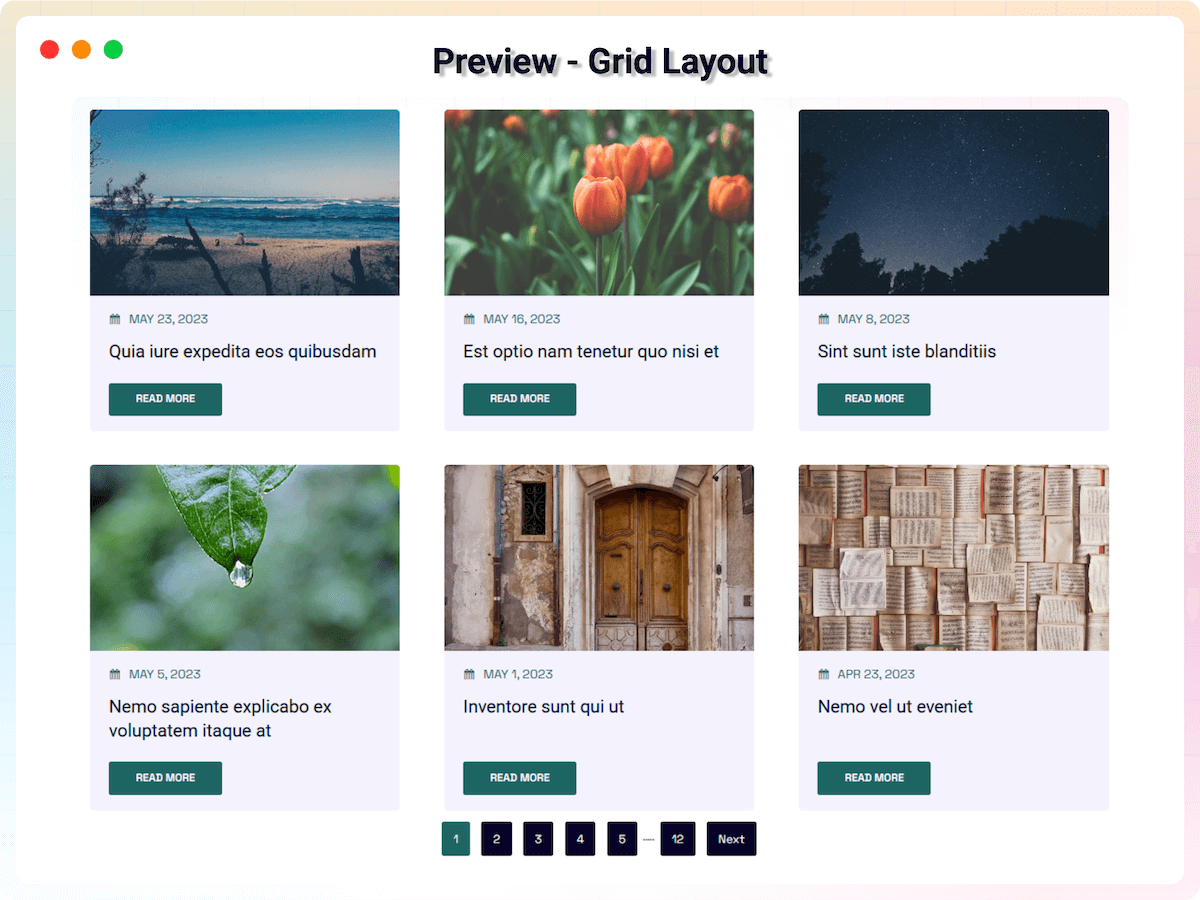
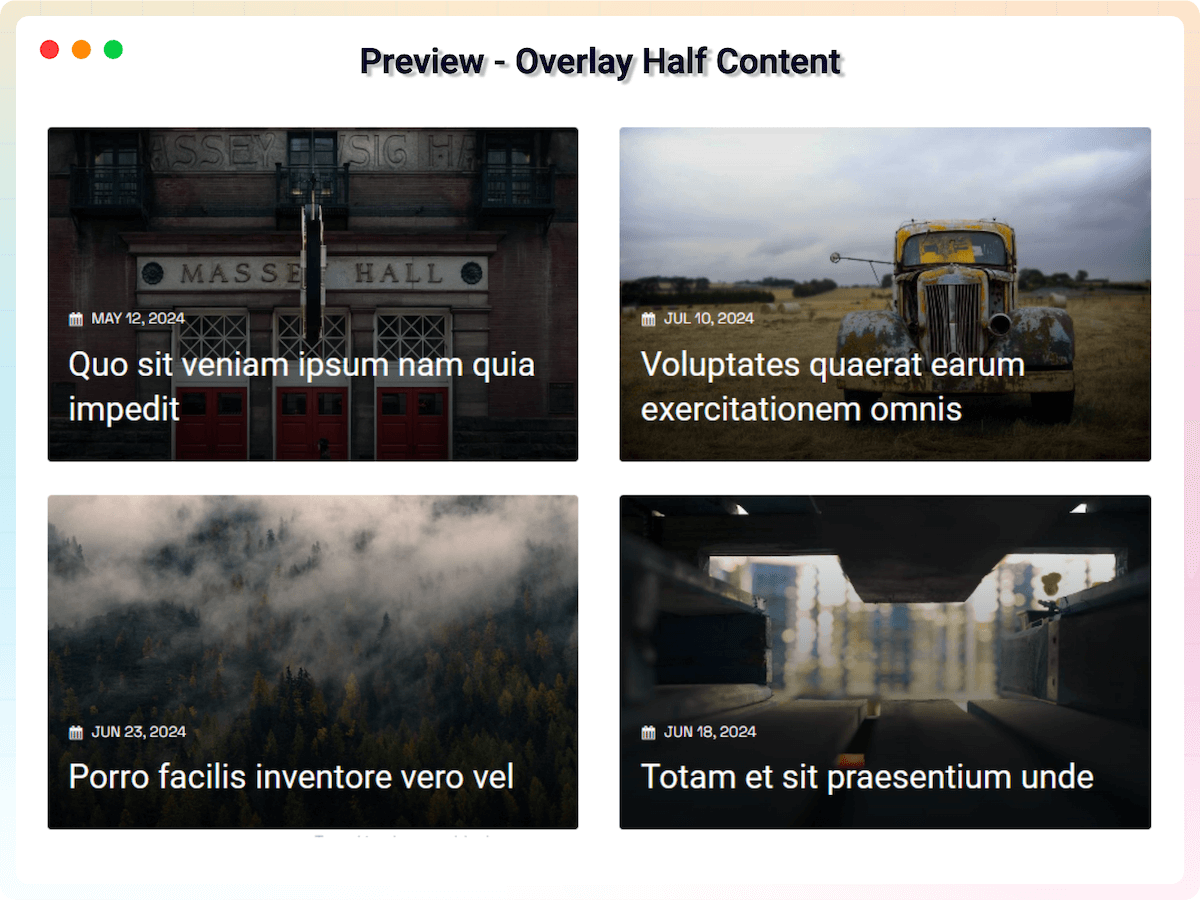
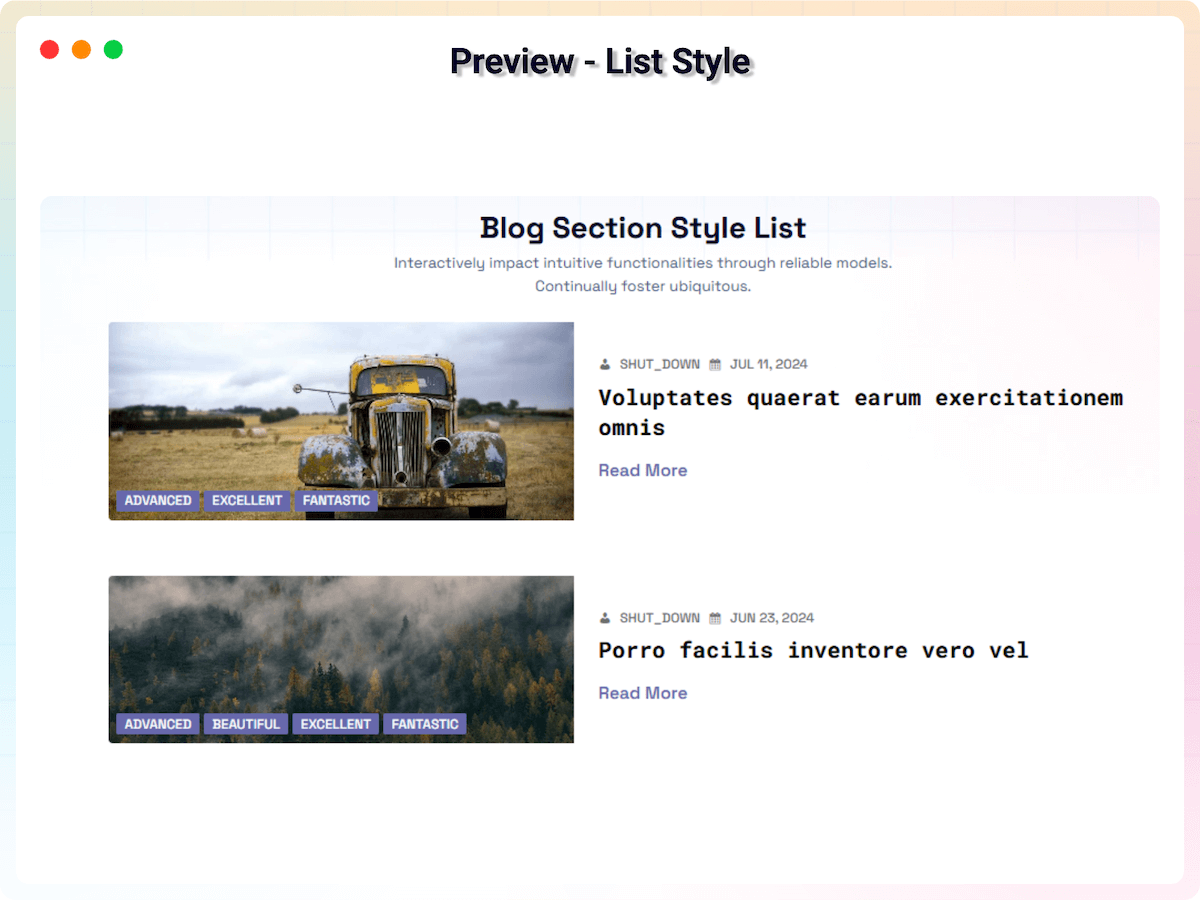
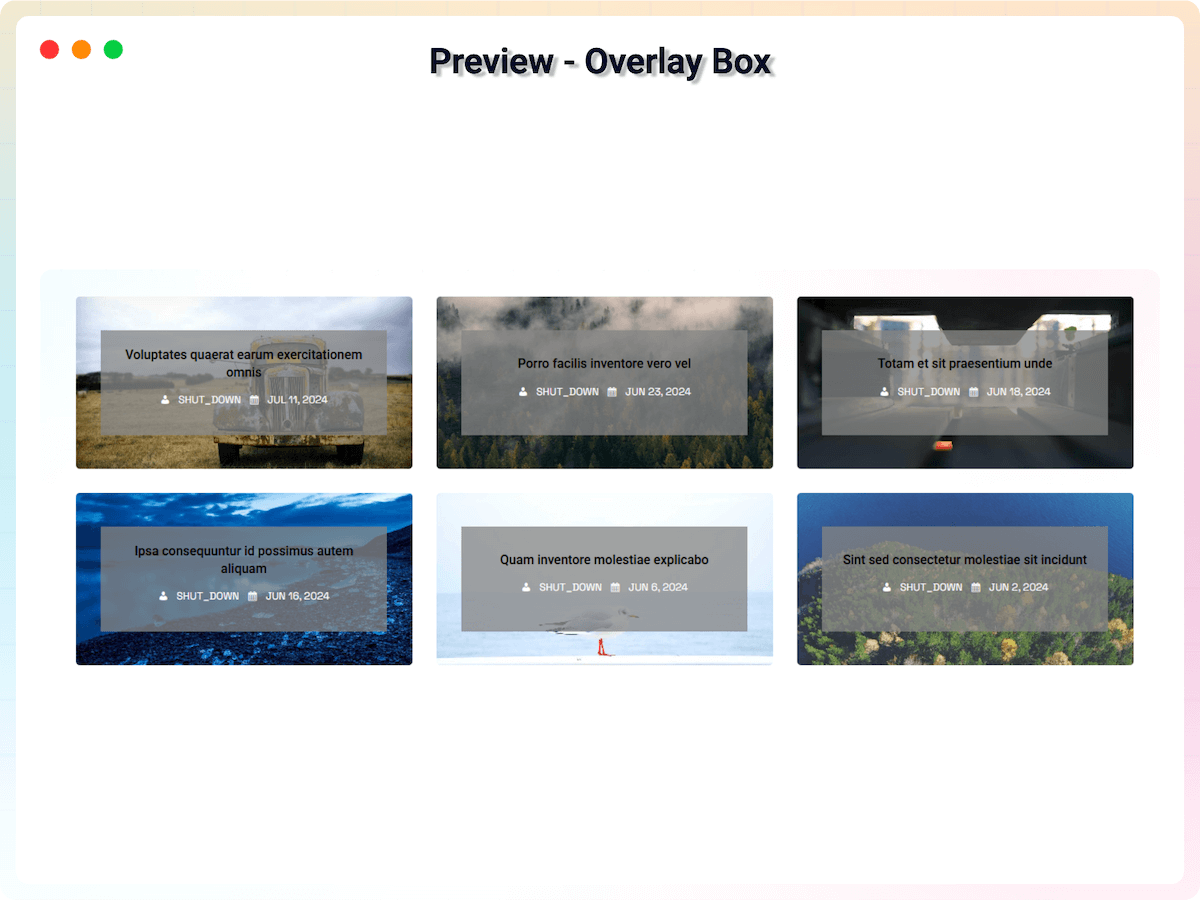
Advanced Post Block is a flexible plugin for displaying WordPress posts, pages, or custom post types using the Gutenberg editor. It offers multiple layouts and filtering options, making it useful for content creators who want greater control over how content appears on the front end.
This plugin is suitable for anyone who wants to present content in a structured, responsive format using native WordPress blocks. It allows fine control over content queries, metadata visibility, featured image handling, and more, without the need for coding.
Layout Options
Choose from various display styles:
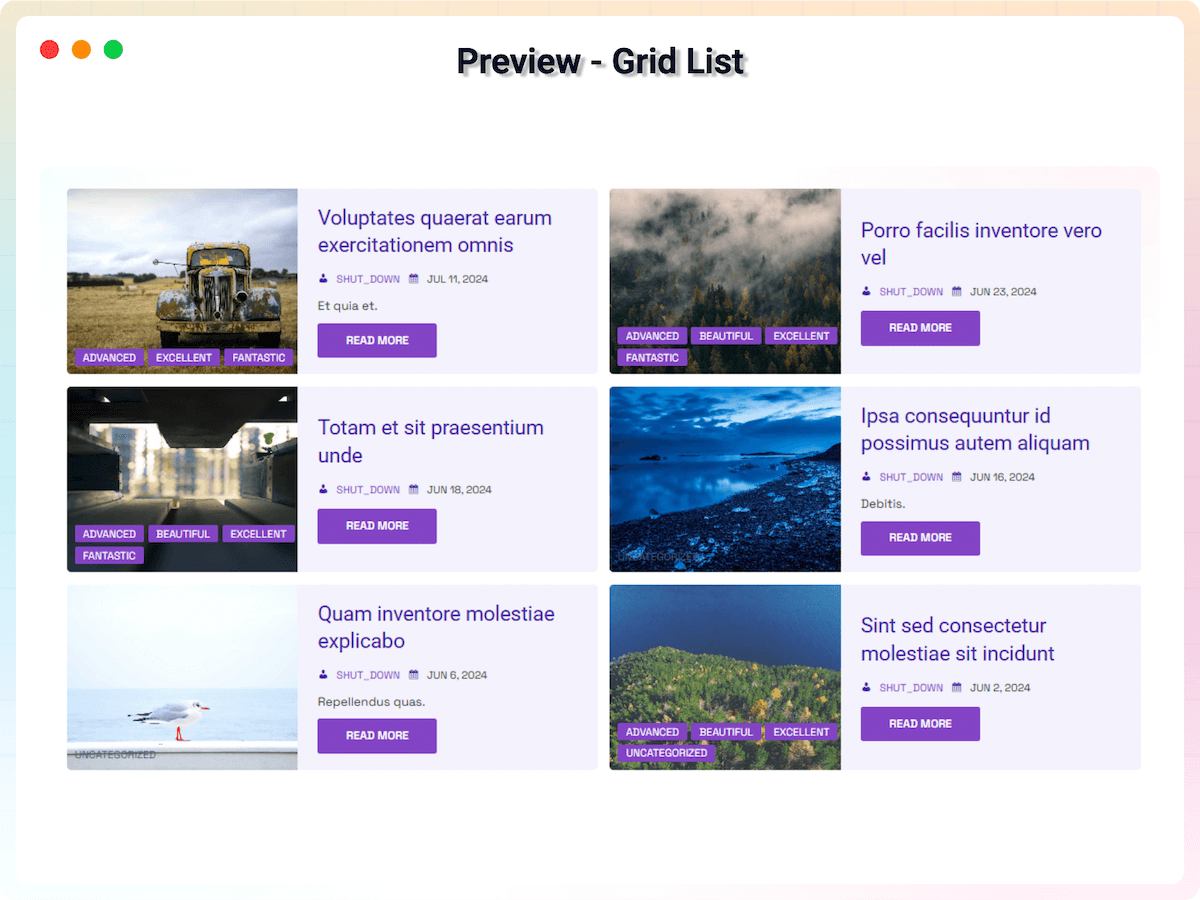
Grid: Arrange posts in a column-based format.
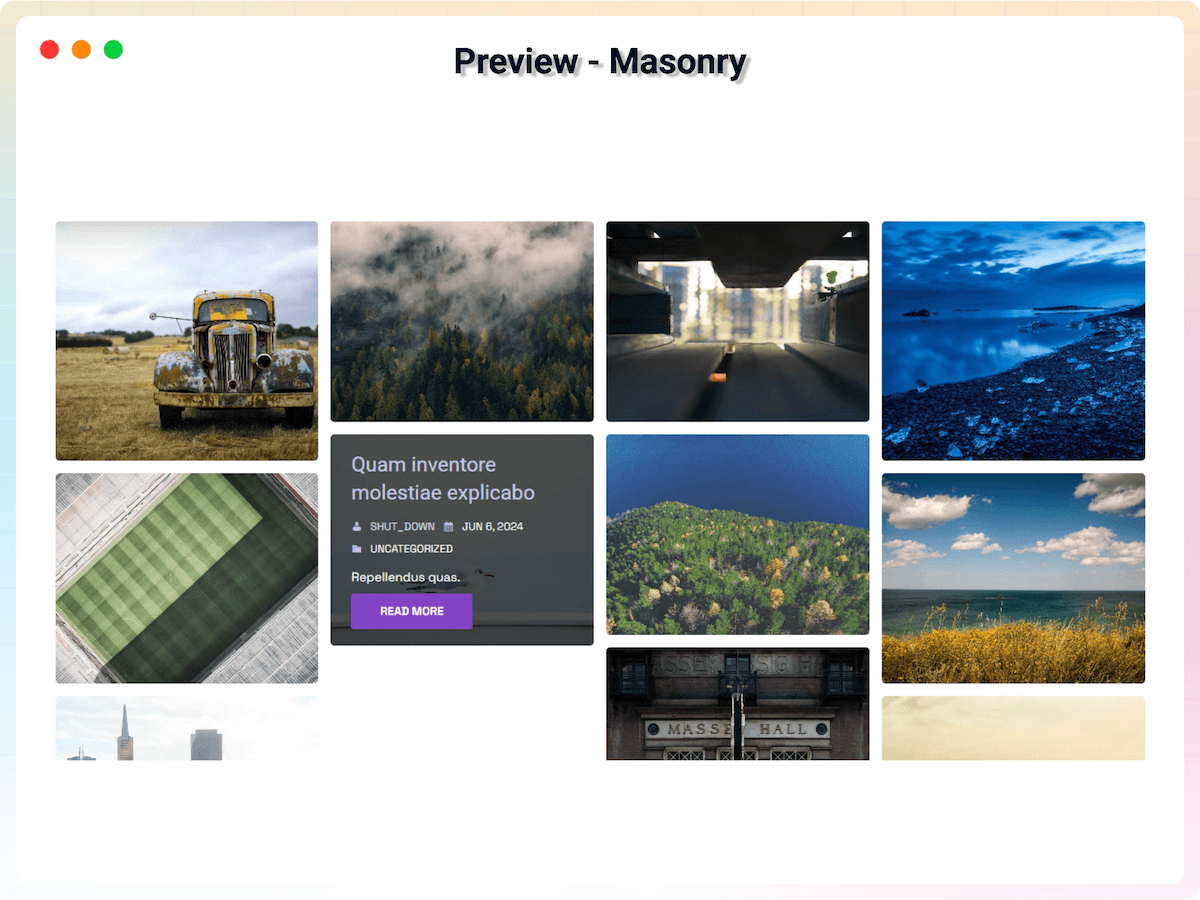
Masonry: Automatically position posts in a staggered, flowing layout.
Slider: Create carousel-style post sections.
Ticker: Show content as a scrolling headline list.
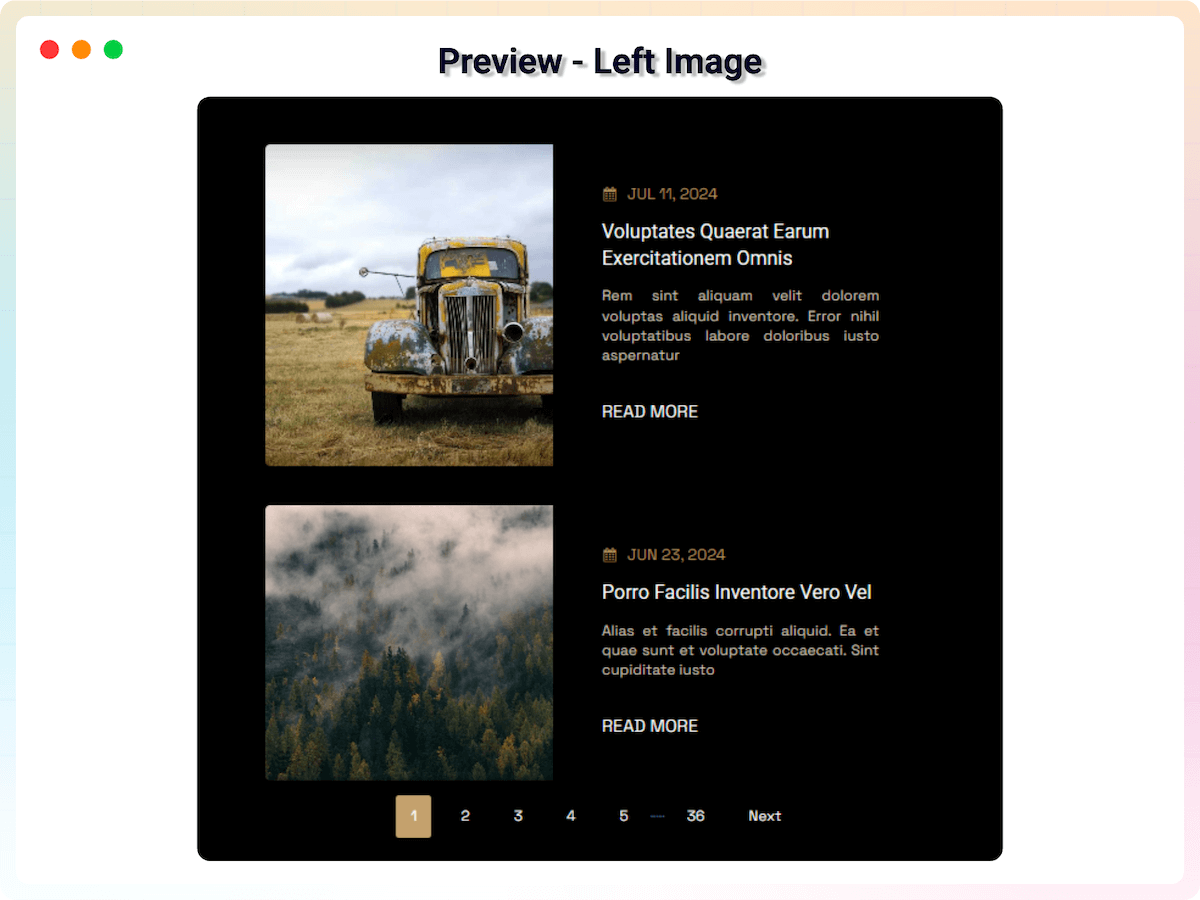
Each layout includes sub-layouts such as Title Meta, Left or Right Image, and Overlay Content.
Filtering and Query Controls
Easily select and organize the content you want to display:
Display standard posts, pages, or custom post types.
Filter by categories, tags, or authors.
Control post order and offset.
Design Customization
Fine-tune the look and feel of your content listings:
Show or hide featured images, and choose whether they link to the post.
Customize post titles, excerpts, and read more links.
Display post metadata such as date, author, and categories, with control over visibility and styling.
Responsive and Performance-Focused
All layouts are optimized for mobile and desktop devices. The plugin is built to load efficiently and minimize impact on performance.
Key Features – Free Version
Everything you need to build a professional and modern content display:
Core Layouts: Choose from professional Grid, Masonry, Slider, and Ticker views.
Flexible Sub-layouts: Optimize displays with Left/Right Image, Overlay Box, Title-Meta layouts, and more.
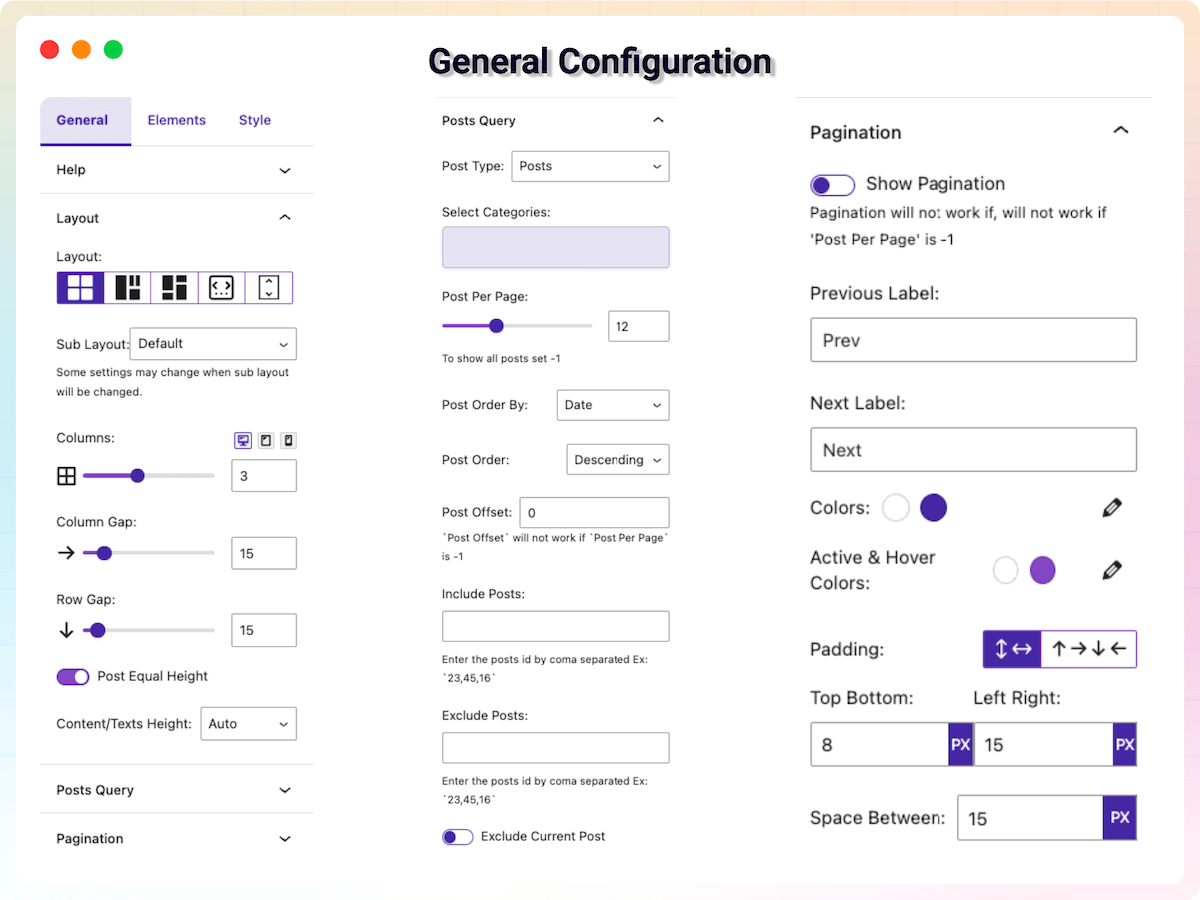
Dynamic Post Query: Advanced filtering by post type, posts per page, categories, authors, and custom sorting.
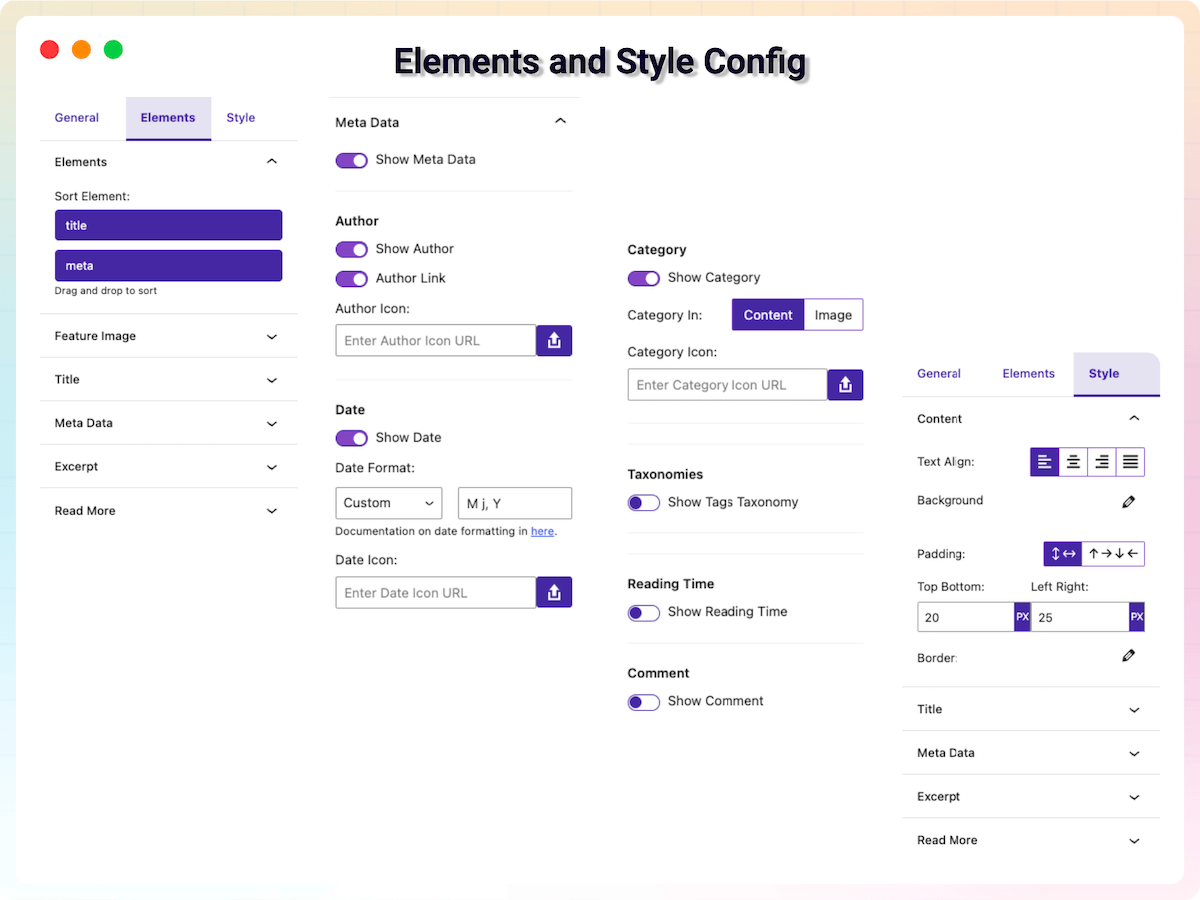
Element Visibility: Full control to show or hide thumbnails, titles, metadata, excerpts, and read more buttons.
Featured Image Settings: Toggle links and adjust image fitting (Cover/Contain) for a polished look.
Title Control: Customize post title layout, enable link, and set precise typography.
Metadata Flexibility: Show or hide post date, author, categories, and comment counts.
Meta Info Customization: Personalize metadata with custom icons, colors, links, and more.
Custom Read More: Define labels, colors, and hover effects for your “Read More” or “Continue” buttons.
Shortcode Support: Seamlessly display post blocks anywhere on your site using shortcodes.
Responsive Ready: Fully optimized for a perfect experience on mobile, tablet, and desktop devices.
High Performance: Lightweight design with optimized queries for lightning-fast load times.
Developer Friendly: Built with clean code following the best WordPress developmental standards.
Pro Version – Unlock Premium Power
Advanced Post Block Pro adds precision filtering, layout enhancements, and deeper content control for high-performing websites.
What’s Included in Pro:
Exclusive Layouts: Unlock the Grid 1 layout and cinematic sub-layouts like Overlay Half Content.
News Ticker Options: Fine-tune direction, speed, and display intervals for news tickers.
Display Pages: Showcase standard WordPress pages alongside your posts.
Query Presets: Instant configurations for Popular, Random, Sticky, and Related Posts.
Deeper Filtering: Advanced filtering by Tags, Custom Taxonomies, Search Queries, and more.
Post Precision: Use Offset to skip the first “N” posts or manually Include/Exclude content by ID.
Exclude Current Post: Prevent duplicates by excluding the current post in single templates.
Sticky Management: Easy toggle to include or completely Exclude Sticky Posts.
Load More / AJAX Loading: Modern Pagination, Navigation, Infinite Scroll, and AJAX Load More buttons.
Sortable Elements: Intuitive drag-and-drop interface to rearrange Post Title and Metadata.
Feature Image Customization: Define exact image dimensions and custom sizes per block.
Meta Icon Customization: Upload Custom Icons for author, date, category, reading time, and comment counts.
Meta Author Link: Choose whether author names link to their archive pages.
Meta Date Format: Full support for custom PHP Date formats.
Taxonomies in Metadata: Display categories, tags, and custom taxonomies within post meta.
Reading Time Indicator: Boost engagement with estimated reading time (minutes/seconds).
Excerpt from Main Content: Automatically pull excerpts directly from the post body content.
Read More Placement: Precisely place the “Read More” button where it fits your design best.
Custom Query Hook: Leverage the apb_query filter for deep developer-level control.
How to Use – Step-by-Step Setup
Getting started is fast and beginner-friendly.
You can set up your first post grid in just a few clicks.
Step-by-Step Setup:
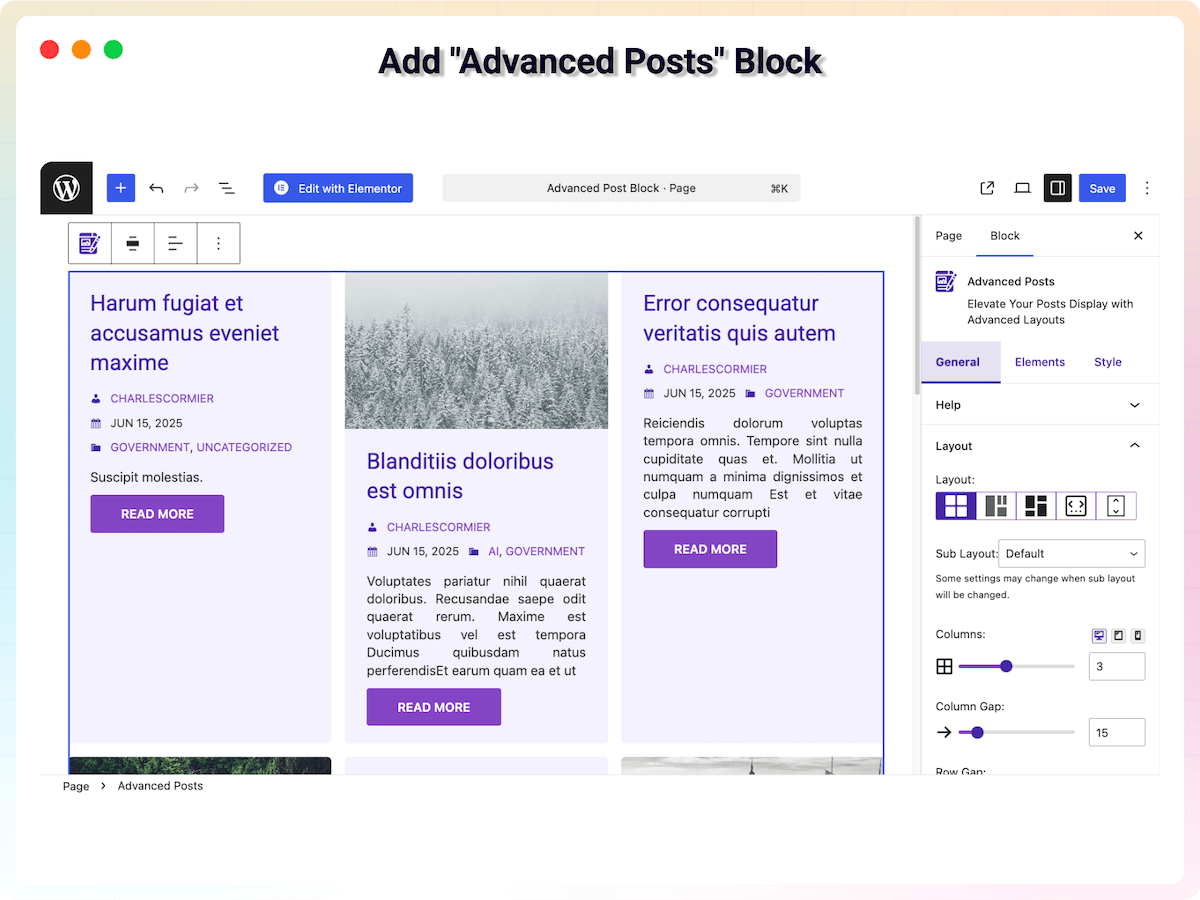
Install and activate the Advanced Post Block plugin.
Open a post or page in the Gutenberg editor.
Click the + icon.
Find the block called Advanced Post Block under the “Advanced Post Block” category.
Choose your layout style, post type, and configure display settings.
Save and publish.
That’s it!
Gutenberg Block Support
Using the Block Editor? You’re covered.
Easily find the Advanced Post Block in the Gutenberg block library.
Drag and drop to add dynamic post lists to any page or post.
Customize layout and design using the right-hand block settings panel.
❛❛This plugin works good, has many options and sounds like more to come. What I like best is the support. Nothing better then a quick reply and they were able help out too! Looking forward to much more style control maybe in a future update.❜❜
❛❛I’ll be completely honest, the level of support offered by the plugin creator is exceptional! This is the best plugin for your blog posts arrangement, it makes your blog look wonderful and well-organized.❜❜
Yes! All the custom posts that come to your site. You just need to select that custom post from the right setting panel.
I have a custom post type, but it’s not showing up for selection!
It’s possible that your custom post type is not supported by the REST API. You can add REST API support for your custom content types by following the steps outlined in this article: Adding REST API Support for Custom Content Types.
What is available post queries?
For the query, you can change the post type, filter by taxonomies(categories, tags or custom), post per page, post order by, post order, and post offset.
Can I change post layouts?
Yes! This plugin has seven main layouts (Grid, Masonry, Slider, Ticker, News Ticker, Magazine 1 and Accordion) and multiple sub-layouts.
I want to slide the post! Is it possible?
Yes! There is a slider layout to slide the posts.
Is this support responsive for different devices?
Yes! You can set different columns for different devices.
Does this plugin have pagination?
Yes! This plugin has pagination, prev/next navigation and a Load More button to fetch more posts, but not for the slider and ticker layouts. Infinite scroll is available in the Premium version.
Can I visible or hide post elements?
Yes! you can every element, you can show or hide the title, feature image, meta-data, excerpt, read more button, etc.
Can I change the styles of the post elements?
Yes! you can change content alignment, background, padding, and border. all element’s(title, metadata, excerpt, read more button) typography, colors, and spacing.
Security: Read More Icon: Custom SVG icons are now sanitized on the server and again in the browser before they are rendered. Scripts, animation triggers, and event handler attributes are removed, closing a stored XSS that a Contributor could trigger from a post (reported by Patchstack).
Security: Accordion Layout: The custom Up/Down indicator icons go through the same SVG sanitization.
Security: Block Output: Block settings embedded in the front-end markup are now hex-encoded, so saved HTML entities can no longer turn back into live markup in the browser.
Fix: Admin Dashboard: Quick links (Open Editor, ShortCode Generator) no longer contain a double slash and now open the correct admin screens.
Fix: Admin Dashboard: The dashboard script no longer throws an error when the Freemius opt-in screen is shown in its place.
2.5.1 – 4 Oct 2026
New: Template Library: Imports and favorites now help rank the most popular templates – only reported when you allow usage tracking.
Improvement: Translations: The admin dashboard, block settings, and front-end labels (view counts, comment links, ticker navigation) are now fully translatable.
Fix: Slider: The Autoplay Delay labels used the wrong text domain and could not be translated.
2.5.0 – 6 Sep 2026
New: Magazine 2 Layout: A full-width hero post above a responsive grid of the remaining posts, with its own Magazine Grid Layout selector, column and gap controls, and a responsive hero min-height.
New: Load More Button: A third Load More type that appends the next posts in place, with a custom button label and a loading state.
New: Exclude Sticky Posts: Completely remove sticky posts from any query.
New: Meta Author Link: Link the author name to their author archive.
New: Meta Date as Time Ago: Show the post date as “3 days ago” instead of a fixed date.
New: Meta Reading Time: Show the estimated reading time in the meta row, with a custom label.
New: Post View Count: Display tracked post views in the meta row.
New: Meta Separator Color: Give the separator character between meta items its own color.
New: Category Badge Spacing: Padding and border radius controls for the on-image category badge.
New: Image Grayscale: Apply a grayscale filter to the feature image, on normal state and on hover.
2.4.0 – 18 Aug 2026
New: Magazine 1 Layout: The hero-plus-sidebar magazine layout is now free – pair a large featured post with a scrollable list of secondary posts, with its own sidebar list layout and responsive hero min-height.
New: Overlay Half Content Sub Layout: Text sits over the bottom half of the image behind a soft gradient.
New: Load More / Pagination: Numbered pagination and prev/next navigation – with custom labels, alignment, colors, active/hover colors, padding, spacing, and back-to-top on page change.
New: Query Controls: Select Pages as a post source, filter posts by tags, skip posts with Post Offset, and target exact posts with Include Posts and Exclude Posts.
New: Element Sorting: Drag and drop to reorder the title, meta data, and excerpt inside each post.
New: Feature Image Size: Pick any registered image size (thumbnail, medium, large, full) for faster pages.
New: Fallback Image: Set a default image shown when a post has no featured image.
New: Title Limit: Trim titles by word or character count.
New: Meta Separator: Add a custom character between meta data items.
New: Image Hover Radius: Animate the feature image corner radius on hover.
2.3.0 – 30 Jul 2026
New: Accordion Layout: Added a new collapsible Accordion layout to display posts as expandable panels – great for FAQs, docs, and long-form lists. Includes Classic and Card Stack themes, single open mode, expand-icon controls, and full styling.
2.2.2 – 22 Jul 2026
New: Template Library: Browse and import professionally designed post layouts with one click using the new Template Library button in the editor toolbar – complete with search, filters, and live preview.
2.2.1 – 25 Jun 2026
Update: Admin Dashboard: Improved UI with better feature organization.
2.2.0 – 06 May 2026
New: Advanced Title Customization: Choose specific SEO title tags, align text perfectly, and set custom hover colors for a professional look.
New: Enhanced Image Controls: Set custom dimensions, adjust borders, radius, and shadows, and add smooth hover animations for better image presentation.
New: Refined Metadata & Badges: Position categories above content, set custom hover colors, and adjust category badge margins.
New: Interactive Container Design: Shadow effects, hover borders, and background hover support for article blocks and content areas.
New: Engaging “Read More” Buttons: Sleek arrow icons and smooth hover animations to guide your visitors.
New: Dynamic Excerpts: Custom hover color support for post excerpts to match your brand’s style.
2.1.0 – 07 Apr 2026
New: News Ticker Layout: Added a new professional news ticker layout (Free).
New: News Ticker Options: Enhanced News Ticker with direction, speed, and animation controls (Pro).
New: Magazine Layouts: Introduced Magazine 1 and Magazine 2 layouts for editorial-style post displays (Pro).
New: Magazine Min Height: Added a responsive minimum height setting for the magazine hero post (Pro).
2.0.8 – 14 Mar 2026
New: List – Left Even Odd Sub-Layout: Added a new alternating left-aligned list layout for visually distinct even/odd post rows.
New: List – Right Even Odd Sub-Layout: Added a new alternating right-aligned list layout for visually distinct even/odd post rows.
Fix: Fixed the issue of posts not loading in the frontend.
2.0.7 – 12 Mar 2026
New: Query Preset: Introduced a query preset option to select from predefined query configurations, making it easier to set up common post queries.
New: Taxonomy Relation: Added a new setting to select the relation (AND/OR) between different taxonomy filters, providing more advanced control over the post query.
New: Search Query: Introduced a search field in the block settings to filter posts by a specific search term, allowing for more precise content display.
New: Author Filter: Added the ability to filter posts by specific authors, allowing for more personalized content curation.
New: Exclude Sticky Posts: Introduced an option to exclude sticky posts from the query, providing better control over post visibility.
New: Post View Tracking: Introduced post view tracking to display posts by popularity.
Update: AJAX Post Fetching: Implemented AJAX-based post fetching in the editor/backend for a more reliable and faster loading experience.
Fix: Security Hardening: Enhanced security by restricting license access, improving XSS protection, and enforcing strict type casting for query parameters.
2.0.6 – 28 Feb 2026
New: Added a Layout Selector for new blocks to improve the initial setup experience.
New: Added helpful descriptions and tooltips to various complex settings in the block sidebar.
Fix: Critical performance issue resolved in the editor by refactoring data-fetching logic to significantly reduce store calls and prevent infinite loops.
Update: Optimized data retrieval for authors, taxonomies, and comments to improve overall editor responsiveness.
Fix: Improved fallback Grid layout display to ensure blocks render correctly even if initial configuration is missing.
2.0.5 – 22 Feb 2026
Add: ShortCode feature for free users – Easy shortcode support for displaying posts anywhere on your site.
Update: Admin Dashboard – Improved UI with better navigation and clearer feature organization.
Fix: Critical performance improvements and bug fixes.
2.0.4 – 22 Jan 2026
New: Infinite Scroll – Auto-load posts as users scroll down.
New: Navigation Pagination – Add next/previous buttons for manual browsing.
New: Load More Button – On-demand post loading with a clickable button.
2.0.3 – 11 Dec 2025
Update: Remove unwanted data from posts query
2.0.2 – 03 Dec 2025
Fix: Fix offset query issue
Update: Add more options in Order by Query.
2.0.1 – 01 Sep 2025
Update: Custom Post type label
Update: Add additional class for pagination page numbers
2.0.0 – 20 Aug 2025
Fix Post Type Issues
Update SDK
Change UI
Admin Dashboard
1.16.1 – 3 Jul 2025
Fix Pagination issue
1.16.0 – 18 Jun 2025
Update Upgrade Page
Fix other users premium unlock issue
Update SDK
1.15.4 – 28 Jan 2025
Update SDK.
1.15.3 – 27 Jan 2025
Update SDK.
1.15.2 – 19 Dec 2024
Only load essential content or excerpt.
1.15.1 – 14 Dec 2024
Current Post Exclude option for every condition.
1.15.0 – 30 Nov 2024
Fix Pagination issue
1.14.9 – 2 Nov 2024
Fix ShortCode Issue
1.14.8 – 29 Oct 2024
Update SDK
1.14.7 – 19 Oct 2024
Fix excerpt long word issue.
1.14.6 – 12 Sep 2024
Update SDK
1.14.4 – 20 Aug 2024
Remove new lines from the content.
1.14.3 – 18 Aug 2024
Trim Words for the content.
1.14.2 – 17 Aug 2024
Remove Script tag from the content.
1.14.1 – 13 Aug 2024
Update Initial Posts render
1.14.0 – 12 Jun 2024
Add Loading Placeholder
1.13.9 – 8 Jun 2024
Fix the shortcode issue.
1.13.8 – 28 May 2024
Fix bad Ajax request issue.
1.13.7 – 22 May 2024
Display posts issue fixed.
1.13.6 – 16 May 2024
Remove Ajax requests for posts.
1.13.5 – 5 May 2024
set post status to publish
1.13.4 – 27 Apr 2024
sanitized field
1.13.3 – 27 Apr 2024
Update SDK
1.13.2 – 23 Apr 2024
Remove Password filter query for security issues.
1.13.1 – 23 Mar 2024
Add user filter on password filter query
1.13.0 – 9 Mar 2024
Regular Update
1.12.9 – 5 Feb 2024
Add Password Filter Query
Fix nonce validation issue
1.12.8 – 25 Jan 2024
Fix issues.
1.12.7 – 25 Jan 2024
Add filter for excerpt or content.
Option to show all excerpts or content.
1.12.6 – 18 Jan 2024
Update FS SDK.
General improvements and optimizations.
1.12.5 – 5 Dec 2023
Fix issues.
1.12.4 – 4 Dec 2023
Remove Promo
1.12.3 – 28 Nov 2023
Fix issues.
1.12.2 – 19 Nov 2023
Improvements
1.12.1 – 13 Nov 2023
Update Library
1.12.0 – 31 Oct 2023
Show Any Taxonomies on Meta Area
Display Pages
1.11.4 – 02 Oct 2023
Fix the Slider issue
1.11.3 – 23 Sep 2023
Update SDK.
1.11.2
Fix masonry layout
1.11.1
Fix translation for the date.
1.11.0
Add option to sort title and meta elements.
1.10.9
before and after pseudo-elements effect.
1.10.8
Add option to include or exclude posts
1.10.7
Add option to exclude current post
1.10.6
Add filter update system
1.10.5
Fix the Pagination issue
1.10.4
Add image alt from feature image
1.10.3
Improve Accessibility.
1.10.2
Option for adding ellipsis after the excerpt.
1.10.1
Fix- multiple image tags appear
1.10.0
Add content/text height option
Add read more position option
1.9.9
Fix target el is not dom el
1.9.8
Fix the thumbnail issue
1.9.7
Title h2 to h3
1.8.5
Fixed for FSE
1.8.4
Performance improvements
1.8.3
Fix excerpt difference
1.8.2
Fix side image layout
1.8.1
Dynamic excerpt link
Reduce CSS assets load
1.8.0
Remove custom excerpt
1.7.9
Default font family removed.
1.7.8
Pro feature lists added.
1.7.7
Fix free-pro activation conflict.
1.7.6
Fix the issue.
1.7.5
Fix post ID error.
1.7.4
Fix for the reusable block.
1.7.3
Fix encountered error.
1.7.2
Add translate feature
1.7.1
Feature image URL fix for the generated image
1.7.0
Performance Improvements
1.6.9
PHP code reduce
Special char render fix
1.6.8
Fix Categories Select Option
1.6.7
Set thumbnail image size.
Side image vertical in the mobile device.
1.6.6
New settings for taxonomy selection.
1.6.5
Regular update
1.6.4
Fix ticker post-preview issue
1.6.3
Set permalink as permalink settings
1.6.2
Gradient Picker fixing
1.6.1
Fix author issue.
1.6.0
Add ticker post layout.
Performance upgrade.
1.4.2
Fix the hover color in meta elements on the image.