Using Frontend Customizer for WooCommerce Plugin the admin can manage various front end settings like changing text, default image of products!
| Author: | biztechc (profile at wordpress.org) |
| WordPress version required: | 3.6.1 |
| WordPress version tested: | 5.4.1 |
| Plugin version: | 2.0.1 |
| Added to WordPress repository: | 21-09-2018 |
| Last updated: | 02-04-2020
Warning! This plugin has not been updated in over 2 years. It may no longer be maintained or supported and may have compatibility issues when used with more recent versions of WordPress.
|
| Rating, %: | 0 |
| Rated by: | 0 |
| Plugin URI: | |
| Total downloads: | 2 048 |
| Active installs: | 10+ |
 Click to start download |
|
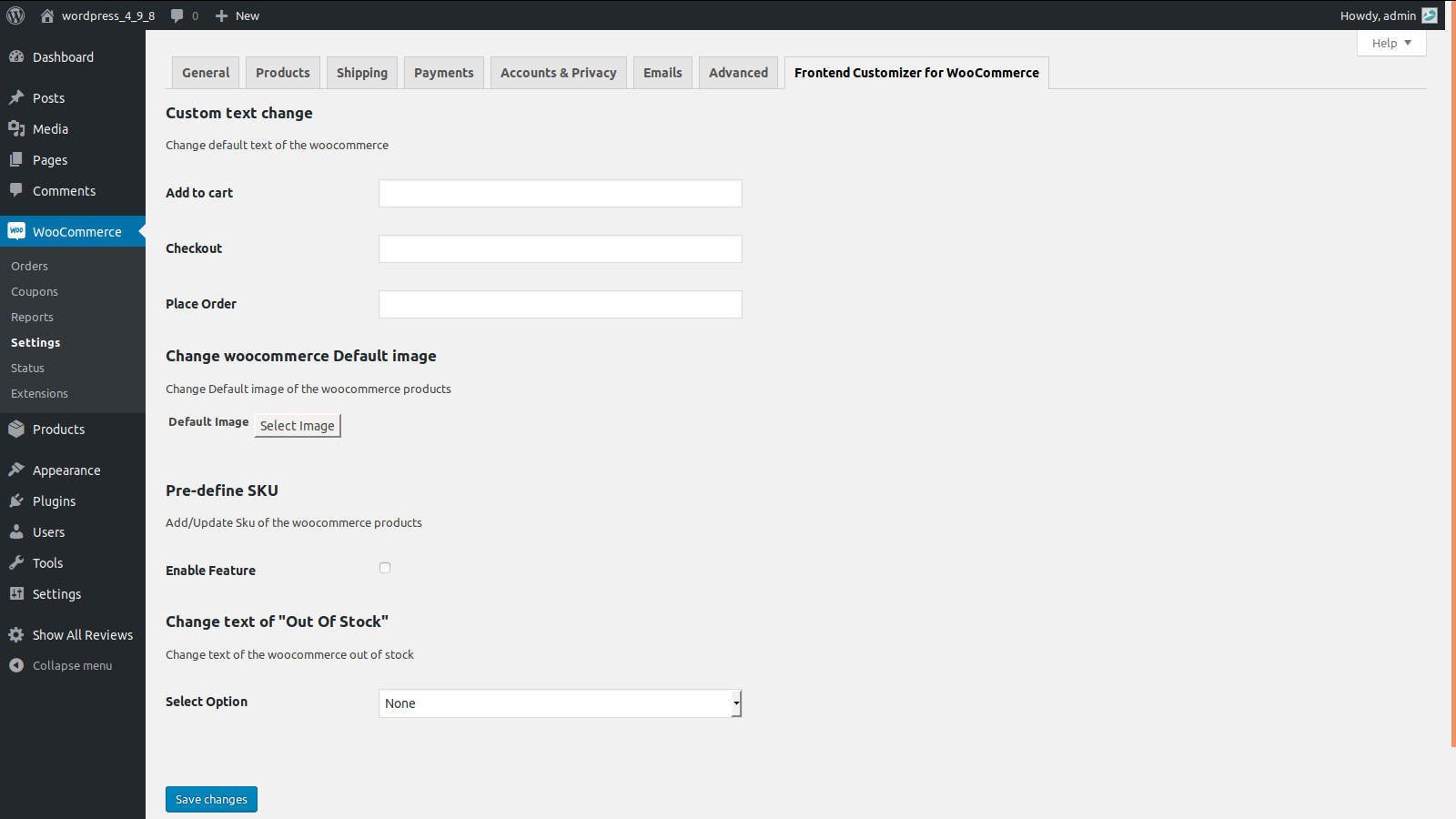
- Using Frontend Customizer for WooCommerce Plugin, admin can manage settings to change default texts, Default Product Image, pre-define SKU and text for Out of Stock.
- On installing this plugin, tab named Frontend Customizer for WooCommerce will appear under settings section.
- Navigating to Frontend Customizer for WooCommerce Tab, admin can change the default text for Add to Cart, Checkout as well as place order.
- Admin can change default image for products that are added without image.
- Admin can pre define SKU code for all WooCommerce products. This feature can be enabled/disabled based on admin needs.
- Admin can also change label name for Out of Stock, globally as well as for each product manually.
- In order to change label name for Out of Stock manually for each product, it has to be managed under inventory tab found in Product edit page.
Screenshots
FAQ