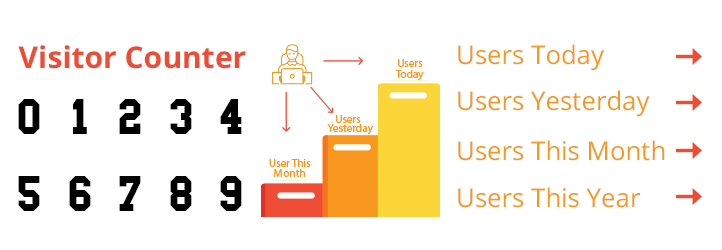
WPS Visitor Counter is a widgets which will display the Visitor counter and traffic statistics on WordPress. Some of the features offered include Toda …
| Author: | TechMix (profile at wordpress.org) |
| WordPress version required: | 3.0.1 |
| WordPress version tested: | 5.7.2 |
| Plugin version: | 1.4.8 |
| Added to WordPress repository: | 25-05-2019 |
| Last updated: | 03-07-2021
Warning! This plugin has not been updated in over 2 years. It may no longer be maintained or supported and may have compatibility issues when used with more recent versions of WordPress.
|
| Rating, %: | 78 |
| Rated by: | 8 |
| Plugin URI: | https://techmix.xyz/downloads/wps-visitor-cou... |
| Total downloads: | 96 459 |
| Active installs: | 20 000+ |

Click to start download
|
WPS Visitor Counter plugin is one of the best visitor counter plugin in wordpress. This plugin will help you to display the number of visitor your website have and its traffic statistics for your WordPress website. We have tried to include all the available data you needed to show in the visitor counter. Here are the items we are showing on our visitor counter:
- Users Today
- Users Yesterday
- Users Last 7 days
- Users Last 30 days
- Users This Month
- Users This Year
- Total Users
- Views Today
- Views Yesterday
- Views Last 7 days
- Views Last 30 days
- Views This Month
- Views This Year
- Total views
- Who’s Online
- Your IP Address
- Views Today
- Total number of views
- How many people are currently Online
- Your IP Address
- Server Time
You will find all the data authentic and this will help you to get your website traffic stat. Just install the plugin. It will affect just after you install it in your website. Our plugin is compatible for all types of websites and able to run in all versions of wordpress.
WPS Visitor Counter shortcode
Use this [wps_visitor_counter] Shortcode anywhere in your website where you want to show visitor counter.
gutenberg block supported
Arbitrary section
Refer Installation and FAQ section for all required information
A brief Markdown Example
Ordered list:
- Most simple plugin available so far
- Do not remove developer plugins link
Screenshots

Sample display

Counter options

Image counter options

How to add more counter Images?
As of now, adding another counter images, you can do to access the folder “styles/image/” on the installation of plugins
How to use shortcode?
Use this [wps_visitor_counter] Shortcode anywhere in your website where you want to show visitor counter.
Does WPS Visitor Counter Support shortcode?
Yes. WPS Visitor Counter support shortcode. Just Use this [wps_visitor_counter] Shortcode anywhere in your website where you want to show visitor counter.
Does WPS Visitor Counter plugin gutenberg block supported?
Yes. WPS Visitor Counter plugin gutenberg block supported.
What is website visitor counter?
A website visitor counter is a type of plugin which will help you to tell how much or how many people have visited your website in a certain period of time. Different types of plugins helps you to get different types data analytics support about your website traffic.
How can I track visitors of my website by WPS visitor Counter?
No. We can only show your number of visitor visti your website. We cannot help you to track your website visitor. Hope in future update we will include this feature.
Is visitor counter is free?
Most of the case the website visitor counter is free. But in case of custom modification and for custom features you need to pay for that visitor counter. These custom website visitor counter will give you a overview on Geographical location tracking and IP address locator.
Can I use WPS visitor counter in my WordPress website?
Yes. This is absolutely free to use for your wordpress website. just download it and install it to your desired wordpress website.
Is WPS visitor counter is bug free?
Yes. We have tested our plugin every now and then to find bug. Recently this plugin has been test at optimum level for the assurance of the quality of our plugin.
Can we use WPS visitor counter plugin from any country?
Yes. You can use this plugin from anywhere in the world.
Do we accept custom developed visitor counter on request?
Yes, we are. We will love to do that. For any kind of customer development support please feel free to know us.
Is this visitor counter works on all versions of wordpress?
We are recommend you to use our visitor counter plugin at latest version of wordpress. This will help you to get the best interface and this also makes your website secured.
Is this works as same as visitor hit counter?
Yes. Both of them are same thing in nature and works exactly in same way. But our visitor counter is better than the others hit counter due to secured coding and state of the art testing procedure.
Is our visitor counter works on custom made website?
No. This is only usable in wordpress. If you need any custom visitor counter than we will make that for you
Is this website visitor counter online works properly all the time?
Yes. In every geological location or for any amount of visitor or in any wordpress site this visitor counter is working in same efficiency
ChangeLog
Plug-in is now compatible upto wordpress version 5.2
1.1
- We have made some arbitary changes in our plugin
- We have updated some graphical and spelling mistakes
1.2
- Counter image preview updated
1.3
1.4
- Add More Options
- Change Defult options
1.4.3
- Add Animated counter views
- Gutenberg block support
