
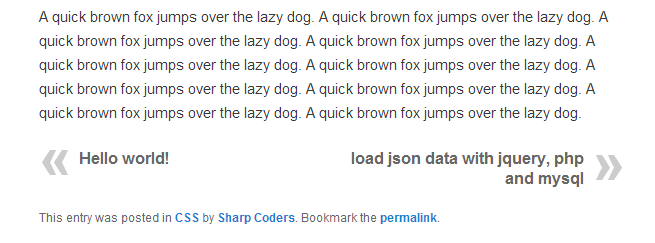
WP Post Navigation Plugin gives you facility to show Previous and Next Post Links at the Top or Bottom of a Post.
You've the option to set Post Navigation Bar at Bottom, Top or both Top & Bottom.
You can apply CSS style to Previous and Next Post Links.
You can set custom text instead of Next and Previous Post Titles.
You can set custom Image for Next and Previous Post Links.
| Author: | Anas Mir (profile at wordpress.org) |
| WordPress version required: | 3.0 |
| WordPress version tested: | 4.7.4 |
| Plugin version: | 1.2.4 |
| Added to WordPress repository: | 06-04-2013 |
| Last updated: | 24-04-2017
Warning! This plugin has not been updated in over 2 years. It may no longer be maintained or supported and may have compatibility issues when used with more recent versions of WordPress.
|
| Rating, %: | 82 |
| Rated by: | 26 |
| Plugin URI: | http://sharp-coders.com/wp-post-navigation |
| Total downloads: | 52 788 |
| Active installs: | 3 000+ |

Click to start download
|
Screenshots

Admin Panel Setting
WP Post Navigation

Installation Instructions
Step 1
- Download zip file and Extract it
- Upload wp-post-navigation folder to your /wp-content/plugins/ folder.
- Go to the ‘Plugins’ page in the menu and activate the plugin.
Step 2
- Go to Wodpress Admin Panel > Setting > WP Post Navigation
- If you want to apply CSS style to Previous and Next Post Links, then write CSS Code in CSS Code for Links Box.
- If you want to apply custom text to Previous and Next posts instead of Post Titles, you can enable the Option Custom Text and Set Previous & Next Post Text.
- If you want to use Images for Previous and Next post links instead of text, you can enable Use Images Options and give complete url of the images.
Which is the good place to show Post Navigation?
In my opinion, at the Bottom of the Content.
ChangeLog
= 1.2.4
* Testet on WordPress 4.7.4
= 1.2.3
* Post Next/Previous position Reseverse option added
* Disable Auto place navigation option is added (You can disable auto and can place navigation manually)
* On updation you’ll not lose your previous settings
* Bugs Fixed
1.2.2
- Bugs Fixed
- Position option is removed, by default shows at the bottom
- Manually Place Post Navigation anywhere in single.php file
1.2.1
1.2
- Compatible with WordPress 3.8
- Show Post Navigation above the Post Title
1.1
- Navigate Within Category Option Added
1.0.1
